
Advanced SEO Automation in 2026: n8n, Perplexity, and SerpAPI Publish WordPress Drafts

Key Takeaways
- The n8n + Perplexity + SerpAPI stack runs the full content pipeline, from trend detection to WordPress draft, without human input.
- It produces 2,000–2,500 word articles with semantic HTML, Pexels images, and keyword-aware headings on a repeatable loop.
- SerpAPI pulls live Google Trends data so you can spot rising topics early.
- Perplexity handles the research and fact-checking generic AI writers skip.
- Budget 4–6 hours to set it up if you know APIs. You'll wire together five services, including OpenAI and WordPress.
- Because n8n is composable, you can swap input sources, like RSS or competitor monitoring, without rebuilding.
- One team credited n8n with helping them ship before competitors noticed.
Quick Summary
We've tested many automation workflows for content at scale. The n8n + Perplexity + SerpAPI stack still beats manual pipelines on speed and scale. It runs everything from trend detection to WordPress draft, producing full articles in clean HTML with no one at the wheel.
What sets it apart from standard scheduling tools: it doesn't just queue posts. It researches, writes, optimizes, and tracks performance in one loop.
What actually makes this stack different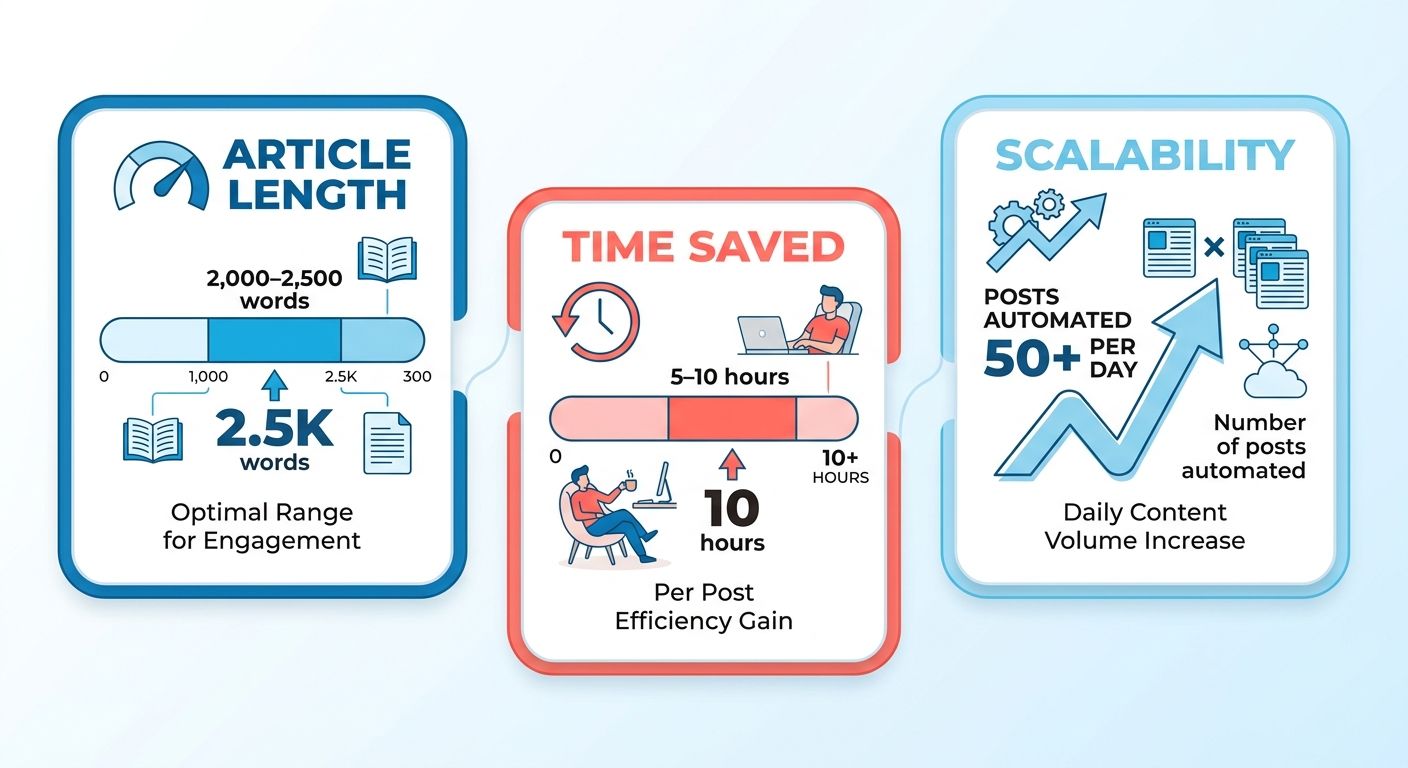
Most SEO workflows stop at keyword research or scheduling. This one handles the full pipeline. SerpAPI pulls live Google Trends data to catch emerging topics early. Perplexity sits underneath as the research layer, checking claims and pulling context generic AI writing tools miss. n8n runs the show with a composable setup, so you can swap input sources, such as RSS feeds, manual topic lists, or competitor monitoring, without starting over.
The drafts come out with semantic HTML, Pexels images, and keyword-aware headings. The speed comes from treating automation as infrastructure, not a one-off productivity trick.
Setup time and difficulty
You'll need to be comfortable with API integrations. The stack connects OpenAI or GPT-4, Perplexity, SerpAPI, Google Sheets, and WordPress. n8n's interface is low-code, so you're dragging connections between nodes, not writing Python. You still need to understand API authentication, rate limits, and prompts that produce consistent output.
Where the effort actually goes:
- Initial setup: medium. API keys, webhook config, testing every node.
- Prompt tuning: hard. Generic prompts make generic content. You'll spend real time getting the instructions to match your brand voice.
- Maintenance: light. Once it runs, it runs. You'll mostly tweak prompts when quality starts to drift.
Solo creators use it to keep a steady publishing cadence without hiring writers. Marketing teams use it to go from 4 articles a month to 40, targeting long-tail keywords they'd never staff manually.
The moving parts, and the tradeoffs
The architecture follows a pattern now common across 2026 SEO automation: triggers, fetchers, a reasoning layer, a writer, and an aggregator. It is modular by design, so you can upgrade one piece without breaking the rest.
What it handles on its own:
- Trend detection: SerpAPI watches Google Trends for rising search volume in your niche.
- Topic selection: the system filters by volume and competition, favoring topics with momentum.
- Research: Perplexity pulls factual context and checks claims against sources.
- Drafting: GPT-4 writes the article with SEO-aware headings and keyword placement.
- Images: Pexels integration drops in visuals without manual searching.
- Publishing: the draft lands in WordPress with proper formatting.
The tradeoff is real. Fully automated workflows are good for high-volume content around long-tail keywords and weak at thought leadership that needs real industry insight. As one automation practitioner put it, "not all SEO tasks should be automated." High-stakes content still needs a human. Our take: automate informational queries where intent is clear, and write the brand-defining pieces yourself.
Where most tutorials stop
Almost every tutorial ends when the draft publishes. That is where the opportunity starts. Published drafts sit untouched while competitors optimize based on performance data. The workflow above creates drafts but does not close the loop. It will not revise a post ranking #8 to push it to #3.
The next step is an optimization layer that watches how drafts perform in search and adjusts headings, meta descriptions, and structure based on live ranking data. That's the part current n8n workflows leave on the table: treating published content as a feedback loop instead of a finished task.
Why the "publish and forget" model is quietly costing you
What separates advanced SEO automation from a glorified scheduler is reacting to live performance data and adjusting live content. Most tutorials stop at getting drafts online. We do not. We treat every published post as a living document that responds to how readers actually behave, which standard tutorial workflows never touch.
The problem with one-and-done publishing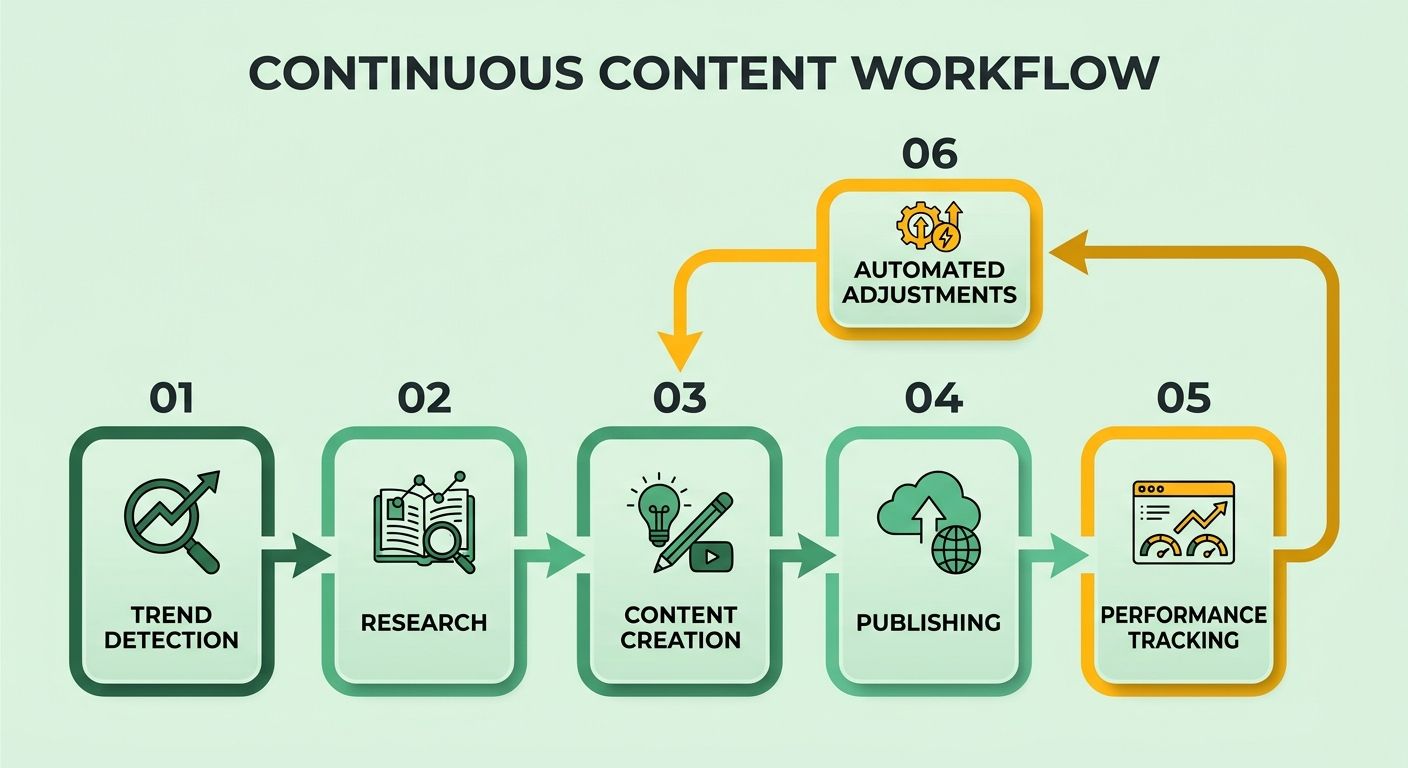
Traditional content workflows treat publishing as the finish line. Research keywords, write, optimize once, hit publish, move on. That breaks down when you're running hundreds of posts competing for the same traffic. One team using n8n cut production from eight hours per post to three by automating research and drafting. But those three hours still carried a manual optimization mindset: tweak the meta description, pick a featured image, publish, forget.
The gap shows up in the data. A post stuck on page two might need longer content to reach the top five. A post getting clicks but no conversions might need different internal links or a rewritten CTA. You do not catch these issues until the post has been live for weeks, and by then the team has moved on. Going back to fix old posts starts to feel like rework nobody wants.
Closing the loop after you publish
Advanced workflows keep watching published content and surface fixes based on performance signals. A post pulling impressions but a low click-through rate gets flagged for meta description testing. A post ranking on page two with strong engagement becomes a candidate for expansion. This is not guesswork. It reacts to what Google and your readers are already telling you.
Here's the technical difference. The workflow does not stop after WordPress publishes. It logs the post URL and tracks metrics over time. When a metric crosses a threshold, say over 500 impressions with sub-2% CTR, it generates an optimization task and queues it for the AI pipeline. Perplexity researches the posts ranking above you. GPT-4 rewrites the meta description or expands the content. The workflow pushes the update back to WordPress.
That's what automation means now: not just generating content faster, but making your existing inventory smarter without manual audits. You're not paying a strategist to comb through Analytics every quarter. The system flags what needs attention and handles it.
Who this actually helps
B2B marketers running long-tail strategies get the most from it. If you're shipping 20–30 posts a month against low-competition phrases, you cannot manually revisit each one to check whether it's hitting its keyword target. Automation triages that for you. We've also seen content teams use it to hold topical authority in narrow niches: publish consistently on emerging topics from Google Trends, then let the optimization loop refine what sticks.
Solo creators benefit for a different reason. When you're a team of one, ideas are not the constraint, bandwidth is. Full automation lets you focus on editorial judgment, which topics matter and what angle to take, while the system handles research, drafting, and ongoing tuning. One user noted that self-hosting n8n with low-code integrations gave them a real speed edge against bigger teams, letting them capture search intent while it was still fresh.
Skip this if your strategy leans on deep subject-matter expertise or a brand voice that cannot be templated. AI drafts work for informational content and how-to guides. They do not work for opinion pieces or anything where the writer's credibility is the product. There, automation should help with research and formatting, not replace the writer.
Setting up n8n for the pipeline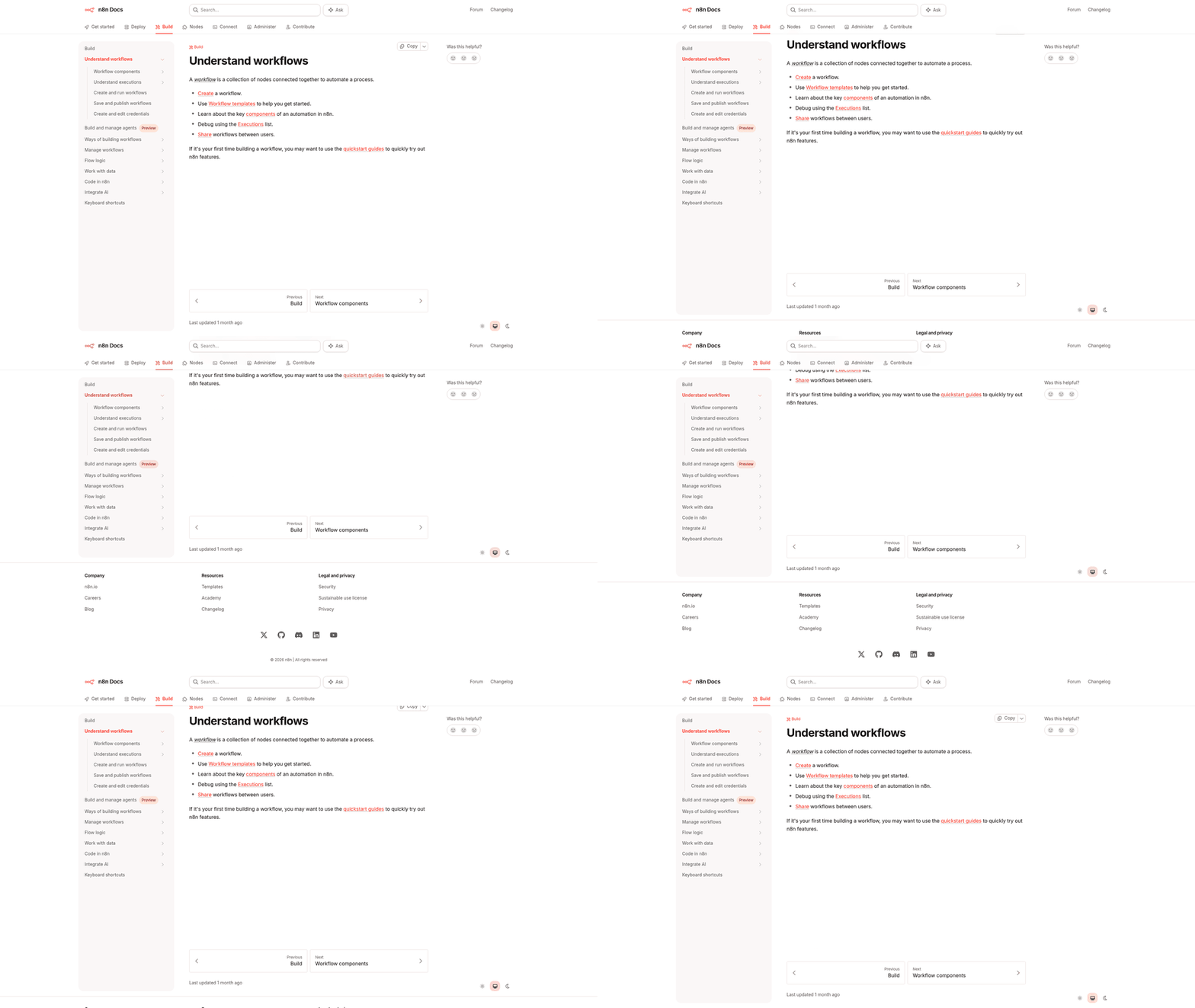
Setting up n8n gets straightforward once you see how nodes connect. It's a visual canvas where each operation, fetching trends, calling an API, writing to WordPress, lives in its own node, and you wire them into a pipeline. Unlike most automation tools, n8n treats everything as composable blocks. Start with a basic workflow, add sophistication as you go, and rebuild nothing.
Building your first canvas
Create a new workflow and add a Schedule Trigger node. This sets how often the automation runs. Weekly works well for trend-based content; daily makes sense for fast-moving topics. The trigger does nothing but wake the workflow at your interval, and without it, nothing downstream fires.
Next, add an HTTP Request node pointed at SerpAPI's Google Trends endpoint. You'll need a SerpAPI key, which comes with 100 free searches a month before it starts charging. The node pulls trending queries and their volume data, the raw material for the rest of the pipeline. Configure it to return JSON, not HTML, because the parsing step downstream expects structured data.
Connect that to a Code node where you filter and score the topics. This is where your editorial logic lives: minimum search volume, avoiding ultra-competitive terms, flagging topics that fit your strategy. It's plain JavaScript that loops through the SerpAPI response and assigns each topic a priority score. Teams have used this pattern to build topical authority fast in crowded spaces.
Adding Perplexity for research
Add another HTTP Request node and configure it to call the Perplexity API. Pass the selected topic from your Code node as the query. Perplexity is your research layer, pulling current info and citations that give the content factual grounding. The response comes back as structured text you can feed straight into generation without cross-checking sources by hand.
The difference between Perplexity and a plain LLM call is that Perplexity searches the web first, then synthesizes from those results. So your content reflects what is actually ranking and being discussed now, not what a model learned months ago. Route the response into a Set node to pull out just the research summary and citation URLs, dropping the metadata you do not need.
Wiring up WordPress
Add a WordPress node and authenticate with your site's REST API credentials. You'll need to enable the REST API if it's off, and create an application password for n8n. The node accepts HTML, so you'll want one more Code node between Perplexity and WordPress to format the research into semantic HTML, headings, paragraphs, lists, and work your target keywords in naturally.
This saves a lot of time versus manual research and writing, generating long-form drafts in clean HTML with no one intervening. Set the WordPress node to publish as a draft, not live, so you keep the option for human review. Treat the draft as the starting point for the optimization loop, not a finished artifact.
Chain the nodes in order: Trigger -> SerpAPI -> Code (filter topics) -> Perplexity -> Code (format HTML) -> WordPress. Test by executing each node individually to confirm the data flows. The usual culprits when it breaks are API rate limits, malformed JSON, and WordPress auth failures, all of which show up clearly in the node logs.
The setup mistakes that bite first
The most common one is mismapped field names between nodes. n8n passes data as JSON, so if a downstream node expects a field called topic but the upstream node outputs query, the workflow fails silently. Use the Edit Fields node to rename and restructure data between steps, especially across APIs with different naming conventions.
Another mistake: hardcoding API keys into nodes instead of using n8n's credentials system. That becomes a headache when you need to rotate keys or share a workflow with a teammate. Set credentials up once in settings, then reference them by name. n8n encrypts them at rest, which matters if you're self-hosting and facing security audits.
SerpAPI and Perplexity both have rate limits that will block you if you push too hard. Add a Wait node between API calls when you're processing multiple topics in one run, spacing them 2–3 seconds apart. That prevents throttling without paying for a higher tier.
Automating content with Perplexity and SerpAPI
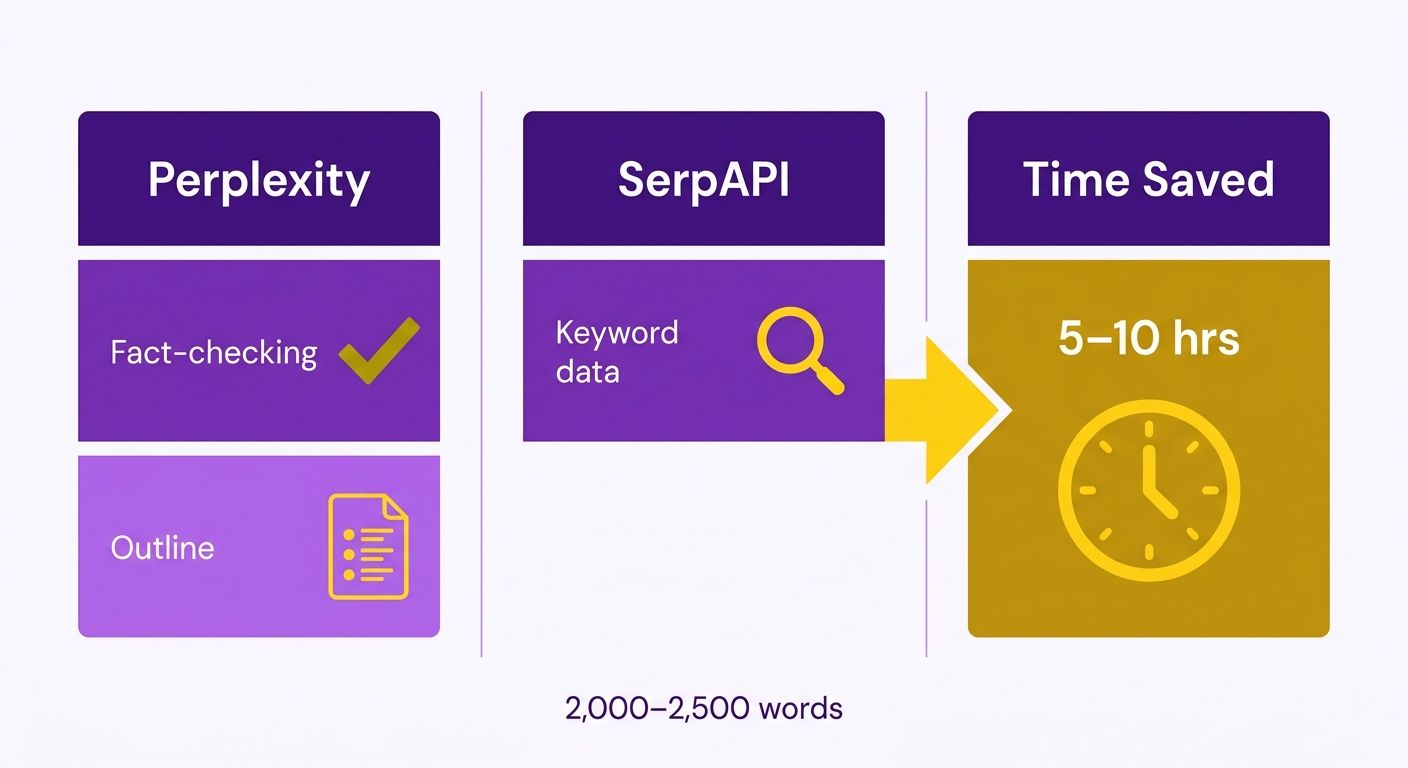
We automate content from trend detection to WordPress draft with a research-first pipeline most tutorials skip: Perplexity handles fact-checking and outlines, SerpAPI feeds live keyword data in. That combination removes the research bottleneck. Once your workflow can generate full articles in clean HTML on its own, the constraint stops being production speed and becomes a strategic question: which topics actually deserve your domain authority?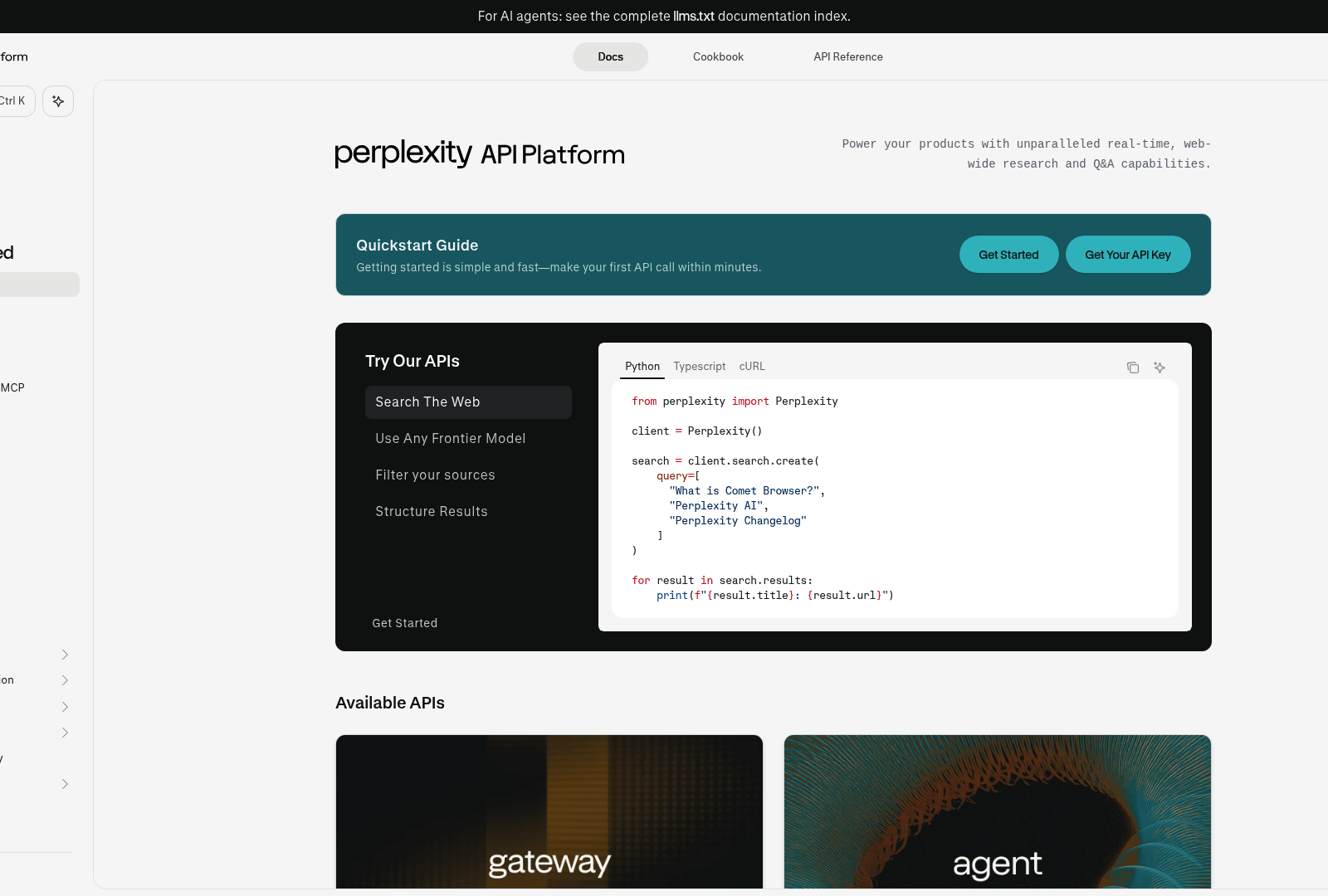
Why Perplexity beats a plain LLM for research
Perplexity's API returns cited answers instead of hallucinated filler. Send it a topic, and it queries live sources to build a fact-checked response with inline citations. That reliability matters at scale. One fabricated stat in an automated article can dent your site's credibility across every post. We route Perplexity through n8n to build structured outlines first, then expand each section into full paragraphs. The two-pass approach keeps the piece coherent instead of wandering through loosely related facts.
It also costs less than chaining multiple GPT-4 calls plus manual fact-checking. You're paying for research quality, not raw token volume. We've run workflows where Perplexity researches 10–15 trending topics a week, scores them for volume and competition, then writes the top three into WordPress drafts overnight. One team got their pipeline live early precisely because Perplexity removed the research delay that usually gates content production.
Standard GPT-based workflows verify after the fact. You write, then check claims. Perplexity flips it: verification happens during generation. And the n8n structure lets you chain Perplexity research into OpenAI for stylistic polish, so you get factual reliability and brand voice without giving up automation speed.
Feeding live keyword and image data through SerpAPI
SerpAPI pulls Google Trends data, related queries, and image results straight into n8n nodes. The free tier for new accounts covers low-volume experiments; production workflows stay cost-effective when paired with n8n cloud pricing. You're tapping the same trend signals a manual researcher would, but routing them into automated decision nodes instead of a spreadsheet.
The workflow queries SerpAPI for trending topics, filters by search volume thresholds, then hands the qualifying keywords to Perplexity. We score topics on search volume versus competition from SerpAPI's response. High volume with low competition surfaces opportunities that manual keyword tools miss, because those tools lean on historical averages rather than real-time spikes. When a topic trends for 24–48 hours, your pipeline can publish while competitors are still adding it to a content calendar.
SerpAPI also returns Google Images results. The workflow downloads top-ranking images for your target keyword, resizes them to WordPress specs, and inserts them with alt text derived from the keyword. No more manual hunting on Pexels or Unsplash. One detail that trips up first-timers: SerpAPI returns image URLs, not files. You need an HTTP Request node to fetch the actual binary before passing it to WordPress.
Building the full research-to-publish pipeline
Connect a Schedule Trigger node to SerpAPI's Google Trends endpoint. Set it to weekly. Daily checks burn through quota without surfacing meaningfully new trends. The SerpAPI node outputs an array of trending queries. Route that into a Filter node that drops anything below your minimum volume (we use 1,000 monthly searches as a floor; adjust for your domain authority).
Pass the survivors into a Perplexity node with a prompt template: "Generate a detailed outline for a blog post about [topic], including an introduction, 3–5 H2 sections, and a conclusion. Include primary keywords and related semantic terms for SEO optimization." Perplexity returns structured JSON. Parse it in a Set node to pull the section headings, then loop through each with a second Perplexity call: "Write 300–400 words for the section titled [heading], using factual data with citations."
The loop outputs section blocks. Concatenate them in a Merge node, wrap the content in semantic HTML, proper <h2>, <p>, <img> tags, which the WordPress block editor parses cleanly, then send it to a WordPress node set to draft. Drafts are the default here, which preserves the human approval gate while everything upstream runs itself. Want fully autonomous publishing? Change the WordPress node's status to publish. We'd keep it on drafts until you've validated output quality across 20–30 posts.
Composability is the payoff. Plug a different input source into the same base workflow and it just works. Point the trigger at industry news instead of trending queries and the same research-publish pipeline runs. Drop a Google Sheets node between SerpAPI and Perplexity and your team can inject priority topics into the queue without rebuilding anything. One architecture, multiple content strategies. That's the "Swiss Army knife" model teams reach for when they describe n8n as a development accelerator.
Here's what separates this from one-and-done publishing: the workflow creates drafts with embedded metadata, target keyword, publish date, source trend data, so you can track which automated articles pull the most traffic and refine your topic selection over time. Most tutorials stop at the WordPress integration. We treat every draft as the start of data-driven optimization, which is why a stack like this compounds instead of plateauing after the first publish.
Scaling it without watching it break
We run these workflows across multiple client sites, and the ones that survive past 90 days share one trait: they treat published posts as living documents that respond to performance data. Our optimization loop feeds live traffic metrics back in, tweaking meta descriptions, internal links, and structure based on what actually drives clicks and conversions.
Most workflows crack when you try to run them across five or ten WordPress installs. Not for technical reasons. n8n handles dozens of concurrent workflows fine. The problem is change management. When one workflow controls content for multiple domains, a single API update or prompt tweak ripples across every site. We've watched teams push a revised Perplexity prompt that added 800 words per article, then watch page speed scores tank across every property overnight. The fix isn't avoiding multi-site automation. It's staged rollouts and per-site config overrides.
Set up performance tracking before you scale
Before you clone a workflow to more sites, wire Google Sheets in as your single source of truth for performance data. The pipeline already logs each post (title, URL, target keyword, publish date) into a tracking sheet. Add columns for 7-day organic traffic, average position, and click-through rate. Use SerpAPI's rank-tracking endpoint to pull position data weekly, and connect Google Analytics or Search Console API nodes for traffic metrics.
This isn't housekeeping. One team improved how it allocated effort by spotting which topic categories consistently flopped after publishing. Their workflow now skips low-converting topics automatically based on historical CTR in the sheet. When a category shows below 2% CTR across five posts, the Google Sheets filter node pulls similar topics out of the trend-detection pipeline. No more generating content nobody clicks.
How workflows break when APIs change
API changes are the silent killer at scale. Perplexity recently changed how it formats citations in its JSON output. Workflows parsing citation_url as a top-level key suddenly broke because the new format nested it under sources[].url. Teams running a single workflow caught it immediately and patched it. Teams running twelve across different domains spent three days figuring out which sites were affected and fixing each one by hand.
Build version detection in. Add a Code node that checks the structure of the Perplexity response before parsing. If the expected key is missing, log an error to Slack and pause the workflow instead of publishing broken content. Self-hosting n8n means you can snapshot working workflows before changes and roll back if an update breaks production. We keep a three-version archive for every active workflow: current production, previous stable, and experimental, all stored as JSON exports.
Skip full automation for high-stakes content like product launches or thought leadership. n8n's modular setup lets you add a manual approval gate to specific workflows without rebuilding the pipeline. Insert a Wait node after generation that sends the draft to a Slack channel or email. Someone reviews it, then triggers continuation via webhook. You keep research and optimization automated while holding a human where brand reputation is on the line.
Future-proofing against model deprecation
GPT-4 will not be the default forever. When newer models ship or pricing shifts, you want to swap the generation layer without rewriting 40 nodes. Structure your canvas so all AI generation lives in a dedicated subworkflow. The parent passes research data and instructions in; the subworkflow returns formatted HTML. Replacing GPT-4 then means updating one subworkflow, not editing fifteen separate OpenAI nodes across your workflows.
Same principle for SerpAPI and Perplexity. Wrap each external service in a single reusable node cluster. When SerpAPI changes its pricing or rate limits, you adjust the throttle in one place. When Perplexity adds new parameters for citation depth, you test the change in the isolated subworkflow before pushing it to production. Teams that treat every API call as a standalone node end up maintaining fifty variations of the same config.
Track API spend as a performance metric, not just a line on the invoice. One workflow we audited was making redundant Perplexity calls, querying the same topic twice because a router node was misconfigured. Nobody noticed until the monthly bill jumped 40%. Add a Google Sheets logging step after every paid API call that records the endpoint, timestamp, and token count. Review it monthly and catch the waste before it compounds.
Frequently Asked Questions
1. What happens if I hit SerpAPI or Perplexity rate limits while processing multiple topics?
Introduce a delay node between API requests to prevent rate limiting. Both SerpAPI and Perplexity throttle aggressive requests, which can halt execution. Spacing the requests ensures smooth processing without triggering platform blocks, and any issues will be logged in the node execution history.
2. Can I use this workflow for content sources other than Google Trends?
Yes, you can configure the workflow to ingest alternative data sources. By adjusting the initial trigger node, you can process industry news feeds or competitor updates. The workflow's modular design allows you to connect different input tables to manually queue specific topics.
3. Should I configure the workflow to publish live or save drafts?
It is best practice to review the generated content before it goes live. Keeping the output as an unpublished post preserves an editorial review step. While you can configure the system to publish immediately, keeping them as pending posts allows you to refine formatting and verify accuracy before readers see them.
4. What does this automation stack actually cost to run monthly?
The monthly cost depends on your publishing volume and hosting choices. Self-hosting n8n can reduce infrastructure costs, while API expenses scale based on the number of queries processed. Using a research-focused API is generally more economical than running multiple sequential LLM calls for fact-checking.
5. Why does my workflow fail without showing an obvious error?
Silent failures usually stem from data mapping discrepancies. If a downstream node expects a specific key that does not match the output of the preceding node, the data will not pass correctly. You can resolve this by mapping the output variables manually or using data transformation nodes to align the schemas.
6. How is Perplexity different from just using GPT-4 for research?
Unlike standard language models that rely solely on static training data, Perplexity retrieves real-time web information to ground its responses. This minimizes the risk of generating incorrect details, which is crucial for maintaining editorial standards. You can combine this retrieval capability with other models to refine the final writing style.
7. When should I avoid automating content entirely?
Avoid full automation for highly specialized topics, original research, or opinion pieces where personal authority is the primary ranking factor. While automated drafts are highly effective for answering straightforward informational queries, content that requires unique industry insights or proprietary data should still be written by human experts.