
Ahrefs Content Explorer Filters That Surface Low-Competition Topics Faster

Key Takeaways
- Ahrefs Content Explorer scans 21.4 billion web pages for low-competition topics.
- The Starter template targets KD 0–10 and volume 100–500.
- It returns roughly 20 viable topics in 5–10 minutes.
- Ahrefs discovers about 10 million new pages every 24 hours.
- Low-competition opportunities can therefore close quickly.
- The Authority template assumes KD 15–35 and 2,000+ volume.
- It projects 15K+ annual visits after 30–45 minutes of filtering.
- Skill requirements range from Beginner to Advanced across all three sets.
- The Growth template combines KD 5–20 with 5–15 referring domains.
- It projects 5–15K visits over 12 months.
- Ahrefs and its tutorial disagree about ranking signals.
- The Content Explorer page favors KD; the blog favors referring domains.
Quick Summary
Content Explorer scans Ahrefs' index for low-competition topics. The key is stacking filters to find winnable keywords quickly. Below is a reference for three filter templates, including their time and skill requirements.
The web constantly expands and changes, so opportunities close quickly. Pair filter exports with automated drafting instead of holding shortlists for two weeks.
Which Filter Template Fits Your Team?
Choose a template based on domain strength and available time. Starter suits beginners with new sites. Authority assumes backlink analysis experience and faster execution.
| Filter Set | KD Range | Search Volume | Traffic Threshold | Referring Domains | Discovery Time | Expected ROI |
|---|---|---|---|---|---|---|
| Starter | 0–10 | 100–500 | 50+ page traffic | 0–5 | 5–10 min | 2–5K visits/12 mo |
| Growth | 5–20 | 500–2,000 | 200+ page traffic | 5–15 | 15–20 min | 5–15K visits/12 mo |
| Authority | 15–35 | 2,000+ | 500+ page traffic | 15–40 | 30–45 min | 15K+ visits/12 mo |
Each template produces actionable keywords within its listed discovery time. Skill requirements increase from Beginner to Intermediate to Advanced. Ahrefs' Content Explorer documentation and tutorial blog explain each filter field.
Should You Filter by KD or Referring Domains?
Use both. The sources disagree about the strongest low-competition signal.
The Content Explorer page emphasizes KD. Ahrefs' tutorial blog recommends filtering by referring domains and page traffic instead. KD is a keyword-level estimate, while referring domains and traffic are page-level facts. A page with 500+ visits and 0–5 referring domains shows a proven gap.
Our rule: start with KD 0–10, then add referring domains 0–5. This confirms that the page ranks without a backlink moat. The combination is stronger than either filter alone.
Where Does the Quick Win Come From?
The clearest quick win is 0-KD keywords with 100–500 monthly searches. This combination indicates 2–5K visits per page over 12 months. It forms the basis of the Starter template.
Skip this approach if your site already has authority in a competitive niche. Chasing 0-KD terms can waste that domain strength. Use the Authority set instead.
One caveat about KD: it ignores intent and content quality. A filter shows that a gap exists. It cannot confirm whether your draft matches searchers' needs. An AI generation layer can turn a filtered keyword list into a draft before the opportunity becomes saturated. AnyPost's Taxonomy Researcher surfaces low-difficulty, high-intent keywords for your niche. Its generation engine turns them into SEO-optimized articles in your voice, ready to auto-publish.
Why These Filters Beat Every Other Keyword List
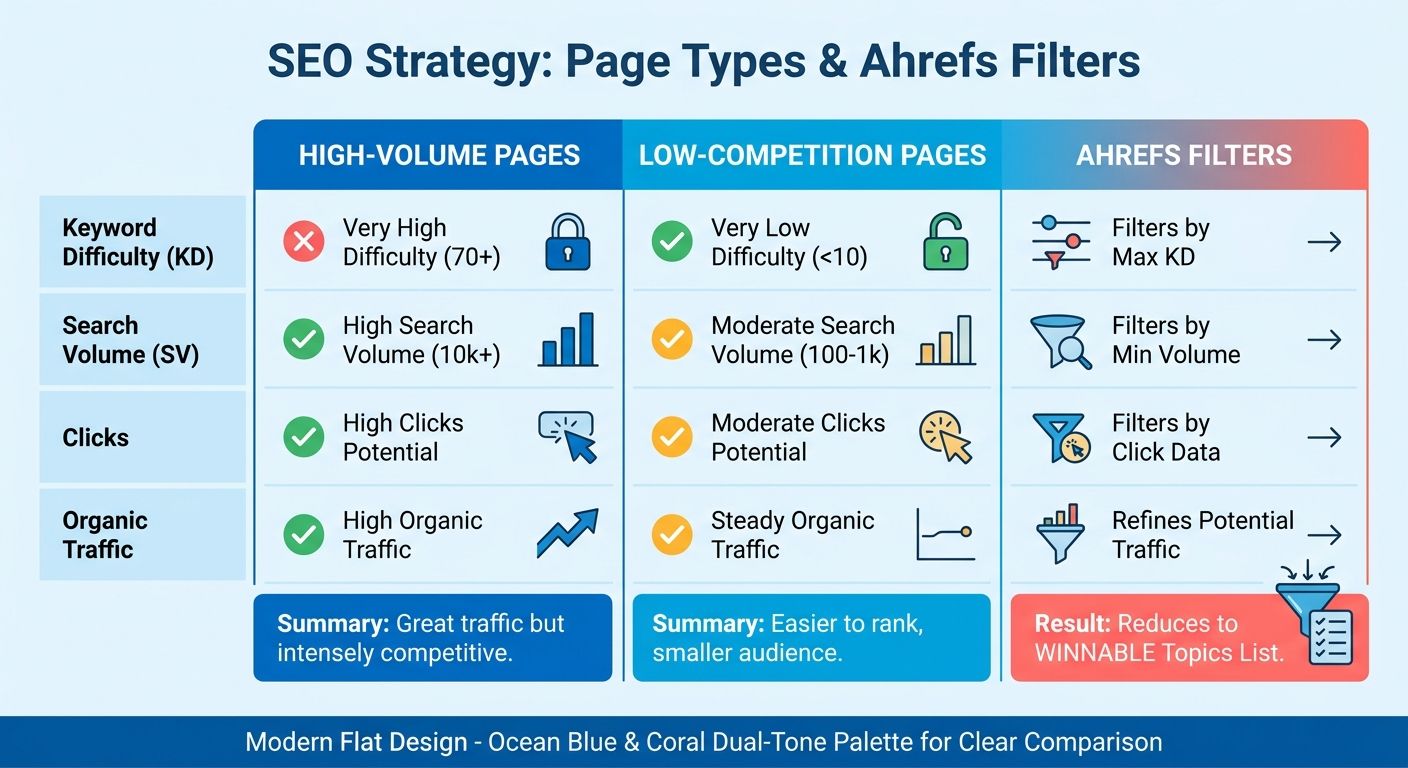
Many keyword tools return lists dominated by high-volume terms. Those terms often have years of backlinks behind them. Content Explorer filters the indexed web for topics with structurally weak top-10 results.
The strongest opportunities combine real organic traffic with few referring domains. The Ahrefs tutorial specifies fewer than 10 referring domains and over 500 monthly visits. One solo-backpacking page cited there receives 770 monthly search visits with only 10 links pointing to it. That gap may be possible to address quickly.
What Actually Signals a Low-Competition Topic?
Low competition means top-ranking pages earned their positions with few backlinks. It does not mean that a keyword has low search volume. The key page-level filters are referring domains and organic traffic. Together, they identify topics where content quality can outweigh link authority.
Using one metric creates false positives. A low difficulty score suggests competitors have thin backlink profiles. It does not confirm easy search intent or weak existing content.
Narrow the initial pool with high-level metrics. Then validate candidates against page-level performance. Google's John Mueller has said that Google uses no domain authority metric in ranking. Any single link-based score can therefore mislead you.
Why This Matters More for AI-Driven Publishing
The combination of few referring domains and measurable traffic gives an automated pipeline a clear trigger. It identifies a structural gap rather than guessing about intent.
Search landscapes change constantly. Competitors can update content or launch new pages quickly.
Production workflows must keep pace. Moving from a validated export to a finished draft helps capture search share before the market reacts. An automated publishing pipeline can scale output while maintaining editorial standards.
Who Gets the Most Out of Filter-Driven Discovery?
Best fit: B2B marketers, content creators, and SEO-focused product teams. These teams often work with newer domains and limited link profiles. Structural gaps can provide a path to page one.
Agencies managing several client sites can benefit as well. The filter chain scales across sites, while automated drafting supports larger content calendars.
Established brands with high domain authority may use their strength elsewhere. Ultra-low-competition terms may provide less value than high-volume, competitive keywords.
The Four Filters That Do Most of the Work
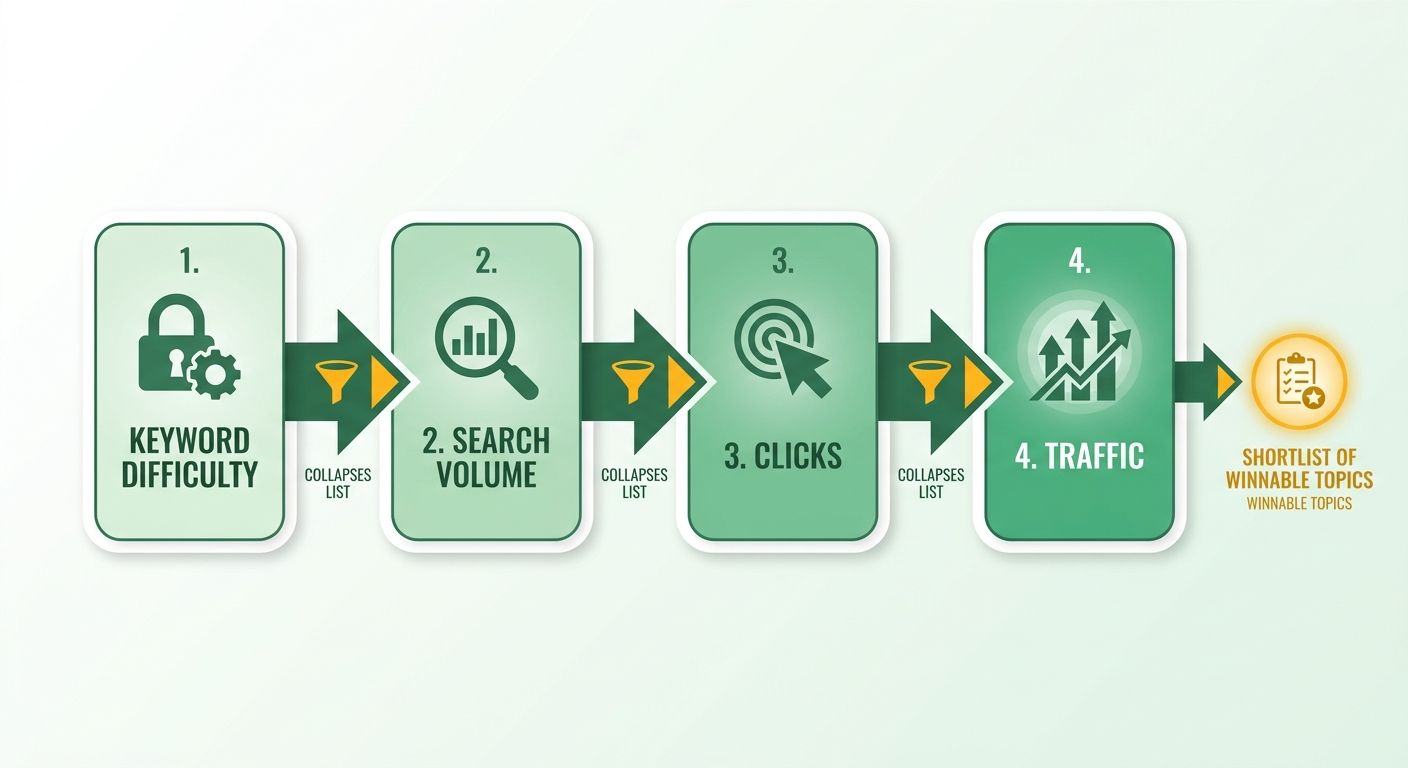
Four filters drive low-competition discovery: Keyword Difficulty, Search Volume, Clicks, and page-level Traffic. Applied in that order, they reduce thousands of results to more manageable topic lists. Additional filters provide refinement.
The key is understanding what each filter measures. KD scores, for example, rely on backlink counts rather than content depth or user satisfaction. Treat KD as an initial screen, not a final judgment.
What KD Range Actually Wins Quick Rankings?
Keyword Difficulty (KD) is a 0–100 score. It reflects the number of referring domains pointing to the top-10 pages for a query. Lower scores mean fewer links to overcome. For newer domains, filter KD 0–10 to find potential quick wins. That range can surface thousands of low-competition keywords.
Automated scores can help identify opportunities. However, they cannot judge searcher satisfaction. A low score invites investigation rather than promising page one.
Search engines rank individual pages, not sites using one authority score. Page-level metrics can therefore provide a more direct view of actual difficulty.
How Do You Combine Volume, Clicks, and Traffic?
Search Volume measures demand. Clicks show whether that demand leads users away from the SERP. For niche SaaS topics, target 100–1,000 monthly searches. This range offers demand without competing directly with enterprise blogs.
Volume without clicks can mislead you. Zero-click SERPs capture traffic before users reach your page. Keep keywords where Clicks exceed Search Volume × 0.4. Then set a page-traffic floor of 50 monthly clicks.
Consider "AI-driven lead scoring": KD 5, Volume 320, Clicks 210, and roughly 1,200 monthly traffic on the ranking page. It passes each filter and combines demand with low competition.
Why Referring Domains Beat Total Backlinks
The strongest low-competition signal combines few referring domains with real traffic. Total backlink counts matter less. A page can have 200 backlinks from one site and still remain weak. Unique domains provide a clearer measure.
Pages with substantial traffic and few external links may reveal content gaps. Strong rankings with minimal link support suggest limited high-quality competition.
Analyze competing pages for outdated information, thin coverage, and poor formatting. Address those weaknesses in your content plan. Results can change quickly, so move promptly.
Quick audit before you finalize a topic:
- KD 0–10, then review the top three results for weak content.
- Volume 100–1,000, with clearly informational or commercial intent.
- Clicks above Volume × 0.4.
- Under 5 referring domains and over 50 monthly clicks.
- Exclude terms dominated by Featured Snippets or People Also Ask boxes. These often require more effort than they return.
Stacking Filters for Long-Tail Gold: The Workflow
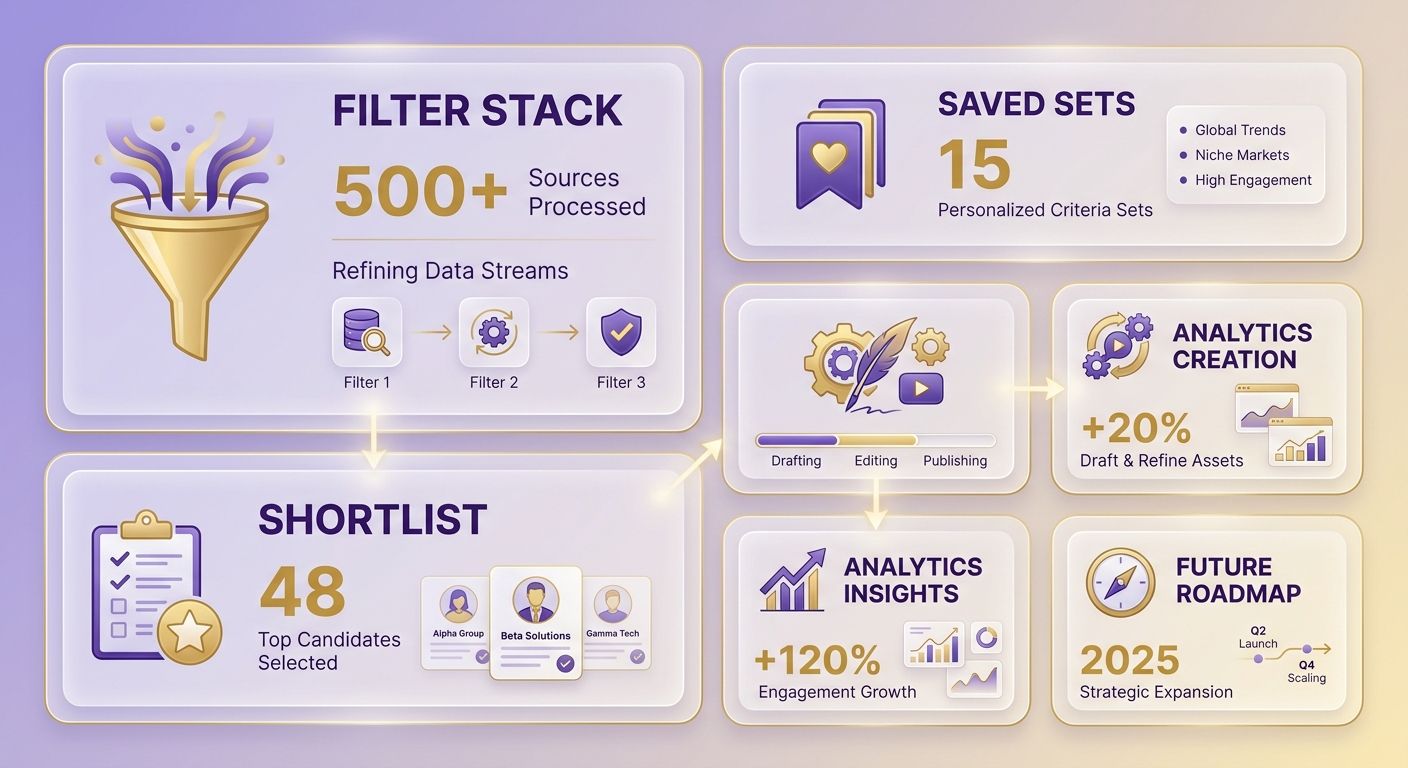
The fastest way to isolate long-tail opportunities is stacking filters in a fixed order. Save the stack so your team can reuse it. The sequence matters as much as the thresholds. Apply filters from broadest to narrowest to preserve strong candidates.
This workflow runs inside Content Explorer and surfaces winnable topics. The shortlist can then move into production.
What's the Exact Filter Sequence for Long-Tail Topics?
The stack: KD < 10 → Volume 100–1,000 → Clicks > 40% of Volume → Referring domains < 5 → exclude SERP features. Each layer removes a different type of irrelevant result.
Start with KD under 10. This can surface thousands of low-competition keywords. Use it as an opening screen rather than a final judgment.
Next, add Volume 100–1,000 to remove zero-traffic terms and high-volume competition. Apply the click-to-volume ratio to remove queries that retain users on the SERP. Then add referring domains under 5 to find pages with traffic and few links.
Finish by excluding SERP features that absorb clicks. The remaining shortlist should contain structurally weaker results.
How Do Boolean Operators Widen or Narrow the List?
Boolean logic controls the scope without rerunning the entire stack. Use AND to require multiple terms in every result. Use OR to include synonyms and related phrases.
Start with OR to build a broad candidate list. Then use AND after identifying the strongest angle. This approach captures variants that one seed keyword might miss.
Review keyword-level and page-level metrics together. A low-difficulty keyword on a page with minimal backlink support can indicate a genuine content gap.
How Do You Save, Share, and Export Filter Sets?
Save each stack using a naming convention the team can understand. One example is KD10-Vol100-RD5-[niche]-v2. Version numbers track changing thresholds as domain authority grows.
- Name by function, not mood: include thresholds and niche in the label.
- Version every change: increase the number when you change KD or volume.
- Export to CSV: maintain a shortlist for production handoffs.
Roughly 15% of daily Google searches are queries never seen before. New long-tail gaps can therefore appear continually. Capturing them early can build topical authority before broader competition arrives.
After publishing, monitor three metrics: ranking speed in days to top 20, traffic lift on the target page, and content ROI for each published piece. These metrics show whether the saved set still identifies useful gaps.
Where Low-Competition Hunts Go Wrong
Most low-competition research fails when marketers trust one metric. Content Explorer can produce a shortlist quickly, but a clean list is not necessarily winnable. The following checks help turn filtered exports into publishable topics.
Which Filter Mistakes Kill Your Rankings?
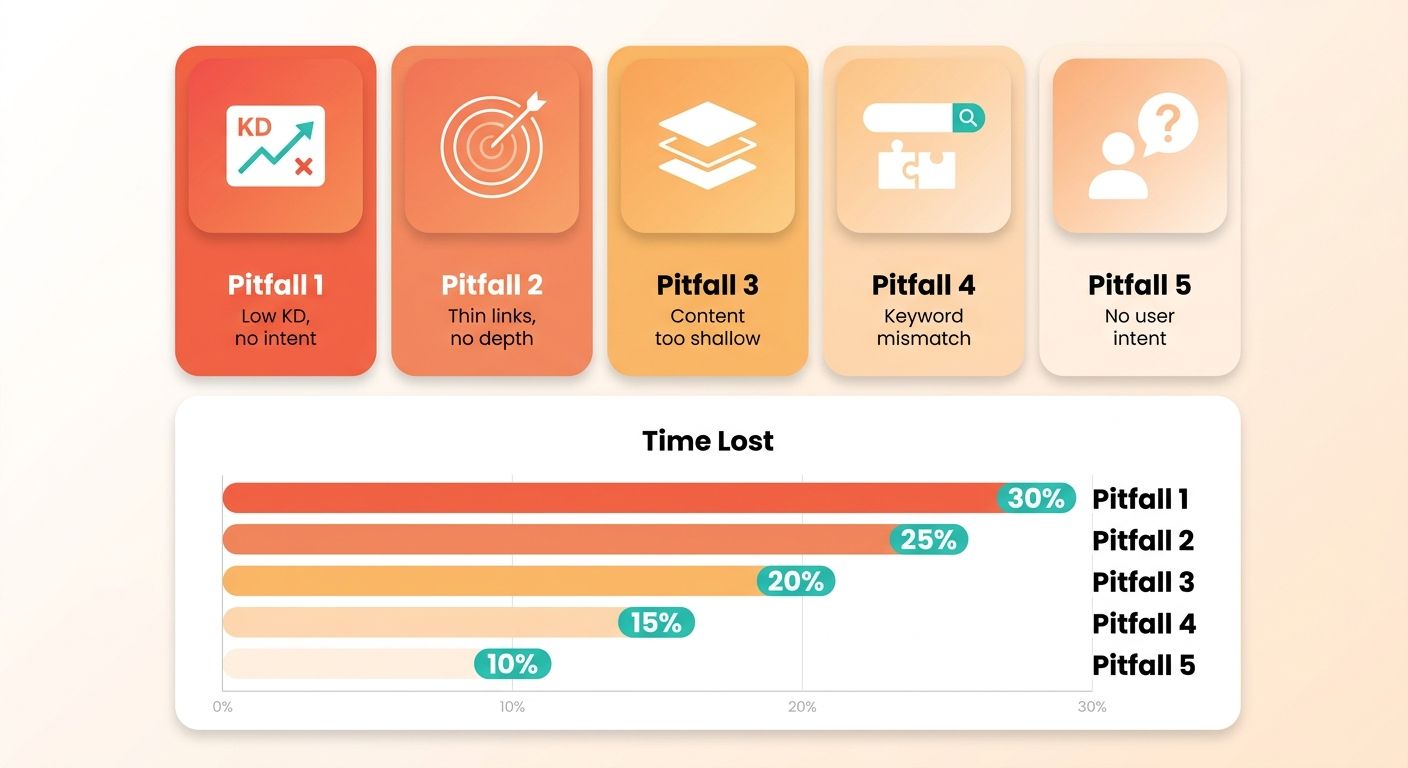
The five failures below cost the most time. Each results from trusting one signal instead of combining checks.
Pitfall #1: KD alone, no intent. A low difficulty score indicates thin backlink profiles. It says nothing about intent. One keyword may need a detailed guide, while another requires a product landing page.
Pitfall #2: Ignoring click data and chasing ghost keywords. High volume can mislead you when the SERP answers the query directly. Verify that searchers click through to external sites.
Pitfall #3: Over-filtering into an empty list. Applying KD, volume, clicks, and referring-domain limits too aggressively can leave only three ideas. If that happens, loosen the referring-domain cap first. It is the least reliable proxy for actual difficulty.
Pitfall #4: Skipping seasonal and trending spikes. A page may receive traffic from a temporary spike. Check whether traffic remains steady before committing a draft.
Pitfall #5: Not mapping topics to buyer-journey stages. A KD-0 how-to and a KD-0 comparison keyword serve different readers. Tag each topic by stage to avoid an output dominated by top-of-funnel content.
How Do You Validate a Shortlist in Two Steps?
Use a two-pass check. First, apply Ahrefs filters as a structural screen. Then validate intent and content gaps before drafting. KD narrows the pool; the second pass confirms the opportunity.
Our pro-tip stack:
- Run a quarterly Filter Refresh. New pages can saturate low-competition gaps within weeks. Roughly 90% of pages get no organic traffic from Google at all. Re-run saved sets each quarter to identify emerging terms.
- Cross-reference with Site Explorer. Check what your site already ranks for before drafting. This flags cannibalization and reveals genuine gaps.
- Export clean. Use CSV for pivot tables and JSON for pipelines. Include keyword, KD, volume, clicks, and the SERP URL as minimum fields.
What's the Fastest Way to Rank Topics by Effort?
Build a pivot table comparing traffic potential with effort. Plot clicks or estimated traffic on one axis and referring domains on the other. Topics with real traffic and nearly no links belong in the top-left "act now" quadrant.
After identifying that quadrant, prioritize those topics in your content calendar. Well-structured, comprehensive content can support early rankings and build topical authority.
Frequently Asked Questions
1. Can I use Content Explorer filters if I don't have an Ahrefs subscription?
Content Explorer is a premium feature requiring an active paid subscription. Those researching its capabilities can review Ahrefs' public learning materials and user guides. These resources describe each filter field in detail.
2. How often should I re-run my saved filter sets?
Update keyword research periodically. Search landscapes change quickly, and competitors may target today's opportunities tomorrow. Regular reviews help identify new queries and adjust your content strategy.
3. What does the "Clicks above 40% of Volume" filter actually protect against?
This threshold removes queries that users answer directly on the search results page. A higher click-to-volume ratio helps identify terms where searchers visit external websites.
4. What if my filters strip the list down to only two or three topics?
Your criteria may be too restrictive. Relax the backlink constraints first. You can also begin with broader difficulty metrics, then apply strict page-level filters to the shortlist.
5. Should agencies managing multiple client sites use this approach differently?
Agencies should customize filters for each client's domain strength. Newer sites need ultra-low-competition targets. Established clients with strong backlink profiles can target more competitive, higher-volume terms.
6. Why shouldn't I trust Keyword Difficulty as a standalone ranking predictor?
Keyword difficulty scores use backlink data. They do not account for search intent, content relevance, or user experience. Search engines evaluate pages using many non-link factors. A link-based score alone can make terms appear easier than they are.
7. How do I check whether a topic's traffic is a real opportunity or a fading spike?
Review historical traffic trends for the ranking pages. Consistent performance over several months or years suggests a stable opportunity. Avoid sudden, short-lived spikes unless you target seasonal trends.