Ahrefs Content Explorer Tool: Features, Uses, and SEO Workflows

Key Takeaways
- Ahrefs Content Explorer indexes 20.9 billion pages, with 10 million daily additions and 300 million updates.
- Filter articles by organic traffic, backlinks, domain authority, and publication date.
- Teams use Content Explorer to reverse-engineer competitors and find low-competition topics with traffic proof.
- You can find high-ranking articles with few backlinks before markets saturate.
- Content Explorer connects research directly to publishing, cutting manual planning steps.
- The database scale reveals backlink opportunities and content angles competitors missed.
- Filter combinations show which articles rank without heavy link profiles.
Related Video
Watch: Official Ahrefs Tutorial: How to use Ahrefs to Improve SEO by Ahrefs
What Content Explorer Actually Does
The Ahrefs Content Explorer tool gives you a database of 20.9 billion indexed pages, refreshed with 10 million new discoveries and 300 million updates daily. That scale matters when you're hunting for proven content angles and backlink opportunities competitors have not exhausted yet.
Here's what makes Content Explorer different: you're not just searching for keywords. You're filtering entire articles by organic traffic, backlink count, domain authority, and publication date to surface content that already ranks. Feed those insights into an automated content pipeline, and you skip the guesswork phase entirely.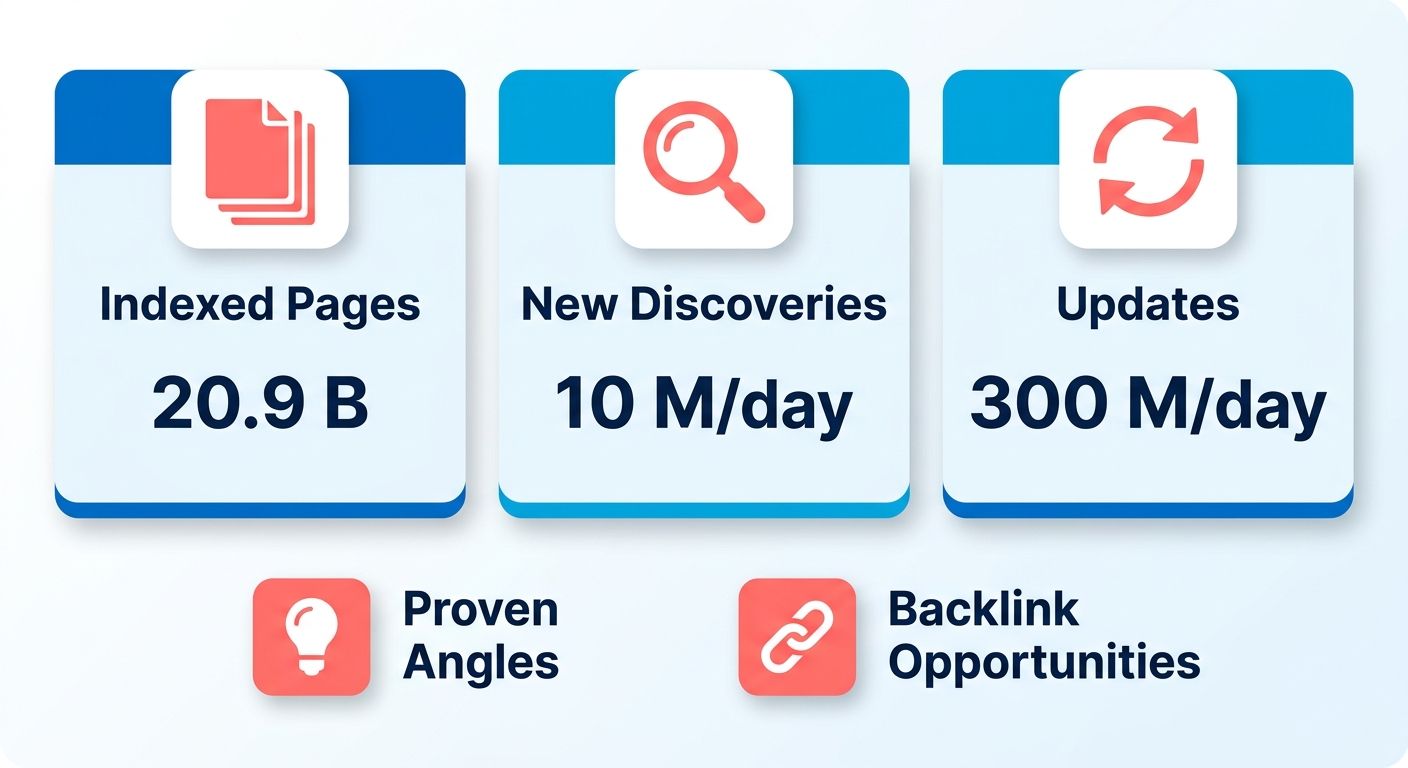
How Teams Actually Use It
Most teams use Content Explorer to reverse-engineer competitor strategies and find low-competition topics with traffic proof. You can locate articles that rank well with minimal backlinks, then target the same keywords before the opportunity saturates. The filter set includes website traffic, traffic value, domain rating, referring domains, language, author, word count, platform, and page status.
We see three high-ROI applications in practice: discovering unlinked brand mentions for outreach, identifying broken link opportunities where you can offer replacement content, and spotting content gaps in your own coverage by analyzing what competitors publish that you don't. Each use case cuts weeks of manual competitive analysis into a few filtered searches.
Time Investment
Setting up your first Content Explorer workflow takes 30 to 45 minutes if you're new to the tool. You'll configure saved searches, set up filter templates for recurring research tasks, and export a baseline content audit. After that, routine keyword discovery runs drop to 10 to 15 minutes per topic cluster. Expect two weeks of daily use before the filters become second nature.
Difficulty varies by task complexity. Finding high-traffic, low-competition content ideas sits at beginner-to-intermediate level. Building a full content strategy from competitor gap analysis and backlink prospecting pushes into advanced territory, especially when you're layering multiple filter conditions and cross-referencing domain authority patterns. Budget 2 to 3 hours weekly for ongoing content research once your workflow stabilizes.
How It Compares to Alternatives
Content Explorer's real-time index refresh cycle, 15 to 30 minutes for most pages, gives you an edge over tools with weekly or monthly crawls. You can spot emerging content opportunities and competitor moves before they become saturated. The combination of billion-page filter capability and near-instant updates creates a workflow advantage: identify gaps, feed validated keywords into automated content pipelines, and publish while the opportunity window stays open.
Where Content Explorer pulls ahead is metric-based filtering depth. You're not limited to keyword volume and difficulty. You can isolate articles by exact backlink thresholds, traffic ranges, and domain ratings to reverse-engineer what actually ranks. That addresses a real problem: nearly half of traffic-driving terms go untracked in standard analytics. Surface competitor content ranking for invisible keywords, extract their targets, and build automated content briefs from proven patterns instead of hunches.
Why This Tool Matters
Content Explorer collapses the research-to-publication cycle into a single workflow. You're filtering a massive live database by organic traffic, backlink count, and domain authority to surface articles that already rank, then feeding those validated angles directly into automated content generation.
Here's what separates Content Explorer from basic keyword tools: its rapid crawling cycle means you're spotting emerging content opportunities before they saturate. You can use this real-time data to identify low-competition topics with strong traffic potential, then route them straight into AnyPost's voice-matched content pipeline while the window is still open. By the time competitors notice the gap, the content is live and indexed.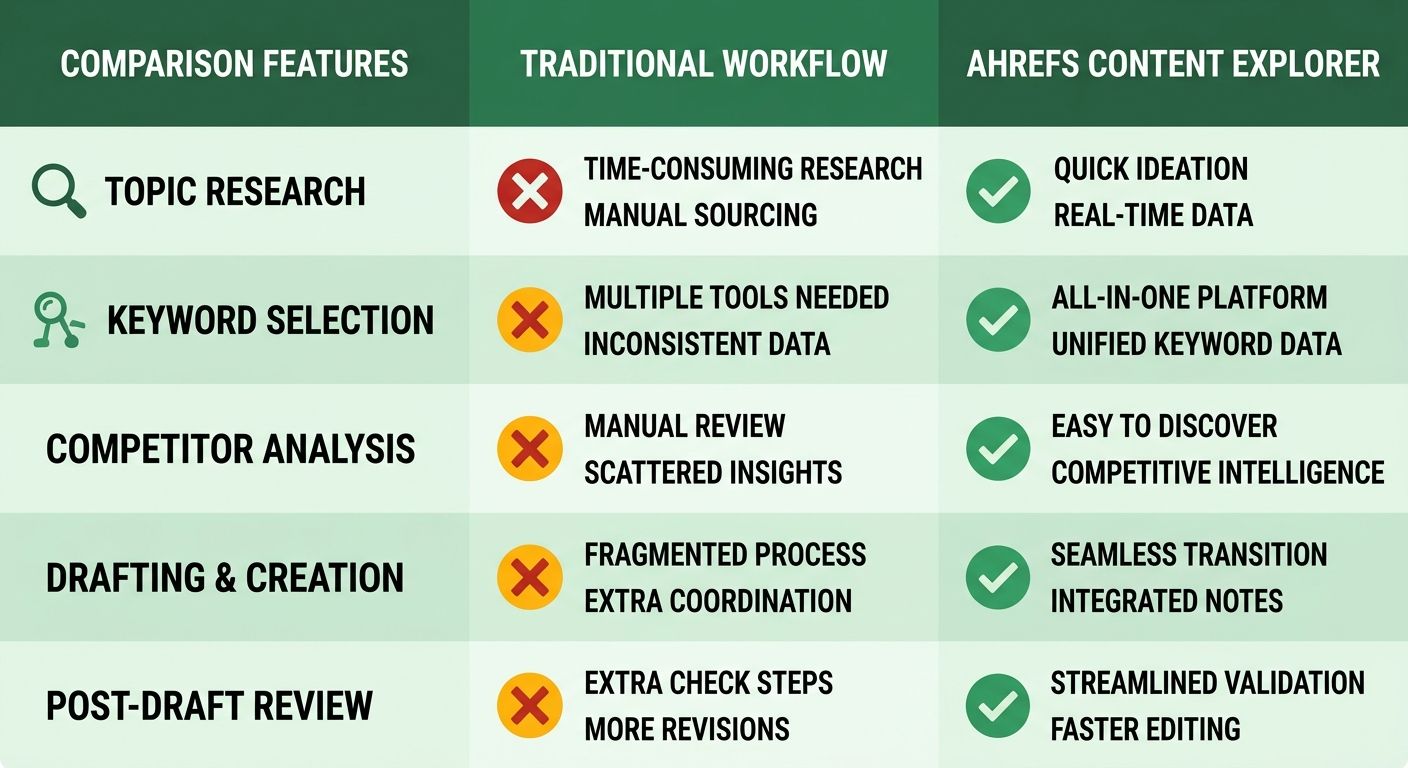
Who Gets the Most Value
B2B marketers and content strategists get the most immediate value. If you're managing editorial calendars across multiple clients or product lines, Content Explorer's filter stack lets you prioritize by traffic value rather than hunches. Because standard analytics tools often mask the exact search terms driving organic visits, Content Explorer surfaces competitor content ranking for those unlisted terms. From there, AnyPost's SERP Competitor Analyzer studies the top-ranking articles and builds a winning structure, turning competitor analysis into scheduled content without manual handoffs.
Digital strategists focused on link building use Content Explorer to find unlinked brand mentions and broken-link opportunities at scale. The platform scans over 8 billion pages every 24 hours, which means you're working with real-time data rather than stale snapshots. Filter for high-authority pages with dead outbound links, identify the original content those links pointed to, then pitch replacement content that your automated pipeline already generated.
How It Feeds Automated Publishing
The integration point is straightforward: Content Explorer outputs a list of proven content angles ranked by performance metrics, and you feed that list into a content generator that matches your brand voice and publishes on schedule. The tool's filters, website traffic, domain rating, referring domains, word count, and publication date, let you narrow results to articles similar to what you want to produce. Export the top-ranking URLs, extract their target keywords and structural patterns, then generate drafts that mirror those patterns while staying original.
This workflow addresses the hidden keyword problem head-on. You're not starting from keyword research and hoping your content ranks. You're starting from content that already ranks and extracting the keywords it targets. Then you automate the production of similar content optimized for the same terms. The result: your editorial calendar fills with topics backed by real traffic data, not search volume estimates, and your team skips the drafting bottleneck that slows most content operations.
Features That Matter
The filters that separate high-value content from noise. You're working with a constantly updated index, which means you can catch emerging topics before they saturate. The platform's continuous discovery engine gives you a live feed of what's ranking right now without relying on outdated search volume databases.
How the Filter Stack Works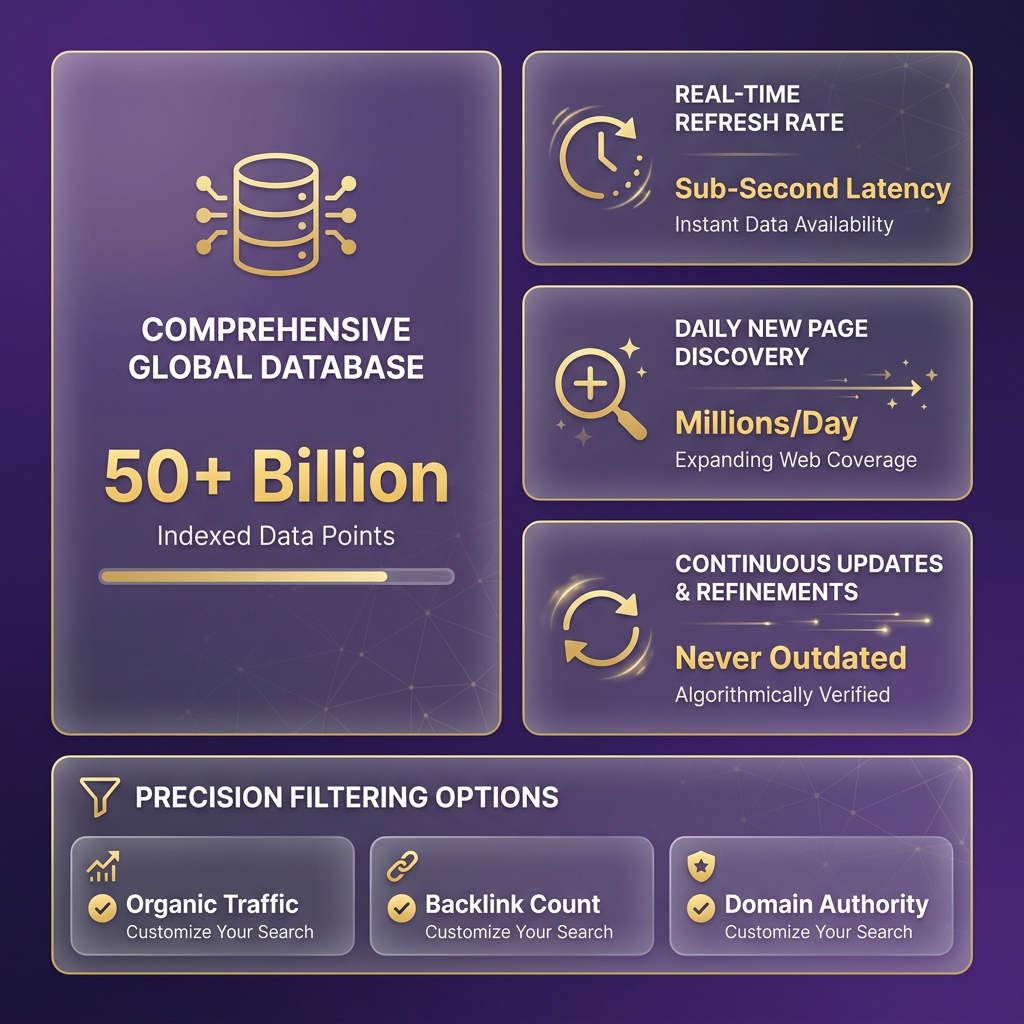
Start with website traffic and page traffic filters to isolate articles already pulling organic visitors. We set a floor, say 1,000 monthly visits, to surface content proven by real search demand, not theoretical keyword volumes. Layer in domain rating (DR) to understand authority context: a page ranking from a DR 30 site tells you the topic is accessible, while a DR 70 site signals you'll need stronger backlink support or a different angle.
The referring domains filter exposes link-building opportunities competitors missed. Sort by pages with strong traffic but few backlinks, and you've found content gaps where a well-structured article could outrank without heavy link acquisition. Filter by publication date to spot recently published content climbing the rankings. These are the angles gaining traction before they become competitive battlegrounds.
Cross-reference word count and traffic value to reverse-engineer content depth. A 2,500-word guide pulling $5,000 in estimated monthly traffic tells you the topic warrants comprehensive treatment. Feed those validated angles directly into automated content briefs, and you're building around proven search intent instead of guessing what might work.
Backlink Analysis Features
The anchor text breakdown shows you exactly how competitors structure their internal and external link profiles. Filter by referring domains to prioritize pages with diverse backlink sources. These are the authority signals search engines weight heavily. Teams skip broken link building opportunities because they're hunting manually. Content Explorer's page status filter surfaces dead pages with intact backlink profiles, letting you recreate the content and reclaim those links through outreach.
One team recovered approximately 90 referring domains by redirecting a defunct pricing page to their current offer, a tactic you replicate by filtering "Best By Links" reports for HTTP 404 errors. The language filter narrows outreach to markets you're actually targeting, cutting wasted prospecting time. Pair backlink data with traffic estimates to identify link targets that deliver both authority and referral traffic, not just vanity metrics.
Mapping Data to Publishing Workflows
Export filtered results as a CSV of validated topics, complete with organic traffic benchmarks, backlink counts, and keyword difficulty scores. Those data points become your content brief: target word count, required authority signals, and expected traffic potential.
Feed competitor content URLs into analysis tools to extract structural patterns, header hierarchy, internal link density, multimedia placement. Content Explorer exposes underlying search terms by showing you the full spectrum of queries driving traffic to competitor pages. Reverse-engineer their keyword targets, then generate content matching those terms while preserving your brand voice.
The platform's near-real-time index updates mean you can spot competitor content gaps within hours of publication. When a high-DR site publishes a shallow treatment of a trending topic, you have a window to publish a deeper version before the topic saturates. Automate that workflow, monitor target keywords, trigger content briefs when gaps appear, publish while the opportunity's fresh, and you're operating inside competitors' decision cycles instead of reacting to established rankings.
Building the Workflow
Pull validated topics from Content Explorer, filter them against real performance metrics, then push the winners into an automated generation and publishing pipeline. No manual handoff, no drafting from a blank page.
The gap most teams never close sits between finding a keyword and shipping the article. Content Explorer solves the research half by drawing on an index tied to Ahrefs' 41.9 billion tracked keywords and a web crawl spanning 170 trillion pages. The automation half is where a voice-matched generator earns its keep.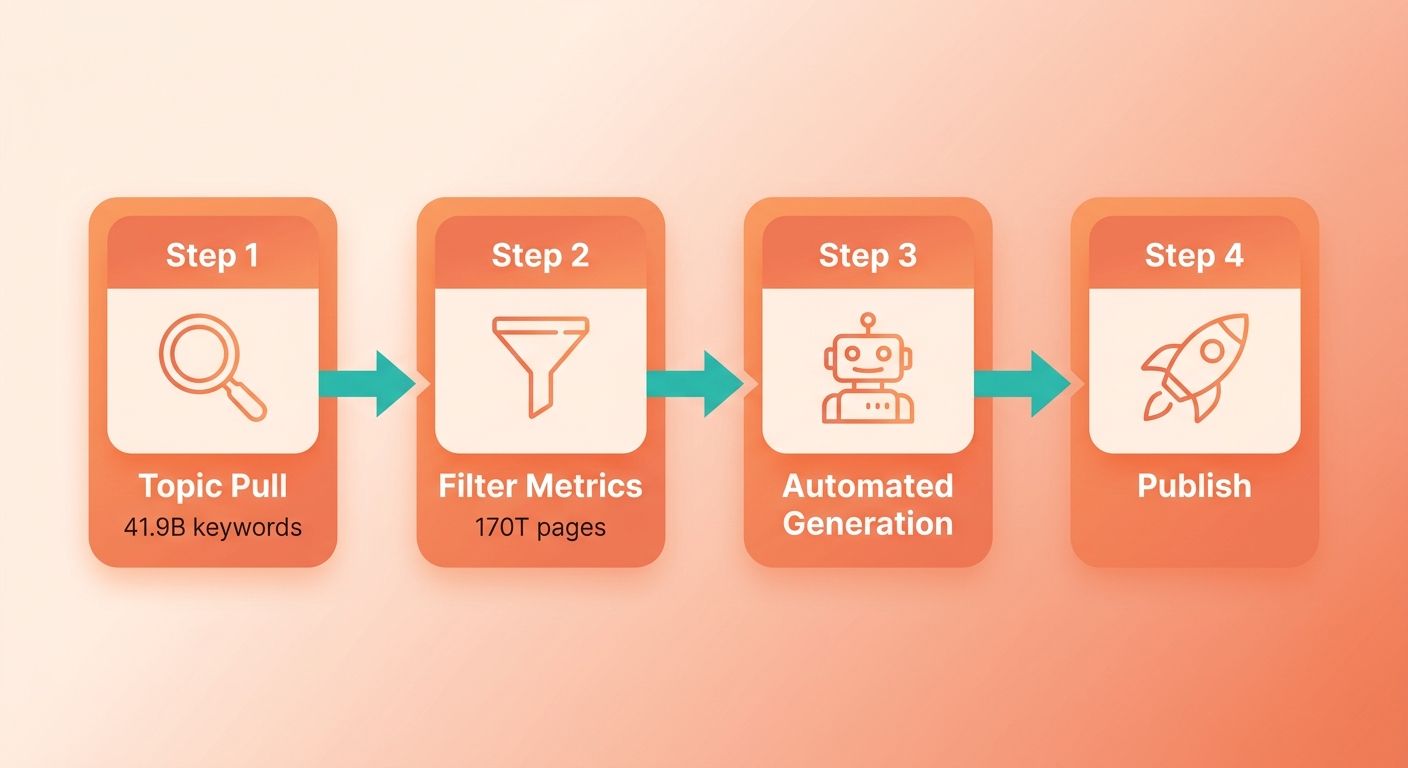
Turning Data Into a Publishing Queue
Start by exporting a filtered set of topics, then map each one to a slot in your content calendar. We pull articles with strong organic traffic and thin backlink profiles, since those signal demand that competitors haven't locked down. Each qualifying URL becomes a brief.
That brief carries the reverse-engineered keyword targets straight into automated generation. This approach captures search queries that standard analytics tools fail to report, exposing the actual search intent driving competitor traffic.
The payoff of pairing research data with automated drafting: you skip the personal-bias problem in topic selection because the metrics pick the winners, then the generator produces the draft while the opportunity is still fresh.
Feeding Technical SEO Fixes Into the Pipeline
Content Explorer and Site Explorer together flag two high-value technical wins you can queue alongside new articles: broken-page recovery and featured-snippet gaps.
For recovery, sort dead pages by referring domains rather than old traffic. By identifying high-equity URLs that return 404 errors, you can implement 301 redirects to relevant live pages on your site. This allows you to reclaim lost link equity without having to produce new content from scratch.
For snippets, filter for terms where you rank in the top 10 but don't hold the featured box. As one Ahrefs tutorial put it, "Even if we won just 15% of these featured snippets, heck, even 5%, that could accumulate to a ton of search traffic." Feed those exact terms into optimization tasks and let the generator refresh the ranking pages.
What This Looks Like at Scale
Teams that wire research into repeatable systems compound results fast. Suso Digital reports 21,000+ monthly clicks in business-relevant keywords using Ahrefs tools. Moving Traffic Media has run Ahrefs across all its SEO SOPs since 2018. Adoption runs deep too, with 44% of the Fortune 500 on the platform.
The tool isn't the differentiator anymore. The pipeline is. Once a persona engine matches your brand voice to the validated angles Content Explorer surfaces, the same workflow that took days runs in an afternoon. Automated content generation and SEO-optimized publishing handle the execution, turning research into live pages while maintaining consistent brand voice across every article.
FAQ
What makes Content Explorer different from other content research tools?
Content Explorer indexes 20.9 billion pages, with 10 million daily additions and 300 million updates, giving you near-real-time visibility into what's ranking. Most tools rely on weekly or monthly crawls. That 15 to 30 minute refresh cycle means you spot emerging content opportunities before they saturate. The metric-based filtering depth, exact backlink thresholds, traffic ranges, domain ratings, lets you reverse-engineer what actually ranks rather than guessing from keyword volume alone.
How long does it take to see results from Content Explorer?
Initial setup takes 30 to 45 minutes to configure saved searches and filter templates. After that, routine keyword discovery runs drop to 10 to 15 minutes per topic cluster. Teams typically see their first validated content angles within the first session. The learning curve is moderate, expect two weeks of daily use before filters become second nature. For ongoing content research, budget 2 to 3 hours weekly once your workflow stabilizes.
Can Content Explorer identify keywords that don't show up in standard analytics?
Yes. Nearly half of traffic-driving terms go untracked in standard analytics. Content Explorer surfaces competitor content ranking for those invisible keywords by showing you the full spectrum of queries driving traffic to competitor pages. You reverse-engineer their keyword targets and build automated content briefs from proven patterns instead of hunches. This addresses the hidden keyword problem directly. You're starting from content that already ranks and extracting the keywords it targets.
What specific tasks does Content Explorer handle better than manual research?
Three high-ROI applications: discovering unlinked brand mentions for outreach, identifying broken link opportunities where you can offer replacement content, and spotting content gaps by analyzing what competitors publish that you don't. Each use case cuts weeks of manual competitive analysis into a few filtered searches. The backlink analysis features let you filter for high-authority pages with dead outbound links, identify the original content those links pointed to, then pitch replacement content your automated pipeline already generated.
How does Content Explorer integrate with automated content workflows?
Content Explorer outputs a list of proven content angles ranked by performance metrics. Export filtered results as a CSV of validated topics with organic traffic benchmarks, backlink counts, and keyword difficulty scores. Those data points become your content brief: target word count, required authority signals, and expected traffic potential. Feed competitor content URLs into analysis tools to extract structural patterns, then generate content matching those terms while preserving your brand voice. The integration point connects research directly to publication, eliminating manual handoff phases.
References
[1] Ahrefs Content Explorer Tutorial - https://ahrefs.com/blog/ahrefs-tutorials/ [2] Suso Digital Case Study - https://ahrefs.com/case-studies/suso [3] Moving Traffic Media Case Study - https://ahrefs.com/case-studies/moving-traffic-media
Frequently Asked Questions
1. Do I need a paid Ahrefs subscription to use Content Explorer?
Content Explorer is a premium feature within the Ahrefs platform, not a standalone free tool. Access requires a paid subscription. You should budget for the plan tier that supports the filter depth and export volume your research workflow needs.
2. How long before I get comfortable with Content Explorer's filters?
While the learning curve is moderate, most users find the interface intuitive after a short period of consistent practice. Setting up your initial saved searches and templates takes under an hour. Once your recurring research templates are established, running routine topic discovery and exporting data becomes a quick task that fits easily into your weekly planning sessions.
3. What does "hidden keywords" mean and why should I care?
Hidden keywords refer to search queries that drive organic traffic to a page but are omitted from standard analytics reports due to privacy filtering or tracking limitations. Content Explorer uncovers these terms by analyzing the actual ranking footprint of competitor pages, allowing you to optimize your content for high-value search terms that your competitors are targeting silently.
4. Is high domain rating always better when picking content targets?
High domain rating is not always the best target. Finding a low-authority site ranking on the first page of search results signals that the topic is accessible even without a massive backlink profile. Conversely, if only high-authority media publications occupy the top spots, you will likely need significant link equity or a highly unique angle to compete. Always match the authority profile of ranking sites to your own domain's strength.
5. How is Content Explorer different from a standard keyword tool?
Standard keyword tools limit you to search volume and difficulty scores. Content Explorer filters entire articles by exact backlink thresholds, traffic ranges, domain ratings, and publication date. You start from content that already ranks and reverse-engineer its keyword targets, working from real traffic data instead of volume estimates.
6. What happens to Content Explorer data after I export it?
Exported results become content briefs carrying organic traffic benchmarks, backlink counts, and keyword difficulty scores that define target word count and required authority. Feeding those into an automated publishing pipeline turns validated angles into scheduled drafts, closing the gap between finding a keyword and shipping the article.
7. Can Content Explorer help recover lost backlinks, not just find new topics?
Content Explorer's page status filter surfaces dead pages that still hold intact backlink profiles. By sorting defunct pages by referring domains rather than old traffic, you can identify high-value broken links, recreate the missing content, and pitch it to the linking sites. This allows you to acquire high-quality backlinks by helping webmasters fix their broken outbound links.
