
Auto SEO Tools with WordPress REST API

Related Video
Watch: How to #n8n #SEO #Autopost #Wordpress by CeLeb Mashow
Introduction to Auto SEO Tools with WordPress REST API
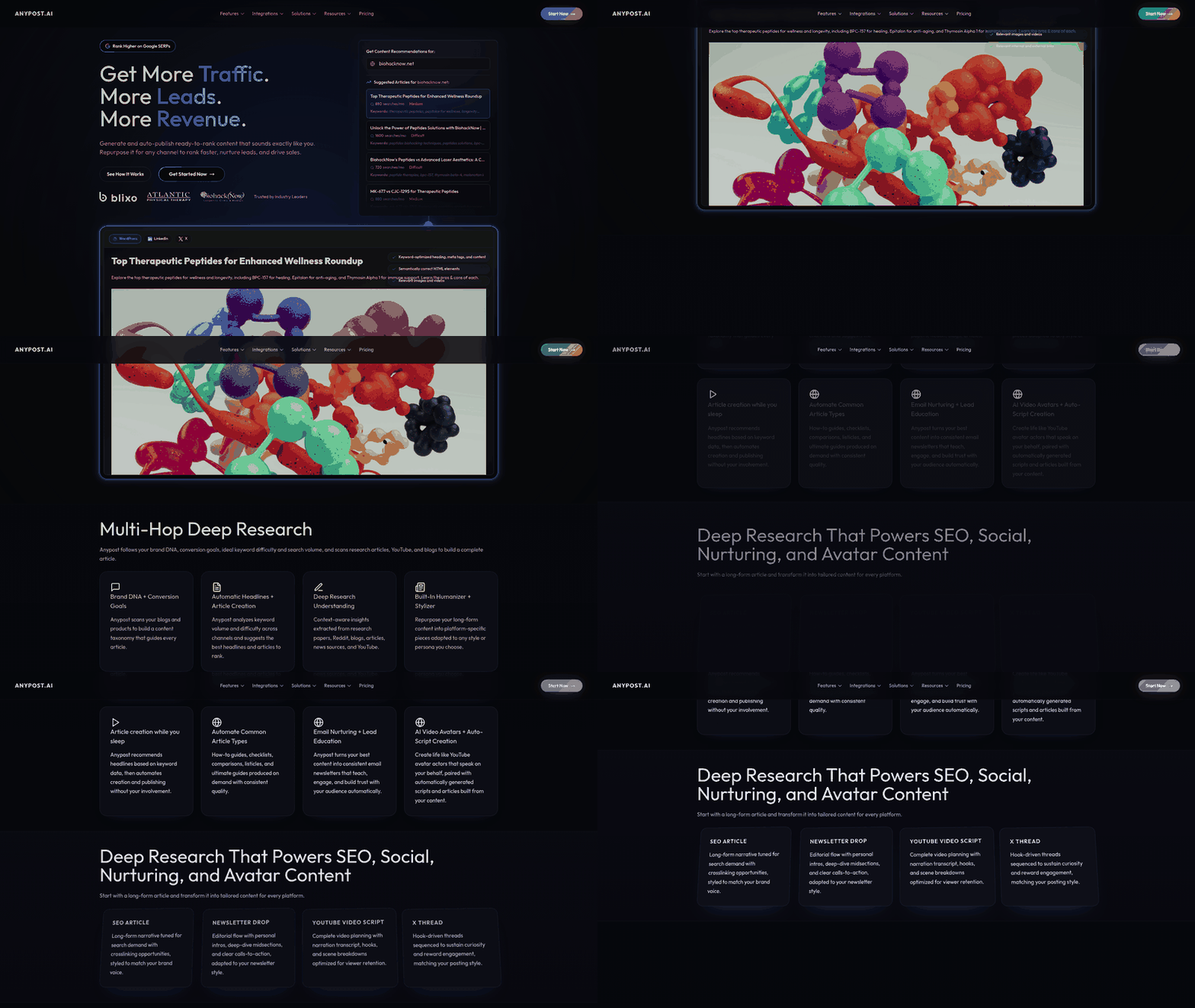
Auto SEO tools streamline search engine optimization by automating tasks such as keyword research, meta tag generation, and content optimization. These tools integrate with WordPress via the REST API, enabling seamless data exchange between external platforms and WordPress sites. For instance, AIOSEO’s REST API allows headless WordPress setups to synchronize SEO data across platforms, ensuring consistency in metadata and content strategies [1]. As mentioned in the [Setting Up WordPress REST API for Auto SEO Tools] section, this integration requires specific WordPress configurations to function effectively. Similarly, tools like the GitHub-hosted AUTO-blogger use WordPress REST API to automate AI-generated content creation, image integration, and SEO optimization, reducing manual workflows [6]. See the [Automated Content Generation with Auto SEO Tools] section for more details on how AI-driven workflows leverage API integrations. By leveraging REST API endpoints, these tools can programmatically update posts, manage SEO fields, and publish content without requiring direct access to the WordPress dashboard. This integration is critical for teams managing multi-site networks or scaling content production, as it eliminates repetitive tasks while maintaining SEO best practices [3]. Building on concepts from [SEO Optimization and Publishing with Auto SEO Tools], such automation ensures metadata and content remain aligned with search engine requirements.
Setting Up WordPress REST API for Auto SEO Tools
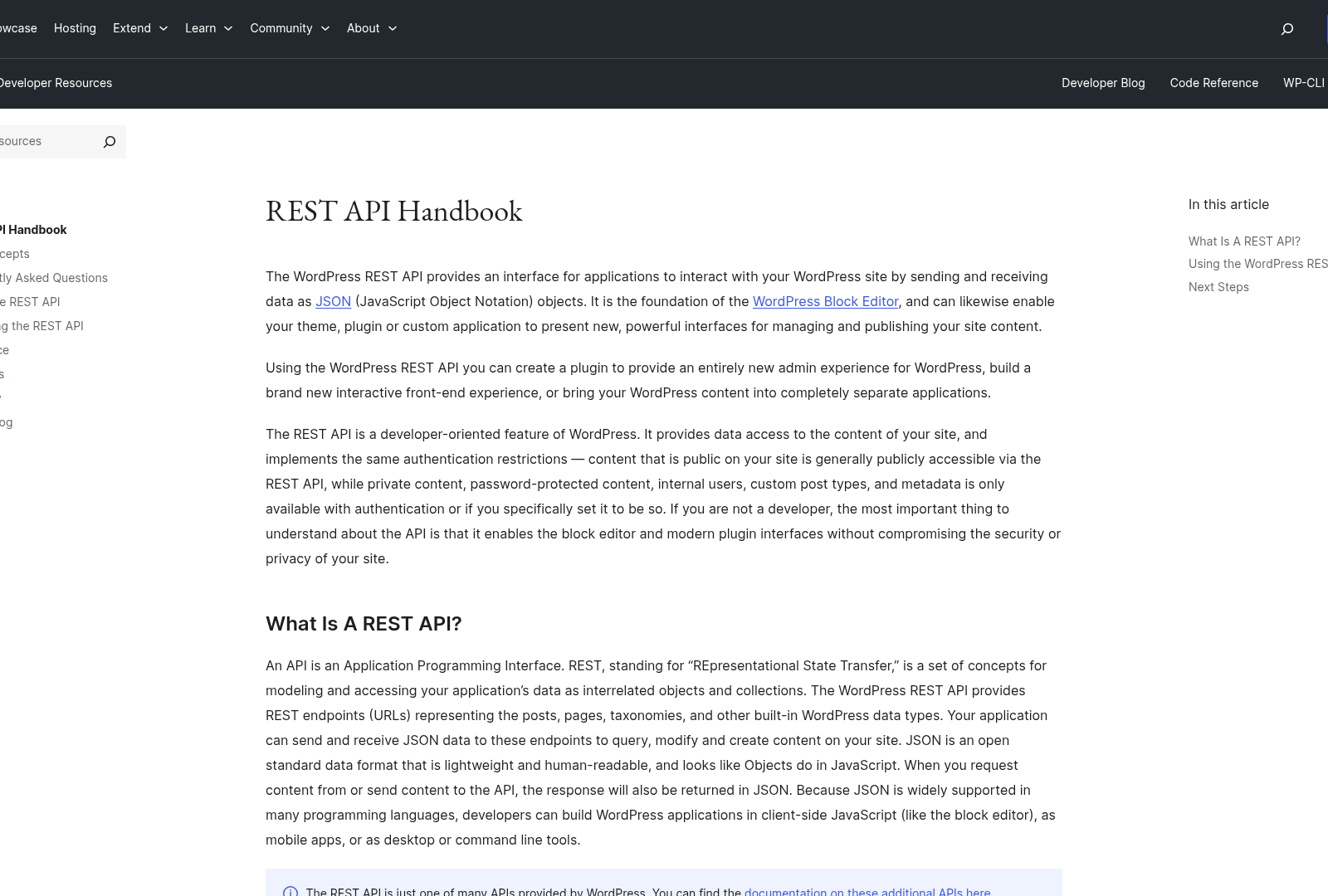
To set up the WordPress REST API for integration with auto SEO tools, begin by ensuring your WordPress site meets the prerequisites. First, your WordPress installation must be version 4.7 or newer, as the REST API is natively included starting from this version [1]. Additionally, install an SEO plugin such as AIOSEO or Yoast SEO, which extends the REST API to include SEO-specific data like meta titles, descriptions, and focus keywords [1][2]. For example, AIOSEO allows synchronization of SEO data across platforms, while Yoast SEO requires custom configurations to expose its fields via the API [7]. As mentioned in the [Automated Content Generation with Auto SEO Tools] section, these plugins are essential for workflows that rely on dynamic content creation.
Installation and Configuration
The WordPress REST API is enabled by default, but integrating SEO tools requires additional setup. For AIOSEO, install the plugin and navigate to its settings to activate the REST API integration explicitly [1]. For Yoast SEO, custom endpoints may need to be added to include SEO metadata in API responses, as the plugin does not expose its fields via the REST API by default [7]. Developers can achieve this by modifying WordPress functions to register Yoast SEO meta fields with the API, ensuring they are readable and writable [2].
To automate publishing workflows, tools like n8n leverage the WordPress REST API to auto-publish SEO content. This involves configuring the API to accept external requests for creating or updating posts, including SEO fields. For instance, a JSON payload sent to /wp/v2/posts must include standard post data (title, content) and SEO-specific meta fields. An example payload for Yoast SEO might include:
However, this requires the site’s REST API to accept custom meta fields, which may need a plugin or custom code to register these fields as REST API-compatible [2][8].
Security Considerations
Securing the WordPress REST API is critical to prevent unauthorized access. Use Application Passwords (available in WordPress 5.6+) or OAuth2 authentication to restrict API access, as default authentication methods may expose vulnerabilities [4]. Limit API permissions by assigning users a specific role (e.g., Contributor or Author) with only the necessary capabilities for auto-publishing, reducing the risk of malicious edits [3]. See the [Best Practices for Implementing Auto SEO Tools with WordPress REST API] section for more details on securing API endpoints and managing user roles.
Cloudflare or other CDN settings can inadvertently block REST API requests due to strict security rules. For example, the "Under Attack Mode" in Cloudflare may flag API traffic as suspicious, requiring adjustments to firewall rules [4]. Additionally, implement rate limiting to prevent abuse, as automated SEO tools may send high-frequency requests. Plugins like Limit Login Attempts or Wordfence can help manage API request thresholds [1].
Troubleshooting Common Issues
Common issues include failed API requests due to incorrect endpoint URLs, authentication errors, or missing SEO fields. Verify the base REST API URL by visiting https://yoursite.com/wp-json/ in a browser; a functional setup should return a JSON structure listing available endpoints [4]. If meta fields like Yoast SEO data do not appear, check if the plugin’s settings explicitly allow REST API access or if custom code is required to register these fields [2][7].
For authentication errors, ensure API keys or Application Passwords are correctly configured and match the user account’s permissions. Debugging tools like Postman can test API requests manually, helping identify issues with payloads or headers. If posts are created without SEO metadata, confirm that the JSON payload includes the correct meta keys (e.g., yoast_wpseo_title) and that the WordPress installation accepts custom meta fields via the REST API [8].
By addressing these prerequisites, configurations, security measures, and potential issues, the WordPress REST API can be effectively harnessed for automated SEO workflows, enabling seamless integration with tools like n8n or custom scripts [3][5]. Building on concepts from [Introduction to Auto SEO Tools with WordPress REST API], this setup ensures efficient content management and optimization.
Automated Content Generation with Auto SEO Tools
Automated content generation with auto SEO tools leverages AI and API integrations to streamline the creation and publishing of SEO-optimized content. By combining tools like OpenAI’s GPT-4 API with the WordPress REST API, users can generate and auto-publish content at scale. For example, workflows using n8n automation platforms can create 1000+ word SEO blog posts tailored to specific keywords [5]. These systems often rely on structured inputs, such as keyword lists in Excel files, to generate content aligned with search intent [3]. The WordPress REST API acts as the final step, enabling seamless auto-publishing to blogs without manual intervention [6]. This approach reduces time spent on drafting while maintaining SEO best practices, such as meta tag optimization [5]. See the [Setting Up WordPress REST API for Auto SEO Tools] section for more details on configuring the API for integration.
Types of Automated Content
Auto SEO tools primarily focus on generating blog posts, a content type frequently cited in automation workflows. For instance, [5] outlines a process where GPT-4 generates SEO blog posts based on keyword inputs, ensuring length and keyword density meet ranking criteria. Similarly, [3] describes a system where new keywords added to an Excel file trigger content generation and auto-publishing. Beyond text, tools like the AUTO-blogger project (GitHub source [6]) integrate AI content generation with Getty Images for visual content, though textual blog posts remain the dominant format. These tools prioritize SEO elements like headers, internal linking, and meta descriptions during generation, reflecting standard on-page SEO practices [5].
Workflow Examples with n8n and WordPress REST API
Automation workflows often involve n8n, a no-code automation tool, to connect AI content generators with WordPress. A step-by-step example from [9] demonstrates how n8n can fetch keywords, generate content via GPT-4, and push posts to WordPress using its REST API. This workflow includes:
- Keyword Input: Storing target keywords in an Excel file for batch processing [3].
- Content Generation: Using GPT-4 to draft posts with specified word counts and SEO focus [5].
- Auto-Publishing: Sending generated content to WordPress via REST API, ensuring correct formatting and metadata [6].
Such workflows eliminate the need for manual publishing, enabling high-volume content creation. The GitHub-hosted AUTO-blogger tool further extends this by adding features like image sourcing and bulk scheduling [6]. However, these examples emphasize blog posts; other content types like product descriptions or FAQs are not explicitly covered in the sources. See the [Multi-Source Content Integration and Repurposing] section for strategies on handling diverse content formats.
Limitations and Missing Features
While the sources highlight robust automation for blog posts, certain capabilities remain unaddressed. Tone matching with a “Persona Engine” is not explicitly mentioned in any source, suggesting this feature is either absent or unimplemented in the discussed tools. Similarly, real-time analytics tracking—such as monitoring traffic or engagement post-publish—is not described in workflows [3][5][6]. See the [Real-Time Analytics Tracking and Performance Measurement] section for more details on monitoring performance post-publish. Users seeking these features may need to integrate third-party SEO plugins (e.g., AIOSEO [1]) or use separate analytics platforms, though the sources do not elaborate on such integrations. This indicates a gap between current automation workflows and advanced post-publishing optimization.
Practical Implementation Considerations
To implement automated content generation, users must ensure compatibility between their AI content tools and WordPress. For example, [2] and [7] note that setting Yoast SEO fields via REST API requires custom code or plugins, which may complicate automation. Building on concepts from [SEO Optimization and Publishing with Auto SEO Tools], this section discusses the technical challenges involved. Additionally, [4] warns about potential API disruptions from Cloudflare settings, emphasizing the need for server configuration checks. Despite these challenges, tools like n8n abstract much of the complexity, allowing non-technical users to build workflows through visual interfaces [9]. The GitHub AUTO-blogger project [6] provides a more technical alternative, requiring setup of AI models and image APIs but offering greater customization.
By leveraging these tools and workflows, users can achieve scalable SEO content strategies. However, success depends on rigorous testing of API integrations and continuous refinement of keyword inputs to align with audience needs [3][5].
SEO Optimization and Publishing with Auto SEO Tools
SEO optimization and publishing workflows using auto SEO tools integrate with the WordPress REST API to automate tasks like keyword research, meta tag configuration, and content distribution across platforms. These tools streamline the process of aligning content with SEO best practices while enabling cross-channel repurposing. For example, auto SEO tools can extract keyword data from Excel files [3] and use AI models like GPT-4 to generate optimized blog posts [5]. This generated content is then pushed to WordPress via the REST API, maintaining SEO metadata synchronization across platforms [1]. As mentioned in the [Setting Up WordPress REST API for Auto SEO Tools] section, configuring the REST API is a prerequisite for these integrations.
Keyword Research and Content Generation
Auto SEO tools automate keyword research by leveraging databases or APIs to identify high-potential search terms. For instance, workflows built in n8n can pull keywords from structured files and input them into AI content generation pipelines [3]. Projects like the AryanVBW AUTO-blogger integrate AI to draft SEO-optimized posts while embedding targeted keywords [6]. These tools often rely on the WordPress REST API to publish content programmatically, ensuring metadata like titles and descriptions align with keyword strategies. However, specific implementation details, such as exact API endpoints for keyword injection, are not explicitly outlined in the sources. See the [Automated Content Generation with Auto SEO Tools] section for more details on AI-driven workflows.
Meta Tags and Header Tags Configuration
Configuring meta tags and header tags via auto SEO tools requires integration with WordPress SEO plugins like Yoast or AIOSEO. The Yoast SEO plugin allows fields such as meta titles and descriptions to be set through the REST API, though users have reported challenges in updating these fields programmatically [2][8]. For example, a POST request to /wp/v2/posts can include a meta object with SEO data, but issues may arise if the Yoast SEO plugin’s custom endpoints are not properly configured [7]. AIOSEO addresses this by providing a dedicated REST API for headless WordPress setups, enabling synchronized SEO data across distributed systems [1]. Building on concepts from [Setting Up WordPress REST API for Auto SEO Tools], proper API endpoint configuration is critical here.
Content Repurposing Across Channels
Auto SEO tools extend SEO content to multiple platforms by repurposing blog posts into social media updates, newsletters, or YouTube scripts. The n8n workflows described in sources [3] and [5] demonstrate how generated blog posts can be split into tweet threads or newsletter segments while retaining SEO-optimized keywords. The WordPress REST API acts as the central hub for publishing to blogs, with additional integrations handling distribution to external channels. For multi-source content aggregation and repurposing strategies, refer to the [Multi-Source Content Integration and Repurposing] section. For example, the AryanVBW AUTO-blogger tool uses the REST API to push content to WordPress while simultaneously preparing assets for platforms like Twitter [6].
Limitations and Considerations
While auto SEO tools simplify publishing, they face constraints in advanced SEO customization. Users attempting to update meta titles or descriptions via REST API may encounter errors if plugins like Yoast SEO are not fully compatible [8]. Additionally, the sources do not explicitly address metrics for measuring SEO performance post-publication, such as traffic analytics or keyword ranking tracking. As outlined in [Best Practices for Implementing Auto SEO Tools with WordPress REST API], resolving compatibility issues between plugins and APIs is essential for robust workflows. Workflows relying on the WordPress REST API must also account for potential conflicts with security settings, such as Cloudflare configurations that might block API requests [4].
By combining AI-generated content, REST API integrations, and plugin-specific endpoints, auto SEO tools reduce manual effort in SEO workflows. However, successful implementation depends on resolving compatibility issues between plugins and APIs, as highlighted in sources [2] and [7]. For multi-platform repurposing, the WordPress REST API remains central to maintaining consistency in SEO metadata across distributed content ecosystems [1][6].
Multi-Source Content Integration and Repurposing
Auto SEO tools leverage the WordPress REST API to streamline multi-source content integration and repurposing, enabling workflows that aggregate, optimize, and distribute content across platforms. AIOSEO’s REST API, for instance, allows developers to synchronize SEO data across headless WordPress setups and external services, ensuring metadata consistency when integrating content from diverse sources [1]. Similarly, the AUTO-blogger tool combines AI-generated content, Getty Images integration, and WordPress REST API automation to create posts that are pre-optimized for SEO, reducing manual curation efforts [6]. These tools facilitate workflows where content is pulled from blogs, APIs, or databases, processed for SEO, and distributed to target platforms without requiring manual intervention. See the [Automated Content Generation with Auto SEO Tools] section for more details on AI-driven content workflows.
Content Aggregation and Curation
Content aggregation is streamlined through APIs that connect WordPress with external data sources. For example, AIOSEO’s REST API enables custom tools to fetch SEO data from WordPress and update it across platforms like social media management systems or analytics dashboards [1]. AUTO-blogger automates curation by using AI to draft content and license-free images from Getty Images, ensuring visually and textually rich posts are generated at scale [6]. Developers can build workflows where content is pulled from RSS feeds, APIs, or internal databases, processed through SEO tools, and published as WordPress posts. However, the specific API endpoints or code for these integrations are not detailed in the sources, requiring custom development based on WordPress REST API documentation. Building on concepts from the [Setting Up WordPress REST API for Auto SEO Tools] section, these workflows assume familiarity with REST API authentication and endpoint configuration.
Repurposing Content for Different Channels
While the sources do not provide explicit examples of repurposed content, they highlight capabilities that support cross-channel distribution. AUTO-blogger’s integration with the WordPress REST API allows generated blog posts to be adapted for email newsletters or social media by extracting key sections—such as headlines or summaries—and formatting them for shorter platforms [6]. AIOSEO’s API synchronization ensures that SEO metadata, like meta titles and descriptions, remain consistent across repurposed content, preserving search visibility [1]. For video scripts, tools like AUTO-blogger could theoretically extract long-form blog content and restructure it into scripts, though the sources do not confirm this specific use case. The flexibility of WordPress REST API endpoints enables such repurposing, but implementation details depend on custom workflows. As mentioned in the [SEO Optimization and Publishing with Auto SEO Tools] section, maintaining metadata alignment is critical for preserving SEO performance during repurposing.
Tools for Integration and Repurposing
The combination of AIOSEO and AUTO-blogger demonstrates how multi-source workflows are built. AIOSEO’s REST API handles SEO metadata synchronization, while AUTO-blogger automates content generation and image licensing, with both tools relying on the WordPress REST API for post creation [1][6]. Developers can chain these tools using platforms like n8n (mentioned in sources [3][5][9]) to create end-to-end pipelines. For example, n8n workflows might trigger AUTO-blogger to generate a post, use AIOSEO’s API to inject SEO data, and then push the content to WordPress and social media channels. However, the sources do not specify exact n8n configurations or code snippets, emphasizing the need for custom setup. The lack of detailed API examples in [1] and [6] underscores that these tools serve as foundational components, requiring technical customization for full integration. See the [Best Practices for Implementing Auto SEO Tools with WordPress REST API] section for guidance on structuring such workflows effectively.
Real-Time Analytics Tracking and Performance Measurement
Real-time analytics tracking and performance measurement are critical for optimizing auto SEO tools integrated with the WordPress REST API. These tools enable automated content publishing and SEO configuration, but their effectiveness depends on continuous monitoring of key metrics. By leveraging APIs like those provided by AIOSEO [1] and Yoast SEO [2], developers can programmatically adjust metadata and content fields. However, the sources do not explicitly define specific metrics for measuring performance, such as bounce rate or keyword rankings. Instead, they emphasize the need to align analytics with automation workflows, such as tracking how frequently content is published or how metadata updates via API [2][7]. Without clear metrics, it becomes challenging to quantify SEO success, though the integration of REST APIs allows for potential custom metric development.
Key Metrics for Measuring Performance
While no sources explicitly list predefined metrics, the WordPress REST API’s role in automating SEO tasks implies metrics could focus on content freshness, metadata accuracy, and crawl efficiency. For example, Yoast SEO fields updated via API [2] might track how often title tags or meta descriptions are modified programmatically. Similarly, projects like the AUTO-blogger GitHub repository [6] suggest monitoring content volume and publishing frequency as automation benchmarks. See the [Automated Content Generation with Auto SEO Tools] section for more details on how these workflows are structured. However, sources lack details on how to map these activities to SEO outcomes like traffic growth or search engine rankings. Developers must infer potential metrics from automation workflows, such as the number of posts auto-published using n8n integrations [3][5], but no source clarifies how to measure their SEO impact.
Real-Time Analytics Dashboards
The sources do not describe prebuilt dashboards for real-time analytics, but they imply custom dashboards could be constructed using WordPress REST API endpoints. For instance, AIOSEO’s headless site integration [1] could expose SEO data via API, which developers might aggregate into dashboards using external tools. Similarly, n8n workflows [3][5] for auto-publishing content could be paired with third-party dashboards to visualize publishing cadence or error rates during API calls. However, no source provides examples of existing dashboards or their configurations. This gap highlights the need for developers to build or integrate dashboards manually, potentially using tools like Google Data Studio or Grafana, though such recommendations are not cited in the provided sources.
Data-Driven Decision Making
Automation tools like n8n [3][5] and Yoast SEO’s API support [2] enable iterative adjustments to SEO strategies based on performance data. For example, if an API detects that certain keywords in meta titles are underperforming, workflows could trigger updates to Yoast SEO fields [2]. As mentioned in the [SEO Optimization and Publishing with Auto SEO Tools] section, these tools streamline tasks like keyword research and meta tag configuration, which are essential for informed decision-making. However, the sources do not outline specific decision-making frameworks or how historical data is analyzed. The AUTO-blogger project [6] hints at using performance insights to refine content topics, but no source explains how this feedback loop is implemented. Developers must assume that data collection via REST APIs [1] feeds into external analysis tools, though the exact processes remain undefined in the cited material.
Common Analytics Tools and Platforms
The sources mention SEO plugins like AIOSEO [1] and Yoast [2] as integral to WordPress automation, but they do not specify external analytics platforms for real-time tracking. Projects using n8n [3][5] or custom PHP scripts [7] likely rely on WordPress-native analytics or external services like Google Analytics, though these are not explicitly named. Building on concepts from the [Setting Up WordPress REST API for Auto SEO Tools] section, developers must ensure API endpoints are configured to support real-time data flows, even if the specific analytics tools are not detailed. The absence of direct references to platforms such as Matomo, Mixpanel, or specialized SEO tools like Ahrefs or SEMrush means developers must infer compatibility based on general API capabilities. While the REST API facilitates data export [1], the sources do not confirm which analytics tools are officially supported or how real-time data is synchronized between systems.
Limitations and Future Considerations
A critical limitation is the lack of detailed guidance on implementing real-time analytics for auto SEO tools. For example, while the WordPress REST API allows metadata updates [2], there is no source explaining how to track these changes in real time or correlate them with traffic spikes. Similarly, the Cloudflare-related API issue mentioned in [4] suggests potential hurdles in data transmission, but no solutions are provided. Developers must address these challenges independently, such as by ensuring API calls are optimized for speed or using caching mechanisms to reduce latency. The sources also do not address how to handle data privacy concerns when exposing SEO metrics via REST endpoints [1], leaving compliance considerations unexplored.
In summary, real-time analytics for auto SEO tools with the WordPress REST API require custom development and integration with external platforms. While the sources highlight automation capabilities [1][2][3], they leave specifics about metrics, dashboards, and analytics tools largely undefined. Developers must prioritize building internal systems or adapting existing APIs to collect and visualize performance data, leveraging the flexibility of WordPress REST endpoints while acknowledging the gaps in provided documentation.
Best Practices for Implementing Auto SEO Tools with WordPress REST API
Content Strategy and Planning
A robust content strategy is foundational for successful auto SEO tool implementation. Begin by aligning keyword research with business goals, using tools like Excel files to track high-intent keywords and map them to specific WordPress blogs or categories [3]. For example, workflows leveraging OpenAI GPT-4 API generate 1000+ word SEO blog posts tailored to keyword clusters, ensuring relevance and search intent alignment [5]. See the Automated Content Generation with Auto SEO Tools section for more details on integrating AI for content creation. Content creators should outline topics and subtopics in advance, integrating AI-generated content with human oversight to maintain quality [6]. Marketers must also define content calendars that synchronize with automated publishing schedules, ensuring consistency across platforms [1].
Technical Implementation and Integration
The WordPress REST API requires careful configuration to support auto SEO tools. As mentioned in the Setting Up WordPress REST API for Auto SEO Tools section, developers should authenticate API requests using application passwords or OAuth tokens to ensure secure access [8]. When updating meta titles or descriptions, include a meta object in the POST payload targeting the /wp/v2/posts endpoint, as demonstrated in [8]. For instance:
However, technical challenges like Cloudflare settings blocking REST API requests must be addressed by adjusting security headers or firewall rules [4]. Additionally, workflows using n8n or similar automation platforms should validate endpoints for each target blog to avoid misrouting posts [3].
Content Optimization and Maintenance
Automated SEO tools require ongoing optimization to adapt to algorithm changes and user behavior. Building on concepts from the Multi-Source Content Integration and Repurposing section, use headless WordPress setups with AIOSEO to synchronize SEO data across platforms, ensuring meta tags, alt text, and structured data remain consistent [1]. Developers should implement scheduled workflows to audit content performance, updating underperforming posts via the REST API [6]. For example, auto-publishing workflows can trigger revisions when new keyword data is added to Excel files, maintaining freshness without manual intervention [5].
Future of Auto SEO Tools and WordPress REST API Integration
The future of auto SEO tools and WordPress REST API integration hinges on advancements in automation, headless CMS adoption, and expanded API functionality. Emerging trends include the rise of headless WordPress configurations, where SEO tools like AIOSEO leverage the REST API to manage content for decoupled frontends [1]. Simultaneously, tools like the AryanVBW/AUTO-blogger GitHub project demonstrate automated workflows that generate and optimize SEO-friendly content directly through WordPress APIs [6]. These developments suggest a shift toward serverless architectures, where SEO optimization occurs in real time without manual intervention. However, challenges like Cloudflare settings blocking REST API access highlight the need for improved API security and compatibility [4].
Future Developments in WordPress REST API
WordPress REST API enhancements will focus on granular SEO metadata control. Current limitations, such as the inability to update meta titles or descriptions via REST endpoints [8], indicate that future WordPress versions may introduce dedicated fields for SEO plugins like Yoast. For example, existing methods to set Yoast SEO fields via API [2] could evolve into standardized endpoints, enabling programmatic adjustments to focus keywords or meta tags. Additionally, custom fields integrating Yoast SEO data through PHP [7] may transition to native REST API support, streamlining automation for developers. These improvements would align with headless CMS use cases, where SEO metadata must be dynamically injected into JSON responses for frontend frameworks. See the [Best Practices for Implementing Auto SEO Tools with WordPress REST API] section for more details on PHP-based custom field integrations.
Potential Applications and Use Cases
Automation platforms like n8n are already bridging auto SEO tools and WordPress APIs. Workflows exist to auto-publish SEO-optimized content across 100+ sites using REST API triggers [3], and similar processes target high-ranking content generation via API-driven publishing pipelines [5]. These workflows rely on REST API endpoints to inject SEO metadata, such as titles and meta descriptions, into posts programmatically. Building on concepts from [Automated Content Generation with Auto SEO Tools], future applications may expand to multilingual SEO, where REST API integrations automatically adjust language-specific metadata for global audiences. However, current limitations—such as the lack of bulk-editing capabilities via API—will need resolution to scale such workflows effectively.
Implications for Content Marketing and SEO
The integration of auto SEO tools with WordPress REST API will democratize content marketing by enabling non-technical users to automate SEO tasks. As mentioned in the [Introduction to Auto SEO Tools with WordPress REST API] section, these tools streamline keyword research and meta tag generation. For instance, n8n’s visual workflow builder allows marketers to connect SEO tools like Surfer SEO or Clearscope with WordPress APIs, ensuring content adheres to keyword guidelines before publication [5]. This reduces reliance on developers for routine optimizations. However, marketers must navigate existing API constraints, such as the inability to update Yoast SEO fields in bulk [8], which currently requires custom PHP scripts [7]. As REST API functionality matures, these workarounds may become obsolete, fostering faster, more scalable SEO campaigns.
Challenges and Opportunities
While automation promises efficiency, it also introduces dependencies on API stability. The Cloudflare-related REST API blockage [4] underscores the fragility of external integrations, necessitating robust error-handling in auto SEO workflows. Additionally, the current reliance on GitHub-hosted projects like AUTO-blogger [6] highlights the gap between experimental tools and enterprise-grade solutions. Future opportunities lie in standardizing REST API endpoints for SEO plugins, enabling third-party tools to interact seamlessly with WordPress. This standardization could unify platforms like Yoast, AIOSEO, and Rank Math under a common API framework, reducing fragmentation in the ecosystem.
In conclusion, the convergence of auto SEO tools and WordPress REST API will redefine content workflows, but its success depends on addressing current technical barriers. Developers and marketers must collaborate to advocate for enhanced API features while leveraging existing tools like n8n [3][5] and GitHub projects [6] to bridge gaps. As WordPress continues to refine its REST API, the potential for fully automated, SEO-optimized content ecosystems grows—provided stakeholders prioritize interoperability and scalability.
References
[1] REST API for WordPress - Built by AIOSEO for Headless Sites - https://aioseo.com/features/rest-api/
[2] Setting Yoast SEO fields via API for automated WordPress publishing - https://wordpress.org/support/topic/setting-yoast-seo-fields-via-api-for-automated-wordpress-publishing/
[3] Help Needed: n8n Workflow to Auto-Publish SEO Content to 100+ ... - https://www.reddit.com/r/n8n/comments/1l8bvpl/help_needed_n8n_workflow_to_autopublish_seo/
[4] A Cloudflare setting that is preventing a Rest API from working ... - https://community.cloudflare.com/t/a-cloudflare-setting-that-is-preventing-a-rest-api-from-working/552601
[5] Help Needed : n8n workflow to auto-publish content that ranks on ... - https://www.reddit.com/r/SEO/comments/1l8p304/help_needed_n8n_workflow_to_autopublish_content/
[6] AryanVBW/AUTO-blogger: Professional WordPress ... - GitHub - https://github.com/AryanVBW/AUTO-blogger
[7] php - How to include Yoast SEO data in Wordpress Custom ... - https://stackoverflow.com/questions/61747681/how-to-include-yoast-seo-data-in-wordpress-custom-endpoint
[8] Unable to Update Meta Title/Description via REST API - Support ... - https://support.rankmath.com/ticket/unable-to-update-meta-title-description-via-rest-api/
[9] How to #n8n #SEO #Autopost #Wordpress by CeLeb Mashow - https://www.youtube.com/watch?v=L3c3QL4Hl0s
Frequently Asked Questions
1. How do I set up the WordPress REST API to work with auto SEO tools?
To set up the REST API, ensure your WordPress site is version 4.7+ (native REST API support). Install an SEO plugin like AIOSEO or Yoast SEO to extend REST API functionality for SEO data (e.g., meta tags, focus keywords). Enable REST API access via wp-json endpoints, configure authentication (e.g., Application Passwords or OAuth), and test endpoints using tools like Postman or API testing plugins. For advanced use, customize REST API endpoints via code or plugins to handle specific SEO workflows.
2. Which SEO plugins are compatible with auto SEO tools via REST API?
Popular choices include AIOSEO and Yoast SEO, both of which extend REST API functionality to manage SEO fields like meta titles, descriptions, and focus keywords. AIOSEO’s REST API syncs SEO data across headless setups, while Yoast allows programmatic access to content analysis and readability scores. For AI-driven tools like GitHub-hosted AUTO-blogger, ensure the plugin supports REST API endpoints for content creation, image integration, and metadata updates.
3. How do I secure the WordPress REST API when integrating auto SEO tools?
Secure the API by:
- Using HTTPS to encrypt data transfers.
- Limiting access via IP whitelisting or plugins like WP REST API Controller.
- Implementing authentication (e.g., Application Passwords, OAuth 2.0, or token-based systems).
- Restricting endpoints to only what’s needed (e.g.,
/wp-json/wp/v2/posts). - Regularly updating plugins to patch vulnerabilities. Avoid exposing sensitive endpoints to external tools unless necessary.
4. Can auto SEO tools work with WordPress multisite networks?
Yes, but additional configuration is required. Enable REST API access for all subsites in the network. Use plugins like WP Multisite REST API to manage cross-site data. For SEO tools, ensure the plugin’s REST API functionality is network-activated. Tools like AUTO-blogger can automate content publishing across multiple sites via REST API, but you’ll need to handle authentication and endpoint permissions for each subsite individually.
5. How do I troubleshoot common issues with auto SEO tools and REST API integration?
Start by verifying:
- Plugin compatibility: Ensure the SEO plugin supports REST API (check documentation).
- Endpoint availability: Test endpoints with
curlor Postman (e.g.,GET /wp-json/wp/v2/posts). - Authentication errors: Confirm correct API keys, tokens, or Application Passwords.
- Rate limits: Some hosts throttle API requests; use caching or batch requests.
- Error logs: Check server logs for 403/401 errors or plugin-specific conflicts.
6. How can I monitor the performance of auto SEO tools using the REST API?
Use built-in WordPress tools like WP Activity Log or SEO plugin dashboards (e.g., AIOSEO’s analytics). Track API requests via plugins like WP REST API Logger to debug traffic. For SEO performance, integrate with Google Search Console via REST API-compatible tools or use external services like Screaming Frog to audit content quality. Monitor metrics like crawl errors, keyword rankings, and content freshness programmatically.
7. Are there limitations to using the WordPress REST API for auto SEO workflows?
Yes:
- Performance overhead: High API traffic can slow sites; use caching (e.g., WP Super Cache) to mitigate.
- Plugin dependency: REST API functionality relies on third-party plugins; updates may break integrations.
- Security risks: Improperly configured endpoints can expose sensitive data.
- Versioning issues: New WordPress updates may deprecate endpoints. Always test changes in staging environments before deploying.