Automate Backlinks Without Manual Outreach: A Practical Guide

Key Takeaways
- Manual outreach often converts at 1-2%. Automating matching turns that trickle into steadier high-authority links.
- AI outreach services often deliver a 1-2x traffic bump after 2-4 hours of setup and 30 minutes of weekly monitoring.
- Batch link builders push 2-3x higher click-through at $500-$600 per link, with about an hour of weekly upkeep.
- Hybrid workflows, with AI matching and manual review, reach around 2.5x visit growth and about 250 extra sign-ups per campaign.
- API-integrated engines can triple domain authority growth, but expect 5-7 hours of setup and under an hour of weekly oversight.
- The best placement signal is relevance scoring that weighs topical fit and the target page's traffic.
- Setup usually means connecting your CMS, setting domain-rating thresholds, and training the AI on your brand voice. Budget 2-7 hours, depending on the tool.
Quick Summary
Backlink outreach has always been a low-yield grind. Letting AI match your articles to relevant, high-authority sites does not solve everything, but it does turn a manual bottleneck into a more predictable pipeline.
What does the comparison table reveal about automating backlinks?
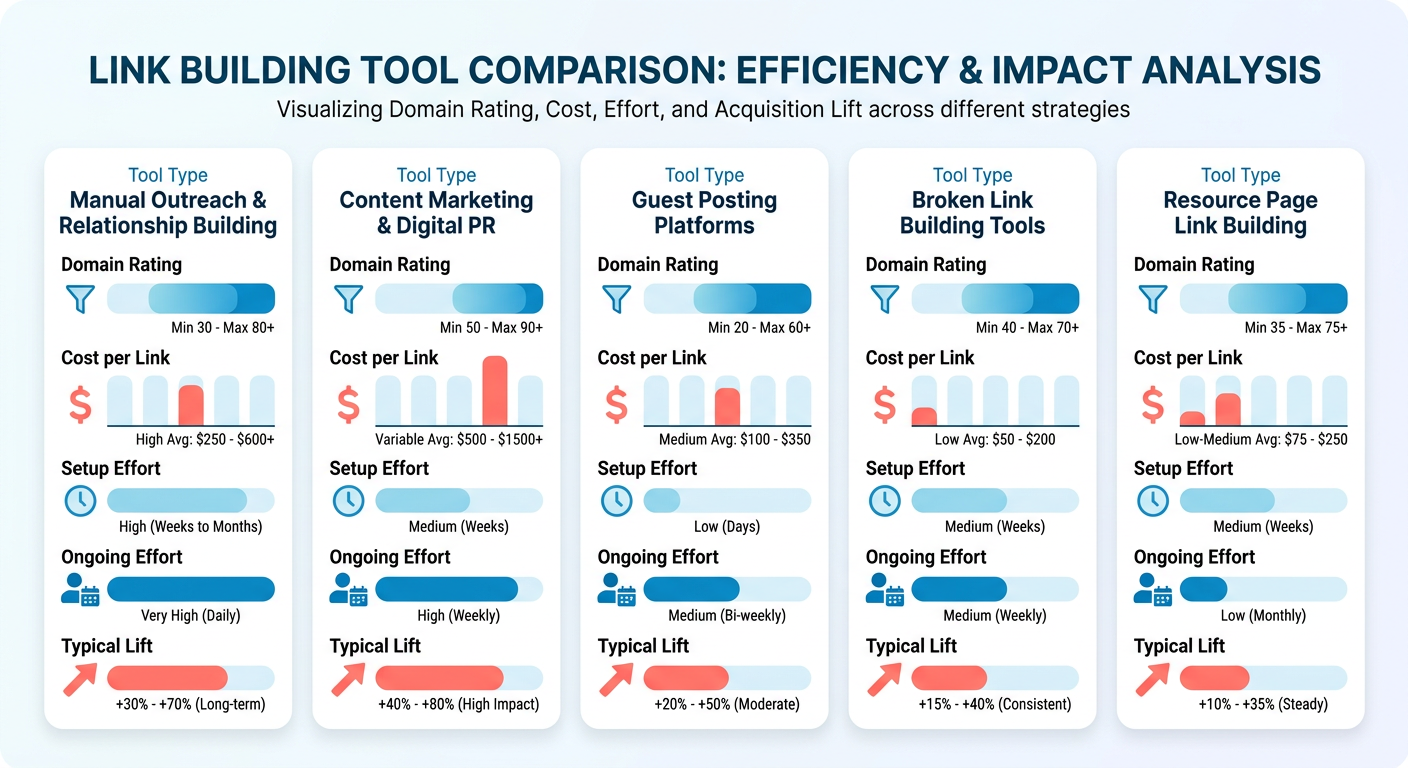
| Tool type | Domain‑Rating filter | Avg. Cost per link | Initial setup | Ongoing effort | Typical lift |
|---|---|---|---|---|---|
| AI‑driven outreach service | ≥ 30, niche‑matched | $400-$550 | 2-4 hrs to configure filters | 30 min / week for monitoring | 1-2 x traffic boost |
| Automated link builder (batch mode) | ≥ 40, traffic‑qualified | $500-$600 | 3-5 hrs to map content clusters | 1 hr / week for health checks | 2-3 x click-through |
| Hybrid scheduler (AI + manual review) | ≥ 35, relevance score | $450-$580 | 4-6 hrs to set up workflow | 2 hrs / week for tweaks | 2.5 x visits, 250 sign-ups |
| API‑integrated backlink engine | ≥ 45, topical similarity | $520-$620 | 5-7 hrs for API keys & mapping | 45 min / week for alerts | 3 x domain authority growth |
Figures are illustrative examples based on typical industry observations. Setup time includes connecting your CMS, defining domain-rating thresholds, and training the AI on your brand voice. Ongoing effort is the time spent reviewing match quality and adjusting filters.
Which campaigns tend to see the biggest lift?
The setups that usually pay off share three traits:
- Contextual relevance – AI that scores topical similarity and traffic places links on pages already discussing related subjects. That keeps you away from spam-filter territory.
- Gradual distribution – Spreading placements over a 30-day window mimics natural growth. It also avoids the penalties that a sudden spike can trigger.
- High-value domains – Sites with Domain Rating ≥ 40 and organic traffic above 5k visits a month tend to move the needle on visibility.
Meet those three conditions, and automated pipelines scale farther than manual outreach.
How much time and effort should we budget?
A realistic timeline for a mid-size SaaS team:
- Week 1-2: Configure AI filters, import your content taxonomy, and run a pilot on 10-15 target domains. Expect 2-4 hours of hands-on work.
- Week 3-4: Tune relevance thresholds based on early match quality. Add another 1-2 hours of review.
- Ongoing (monthly): Spend 30-60 minutes on health-check dashboards, plus 15-30 minutes on filter adjustments as your content shifts.
Difficulty overall? Moderate, or 3 out of 5. The main challenge is aligning the AI's relevance model with your brand voice. Once that clicks, the system mostly runs itself.
Skip automation if your site is brand-new and still lacks authority. AI matching depends on a baseline of relevance that fresh domains do not have. In that case, a handful of manual, relationship-first outreach emails will earn more credible seed links than any bot.
Why Automated Backlinks Still Move Rankings
Automating backlinks lets you scale link acquisition without the endless back-and-forth of manual outreach. Instead of hand-building prospect lists, you can spend that time on content strategy and conversion work.
Google still drives the overwhelming majority of web traffic, and backlinks remain a core ranking factor. When you automate backlinks, API-driven matching replaces manual prospecting and surfaces thousands of vetted domains that fit your topic and authority goals in minutes.
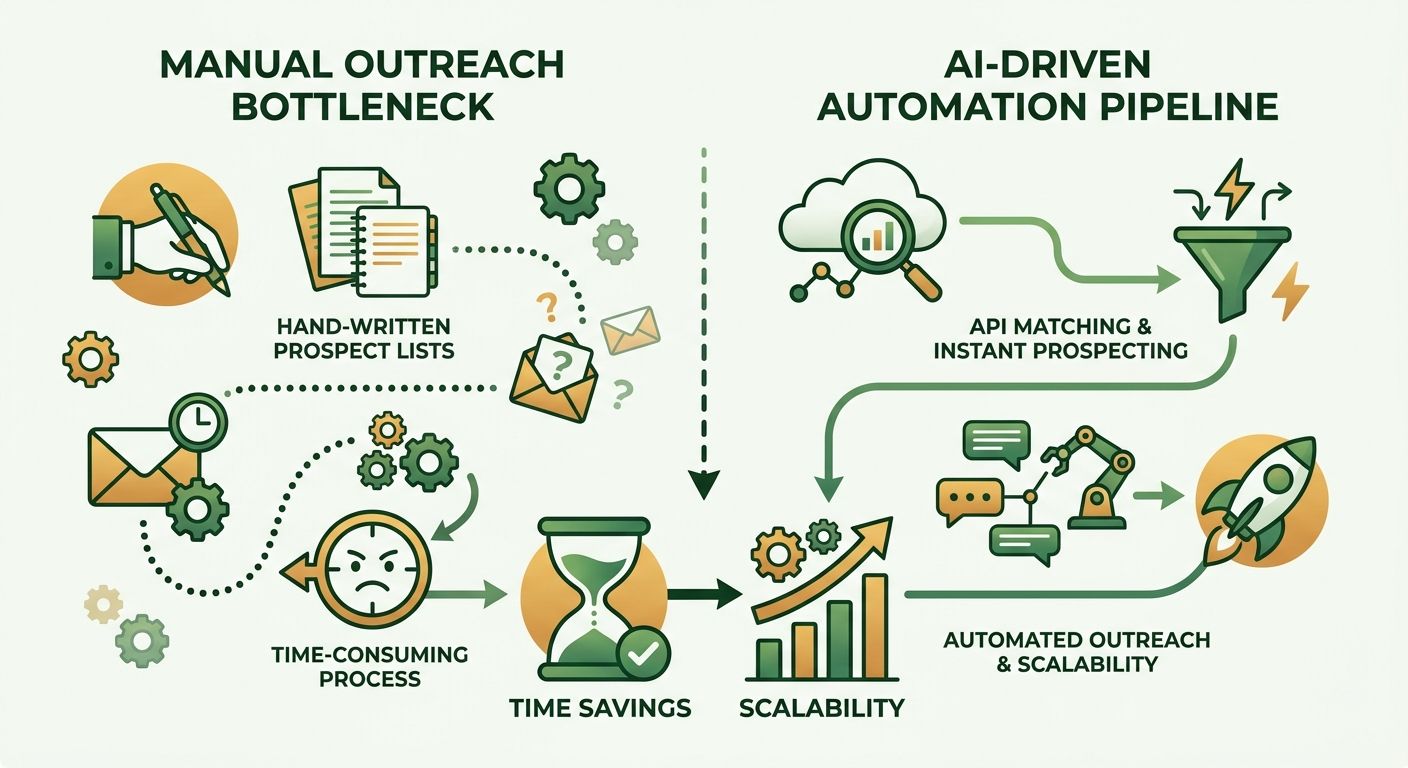
Pair high-velocity outreach with a relevance engine, and you get both sides of the equation: broader reach and smarter matching. Each link lands on a site that actually fits your niche. The result is a cleaner backlink profile without the manual triage that usually stalls campaigns in week two.
What challenges does automation solve?
Automation goes straight at the three things that keep most B2B marketers stuck in low-yield outreach.
- Time pressure – AI tools build prospect lists in minutes, not days.
- Poor response rates – Targeting vetted domains and personalizing at scale gets past the single-digit reply rates that email blasts produce.
- Cost inefficiency – Cutting manual labor lowers the per-link cost, making authority links feasible on a sustainable budget.
Who benefits most from automated backlink strategies?
A few roles get the most value from moving off manual prospecting:
- Growth marketers who need fast, measurable lifts in organic traffic.
- Content creators who want pillar pieces to travel without spending hours on outreach.
- SaaS product teams that need to show SEO ROI to investors every quarter.
For deeper tactical guidance, see our guide Backlink Automation for Blogs: A Practical How-To.
When should you skip automation?
If your content calendar publishes fewer than one high-value piece a month, the overhead of configuring filters and monitoring API health outweighs the gains. At that volume, targeted manual outreach is usually more efficient.
Start with a pilot on a single content cluster. Measure the lift in organic sessions and lead quality, then expand only if the results beat your manual baseline. That discipline keeps automation efficient without adding unnecessary complexity.
Building Automated Outreach Workflows
We feed the content brief into AnyPost's Persona Engine, apply keyword mapping and traffic insights, then let the platform surface topics and channels that match the piece's semantic intent. That gives us a ready-to-publish pool aligned to both relevance and authority.
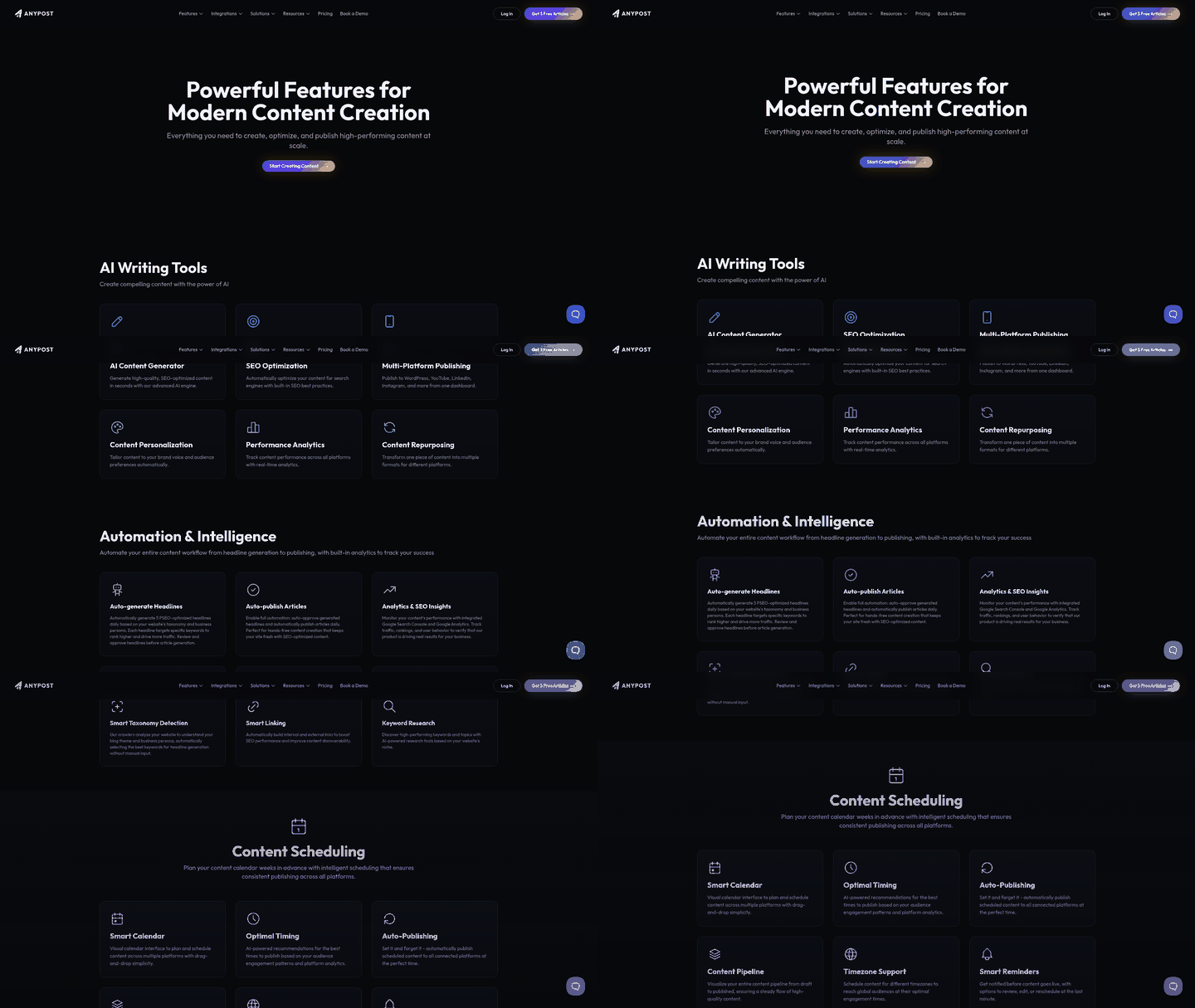
- Filter by niche: Use the AI's keyword mapping to focus on verticals where your SaaS solves a specific pain point.
- Filter by traffic potential: Prioritize topics showing organic search volume and upward trends in your target market.
- Filter by engagement signals: Flag opportunities where metrics like time-on-page and low bounce rate point to stronger editorial standards.
What does an effective automated distribution sequence look like?
Three steps, triggered by audience actions and generated by natural-language models: initial publish, amplified social share, and follow-up email. It keeps engagement high while the tone stays personal.
- First publish: The AI drafts a 150-word article that answers a specific query in your brand's voice.
- Social boost: Once it is live, AnyPost shares the piece on LinkedIn or other connected platforms with a short line on why it matters.
- Follow-up email: If someone engages with the social post but has not clicked through, the system sends a brief note with one extra data point, such as a recent industry report, to pull them back to the content.
Every interaction lands in AnyPost's real-time analytics dashboard, where you can tag each piece's performance stage and let automation pause or resume based on live signals.
How do we monitor, optimize, and keep human oversight?
We use continuous monitoring through the analytics board, plus periodic human review of placements. That combination keeps the workflow safe as it scales.
- Metrics board: Track publish rate, social engagement, click-through, and earned-link count per day. When click-through drops below a set threshold, trigger a manual review of headlines and relevance filters.
- Quality guardrails: The system only suggests internal links where the AI detects a semantic match above a confidence threshold, say ≥ 80%.
- Internal linking boost: AnyPost also automates internal link insertion across your own assets. It takes little effort and remains one of the most consistent SEO ROI plays.
When the platform flags a piece that fails the relevance check, someone revisits the brief and either refines the prompt or drops the topic from the queue. That hybrid model lets us automate content creation and distribution at scale while keeping the editorial judgment that protects against search-quality guidelines.
Scaling Backlink Acquisition with Automation
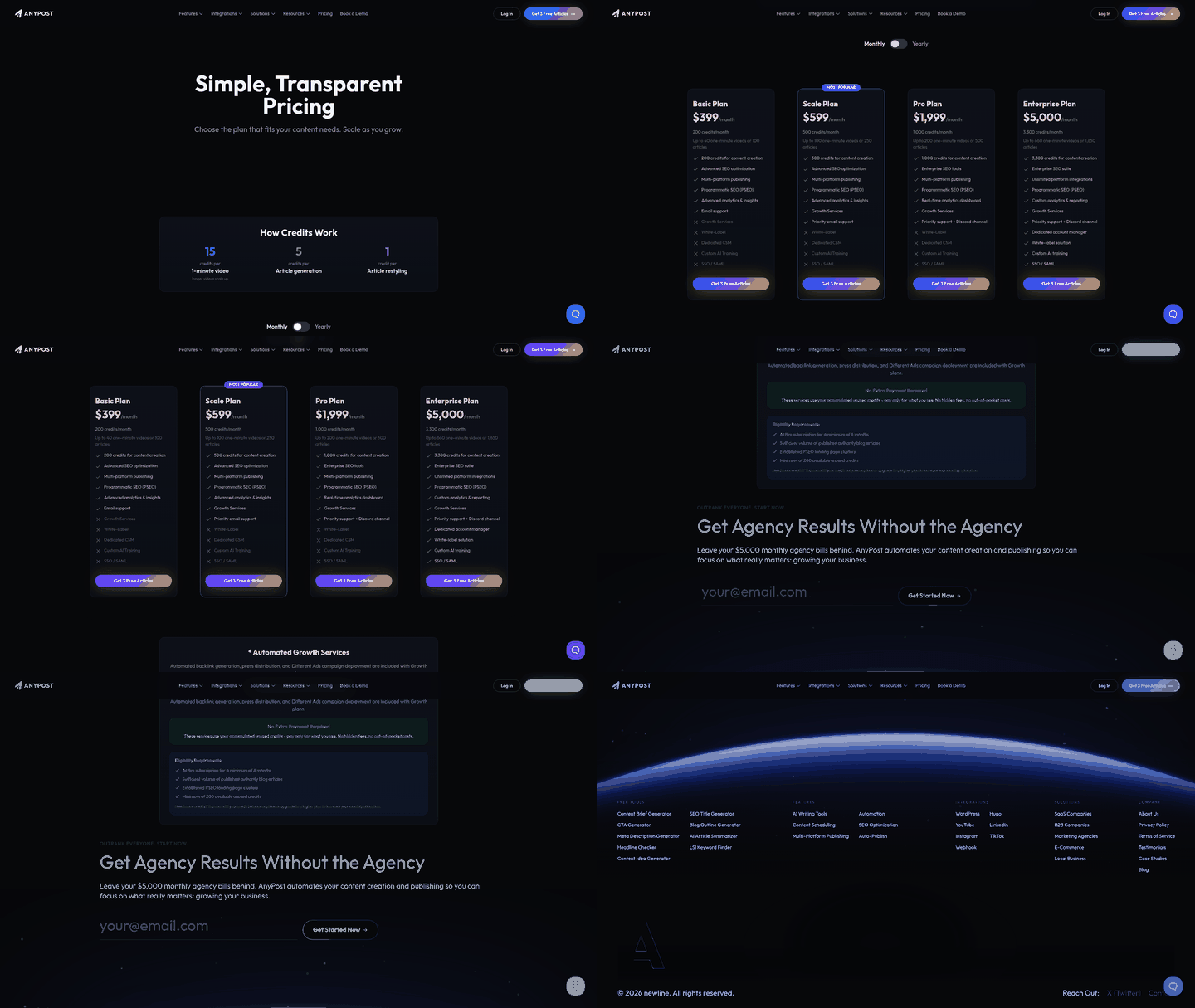
We start with process automation, prospecting, and scoring, then move to placement automation only after the prospect pool clears strict relevance filters.
Process automation pulls thousands of domains through APIs like SE Ranking or Clearbit, then ranks them by domain rating, traffic, and topical match. After the list is trimmed, a human reviewer adds a short editorial note before the outreach email goes out. That two-step guardrail keeps us clear of Google's spam filters while preserving the speed gains.
- Pull raw prospects with an API call, then filter by DR ≥ 35 and niche relevance.
- Run a semantic similarity check with a language model to confirm the target page actually discusses the problem you solve.
- Have a reviewer approve the top 10% before any email leaves the system.
Which automation tactics scale best?
Multi-channel outreach and internal link generation deliver the highest ROI when automated. Full-placement bots carry more risk.
Internal-linking automation pays off reliably because it works on pages you already control, with no external approval required. Layering email and LinkedIn sequences also lifts response rates over email-only, a pattern that shows up across recent outreach studies.
Practical steps:
- Internal linking bots – schedule daily scripts that scan new posts, spot anchor opportunities, and insert links to pillar pages.
- API-driven prospecting – use endpoint services to segment prospects by industry, then feed the list into a mail-merge tool that personalizes each line with dynamic fields.
- Multi-channel sequencing – after the first email, trigger a LinkedIn connection request and a follow-up comment on the prospect's recent post. Automation platforms can queue these based on engagement signals.
When should we skip full automation?
We avoid end-to-end placement bots when the target domain's authority is high (DR > 60) or when the content needs deep editorial alignment.
High-authority sites usually run strict editorial reviews. Automated placement there can look spammy and may trip Google's link-spam filters. A manual, relationship-first approach builds stronger long-term equity.
- Skip full automation for guest posts on major publications, industry magazines, and news outlets.
- Use automation for tier-2 and tier-3 sites where the editorial gate is lighter and the relevance score is high.
- Monitor link health weekly. If referral traffic drops suddenly, pause the bot and reassess the anchor text.
Combine safe process automation with selective multi-channel outreach, and you can automate backlinks at scale without giving up quality. That frees bandwidth for content and broader SEO work.
Quality Assurance and Link Vetting
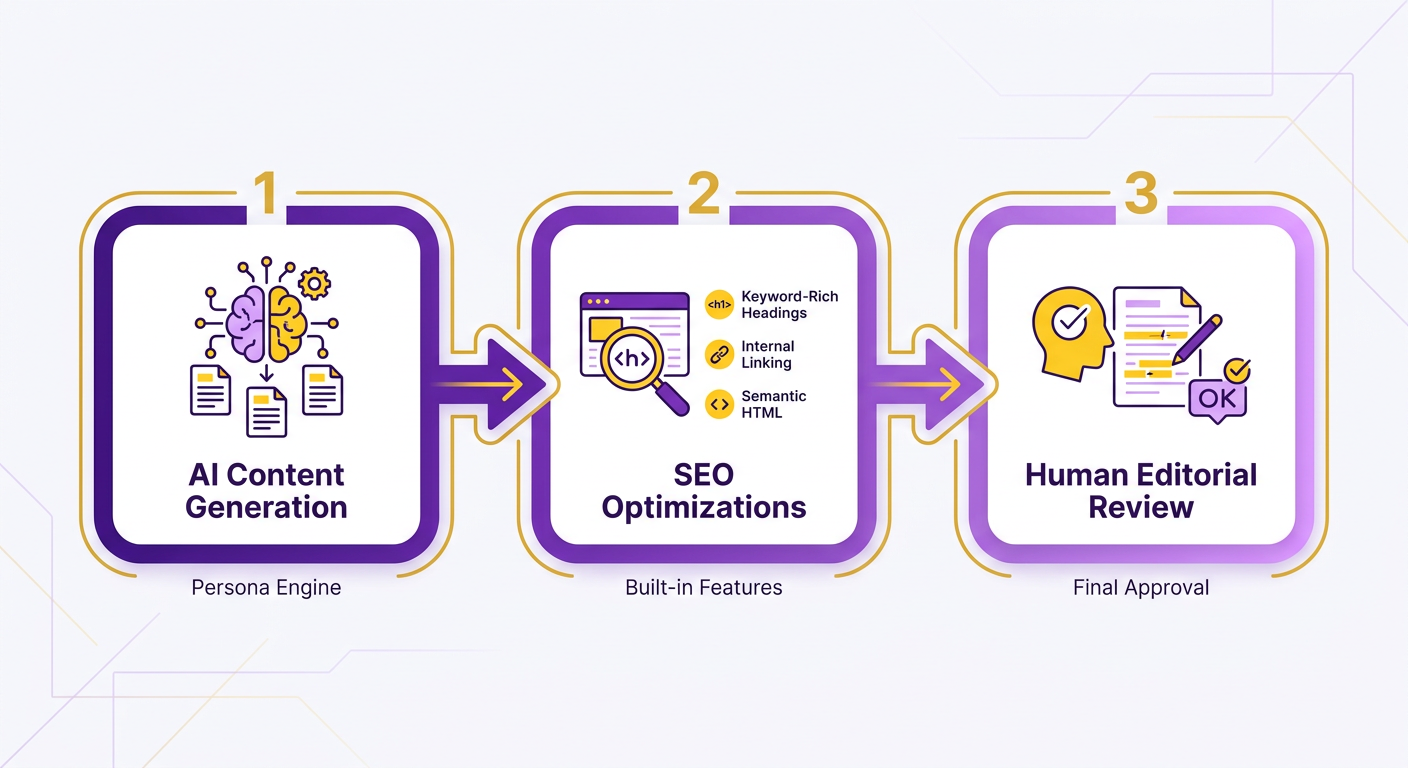
We use a layered approach: AI-driven generation, built-in SEO optimizations, and a final human read.
- AI content generation uses natural language models to produce articles in your brand voice with relevant keywords and search intent baked in.
- Built-in SEO optimizations add keyword-rich headings, semantic HTML, internal linking suggestions, and appropriate image or video assets.
- Human editorial review does a quick pass for factual accuracy, brand consistency, and readability before anything publishes.
"AI enables us to scale content creation without sacrificing quality." – internal observation
Chaining these steps keeps automation fast while preserving the editorial standards search engines reward.
Which automation steps are safe vs. risky?
Automating research, drafting, and SEO tagging is safe. Fully automated publishing with no review layer risks off-brand or low-quality output.
- Safe (process) automation handles keyword research, outlines, and SEO tagging. These are repeatable tasks that benefit from AI speed and consistency.
- Risky (publish) automation pushes content live on external platforms with no human check. Keep oversight here to avoid brand-voice mismatches and SEO penalties.
So we limit full automation to properties we control, like our own blog or CMS. For external placements, we pause for a quick human sanity check before the final push.
What ongoing checks keep content fresh and penalty-free?
Continuous monitoring and periodic re-evaluation keep automated content useful over time.
- Performance dashboards track each article's traffic, engagement, and keyword rankings weekly.
- SEO health alerts flag sudden ranking drops or bounce-rate spikes and prompt a fast content audit.
- Scheduled refreshes let you update older pieces with new data or keywords, which mimics natural content growth.
These safeguards preserve relevance and help buffer you against algorithm changes.
Why this beats manual content creation
Automating research, drafting, and routine SEO frees strategists for high-impact work: campaign planning, audience targeting, and creative storytelling.
The team keeps a consistent publishing cadence while directing creative energy toward growth initiatives instead of production grind.
Measuring ROI of Automated Backlinks
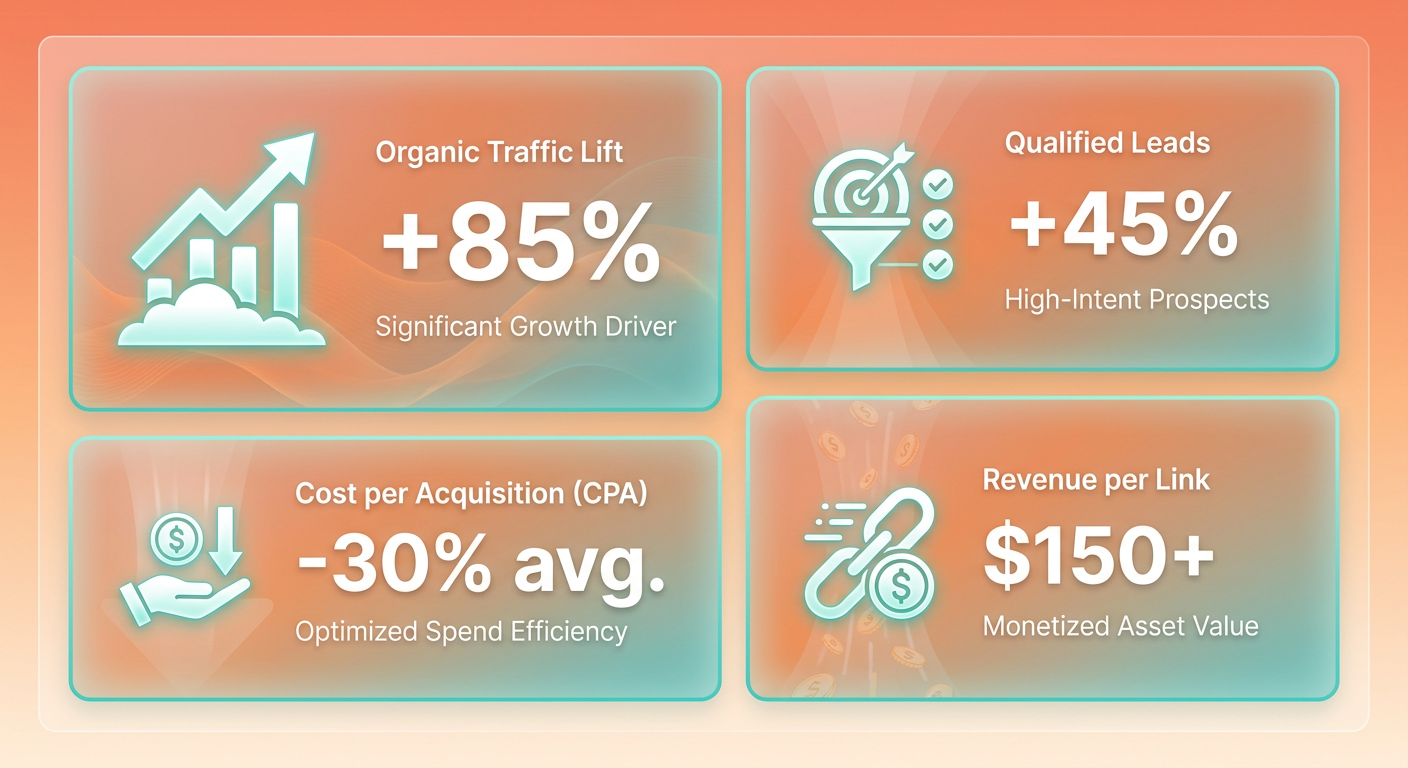
The signals worth watching: organic-traffic lift, qualified-lead count, revenue per link, and cost per acquisition.
- Organic-traffic lift – compare pre- and post-automation sessions on the pages that earned new links. Even a modest rise can beat manual outreach, where plenty of marketers report fewer than 10 links a month.
- Qualified leads – filter traffic through lead-scoring rules like demo requests and trial sign-ups. Good campaigns show a clear jump in sign-ups, which lowers CPA.
- Revenue per link – attribute closed-won deals to the first-touch page that got the backlink. A $250 link that generates $3,200 in ARR runs an ROI near 12.8x.
- Cost per link – fold in API fees, AI-generation costs, and manual review time. If your CPA runs higher than the average backlink cost, the channel is not profitable yet.
How do we attribute conversions to automated backlinks?
UTM tagging, first-touch attribution, and assisted-conversion reports map each sale back to the link that delivered the visitor.
- Tag every outbound link with a campaign-specific UTM (source=auto-backlink, medium=referral, content=topic-id).
- Set up first-touch goals in Google Analytics or your stack so the initial landing page captures the session.
- Run assisted-conversion reports to see how backlinks feed later-stage actions, like webinar sign-up to demo.
- Cross-reference with CRM by importing UTM data into lead records. Now you can calculate revenue per link without guessing.
Assisted-conversion analysis shows how often a backlink-generated page touches a deal before the final conversion. That's the part last-click models miss.
What optimizations follow from ROI data?
We adjust the AI content engine, prospect filters, and publishing cadence based on what the numbers show.
- Raise the traffic threshold for target domains when low-traffic links show high CPA. Widening the scheduling window keeps acquisition looking natural while stronger domains index.
- Refine AI prompts to favor buyer-intent keywords that historically convert over generic brand mentions.
- Tweak frequency – if cost per link spikes during a burst of daily placements, spread the schedule to hold CPA steady.
- Iterate filters – raise the minimum domain authority when the ROI curve flattens, so each link carries enough weight to move rankings.
Loop those insights back into AnyPost's AI content engine, and the automated backlinks process stays focused on high-value opportunities instead of raw volume.
Frequently Asked Questions
1. Can I use automated backlink tools if my domain rating is below 30?
Automation can still help low-authority sites, but start by building a handful of manual seed links. Begin with 5-10 high-quality guest posts or internal citations, then feed those URLs into the AI engine. That creates a baseline of relevance that improves automated outreach success.
2. How do I prevent Google’s spam filters from penalizing automated backlinks?
To keep automated links safe from Google's spam filters, enforce strict editorial standards and monitor link velocity. Make sure the AI's contextual matching stays close to your core topics, and avoid sudden, unnatural spikes in your link profile. Regularly audit referral traffic for sudden drops and pause any source that shows abnormal patterns.
3. Is it possible to integrate the automated backlink workflow with a WordPress site?
Integration with WordPress is straightforward through the platform’s REST API or dedicated plugins. Install the AnyPost connector, map your content taxonomy, and let the system push published URLs to the outreach queue automatically. You can also schedule weekly health checks from the WordPress dashboard to monitor link performance.
4. What should I do if my automated campaign generates links on non-English sites?
When the system proposes links on non-English pages, verify language relevance before approval. Translate the AI-generated anchor text, ensure the target article matches the same search intent, and adjust the relevance score threshold for multilingual content. This prevents mismatched backlinks that could dilute SEO value.
5. How can I measure the revenue impact of each automated backlink without using UTM parameters?
You can attribute revenue by linking first-touch page data to CRM records through server-side tracking. Capture the landing page URL in a hidden field, push it to your lead-capture form, and map it to the opportunity stage in the CRM. This creates a direct revenue line for each acquired link.
6. Is it advisable to combine automated backlink outreach with paid social promotion?
Combining automated backlinks with paid social can amplify traffic, but keep budgets separate so you can evaluate each channel's ROI. Run a control group that receives only organic referrals, then compare conversion rates against the paid-social-boosted segment. Adjust spend based on which source delivers the lowest cost per acquisition.
