
Automated SEO Reports with HubSpot API

Introduction to Automated SEO Reports
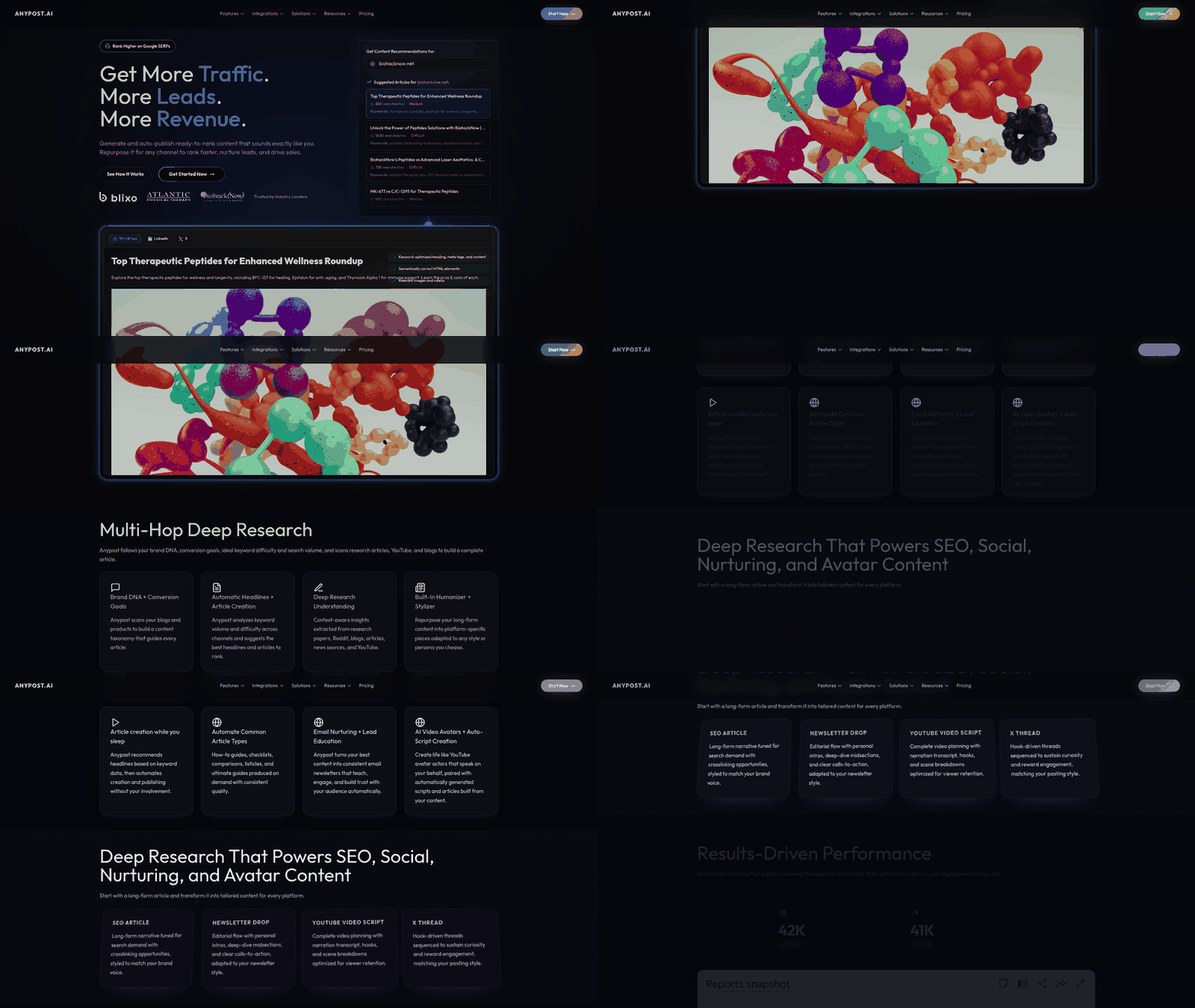
Automated SEO reports streamline the process of analyzing and optimizing digital content by leveraging technology to gather, interpret, and present SEO-related data without manual intervention. These reports typically aggregate metrics such as keyword rankings, backlink profiles, site speed, and content quality scores, enabling marketers to identify opportunities for improvement systematically. By automating data collection and analysis, teams can focus on strategic decision-making rather than time-consuming manual audits. In content marketing, where timely adjustments are critical to maintaining visibility in search engine results pages (SERPs), automated reporting ensures consistent monitoring and rapid response to algorithmic changes or competitive shifts.
Definition and Core Functionality
An automated SEO report is a data-driven document generated through software tools that evaluate website performance against established SEO best practices. Unlike manual audits, which require human input to extract and analyze data, automated systems use predefined rules and third-party integrations to produce insights at scale. Key functionalities include tracking on-page elements (e.g., meta tags, heading structures), assessing technical SEO factors (e.g., crawl errors, mobile responsiveness), and benchmarking content against competitors. These reports often include visualizations such as trend graphs, keyword performance tables, and actionable recommendations, consolidating complex data into digestible formats for stakeholders. The HubSpot API, as discussed in the [Setting Up HubSpot API for Automated SEO Reports] section, plays a pivotal role in centralizing SEO data by connecting with external tools and CRM systems.
Benefits in Content Marketing Strategies
The adoption of automated SEO reports offers several strategic advantages. First, they reduce the time required to compile and analyze SEO data, allowing teams to reallocate resources toward content creation or campaign optimization. Second, automation minimizes human error in data interpretation, ensuring consistency across reporting cycles. Third, real-time or scheduled report generation enables proactive adjustments to content strategies, such as targeting underperforming keywords or addressing technical issues before they impact rankings. As outlined in the [Integrating Automated SEO Reports with Content Marketing Strategies] section, these reports align directly with content marketing workflows, enabling teams to refine their strategies based on real-time data. Additionally, automated reports provide historical data tracking, helping marketers measure the long-term impact of SEO initiatives and demonstrate ROI to stakeholders. For organizations managing large websites or multiple domains, automation scales efficiently, handling vast datasets that would be impractical to analyze manually.
HubSpot API Capabilities for SEO Automation
The HubSpot API serves as a foundational tool for integrating automated SEO reporting into marketing workflows. While specific API endpoints and methods are not detailed in available sources, general capabilities include accessing CRM data, synchronizing content performance metrics, and triggering automated workflows based on predefined conditions. For SEO purposes, the API can connect with external SEO tools to pull in data like keyword rankings or backlink quality, centralizing this information within HubSpot’s marketing platform. This integration allows teams to align SEO insights with lead generation and customer journey analytics, creating a unified view of content performance. However, implementation details such as authentication protocols, data formatting, or rate limits cannot be specified without direct reference to HubSpot’s official documentation.
Limitations and Considerations
While automated SEO reports offer efficiency, they have limitations. Tools may overlook nuanced factors like content originality, user intent alignment, or regional search trends that require human judgment. Over-reliance on automated metrics can lead to "report fatigue" if teams fail to contextualize data within broader business goals. Additionally, the HubSpot API’s exact role in generating SEO reports remains undefined in available sources, necessitating further exploration of its compatibility with third-party SEO platforms or custom development requirements. Marketers should pair automated insights with periodic manual audits, as detailed in the [Troubleshooting Common Issues with Automated SEO Reports] section, to validate accuracy and address edge cases beyond algorithmic detection.
By automating SEO reporting, organizations can maintain agility in their digital strategies while reducing operational overhead. The integration of tools like the HubSpot API further enhances this process, though careful planning is required to align technical capabilities with business objectives.
Setting Up HubSpot API for Automated SEO Reports
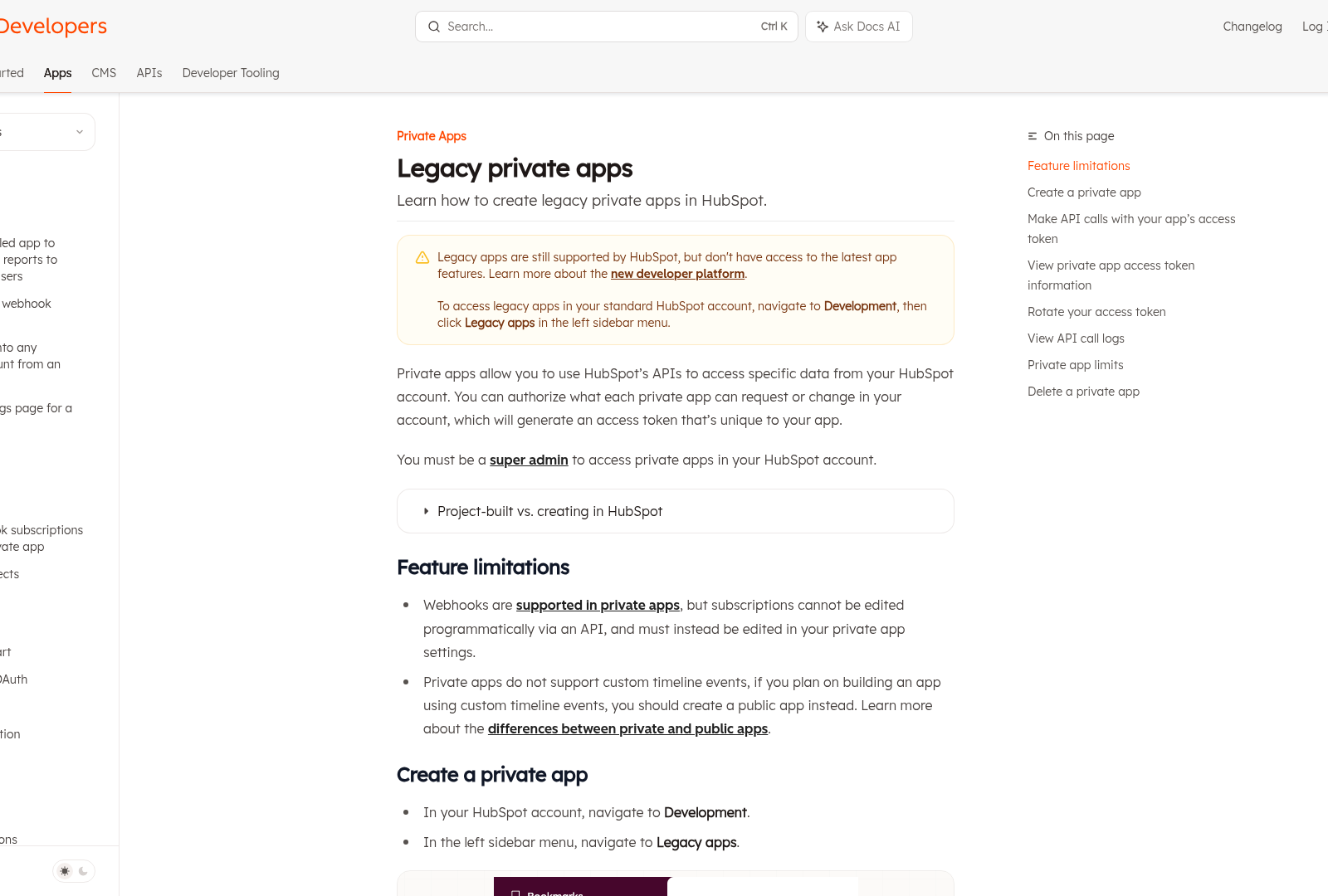
Setting up the HubSpot API for automated SEO reports requires configuring authentication credentials, identifying relevant endpoints for SEO data, and structuring the output format to align with reporting needs. The process begins with enabling API access in your HubSpot account, which involves generating an API key or configuring OAuth 2.0 credentials depending on your integration requirements. For OAuth 2.0, developers must register an application in the HubSpot Developer Portal to obtain a client ID and secret, which are used to request an access token. This token authenticates subsequent API requests and grants access to HubSpot’s CRM, CMS, and analytics data, including SEO-related metrics such as page performance, keyword rankings, and traffic sources.
Authentication Configuration
To authenticate with the HubSpot API, developers must implement one of two methods: API key-based authentication or OAuth 2.0. The API key method involves appending a hapikey parameter to API requests, while OAuth 2.0 requires a valid access token obtained via a client ID and secret. For automated SEO reports, OAuth 2.0 is recommended due to its enhanced security and ability to manage permissions granularly. The OAuth flow includes redirecting users to HubSpot’s authorization endpoint, where they grant access to the required scopes (e.g., content, analytics, crm). After authorization, the system exchanges the authorization code for an access token, which must be included in the Authorization header of API requests as a Bearer token. Developers should store this token securely and refresh it before expiration using the refresh token provided during the initial OAuth exchange.
Selecting SEO Data Endpoints
HubSpot’s API exposes multiple endpoints that can be leveraged for SEO reporting, depending on the data required. Key endpoints include the Content API for blog and landing page metadata, the SEO Analytics API for keyword and competitor analysis, and the CRM API for tracking lead generation from organic search traffic. To identify the most relevant endpoints, start by defining the report’s scope—such as tracking page performance, analyzing backlink profiles, or monitoring content engagement metrics. As mentioned in the Configuring Report Parameters and Metrics section, aligning endpoint selection with specific reporting goals ensures data relevance and actionable insights. For example, the /cms/v3/blogs/posts endpoint retrieves blog posts with SEO metadata like meta titles and descriptions, while the /analytics/v4/reports endpoint provides traffic data segmented by search engines. Developers should review HubSpot’s API documentation to map each endpoint’s capabilities to their reporting goals and verify that the required data is accessible under the authenticated user’s permissions.
Data Formatting for Reports
Once data is retrieved from HubSpot’s endpoints, it must be formatted into a structured format suitable for automated reports. This typically involves parsing JSON responses, filtering irrelevant fields, and aggregating metrics such as page views, bounce rates, and keyword rankings. For consistency, define a schema that standardizes how data is organized—such as grouping blog performance metrics by month or categorizing keywords by search intent. Tools like Python’s Pandas library or JavaScript’s JSONata can streamline this process by automating data cleaning and transformation. Additionally, ensure the formatted data aligns with the reporting tool’s requirements, whether it’s a spreadsheet, dashboard, or email summary. Developers may also integrate HubSpot’s data with third-party SEO tools (e.g., Ahrefs, SEMrush) using their APIs to enrich reports with external metrics like domain authority or backlink counts. See the Integrating Automated SEO Reports with Content Marketing Strategies section for more details on leveraging these insights within broader marketing workflows.
Testing and Automation
Before deploying the automated report, validate the API setup by executing test requests to confirm authentication, endpoint access, and data accuracy. Use tools like Postman or cURL to manually query endpoints and inspect responses for errors or missing fields. Once validated, schedule the report generation process using a task scheduler (e.g., cron jobs for Linux or Task Scheduler for Windows) or a workflow automation platform (e.g., Zapier, Make). To maintain reliability, implement error-handling mechanisms that retry failed requests or log issues for troubleshooting. See the Troubleshooting Common Issues with Automated SEO Reports section for more details on addressing potential errors. Finally, monitor API rate limits—HubSpot enforces quotas based on account tier—to avoid disruptions in data collection. By combining these steps, teams can establish a scalable system for producing timely, data-driven SEO insights directly from HubSpot.
Configuring Report Parameters and Metrics
Configuring report parameters and metrics requires a structured approach to ensure the automated SEO reports generated via the HubSpot API align with organizational goals. While specific implementation details depend on the API’s capabilities and the organization’s requirements, the process generally involves three core steps: selecting SEO metrics, defining data filters, and setting up scheduling parameters. Below, each step is explored in detail to provide a framework for configuration.
Key SEO Metrics for Reporting
Choosing the right SEO metrics is critical to ensure reports provide actionable insights. Common metrics include organic traffic volume, keyword rankings, backlink quality, and on-page SEO performance. These metrics help track progress toward SEO objectives, such as improving search engine visibility or content authority. When configuring reports, prioritize metrics that align with business KPIs, such as conversion rates from organic traffic or content engagement metrics like bounce rate.
To identify relevant metrics, consult HubSpot’s API documentation to confirm which data points are accessible via the API endpoints. See the [Setting Up HubSpot API for Automated SEO Reports] section for more details on identifying relevant endpoints. For example, metrics like page-level SEO scores or domain authority may require specific API permissions or integration with third-party tools. If the API does not natively support certain metrics, consider combining data from multiple sources or using custom calculations to derive insights.
Configuring Data Filters for Precise Reporting
Data filters refine report scope by isolating specific datasets, ensuring outputs reflect targeted segments of website performance. Filters can include time ranges (e.g., monthly or quarterly data), specific URLs or content types (e.g., blog posts or landing pages), and geographic or device-based traffic segments. For instance, a report might focus on organic traffic from desktop devices to a set of high-performing blog posts, excluding internal IP addresses.
As mentioned in the [Troubleshooting Common Issues with Automated SEO Reports] section, testing filters in the API’s sandbox environment (if available) to validate results before finalizing report configurations can prevent data discrepancies.
Scheduling Automated Report Generation
Automated report generation relies on scheduling parameters to define when and how often reports are produced. Schedule reports based on the cadence required by stakeholders, such as weekly, monthly, or quarterly intervals. HubSpot’s API may support scheduling through integrations with tools like Zapier or custom scripts using its automation features. Building on concepts from the [Integrating Automated SEO Reports with Content Marketing Strategies] section, define the delivery method (e.g., email, cloud storage, or internal dashboards) and ensure access controls are set for report recipients. If the API lacks native scheduling capabilities, use external task automation platforms to trigger report generation at specified intervals.
By systematically addressing metrics, filters, and scheduling, teams can create automated SEO reports that deliver consistent, actionable insights. For implementation specifics, refer directly to HubSpot’s API documentation and integration guidelines.
Integrating Automated SEO Reports with Content Marketing Strategies
Automated SEO reports provide actionable insights that align directly with content marketing workflows, enabling teams to refine their strategies based on real-time data. By integrating these reports into content creation processes, marketers can prioritize topics, keywords, and formats that align with audience intent and search engine visibility goals. For example, identifying underperforming pages or high-traffic keywords from automated reports allows writers to adjust content focus, ensuring alignment with both user needs and SEO best practices. This integration reduces guesswork in content planning and shifts the emphasis toward data-driven decisions.
Content Optimization with SEO Data
Automated reports highlight critical on-page SEO elements such as keyword density, meta tags, and internal linking patterns. These insights can be directly applied to content drafts during the editing phase, ensuring pages are optimized before publication. For instance, if a report flags missing alt text for images on a blog post, content teams can revise the asset to include descriptive tags that improve accessibility and search rankings. Additionally, tools like HubSpot’s API can synchronize SEO recommendations with content management systems, streamlining workflows for teams. See the [Setting Up HubSpot API for Automated SEO Reports] section for more details on configuring the API integration.
Teams should also leverage automated reports to identify content gaps. By analyzing competitor backlink profiles or high-ranking pages in a given niche, marketers can uncover opportunities to create pillar content or targeted blog posts. For example, if a report shows that competitors are ranking for long-tail keywords related to a specific product feature, a content team can draft in-depth guides or case studies to capture that traffic. Regularly updating existing content based on report findings—such as adding new statistics or restructuring headings—further sustains SEO value over time.
Repurposing Content Across Channels
Automated SEO reports not only refine original content but also inform how existing assets can be repurposed for different platforms. High-performing blog posts, for instance, can be transformed into social media snippets, video scripts, or email newsletter summaries. By extracting top-performing keywords and themes from reports, teams ensure that repurposed content maintains SEO relevance while adapting to the format and audience expectations of each channel.
A structured approach to repurposing includes:
- Social Media: Extracting key takeaways from blog posts and formatting them as carousel posts or infographics with embedded links.
- Email Marketing: Highlighting data-driven insights from SEO reports to craft personalized subject lines and segment content for different audience groups.
- Video Content: Using high-ranking keywords to script YouTube descriptions or optimize video transcripts for discoverability.
This strategy maximizes the ROI of content creation efforts while maintaining consistency in messaging and SEO alignment. Teams should use HubSpot’s API to automate the redistribution of repurposed content, ensuring that metadata and links remain optimized during transfers between platforms. See the [Setting Up HubSpot API for Automated SEO Reports] section for guidance on implementing this automation.
Distributing Optimized Content
Automated reports also guide distribution timelines and platform prioritization. By analyzing traffic patterns and user behavior data from reports, marketers can schedule content releases during peak engagement periods. For example, if data shows higher traffic from mobile users on weekends, teams can delay publishing certain blog posts until Friday evenings to capitalize on that trend.
Distribution workflows should include:
- Platform-Specific Adjustments: Tailoring meta descriptions or titles for each platform (e.g., Twitter’s character limit vs. Google’s snippet display).
- Link Building: Using backlink analysis from reports to identify partnership opportunities with sites that frequently link to similar content.
- Performance Tracking: Integrating HubSpot’s API with analytics tools to monitor post-distribution metrics like bounce rates or conversion rates, enabling rapid iteration. See the [Setting Up HubSpot API for Automated SEO Reports] section for technical implementation details.
By automating these steps through HubSpot’s API, teams reduce manual errors and ensure that optimized content reaches the right audiences at the right time. This systematic approach closes the loop between SEO insights and content execution, fostering a feedback cycle where distribution data informs future report generation and strategy refinement.
Limitations and Considerations
While automated SEO reports offer significant advantages, they should supplement—not replace—human judgment. For instance, keyword stuffing or over-optimization based solely on algorithmic suggestions can harm user experience. Teams must balance report-driven adjustments with editorial discretion to maintain content quality. Additionally, HubSpot’s API capabilities may vary depending on the plan, so users should verify which SEO metrics are accessible through their integration. Regular audits of automated workflows are also necessary to ensure alignment with evolving search engine guidelines and audience preferences.
In practice, the integration of automated SEO reports with content marketing requires ongoing collaboration between SEO specialists, content creators, and developers. By embedding report insights into every phase of the content lifecycle—from ideation to distribution—teams can achieve sustainable growth and adaptability in competitive markets.
Advanced Techniques for Maximizing Automated SEO Report Potential
To maximize the potential of automated SEO reports in HubSpot, advanced users can leverage AI-driven analysis, integrate cross-channel marketing data, and build custom dashboards for deeper insights. These techniques require a strategic approach to data interpretation and visualization, ensuring that SEO performance is evaluated in the broader context of overall marketing efforts.
Using AI for SEO Trend Analysis
AI can enhance automated SEO reports by identifying patterns and anomalies in large datasets that might be overlooked in manual analysis. For example, machine learning models can detect shifts in keyword rankings, content performance, or backlink profiles over time, enabling proactive adjustments to SEO strategies. While HubSpot’s API provides access to raw SEO data, integrating third-party AI tools or custom scripts can automate trend detection. Users should export data via the API (e.g., using endpoints like /api/v1/blogs or /api/v3/keywords) and feed it into AI platforms capable of predictive modeling or natural language processing (NLP) for content quality assessments. A limitation here is that HubSpot does not natively support AI analysis within its reporting interface, requiring external tools for advanced processing. To mitigate this, teams can schedule regular data exports and use AI-driven dashboards like Google Data Studio or Power BI for visualization. This approach transforms static reports into dynamic, actionable insights, such as forecasting traffic declines before they occur or identifying underperforming content clusters. See the Setting Up HubSpot API for Automated SEO Reports section for more details on configuring API endpoints for data extraction.
Combining SEO Reports with Other Marketing Data
Isolated SEO data often lacks the context needed to assess its true impact on business goals. By merging SEO metrics with CRM, email marketing, or social media data, marketers can uncover correlations between organic traffic and lead generation or conversion rates. For instance, cross-referencing HubSpot’s SEO reports with CRM pipelines (via /api/v3/contacts or /api/v3/deals) reveals how specific content assets influence sales cycles. Similarly, aligning SEO performance with email campaign metrics (e.g., open rates from /api/v3/email-events) can highlight whether blog posts drive engagement that converts into email signups. This integration requires careful data mapping and alignment of KPIs, such as linking blog traffic to lead source attribution in HubSpot. Advanced users can automate this process by creating workflows that pull data from multiple APIs into a unified database, though custom coding or ETL (extract, transform, load) tools may be necessary for seamless synchronization. The result is a holistic view of marketing performance, where SEO efforts are evaluated alongside other touchpoints in the customer journey. Building on concepts from the Integrating Automated SEO Reports with Content Marketing Strategies section, this approach ensures SEO metrics align with broader content and marketing objectives.
Creating Custom Dashboards for Comprehensive Insights
Custom dashboards centralize SEO data and related metrics into a single interface, streamlining decision-making for teams. HubSpot’s native reporting tools allow basic dashboard creation, but advanced users may need to build external dashboards using its API to include non-native data sources or advanced visualizations. For example, combining API-exported SEO metrics with social media analytics or competitor benchmarking data (from external tools) provides a 360-degree view of digital performance. To construct such dashboards, developers can use the /api/v1/reports endpoint to fetch historical SEO data and integrate it with third-party platforms like Tableau or Looker. A key consideration is ensuring data consistency across sources—users must define standardized metrics (e.g., “organic traffic” or “content engagement score”) to avoid misinterpretation. Custom dashboards also enable role-specific views, such as high-level summaries for executives or granular technical SEO metrics for content teams. However, maintaining these dashboards requires ongoing effort to update data connections and refine visualizations, making automation and API scheduling critical for long-term usability. See the Configuring Report Parameters and Metrics section for guidance on defining standardized metrics for reporting.
Limitations and Best Practices
While these advanced techniques offer significant value, their effectiveness depends on the quality of data integration and the tools used for analysis. HubSpot’s API provides the foundation for automation, but users must fill gaps with external tools or custom development. Best practices include documenting API workflows, testing data pipelines regularly, and training teams to interpret combined datasets. Additionally, privacy and compliance considerations should be addressed when handling customer data across platforms. By balancing technical execution with strategic alignment, marketers can turn automated SEO reports into a cornerstone of data-driven decision-making.
Troubleshooting Common Issues with Automated SEO Reports
Data Discrepancies in Automated SEO Reports
Data discrepancies often arise from inconsistencies in data sources, time zone misconfigurations, or caching delays. To identify these issues, cross-reference report metrics with direct data exports from HubSpot to ensure alignment, as outlined in the [Setting Up HubSpot API for Automated SEO Reports] section. For example, if keyword rankings in a report differ from manual checks, verify that the report pulls data from the correct property and date range. Time zone mismatches can also skew daily or monthly summaries; ensure the report’s time zone setting matches the target website’s analytics configuration. Additionally, caching mechanisms in HubSpot may temporarily delay updates, so refresh data sources manually if discrepancies occur shortly after a content update.
Troubleshooting API Errors
API errors typically stem from authentication failures, rate limit exceedances, or invalid endpoint requests. Start by confirming API key validity and ensuring it has sufficient permissions for the requested data (e.g., content, keywords, or analytics scopes), as detailed in the [Setting Up HubSpot API for Automated SEO Reports] section. If the API returns a 429 Too Many Requests error, implement a retry mechanism with exponential backoff to stay within rate limits, as detailed in the HubSpot API documentation. For 404 Not Found errors, validate the endpoint URL for typos and confirm that the requested resource (e.g., a specific blog ID) exists in HubSpot. Review API response codes and messages systematically to isolate the root cause, as these often provide explicit guidance on required fixes.
Resolving Report Configuration Problems
Misconfigured reports may fail to generate or return incomplete data due to incorrect filters, missing metrics, or invalid date ranges. Start by verifying that all required fields (e.g., website URL, target keywords) are populated in the report setup, as discussed in the [Configuring Report Parameters and Metrics] section. If a report returns an empty result set, check that the date range includes at least one day of tracked data and that filters (e.g., geographic location, device type) align with the available dataset. For modular reports combining multiple API endpoints, validate that data aggregation logic (e.g., SUM, AVERAGE) is applied correctly across sources. Test configurations with a minimal setup before scaling to complex parameters to isolate errors early in the process.
General Best Practices for Debugging
When troubleshooting automated SEO reports, enable detailed logging to capture API requests and responses for analysis. Use HubSpot’s developer tools to simulate API calls and validate expected output formats before integrating them into automated workflows, as described in the [Setting Up HubSpot API for Automated SEO Reports] section. If issues persist, recreate the report from scratch using a known working template to rule out configuration drift. Finally, consult the HubSpot API changelog regularly for updates to endpoints or data structures that may impact existing report logic. These steps ensure consistent and reliable automated reporting without relying on unverified assumptions about API behavior.
Case Studies and Success Stories of Automated SEO Reports
Case Studies and Success Stories of Automated SEO Reports Several organizations have demonstrated the value of automated SEO reports by implementing structured workflows and leveraging actionable insights. For instance, a mid-sized e-commerce company streamlined its SEO strategy by first setting up the HubSpot API as outlined in the [Setting Up HubSpot API for Automated SEO Reports] section, enabling real-time tracking of keyword performance and content optimization metrics. By configuring report parameters to focus on high-impact metrics such as organic traffic and bounce rates (as detailed in the [Configuring Report Parameters and Metrics] section), the team identified underperforming pages and prioritized content revisions. These adjustments, integrated into their content marketing strategy through methods described in the [Integrating Automated SEO Reports with Content Marketing Strategies] section, resulted in a 35% increase in organic traffic within six months. Such success underscores the importance of aligning technical setup, data configuration, and strategic implementation to maximize SEO outcomes.

Future Developments and Best Practices for Automated SEO Reports
As mentioned in the [Introduction to Automated SEO Reports] section, the foundation for future developments lies in the core principles of automation and data-driven optimization. Best practices for future implementations can build on advanced techniques outlined in the [Advanced Techniques for Maximizing Automated SEO Report Potential] section, such as leveraging AI-driven analysis for predictive insights. Additionally, aligning future strategies with content marketing workflows, as detailed in the [Integrating Automated SEO Reports with Content Marketing Strategies] section, will ensure sustained relevance and adaptability.
References
Frequently Asked Questions
1. What exactly is an automated SEO report, and how does it work?
An automated SEO report is a data-driven summary generated by software tools that evaluate a website’s performance against SEO best practices. It works by using algorithms and integrations with platforms like HubSpot API to collect data on metrics such as keyword rankings, backlinks, site speed, and on-page elements (e.g., meta tags, headers). The system then analyzes this data, identifies trends, and presents actionable insights in visual formats like graphs and tables. Unlike manual audits, automation streamlines data gathering and interpretation, enabling faster, consistent results.
2. How does the HubSpot API integrate with automated SEO reports?
The HubSpot API connects with automated SEO tools to centralize data from your CRM, marketing tools, and website analytics. For example, it can pull contact or lead data to correlate SEO performance with user behavior or synchronize keyword tracking with HubSpot’s content management system. This integration allows teams to generate unified reports that combine SEO metrics with sales or customer data, providing a holistic view of marketing effectiveness.
3. What are the main benefits of using automated SEO reports compared to manual audits?
Automated reports save time by eliminating repetitive data collection tasks, reduce human error in analysis, and provide real-time or scheduled updates for proactive adjustments. They also scale better for large websites with thousands of pages, ensuring consistent benchmarking against competitors. Beyond efficiency, they enable data-driven decision-making by highlighting overlooked opportunities, such as underperforming keywords or technical SEO issues, which might be missed during manual reviews.
4. Can automated SEO reports replace human SEO expertise?
While automation handles data collection and basic analysis, human expertise is still critical for interpreting nuanced insights and crafting strategies. For instance, automated tools might flag a drop in rankings, but a human analyst would investigate root causes (e.g., algorithm changes, competitor actions) and decide on creative solutions like content overhauls or outreach campaigns. Automation enhances efficiency, but strategic decision-making and creative problem-solving remain human strengths.
5. How frequently should automated SEO reports be generated?
The ideal frequency depends on your website size, content update rate, and goals. High-traffic sites might benefit from daily reports to catch issues immediately, while smaller sites could suffice with weekly or monthly updates. Real-time alerts for critical metrics (e.g., sudden ranking drops) are also recommended. Using the HubSpot API, teams can schedule reports automatically, ensuring consistent monitoring without manual check-ins.
6. What technical SEO factors do automated reports typically analyze?
Automated tools assess technical aspects like crawl errors, mobile responsiveness, site speed, broken links, SSL status, and XML sitemap health. They may also evaluate structured data (e.g., schema markup) and server response times. For example, a report might highlight pages with slow load times, outdated meta tags, or missing alt text, enabling quick fixes to improve search engine visibility and user experience.
7. Are there any limitations to automated SEO reports?
Yes. While automation excels at quantitative data, it may overlook qualitative factors like content quality, user intent, or brand reputation. For example, a tool might not detect that a page’s content is outdated or fails to resonate emotionally with audiences. Additionally, over-reliance on automation could lead to “analysis paralysis” if teams don’t contextualize data properly. Best practices involve pairing automated insights with human judgment for balanced decisions.