
ChatGPT + Zapier vs AnyPost: Which Saves More Hours Publishing 20+ Posts Monthly

TL;DR
- ChatGPT + Zapier automates publishing, but workflows get messier at scale.
- Real time savings come from faster first drafts.
- Task consumption grows with each AI call and publishing step.
- Human review stays in the loop for voice, accuracy, structure, and polish.
- The friction lives in handoffs: prompts, formatting, platform rules, images, and confirmations.
- AnyPost combines content generation, SEO optimization, and publishing.
How Teams Chain ChatGPT to Zapier for Publishing
Teams automate content marketing by routing ChatGPT output through Zapier to their CMS and social channels. The pipeline sounds clean—trigger an idea, generate text, push it live—but task consumption and workflow cost become visible at volume.
What the Flow Actually Looks Like
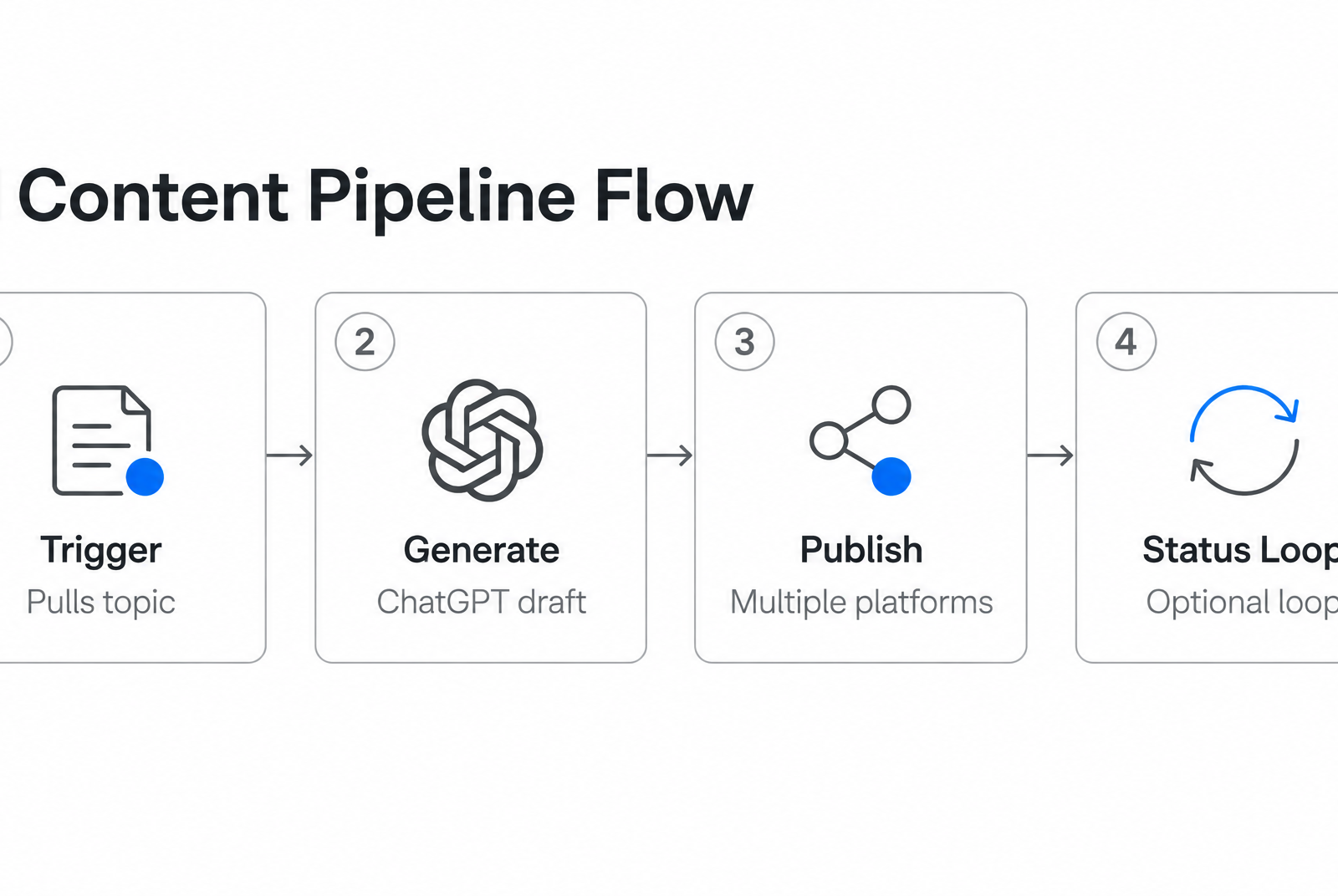
Most workflows follow a three-stage structure. First, a trigger pulls a topic from wherever your team stores ideas—Airtable records, Slack messages, Asana tasks, or form submissions. Zapier watches that source and fires when something new appears.
Second, the trigger hands off to a ChatGPT conversation step with a prompt template. That template typically includes the topic, target audience, keyword list, brand voice instructions, output format, and channel-specific constraints like character limits or hashtag requirements.
Third, the generated text either updates the originating record, creates a new document in Google Docs, drafts a blog post in WordPress, or queues a social post through a connected account. Optional validation can check whether the downstream app received the content, but quick builds often stop once the request is sent.
Task count per run depends on which model you call and how many publishing destinations you hit. More destinations mean more actions, and more actions mean more places for cost and maintenance to accumulate.
The Manual Process This Replaces
Without automation, content teams cycle through ideation, draft writing, editing, SEO checks, scheduling, publishing, and verification. Manual workflows typically involve research, writing, formatting, and final CMS cleanup for each post.
AI-assisted pipelines compress the front end by producing a usable starting draft faster than a blank-page process. The tradeoff is that the draft still has to be shaped into something publishable. Your team needs to check tone, accuracy, structure, and relevance before it goes live. The automation removes some repetitive labor; it doesn't remove editorial responsibility.
Time & Effort Breakdown
At higher publishing volume, workflow overhead becomes more visible. What starts as a simple trigger-draft-publish automation often turns into a multi-step system with formatting passes, publishing handoffs, review gates, and confirmation logic.
The Multi-Step Tax
A single post workflow consumes more steps than the simplified examples suggest. Each piece—ChatGPT generation, platform-specific formatting, publishing to WordPress or social accounts, confirmation that the post went live—runs as a separate action in your automation. Zapier's own tutorials show workflows that chain together triggers, AI calls, document creation, and social posting, with each step adding to your task consumption and your monthly bill.
As your publishing volume climbs, you're either hitting task limits that force plan upgrades, or you're simplifying the workflow in ways that reduce quality—skipping the formatting pass, dropping the confirmation loop, or cutting platforms from your distribution list.
The hourly cost of stitching tools together isn't always visible in the monthly subscription line. It shows up in the engineering time spent maintaining brittle Zaps and the content team's time reworking drafts that don't quite match your CMS structure.
Time Savings in Practice
Automation does compress the workflow, often cutting a multi-hour manual process down to minutes of active work. A typical pattern moves topic submission into a form or Slack command, hands the draft to ChatGPT, and drops the result into a Google Doc or directly into your CMS. The AI generation step itself is fast—minutes, not hours—and you reclaim the research and first-draft time that used to swallow whole afternoons.
Zapier's own blog states the drafts "definitely reduce the burden" but aren't "meant to be the final product." High-volume publishers face a tradeoff: accept flatter AI voice to preserve speed, or spend more editorial time adding brand tone, tightening claims, and improving flow.
| Workflow Stage | ChatGPT + Zapier | Manual Process |
|---|---|---|
| Topic submission | Seconds (form or Slack) | 10–15 minutes (meeting, notes) |
| Content generation | Minutes (AI draft) | 2–3 hours (research + writing) |
| Human review/editing | 15–20 minutes (brand voice, fact-check) | 45–60 minutes (formatting + polish) |
| Publishing handoff | Automated (when it works) | 10–15 minutes (manual CMS entry) |
The real friction isn't in any single stage—it's in the handoff tax between tools. ChatGPT doesn't know your CMS's heading structure, your internal linking conventions, or which images to pull from your asset library. Zapier can pipe text from one app to another, but it can't make decisions about what belongs in the meta description versus the social snippet, or which keyword variations to weave into your H2s.
Those decisions either get baked into rigid Zap logic that breaks when your content strategy shifts, or they get pushed back to the human reviewer, lengthening the very window automation was meant to shrink.
Cost, Complexity, and Operational Overhead
We've published with AI automation at meaningful volume, and the real costs tell a different story than the tutorials suggest.
Monthly Cost at 20 Posts
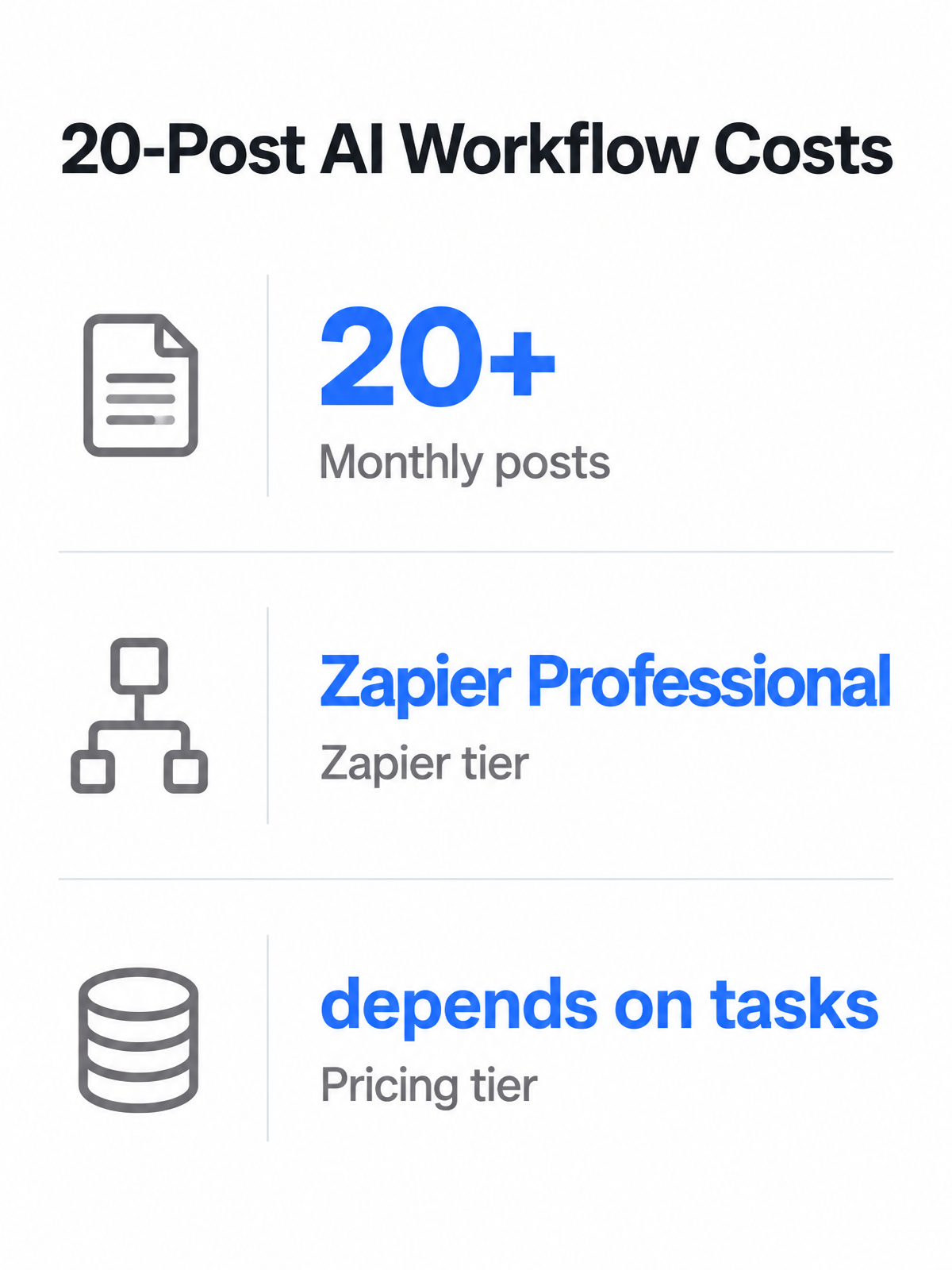
Zapier's pricing tiers depend on how many tasks your workflow consumes. A content workflow typically triggers ChatGPT to generate the draft, then publishes to your CMS—but the task math compounds fast. Each AI generation step counts toward usage, and if you add publishing flows that post to WordPress, update tracking sheets, and confirm publication, the total per article can climb quickly depending on your setup.
At higher output, you tend to outgrow entry-level limits and need to upgrade to a higher-tier plan to stay within a safe buffer. One documented example combined Zapier with a third-party social publishing tool for a simpler social workflow, showing how costs can rise once you add specialized connectors beyond the base automation platform.
Workflow Complexity Nobody Warns You About
The other hidden cost isn't financial—it's operational complexity that swallows time your team doesn't have. A ChatGPT + Zapier pipeline for blog publishing involves trigger setup, AI prompt configuration, polling intervals, and status-check loops to confirm each post published successfully.
Webhook configuration and proper formatting can be pain points. Workflows break when captions contain line breaks or special characters that aren't escaped correctly.
One founder who built a social automation noted: "A 201 means [the publishing tool] accepted the request. It does not mean LinkedIn has your post." That's the gap between request sent and content live—you're debugging multi-step handoffs, not just pressing a button. Teams report adding delay steps and conditional branches to handle failures, and those steps don't count as tasks but do add layers to troubleshoot when something breaks at 2am.
| Cost Component | ChatGPT + Zapier | AnyPost |
|---|---|---|
| Base monthly cost | Varies by plan tier and task volume | Single dashboard—no piecemeal connectors |
| AI generation tasks | Counted per generation step | Included in platform workflow |
| Publishing + status checks | Multi-platform workflows use additional tasks | Unified publishing across channels |
| Third-party connectors | Can require paid tools for specialized platforms | Direct integrations to WordPress, LinkedIn, X, Instagram, TikTok, YouTube |
| Setup/learning curve | Webhooks, polling, formatting, and debugging | Context extraction, tone matching, and auto-publish from one interface |
The documented complexity—polling limits, task budgeting, delay logic, and third-party API costs—means you're not just paying for software. You're paying for the time your team spends learning webhook authentication, debugging failed triggers, and rewriting prompts when ChatGPT drifts off-brand.
AnyPost was built to collapse that stack. We crawl your site to capture brand voice, generate SEO-optimized content that matches your tone, and publish directly to your CMS and social channels from a single dashboard. No task math, no connector fees, no midnight troubleshooting—just the content engine running while you focus on strategy.
How You'd Test Both: A 30-Day Sprint
We've built publishing workflows with ChatGPT and Zapier, and the only way to know whether it beats a dedicated tool is to measure both under identical load. No published field test exists yet, so here's the methodology you'd use to run your own 30-day sprint.
Metrics That Matter
Track minutes per post from trigger to published draft. Start your timer when the workflow fires and stop it when the post hits your CMS or social queue. Separate generation time from review time in your log; the blend hides where the real bottleneck sits.
Count tasks per post by platform. A ChatGPT generation step using GPT-4o or GPT-5 consumes several tasks in AI by Zapier. If you're publishing to three social platforms with status checks, add more tasks for the handoff and confirmation steps. At 20 posts monthly, you're looking at a large task total before you add formatting, image handling, or tracking-sheet updates.
Log revision rounds and publishing failures. Acceptance by a publish endpoint should not be treated as proof that the content is visible to readers. A separate verification step helps catch posts stuck in review, malformed payloads, expired credentials, or platform-specific errors. Track how many posts need another generation pass because the first version misses brand voice or factual accuracy.
Run a subjective voice-consistency score on every tenth post. Generic AI voice is the cost of speed; if your brand depends on a specific tone, high-volume automation forces a tradeoff between publishing frequency and editorial polish.
What I'd actually recommend
The verdict depends on how much integration complexity you're willing to manage and how transparent your task budgeting needs to be.
ChatGPT + Zapier: Best for Integration-Heavy Teams
The ChatGPT and Zapier stack shines when your content needs to flow through multiple platforms that Zapier already connects. With access to many apps, you can trigger content generation from Airtable, publish to WordPress, update tracking sheets, and push social posts—all in one workflow.
Its strength is flexibility. You can build specific paths for different content types, route drafts by campaign, notify reviewers in Slack, or send finished posts to a reporting sheet. For teams with established operations support, that configurability can be worth the maintenance burden.
The downside is that every added destination or validation step changes the operating model. You need someone who understands not only the content strategy, but also the automation logic behind it. If a post fails because of formatting, authentication, routing, or an app-side change, the time savings pause until someone fixes the pipeline.
ChatGPT + Zapier works best for:
| Use case | Why it fits |
|---|---|
| Teams publishing across 5+ platforms | Zapier's connector library handles complex multi-platform flows without custom code |
| Workflows that need conditional logic | Filters and Paths don't count toward task limits, so branching logic stays affordable |
| Teams comfortable managing task budgeting | You can optimize costs by choosing lighter AI steps for simpler posts |
Where We Can't Make the Call Yet
We can't responsibly claim AnyPost saves more hours without testing both tools under identical load. The business context confirms AnyPost automates content generation, SEO optimization, and multi-platform publishing, but we don't have documented workflow setup time or side-by-side time-per-post measurements against a ChatGPT + Zapier stack running the same 20-post monthly volume.
What we'd need to declare a winner:
- Setup time comparison (first workflow to first published post)
- Brand voice consistency scores across 20+ generated posts
- Actual monthly cost at 20-post volume including any overage fees
Until that evidence exists, the recommendation stays conditional. ChatGPT + Zapier has documented automation reach and predictable, if complex, usage math. AnyPost may close the gap on setup simplicity and voice consistency, but claims about faster publishing or lower total cost need testing before they can guide your decision.
Common Questions
How do different ChatGPT models affect my monthly Zapier task consumption when publishing content?
Model choice changes how quickly your automation budget gets used. Heavier models can make sense for long-form or strategic content, while lighter model choices may be better for simpler posts, summaries, or repurposed snippets. The important step is to budget for the full workflow, not only the AI generation call.
Why do teams still need human review if AI automation compresses topic-to-draft time down to minutes?
AI can create a first draft quickly, but it cannot reliably own final judgment. An editor still needs to check whether the post sounds like your brand, supports the search intent, uses the right internal links, and avoids vague or unsupported claims.
What happens when a Zapier workflow shows a successful publish response but the post never actually goes live?
Treat the first success message as a handoff signal, not final confirmation. The safer workflow checks the destination after publishing, then alerts your team if the post is missing, malformed, or still stuck outside the live queue.