Blog/Connect Hugo Site
How to Connect Your Hugo Site to AnyPost
You can connect your Hugo site to AnyPost so that Hugo automatically pulls your generated articles when you build your site. This is possible through content adapters
Prerequisites
- Hugo v0.123.0 or later
- An AnyPost account with generated articles
- Access to your Hugo site's source code. Create a new Hugo project here
Step 1: Generate an API Key
- Log in to your dashboard and navigate to your website.
- Click the Integrations icon in the navigation bar.
- Find and click on the Hugo integration.

- Click Generate API Key button.
- Your API Key and API URL credentials are now ready. — you'll need these in the next steps.
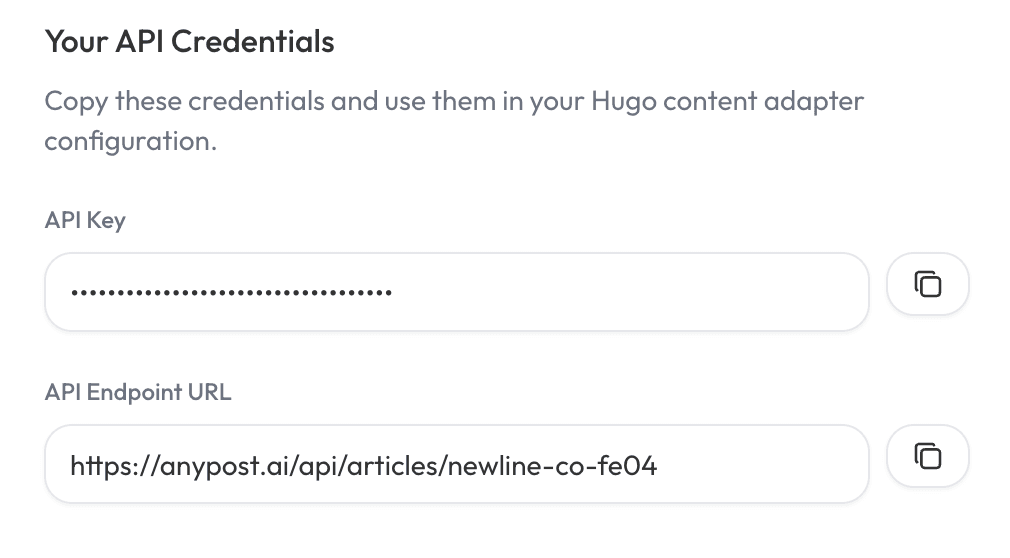
Note: Keep your API key secure. It provides access to your articles.
Step 2: Create Content Adapter Template
We can now set up the content adapter in your Hugo project.
In Hugo content adapters reside in the content directory with each adapter having the name _content.gotmpl
- Create the directory structure for
articles:mkdir -p content/articles - Create the content adapter template file:
This is how your Hugo folder structure should now roughly look:touch content/articles/_content.gotmpl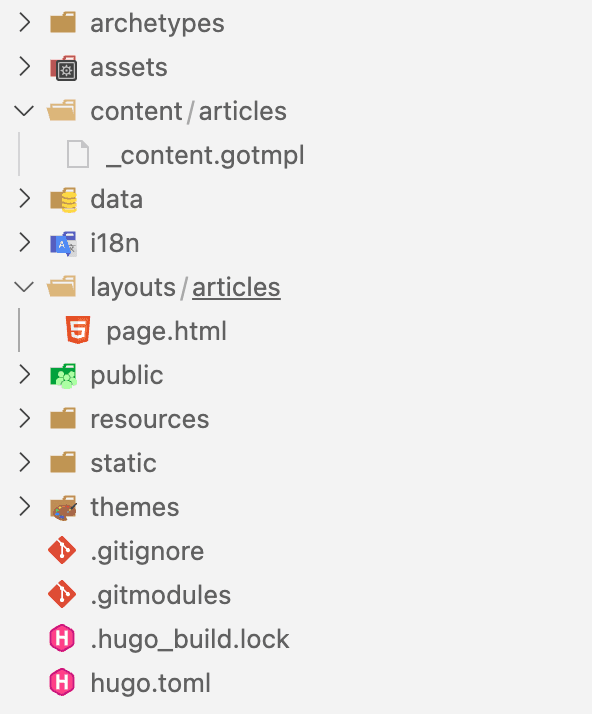
- Open
content/articles/_content.gotmpland add the following code:
{{/* Get remote data from AnyPost API */}}
{{ $data := dict }}
{{ $url := "YOUR_API_URL_HERE" }}
{{ $opts := dict
  "headers" (dict "Authorization" "Bearer YOUR_API_KEY_HERE")
}}
{{ with try (resources.GetRemote $url $opts) }}
  {{ with .Err }}
    {{ errorf "Unable to get remote resource %s: %s" $url . }}
  {{ else with .Value }}
    {{ $data = . | transform.Unmarshal }}
  {{ else }}
    {{ errorf "Unable to get remote resource %s" $url }}
  {{ end }}
{{ end }}

{{/* Add pages and page resources */}}
{{ range $data }}

  {{/* Add page */}}
  {{ $content := dict "mediaType" "text/markdown" "value" .content }}
  {{ $dates := dict "date" (time.AsTime .created_at) }}
  {{ $page := dict
    "content" $content
    "dates" $dates
    "kind" "page"
    "path" .slug
    "title" .title
  }}
  {{ $.AddPage $page }}

{{ end }}
Important: Replace YOUR_API_URL_HERE and YOUR_API_KEY_HERE with the values you copied fromAnyPost in Step 1.
Step 3: Create Layout Template
Create a layout template to display your individual articles:
- Create the layouts directory:
mkdir -p layouts/articles - Create the single page template:
touch layouts/articles/page.html - Open
layouts/articles/page.htmland add:
{{ define "main" }}

<article>
  <h1>{{ .Title }}</h1>

  <div class="content">
    {{ .Content }}
  </div>
</article>

{{ end }}
Tip: Customize this template to match your site's design and include additional metadata like publish date, author, or tags.
Step 4: Start Hugo Development Server
Test your integration locally:
hugo server -D
Hugo will fetch your articles from AnyPost and generate pages for each one
Visit http://localhost:1313 to see yourAnyPost-generated articles!
Step 5: Build pages and deploy
Once you've verified everything works locally, you can build your static site:
hugo
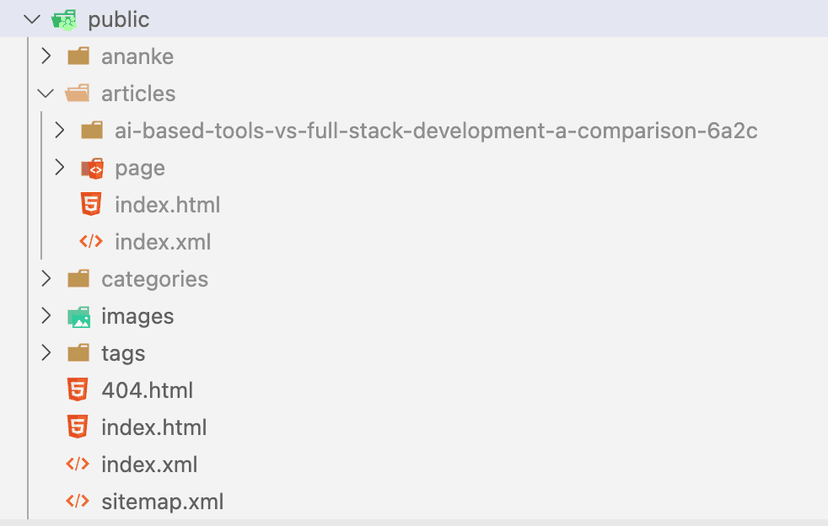
All static pages will be in the public/ folder, ready to deploy. Your folder should look something like this:
Advanced Configuration
Pagination
Add query parameters to your API URL to control pagination and filtering:
{{ $url := "https://your-app.com/api/articles/your-site?limit=50&offset=0" }}
limit— Number of articles to fetch (max 100, default 20)offset— Skip this many articles (for pagination)from— Filter articles from this date (ISO format: 2024-01-01)to— Filter articles until this date (ISO format: 2024-12-31)
Troubleshooting
- 401 Unauthorized error: Double-check that your API key is correct and properly formatted in the Authorization header.
- No articles appearing: Verify that you have generated articles in AnyPost and that your API URL includes the correct website slug.
- Raw HTML omitted while rendering warning: You can enable rendering of RAW html by adding this to your
hugo.tomlconfig file:[markup.goldmark.renderer] unsafe = true
Need help? Reach out to support and we'll get you connected.
Get Agency Results Without the Agency
Leave your $5,000 monthly agency bills behind. AnyPost automates your content creation and publishing so you can focus on what really matters: growing your business.
