Crafting Persona Prompts for AI Powered Content Generation Success

Key Takeaways
- Start prompts with an "Act as" role cue. It gives the model a voice and reduces editing.
- Add job title, industry, challenges, and emotional triggers. More context helps the tone fit.
- Feed SEO tags with persona cues so the model balances voice and keywords.
- B2B marketers, content creators, and growth leaders get the biggest lift.
- You can add conversion KPIs like MQL count to guide the CTA.
- Skip human validation, and personas may miss real users. Skip structure, and automation breaks.
Why persona prompts are worth the setup
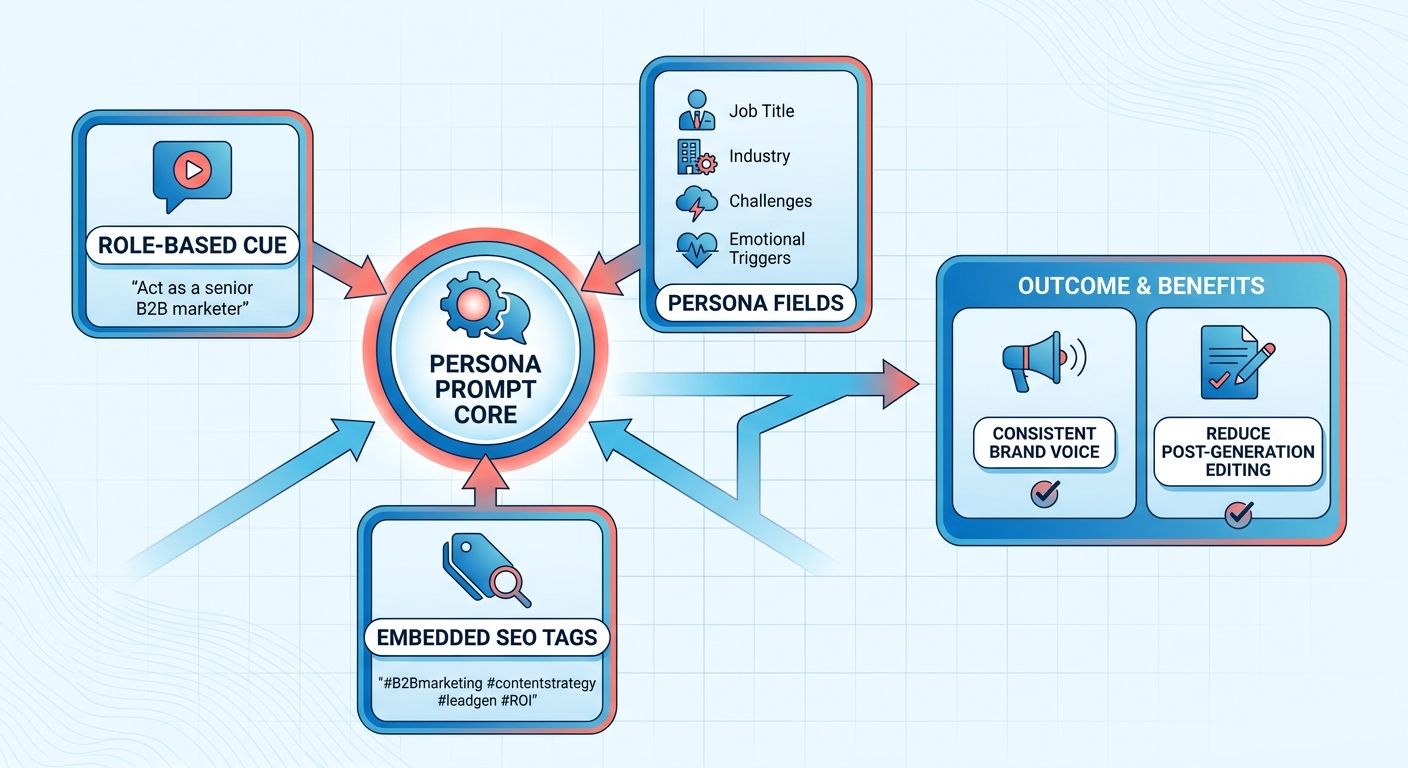
Start every prompt with a role cue, "Act as a senior B2B marketer...," and the model adopts that voice through the draft.
The "Act as" pattern appears in most prompt guides for one reason: it works. It cuts editing you'd otherwise do after generation.
We pair that cue with job title, industry, challenges, and emotional triggers (the template below) so the model mirrors the persona instead of guessing. When the same prompt carries SEO tags too, the AI balances brand voice with keyword placement. That avoids keyword stuffing and keeps the copy readable.
Which teams get the most out of this?
B2B marketers, content creators, and growth leaders. They own both message and performance, so richer prompts pay off twice.
- Marketers can set conversion KPIs (MQL count, for example) right in the prompt, so the AI prioritizes CTAs that match campaign goals.
- Content creators get copy that already respects meta-title length and keyword density. That leaves them free to work on the story instead of SEO cleanup.
- Digital strategists get one source of truth for publishing metadata, which makes reporting and A/B testing easier to trace.
The two mistakes that break persona prompts
Leaning on AI-generated personas without human checks, and dropping structured output formats.
Skip a quick sanity check against real user data, and your "ready-to-use" prompt is really just unverified. Use one model only, and you inherit its bias. Running the same prompt through a second model surfaces blind spots. If you skip a JSON-style structure for the persona fields, programmatic validation gets harder. We store each prompt as a JSON object so automated checks can flag missing KPI or SEO fields before they cost anything.
Example Prompt Template (JSON)
| Field | Example |
|---|---|
| role | “Act as a senior SaaS marketer” |
| jobTitle | “VP of Demand Generation” |
| industry | “Enterprise software” |
| challenges | “Short sales cycles, budget approval bottlenecks” |
| emotionalTriggers | “Fear of missing market share, desire for ROI proof” |
| seoKeyword | “B2B lead generation best practices” |
| kpiTarget | “Generate 120 MQLs, CPL < $45” |
Feed a structured prompt like this into automation, and the AI returns a blog post, meta description, and social snippets that hit the SEO and KPI marks. One repeatable workflow gives you personalized content at scale, with less back-and-forth. Every piece leaves the platform ready to rank, convert, and measure against the goals you set.
Nailing down the buyer persona before you prompt
We build the persona by pairing real audience research with structured prompt engineering. Research first, prompt second. That keeps the content tied to actual user intent.
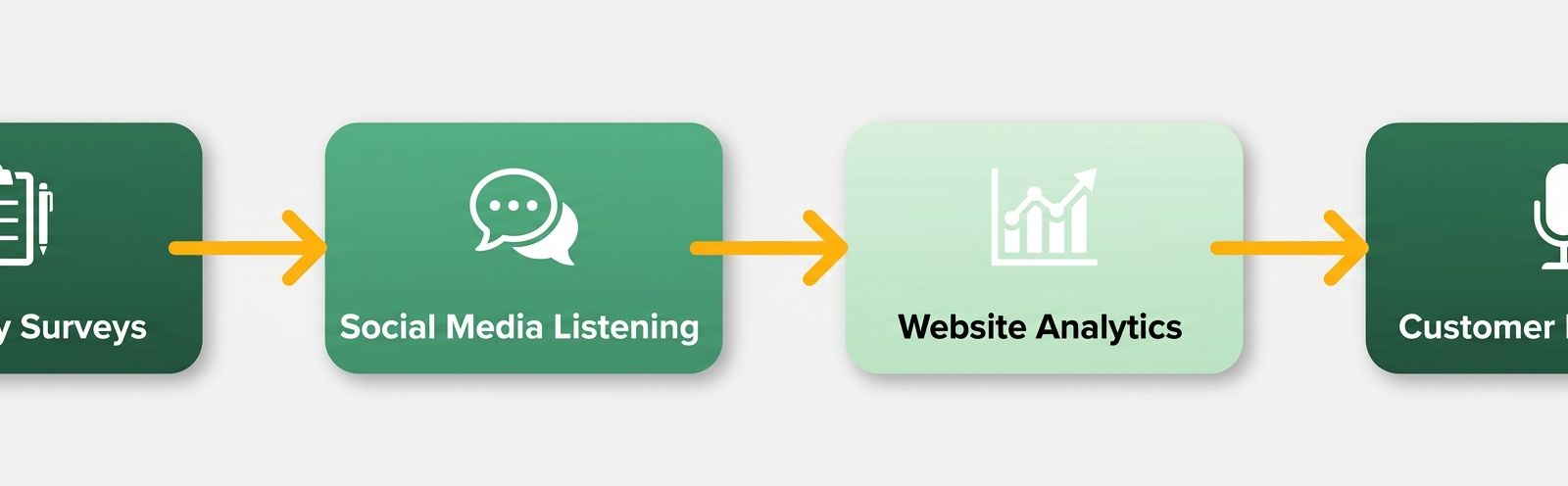
It begins with discovery surveys, social listening, and website analytics. Then we validate those signals against real customer interviews. Ground the prompt in verified insight, and the persona reflects a human before the AI touches it.
How do we get audience data we can trust?
We collect quantitative and qualitative signals in parallel, then cross-check them. Numbers like click-through and bounce rates show what people did. Open-ended survey answers and interview excerpts show why.
- Surveys: short, role-specific questionnaires on daily challenges, decision criteria, and how they measure success.
- Social listening: keyword mentions and sentiment from LinkedIn groups and industry forums, to catch concerns as they surface.
- Analytics: map high-performing content to the segments that consumed it, and flag the keywords that drove the traffic.
In a recent workflow, we pulled all three streams into one spreadsheet, then ran a lightweight script to flag outliers. The result was a clean data set that feeds straight into the persona prompt, so every field traces back to a real signal.
Turning patterns into a prompt with publishing metadata
First we distill the data into a format downstream systems can parse. Organize the attributes into a standard schema, and you can inject audience parameters into the generation engine programmatically.
{
 "role": "Senior B2B marketer",
 "industry": "SaaS",
 "challenges": ["short sales cycles", "budget justification"],
 "emotionalTriggers": ["fear of missing market trends"],
 "seoKeyword": "persona prompts for SaaS",
 "metaTag": "Optimize buyer‑persona content with AI‑driven prompts",
 "kpiTarget": "increase MQLs by 12 % in 90 days"
}
When the AI gets structured input like this, it maps audience attributes to output constraints, so the tone matches the profile you specified. Less manual oversight, more editorial consistency across a large campaign.
When to skip full automation
Fewer than three distinct touchpoints, a handful of survey responses, one social channel: hold off. Thin data makes personas misaligned. Draft manually, then refine with AI once more data lands.
To catch drift, we run a validation loop: generate the prompt, produce a sample paragraph, then compare it with a known high-performer. If the tone diverges or it misses key metrics, we adjust the input fields and rerun. That check keeps the persona honest and tied to campaign goals.
Data collection, structured prompt design, validation. Run those three, and raw audience signals turn into assets that can hit traffic, conversion, and engagement goals from day one.
Building the persona prompt template
Pairing structured audience profiles with publishing metadata lets automation platforms hold brand consistency at scale. Standardize the inputs, and you get a single config file that defines both the editorial voice and the technical requirements of the asset.
The template uses key-value pairs that publishing pipelines can parse on their own. That uniform format means the content arrives with the metadata it needs, so it drops into a CMS cleanly.
Which fields belong in the prompt?
Enough to give the model complete context. Here's the schema we use:
- Role & Industry – "Act as a senior B2B marketer in SaaS."
- Demographics & Seniority – age range, job level, decision-making authority.
- Goals & Pain Points – specific business challenges and emotional triggers.
- Target Keywords & SEO Tags – primary keyword, secondary terms, meta title, meta description.
- KPI Targets – target click-through rate, conversion goal, engagement score.
- Output Format & Tone – blog post, case study, email; formal, conversational, data-driven.
These map directly back to the data you collected in research, which gives the AI clear limits on style and substance.
Embedding SEO and KPI targets without over-optimizing
Treat keywords and KPIs as constraints, not as copy to be forced into the body.
- Define the primary keyword and list up to three supporting terms in the prompt's "keywords" array.
- Attach meta tags (title ≤ 60 chars, description ≤ 155 chars) as separate fields. The model uses them in the HTML header, not the body copy.
- Set KPI thresholds (
targetCTR: 3.5%, say) so AnyPost's post-publish engine can flag content that falls short before it goes live. - Tell the model to balance: "Write naturally, place the primary keyword once in the first 100 words, and avoid keyword stuffing."
Separate the SEO metadata from the narrative, and readability stays high while the publishing engine still gets the signals it needs to rank. That split also avoids the over-optimization trap the generic guides keep warning about.
A concrete template for two different industries
Here's a distilled example that works for both a SaaS marketer and a health-tech product manager. Swap the placeholder values for your own research.
{
 "role": "Act as a senior B2B marketer",
 "industry": "SaaS",
 "demographics": {"seniority":"Director","region":"North America"},
 "goals": ["increase trial sign‑ups","shorten sales cycle"],
 "painPoints": ["low lead quality","budget constraints"],
 "keywords": ["account‑based marketing","B2B lead generation"],
 "meta": {
 "title":"ABM Strategies to Boost SaaS Trial Conversions",
 "description":"Learn proven ABM tactics that lift trial sign‑ups by 30% while cutting acquisition costs."
 },
 "kpi": {"targetCTR":"3.5%","targetConversion":"2.2%"},
 "output": {"format":"long‑form blog post","tone":"authoritative yet conversational"}
}
{
 "role": "Act as a product manager",
 "industry": "Digital health",
 "demographics": {"seniority":"Senior PM","region":"Europe"},
 "goals": ["drive app adoption","improve patient retention"],
 "painPoints": ["regulatory hurdles","user onboarding friction"],
 "keywords": ["patient engagement platform","HIPAA‑compliant analytics"],
 "meta": {
 "title":"Boosting Patient Retention with HIPAA‑Compliant Analytics",
 "description":"Explore how a compliance‑first analytics suite can increase patient retention by 15%."
 },
 "kpi": {"targetCTR":"4%","targetEngagement":"5 min avg. Session"},
 "output": {"format":"whitepaper","tone":"insightful and data‑rich"}
}
JSON profiles like these let a team keep a standardized library of buyer personas. The format is portable. It slots into most content management systems or API workflows, automating the first draft while the core audience parameters stay locked.
Refining prompts once you have real numbers
We keep refining prompts against performance data so each piece stays aligned with your SEO strategy and brand voice. The work continues after publication.
Pull search data, conversion signals, and engagement metrics into one view from your search console and analytics dashboards. The posts that need work stand out quickly.
How do we measure prompt performance?
We attach a metrics block to each prompt and let AnyPost's automation compare live results against what's in the dashboard.
- Rank & impressions – SERP position and visibility for the target keyword.
- CTR – click-through from the organic listing.
- Conversion rate – form or demo completions tied back to the content URL.
- Engagement – average dwell time and scroll depth, as a proxy for relevance.
When any metric slips, the analytics view surfaces it for review. That tells you what to revise.
When is a prompt worth iterating on?
Update prompts when engagement falls, or when reviewer feedback says the tone or messaging is off.
- Skip deep tracking for low-stakes posts like internal newsletters. The effort outweighs the payoff.
- Refine the ones that keep underperforming by going back to the Role, Task, Context, Format (RTCF) structure: clarify the role cue, sharpen the task, add fresh context, and adjust the output format to fit the channel.
AnyPost's fast generation-and-publish cycle means you can test and improve prompts without waiting weeks for a signal.
Capturing and sharing the winners
Store the prompts that worked in a central library, along with the JSON definition, a performance snapshot, and version history. The team can scale proven assets instead of rebuilding them.
{
 "role": "Senior B2B marketer",
 "industry": "SaaS",
 "keywords": ["persona prompts", "content automation"],
 "meta": {"title": "Optimized AI‑Generated Content", "description": "Boost traffic with metadata‑rich prompts"},
 "kpi": {"ctr": ">=3%", "conversion": ">=2%"},
 "format": "blog post"
}
Anyone launching a new campaign can pull from that repository, which keeps the content consistent across assets.
Strong personas should guide decisions, not just sit in a document.
Institutionalize these configs and keep quality steady across every digital touchpoint instead of depending on the last prompt writer.
Matching prompts to the content task and the funnel stage
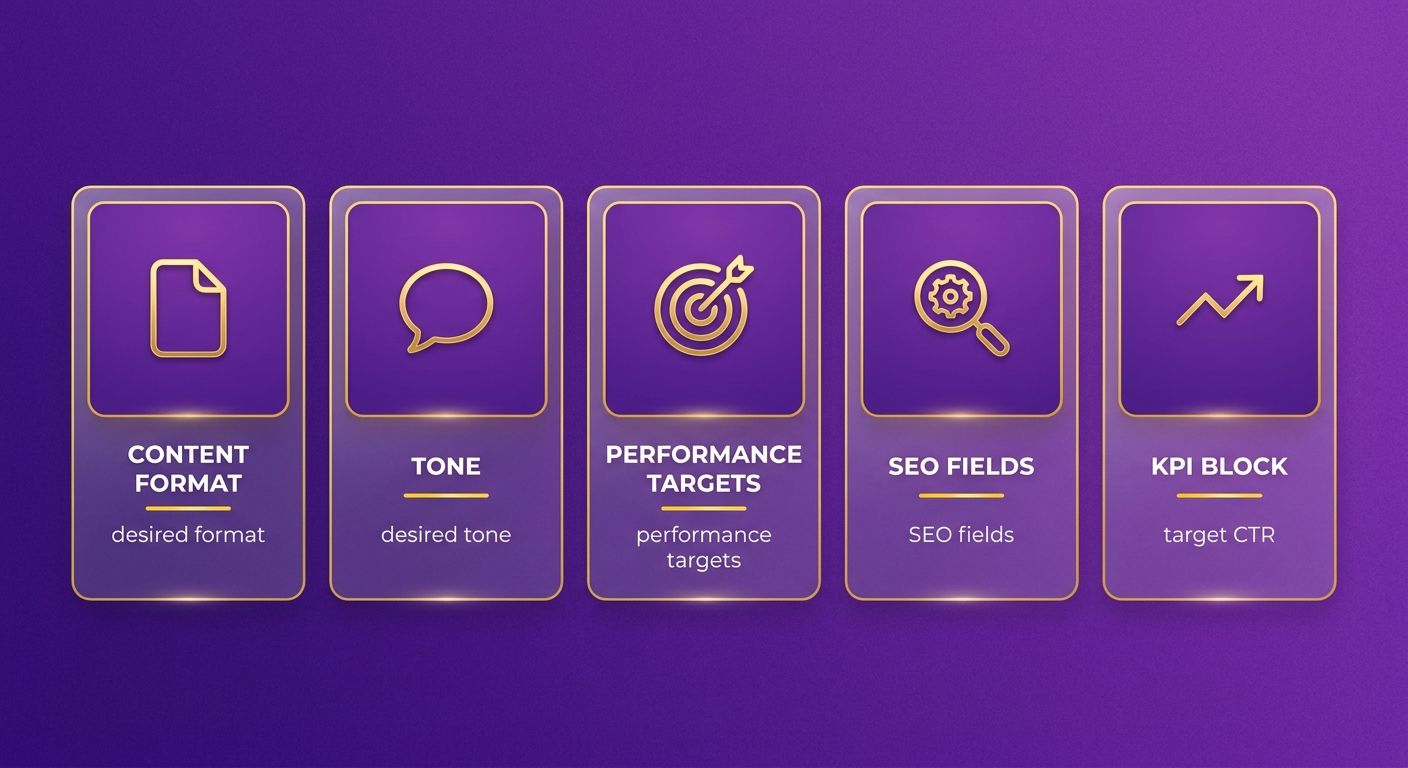
Align a persona prompt with one task by defining format, tone, and performance targets inside the instruction set. Then the model knows the rules for a blog post, product description, or email newsletter before it writes. Orbit Media's template is a good reference for putting job title, challenges, and decision criteria into one cue.
We pair the audience profile with a metadata section that spells out the channel's technical constraints, treating publishing parameters as fixed rules, not after-the-fact cleanup. A prompt for a landing-page headline might look like this:
{
 "role": "Act as a senior SaaS growth marketer",
 "task": "Create a compelling headline and sub‑headline for a new analytics tool",
 "tone": "confident and concise",
 "seo": {
 "title": "AI‑Powered Business Insights – Turn Data into Action",
 "meta": "enable real‑time analytics with our intuitive platform.",
 "keyword": "business insights software"
 },
 "kpi": { "targetCTR": "4.2%" }
}
Ingest structured prompts like this and the generation engine applies the SEO constraints natively. The output already fits the target platform.
Specifying format and tone per content type
Start each prompt with a tight output spec that tells the model exactly what to produce.
- Blog post – "Write a long-form article, 1,200 words, SEO-optimized, include a 150-character meta description."
- Social media – "Compose a LinkedIn post, 150 words, professional tone, embed the keyword customer onboarding."
- Email newsletter – "Draft a concise email, 250 words, friendly tone, subject line contains new feature release."
Anchor format and tone in the prompt, and you avoid the generic AI output problem teams hit when they lean on post-generation editing.
Which buyer-journey stage should drive the prompt?
We map each prompt to a stage, awareness, consideration, decision, or retention, with a journey flag and a matching KPI.
- Awareness – SEO title, primary keyword, target impressions.
- Consideration – meta description, secondary keywords, target CTR.
- Decision – call-to-action phrasing, target conversion rate.
- Retention – personalization tokens, target email open rate.
Put the journey stage in the prompt, and the AI knows which messaging to push for that part of the funnel.
Guarding against bias and keeping it transparent
Bias sneaks in through the source data or the prompt wording. So we run a two-step audit.
- Data-level review – check the source material for over-representation of any demographic before it goes into the generator.
- Prompt-level review – read the prompt for gendered or stereotyped language and revise where needed.
After publishing, reviewers rate each prompt's fairness on a 1-5 scale. If the average drops below our threshold, the prompt gets archived and a new version takes its place. That keeps the standard visible while content moves fast.
Frequently Asked Questions
1. How can I adapt persona prompts for B2C campaigns?
For B2C campaigns, replace professional attributes like job titles and corporate decision-making structures with consumer-focused variables such as lifestyle motivations, purchasing frequency, and household demographics. Focus the prompt on everyday search intent and emotional triggers that drive individual buying decisions, ensuring the generated copy aligns with consumer behavior.
2. What should I do when I have fewer than three data touchpoints?
When data is limited, begin by compiling qualitative insights from direct customer feedback or sales team notes. Use this raw text as a reference block within your prompt, instructing the model to extract key themes. As you gather more touchpoints, you can gradually transition these insights into a structured JSON schema for automated generation.
3. How do I keep keyword placement natural while meeting SEO density targets?
Specify keyword constraints as separate fields and instruct the model to place the primary term within the first 100 words, reserving supporting terms for headings or bullet points. Adding explicit instructions to prioritize readability and natural phrasing prevents the model from over-optimizing at the expense of flow.
4. Can persona prompts be used with other LLM providers, and what adjustments are needed?
Structured persona prompts are highly portable and work across various large language models. When migrating prompts between different providers, verify how each model handles system-level instructions versus user-level inputs, and adjust the temperature settings to maintain consistent tone and formatting.
5. How often should I audit and update my persona JSON definitions?
Audit persona JSON files at least quarterly, or whenever a major product launch or market shift occurs. During each review, verify that job titles, challenges, and KPI thresholds still match current analytics, then version-control the updated files to ensure your generation workflows always pull the most accurate definitions.
6. What are common pitfalls when writing emotional‑trigger fields, and how can I avoid bias?
When writing emotional-trigger entries, avoid vague phrases like “fear” alone; instead pair the feeling with a concrete business outcome (e.g., “fear of losing market share leading to revenue drop”). Run the prompt through a bias-check tool and ask a diverse reviewer panel to confirm neutrality before deployment.
