
E-commerce SEO: The Complete Guide to Ranking an Online Store in 2026

Key Takeaways
- E-commerce SEO pulls qualified organic traffic to your product and category pages, and it compounds. Paid ads stop the second you stop paying. SEO doesn't.
- The work splits three ways: on-page optimization, technical SEO that controls crawl and indexing, and structural stuff like internal linking and structured data.
- Category pages rank for broad terms like "running shoes." Product pages catch buyers who are ready to check out.
- Three technical problems sink most stores: faceted navigation, wasted crawl budget, and duplicate content. Fix these before chasing keywords.
- Filter systems for color, size, and price spawn endless URL combinations that bloat your index and burn crawl budget on pages nobody searches for.
- Crawl budget is the number of pages a search engine will crawl in a given window. Large catalogs blow through it fast.
- Clean titles, descriptions, and URLs are non-negotiable for product and category pages. That's where the revenue lives.
Quick Summary
E-commerce SEO is the work of optimizing an online store so its product and category pages rank higher in organic search. Done right, it brings in shoppers without paid ads. This guide covers the technical foundations, on-page tactics, and structural strategies that actually move rankings in 2026.
I've watched too many stores dump money into ads while their organic channel sits neglected. It's a missed opportunity. Search visibility is a customer-acquisition foundation that keeps working long after you build it.
What Does E-commerce SEO Actually Involve?
E-commerce SEO: improving an online store's visibility in search engines to drive qualified organic traffic to product and category pages.
The work splits into three buckets. On-page optimization for the pages shoppers actually land on. Technical SEO that controls how search engines crawl and index your catalog. And structural strategies like internal linking and structured data that tie it all together.
These transactional pages are where customer acquisition and revenue come from. Collection pages capture broad interest. Individual product listings target high-intent searchers who already know what they want. Both need unique metadata, descriptive copy, and logical URLs to perform.
Which Technical Issues Matter Most?
Fix the foundational stuff first: filter-generated URLs, crawl efficiency, and repetitive text. Do this before you launch a single keyword campaign.
Filter systems on collection pages spin up infinite URL variations. Leave them unmanaged and they dilute your indexing across pages that have zero search demand.
Large catalogs risk exhausting a search engine's crawl resources on low-value pages. So you have to point crawlers at the URLs that actually convert.
Duplicate content is everywhere in e-commerce. The same product shows up under multiple categories. Manufacturer descriptions get copied across hundreds of stores. Canonical tags and unique copy solve both.
Quick Takeaways at a Glance
Work in this order:
- Optimize product and category pages with unique titles, descriptions, and clean URLs. These pages drive traffic and revenue.
- Control faceted navigation so filters don't flood your index with junk URLs.
- Protect crawl budget by blocking thin pages and pointing crawlers at what converts.
- Kill duplicate content with canonical tags and original product copy.
- Add structured data so prices, ratings, and availability show up in rich results.
- Build internal links that pass authority from category pages down to individual products.
Structured data earns special attention. Product schema lets search engines display price, stock status, and star ratings right in the results. That drives clicks before a shopper ever hits your page.
Internal linking is the underrated workhorse. A smart linking structure spreads authority through your catalog and helps search engines find deep product pages. Link related products. Connect category pages to their best sellers.
One caveat: skip aggressive SEO investment if your product line is tiny or your margins can't cover the runway. Organic results take months. But for any store with a real catalog and repeat-purchase potential, this is the highest-value channel you've got.
Why E-commerce SEO Matters
Organic search is where most shopping journeys start. 93% of online experiences begin with a search engine, which means your visibility in those results decides how many shoppers ever find you. Ignore SEO and you hand that traffic to competitors who didn't.
The stakes keep rising. E-commerce is projected to hit $6.5 trillion this year. As more buying moves online, ranking for the searches your customers actually type becomes the difference between a store that grows and one that stalls.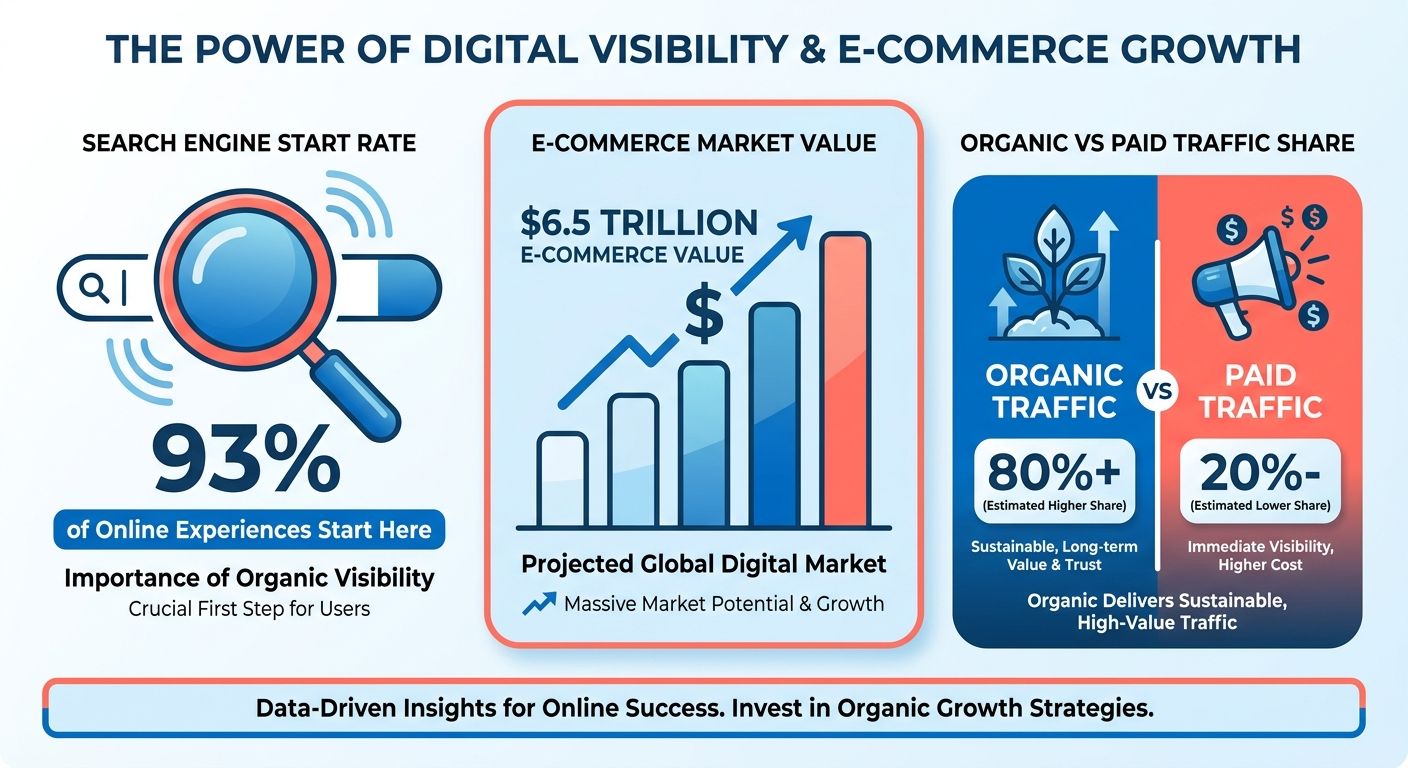
Why Does Organic Traffic Beat Paid Ads for Stores?
A well-optimized category page holds its visibility and keeps pulling in qualified shoppers with no ongoing cost-per-click. Paid campaigns need constant funding to hold traffic volume. SEO builds a permanent asset. The upfront work on page structure, keyword targeting, and technical health pays dividends for months, and it stabilizes your marketing spend as the store scales.
Search intent matters too. Someone typing "waterproof hiking boots size 10" is close to buying. Rank for that, and you meet a shopper who already knows what they want. That's why organic clicks tend to convert better than broad ad impressions.
How Does SEO Drive Conversions and Revenue?
SEO grows three things at once: conversions, revenue, and engagement. Better rankings put your products in front of high-intent buyers, and high-intent buyers close. More qualified visits mean more sales without a bigger ad budget.
The gains stack across the funnel. Optimized product and category pages load faster, answer buyer questions, and guide shoppers toward checkout. Each fix lifts both rankings and the on-site experience, so you win visibility and conversion rate together.
Engagement follows quality. When your content matches what people search for, they stay longer, browse more, and come back. Those signals tell search engines your store deserves to rank, which pulls in more traffic.
What About Voice Search and Mobile?
Optimizing for voice search and mobile is table stakes now. Shoppers search from phones constantly, and a store that loads slowly or breaks on small screens loses them fast. Google rewards clean mobile experiences.
Voice queries change how people phrase searches. Instead of typing "cheap running shoes," someone asks their phone a full question. That shifts keyword strategy toward natural, conversational phrasing and detailed product answers.
Get the mobile and voice foundations right and you capture demand that desktop-only stores miss. If your traffic already skews mobile, this isn't optional. It's where most of your future customers are searching from.
For organizing this work systematically, tools that streamline keyword research and rank tracking make it far more manageable. The DebugBear ecommerce SEO guide covers the technical side in depth.
Product Page SEO Fundamentals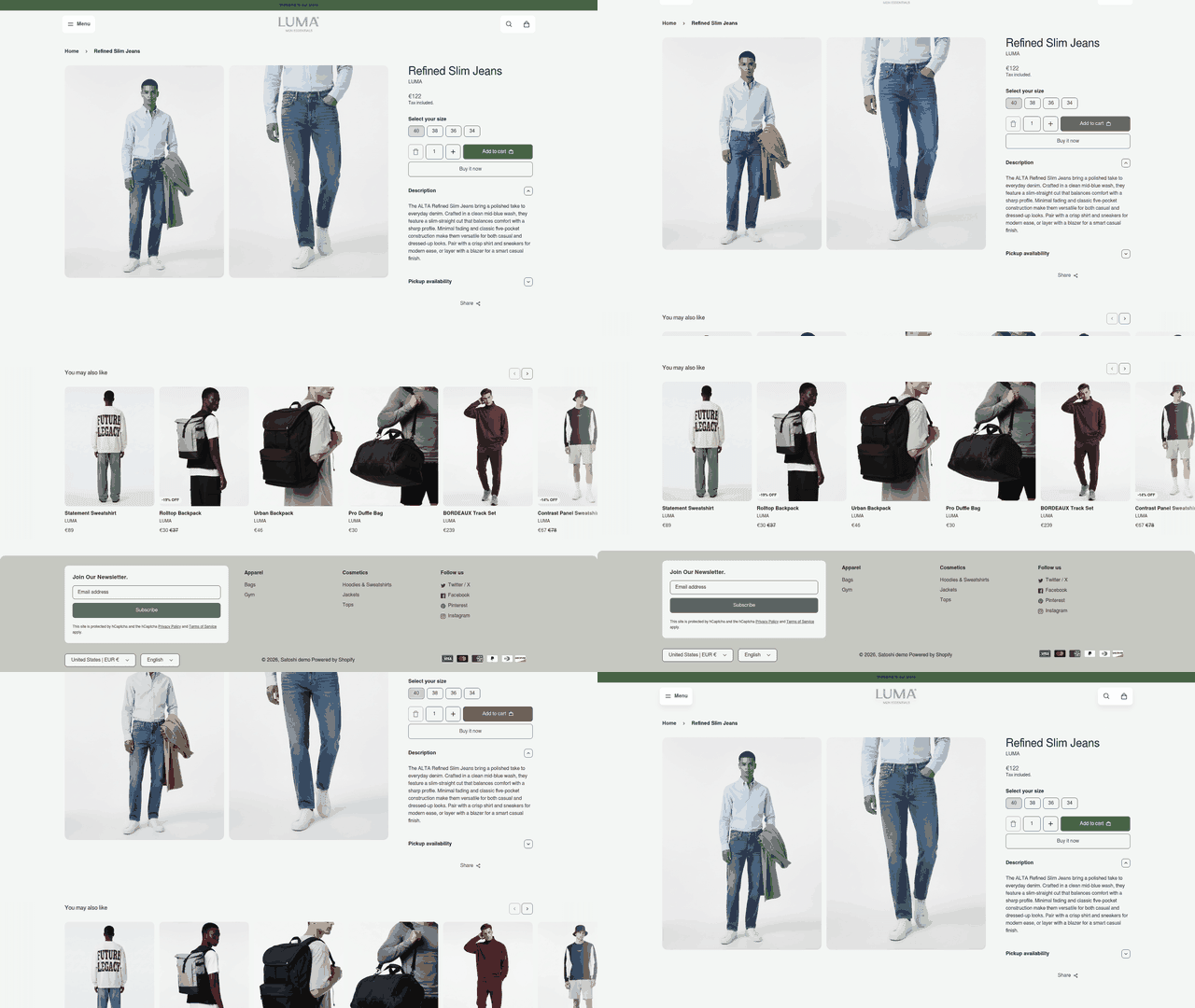
Product pages are where shoppers decide to buy. They carry the highest commercial intent of any page on your store, which makes them the first thing worth optimizing. Rank one well and you attract buyers ready to convert, not just browse.
Product page SEO: structuring a single product's title, description, headings, and media so search engines understand what it sells and shoppers click through from results.
How Do You Optimize Product Titles and Descriptions?
Start with the title tag. Write it around the exact phrase a shopper types: brand, product type, and a distinguishing detail like color, size, or material. "Women's Merino Wool Base Layer - Charcoal" beats a vague "Base Layer" because it matches real queries.
Your meta description doesn't move rankings directly, but it drives clicks. Write a two-sentence summary that names the product benefit and includes the primary keyword. Treat it as ad copy that shows up in the results.
Product descriptions need to be original. Manufacturer copy gets duplicated across hundreds of stores, and duplicate content buries you. Write unique descriptions that answer buyer questions: what it's made of, who it's for, why it beats the alternatives.
Use one H1 per page for the product name. Structure supporting details under H2 and H3 headings so readers and crawlers can both scan the page. Clear hierarchy helps search engines map the content.
Why Do Images and Videos Matter for Rankings?
Shoppers can't touch your product, so images and video do the selling. Pages with rich media keep visitors engaged longer, which signals quality to search engines.
Optimize every image file. Compress it so the page loads fast, because slow pages lose rankings and buyers alike. Add descriptive alt text that names the product. Alt text helps images surface in image search and aids accessibility.
Video adds another layer. A short demo or 360-degree spin answers questions text can't. It earns you a spot in video results and keeps shoppers on the page longer.
What Does a Well-Optimized Product Page Look Like?
Take an online store selling running shoes. The title reads "Men's Trail Running Shoes - Lightweight, Waterproof." The URL is clean and readable. The H1 states the product name, and H2 sections cover features, sizing, and materials.
The description is unique, runs about 200 words, and answers real buyer questions. Five compressed images each carry descriptive alt text. A 20-second demo shows the shoe flexing on a trail. Customer reviews sit below, adding fresh content and keyword variety.
For big catalogs, programmatic generation of basic metadata and alt text keeps things consistent and frees your team to hand-tune the high-value landing pages. To see how product URLs interact with your broader site structure, the DebugBear ecommerce SEO guide maps crawl paths.
Category Page SEO Fundamentals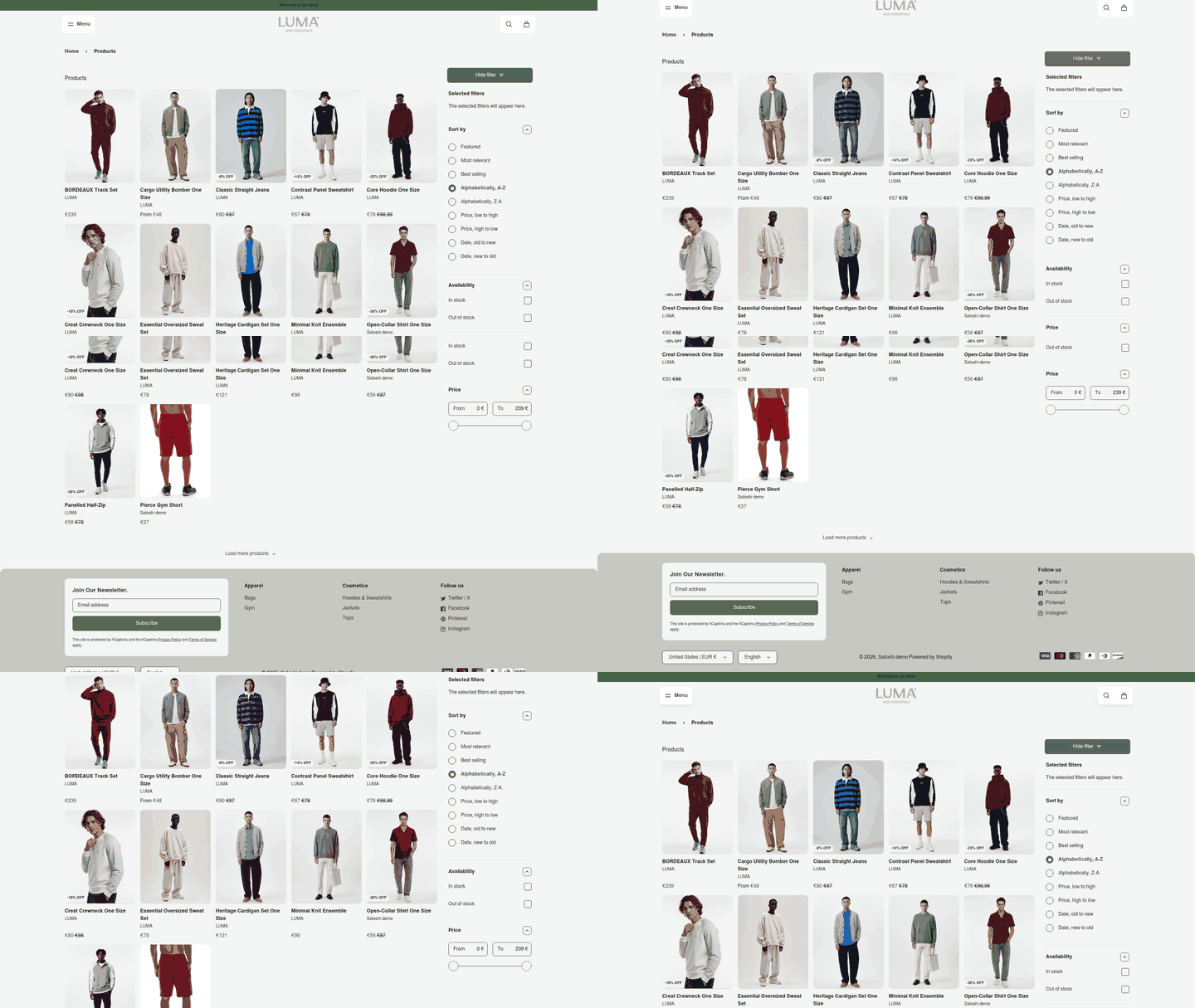
Category pages are your biggest ranking opportunity in e-commerce. These collection hubs target high-volume terms and catch shoppers earlier in the buying journey, before they've committed to a specific item.
Most stores neglect them. They treat category pages as bare product grids with no text, no structure, and no reason for Google to rank them. That's a wide-open opening.
Why Do Category Pages Matter More Than You Think?
Category pages sit at the center of your site structure. They connect the homepage to individual products and pass authority down through internal links. A strong category page lifts every product beneath it.
Category page SEO: optimizing your collection pages so they rank for broad, high-intent shopping terms and guide shoppers and crawlers deeper into the site.
These pages also match the way people search. Someone typing "wireless headphones" wants options, not one specific model. A well-built category page answers that directly, presenting a curated set of products with context around them.
How Do You Optimize Category Titles, Descriptions, and Headings?
Start with the title tag. Build it around the broad keyword shoppers type, then add a qualifier that sets your page apart. "Organic Cotton Bed Sheets - Twin, Queen & King" works harder than a plain "Bed Sheets" because it matches real searches and signals depth of selection.
Write a meta description that gives shoppers a reason to click. Mention the range of products, a key benefit, or something that distinguishes your collection. It won't rank the page on its own, but it lifts click-through from the results.
Use one clear H1 that names the category in plain language. Support it with H2 subheadings that break the collection into logical groups: price tiers, materials, use cases. This helps crawlers understand the page and helps shoppers scan it fast.
What Kind of Content Belongs on a Category Page?
Add real content that serves the shopper, not keyword-stuffed filler. A short intro, buying guidance, and answers to common questions turn a bare grid into a page worth ranking. Put the longer text below the product listings so it doesn't push products out of view.
Think about what a buyer needs to decide. For a "coffee makers" category, that's notes on brewing capacity, pressure bars, and how to choose between espresso and drip. This builds topical depth and keeps shoppers on the page longer. Both help rankings.
A "Merino Wool Socks" page done right carries a keyword-matched H1, H2 groupings for hiking, dress, and everyday styles, a two-sentence intro on why merino beats cotton, and an FAQ block below the grid. It earns its ranking because it answers the query and serves the shopper at the same time.
For hundreds of collections, programmatic templates give you baseline descriptions so no page ends up completely thin. That's your foundation for manual refinement.
E-commerce Keyword Research and Planning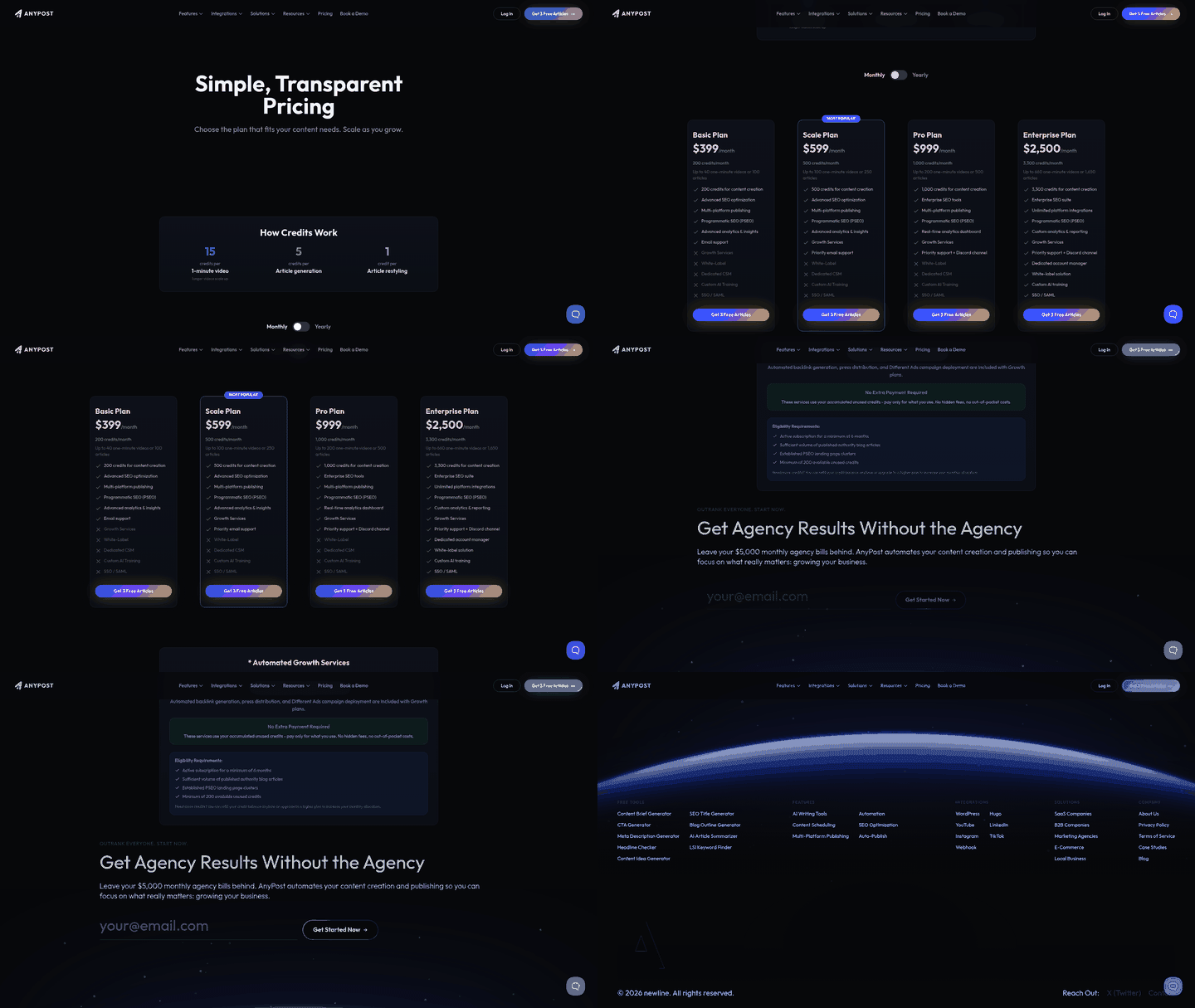
Keyword research tells you which searches your customers actually type, so you can build pages that match them. For e-commerce, that means finding terms with real buying intent, then mapping each one to a product or category page. Skip this and you optimize for phrases nobody searches.
The goal is simple: match your pages to demand, not to guesswork.
How Do You Conduct Keyword Research for a Store?
Start with a keyword tool to pull search volume and difficulty for terms tied to your products. Google Keyword Planner gives volume estimates straight from the source of most search traffic. Dedicated tools like Ahrefs add competitor data, showing which keywords rival stores already rank for.
Feed each tool a seed term. If you sell organic skincare, start with "face serums" and let the tool surface related queries. You want the phrases with commercial intent, not just information seekers.
Look at two numbers for every keyword. Search volume tells you how many people search it monthly. Keyword difficulty, scored higher as competition grows, tells you how hard ranking will be. A high difficulty score means you're up against established sites with strong authority.
Prioritize terms where volume is decent and difficulty is beatable for a store your size. Chasing "skincare" as a new store wastes months. Targeting a specific product query wins faster.
Why Do Long-Tail Keywords Win for E-commerce?
Long-tail keywords are longer, more specific phrases with lower competition and higher buying intent. A shopper searching "organic vitamin c face serum for sensitive skin" knows exactly what they want. That specificity makes them far more likely to convert than someone typing a broad one-word query.
These phrases are easier to rank for because fewer stores target them. You skip the brutal competition around head terms and capture buyers ready to check out.
Build out long-tail variations for every product line. Combine product type with attributes like material, color, size, or use case. Each variation becomes a page or section that can rank on its own.
How Do You Align Keywords With Business Goals?
Map every keyword to a page and a stage in the buying journey. Broad category terms pull in shoppers early. Specific product terms catch buyers near the finish. Your keyword strategy should mirror how customers actually shop.
Group related keywords into themes, then assign each theme to a category or product page. This keeps your structure clean and stops two pages from competing for the same term. One page, one primary target.
Modern platforms speed this up by clustering thousands of search terms by intent automatically. That lets you assign keywords to landing pages without manual spreadsheet sorting, which matters when you scale from dozens of target terms to hundreds. Integrating those terms into your taxonomy still takes planning, which is why the DebugBear ecommerce SEO guide emphasizes structural alignment.
E-commerce Content Marketing and Topic Discovery
Content marketing pulls shoppers into your store before they're ready to buy. It targets the questions and problems your customers search for, then answers them with blog posts, guides, and buying advice. This builds authority, earns backlinks, and captures traffic your product pages can't reach.
Product and category pages chase commercial intent. Content marketing chases everything that comes before it. A shopper searching "how to layer clothing for winter hiking" isn't ready to buy yet, but the store that answers earns their trust and their eventual purchase.
Why Does Content Marketing Matter for E-commerce SEO?
Content marketing widens the range of searches your store ranks for and builds the topical authority Google rewards. Informational content targets top-of-funnel queries, earns links from other sites, and feeds internal links down to your product and category pages. The whole site rises.
Think about the searches your product pages will never rank for. Nobody buys directly off "what size dutch oven do I need." But a guide answering that captures the shopper early, then links them to the cookware category page where they convert.
Content also feeds your internal linking. Each article becomes another place to point authority toward the pages that make you money. A blog sitting disconnected from your catalog wastes that.
How Do You Create Content That Resonates?
Start with your customer's actual questions, not your product features. Good content answers a specific problem in depth, uses clear structure, and reads like it was written for a person rather than a search engine. Match the format to the intent behind the search.
Depth beats volume. One thorough buying guide that fully answers a question outranks ten thin posts that skim the surface. Google rewards content that satisfies the searcher, so aim to be the last page they need to click.
Watch the format the query demands. A comparison search wants a table or side-by-side breakdown. A "how to" search wants numbered steps. A definitional query wants a direct answer up front. Then link naturally to the relevant products and categories so readers can act on what they've learned.
How Do Topic Discovery Tools Find Trending Ideas?
Topic discovery tools surface the questions and subtopics your audience searches for, so you build content around real demand instead of guesses. They pull related queries, "people also ask" questions, and rising trends, giving you a map of what to cover.
Feed a tool a broad theme tied to your products. Sell kitchenware, and a seed like "cast iron cooking" returns clusters: seasoning, cleaning, best recipes, comparisons. Each cluster becomes a content brief.
Scaling a blog takes a consistent publishing schedule. Assistive drafting tools can outline and generate initial drafts from search intent data, cutting the time from keyword discovery to published article. To bridge informational posts and transactional pages, the DebugBear guide offers a blueprint for internal linking.
Building a Crawlable E-commerce Site Architecture
Search engines have limited time to crawl your store. Site architecture decides how much of that time gets wasted. A flat, logical structure lets crawlers reach every product in a few clicks. A messy one buries pages so deep Google never finds them.
Site architecture: how your store's pages connect through categories, subcategories, and internal links so shoppers and search engines can find any product quickly.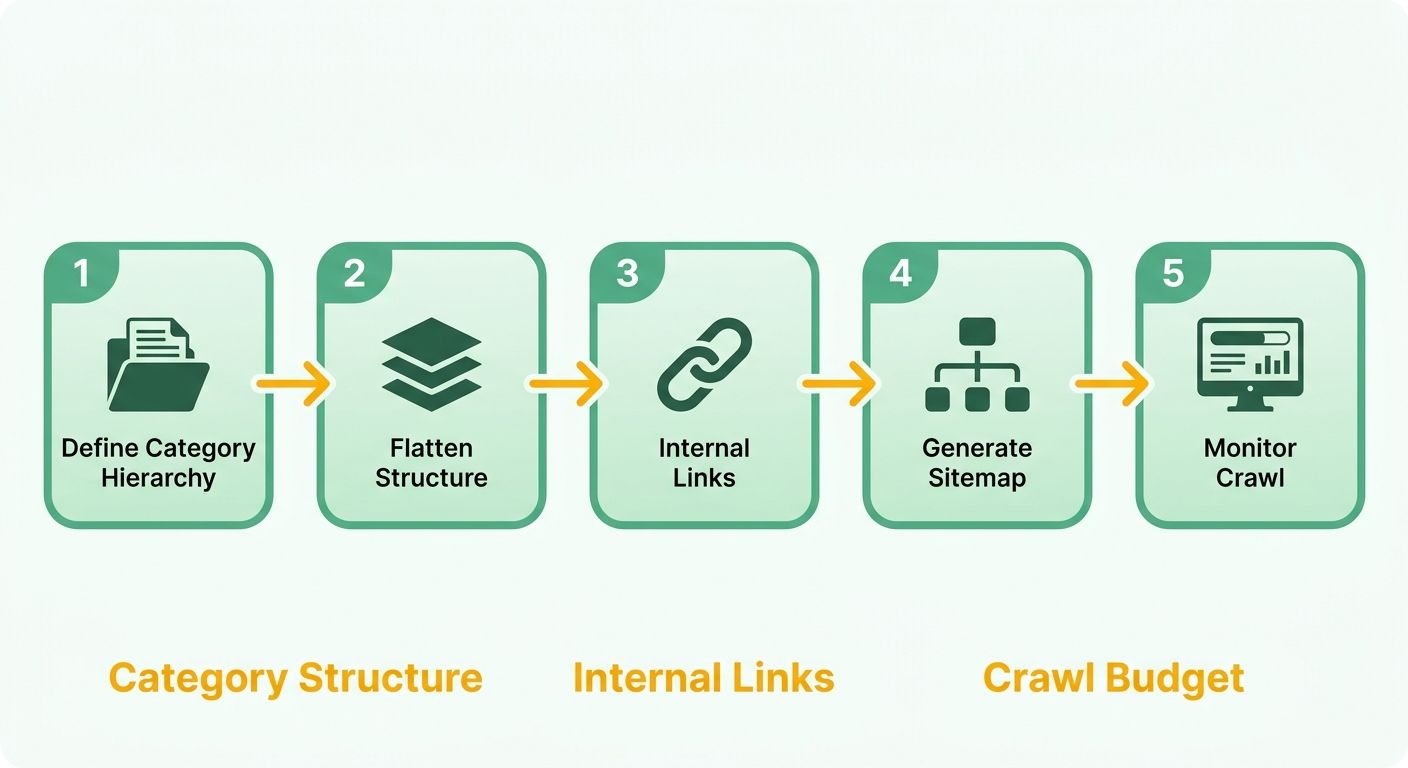
Why Does Site Structure Matter for Crawlability?
A clear structure lets search engines reach every important page within three or four clicks of the homepage. Pages buried deeper get crawled less often and rank worse. The goal is a shallow hierarchy where authority flows from homepage down through categories to individual products.
Think of your store as a pyramid. The homepage sits at the top. Category pages form the middle. Product pages sit at the bottom. Each level links to the one below, passing ranking signals down the chain.
Keep the depth manageable. A shopper searching for a specific item should reach it fast, and so should Googlebot. When category pages link cleanly to products, every product inherits some of the category's authority. An electronics retailer might organize its catalog as Homepage → Audio → Headphones → Over-Ear Headphones → a specific model. Clean, three-click path, no orphaned pages or dead ends.
How Do You Handle Faceted Navigation Without Wasting Crawl Budget?
Faceted navigation lets shoppers filter products by size, color, price, or brand. It improves the shopping experience, but it also generates thousands of URL combinations that can flood search engines with near-duplicate pages.
Faceted navigation: filtering options that let users narrow a category by attributes, each combination often producing its own URL.
Here's the problem. Filtering by "wireless" plus "noise-canceling" plus "under $150" creates a unique URL. Multiply that across dozens of filter combinations and a single category page spawns thousands of variants that search engines waste time crawling.
So you control which filtered URLs get crawled and indexed. Let valuable combinations that match real search demand stay indexable. Block the rest so crawlers spend their time on pages that matter. You keep the useful filtered views and stop the low-value ones from diluting your crawl budget.
What Is Crawl Budget and How Do You Manage It?
Crawl budget: the crawling resources a search engine dedicates to your site within a given timeframe. Large stores must manage this carefully so crawlers prioritize high-value pages over system-generated junk.
Point crawlers at your important pages. Keep a clean, updated XML sitemap listing your canonical product and category URLs. That tells search engines exactly what to prioritize.
Cut the waste. Remove or block thin pages, expired product URLs, and duplicate filtered views. Fix broken internal links that send crawlers to dead ends. Every wasted crawl is a product page that didn't get indexed.
Then distribute internal links to reinforce priority. High-value category and product pages should link directly from main navigation, signaling their importance to crawlers.
Technical SEO Basics for E-commerce Online Stores
Technical SEO is the foundation everything else sits on. You can write perfect product titles and build a clean category structure, but if your store loads slowly, breaks on mobile, or lacks a security certificate, Google holds you back. Three basics matter most: speed, mobile responsiveness, and site security.
Why Do Site Speed and Mobile Responsiveness Matter?
Speed and mobile responsiveness are ranking factors that shape how shoppers experience your store. Google uses page loading performance as a signal, and slow pages lose rankings and sales. A store that feels sluggish on a phone loses buyers before they see a product.
Most shopping now happens on mobile. Google indexes the mobile version of your store first, so a site that works on desktop but poorly on a phone gets judged on its weaker version. Your mobile experience is your real experience as far as search engines are concerned.
Core Web Vitals: Google's metrics for real-world loading speed, interactivity, and visual stability.
They track how fast your main content appears, how quickly the page responds to taps, and whether elements shift around as it loads. Poor scores here drag down rankings across your whole store.
How Do You Improve Site Speed?
Start by measuring. Google PageSpeed Insights analyzes any URL and returns a score plus specific fixes, so you know exactly what's slowing your pages down instead of guessing. Run your homepage, a top category page, and a busy product page through it.
The usual culprits are heavy images and bloated code. Compress product photos before uploading. Large image files are the single biggest drag on most e-commerce pages, since stores lean hard on visuals to sell.
Then clean up what runs in the background. Reduce third-party scripts, defer anything non-essential, and cache pages so repeat visitors load them faster. Each fix PageSpeed flags moves your score closer to green. For step-by-step instructions on measuring and optimizing Core Web Vitals, see DebugBear's e-commerce SEO guide.
How Do You Secure Your Store With HTTPS?
Every store needs HTTPS with a valid SSL certificate. This encrypts data between the shopper's browser and your server, protecting payment and personal details. Google treats HTTPS as a ranking signal, and browsers flag non-secure sites with a warning that scares buyers off.
SSL certificate: a digital credential that encrypts the connection between your site and its visitors, shown by the padlock in the address bar.
The fix is straightforward. Install an SSL certificate through your host, then confirm every page loads over https:// with no mixed-content warnings. A store asking for credit card numbers over an unsecured connection won't earn trust or rankings.
What Does a Well-Optimized Store Look Like?
A technically sound storefront loads in under two seconds on mobile, passes all Core Web Vitals, serves every page over HTTPS, and renders cleanly on any screen size. Shoppers reach any product in a few taps, and nothing shifts or stalls as pages load.
At scale, crawlers and monitoring tools can audit performance automatically, flagging broken links and slow assets before they hit your search visibility. That keeps technical health stable as your catalog grows.
On-Page SEO for E-commerce Product and Category Pages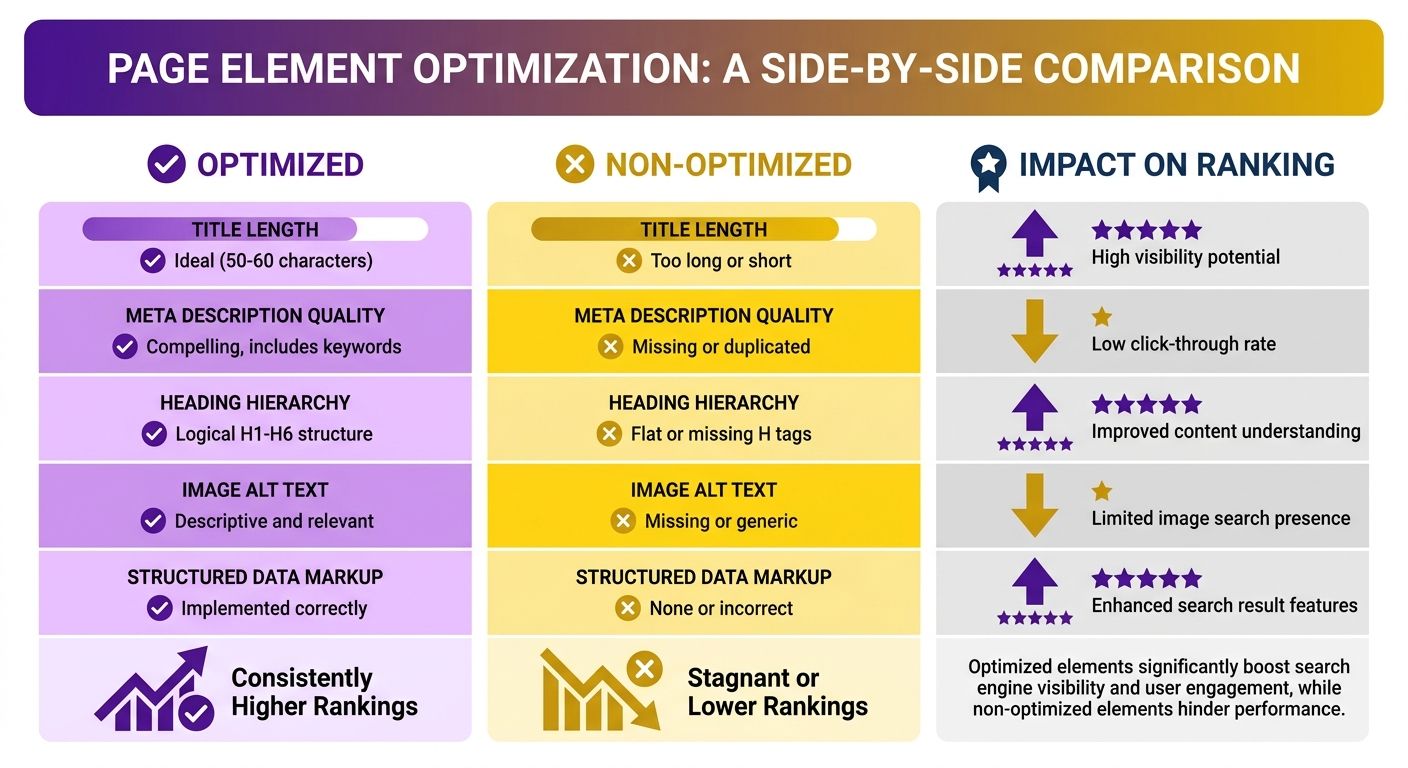
On-page SEO ties every ranking factor together on the pages shoppers actually land on. It combines title, description, headings, images, and body content into signals search engines can read and buyers can act on. Here's how to optimize all of it, and where automation cuts the busywork.
How Do You Optimize Titles, Descriptions, and Headings Together?
Strong on-page SEO starts by aligning your title tag, meta description, and heading structure around one target term per page. Each element reinforces the others, so search engines understand the page and shoppers know what they'll find before they click.
Your H1 should state exactly what the page offers. On a product page, that's the specific item. On a category page, it's the group of products. Use H2 and H3 subheadings to break content into scannable sections: features, materials, use cases.
The meta description won't rank you directly, but it drives clicks. Write it as a short pitch that answers why a shopper should choose your page over the nine others on the results page. Include the target term and a reason to click, like free shipping or a wide size range.
Keep titles under the length that gets truncated in results. A cut-off title looks sloppy and hides the detail that earns the click.
Why Do Product Images and Videos Affect Rankings?
Images and videos keep shoppers on the page longer, reduce returns by setting accurate expectations, and open a second ranking channel through image search.
Name your image files with descriptive keywords instead of camera codes like "IMG_4821." A filename like "ergonomic-office-chair-mesh.jpg" tells search engines what the image shows.
Add alt text to every image. It describes the picture for screen readers and gives search engines another text signal. Compress each file so it loads fast, since slow-loading media drags down the speed scores that affect rankings.
Video works even harder. A short clip showing a product in use answers questions text can't, and it signals depth of content that search engines reward.
What Makes Page Content Actually Rank?
Unique, useful body content is what separates a ranking page from a thin one. Search engines reward pages that answer shopper questions and describe products in original words, not manufacturer boilerplate copied across a hundred stores.
For product pages, write descriptions covering materials, fit, care, and real use cases. For category pages, add a few paragraphs of intro text that frame the selection and target the broad term the page competes for.
Avoid near-identical pages for minor variations like color or size. If you sell one yoga mat in eight colors, don't publish eight near-identical pages. Consolidate the variants into a single URL or differentiate the copy so search engines don't filter them out as repetitive.
Programmatic copy generation can help create unique product descriptions at scale, killing duplicate manufacturer text across large inventories. It gives you a solid baseline draft your team can refine, turning a massive writing backlog into a manageable editing task.
A well-optimized product page pulls it all together: a keyword-matched title, a scannable heading structure, named and compressed images with alt text, and original copy that answers what a buyer needs to know before they add to cart.
Local SEO for E-commerce Brands with Physical Locations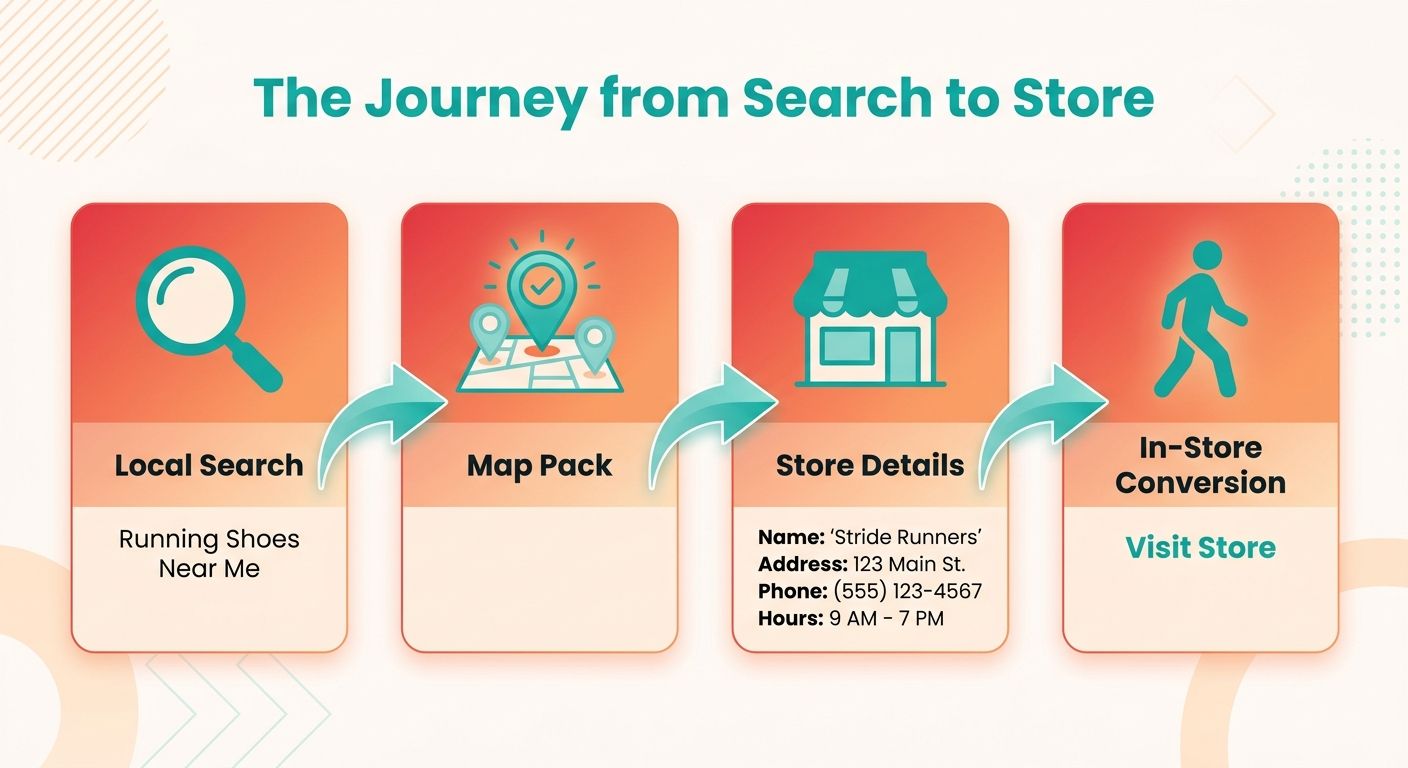
If your store also runs physical shops, local SEO turns nearby searches into foot traffic and pickup orders. Someone searching "office furniture near me" or "cookware store open now" carries high intent. Rank in those local results and you capture buyers who want to visit today.
Local SEO: optimizing your online presence so your physical locations appear in map results and location-based searches.
This matters for brands running a hybrid model. You sell online, but you also fulfill in person. Every location is a chance to rank for searches your national competitors can't reach.
How Do You Optimize Google My Business?
Claim and verify a Google Business Profile for each location. Fill in every field: name, address, phone, hours, category. An incomplete profile ranks worse than a complete one and gives shoppers fewer reasons to click.
Add photos of your storefront and products. Keep your hours current, especially around holidays. Respond to reviews, positive and negative, since active engagement signals a live, trustworthy business to Google.
Pick the most specific category that fits. An "office furniture store" category beats a generic "furniture store" for the searches your customers actually type. Specificity works the same way it does on your product pages.
Why Do Consistent Local Citations Matter?
Local citations are mentions of your business name, address, and phone number across the web. Consistency is the ranking signal. When your NAP details match everywhere, search engines trust that your business is real and your locations are accurate.
NAP: the name, address, and phone number that must stay identical across every directory, listing, and page.
Inconsistent citations hurt. If one directory lists an old address and another shows a new one, Google can't tell which is right, and your local rankings suffer. Audit your listings and fix mismatches first.
For multi-location brands, build a dedicated landing page for each store. Give each one a unique URL, its own address, an embedded map, and local content. That lets each location rank independently for its own city and neighborhood.
How Do You Keep Local SEO Consistent Across Locations?
Consistency means every store carries the same accurate data with location-specific details layered on top. Standardize your NAP format, category selections, and profile fields across all profiles, then customize the local content per store.
The manual version eats hours. You update dozens of profiles, check each citation, re-verify hours every time something changes. For a brand with ten or more locations, that work never ends.
Centralized listing management platforms sync your NAP data across directories at once, preventing manual entry errors. The automated sync handles the repetitive updates so your team can focus on the localized content that actually differentiates each storefront.
One last call: skip local SEO entirely if you're purely online with no physical footprint. It won't move your rankings. But if you run even one storefront, a complete profile and consistent citations are the fastest way to capture nearby shoppers ready to buy.
Frequently Asked Questions
1. How long does e-commerce SEO take to show measurable results?
E-commerce SEO typically takes three to six months to produce meaningful ranking gains. Technical fixes like canonical tags may show faster indexing improvements within weeks, but competitive category and product rankings build gradually. Stores operating with limited inventory or tight cash flow may need to balance SEO with immediate paid acquisition channels.
2. Should I use canonical tags or noindex for faceted navigation URLs?
Use canonical tags when filtered pages hold value but duplicate a main category, pointing them to the primary URL. Apply noindex or robots.txt blocking for filter combinations nobody searches, like specific color-plus-price pairings. The choice depends on whether the filtered page targets real search demand or just wastes crawl budget.
3. How many product images should a page have, and what format works best?
Include at least five compressed images per product page, each showing different angles or use cases. Use WebP or optimized JPEG formats to keep file sizes small and load times fast. Every image needs descriptive alt text naming the product, which aids both image search visibility and accessibility.
4. Can two of my pages accidentally compete for the same keyword?
This happens through keyword cannibalization, where a category page and blog post both target the same term, splitting ranking signals. Prevent it by grouping keywords into themes and assigning one primary target per page. Utilizing intent-based clustering software can help map each phrase to a single page, keeping your site structure clean.
5. What's the difference between optimizing for voice search versus traditional search?
Voice search favors natural, conversational phrasing, so shoppers ask full questions rather than typing fragmented keywords. Instead of "best office chair," they say "what is the most comfortable office chair for lower back pain." This shifts strategy toward long-form question answers, FAQ blocks, and detailed product descriptions that match spoken query patterns.
6. How deep should products sit within my site structure?
Every important product should be reachable within three to four clicks of the homepage. Pages buried deeper get crawled less often, sometimes never indexed. A flat, logical architecture connecting homepage to categories to products ensures search engines find and rank your full catalog efficiently, especially on large stores.
7. Do customer reviews actually help product page rankings?
Customer reviews add fresh, unique content and natural keyword variety that pure product descriptions lack. They also generate the ratings that search engines display as rich snippets in search results, boosting click-through rates. Reviews signal engagement and trust, keeping shoppers on the page longer, which reinforces ranking quality signals.