
Faceted Navigation and SEO: How to Avoid Crawl and Index Problems

Key Takeaways
- Faceted navigation improves the shopping experience, then quietly generates a new URL for nearly every filter combination. One category becomes thousands of pages.
- Three problems show up again and again: duplicate content, wasted crawl budget, and diluted link equity spread across low-value filter URLs.
- Duplicate content confuses Google when filtered URLs serve nearly the same products as the parent page. The algorithm can't pick a winner.
- Crawl budget waste is the quiet killer. Bots burn time on filter permutations nobody searches for while your important pages get crawled less often.
- Only faceted pages with real search demand deserve indexing. Everything else gets deliberately steered out of the index.
- Canonical tags are your default control, pointing filtered URLs back to their main category page.
Related Video
Watch: Faceted Navigation | PRG | Lesson 12/34 | Semrush Academy by Semrush Academy
Quick Summary
Faceted navigation lets users filter products by size, color, price, or brand. Great for shoppers. A nightmare for crawlers when you leave it unmanaged.
Every filter combination can spin up a new URL. Multiply a few facets together and one category page becomes thousands of near-identical pages. That's where the SEO problems start.
What goes wrong
Three issues, over and over: duplicate content, crawl budget waste, and link equity dilution.
Duplicate content happens when filtered URLs serve nearly the same products as the parent page. Google sees ten versions of one page and struggles to pick a winner.
Crawl budget waste is the quiet killer. Bots burn their time crawling filter permutations nobody searches for. Your genuinely important pages get crawled less often as a result.
Link equity dilution spreads your authority thin. Internal links point to dozens of filter URLs instead of concentrating value on the pages you actually want to rank.
How you control crawl and indexation
You control it with a small set of directives, applied deliberately. The team at seoClarity puts it well: only index faceted pages that have real search demand. Everything else gets steered away from the index.
Here's the default:
- Canonical tags: Point filtered URLs back to the main category page so Google consolidates ranking signals.
- Noindex meta directives: Keep low-value filter combinations out of the index while still letting bots follow links.
- robots.txt / crawl controls: Stop bots from wasting time on parameter combinations that serve no search purpose.
The one exception worth indexing? A filtered page that matches an actual query. "Blue running shoes size 10" might deserve its own indexable, canonical page if people search for it. Search Engine Land makes the same point: manage filters so crawlers don't get confused, but don't hide pages users are hunting for.
At a glance: approaches and SEO impact
| Approach | What It Does | SEO Implication | Effort |
|---|---|---|---|
| Canonicalization | Consolidates duplicate filter URLs to a parent | Preserves ranking signals; low duplicate risk | Low (a few hours) |
| Noindex directives | Removes low-value filters from the index | Cleaner index; bots still crawl the URLs | Low to medium (half a day) |
| robots.txt blocking | Prevents crawling of filter parameters | Saves crawl budget; blocked pages can't pass equity | Medium (a day, needs testing) |
| Indexing high-demand facets | Ranks filters that match real queries | Captures long-tail traffic | Medium to high (ongoing keyword work) |
What I'd actually do
If your faceted pages already rank and drive traffic, skip the aggressive noindex rules. You'd be throwing away wins. But if your crawl stats show bots drowning in filter URLs, canonicalization plus selective noindex is the fastest fix.
Start by auditing which filtered URLs get crawled and which pull traffic. That data tells you exactly which facets to keep, canonicalize, or block. Get that mapping right and the rest is straightforward implementation.
Why faceted navigation is an SEO problem worth solving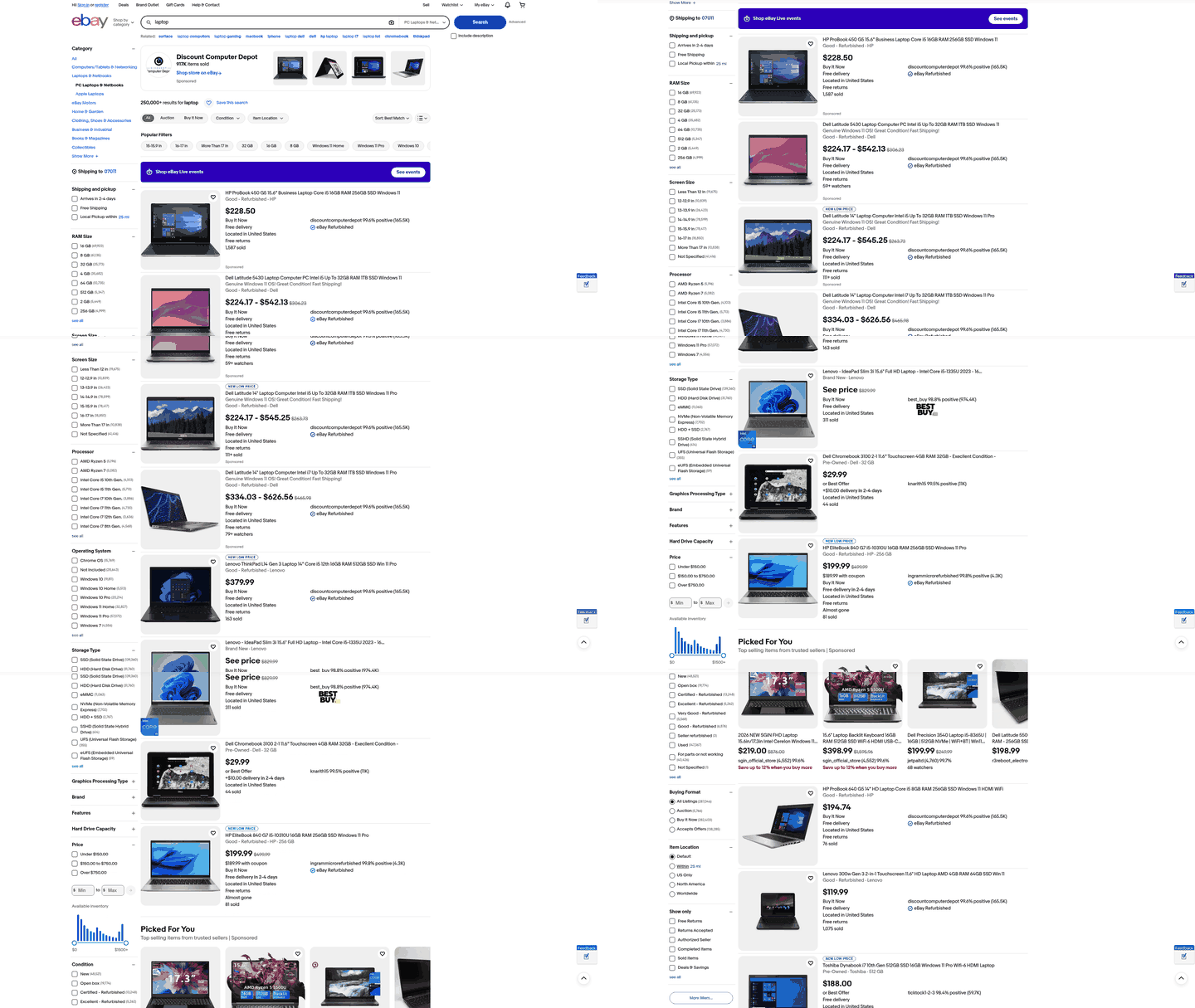
Faceted navigation sits right at the intersection of what shoppers want and what search engines can handle. Get it right and you improve user experience, conversions, and rankings at the same time. Get it wrong and you can tank your organic visibility.
Roughly 75% of online retailers use faceted navigation. That makes it one of the most common features in ecommerce. It's also one of the most misunderstood from an SEO angle.
Why shoppers depend on filters
Filters help people find products fast. Narrow by size, color, price, or brand, and you reach the item you want in fewer clicks. That speed drives sales.
Done right, faceted navigation can increase conversions by up to 25%. The mechanism is simple: less friction means fewer abandoned sessions and more completed purchases.
Filters also cut decision fatigue. A category with hundreds of products feels overwhelming. Give people the tools to slice it down and they stay engaged longer.
What happens when it's built badly
Poorly implemented faceted navigation can cause a 20-30% drop in search engine rankings. Steep price for a feature meant to help users. The damage comes from three technical problems.
Crawl budget waste: Every filter combination spins up a new URL, and Googlebot has to crawl each one because it can't tell in advance whether the content is valuable or duplicate. Multiple categories and filters can generate millions of URLs. Bots spend their time on filter permutations instead of your new and updated pages.
Duplicate content: Filtered URLs often serve nearly the same products as the parent page. A pile of near-duplicate pages hitting the index creates a poor experience and confuses search engines about which version to rank.
Link equity dilution: Internal link value gets spread thin across thin or duplicate pages. Your strongest category pages lose authority to filter URLs nobody searches for.
The core issue is speed and accuracy. With duplicative URLs, search engines may not crawl your new or updated unique content as quickly. They may not index the pages you care about correctly either.
Turning a liability into an asset
The fix is strict crawl and index control. Index only the faceted pages that have real search demand, and keep the rest out of Google's way. That single principle separates sites that benefit from filters from sites that get buried by them.
Start by finding which filter combinations people actually search for. A "red running shoes" page might earn traffic. A "red running shoes under $73.50 in size 9.5" page won't. Index the first, block the second.
Add a noindex tag to unnecessary faceted URLs to keep them out of search results. Combine that with smart crawl controls and you protect your budget while still giving shoppers the filters they want. The rest of this guide walks through how to set that up.
Handling parameterized URLs and canonicalization
Parameterized URLs are the raw material of faceted navigation problems. When a shopper applies a filter, the site appends parameters like ?color=blue&size=medium to the URL. Left unmanaged, each combination becomes a separate page that search engines try to crawl and index. Two tools fix this: canonicalization and noindex directives.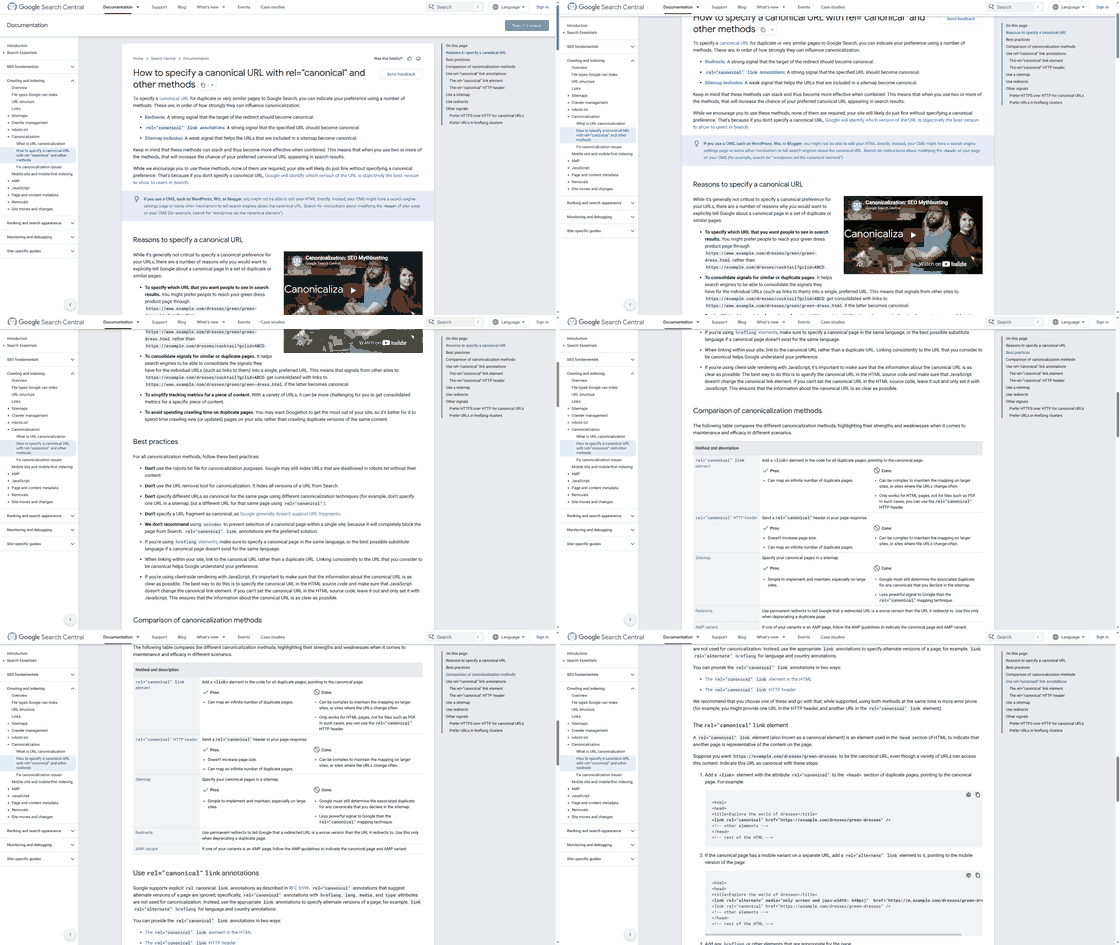
What canonicalization does for parameterized URLs
Canonicalization tells search engines which version of a page is the master copy. You add a rel="canonical" tag to a filtered URL that points back to the main category page. Google then consolidates ranking signals onto that one canonical version instead of splitting them across dozens of near-duplicates.
This solves two problems at once. It prevents duplicate content confusion, where a search engine sees ten versions of one page and can't pick a winner. And it protects your crawl budget by signaling that filtered variants aren't unique pages worth indexing.
A basic example. A filtered URL like example.com/shoes?color=blue would carry this in its <head>:
<link rel="canonical" href="https://example.com/shoes" />
That points the ranking signals from the color-filtered page back to the parent. When multiple filter permutations all point to the same canonical, you stop diluting link equity across thin variants.
When to reach for noindex instead
Use noindex when filtered pages are already getting crawled and indexed, and you need them out of search results fast. A noindex tag tells search engines to keep a page out of the index entirely. This is your defense against index bloat, the buildup of thin, near-identical pages that can drag down your overall rankings.
The tag looks like this:
<meta name="robots" content="noindex" />
There's a key difference from canonicalization. Canonical is a hint that consolidates signals. Noindex is a directive that removes the page from results. If your faceted URLs are already indexed and hurting you, add noindex to the unnecessary ones so they stop appearing in search.
One caveat worth stating plainly. Search engines must still crawl a page to see the noindex tag. So noindex alone doesn't save crawl budget. Pair it with smart internal linking that keeps bots away from useless permutations.
How Google and Bing handle this
Google's own guidance is the clearest reference here. If you want certain faceted URLs indexed, they need to follow best practices for clean, crawlable URLs. If you don't want them indexed, canonicalization and noindex are the recommended controls.
Google must crawl every unique URL because it can't tell in advance whether the content is valuable or duplicate. That's exactly why faceted navigation can generate millions of URLs and create a crawl nightmare. Your directives do the sorting that the crawler can't do on its own.
The practical takeaway: decide the fate of each filter type before you build. Ask one question for every facet: should this page rank? If yes, make it crawlable and canonical to itself. If no, canonicalize it to the parent or apply noindex.
For a deeper walkthrough of implementation patterns, the Lumar guide on faceted navigation SEO covers how these directives fit together at scale.
Deciding which facet combinations deserve indexing
Not every filter deserves its own indexed page. The rule is simple: only index facet combinations with real search demand. If people search for it, index it. If nobody searches for it, block it and let the canonical or noindex directives handle the rest.
This keeps your indexed pages tied to actual demand. It stops crawlers from wasting time on permutations no one wants.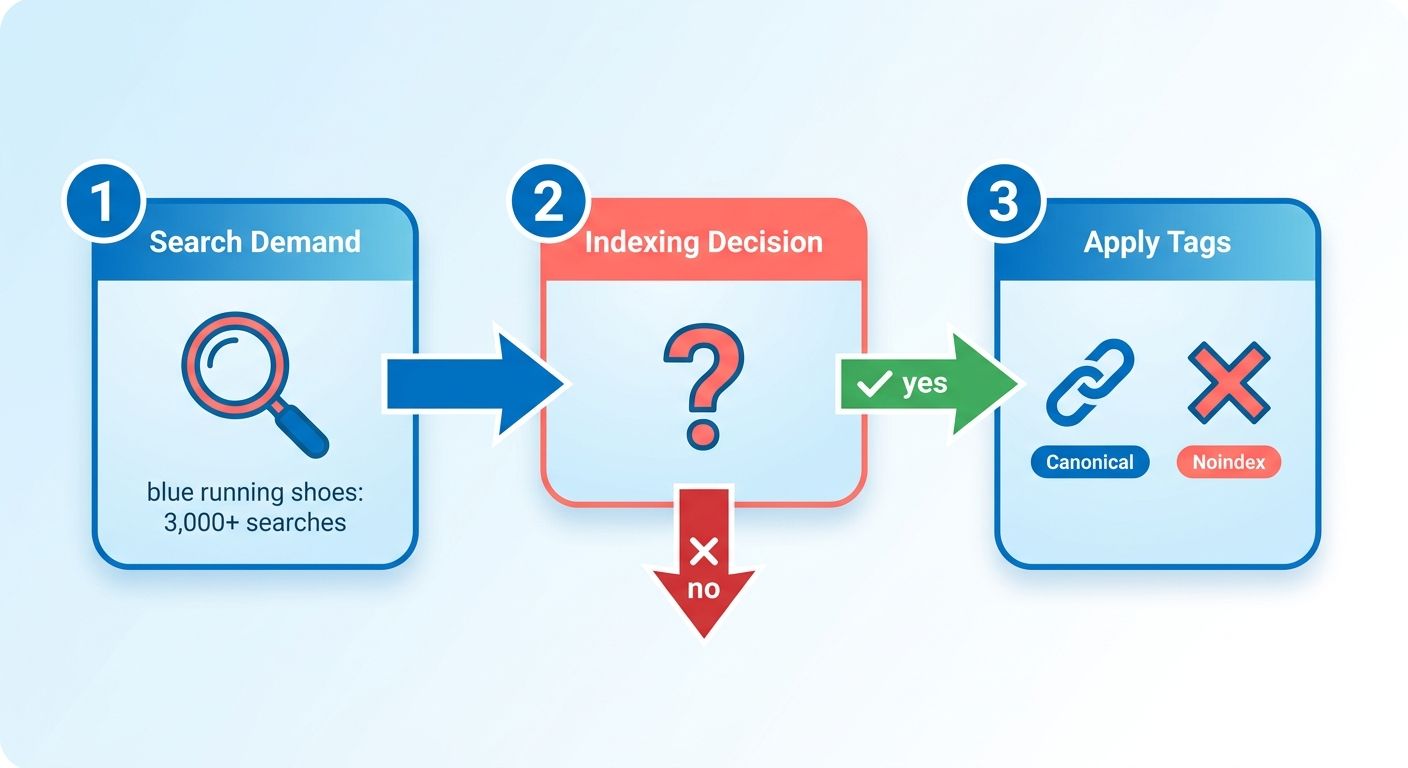
How to measure search demand for a facet
Search demand tells you whether a filtered page can rank and earn traffic. You measure it with keyword research tools that show monthly search volume for the exact phrase a filter creates.
Take a color filter on a shoe category. If "blue running shoes" pulls thousands of monthly searches, that combination earns an indexable page. Run the phrase through keyword research and check the volume.
Compare that to a filter like "size 9.5 blue running shoes under $47." Nobody types that into search. Zero demand means zero reason to index it. Block those long-tail permutations and point them back to a canonical parent.
Use this as your filter test:
- High volume, clear intent: Index it. Give it a static, crawlable URL.
- Low or no volume: Noindex it. Let signals consolidate on the parent.
- Uncertain: Check ranking difficulty and current competition before committing.
Does user experience change the calculation?
Yes. Search demand gets you the traffic, but user experience and conversion rates tell you whether an indexed page is worth keeping. A page can rank and still fail if it dumps visitors onto thin results.
Watch how filtered pages perform once they're live. A combination that draws searches but converts poorly needs a second look. Near-duplicate pages with almost identical products create a poor experience and confuse both shoppers and crawlers.
So pair the two signals. Index the combinations that have demand and deliver a clean, distinct set of products. Drop the ones that match on volume but leave users staring at the same items they saw on the parent page.
What large marketplaces do
The biggest retailers index only the facet combinations that pull genuine search demand. They keep those on static, crawlable URLs and treat high-intent filters like standalone landing pages. Everything else gets managed so it never clutters the index.
You can copy this structure without their scale. Pick your top-converting, high-demand filters. Give them clean URLs that Google can crawl and index. For a well-organized reference, the Lumar guide on faceted navigation walks through where near-duplicate pages come from and how to stop them.
Once your indexable set is chosen, follow Google's best practices for those URLs. Keep parameters clean. Make the links crawlable. Then apply noindex to the rest so crawlers spend their budget where it counts.
The short version: match your index to demand, verify with conversion data, and structure the winners as real pages.
The three SEO risks that actually bite
Faceted navigation carries three technical risks that hurt rankings: duplicate content, crawl budget waste, and link equity dilution. Left unmanaged, they compound. A single category page can spawn millions of filter URLs, and search engines treat each one as a page worth evaluating.
Large retailers feel this acutely. Sites the size of Walmart or Home Depot run thousands of products across dozens of filters. Without strict controls, their filter permutations balloon into a crawl problem that starves important pages of attention.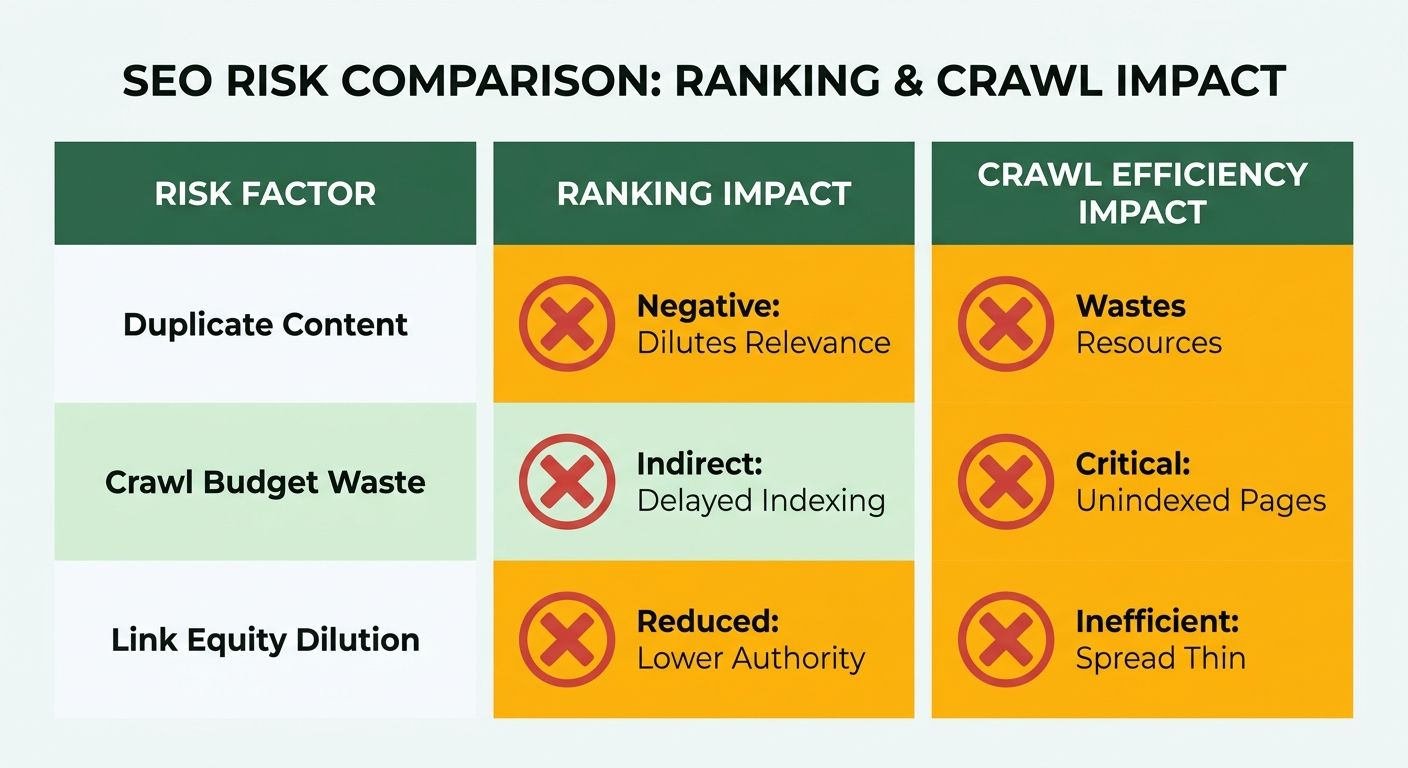
How duplicate content hurts rankings
Duplicate content happens when filtered URLs serve nearly identical products to each other and to the parent page. Search engines then struggle to pick which version deserves to rank. That confusion splits signals and drags down the whole cluster.
The user experience suffers too. When many near-identical pages get indexed, shoppers land on thin variations instead of the strongest page. Google may also index a filtered URL inaccurately, showing the wrong page for a query.
The fix starts with a crawl of your own site. Run a site auditor and look for clusters of URLs serving the same product set. Apply a rel="canonical" back to the parent, or add a noindex tag to the filtered pages you don't want in results.
Why crawl budget waste is so damaging
Crawl budget is finite. Googlebot spends its limited time crawling filter combinations nobody searches for, so your new and updated content waits longer to get discovered.
On a big catalog, that delay matters. A product you launched this week can sit uncrawled while bots churn through color-and-size permutations.
Aleyda Solís frames the diagnostic question well: is Googlebot spending too much time on faceted navigation, parameters, or duplicate content? Check your server logs. If a large share of bot hits land on parameter URLs, you're bleeding budget.
To confirm it, compare crawl frequency against your priority pages. If filter URLs outpace category and product pages, tighten your controls. Block low-value parameters and keep bots pointed at pages with real search demand.
What link equity dilution actually is
Link equity dilution happens when internal links spread ranking authority across thousands of filter URLs instead of concentrating it on pages that matter. Every internal link to a parameter page passes a share of authority to a page that will never rank.
Traditional link-based navigation using <a href> tags forces search engines to follow every filter link. So each combination becomes a crawlable, link-receiving page. Multiply that across your facets and your authority scatters thin.
The result shows up as reduced authority on the pages you actually want to rank. Consolidate that equity by canonicalizing filter URLs to their parent and by limiting how many filter links you expose as standard crawlable links. The Lumar guide on faceted navigation covers the noindex and canonical patterns in detail.
Fix these three risks together. They share the same root cause, and the same set of directives solves all of them.
How filters quietly balloon into thousands of URLs
Faceted navigation is a filtering system that lets shoppers narrow product listings by attributes like size, color, brand, or price. Behind the scenes, each filter appends parameters to the URL. That's how one category page quietly turns into a sprawling set of crawlable addresses.
Worth understanding the mechanism before you try to fix it. When you know how filters generate URLs, you can predict where the crawl and index problems will show up.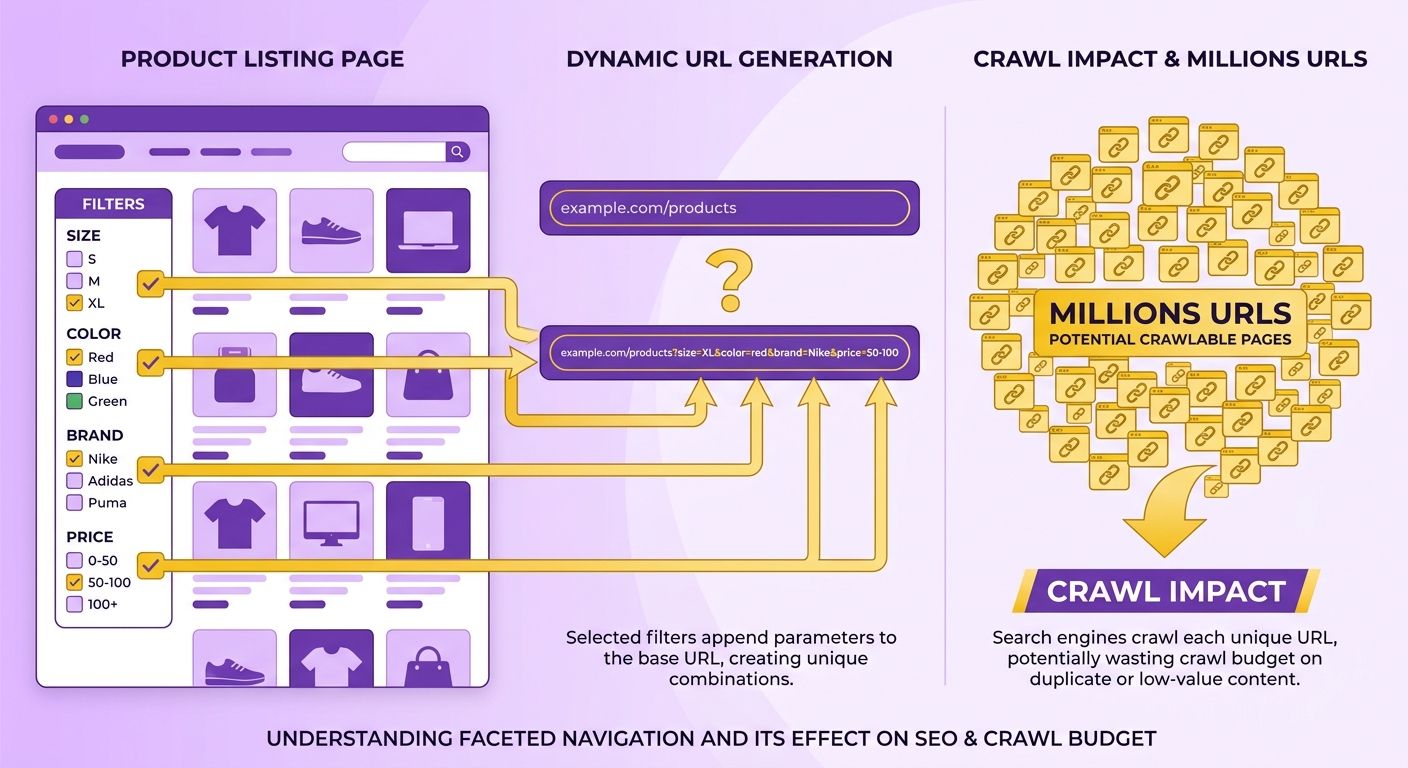
Why one page becomes millions
Every filter combination produces a unique address. Stack a few facets together and the math explodes. One category can spin off millions of URLs when categories, sub-categories, and filter combinations multiply against each other.
Here's why that scale matters. Search engines have to crawl each unique URL because they can't tell in advance whether the content is valuable or duplicate. A bot doesn't know that ?color=red&size=9 is nearly identical to the parent page until it fetches and evaluates it.
Traditional link-based navigation makes this worse. When filters use standard <a href> links, crawlers follow them like any other link. They march through the permutations one by one, spending time on pages nobody searches for.
What this does to crawl and index
Two problems dominate: crawl budget waste and index bloat. Both drag down your organic visibility if you leave them unchecked.
Crawl budget waste happens when bots burn their allotted crawl time on filter permutations instead of your important pages. Your fresh product pages wait in line behind thousands of thin filter combinations.
Index bloat is the second hit. When search engines index near-duplicate faceted URLs, they clutter your index with pages that offer no unique value. That creates a poor user experience and splits ranking signals across pages that should never have been indexed.
The confusion compounds. Search engines may not index a page accurately when they're weighing ten near-identical versions of it. You end up with the wrong URL ranking, or none at all.
The two directives that do the heavy lifting
Canonicalization and noindex tags. Each targets a different part of the problem.
Canonicalization consolidates ranking signals onto your master category page. Noindex handles the pages that slip through. If Google still crawls and indexes your faceted URLs, add a noindex tag to the unnecessary ones to keep them out of search results.
Google's own guidance is clear on the goal. If you need certain faceted URLs indexed, make them follow crawlability best practices. If you don't, block them so bots skip the permutations and reach your unique content faster.
The dividing line is search demand. Index the filter combinations people actually search for. Block the rest. Large marketplaces like Amazon and eBay run this discipline at scale, exposing indexable filtered pages only where real demand exists and suppressing the endless combinations that don't.
For a deeper walkthrough of implementation, the Lumar best-practices guide covers the technical details.
Robots.txt, noindex, and meta directives: matching the tool to the job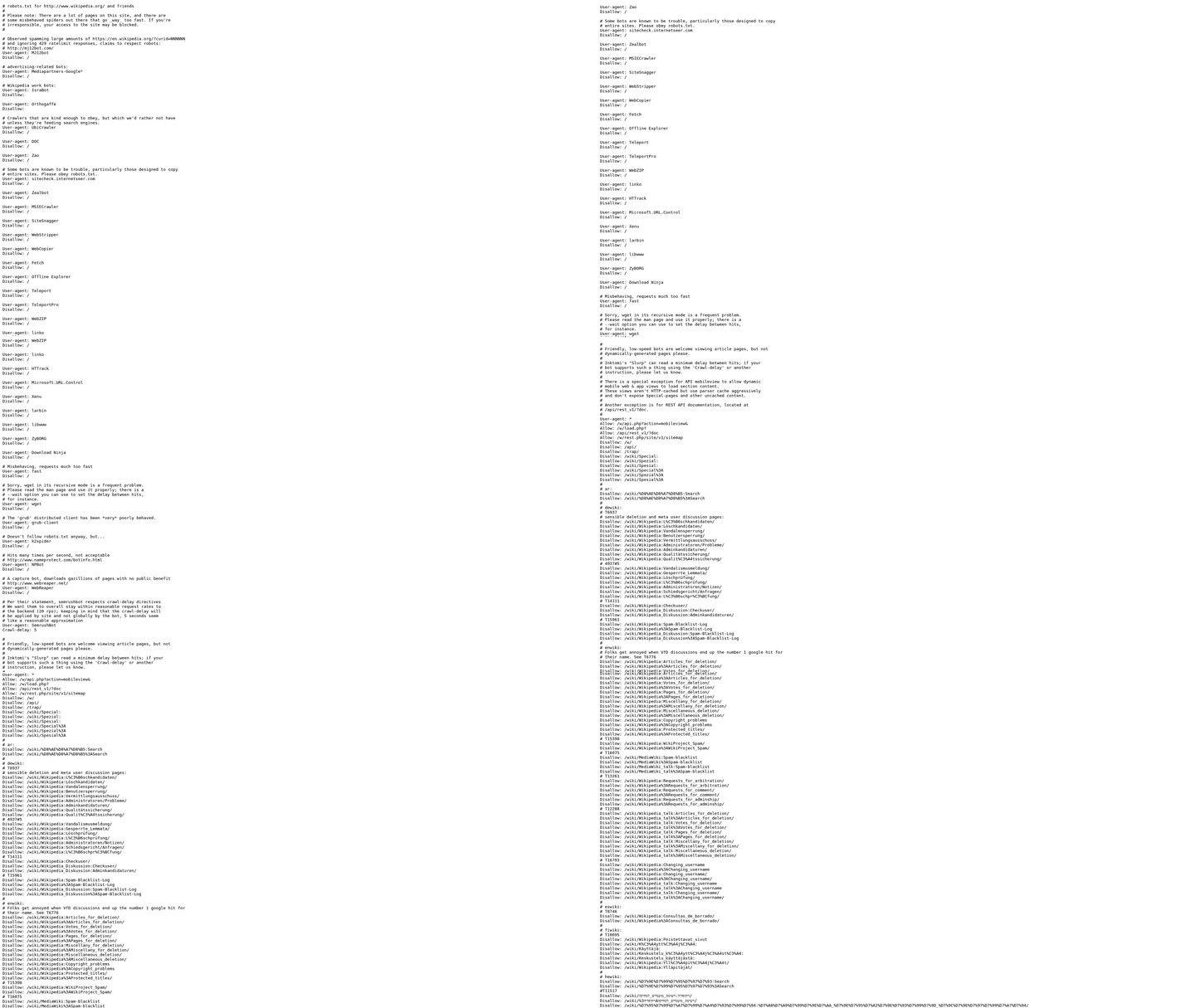
Robots.txt, noindex, and meta directives are the three tools that give you direct control over what search engines crawl and index. Each works differently. Use them together, and you keep bots focused on the pages that earn traffic.
Here's the catch. These directives conflict if you mix them wrong. A page blocked in robots.txt can't be crawled, which means Google never sees your noindex tag. Get the order right and they work as a system.
Using robots.txt to block crawling
Robots.txt: A file at the root of your domain that tells crawlers which URLs and directories they should not crawl. It controls crawl access, not indexation.
You use it to stop bots from wasting time on filter permutations nobody searches for. Add a Disallow rule targeting the parameter pattern your filters generate. For example, Disallow: /*?sort= stops crawlers from chewing through every sort-order variation of a category.
This directly addresses crawl budget waste. When Googlebot spends too much time on parameters and duplicate content, it crawls your new or updated content more slowly. Blocking low-value paths frees that budget for pages that matter.
One warning. Robots.txt blocks crawling, not indexing. If other sites link to a blocked URL, Google can still index it without ever crawling it. So don't rely on robots.txt alone to keep a page out of search results.
When to use noindex instead
Use a noindex directive when you want a page crawled but kept out of the index. This is the correct fix when Google is already crawling and indexing filter URLs you don't want ranking.
You add a noindex tag to the unnecessary faceted pages. Google crawls the page, reads the tag, and drops it from search results. The page stays accessible to bots, but it won't appear in the index or compete with your canonical category page.
There's a sequencing rule that trips people up. For noindex to work, the page must stay crawlable. If you block it in robots.txt at the same time, Google never reads the noindex tag. Let the crawler in, let it see the directive, then it removes the page.
How meta directives fit in
Meta directives are instructions placed in the HTML <head> or HTTP header that control crawl and indexation at the page level. The noindex meta tag lives here, and you can pair it with follow so bots still pass link equity through the page.
A noindex, follow combination is common for filtered pages. The page drops from the index, but crawlers keep following its internal links back to the canonical category page. That reinforces your master pages instead of stranding link equity on a dead-end URL.
If you actually want certain facet combinations indexed, don't block or noindex them. Make sure those URLs follow crawl best practices instead, and support them with internal links pointing to the canonical category page. Solid internal linking keeps signals consolidated and prevents keyword cannibalization across near-duplicate filters.
The rule of thumb: robots.txt for crawl control, noindex for index control, meta directives for page-level precision. Match the tool to the job and your faceted URLs stop working against you.
Frequently Asked Questions
1. Should small ecommerce stores worry about faceted navigation crawl budget?
Crawl budget waste mainly threatens large catalogs with thousands of products and stacked filters. Stores with a few hundred pages rarely exhaust Googlebot's time, so their bigger risks are duplicate content and index bloat. Smaller sites should still canonicalize filters, but budget panic is usually unwarranted.
2. Does a canonical tag guarantee a filtered page stays out of Google's index?
Canonical tags are hints, not commands. Google usually honors them but can override a canonical when it judges the filtered page meaningfully different from the parent. For pages you must guarantee stay out of results, apply a noindex directive instead, since it is an enforced instruction.
3. Why shouldn't I block a URL in robots.txt and add a noindex tag together?
Blocking a URL in robots.txt stops crawling, so Google never fetches the page to read its noindex tag. The two directives cancel each other out. Pick one approach: robots.txt for never-index parameters you want to save budget on, noindex for pages already sitting in the index.
4. How do JavaScript or AJAX-based filters change the SEO picture?
Filters that update results with JavaScript without generating new crawlable URLs sidestep most faceted navigation problems, because bots never follow endless parameter permutations. Standard <a href> filter links force crawlers through every combination. Choosing your filter's technical implementation early prevents crawl issues before they start.
5. Can selecting the same filters in a different order create duplicate URLs?
Different selection orders often produce duplicate addresses. Choosing color then size versus size then color can generate ?color=blue&size=10 and ?size=10&color=blue, two URLs serving identical products. Enforce consistent parameter ordering in your code so one canonical version exists rather than several near-duplicates competing for the same signals.
6. What happens if I accidentally noindex a filtered page that already ranks?
You lose that page's organic traffic once Google reprocesses the tag, which can take days to weeks and is slow to recover. Before applying noindex in bulk, audit which filtered URLs currently rank and convert. Skip aggressive noindex rules on facets that already earn traffic.
7. How often should I audit my faceted URLs?
Quarterly reviews suit most ecommerce sites, with extra checks after catalog expansions or template changes. Use server log analysis to see where bots spend time and keyword tools to confirm which filters hold search demand. That data maps exactly which facets to index, canonicalize, or block.