
Free SEO Audit Tools for Enhanced Website Optimization

Introduction to Free SEO Audit Tools
SEO audits are critical for identifying technical and content-related issues that hinder a website’s visibility in search engines. By analyzing elements such as broken links, page speed, meta tags, and content quality, SEO audits provide actionable insights to enhance search engine rankings [3]. Free SEO audit tools democratize access to these diagnostic capabilities, enabling businesses of all sizes to optimize their websites without upfront costs. These tools streamline the process of uncovering hidden issues like slow-loading pages or missing alt text, which can significantly impact user experience and crawlability [1]. For example, SEOptimer evaluates websites across 100 data points, offering a granular breakdown of SEO performance [1], while Ubersuggest pinpoints site-specific issues to prioritize optimization efforts [8].
The benefits of free SEO audit tools extend beyond cost savings. They allow users to quickly benchmark their sites against SEO best practices and track progress over time. Tools like the Free SEO Analyzer detect technical problems such as broken links and duplicate content [3], while others, like the SEO Audit Tool, generate reports on content quality and on-page optimization [2]. These features empower users to address critical issues without requiring advanced technical expertise. However, free tools often come with limitations, such as reduced data depth or time constraints, which users should consider when selecting a solution [11]. Despite these trade-offs, the accessibility and immediacy of free tools make them invaluable for initial audits or ongoing maintenance. See the [How to Choose the Right Free SEO Audit Tool] section for more details on selecting the appropriate tool for your specific needs.
This article provides an overview of free SEO audit tools, their core functionalities, and recommendations for use cases. The following section compares key tools, highlighting their unique offerings and practical applications. By leveraging these tools, users can make data-driven decisions to improve their site’s performance and alignment with search engine algorithms [10]. For a detailed breakdown of essential features to consider, refer to the [Features to Look for in a Free SEO Audit Tool] section. Additionally, as highlighted in the [Common Mistakes to Avoid When Using Free SEO Audit Tools] section, users should cross-reference findings with additional resources, such as paid tools, for deeper insights [3].
Top Free SEO Audit Tools
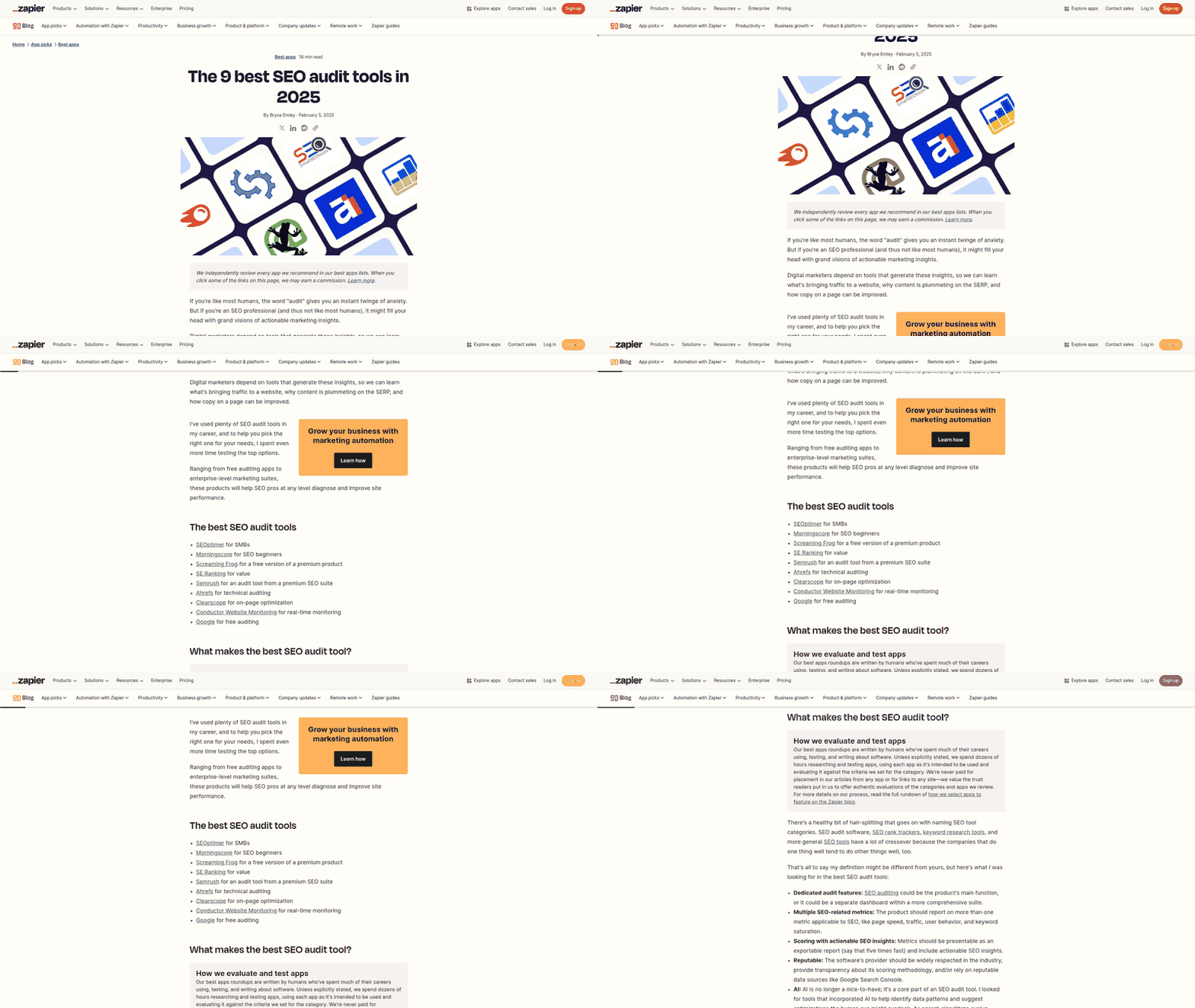
Free SEO audit tools are essential for identifying technical, on-page, and off-page issues that impact website performance. The following tools offer varying features to address these needs, with distinct strengths and limitations. Below is a comparison of the top free options, followed by in-depth reviews. As mentioned in the [How to Choose the Right Free SEO Audit Tool] section, selecting the right tool depends on your specific SEO goals, such as technical diagnostics or content optimization.
Summary of Top Free SEO Audit Tools
| Tool | Description | Key Features | Pros | Cons |
|---|---|---|---|---|
| SEOptimer | Analyzes 100+ website data points and provides actionable recommendations [1][7]. | Detailed SEO scoring, keyword suggestions, and content optimization tips [1]. | Comprehensive reports; beginner-friendly interface [1]. | No advanced technical diagnostics [1]. |
| SEO Audit Tool | Checks websites against best practices and common optimization problems [2]. | Quick reports on metadata, content quality, and internal linking [2]. | Simple, intuitive dashboard [2]. | Limited depth for large websites [2]. |
| Free SEO Analyzer | Identifies technical issues like slow pages, broken links, and missing tags [3]. | Technical SEO checks, crawlability analysis, and page speed metrics [3]. | Focuses on performance and technical fixes [3]. | No backlink analysis [3]. |
| SEO Site Checkup | Monitors website speed, indexing, and technical health [4]. | Real-time performance tracking and crawl error detection [4]. | Includes site speed optimization tools [4]. | Free version has limited features [4]. |
| Seobility SEO Checker | Conducts full-site audits with ranking monitoring [6]. | Backlink analysis, competitor benchmarking, and technical SEO scoring [6]. | Detailed competitor insights [6]. | Requires email for full report [6]. |
| Ubersuggest | Identifies on-page and technical SEO issues for optimization [8]. | Keyword gap analysis, content suggestions, and metadata checks [8]. | Integrates with keyword research tools [8]. | Free version limited to 10 pages [8]. |
| Ahrefs Webmaster Tools | Diagnoses SEO issues and site health [11]. | Broken link detection, XML sitemap validation, and content performance metrics [11]. | Free access to advanced diagnostics [11]. | Limited to 500 URLs for free users [11]. |
See the [Features to Look for in a Free SEO Audit Tool] section for more details on the importance of technical SEO, on-page optimization, and backlink analysis in evaluating these tools.
SEOptimer: Comprehensive Free SEO Audit Tool
SEOptimer [1][7] conducts in-depth audits across 100+ data points, including content quality, metadata, and technical performance. It generates prioritized recommendations for improving SEO health, such as optimizing title tags or fixing broken links. Key pros include its user-friendly interface and actionable insights, making it ideal for beginners [1]. However, it lacks advanced features like backlink analysis or competitor benchmarking, which may limit its utility for experienced SEOs [1].
SEO Audit Tool: Quick Best Practice Checks
This tool [2] is designed for rapid audits, focusing on metadata validity, internal linking structure, and content optimization against best practices. Its free version provides concise reports highlighting critical issues like duplicate titles or thin content [2]. While it excels at identifying surface-level problems, it may not uncover deeper technical issues like site speed or crawl errors [2].
Free SEO Analyzer: Technical Issue Resolver
The Free SEO Analyzer [3] specializes in technical audits, detecting broken links, slow-loading pages, and missing meta tags. It also evaluates crawlability, ensuring search engines can index pages effectively. Pros include its focus on performance and technical fixes, such as redirect checks [3]. However, it lacks content or competitor analysis tools, making it less holistic [3].
SEO Site Checkup: Performance Monitoring
SEO Site Checkup [4] tracks site speed, indexing status, and crawl errors in real time. Its free tier allows users to monitor page load times and identify server issues, which are critical for user experience and search rankings [4]. While its performance diagnostics are robust, the free version restricts access to advanced features like competitor comparisons [4].
Seobility SEO Checker: Ranking and Backlink Insights
Seobility [6] offers a free audit tool that evaluates technical SEO, backlink quality, and competitor rankings. It provides recommendations for improving domain authority and fixing on-page issues like keyword stuffing [6]. A key advantage is its backlink analysis, which helps identify toxic links [6]. However, users must provide an email to download full reports, which may deter some [6].
Ubersuggest: On-Page and Keyword Optimization
Ubersuggest’s free SEO audit tool [8] identifies metadata issues, content gaps, and keyword opportunities. It integrates with keyword research features to suggest high-intent terms for optimization [8]. Pros include its simplicity and integration with other SEO tools, but the free version caps audits at 10 pages [8].
Ahrefs Webmaster Tools: Diagnostic Depth
Ahrefs Webmaster Tools [11] provides free access to site health diagnostics, including broken link detection and XML sitemap validation. It also tracks content performance and highlights pages with high traffic potential [11]. While its technical depth is impressive, free users are limited to 500 URLs, making it less scalable for large sites [11].
Recommendations
For beginners, SEOptimer [1] and SEO Audit Tool [2] offer accessible, actionable insights. Technical auditors should prioritize Free SEO Analyzer [3] and Ahrefs Webmaster Tools [11] for performance and crawlability checks. Advanced users may benefit from combining Seobility [6] for backlink analysis and Ubersuggest [8] for content optimization. As noted in the [Using Free SEO Audit Tools for Content Optimization] section, leveraging multiple tools enhances audit accuracy. Always validate findings across platforms to ensure reliability, as detailed in the [Common Mistakes to Avoid When Using Free SEO Audit Tools] section.
How to Choose the Right Free SEO Audit Tool
When selecting a free SEO audit tool, prioritize tools that align with your specific website needs, whether you require technical SEO insights, on-page optimization guidance, or backlink analysis. The right tool should offer actionable recommendations, cover critical SEO factors, and provide clear reports without overwhelming users with unnecessary complexity. Key considerations include the depth of analysis, ease of use, and whether the tool addresses your website’s unique challenges, such as broken links [3] or content gaps [9]. Below is a structured approach to evaluate options, supported by a comparative table of recommended tools.
Selection Criteria: Matching Tools to Your Needs
Begin by defining your primary goals: technical SEO audits, content optimization, or competitor backlink analysis. Free tools like SEOptimer [1] and Seobility [6] excel in technical audits, analyzing 100+ data points [1] and monitoring ranking factors [6], respectively. For content-related issues, Semrush’s free site audit tool [9] identifies content gaps and on-page SEO problems. If your priority is speed and simplicity, the Free SEO Analyzer [3] focuses on foundational issues like slow pages and missing meta tags. Cross-referencing user reviews from communities like Reddit [7] can also highlight tools valued for their clarity and practicality, such as SEOptimer’s reputation for actionable reports [7]. See the [Features to Look for in a Free SEO Audit Tool] section for more details on evaluating technical, on-page, and backlink analysis capabilities.
Factors to Consider: Features and Limitations
Evaluate the scope of each tool’s audit capabilities. For example, tools like SEOptimer [1] and Semrush [9] offer comprehensive assessments across technical, on-page, and off-page SEO, while others may specialize in niche areas. Check if the tool provides backlink analysis, a feature available in Seobility [6] and Semrush [9], which is critical for understanding off-page SEO health. Additionally, consider the depth of reporting: SEOptimer [1] and SEO Analyzer [10] deliver detailed, actionable data [10], whereas the Free SEO Analyzer [3] focuses on identifying issues without always offering solutions. Note that some tools, like Seobility [6], allow free access to core features but may require payment for advanced functionalities like historical ranking data. See the [Common Mistakes to Avoid When Using Free SEO Audit Tools] section for insights on interpreting data correctly when tools lack solution-oriented feedback.
Questions to Ask: Ensuring Practical Value
Ask whether the tool supports your website’s size and complexity. For instance, SEOptimer [1] handles large sites efficiently, while smaller tools may struggle with extensive domains. Determine if the interface is user-friendly—Semrush [9] and Seobility [6] provide intuitive dashboards, whereas others may require technical expertise to interpret results [3]. Assess whether the tool integrates with other SEO workflows, such as content optimization or competitor benchmarking. Finally, verify if it updates data in real-time, a feature highlighted in Semrush [9] and Seobility [6] for monitoring ongoing SEO performance.
| Tool | Description | Key Features | Pros | Cons |
|---|---|---|---|---|
| SEOptimer [1][7] | Analyzes 100+ data points, offering actionable SEO recommendations. | Technical, on-page, and off-page audit; clear reports; 100+ metrics. | Comprehensive analysis; user-friendly. | Limited to basic free version. |
| Free SEO Analyzer [3] | Focuses on technical SEO issues like broken links and site speed. | Identifies slow pages, missing tags, and crawl errors. | Simple, targeted audit; quick results. | Less detailed than competitors. |
| Seobility [6] | Provides a holistic audit with ranking monitoring and backlink insights. | Backlink analysis; ranking tracking; technical and content audits. | Free access to core tools; detailed reports. | Advanced features require payment. |
| Semrush (Free Tools) [9] | Covers site audits, backlink analysis, and content gap identification. | Site audit; backlink analytics; content optimization suggestions. | Robust data on competitors; easy-to-use. | Free version has data limits. |
| SEO Analyzer [10] | Delivers in-depth SEO reports with actionable data for optimization. | On-page SEO scoring; technical error detection; content quality assessment. | Detailed, actionable insights; free to use. | No backlink analysis included. |
Final Recommendations
For beginners, SEOptimer [1] and the Free SEO Analyzer [3] offer accessible entry points due to their straightforward interfaces. Advanced users may prefer Semrush [9] or Seobility [6] for their depth in backlink and competitor analysis. Pairing tools like SEO Analyzer [10] with Semrush [9] can provide a well-rounded audit if your site requires both technical and content optimization. Always validate a tool’s capabilities against your specific needs using the factors outlined above to avoid investing time in solutions that lack critical features [7][9].
Features to Look for in a Free SEO Audit Tool
When evaluating free SEO audit tools, focus on three core categories: technical SEO, on-page optimization, and backlink analysis. These features collectively identify performance bottlenecks and provide actionable fixes to enhance visibility. Technical SEO ensures a website’s infrastructure aligns with search engine requirements, on-page optimization refines content for user and algorithmic relevance, and backlink analysis evaluates the authority of external references. Below is a breakdown of critical features to prioritize, supported by tools and functionalities explicitly mentioned in the sources.
Technical SEO Features
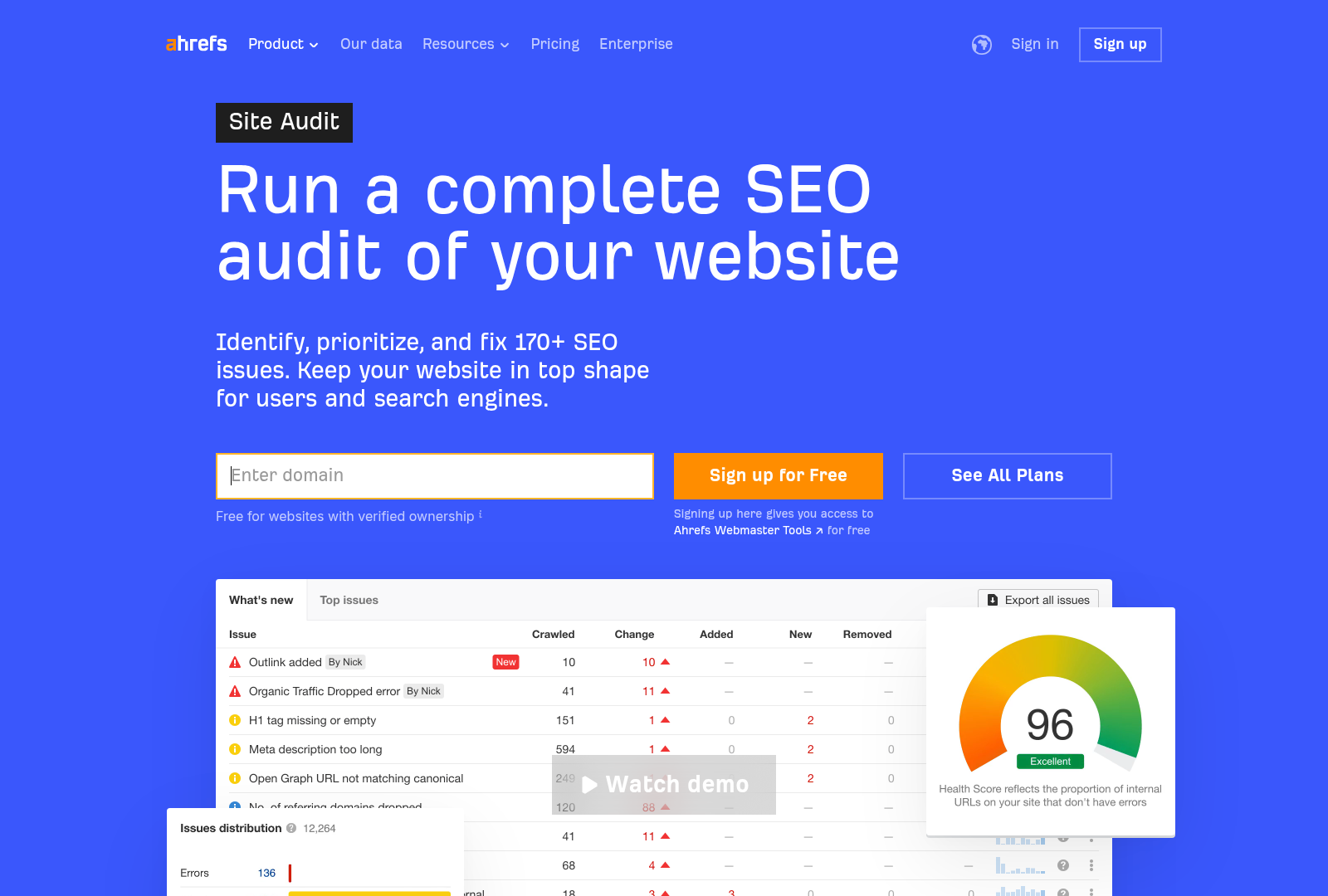
Technical SEO features assess a website’s foundational health, addressing crawlability, speed, and structural errors. Look for tools that detect broken links, slow-loading pages, and crawl errors, as these directly impact search engine indexing. SEOptimer [1] analyzes 100 website data points, including crawlability and site speed, while the Free SEO Analyzer [3] identifies hidden issues like duplicate content and missing meta tags. SEO Site Checkup [4] offers site speed monitoring and sitemap validation, ensuring search engines can efficiently access pages. Ahrefs Webmaster Tools [11] provides technical diagnostics, such as server response codes and mobile usability checks. However, free versions may limit depth—e.g., crawl depth or data granularity—compared to paid tools [9]. As mentioned in the Introduction to Free SEO Audit Tools section, technical SEO is foundational for addressing visibility issues.
On-Page Optimization Features
On-page optimization features evaluate content quality, keyword usage, and meta elements to align with user intent and search algorithms. Effective tools flag thin content, keyword stuffing, or missing title tags. SEOptimer [1] and Ubersuggest [8] offer recommendations for improving meta descriptions, heading structures, and keyword density. The SEO Checker from Seobility [6] highlights content gaps and readability scores, while the Free SEO Checker [5] audits page elements like alt text and URL structure. Additionally, Semrush’s free tools [9] analyze internal linking patterns and content originality. Note that some platforms, like the SEO Audit Tool [2], prioritize speed over depth in free versions, potentially overlooking nuanced content improvements. See the Using Free SEO Audit Tools for Content Optimization section for more details on leveraging these tools for content refinement.
Backlink Analysis Features
Backlink analysis features assess the quality and quantity of external links pointing to your site, a key ranking factor. Free tools should identify toxic backlinks, low-authority references, and opportunities for link-building. Ahrefs Webmaster Tools [11] and Seobility [6] provide backlink audits, including domain rating and anchor text diversity. The Free SEO Analyzer [3] checks for broken backlinks, while the SEO Checker [9] maps referral traffic sources. However, free versions often restrict access to advanced metrics, such as historical backlink trends or competitor comparisons [7]. For example, SEOptimer [1] includes backlink analysis in its reports but may lack granular filtering options available in paid tools. See the Summary and Comparison of Free SEO Audit Tools section for a detailed evaluation of these tools’ capabilities.
Summary Table: Key Features Comparison
| Title | Description | Key Features | Pros | Cons |
|---|---|---|---|---|
| Technical SEO Audit | Evaluates site infrastructure for crawlability, speed, and errors | Crawl error detection, broken link identification, site speed analysis, sitemap checks | Quick identification of performance bottlenecks [4] | Limited depth in free versions [9] |
| On-Page Optimization | Analyzes content quality, keywords, and meta elements | Meta tag optimization, keyword density checks, content gap analysis, readability scores | Actionable fixes for content improvements [6] | May overlook nuanced user intent factors [2] |
| Backlink Analysis | Assesses external link quality and authority | Toxic backlink detection, domain rating metrics, anchor text analysis | Highlights high-value link-building opportunities [11] | Restricted data access in free tiers [7] |
Recommendations
For technical SEO, prioritize tools like Ahrefs Webmaster Tools [11] or the Free SEO Analyzer [3] for comprehensive infrastructure checks. For on-page optimization, SEOptimer [1] and Ubersuggest [8] offer balanced guidance on content refinement. In backlink analysis, Ahrefs Webmaster Tools [11] and Seobility [6] provide the most actionable insights, though free users may need to supplement with manual outreach for full optimization. Always cross-reference findings across tools to mitigate blind spots, as no single free tool covers all SEO aspects exhaustively [10].
Using Free SEO Audit Tools for Content Optimization
Free SEO audit tools are invaluable for content optimization, enabling website owners to identify technical SEO issues, uncover keyword opportunities, and refine content strategies without significant investment. By leveraging these tools, users can perform keyword research to align content with search intent, repurpose underperforming assets, and implement optimization strategies backed by data. For instance, tools like Ubersuggest [8] and Ahrefs Webmaster Tools [11] provide actionable insights into keyword gaps and on-page SEO weaknesses, while platforms such as SEOptimer [7] and Semrush’s Site Audit [9] highlight technical barriers to ranking. As mentioned in the Introduction to Free SEO Audit Tools section, these audits are critical for addressing foundational issues that hinder visibility.
Keyword Research for Targeted Content Creation
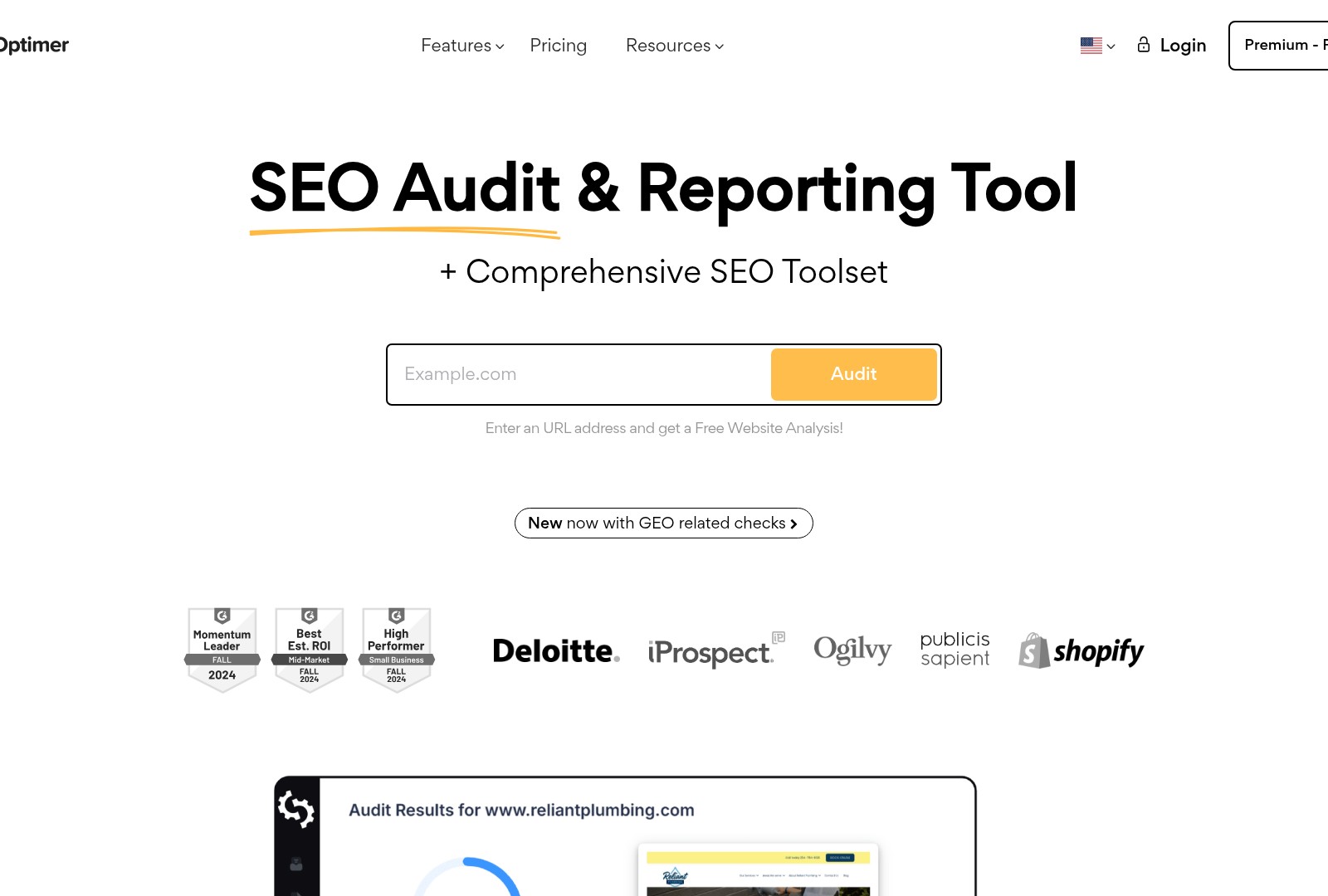
Keyword research is foundational to content optimization, and free SEO audit tools simplify this process by analyzing search volume, competition, and relevance. Ubersuggest [8] allows users to generate keyword ideas and assess their potential based on metrics like cost-per-click and difficulty scores. See the Top Free SEO Audit Tools section for more details on Ubersuggest’s capabilities in keyword analysis. Similarly, Ahrefs Webmaster Tools [11] offers a free tier to audit content for keyword alignment, identifying missed opportunities to target long-tail terms.
Content Repurposing Based on Audit Insights
Free SEO tools also facilitate content repurposing by identifying underperforming pages and suggesting improvements. Semrush’s Site Audit [9] and SEO Analyzer [10] generate reports highlighting content gaps, such as thin or outdated material, which can be reworked into fresh formats like infographics, videos, or social media posts. Building on concepts from the Features to Look for in a Free SEO Audit Tool section, content quality scores and structural recommendations from tools like SEOptimer [7] ensure repurposed assets meet SEO standards.
Content Optimization Strategies with Technical Audits
Technical SEO audits are critical for ensuring content is both discoverable and user-friendly. Tools like the Free SEO Audit Tool [2] and Ahrefs Webmaster Tools [11] scan websites for broken links, slow load times, and meta tag inconsistencies that hinder performance. For example, optimizing image alt text and compressing files—tasks often flagged by these audits—can improve page speed and accessibility.
Summary Table of Free SEO Audit Tools
| Tool | Description | Key Features | Pros/Cons |
|---|---|---|---|
| SEOptimer [1][7] | Comprehensive audit tool for SEO health checks | On-page analysis, site crawlability, and performance benchmarks | Pros: Free, detailed reports; Cons: Limited advanced technical insights |
| Ubersuggest [8] | Keyword research and content optimization platform | Keyword difficulty scores, content gap analysis, backlink data | Pros: User-friendly; Cons: Free version restricts data depth |
| Semrush Site Audit [9] | Identifies technical and content gaps | Backlink analytics, content quality scores, competitor benchmarking | Pros: Extensive features; Cons: Free tier audits limited pages |
| Ahrefs Webmaster Tools [11] | Free SEO and site diagnostic data | Competitor analysis, site health diagnostics, keyword tracking | Pros: High data accuracy; Cons: Free tier lacks full functionality |
| SEO Analyzer [10] | In-depth SEO report generator | Page load speed testing, content optimization suggestions | Pros: Actionable recommendations; Cons: No bulk site analysis |
By integrating these free tools into their workflow, content creators and marketers can systematically improve their SEO outcomes. For example, starting with a technical audit [2] to resolve foundational issues, followed by keyword research [8] and content repurposing [9], ensures a holistic approach to optimization. While each tool has limitations, their combined use provides a robust framework for enhancing website visibility and user experience in competitive search landscapes.
Common Mistakes to Avoid When Using Free SEO Audit Tools
One of the most significant pitfalls when using free SEO audit tools is misinterpreting the data they generate. Many tools, such as the SEO Analyzer [10], provide "actionable data" to identify unoptimized pages, but users often fail to contextualize this information within their broader SEO strategy. For example, a tool may flag a page for low keyword density, but without understanding the page’s content intent or target audience, users might prioritize irrelevant optimizations. Additionally, free tools often lack detailed explanations for their recommendations, leading to confusion about which metrics truly impact rankings [15]. To avoid this, cross-reference tool outputs with resources like the 18-Step SEO Audit Checklist [15], which emphasizes aligning data with technical and on-page SEO best practices. See the Features to Look for in a Free SEO Audit Tool section for more details on the 18-Step Checklist’s structured guidance.
Another common mistake is overlooking technical SEO issues that free tools may not fully address. While tools like Ubersuggest’s free audit [8] or SEO Site Checkup [4] highlight crawl errors or site speed problems, they often omit deeper technical audits such as structured data validation or server-side rendering issues. For instance, the 18-Step Checklist [15] explicitly warns against neglecting technical SEO elements like XML sitemap indexing, which can be critical for search engine visibility. Building on concepts from the Features to Look for in a Free SEO Audit Tool section, advanced technical audits require specialized checks beyond basic tools. Users might assume a "pass" on basic technical checks means their site is fully optimized, but advanced issues—such as JavaScript rendering problems—may remain undetected. This gap can result in persistent ranking challenges, even after addressing surface-level problems.
Ignoring actionable recommendations from free tools is a third major error. The SEO Analyzer [10] explicitly states its goal is to provide "actionable data," yet many users review reports without implementing the suggested fixes. For example, if a tool identifies broken links or thin content, failing to resolve these issues squanders the audit’s potential. Similarly, the 2026 checklist [15] stresses the importance of executing step-by-step optimizations, such as improving meta tags or internal linking, which are often buried in lengthy reports. As mentioned in the How to Choose the Right Free SEO Audit Tool section, prioritize tools that offer actionable recommendations aligned with your SEO goals. Users may also prioritize low-impact tasks (e.g., keyword stuffing) over high-value actions like enhancing page load speed, as recommended by tools like SEO Checker [6]. This misalignment between recommendations and execution can stall SEO progress.
Summary Table: Common Mistakes and Mitigation Strategies
| Mistake | Description | Key Features | Pros/Cons |
|---|---|---|---|
| Misinterpreting Data | Users apply audit insights without contextual analysis. | Tools like [10] provide data without explanations; [15] offers structured guidance. | Pros: Quick insights. Cons: Risk of incorrect optimizations. |
| Overlooking Technical Issues | Free tools may miss advanced technical SEO problems. | [15] highlights technical steps; [8] checks crawl errors but not advanced rendering issues. | Pros: Basic issues identified. Cons: Complex problems unresolved. |
| Ignoring Actionable Recommendations | Reports are reviewed without implementing fixes. | [10] emphasizes actionable data; [15] lists step-by-step optimizations. | Pros: Clear next steps. Cons: Inaction leads to wasted effort. |
How to Mitigate These Mistakes
To address these issues, adopt a two-step approach: first, use free tools like SEO Analyzer [10] to generate reports, then validate findings with resources like the 18-Step Checklist [15]. For technical audits, supplement free tools with specialized software or manual checks for server-side issues. Finally, prioritize recommendations based on their impact—e.g., fix broken links before minor keyword adjustments—using frameworks from [15]. By combining tool outputs with strategic execution, users can maximize the value of free SEO audits while avoiding common traps.
Summary and Comparison of Free SEO Audit Tools
| Tool | Description | Key Features | Pros | Cons |
|---|---|---|---|---|
| SEOptimer | Analyzes websites across 100 data points and provides actionable recommendations [1]. | Detailed SEO analysis; structured reports; mobile and desktop optimization checks [1]. | Comprehensive coverage; user-friendly interface; clear recommendations [1]. | Limited advanced technical metrics [7]. |
| SEO Audit Tool | Checks websites against best practices and common optimization problems [2]. | Quick issue detection; on-page SEO evaluation; broken link identification [2]. | Fast reports; beginner-friendly; highlights critical errors [2]. | Lacks in-depth technical analysis [2]. |
| SEO Analyzer | Identifies hidden issues like slow pages, missing tags, and broken links [3]. | Technical SEO diagnostics; crawlability checks; meta tag analysis [3]. | Free access to critical technical insights [3]; automated issue prioritization. | No backlink or content gap analysis [3]. |
| SEO Site Checkup | Offers site analysis, loading speed monitoring, and SEO tool recommendations [4]. | Page speed testing; competitor benchmarking; SEO software suggestions [4]. | Holistic performance metrics; actionable speed optimizations [4]. | Limited focus on content SEO [4]. |
| Free SEO Checker | Detects SEO issues and provides fixes to improve traffic and visibility [5]. | Hidden issue scanner; traffic growth strategies; basic content scoring [5]. | Simple issue resolution guidance; no subscription required [5]. | Superficial depth in technical audits [5]. |
| Seobility | Performs comprehensive audits with ranking monitoring and backlink tracking [6]. | Backlink health analysis; keyword ranking tracking; competitor comparison [6]. | Integrates audit with ongoing monitoring [6]; detailed backlink reports. | Free version has limited data depth [6]. |
| Ubersuggest | Identifies site issues for optimization and rankings [8]. | Keyword gap analysis; content optimization suggestions; traffic forecasts [8]. | Visual data presentation; user-friendly for non-experts [8]. | Free tier lacks site-wide crawls [8]. |
Tool-Specific Analysis
SEOptimer
SEOptimer stands out for its granular analysis across 100+ data points [1], covering on-page elements, mobile responsiveness, and SEO best practices. As mentioned in the Features to Look for in a Free SEO Audit Tool section, its structured reports highlight actionable steps, such as improving meta tags or fixing internal linking [1]. Users benefit from a clear focus on both technical and content SEO, though advanced users may find it lacks deeper technical diagnostics like server configuration checks [7]. The tool is ideal for small businesses seeking straightforward optimization guidance without a steep learning curve [1].
SEO Audit Tool
This tool emphasizes rapid identification of common SEO issues, such as missing alt text or duplicate content [2]. It generates reports in minutes, prioritizing high-impact fixes like broken link removal [2]. See the How to Choose the Right Free SEO Audit Tool section for more details on selecting tools based on simplicity and beginner accessibility [2]. While its simplicity makes it accessible to beginners [2], it does not delve into technical aspects like site speed or crawl errors [2]. The absence of advanced features like competitor benchmarking or content quality scoring may limit its usefulness for larger websites [2].
SEO Analyzer
The SEO Analyzer excels at uncovering technical SEO issues, including slow page load times and crawl errors [3]. It provides automated recommendations for improving site speed and fixing meta tags [3]. However, it lacks features for analyzing backlink profiles or content relevance [3], which are critical for holistic SEO. Its strength lies in technical troubleshooting, making it suitable for developers or website owners focused on infrastructure optimization [3].
Seobility
Seobility combines site audits with ongoing ranking monitoring, allowing users to track keyword performance over time [6]. Its backlink analysis tool identifies toxic links and competitor backlink strategies [6]. The free version offers sufficient data for basic audits but restricts access to detailed metrics like traffic estimates or advanced keyword tracking [6]. This tool is recommended for users who need continuous SEO monitoring alongside one-time audits [6].
Recommendations
For comprehensive reports, SEOptimer [1] and Ahrefs Webmaster Tools [11] are top choices due to their depth in covering both technical and on-page SEO. If technical issues are the priority, the SEO Analyzer [3] and Free SEO Checker [5] provide straightforward diagnostics for speed and crawlability. For backlink and competitor analysis, Seobility [6] and Semrush’s free tools [9] offer robust features. Small businesses or beginners should use Ubersuggest [8] for its intuitive interface and actionable insights [8], as detailed in the Top Free SEO Audit Tools section [8].
Each tool has trade-offs between depth and accessibility. For instance, while Ahrefs Webmaster Tools [11] delivers high-quality data, its complexity may overwhelm novices [11]. Conversely, the SEO Audit Tool [2] sacrifices depth for simplicity, making it less suitable for comprehensive campaigns [2]. Users should select tools based on their specific needs, cross-referencing free tools like SEMrush [9] and SEOptimer [1] to validate findings and ensure no critical issues are missed, as outlined in the Top Free SEO Audit Tools section [9].
Conclusion and Next Steps
In conclusion, leveraging free SEO audit tools is essential for identifying technical, on-page, and off-page optimization opportunities. These tools, such as those highlighted in sources [2][3][6][8][10][11], and [15], provide actionable insights to improve website performance and search engine rankings. As mentioned in the [How to Choose the Right Free SEO Audit Tool] section, selecting tools that align with specific audit needs is critical for effective implementation. By systematically addressing issues like broken links, slow page speeds, and meta tag inconsistencies, website owners can align their sites with search engine best practices. The next steps involve selecting the most suitable tools for specific audit needs, prioritizing fixes based on severity, and implementing continuous monitoring to sustain improvements. Below is a summary table comparing key tools and their features to guide implementation strategies.
| Tool | Description | Key Features | Pros/Cons | Rating |
|---|---|---|---|---|
| SEO Audit Tool [2] | Runs quick reports to check best practices and common optimization problems. | Best practices validation, issue prioritization. | Pros: User-friendly; Cons: Limited technical depth. | ★★★☆☆ |
| FREE SEO Analyzer [3] | Identifies hidden issues like slow pages, missing tags, and broken links. | Page speed analysis, crawl error detection. | Pros: Comprehensive diagnostics; Cons: No backlink tracking. | ★★★★☆ |
| Seobility SEO Checker [6] | Comprehensive audits with ranking monitoring and backlink analysis. | Site-wide crawling, competitor benchmarking. | Pros: Detailed reports; Cons: Steeper learning curve. | ★★★★★ |
| Ubersuggest Free Audit [8] | Highlights technical and on-page issues for optimization. | Content gap analysis, keyword suggestions. | Pros: Integration with other SEO tools; Cons: Limited to 500 monthly audits. | ★★★★☆ |
| SEO Analyzer [10] | Performs in-depth SEO analysis with actionable data. | Page optimization scores, technical SEO checks. | Pros: Granular metrics; Cons: Requires manual interpretation. | ★★★★☆ |
| Ahrefs Webmaster Tools [11] | Free tool for SEO diagnostics, including backlink and site health data. | Backlink profile analysis, crawlability checks. | Pros: High accuracy; Cons: Limited to basic features in free version. | ★★★★★ |
| 18-Step SEO Audit Checklist [15] | Structured workflow for auditing technical, on-page, and off-page SEO. | Step-by-step guidance, AI-driven recommendations. | Pros: Holistic approach; Cons: Manual execution required. | ★★★★☆ |
Next Steps for Implementation
To begin optimizing your website, follow these strategies derived from the tools above:
- Generate Baseline Reports: Use tools like [2] or [3] to identify immediate issues. For example, [3] flags slow pages and broken links, while [2] validates adherence to SEO best practices.
- Prioritize Technical Fixes: Address crawl errors and page speed issues highlighted by [3] and [10]. Tools like [6] provide granular data on server response times and resource-heavy assets.
- Optimize On-Page Elements: Leverage [8] and [10] to refine meta tags, headers, and content quality. Both tools offer keyword suggestions to align content with user intent.
- Audit Backlink Profiles: Utilize [11] to analyze referring domains and disavow toxic links. This step is critical for maintaining domain authority.
- Monitor Competitors: Use [6]’s competitor benchmarking feature to identify gaps in your strategy, such as missing keywords or content opportunities.
Implementation Strategies
For sustainable SEO improvements, adopt the following workflows:
- Monthly Audits: Schedule recurring audits with [2] or [8] to track progress. These tools simplify identifying regression issues, such as newly broken links.
- Checklist Integration: Combine the 18-step checklist from [15] with [11]’s diagnostic data to ensure no technical SEO element is overlooked. See the [Common Mistakes to Avoid When Using Free SEO Audit Tools] section for guidance on interpreting audit results accurately.
- Collaborative Workflows: Share audit reports from [10] or [6] with development and content teams to divide tasks, such as fixing server errors or rewriting underperforming content.
- Continuous Monitoring: Enable [6]’s ranking monitoring feature to track keyword performance post-optimization and adjust strategies dynamically. Building on concepts from the [Summary and Comparison of Free SEO Audit Tools] section, this approach ensures consistency with proven tool capabilities.
By integrating these tools and strategies, website owners can systematically enhance their SEO performance. Start with tools like [3] for quick diagnostics, then layer in comprehensive solutions like [6] and [11] for deeper analysis. For a structured approach, follow the checklist in [15] to ensure all SEO facets are addressed. Regular audits and iterative improvements will position your site for long-term visibility in search engine results.
References
[1] SEOptimer: Analyze Websites With Free SEO Audit & Reporting Tool - https://www.seoptimer.com/
[2] SEO Audit Tool: Free Website SEO Analysis Tool & Audit Report - https://seomator.com/free-seo-audit-tool
[3] FREE SEO Analyzer Tool - Generate Website SEO Audit Report - https://aioseo.com/seo-analyzer/
[4] SEO Site Checkup: SEO Tools, Software and Articles - https://seositecheckup.com/
[5] Free SEO Checker: Check for Hidden SEO Issues - https://www.semrush.com/siteaudit/
[6] SEO Checker | Test your website for free with Seobility - https://www.seobility.net/en/seocheck/
[7] What are the best free SEO tools to improve website rankings : r/SEO - https://www.reddit.com/r/SEO/comments/1148wbc/what_are_the_best_free_seo_tools_to_improve/
[8] Free SEO Audit Tool for Website Optimization | Ubersuggest - https://app.neilpatel.com/en/seo_analyzer/site_audit/
[9] Free SEO Checker & Page Audit (Analyze Your Site) - https://backlinko.com/tools/seo-checker
[10] SEO Analyzer - Generate a Free SEO Report of Your Website - https://rankmath.com/tools/seo-analyzer/
[11] Ahrefs Webmaster Tools (AWT) | Get Ahrefs for FREE | SEO Audit Tool (Complete Guide) by Pat Quiroz SEO - https://www.youtube.com/watch?v=mND_aOxfpg0
[12] Free Seo Tool 🥷 to Audit Your Website #searchengineoptimization by Damini Tripathi - https://www.youtube.com/watch?v=L7doj-5bAyk
[13] How to Do an SEO Audit in Under 20 minutes by Ahrefs Tutorials - https://www.youtube.com/watch?v=DaUIMuFXABQ
[14] You only need 3 SEO audit tools by Nathan Gotch - https://www.youtube.com/watch?v=pTKtrV8dmXY
[15] 18-Step SEO Audit Checklist for 2026 by Nathan Gotch - https://www.youtube.com/watch?v=hDBsQTK7VTc
Frequently Asked Questions
1. What are the top free SEO audit tools available in 2025, and what makes them stand out?
In 2025, popular free SEO audit tools include SEOptimer (analyzes 100+ data points for granular insights), Ubersuggest (highlights site-specific issues with prioritized fixes), and Free SEO Analyzer (identifies technical issues like broken links and duplicate content). Screaming Frog SEO Spider offers a free version for crawling up to 500 URLs, ideal for quick site audits. Small SEO Tools provides a user-friendly interface for beginners, while Google Search Console remains essential for monitoring crawl errors and indexing status. These tools stand out for their unique features, such as SEOptimer’s comprehensive scorecards or Ubersuggest’s keyword gap analysis, but users should combine findings with paid tools for in-depth insights.
2. How do free SEO audit tools help improve website rankings?
Free SEO audit tools identify critical issues like broken links, slow page speeds, and missing meta tags that hinder search engine visibility. By addressing technical problems (e.g., fixing crawl errors) and optimizing on-page elements (e.g., improving title tags), users can enhance user experience and align their sites with search algorithms. For example, tools like Ahrefs’ Site Audit (free trial) pinpoint content quality gaps, while PageSpeed Insights (Google) optimizes loading times. Regular audits using these tools ensure continuous improvements, helping sites rank higher by resolving barriers to both users and search engine bots.
3. Can free SEO audit tools replace paid SEO services?
Free tools are excellent for basic diagnostics and ongoing maintenance but lack the depth and customization of paid services. While they can identify surface-level issues (e.g., broken links, meta tag errors), paid tools like DeepCrawl or BrightEdge offer advanced features such as competitor analysis, historical data tracking, and AI-driven recommendations. For small businesses or low-traffic sites, free tools may suffice, but large enterprises or competitive niches should consider paid solutions for comprehensive strategies. Always supplement free audits with expert consultation for nuanced fixes, like content restructuring or technical SEO overhauls.
4. What are the limitations of free SEO audit tools, and how can I mitigate them?
Free tools often have restrictions on data depth (e.g., limited crawl URLs), time constraints (e.g., 30-day trials), and missing advanced metrics (e.g., backlink analysis). For instance, Screaming Frog’s free version only crawls 500 URLs, which may not cover large sites. To mitigate these, cross-reference results with multiple free tools (e.g., use Google Search Console for indexing issues and Ubersuggest for content gaps). For deeper insights, invest in a single paid tool (e.g., SEMrush or Moz) or consult an SEO professional for strategic guidance.
5. How often should I run a free SEO audit on my website?
The frequency depends on your site’s activity. For most businesses, quarterly audits are sufficient to catch emerging issues. High-traffic or e-commerce sites may require monthly checks due to frequent content updates. After major site changes (e.g., redesigns, new product launches), run an audit immediately. Tools like Free SEO Analyzer can monitor technical health, while Google Search Console should be checked weekly for real-time crawl errors. Consistent audits ensure your site stays optimized and avoids ranking drops caused by overlooked problems.
6. How do I interpret the results from an SEO audit tool?
Start by prioritizing critical issues flagged by the tool, such as broken links or slow page speeds. For on-page fixes, focus on optimizing low-performing content (e.g., adding missing meta descriptions). Tools like SEOptimer provide actionable scores for each section (e.g., 85/100 for content quality), guiding you on what to improve. Use the tool’s report to categorize issues into “quick wins” (e.g., fixing alt text) and “long-term fixes” (e.g., improving site architecture). Cross-check findings with Google Analytics to correlate audit results with traffic trends, ensuring your efforts directly impact performance.
7. What are common mistakes to avoid when using free SEO audit tools?
Avoid relying solely on one tool—free tools may overlook issues due to data limitations. For example, Free SEO Analyzer might miss complex technical problems like server errors. Also, don’t ignore contextual factors; a tool’s recommendation to “add more keywords” might not apply if your content is already well-optimized. Another pitfall is overreacting to minor issues (e.g., a 1% improvement in page speed) instead of focusing on high-impact fixes. Always validate results with manual checks (e.g., testing site speed via GTmetrix) and pair free tools with expert advice for balanced strategies.