Google Ranking Checklist for YouTube Videos

Key Takeaways
- Treat every upload like a mini-website: keyword-rich title, a description that says something, and a thumbnail people want to click.
- Put your primary keyword at the front of the title, then follow it with a benefit. That front-loading is the strongest signal you control.
- Descriptions over 200 words, with the keyword in the opening line and natural synonyms after, tend to correlate with better Google visibility.
- The two-to-ten-minute range usually holds retention best, and retention is what both YouTube and Google reward.
- Ten to fifteen tags blending your primary keyword with close variations keep metadata relevant without tipping into stuffing territory.
- Upload 1080p MP4 with H.264 video and AAC audio. It's crawlable, it plays everywhere, and it meets platform standards.
- Tools like AnyPost.ai can auto-generate captions, suggest thumbnails, and fill in metadata. That matters when you're a team of one or two.
Quick Summary
Ranking a YouTube video on Google isn't luck. It's aligning your video assets with what the indexer wants to see, then repeating that process every time. Automation helps keep the brand voice consistent and takes tedious technical steps off your plate.
The foundational stuff every algorithm respects
Metadata, retention, quality. That's the trio.
A strong title mixes clarity, your primary keyword, and a hook. The description gives real context and repeats the keyword and close variations without sounding robotic. Retention is the whole game, since search engines push videos that keep people watching to the end.
- Write a keyword-focused title – primary keyword up front, benefit right after.
- Write a description with substance – keyword in the first sentence, synonyms sprinkled naturally, and a link to a relevant landing page.
- Rename the file before upload – bake in the keyword (e.g.,
organic-coffee-brew-tips.mp4). - Add a balanced tag set – primary keyword plus close variations, no unrelated tags that read like stuffing.
- Export in HD – high resolution and standard codecs keep it crawlable and watchable.
How automation keeps small teams sane
Automation handles distribution, so a two-person team can act like a ten-person one. Run multiple channels from one dashboard, and line up your video releases with the rest of your marketing calendar.
- Auto-transcribe – transcripts are crawlable text that lifts keyword density without you writing another word.
- Use AI thumbnail suggestions – set brand colors and short text overlays; the engine can pull the most eye-catching frame from your footage.
- Schedule uploads – pick optimal times from your audience analytics and let the system publish.
- Track performance – watch-time, CTR, and the rest through AnyPost.ai's real-time analytics, which pull from Google Search Console and Google Analytics.
When to skip the advanced tactics
Not every optimization pays off for a micro-business. Hold off on multivariate testing your visuals until you have a stable baseline of views. Early on, the effort outweighs the payoff. Don't over-optimize by cramming in tags or forcing keyword repeats. Search engines read that as spam and will demote you.
- Skip heavy thumbnail experiments – one solid, brand-aligned design until you have data worth testing against.
- Don't keyword-stuff – exact match belongs in the title, the first sentence of the description, and the tags. That's it.
- Don't chase every engagement metric – prioritize watch time and CTR. Likes, comments, and shares follow when the content earns them.
Follow the checklist, and a small business can automate the grind, stay on-brand, and rank on Google without a full-time SEO hire.
Why bother with YouTube SEO at all
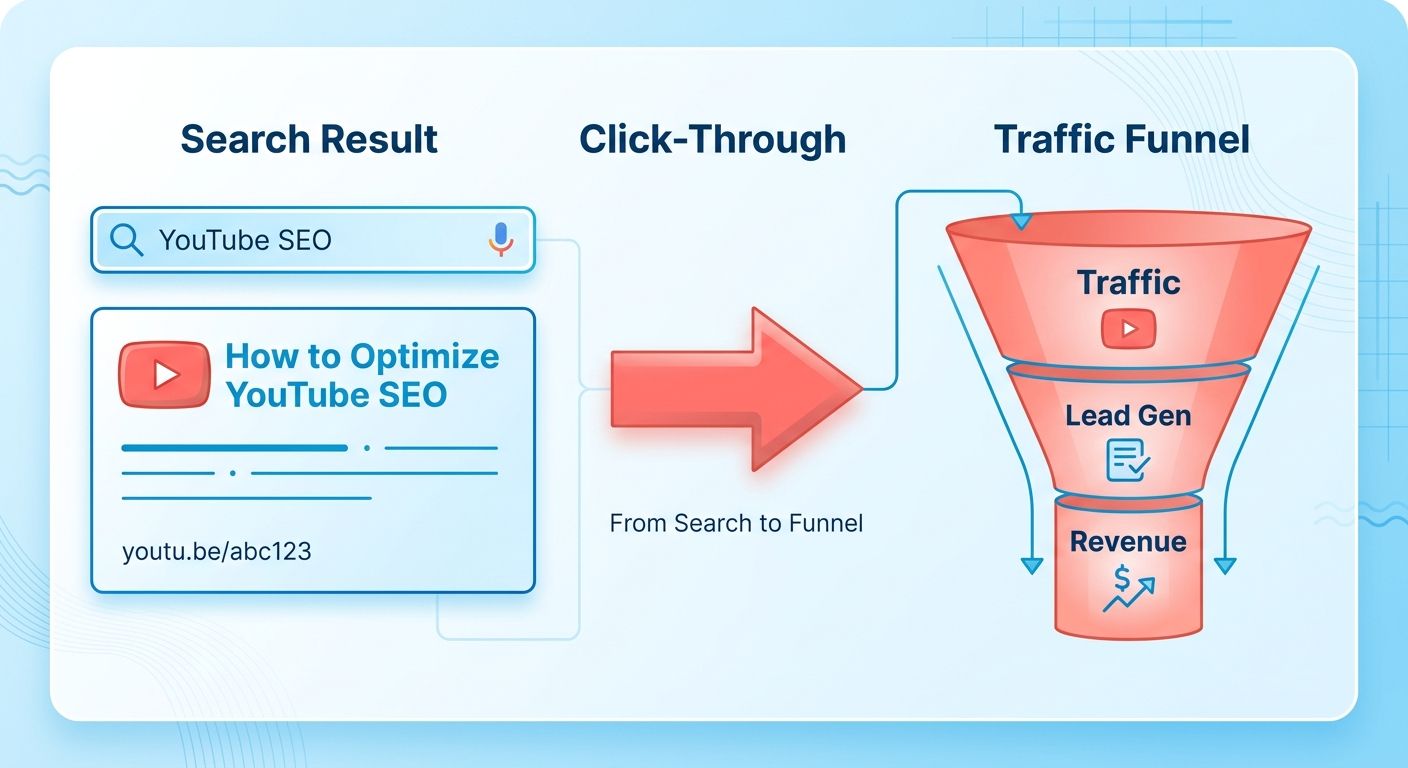
YouTube SEO turns a video into a searchable asset. Done right, that video can rank on Google and pull in traffic that would never have found your brand otherwise. When it shows up in Google's results, it becomes a visible gateway for people already searching with intent. For a small business with no marketing team, that visibility can stand in for ad spend you can't afford. Streamline the technical steps and you get to spend your time on the actual product instead of endlessly tweaking copy.
Treat each upload as a brand-consistent micro-campaign. Standardize the workflow, and the business looks professional without hiring copywriters. Over time, that's a steady drip of qualified leads from both YouTube and Google, with the owner spending minutes per video instead of hours.
Why retention decides your ranking
High retention tells the algorithm viewers find the content worth their time, and that's what moves a video up in Google's results.
- Land your hook in the first 10 seconds. Grab attention, cut the early exits.
- Build content that rewards sustained viewing; longer formats give the algorithm more signal to read.
- Drop a natural pause or visual cue every 30–45 seconds to keep people around and lift average watch time.
What metadata to actually optimize
Metadata tells both users and the search engine what the video is about, and it's your chance to align that with brand voice and keyword intent. A clear, keyword-rich title plus a real description and relevant tags creates one coherent signal that improves discoverability.
- Write a title with the primary keyword near the front, in your brand's tone. Better CTR, better relevance.
- Draft a full description that repeats the keyword naturally, adds synonyms, and links to your site or landing page.
- Add 5–8 specific tags covering the main topic and related sub-topics to widen the semantic net.
How automation covers for a missing marketing team
Automation bridges the gap between limited resources and the need for consistent SEO. The platform generates titles and descriptions that hold your brand voice across every upload, so you can make content instead of grinding through repetitive optimization. For more, see the New SEO Checklist for Content That Ranks.
- Use AI title generators that pull from search-suggest data so the keyword lands naturally.
- Deploy description templates with your brand's CTAs and keyword variations pre-filled.
- Schedule uploads with pre-rendered thumbnails so every video launches with a click-worthy visual in your palette.
Keyword Research and Optimization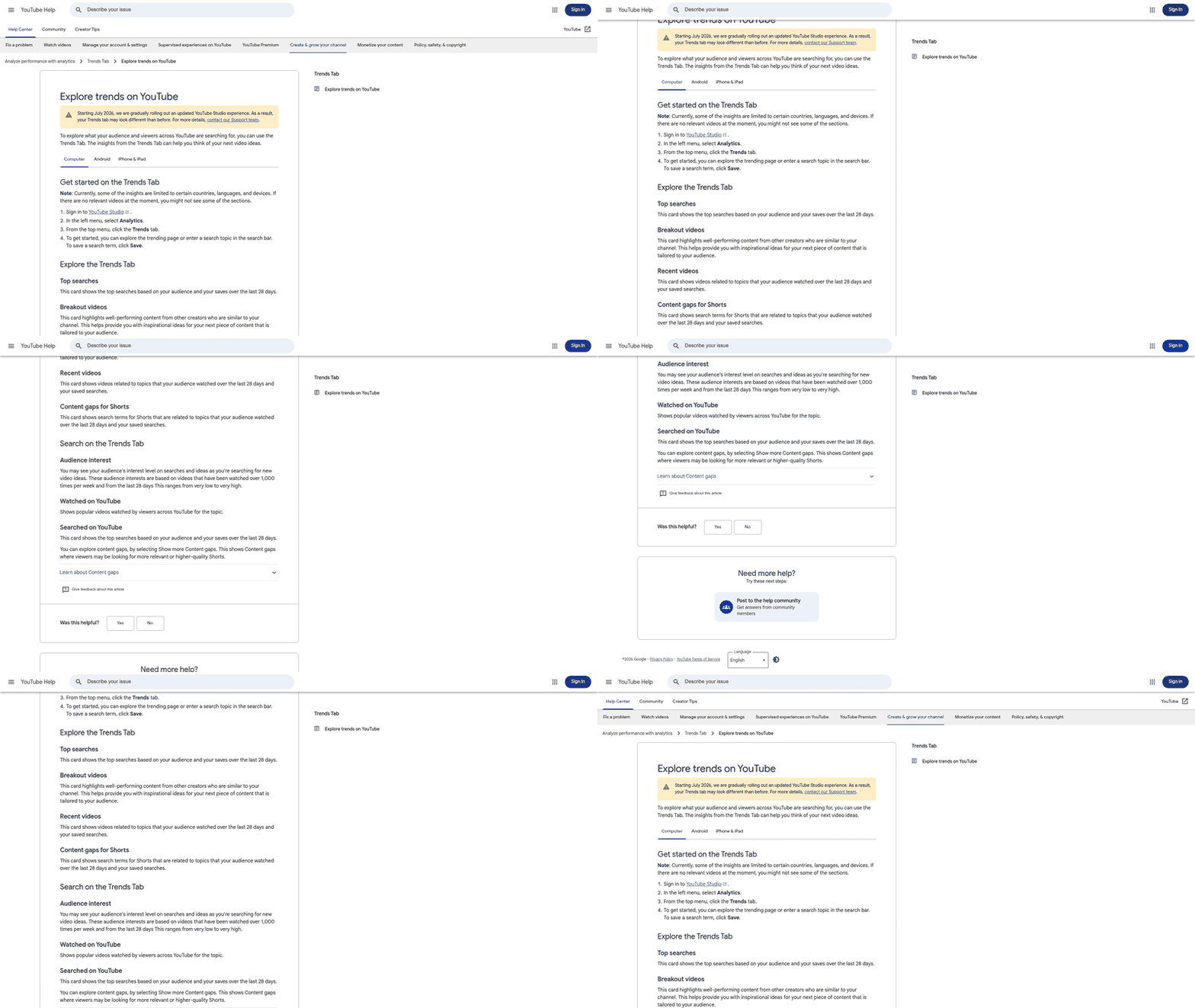
Ranking on Google starts with real keyword research. AnyPost's Keyword Research tool surfaces the phrases your audience is actually typing, and the Content Personalization engine helps you fold those terms into metadata without flattening your brand voice.
Between the SEO Optimization and Smart Linking features, you can plant the primary keyword in the file name, title, and description. Those are the signals YouTube and Google use to judge relevance. Pair that with content that has enough depth to hold viewers, and you get stronger rankings without turning yourself into a full-time copywriter.
Picking keywords that match what viewers want
Build a prioritized keyword list that maps to viewer intent and your brand tone, then fold it into your upload workflow so the video is ready to publish.
- Harvest ideas – Use Keyword Research to generate terms around your topic.
- Check volume and difficulty – The same tool gives you search volume and competition, so you can chase terms with actual opportunity.
- Map intent to content – Group keywords by informational, transactional, or navigational intent, then pick the right fit for the video.
- Name the raw file – Get your target term into the file name before upload for a clear signal from the start (e.g.,
how-to-install-hardwood-floors.mp4). - Log the list – Save the chosen keywords in the Content Pipeline for reuse on future videos.
How to structure titles, descriptions, and tags
A tight, keyword-rich title, a description with real depth, and a focused tag set give the algorithm clear context while staying readable for humans.
"Videos with higher audience retention rank better in search results." – Brian Dean
- Keyword first – Lead with the primary keyword, then add the hook (e.g., Hardwood Floor Installation Tutorial – Save Money & Avoid Mistakes).
- Description depth – Expand on the title, repeat the keyword and close variations naturally, and summarize the video's key points.
- Add timestamps – Break the description into labeled sections. Timestamps help viewers and hand Google extra structure cues.
- Tag strategically – Around a dozen relevant tags: the primary keyword, close synonyms, and a few broader category terms.
- Add a transcript – Upload an accurate transcript for crawlable text that reinforces the keyword theme.
When a small business should skip the advanced steps
If you can't count on a video holding viewers for at least half its length, pouring effort into length-driven tactics can backfire. Better to nail a punchy title and a solid description, then let the algorithm surface the video on its own.
- Skip long-form production – If your resources cap you at sub-3-minute videos, put quality visuals ahead of duration.
- Skip schema markup – With no dedicated web page for the video, the markup adds little right now and can wait.
- Keep the tag list short – Fewer than ten solid keyword ideas? Don't dilute relevance to pad the count.
Automate the grind of keyword research and metadata, keep your brand voice intact, and ranking on Google becomes realistic without a full-time SEO squad.
Video Metadata and Engagement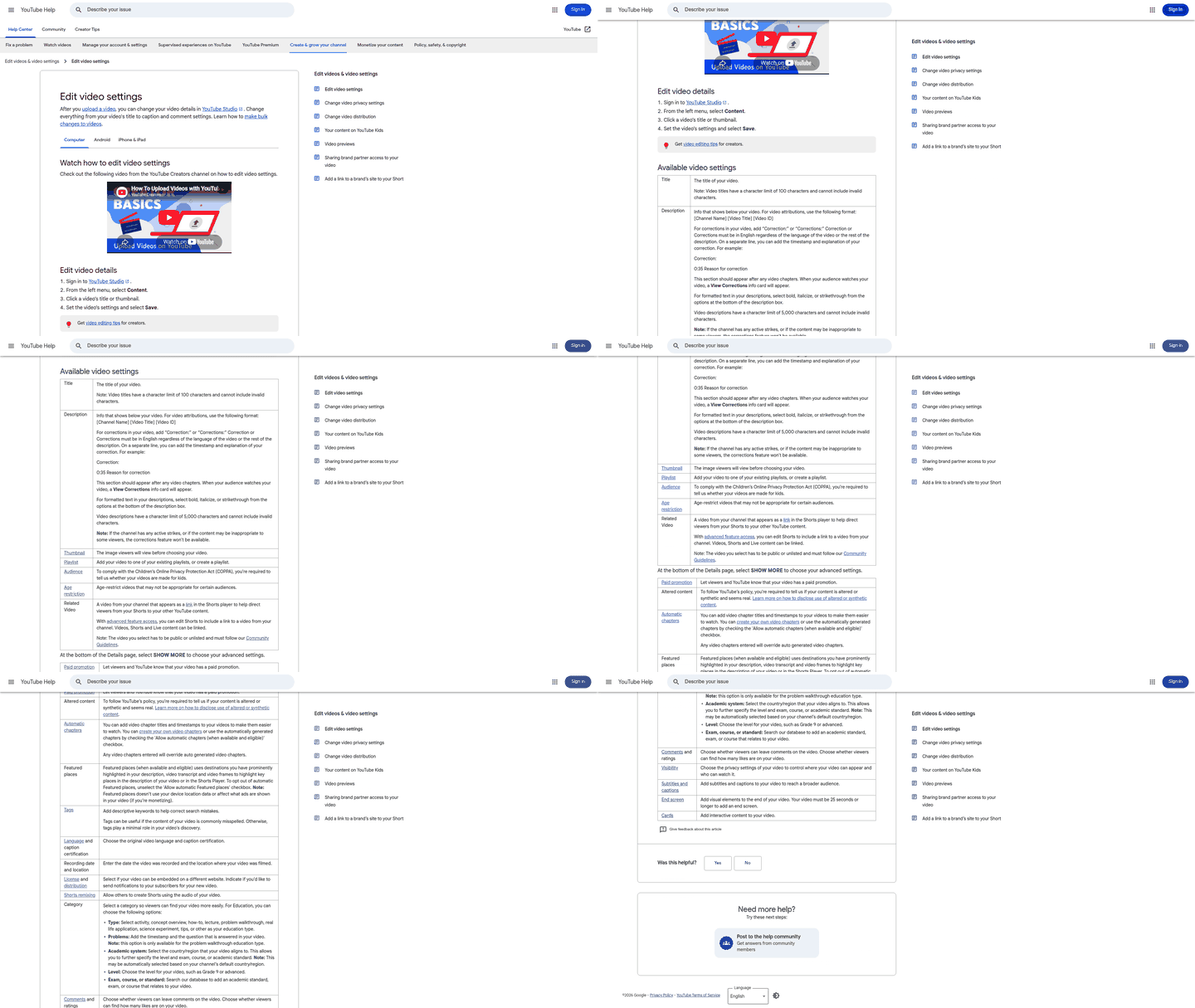
Optimizing metadata for a video is as important as optimizing a web page. Structure these fields correctly and you help search engines index the content accurately.
The pattern holds when you pair tight metadata with a length that balances depth and watch time. Comprehensive videos tend to perform better, but only if viewers stick around. So the sweet spot for most SMBs is enough depth to be useful, plus a hook strong enough to keep people there.
How metadata drives rankings
Metadata tells YouTube and Google what your video is about, and it directly moves both your click-through rate and the algorithm's relevance score. Search algorithms lean hard on relevance signals when they rank.
- Get your target term into the raw file name – search engines read that metadata before the video is even processed on the platform.
- Write a title that blends keyword, clear benefit, and an emotional trigger – concise titles lift CTR and signal relevance.
- Write a description that repeats the keyword and synonyms naturally – more crawlable text, more chances to surface in related searches.
- Add a targeted tag set – tags work as supplemental signals for niche queries.
- Provide a transcript – better accessibility, more keyword density, no clutter in the visible copy.
Tactics that actually move watch time
Retention is the single biggest ranking factor. The longer someone watches, the stronger the signal you send. Structure content to pull the viewer forward, and prompt interaction along the way.
- Deliver value in the first few seconds – pose a question or promise a quick win to cut early drop-off.
- Break the timeline into chapters – better UX, and extra context per segment for search engines.
- Match duration to the topic – long enough to go deep, short enough to hold focus. That balance beats very short clips for SMBs.
- Ask for likes, comments, and shares at natural moments – a simple "if this helped, hit like" after a key point nudges engagement.
- Pin a comment with a specific question – pinned questions draw replies and lift comment volume for free.
- Add end-screen cards and a subscribe overlay – keep viewers inside your channel and extend session time.
Designing thumbnails that get the click
A thumbnail is the visual CTA that decides whether someone clicks or scrolls past. High contrast, clear text overlays, and elements that match your brand style are the standard playbook.
- Use a 1280 × 720 px image with a bold, legible font – readable on a phone, and reinforcing the video's promise.
- Pick contrasting colors that still fit your palette – consistency builds recognition, contrast makes you pop in a crowded results page.
- Feature a close-up of a reacting face – expressions carry emotion and pull the click.
- Keep it simple – one focal point, minimal text, clean background. Clutter kills CTR and confuses visual analysis.
- A/B test two versions – small tweaks to color or wording can shift CTR by a few points, and that compounds into higher rankings.
Treat metadata, watch-time engineering, and thumbnails as one connected checklist, and a small business can automate the heavy lifting while still shipping brand-consistent, high-ranking video.
Channel and Playlist Optimization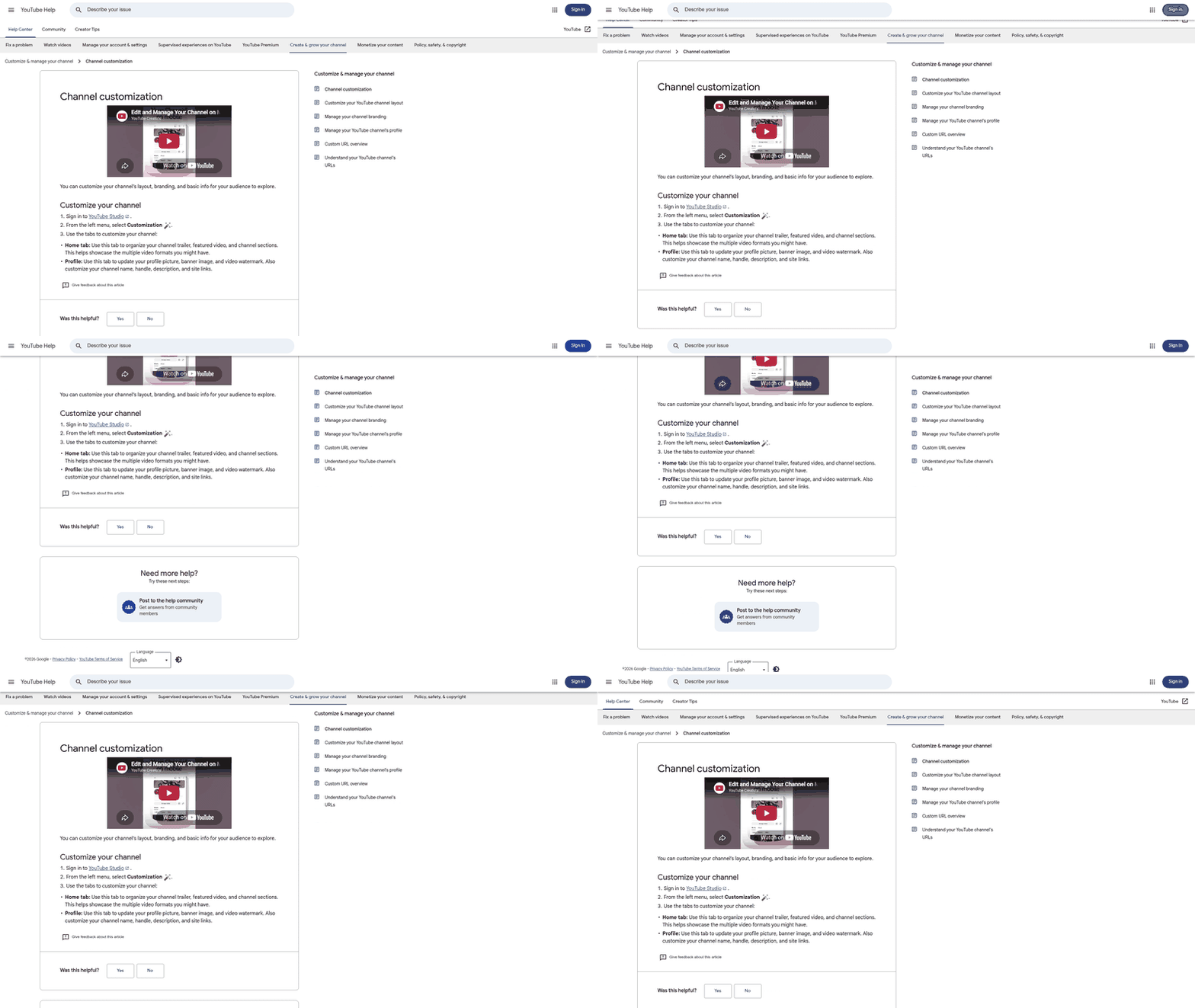
Ranking on Google means looking at the whole channel, not just one upload at a time. A well-structured channel signals authority, and playlists act as internal linking hubs that keep viewers watching longer. That's exactly the retention signal the algorithm rewards.
For small businesses with no marketing team, automated workflow tools can streamline the metadata work and hold a consistent brand voice across every upload without manual copy-editing.
How playlists help you rank
Playlists are the cheapest way to increase session duration. Group related videos and you build a "watch-next" path that keeps viewers on your channel, which improves the retention metrics that feed ranking.
- Build themed playlists around core keywords – name each one with a primary keyword and a clear benefit (e.g., "DIY Home Office Setup Tips"). It mirrors how you embed keywords in titles and helps Google surface the whole series.
- Order videos from intro to advanced – start with short, high-click pieces and build toward longer, deeper content. The natural escalation lifts watch time across the playlist.
- Add keyword-rich playlist descriptions – summarize the series and repeat the main keyword. Reinforces relevance for viewers and crawlers alike.
- Turn on autoplay – let YouTube cue the next video so the flow boosts cumulative watch time without extra clicks.
What channel structure a small business should adopt
A lean hierarchy lets the algorithm crawl your content efficiently while presenting a professional front to customers. Three tiers work well: a homepage with a channel trailer, organized playlists, and a consistent "About" section that echoes your website's voice.
- Upload a channel trailer that answers one search intent – under two minutes, primary keyword early, brand value up front. This is your landing-page hero for new visitors.
- Use a "Featured Channels" row for real partners – only relevant ones; irrelevant links dilute authority. Cross-linking can pass some audience trust, especially where audiences overlap.
- Keep branding consistent across text assets – align your channel metadata with your brand voice so every upload reads as one identity, no designer required.
- Fill the "About" page with a keyword-focused brand story – repeat the main service keyword three times naturally and link to your website. Same logic as aligning channel and site authority.
When to skip the deep playlist work
If a video targets a hyper-local, one-off promotion like a single-day flash sale, building a dedicated playlist rarely pays. The algorithm values sustained watch sessions, so time-sensitive content gets more mileage from a strong title and thumbnail than from a full playlist.
- Don't build playlists for one-off events – put the effort into the video's metadata instead.
- Skip heavy tagging on videos under two minutes – short clips have limited retention impact, so a clean title and description beat a complex tag set.
Align channel authority, playlist architecture, and automated personalization, and a small business gets a scalable path to rank on Google without a full-time SEO team.
Monitoring and Adjusting Your Strategy
Compare your performance metrics, organic traffic growth, average time on page, and click-through rate against your baseline to catch meaningful shifts. When traffic climbs and CTR rises, the algorithm rewards you with higher rankings. When they dip, that's your cue to change something.
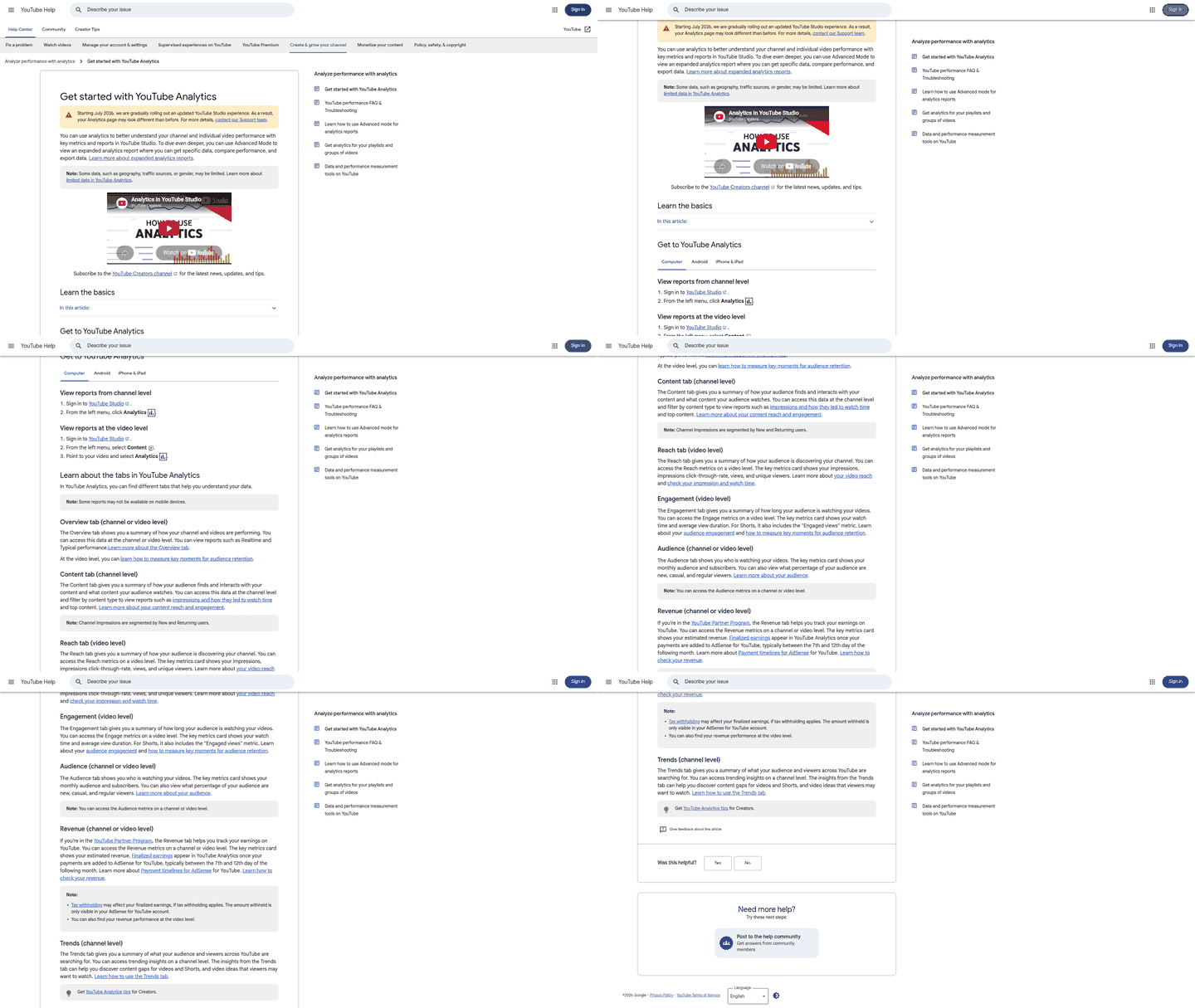
- Review traffic trends weekly – a steady rise in organic visits signals stronger relevance and feeds ranking.
- Watch CTR in search results – above-average CTR means the title and description are pulling clicks.
- Track likes, comments, and shares – secondary ranking factors, and an upward trend confirms the audience finds it valuable.
- Set a dwell-time threshold of 30 seconds – if most visitors bounce before that, the content will struggle to rank.
The SEO mistakes worth avoiding
Ignore the data and you'll burn time on tactics that don't move the needle. A few repeat errors sabotage small-business rankings before the first view.
- Skipping visual-asset testing – a generic image kills CTR; a data-driven test can lift click rates by double digits.
- Leaving metadata static after publishing – revisit titles and descriptions after the first 48 hours, when early data shows keyword openings.
- Over-optimizing with repetitive phrasing – stuffing tags or descriptions with exact-match repeats trips spam filters and hurts credibility.
- Ignoring length relevance – longer pieces can rank higher, but only if they retain readers. Anything consistently under 20% retention is a candidate for trimming.
"Content with higher engagement tends to rank better in search results." – industry observation
Adjusting with data and A/B testing
Run controlled experiments on the elements that drive CTR and engagement, then iterate on the results. A/B testing isolates the impact of a new visual, a revised title, or a different opening hook, so every change is evidence-based instead of a guess.
- A/B test visuals – upload two variants, run them for a set period, compare CTR, keep the winner.
- Test title phrasing – swap keyword placement, front versus middle, and measure the click impact. Higher CTR becomes the default.
- Test opening hooks – record an alternate intro, publish to a limited audience via unlisted links, and compare retention curves.
- Skip deep A/B cycles under 10 pieces – the sample's too small to trust; nail your core metadata first.
Treat analytics as a daily dashboard, run lightweight A/B tests, and you keep the SEO engine running without hiring for it. That loop turns raw numbers into real tweaks and steady visibility gains.
Step-by-Step On-Page Optimization Checklist
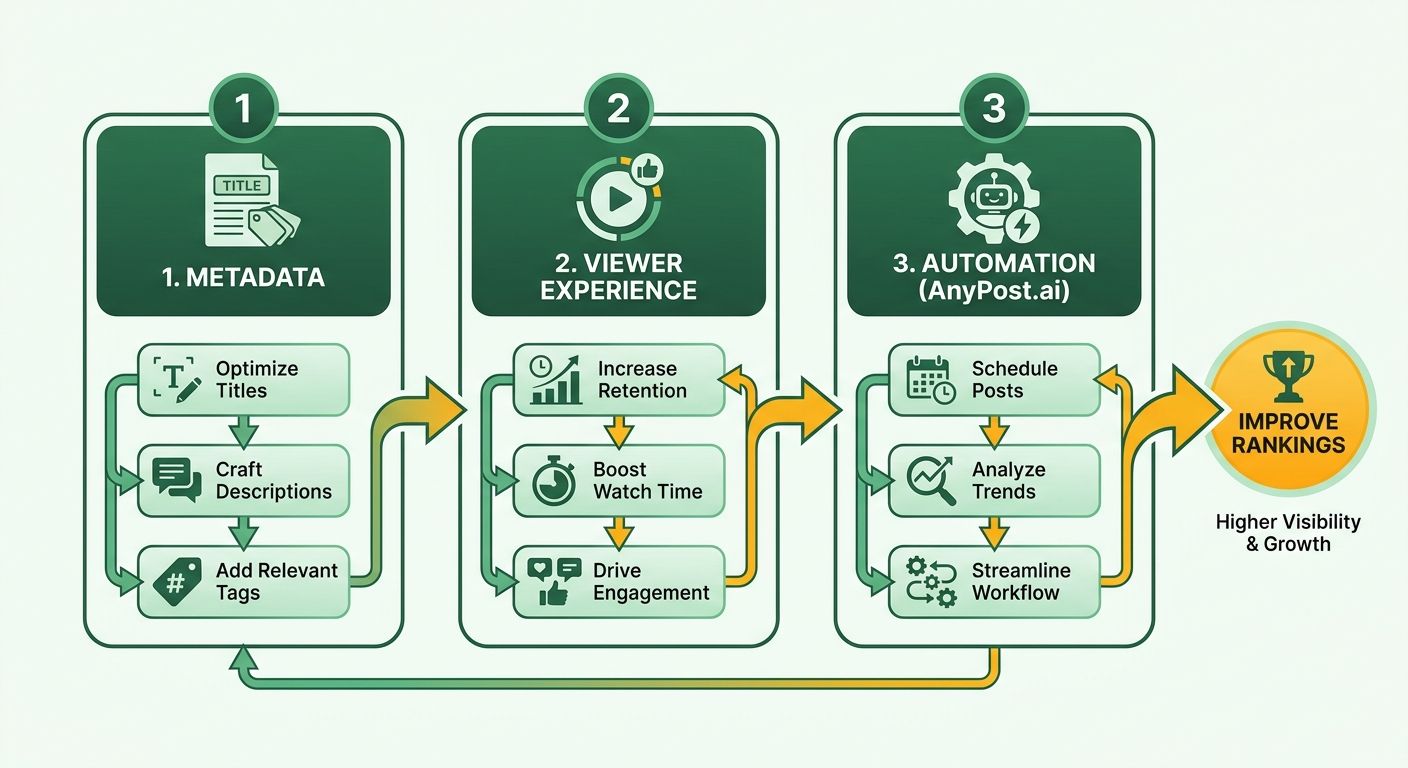
Ranking on Google comes down to three on-page pillars: metadata, viewer experience, and workflow automation. Get them working together and a small business can punch above its weight in Google's results without hiring copywriters.
The most reliable signal is still audience retention. Marry comprehensive content depth with a compelling intro and you're satisfying what search engines want, something plenty of creators confirm across their own uploads.
The metadata elements that drive rankings
Metadata is the first line of communication between your video and the search engine. A clear, keyword-rich title, a detailed description, and relevant tags work like the headline, meta description, and keywords of a web page.
- Optimize the raw file name – target term embedded before upload.
- Write a title that blends keyword and emotional trigger – better CTR, clear relevance signal.
- Write a detailed description repeating keyword and synonyms – search engines crawl the first paragraphs hardest.
- Add focused tags covering primary and secondary terms – expand the semantic footprint without diluting focus.
- Insert timeline markers for major sections – help viewers jump around and give search engines more context.
How to keep viewers watching
Retention powers rankings. The longer someone stays, the stronger the signal to YouTube and Google. So treat the first 15 seconds as a mini-sales pitch and build the rest to hold interest.
- Match video length to engagement – longer gives the algorithm more retention data, but only if viewers stay.
- Open with a hook that answers the viewer's core question – cuts early drop-off.
- Use cues like "stay tuned for tip 3" – guides the audience through and lifts watch-through rate.
- Provide accurate captions – accessible content plus more text to index.
- Add an end screen pointing to a related playlist – extends session time for free.
When you can automate without losing your voice
Automation lets a solo operator generate SEO-ready assets at scale, but only automate the steps that don't need real judgment. AnyPost.ai's AI engine and Persona Engine keep the copy on-brand while freeing you up for the creative calls.
- Generate metadata drafts from brand-aligned templates – saves hours, holds the tone.
- Schedule uploads for the same weekday and time each week – consistency signals reliability to the algorithm.
- Use integrated analytics to monitor and refine – data-driven adjustments beat manual guesswork.
Tick these off and you've got a repeatable, brand-consistent process that lets a small business rank YouTube videos on Google without a marketing department.
Frequently Asked Questions
1. How can I rank a YouTube video on Google if the video is under two minutes?
Short videos can still rank on Google if you compensate with ultra-focused metadata and a strong hook. Keep the title keyword-rich, place the primary term in the first three words, and write a concise 120-word description that repeats the keyword once. Use automated tools to generate a compelling thumbnail and caption quickly.
2. What are the risks of using too many tags, and how many tags are safe?
Exceeding the recommended tag limit triggers spam filters and can lower your video’s visibility. Stick to a concise list of highly relevant tags that include the primary keyword, close synonyms, and a few broader category terms. Automated tag-suggestion tools can help you stay within this safe range.
3. Should I rely solely on AI-generated captions for SEO, or edit them first?
AI-generated captions improve crawlability but should be reviewed for accuracy before publishing. Misrecognized words can dilute keyword relevance and frustrate viewers. Run the transcript through a text editor, correct errors, and then upload; this balances automation speed with SEO quality.
4. Does uploading a video in 4K versus 1080p affect Google rankings?
Uploading in 4K does not automatically boost Google rankings; the algorithm cares more about watch time and relevance. However, 4K can increase viewer satisfaction on high-speed connections, which may indirectly improve retention. Ensure your file names remain keyword-rich regardless of resolution.
5. Is creating a dedicated landing page for each video worth the effort?
Creating a separate landing page for each video can reinforce SEO signals, but it's optional for small businesses. A well-optimized video page on YouTube already provides title, description, and schema. If you have a website, embed the video and add unique supporting text to gain extra backlinks.
6. How often should I update a video’s title and description after it’s published?
Refresh the title and description after analyzing early performance data. Small tweaks, like adding a missing synonym or adjusting the hook, can raise CTR by a few points. Integrated analytics dashboards can flag videos that may benefit from such updates.
