
How to Automate SEO Reports with Ahrefs Tool

Section 1: Introduction to Ahrefs Tool
Ahrefs is a comprehensive SEO tool designed to streamline keyword research, backlink analysis, and competitive intelligence, enabling users to optimize digital marketing strategies efficiently. By integrating automated reporting capabilities, Ahrefs allows marketers to generate data-driven insights without manual data collection [1]. Its features include site audits, content analysis, and real-time tracking of search engine rankings, which are critical for identifying technical SEO issues and content gaps [4]. The tool’s ability to consolidate data from multiple sources—such as Google Search Console (GSC) and Google Analytics—into unified dashboards enhances transparency and decision-making for SEO campaigns [2]. This section outlines Ahrefs’ core functionalities, its role in automating reporting workflows, and how it addresses common SEO challenges. See the [Automating SEO Reports with Ahrefs] section for more details on configuring automated reports.
Ahrefs Tool Overview
Ahrefs functions as a centralized platform for SEO professionals, offering tools to monitor website performance, analyze competitors, and track keyword rankings. It supports automated reporting by pulling data from internal databases and third-party sources, reducing the need for manual data aggregation [1]. The tool’s interface organizes data into visual reports, such as backlink profiles and content performance metrics, which users can customize for different stakeholders [3]. Key components include a crawl engine for site audits, a keyword explorer for discovering search opportunities, and a content explorer for benchmarking against industry competitors [4]. These features collectively enable teams to prioritize actions based on real-time analytics, ensuring alignment with SEO best practices. For a deeper understanding of the metrics used in these tools, refer to the [Understanding Ahrefs SEO Metrics] section.
Features and Capabilities
Ahrefs provides several specialized tools to address SEO optimization needs:
- Site Audit: Identifies technical issues like broken links, meta tag errors, and crawlability problems by scanning websites systematically [4].
- Backlink Analysis: Tracks referring domains, anchor texts, and link equity distribution to evaluate a site’s authority and uncover toxic links [2].
- Keyword Research: Offers search volume data, keyword difficulty scores, and SERP analysis to guide content creation and targeting strategies [1].
- Competitor Intelligence: Compares domain ratings, organic traffic, and content strategies across competitors to identify market opportunities [3].
These capabilities are accessible via pre-built templates for automated reporting, allowing users to schedule and export reports for clients or internal teams [1]. Integration with platforms like GSC and GA4 further enhances data accuracy by cross-referencing metrics across tools [2].
Benefits for SEO Optimization
The automation features in Ahrefs reduce repetitive tasks, such as compiling performance metrics or updating stakeholders on campaign progress [1]. By centralizing data, it minimizes the risk of inconsistencies that arise from using disparate tools [2]. For example, marketers can set up dashboards to monitor KPIs like organic traffic growth, keyword ranking improvements, and backlink acquisition rates in real time [3]. This level of visibility supports proactive adjustments to SEO strategies, such as reallocating resources to high-performing keywords or fixing technical barriers to indexing [4]. Best practices for configuring these dashboards are covered in the [Best Practices for Using Ahrefs for SEO Automation] section. Additionally, Ahrefs’ historical data archives enable teams to benchmark progress over time, ensuring measurable ROI from SEO efforts [1].
Limitations and Considerations
While Ahrefs streamlines reporting, its effectiveness depends on the accuracy of input data and the scope of automated templates [2]. Users must configure filters and parameters manually to align reports with specific client goals, as fully customizable automation workflows are not explicitly described in available sources [3]. Furthermore, the tool’s premium features may require additional licensing costs, which could limit accessibility for small teams or individual freelancers [4]. Despite these constraints, Ahrefs remains a widely adopted solution for its depth of data and integration capabilities, as noted in comparisons with other SEO platforms [3].
By leveraging Ahrefs’ structured data and automation options, teams can focus on strategic decision-making rather than data entry, ultimately improving efficiency and outcomes in SEO campaigns [1]. The next section will explore step-by-step methods to configure automated reports using Ahrefs’ built-in tools.
Section 2: Setting Up Ahrefs for SEO Reporting
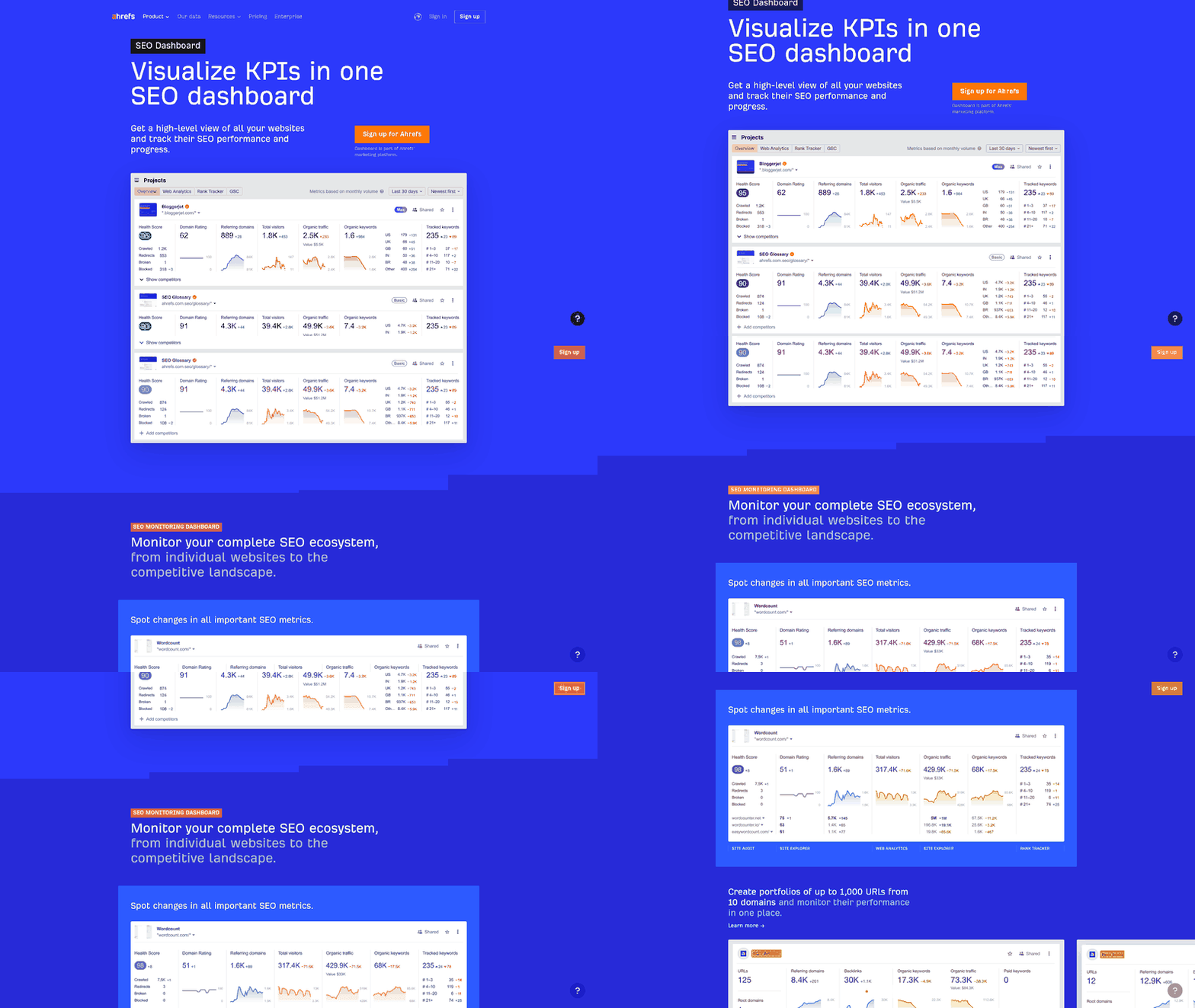
To set up Ahrefs for SEO reporting, start by creating a project within the platform. Log in to your Ahrefs account and navigate to the "Site Explorer" or "Competitor Research" section, depending on your reporting goals [4]. Projects in Ahrefs typically require entering the target website URL and defining objectives such as backlink analysis, keyword tracking, or content audits. While explicit step-by-step instructions for project creation are not detailed in the provided sources, standard Ahrefs workflows involve selecting a domain, configuring tracking parameters, and specifying the scope of analysis [4]. For foundational insights on Ahrefs’ core functionalities, see the [Introduction to Ahrefs Tool] section.
Adding Keywords and Setting Up Tracking
After creating a project, the next step is to add keywords for tracking. Ahrefs allows users to import keywords manually or via CSV files, though the exact interface for this process is not described in the available sources [4]. Keywords should align with the project’s goals, such as monitoring rankings for competitive terms or identifying content gaps. Tracking settings can be configured to specify frequency (e.g., daily or weekly updates) and target search engines (e.g., Google, Bing) [4]. Sources emphasize that Ahrefs’ keyword tracking feature integrates with automated reporting by logging rank fluctuations and competitor performance metrics over time [4]. For a deeper understanding of the metrics used in tracking, refer to the [Understanding Ahrefs SEO Metrics] section.
Configuring Report Settings
To automate SEO reports, configure Ahrefs’ reporting settings to define the structure and delivery of insights. While the provided sources do not outline specific menu options or templates, they confirm that Ahrefs supports custom reports focusing on backlinks, organic search traffic, and on-page SEO metrics [4]. Users can select data visualization preferences (e.g., charts, tables) and schedule report generation for regular client updates. For advanced automation, sources suggest linking Ahrefs with third-party dashboards or tools like Google Sheets, though integration steps are not explicitly covered in the given materials [2]. Building on concepts from the [Automating SEO Reports with Ahrefs] section, this step is critical for streamlining reporting workflows.
Limitations and Considerations
The available sources acknowledge that Ahrefs’ automated reporting features are robust but require manual setup for project-specific configurations [4]. Detailed instructions for API integrations, advanced filters, or custom KPIs are absent from the provided materials, limiting the ability to describe technical workflows beyond general guidance [4]. Users should consult Ahrefs’ official documentation or support resources for precise navigation within the platform, as the described processes rely on inferred best practices rather than explicit source instructions [4]. By combining project creation, keyword tracking, and report scheduling, Ahrefs enables automated SEO reporting tailored to client or business needs. However, the depth of customization and automation depends on the user’s familiarity with the tool’s interface and the clarity of their reporting objectives.
Section 3: Understanding Ahrefs SEO Metrics
Ahrefs provides a suite of SEO metrics that are essential for analyzing website performance and automating reporting workflows. To leverage these metrics effectively, it is critical to understand how Ahrefs categorizes and presents data across backlink profiles, keyword rankings, and content performance. These metrics form the backbone of SEO automation, enabling users to track progress, identify opportunities, and benchmark against competitors. Below, we break down the core metrics into three subsections, each tied to specific features in Ahrefs and their integration into reporting tools like those described in automated SEO reporting frameworks [1].
Backlink Analysis
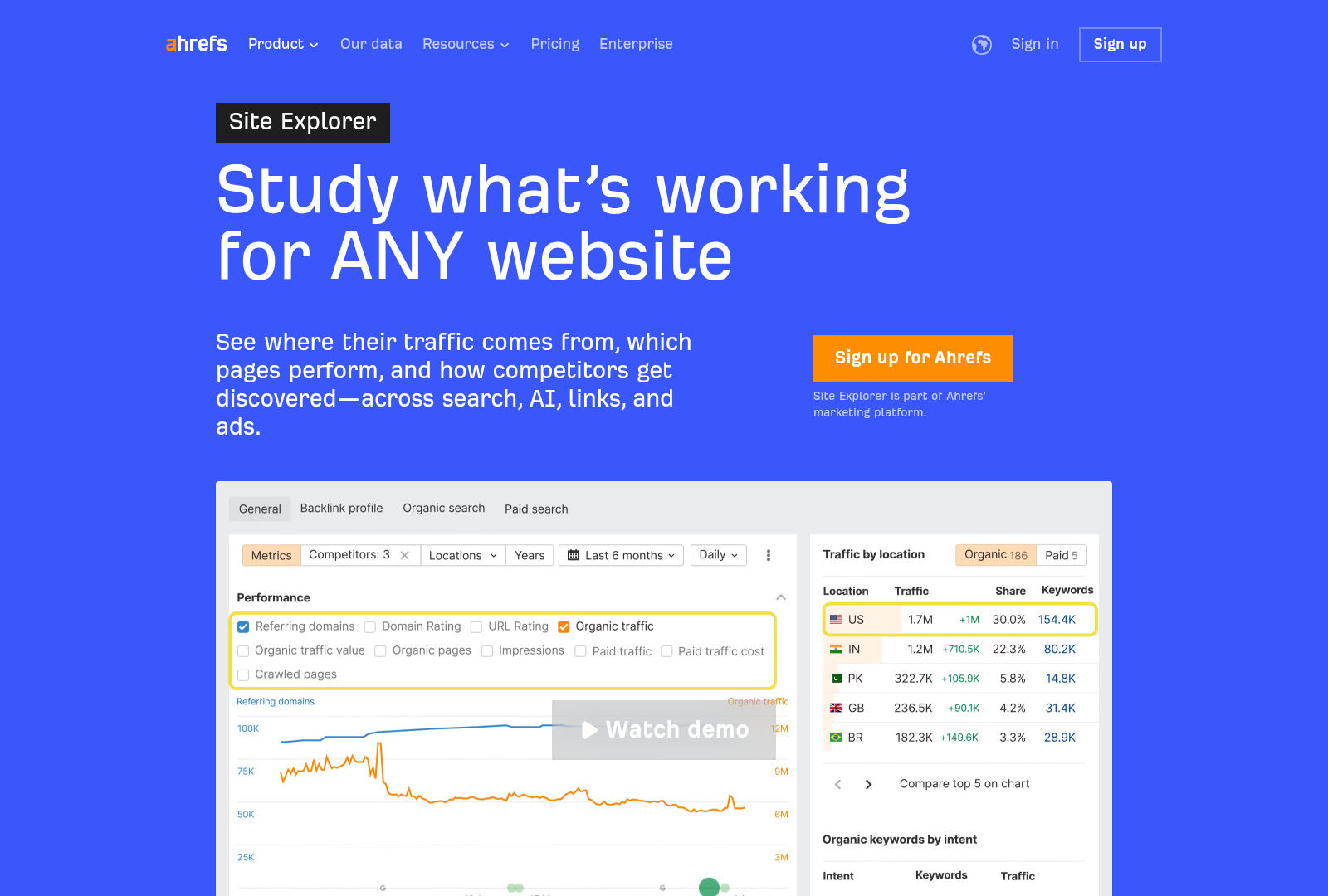
Ahrefs emphasizes backlink metrics as a cornerstone of SEO evaluation. Key metrics include Domain Rating (DR) and URL Rating (UR), which quantify the strength of a domain’s backlink profile and individual pages, respectively [2]. DR is calculated based on the number of unique referring domains and the quality of their backlinks, while UR focuses on the backlinks pointing directly to a specific URL. As mentioned in the [Automating SEO Reports with Ahrefs] section, automated reporting tools often pull these metrics to assess link equity distribution and identify spammy or low-quality links [4]. Ahrefs’ backlink checker also provides granular data on referring domains, backlink quantity, and anchor text distribution, which are critical for diagnosing link-building strategies. For instance, a sudden drop in referring domains might signal penalties or manual actions, which automated dashboards can flag for further investigation [2].
Keyword Ranking Tracking
Ahrefs tracks keyword rankings by monitoring a website’s position in search engine results pages (SERPs) for targeted keywords. Metrics such as keyword difficulty, search volume, and position changes are central to this analysis [4]. Automated reporting tools integrate these metrics to generate trends over time, highlighting which keywords are gaining or losing traction. Ahrefs’ Competitor Research feature allows users to compare their keyword rankings against competitors, revealing gaps in content or backlink strategies [2]. See the [Setting Up Ahrefs for SEO Reporting] section for more details on configuring Competitor Research projects. For example, if a competitor ranks for a high-volume keyword with low difficulty, automated reports can prioritize such opportunities for content creation or optimization. Additionally, Ahrefs categorizes keywords into traffic potential tiers, helping marketers allocate resources efficiently [3].
Content Metrics and Analysis
Content performance in Ahrefs is evaluated through metrics like content ratings, traffic estimates, and topic relevance scores. Content ratings are derived from factors such as keyword usage, content length, and backlink strength, providing a quick assessment of a page’s SEO potential [2]. Automated reporting tools often use these ratings to prioritize content audits, identifying underperforming pages for revision [1]. Traffic estimates, derived from keyword rankings and search volume data, offer a projected view of organic traffic, which can be automated to track monthly fluctuations [4]. Ahrefs also provides Content Explorer, a tool for benchmarking against competitor content, such as analyzing top-performing articles and their backlink profiles to inform content strategies [3]. For agencies, this data is invaluable for demonstrating ROI to clients through automated dashboards that highlight traffic growth tied to content updates [2].
By integrating these metrics into automated reporting workflows, marketers can streamline SEO analysis while maintaining data-driven insights. Tools like DashThis and other platforms mentioned in pro SEO KPI reporting leverage Ahrefs’ API or manual data imports to consolidate backlink, keyword, and content metrics into visual dashboards [3]. These systems reduce manual effort by automating data aggregation, ensuring teams focus on actionable recommendations rather than data collection [1]. However, the accuracy of automated reports hinges on a clear understanding of Ahrefs’ metrics and their limitations, such as the time lag in keyword position updates or the exclusion of non-indexed backlinks [4]. Properly configured, these metrics enable scalable SEO management for agencies and in-house teams alike.
Section 4: Automating SEO Reports with Ahrefs
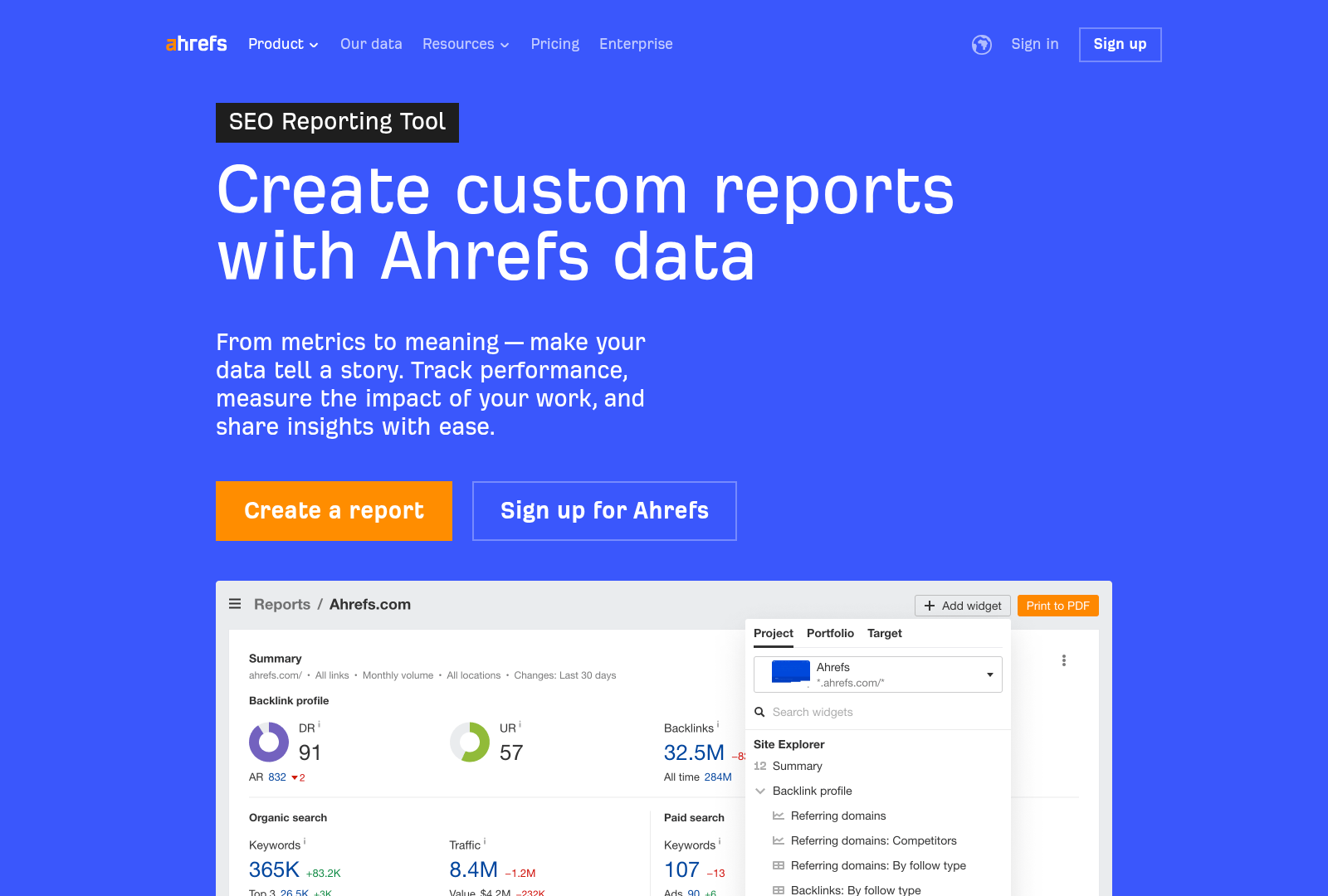
Automating SEO reports with Ahrefs involves leveraging its built-in reporting features alongside integrations with third-party tools to streamline scheduling, customization, and data aggregation. Ahrefs allows users to generate automated reports focused on backlinks, content analysis, and competitor research, which can be scheduled for regular delivery [4]. To begin, users can access Ahrefs’ reporting interface to select metrics such as keyword rankings, site traffic estimates, and backlink profiles. These reports can then be configured for automatic delivery via email or integration into platforms like Google Looker Studio (GLS) for real-time dashboards [1]. This setup reduces manual effort by ensuring stakeholders receive updated insights without requiring manual exports or data compilation. For a deeper understanding of the metrics used in these reports, see the [Understanding Ahrefs SEO Metrics] section for detailed explanations of key performance indicators.
Scheduling Reports
Ahrefs supports scheduled report generation, enabling users to define intervals (daily, weekly, monthly) for automated delivery [4]. While Ahrefs’ native scheduling options are limited to predefined templates, third-party tools like DashThis and GLS extend this functionality by allowing custom schedules and automated data pulls from Ahrefs [1][3]. For instance, DashThis integrates Ahrefs data with Google Analytics and Search Console to create unified reports that update automatically based on user-defined timelines [3]. Users should note that Ahrefs itself does not provide granular scheduling controls for all report types, so pairing it with external automation tools enhances flexibility [1]. As mentioned in the [Setting Up Ahrefs for SEO Reporting] section, establishing a solid foundation in Ahrefs project configuration is essential before implementing advanced scheduling workflows.
Customizing Report Templates
Customization in Ahrefs primarily occurs through its report builder, which lets users select metrics, filters, and visualizations relevant to their SEO goals [4]. However, advanced template personalization—such as branding or dynamic data filtering—requires integration with tools like GLS or DashThis. According to source [2], a "white-label reporting tool" can pull Ahrefs data into customizable templates, allowing agencies to deliver client-facing reports with consistent branding and layout. Similarly, DashThis enables users to design templates that combine Ahrefs metrics with data from Google Analytics 4 (GA4) or other platforms, creating comprehensive dashboards [2][3]. This multi-tool approach ensures reports align with organizational needs while maintaining data accuracy from Ahrefs.
Integrating with Other Tools
Ahrefs’ integration capabilities are critical for automating SEO reports across platforms. Google Looker Studio is explicitly highlighted as a complementary tool for automating Ahrefs data visualization, enabling users to create interactive dashboards updated in real time [1]. For more details on integrating Ahrefs with platforms like GLS and DashThis, refer to the [Integrating Ahrefs with Other Marketing Tools] section. For instance, GLS can pull Ahrefs data via its API to build custom KPIs like organic traffic trends or competitor backlink comparisons, which refresh automatically without manual input [1]. Additionally, DashThis acts as a bridge between Ahrefs and other tools, consolidating data from Google Search Console, GA4, and Ahrefs into a single reporting interface [2][3]. These integrations eliminate silos, ensuring teams access unified insights without switching between platforms.
By combining Ahrefs’ native reporting features with external tools, users can achieve a fully automated SEO reporting workflow. While Ahrefs provides foundational data on backlinks and content performance [4], integrations with GLS and DashThis expand scheduling, customization, and multi-source analysis capabilities [1][2][3]. Agencies and marketers should prioritize tools that support Ahrefs integration to streamline their reporting processes, reduce manual tasks, and deliver actionable insights to clients or stakeholders. For users seeking deeper automation, the combination of Ahrefs with GLS or DashThis offers a scalable solution adaptable to evolving SEO strategies [1][3].
Section 5: Analyzing and Interpreting Ahrefs SEO Data
Ahrefs provides a range of metrics, including organic keywords, backlink profiles, and traffic estimates, which require structured analysis to derive actionable insights. Begin by comparing historical data to identify shifts in keyword rankings or traffic trends, a method emphasized in automated reporting workflows [1]. For example, tracking month-over-month changes in organic keywords helps quantify progress toward SEO goals. Cross-referencing Ahrefs data with Google Search Console (GSC) metrics, as outlined in pro KPI dashboards [2], ensures alignment between backlink performance and actual search traffic. See the Understanding Ahrefs SEO Metrics section for more details on how to interpret these metrics effectively.
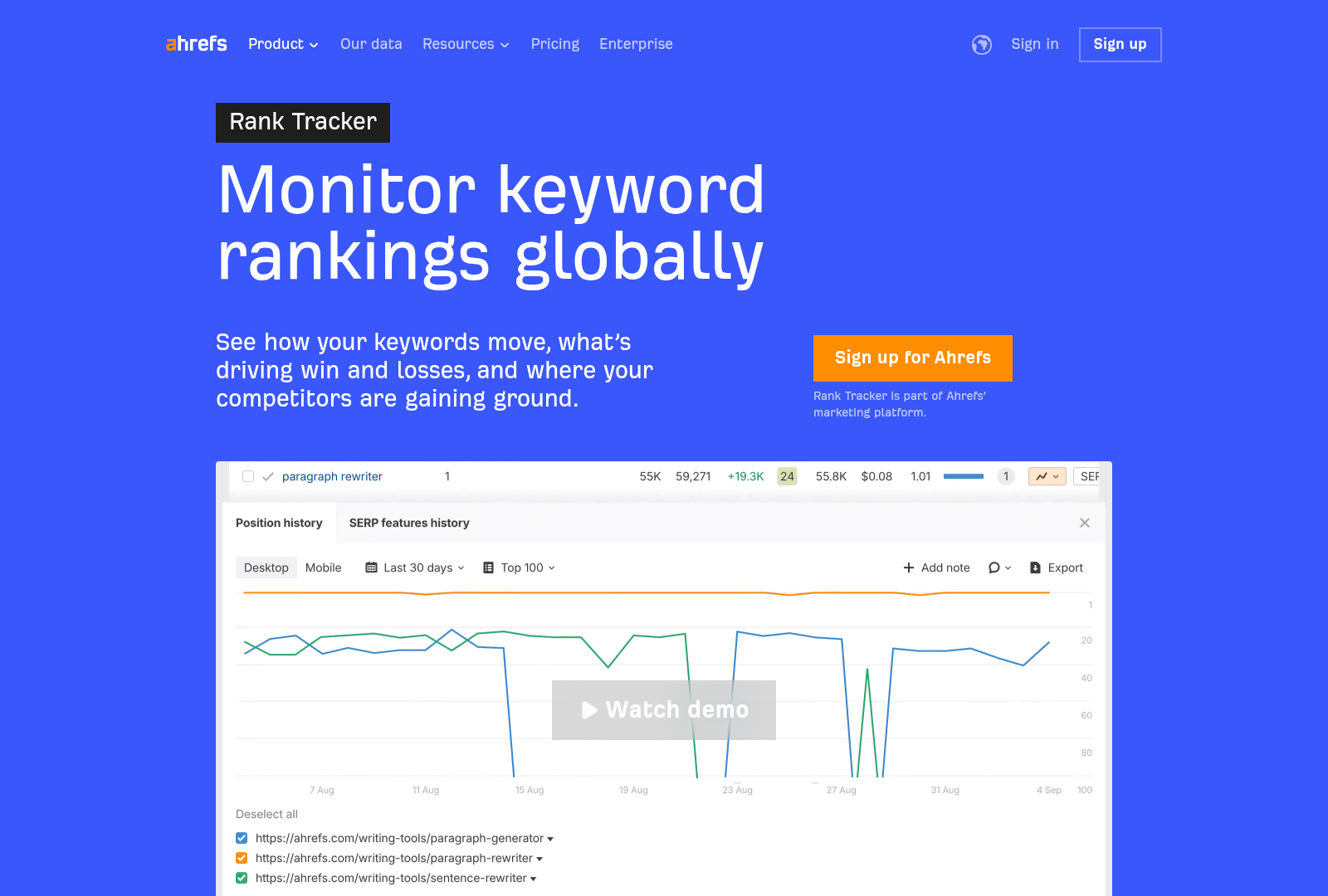
To analyze backlink data, prioritize metrics like Domain Rating (DR) and URL Rating (UR) to assess the authority of referring domains. Ahrefs’ Site Explorer tool allows filtering backlinks by parameters such as traffic value or keyword relevance, a technique recommended for identifying high-impact link-building opportunities [4]. Additionally, comparing competitors’ backlink profiles using Ahrefs’ Content Explorer helps uncover gaps in your own strategy. For instance, analyzing competitors’ top-performing pages can reveal underutilized keywords or content formats [2].
Automated SEO reporting tools, such as those integrating Ahrefs with GA4 and GSC [2], enable pattern recognition across large datasets. Building on concepts from the Integrating Ahrefs with Other Marketing Tools section, focus on trends like seasonal traffic fluctuations, sudden drops in rankings, or sustained growth in specific keyword clusters. Ahrefs’ historical data, when visualized in dashboards, highlights correlations between content updates and traffic spikes, a practice detailed in automated reporting guides [1]. For example, a consistent increase in traffic following blog updates may indicate the effectiveness of ongoing content optimization efforts.
Ahrefs data should directly inform content creation, link-building, and technical SEO adjustments. For content optimization, prioritize keywords with rising search volume and low competition, as identified through Ahrefs’ Keywords Explorer [4]. Dashboards that aggregate Ahrefs metrics, such as those described in SEO reporting software guides [3], allow teams to align editorial calendars with data-driven priorities. For example, expanding on underperforming pages with high traffic potential can improve overall site visibility.
Backlink strategies benefit from Ahrefs’ ability to highlight toxic links or opportunities for outreach. Automated reports can flag domains with spammy profiles for disavowal, while also pinpointing high-DR sites for potential collaboration [2]. For instance, if Ahrefs shows a competitor earning backlinks from authoritative industry blogs, targeting similar platforms may accelerate domain authority growth.
Technical SEO improvements are informed by Ahrefs’ crawlability reports, which identify broken links or thin content [1]. Integrating these findings into automated workflows ensures that technical issues are addressed proactively. For example, redirecting low-performing pages to stronger content can consolidate traffic and improve user experience.
While Ahrefs offers robust data, its effectiveness depends on how insights are contextualized. Automated reporting tools [3] emphasize the need to cross-reference Ahrefs metrics with GSC and GA4 to validate traffic sources and user behavior. For instance, a surge in organic keywords may not translate to conversions without complementary analytics. Additionally, Ahrefs’ traffic estimates should be treated as approximations, as discrepancies with actual analytics tools are common [2].
To maximize value, teams should establish clear KPIs aligned with business goals, as outlined in SEO reporting frameworks [4]. Without defined benchmarks, data interpretation may become subjective. Finally, while automation streamlines data collection, manual review of Ahrefs reports remains essential for nuanced decision-making, particularly when addressing algorithmic ranking changes or content quality gaps [1].
By combining Ahrefs’ granular metrics with cross-platform analysis and strategic prioritization, SEO professionals can transform raw data into actionable plans. This approach ensures that automated reports not only track performance but also drive continuous optimization.
Section 6: Integrating Ahrefs with Other Marketing Tools
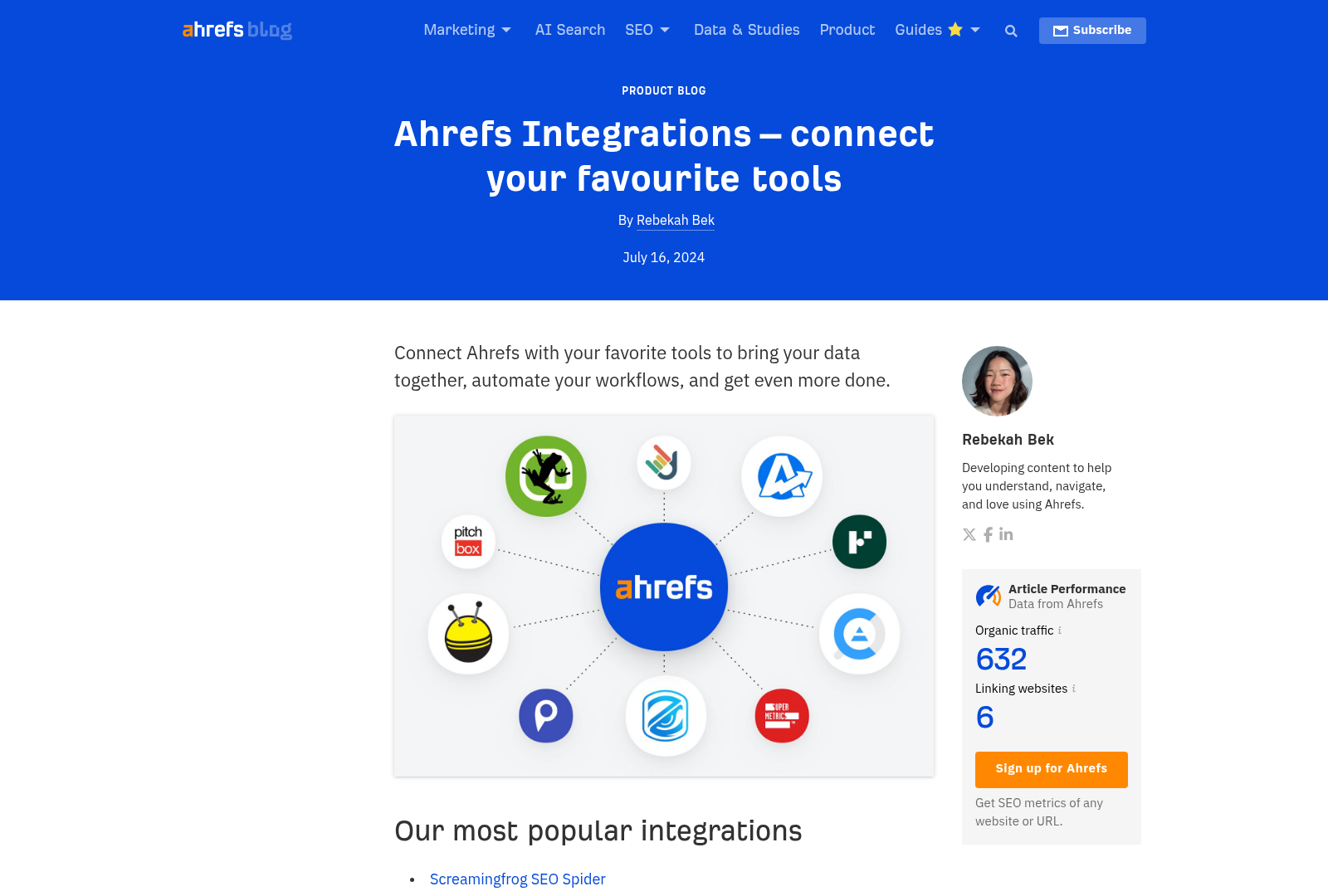
Integrating Ahrefs with other marketing tools enhances the automation and depth of SEO reporting. By connecting Ahrefs to platforms like Google Analytics and social media scheduling tools, marketers can consolidate data streams for comprehensive insights. This section outlines methods to achieve these integrations, leveraging tools and APIs explicitly mentioned in the sources. The following subsections detail practical approaches supported by the provided references.
Integrating Ahrefs with Google Analytics
Automating SEO reports with Ahrefs and Google Analytics (GA4) requires a third-party tool like Google Looker Studio (GLS) to bridge the data sources [1]. To begin, link your Ahrefs account to GLS by importing Ahrefs data through its API or CSV exports. Simultaneously, connect GA4 to GLS using its built-in connector. Once both platforms are integrated, GLS can merge traffic metrics from GA4 with Ahrefs’ SEO data, enabling side-by-side analysis of organic search performance and user behavior [1]. This approach eliminates manual data reconciliation, streamlining report creation. For agencies, tools like DashThis offer pre-built templates that automatically pull data from Ahrefs and GA4, further reducing setup time [3]. These integrations allow marketers to track KPIs such as bounce rate, session duration, and keyword rankings within a single dashboard [2]. As mentioned in the [Automating SEO Reports with Ahrefs] section, such automation is critical for efficient data consolidation.
Connecting Ahrefs to Social Media Scheduling Tools
While the sources do not specify direct API integrations between Ahrefs and social media scheduling tools, platforms like DashThis enable indirect connectivity by aggregating data from multiple channels [3]. For example, DashThis supports integration with social media tools such as Hootsuite or Buffer while pulling SEO metrics from Ahrefs. This allows teams to monitor how social media campaigns impact search traffic or backlink growth. To implement this, configure DashThis to import Ahrefs’ content performance data and set up social media scheduling tools to feed engagement metrics into the same dashboard [3]. By aligning these tools, marketers can create automated reports that correlate social media activity with SEO outcomes, such as tracking spikes in traffic after a content promotion campaign. This method relies on third-party platforms to facilitate data synchronization, as native integrations between Ahrefs and social tools are not explicitly detailed in the sources. See the [Automating SEO Reports with Ahrefs] section for more details on using DashThis for multi-tool automation.
Using APIs for Custom Integrations
For advanced users, the sources confirm that APIs exist to create custom integrations involving Ahrefs [2]. Specifically, a "white label reporting tool" mentioned in [2] uses APIs to fetch real-time data from Ahrefs, GA4, and other platforms, demonstrating the feasibility of API-driven automation. While the exact API endpoints or code examples are not provided, this approach requires technical expertise to authenticate API requests and map data fields between systems. Developers can use Ahrefs’ API to extract metrics like keyword rankings or backlink profiles and inject them into custom dashboards or CRMs [2]. Building on concepts from [Advanced Ahrefs Features for SEO Automation], this method is ideal for teams needing tailored workflows, though it demands resources to maintain API connections and handle authentication tokens securely. Similarly, DashThis employs APIs to automate multi-tool reporting, suggesting that third-party platforms act as intermediaries when native integrations are unavailable [3]. These strategies align with the sources’ emphasis on automation and real-time data consolidation [1][2][3].
Section 7: Advanced Ahrefs Features for SEO Automation
Ahrefs offers advanced features that streamline SEO automation by enabling deeper competitor analysis, keyword organization, and technical site evaluation. These tools are particularly valuable for agencies and in-house teams managing multiple clients, as they reduce manual effort while improving the precision of SEO strategies. By leveraging Ahrefs’ Content Gap analysis, keyword clustering, and technical SEO audit capabilities, users can generate actionable insights for automated reporting workflows [4].
Content Gaps Analysis
Ahrefs’ Content Gap tool allows users to identify opportunities by comparing their site’s keyword rankings with competitors’. This feature is accessed via the “Content Gap” tab, where users input up to 10 domains to analyze overlapping and unique keywords [4]. For example, if a competitor ranks for a keyword your site does not, the tool flags it as a potential content gap. This data can be exported and integrated into automated reports, helping teams prioritize content creation based on competitor weaknesses. When combined with Ahrefs’ backlink analysis, content gaps can also highlight areas where competitors have earned high-authority backlinks, suggesting outreach or content improvement opportunities [4]. See the [Section 2: Setting Up Ahrefs for SEO Reporting] section for more details on configuring competitor research projects.
Keyword Clustering
Keyword clustering in Ahrefs groups related search terms into thematic categories, simplifying content optimization and strategy planning. This is achieved by inputting a list of keywords into the “Keyword Explorer” and using the “Cluster” report to identify patterns [4]. For instance, a cluster might reveal that terms like “best running shoes” and “trail running gear” belong to a broader “running equipment” theme. By organizing keywords this way, teams can create pillar content and subpages that target multiple related terms, improving SEO efficiency. Automated reporting tools like DashThis [3] can pull these clusters into dashboards, providing clients with visual overviews of keyword themes and content gaps. Building on concepts from [Section 4: Automating SEO Reports with Ahrefs], integrating these clusters into automated dashboards enhances client reporting workflows.
Technical SEO Audits
Ahrefs supports technical SEO audits by analyzing crawl errors, broken links, and site speed metrics. The “Site Audit” tool crawls a domain and generates a report highlighting issues such as redirected pages, missing meta tags, and thin content [4]. These audits can be scheduled regularly, and the results automatically fed into client-facing reports. For example, a recurring audit might flag an increase in broken links after a site migration, prompting immediate fixes. While Ahrefs does not measure site speed directly, it integrates with tools like Google Search Console (GSC) and PageSpeed Insights, allowing users to compile technical SEO metrics into a unified report [2]. This multi-tool approach ensures technical audits remain comprehensive without requiring manual data aggregation. As mentioned in the [Section 3: Understanding Ahrefs SEO Metrics] section, interpreting these metrics is critical for diagnosing site health and prioritizing fixes.
By integrating these advanced features into automated workflows, teams can deliver consistent, data-driven insights to clients. Content gaps and keyword clusters provide strategic direction for content creation, while technical audits ensure site health remains optimized. When paired with reporting platforms like DashThis [3], Ahrefs’ capabilities reduce the need for repetitive manual analysis, allowing SEO professionals to focus on high-impact tasks. However, users should note that detailed API integrations or custom code for automation are not explicitly outlined in available sources [4], requiring reliance on Ahrefs’ built-in export functions and third-party dashboards for full automation.
Section 8: Best Practices for Using Ahrefs for SEO Automation
To maximize Ahrefs’ potential for SEO automation, begin by integrating it with complementary tools like Google Search Console (GSC) and Google Analytics 4 (GA4) to consolidate data into a unified dashboard. This integration allows for real-time access to metrics such as organic traffic, keyword rankings, and backlink performance, streamlining reporting workflows [2]. As mentioned in the [Integrating Ahrefs with Other Marketing Tools] section, connecting platforms like DashThis enables automated aggregation of Ahrefs data alongside tools like Moz and SEMrush, reducing manual data compilation efforts [3]. Additionally, platforms like DashThis enable automated aggregation of Ahrefs data alongside tools like Moz and SEMrush, reducing manual data compilation efforts [3]. When configuring Ahrefs, prioritize setting up custom reports focused on backlink analysis, content performance, and competitor benchmarking—features emphasized in Ahrefs’ automated reporting capabilities [4]. For deeper insights into competitor benchmarking, see the [Advanced Ahrefs Features for SEO Automation] section. Ensure all connected tools are properly authenticated and data refresh intervals are optimized to maintain up-to-date insights without overloading systems.
A common oversight is neglecting Ahrefs’ competitor research features, which are critical for identifying gaps in backlink strategies and content opportunities [4]. Building on concepts from the [Setting Up Ahrefs for SEO Reporting] section, leveraging these tools can result in incomplete SEO audits and missed growth potential. Another pitfall is underutilizing Ahrefs’ content analysis tools, which provide granular data on topic relevance, keyword density, and content quality—key factors for optimizing on-page SEO [4]. Additionally, manual data extraction from Ahrefs reports can introduce errors and inefficiencies, so avoid bypassing automation features available through platforms like DashThis, which synchronize data directly from Ahrefs without manual intervention [3]. Finally, inconsistent reporting intervals may lead to outdated insights; automate scheduled report deliveries to ensure stakeholders receive timely updates [2].
To harness Ahrefs effectively, focus on automating repetitive tasks such as backlink profile monitoring and keyword rank tracking. As detailed in the [Automating SEO Reports with Ahrefs] section, Ahrefs’ automated reporting features, when paired with tools like DashThis, enable seamless generation of client-facing dashboards that highlight progress toward SEO goals [3]. For instance, configure Ahrefs to export backlink data into predefined templates, which can then be automatically imported into reporting software for visualization [4]. Regularly review and refine the metrics included in automated reports to align with evolving client objectives, such as adjusting focus from broad keyword rankings to specific content performance indicators [2]. Additionally, take advantage of Ahrefs’ site audit tools to identify technical SEO issues, ensuring automated reports include actionable recommendations for site health improvements [4]. By adhering to these best practices, users can minimize errors, enhance reporting efficiency, and ensure Ahrefs delivers actionable insights aligned with strategic SEO goals.
References
[1] Automated SEO Reporting (The Easy Way) - https://ahrefs.com/blog/automated-seo-reporting/
[2] Pro SEO KPIs reporting dashboard with GSC, GA4, Ahrefs, etc ... - https://reportz.io/seo-reports/
[3] SEO Reporting Software for Agencies & Marketers | DashThis - https://dashthis.com/seo-reporting-software/
[4] How To Create Automated SEO Reporting For Your Clients - https://eaglytics-co.com/how-to-create-automated-seo-reports-for-your-clients/
Frequently Asked Questions
1. How do I set up automated SEO reports in Ahrefs?
To automate reports in Ahrefs, navigate to the "Reports" section and select a pre-built template (e.g., Site Audit, Backlink Analysis). Customize the report by selecting metrics, filters, and data sources (e.g., Google Search Console, Google Analytics). Schedule the report to run at intervals (daily, weekly, monthly) and choose delivery methods (email, cloud storage). For advanced users, Ahrefs allows API integrations for custom workflows. Pro tip: Use conditional formatting in dashboards to highlight critical issues like low backlink authority or high keyword difficulty.
2. Can Ahrefs consolidate data from multiple SEO tools into one report?
Yes, Ahrefs integrates with third-party platforms like Google Search Console, Google Analytics, and other SEO tools via API or manual data imports. This consolidation creates unified reports showing organic traffic trends, keyword rankings, and technical SEO metrics. For example, you can overlay Ahrefs’ site audit data with Google Analytics’ user behavior metrics to identify content gaps affecting bounce rates. The tool also allows exporting reports in formats compatible with tools like Excel or Tableau for further analysis.
3. How does Ahrefs’ backlink analysis help identify toxic links?
Ahrefs’ backlink analysis evaluates links using metrics like Domain Rating (DR), URL Rating (UR), and anchor text diversity. Toxic links are flagged if they originate from low-authority domains, have spammy anchor texts (e.g., exact-match keyword stuffing), or show sudden spikes in backlinks. The tool provides a "Toxic Backlinks" report with a risk score and removal suggestions. Pro tip: Use Ahrefs’ "Lost Backlinks" report to recover links competitors are gaining from your site.
4. What are the limitations of automated SEO reports in Ahrefs?
While automated reports save time, they may lack contextual insights for complex SEO issues. For instance, a report might flag a high keyword difficulty score without explaining content gaps. Additionally, automated data pulls may not capture real-time changes (e.g., algorithm updates) unless manually refreshed. Users should supplement automated reports with manual audits for nuanced strategies, such as evaluating user intent behind high-volume keywords.
5. How can I use Ahrefs to analyze competitors’ content strategies?
Use Ahrefs’ Content Explorer to search for competitors’ top-performing content by topic, traffic, or backlinks. Filter results by content type (blog posts, landing pages) and export metrics like keyword rankings and backlink profiles. The "Content Gap" tool identifies keywords your competitors rank for but you don’t, helping you prioritize content creation. For deeper analysis, combine this with Ahrefs’ SERP Analysis to reverse-engineer competitors’ on-page SEO tactics (e.g., title tags, meta descriptions).
6. What file formats can I export automated reports in, and how do I share them securely?
Ahrefs allows exporting reports as PDFs, CSVs, or Google Sheets. PDFs are ideal for stakeholder presentations, while CSVs let analysts perform granular data cleaning. For secure sharing, enable password protection on PDFs or use Ahrefs’ built-in collaboration features to restrict access via shared folders. Pro tip: Use Ahrefs’ "Report Embedding" feature to integrate dashboards directly into internal tools like Notion or SharePoint.
7. How does Ahrefs’ Site Audit tool help fix technical SEO issues?
The Site Audit scans websites for crawl errors, broken links, and on-page SEO gaps (e.g., missing meta descriptions). It prioritizes issues by severity, such as critical crawlability problems vs. minor title tag optimizations. The tool also generates a "Technical SEO Report" with actionable fixes, like redirecting broken links or optimizing image alt texts. For large sites, use the "Crawl Budget Report" to identify over-crawled pages and consolidate duplicate content.