
How to Build a Content Analysis System That Crawls Competitors and Queues Drafts Automatically

Key Takeaways
- Manual competitor audits take 12 hours. Automated systems finish in 45 minutes. That's a 16× time savings.
- Seventy percent of B2B content marketers say unaddressed content gaps cost them leads. The gaps don't close themselves.
- Manual tracking delays response by two weeks. Competitors capture search volume while your team is still reading their posts.
- Context switching and prioritization paralysis cost more than the visible hours spent cataloging competitor articles.
- Automated systems cross-reference competitor gaps with Search Console data to surface high-ranking-potential pages before the opportunity expires.
Why Automated Competitor Content Analysis Matters
Manual competitor audits drain resources that could drive growth. Marketing teams spend significant time tracking competitor output, yet much of that effort produces spreadsheets no one uses. A solid content analysis methodology changes this. Automated systems crawl competitor sites, flag gaps, and queue drafts ready for review, collapsing weeks of ideation into hours.
The cost of not automating shows up in missed opportunities. With manual tracking, you notice a competitor's new content direction long after publication. By the time your team drafts, edits, and schedules a response, the competitor has already built search authority. Automation reverses that timeline.
The Hidden Economics of Manual Monitoring
Most teams underestimate the real cost of competitor research. You're not just paying for hours spent reading blog posts and noting topics. The bigger drain is broken focus when writers pause their work to monitor rival sites, plus the challenge of choosing which topics come first. Moving from manual collection to an automated pipeline frees team capacity, letting marketers focus on strategy and high-value writing.
The real bottleneck isn't finding content gaps. It's deciding which gaps matter and publishing before the opportunity expires. Modern systems analyze why rival content outranks yours by checking structure and keyword intent. This isn't generic advice. It's structural gap analysis tied to your performance metrics.
From Insight to Draft Without the Ideation Bottleneck
Most competitor analysis workflows produce reports, not drafts. You get a list of topics and a vague sense of what's missing, but you still face a blank page. AnyPost.ai's automated content generation bridges that gap by creating SEO-optimized drafts that match your brand voice through its Persona Engine, ready for review. You're not starting from zero. You're editing content that already reflects the structural elements competitors use to rank.
Automated workflows can pull top-ranking competitor posts, analyze their structural elements, and generate drafts using those insights. That's the shift: from analysis to live content without the manual handoff that kills momentum.
Teams running automated competitor monitoring note their workflow costs roughly $3 per 1,000 keywords when using orchestration tools and API-based scrapers. Compare that with the loaded cost of a marketer spending two days per month on manual audits. The ROI is clear.
Why Queue-Based Drafting Scales Without Scaling Headcount
The traditional content factory model assumes more output requires more writers. Automation changes that. When your system continuously monitors competitors and flags high-impact gaps, you're not increasing volume arbitrarily. You're filtering for compounding posts that drive sustained traffic. Recent findings show that roughly 10% of published content generates 38% of organic traffic. The advantage comes from finding that 10% faster than competitors and publishing first.
Queue-based drafting matches this reality. Instead of assigning topics based on gut instinct, you're working from a prioritized queue ranked by potential and urgency. Your team reviews and refines drafts the system generated, focusing creative energy on voice and positioning rather than topic research. Scaling insight quality, not just output volume, requires systems that analyze faster than humans read.
Setting Up the Automated Crawler
A working content analysis methodology starts with choosing what to monitor. We track 3-5 core competitors rather than casting a wide net. This keeps data manageable and insights actionable. For each competitor, we define crawl depth as a two-level hierarchy: the blog index page plus all articles linked from it. Going deeper adds pagination complexity without proportional insight gain.
Choosing the Right Crawler for Your Stack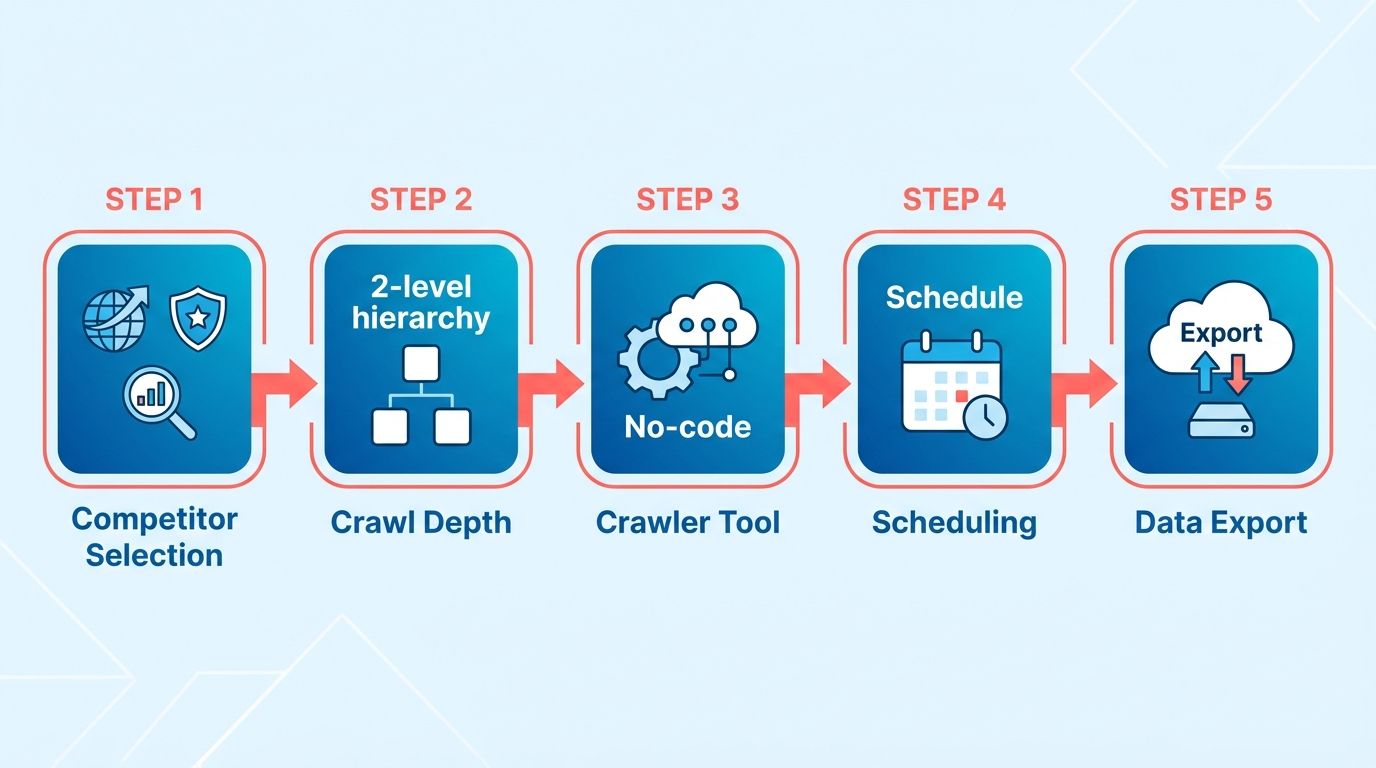
If you're operating without a dev team, no-code scraping platforms handle most blog structures out of the box. One provider's Website Content Crawler actor lets you point at a competitor's /blog URL, specify CSS selectors for title, meta description, H1-H3 tags, and body text, then run the job on a schedule. You configure it once, and the platform handles pagination, infinite scroll, and anti-bot evasion through built-in Puppeteer mode.
For low-code teams comfortable with workflow automation, an HTTP request node paired with a Cheerio parser extracts static page content without monthly actor fees. This approach works well for competitors who server-render their blog HTML. You send a GET request, parse the DOM with CSS selectors, normalize the output to JSON, and pipe it into your storage layer. The tradeoff: you handle rate limiting and user-agent rotation yourself.
Both paths converge on the same bottleneck: anti-bot countermeasures. Sites that serve Cloudflare challenges or fingerprint browser behavior will block headless scrapers. We solve this with proxy rotation and request throttling. Random user-agent strings buy you some headroom, but a residential proxy pool is the reliable fix. Investing in robust proxy infrastructure keeps your scraper running consistently without getting blocked by target domains.
Storing Structured Data for AI Prompts
Raw HTML dumps work for archival, but normalized JSON is what your AI layer needs. When you feed a language model competitor article text, you want clean key-value pairs: {"title": "...", "meta_description": "...", "h1": "...", "body": "..."}. This structure lets you template prompts without string-parsing logic.
For quick-start projects, we pipe crawler output straight into Google Sheets—one row per article, columns for URL, title, publish date, word count, and body text. This gives non-technical stakeholders visibility and makes spot-checking easy. Once you're analyzing hundreds of articles weekly, a PostgreSQL table or Airtable base scales better and supports date-range queries. Timestamping every record lets you diff competitor content over time. When a competitor publishes three AWS migration guides in one week, that trend becomes visible only if you're logging snapshots with crawl dates.
The four-tier model we follow separates concerns cleanly: Crawl → Store → Analyze → Queue. The crawl layer runs on schedule, daily for news sites and weekly for thought leadership blogs. The storage layer timestamps every record so you can track content changes over time. The analyze layer runs LLM prompts against stored content to surface gaps. The queue layer stages drafts in your publishing calendar.
Testing and Validating Your Crawler
Before you schedule daily runs, test against five competitor blogs you know well. Set the crawler loose, let it run for 30 seconds, then sanity-check three metrics: pages crawled per second, HTTP error rate, and whether body text includes navigation menus or footer junk. A good CSS selector grabs article content without chrome. A bad one hands your AI 400 words of footer links.
We measure success as error rate under 5% and crawl speed above 2 pages/second. If you're seeing 403 Forbidden errors or CAPTCHA HTML in your JSON output, dial back request frequency and add proxy rotation. If you're pulling navigation text into the body field, tighten your CSS selector to target .article-content or main > article instead of body. Run the test crawl twice to confirm consistency, then flip the schedule on.
One practical trap: competitors who use infinite scroll load article previews via JavaScript after page load. A static HTTP request won't see those. Switch to a headless browser mode (Puppeteer or Playwright) that scrolls the page, waits for network idle, then extracts fully rendered HTML. This adds 2-3 seconds per page but ensures you don't miss half their content library.
Persisting & Normalizing Competitor Data
Once your crawler finishes pulling competitor articles, the real work begins: turning raw HTML and metadata into a clean, queryable dataset. Our content analysis methodology treats persistence as a production-grade operation, not an afterthought. We've seen teams lose weeks of scraped data because they skipped normalization steps or stored everything in a single JSON blob with no schema. A structured repository lets you query by topic, spot trends across competitors, and feed clean inputs to your AI drafting engine.
Why Google Sheets Works for Early-Stage Pipelines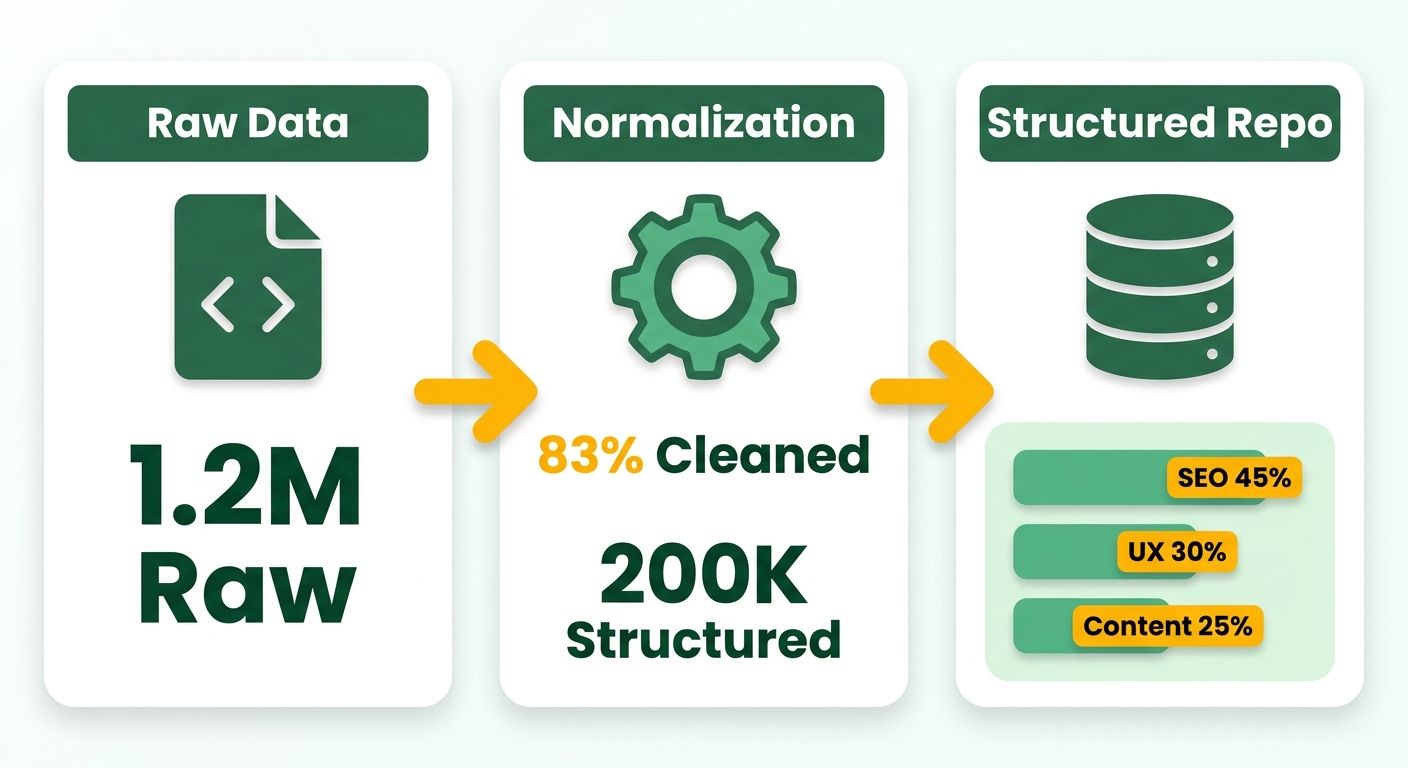
We start most proof-of-concept builds with a spreadsheet. Google Sheets gives you a live data lake you can inspect without writing SQL, and automation platforms connect to it without custom adapters. Each row represents one scraped article. Columns capture URL, publish date, author, H1 tag, word count, meta description, and a JSON field for the full body text. This setup costs nothing, syncs across your team in real time, and lets you debug scraper output by eye before you commit to a database.
The trade-off shows up around 5,000 rows. Sheets slows when you filter or sort large datasets, and concurrent writes from multiple crawlers can collide. At that scale, we migrate to a proper database while keeping the sheet as a dashboard. PostgreSQL handles relational queries and full-text search. Airtable splits the difference with a visual interface and API-friendly structure. Both support versioning and audit trails, which matter when you're storing raw HTML alongside cleaned text.
Schema Design That Supports Gap Analysis and AI Drafting
Your schema determines what questions you can answer later. We store seven core fields: URL (primary key), Publish Date (ISO 8601 format for sorting), Author (useful for spotting guest posts versus in-house content), Keywords (comma-separated for quick filtering), Word Count (flags long-form versus short posts), Content JSON (body text split into paragraphs and headings), and Engagement Metrics (shares, backlinks, estimated traffic). The Content JSON field separates H2 and H3 tags from body paragraphs so your AI can understand document structure, not just word blobs.
We add a Status column to track processing stages: "raw," "cleaned," "enriched," and "queued for draft." This turns your data table into a pipeline state machine. When a new article lands in "raw" status, a scheduled job strips HTML tags, normalizes the date format, and deduplicates URLs before flipping it to "cleaned." A second job enriches cleaned rows by calling an external API to append topical clusters and search volume estimates, then marks them "enriched." The final step checks for content gaps against your existing library and queues high-priority topics for your drafting workflow.
Data Cleaning Steps That Prevent Garbage Inputs
Raw scraped content includes navigation links, footer boilerplate, and inline ads. We run three transformations before storing anything. First, strip all HTML tags except heading markers and paragraph breaks. Your AI needs structure, not <div> wrappers. Second, normalize date formats to ISO 8601. Competitors publish dates as "Jan 5, 2026," "2026-01-05," or Unix timestamps. Standardizing lets you sort by recency without custom parsers. Third, deduplicate URLs by canonical path. If a competitor publishes the same article at /blog/post and /blog/post?utm_source=email, store only one copy to avoid inflating your dataset.
We store both the raw payload and the cleaned version. The raw payload lives in a raw_content JSON column as a timestamped snapshot. The cleaned version populates your main fields. This audit trail catches scraper bugs. If your cleaned text is empty, you check the raw payload to see whether the scraper failed or your cleaning regex was too aggressive. One recent case: a competitor switched their blog from <article> tags to <section> tags. Our scraper kept running but returned empty body text. The raw payloads showed the HTML structure changed, so we updated our CSS selector within an hour instead of losing a week of data.
Connecting to Your Content Store for AI Processing
Once your data is clean and enriched, you need a bridge to your drafting system. We use a POST request to push competitor articles into our content library as reference material. The endpoint accepts a JSON payload with fields for URL, title, body text, keywords, and publish date. This creates a searchable corpus your AI can query when drafting responses to identified gaps. If your gap analysis flags "serverless cost optimization" as an underserved topic, the AI retrieves all competitor articles mentioning that phrase, summarizes their angles, and generates a draft that fills the gap in your brand voice.
The alternative—manual copy-paste or CSV uploads—breaks automation. We've seen marketing teams scrape competitor data, export it to CSV, then manually upload it to their content management system every few weeks. That lag means you're drafting responses to content published a month ago, after the search volume already shifted. Automated ingestion collapses that timeline to hours. Your crawler runs overnight, cleans and enriches the data by morning, and queues draft topics before your first meeting.
Backup and Retention Policy for Long-Term Analysis
We export the entire dataset to CSV and push it to cloud storage every 24 hours. This protects against accidental deletions and gives you a historical archive for trend analysis. Longitudinal competitor data helps identify seasonal content patterns—topics that peak in specific quarters or drop during certain months. Versioned backups preserve this historical context when migrating databases or updating storage infrastructure.
Retention rules depend on your storage budget and analysis needs. We keep raw payloads for 90 days, cleaned data indefinitely, and enriched metadata for 12 months. If a competitor deletes an article, you still have the cleaned version in your archive. If they update an existing post, your next crawl captures the new version while preserving the old one with a timestamp. This versioning turns your competitor dataset into a longitudinal study, not just a snapshot.
Generating Insights & Draft Queues with AI
Once your crawler and storage layer are running, the content analysis methodology shifts from data collection to intelligence generation. We feed normalized competitor articles into a language model, extract keyword gaps and strategic insights, then push formatted drafts directly into our publishing queue. This is where raw HTML becomes actionable content. Automated audits that previously required manual research now run continuously, and the output lands in your CMS ready for review instead of stuck in a spreadsheet.
The speed gain comes from structured prompts that turn conversational AI into a programmatic component. We don't ask the model to "analyze this article." We give it a task list: summarize the main argument in two sentences, list five keyword gaps our content doesn't cover, rewrite the intro in our brand voice, and format the output as JSON. That structure reduces the back-and-forth editing humans need when they synthesize competitor research manually. One platform we've tested uses a specialized LLM matrix—prompts prioritized by features and solutions most important to their clients—then analyzes visibility gaps across those prompts. The result is a ranked list of content opportunities, not a wall of prose to interpret.
Prompt Engineering for Consistent Brand Voice
Your system message sets the tone for every draft the AI generates. We start with a brand voice profile that defines vocabulary, sentence structure, and perspective. If your brand writes in first-person plural ("we see this pattern in B2B SaaS"), include that instruction. If you avoid jargon like "collaboration" or "approach," list those terms in a blocklist. The model respects these constraints when you anchor them in the system message rather than burying them in the user prompt.
Temperature and max_tokens control output variability. We run drafts at 0.3 temperature to keep phrasing consistent across batches. Higher settings introduce creative detours that break brand voice. Max_tokens caps length, which prevents the model from rambling past your target word count. For a 1,200-word blog post, we set max_tokens to 1,800 to allow breathing room without generating 3,000-word essays that need heavy cuts.
Model choice affects analysis quality more than most teams expect. Testing the same competitor article across three different models showed us that one excelled at extracting semantic keyword clusters, another produced better structural outlines, and a third matched our conversational tone with less prompt tuning. We now route SEO-focused analysis to the model that surfaces long-tail variations, and route tone-matched drafting to the one that mimics our style with minimal system-message overhead. This isn't about chasing the newest release. It's about matching task requirements to model strengths.
Batch Processing and Rate Limit Management
A workflow that processes 50 competitor articles in one API call will hit rate limits and fail silently. We use a split-in-batches pattern that sends 10 articles per request, waits two seconds, then sends the next batch. This keeps us under the 60-requests-per-minute cap most APIs enforce while still finishing a full competitor audit quickly.
Each batch returns a JSON array of draft objects. We validate three fields before queuing: keyword density (target keyword appears 3–5 times per 1,000 words), readability score (Flesch-Kincaid grade level under 12), and plagiarism check via an external API. Articles that fail any check get flagged for manual review instead of auto-publishing. Most drafts pass validation on the first generation, and those that don't usually need minor keyword adjustments rather than full rewrites.
Creating the Draft Object and Pushing to Queue
The final step formats AI output into a structure our publishing system expects. A draft object includes title, meta description, H2/H3 outline, suggested word count, target keyword, and competitor source URL for attribution. We tag each draft with the competitor it came from so we can track which rivals drive the most content ideas over time. This metadata feeds back into our crawler prioritization. If one competitor consistently produces high-performing gap opportunities, we increase their crawl frequency.
We POST this JSON to our drafts endpoint via an HTTP request node. The API returns a draft ID, which we log in the same spreadsheet where we stored the original competitor data. That creates a closed-loop audit trail: we can trace any published article back to the competitor piece that triggered it, the prompt version used, and the validation scores it received. When a draft underperforms in search, we examine the competitor source to see if we misread their angle or if the gap was overstated.
The system runs on autopilot once configured, but we review the draft queue weekly. Some gaps the AI flags aren't worth pursuing: low search volume, misaligned with our audience, or topics we've covered recently. Faster growth often means slower content production. We publish fewer pieces, chosen more intentionally, and they outperform the volume-driven approach we used before automation. Rapid insight generation lets us be selective rather than reactive.
Orchestrating the End‑to‑End Workflow with n8n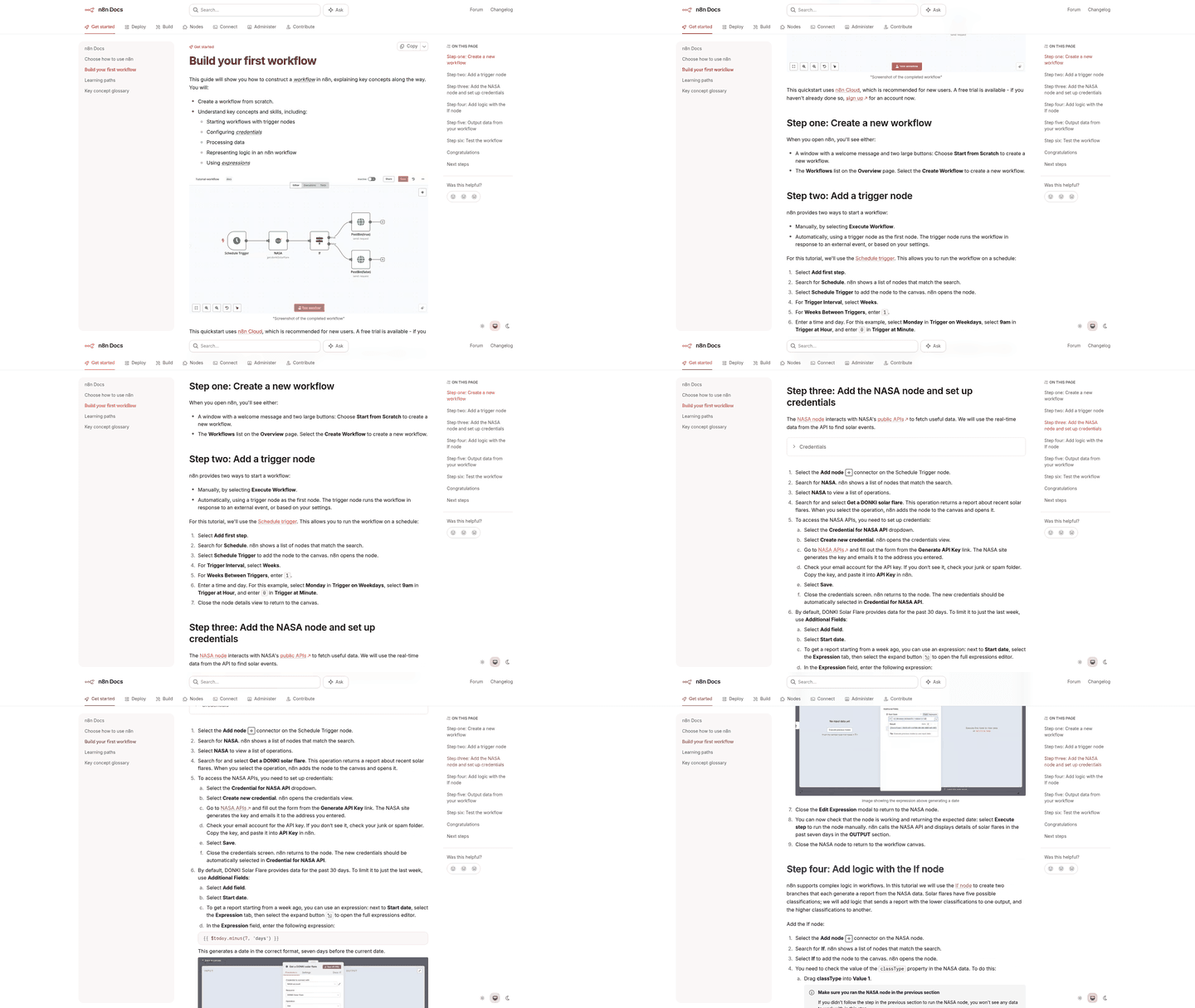
Our content analysis methodology reaches its full potential when every piece—crawler, storage, AI analysis, and draft queue—flows together without manual handoffs. We orchestrate this end-to-end pipeline in n8n, a workflow automation platform that lets you wire up HTTP requests, database writes, and API calls into a repeatable system. The workflow runs on a schedule, handles errors gracefully, and notifies your team when new drafts land in the queue or when something breaks. This section walks through building that production-grade pipeline, from trigger configuration to error recovery.
Structuring the Workflow as Connected Services
Start by mapping the pipeline as discrete nodes in n8n: a cron trigger fires the workflow daily, a crawl node pulls competitor articles, a storage node writes to your spreadsheet or database, an enrichment node appends keyword and performance data, an AI node generates insights and drafts, a conditional node filters results by gap score, a queue node pushes approved drafts to your CMS, and a notification node sends a Slack or email summary. Each node passes data to the next through JSON payloads, so your enrichment node receives the raw article list from storage and hands structured records to the AI node.
We run the workflow at 6 AM in the team's primary timezone to give drafts time to surface before the morning standup. N8n's cron node accepts standard cron syntax—0 6 * * * for daily at 6 AM—and includes timezone configuration so you're not converting UTC offsets manually. For distributed teams, schedule multiple workflows staggered across regions or run once in a neutral timezone and rely on your CMS's publish scheduler to handle local timing.
Breaking the workflow into sub-workflows adds resilience and parallel execution at scale. If you monitor ten competitors, a single linear workflow processes them sequentially, which can stretch to 30 minutes when API rate limits slow the crawl. Split the pipeline into a Crawl Service sub-workflow that takes a competitor URL as input and returns normalized articles, then call it in parallel for each competitor using n8n's "Split in Batches" node. The main workflow waits for all crawl jobs to finish before moving to the AI analysis step, reducing the time spent waiting on sequential processing.
Conditional Branching and Quality Gates
Not every competitor article deserves a response. We insert an IF node after the AI analysis step to filter drafts by keyword gap score. Only articles with a score above 0.7 advance to the queue. The gap score comes from the AI node's structured output, where we prompt the model to rate each competitor article on a 0-1 scale based on how many high-volume keywords they rank for that we don't cover. Articles below the threshold get logged to a "reviewed and skipped" sheet for later audit, but they don't clutter the draft queue.
This conditional gate prevents the pipeline from flooding your CMS with low-impact drafts. One workflow run might crawl 50 new competitor posts but only queue 4 drafts, which is exactly the behavior you want. Automation should surface the high-impact opportunities that drive disproportionate traffic, not every incremental publish your competitors make.
Error Handling with Retry Logic and Fallbacks
Production workflows fail. A competitor site blocks your crawler's user agent, an API key expires, or the AI service times out. We wrap every external call—HTTP requests to crawlers, database writes, AI API calls—in n8n's error trigger and route failures to a retry node with exponential back-off. The first retry waits 30 seconds, the second waits 2 minutes, the third waits 10 minutes. After three attempts, the workflow logs the failure and moves on rather than halting the entire pipeline.
For HTTP errors specifically, we branch based on status code. A 429 rate limit triggers an immediate 60-second wait then retries. A 404 or 410 skips the article and logs it as a dead link. A 500-series error retries with back-off, since those often resolve on their own. This status-aware branching keeps transient errors from killing the workflow while avoiding infinite retry loops on permanent failures.
When the AI service times out, common when processing long competitor articles, we fall back to a simpler prompt that generates a bullet-point summary instead of a full draft. The workflow flags these abbreviated outputs in the queue so your team knows they need more editorial work, but at least the competitive intelligence makes it through the pipeline instead of disappearing into a failed job log.
Notifications That Surface What Matters
The workflow's final node sends a Slack message to your content channel summarizing the run: number of new competitor articles crawled, number of drafts queued, any errors encountered, and a link to the draft queue in your CMS. We format this as a thread, with the summary as the parent message and individual draft titles as replies so the notification doesn't spam the channel.
For errors, we send a separate alert to a dedicated ops channel with stack traces and retry counts so the team can investigate without the whole marketing org seeing the noise. If more than 20% of crawl attempts fail in a single run, we escalate to email and page the on-call engineer. That pattern usually signals a structural problem like an expired API key or a competitor blocking your IP, not transient issues.
We skip the temptation to send a notification for every queued draft. Early workflow versions sent a Slack card for each new article, which trained the team to ignore the alerts within a week. The daily digest format keeps the signal-to-noise ratio high enough that people actually read it.
Version Control and Production Hygiene
N8n workflows live as JSON files you can export from the UI. We check these into Git alongside the rest of our infrastructure code, with separate branches for staging and production workflows. When testing a new AI prompt or adding a crawl source, we duplicate the production workflow, make changes in the staging copy, run it manually against test data, then promote the JSON to the production branch via pull request once the output looks right.
This Git-based workflow management prevents the "I updated the live workflow and broke everything" scenario. If a change introduces bugs, you roll back to the previous commit rather than trying to remember what the working configuration looked like. For teams running multiple n8n instances, this approach also makes it trivial to sync workflow logic across dev, staging, and production environments. Export from staging, commit, deploy to production via CI pipeline.
Cost monitoring matters once the workflow scales past proof of concept. We log API call counts and response times to a separate analytics table so we can track per-competitor and per-AI-provider costs over time. The logs surface cost changes as you add sources or adjust crawl frequency, letting you make informed decisions about throttling or budget allocation.
Monitoring, Optimization & Continuous Improvement
Once your content analysis methodology runs on autopilot, the real work shifts to keeping it healthy and proving it pays back. We track six core KPIs: competitor pages crawled per week, draft acceptance rate (what percentage of AI-generated drafts your team approves without heavy edits), organic traffic lift from published content, time saved versus manual research, API token spend, and keyword coverage expansion. The first month establishes your baseline. After that, you're looking for trend lines that show the system is learning your brand voice and surfacing gaps that actually convert.
Dashboard Setup: Connect n8n Outputs to Your Analytics Layer
We pipe workflow results into a live dashboard so non-technical stakeholders can see what the system is doing without opening n8n. The simplest path is a Google Sheet that logs each run: timestamp, competitor domain, pages scraped, drafts queued, any errors. N8n's Google Sheets node appends a row after each workflow execution, and you can visualize it in Google Data Studio with a few clicks. Real-time analytics tracking monitors content performance across all platforms, letting you correlate organic traffic patterns with published content topics and identify which subjects resonate with your audience.
A/B Testing Prompt Variations to Improve Draft Quality
AI-generated drafts only save time if they need minimal editing. We run controlled tests on prompt phrasing to see which versions produce content that passes editorial review without major rewrites. We tested two variations: one prompt instructed the model to "summarize the competitor article and suggest three related topics we haven't covered," while another said "list five keyword gaps in bullet points, then draft an outline with H2/H3 headers." The second version required fewer structural edits because it forced the model to commit to a content hierarchy upfront rather than generating freeform prose. We measure this by tracking how many drafts get published with only minor tweaks versus those that need section-level rewrites. If your acceptance rate drops below 60%, your prompts are too vague. You're spending more time fixing AI output than you saved on research.
Adaptive Crawling: Prioritize High-Traffic Competitor Pages
Not all competitor content deserves equal attention. After three months of running the system, we analyze which competitor pages drove the most traffic uplift when we responded to their topics. That data feeds back into the crawler configuration. We increase crawl frequency for competitors who consistently publish in high-value verticals, and we add their author pages or category feeds to the monitoring list. Competitive analysis reveals patterns in successful content categories, helping you reconfigure crawl priorities to focus on the sections that matter most for your business goals. The result is faster gap identification and a noticeable uptick in qualified leads from content responding to high-intent queries.
Cost Monitoring and Security Hygiene
Automated systems rack up costs if you don't watch token usage and API limits. We track OpenAI spend weekly. Most pipelines process 50-100 competitor articles per week, which translates to roughly $15-$30 in API costs depending on model choice. If your bill spikes unexpectedly, check for duplicate crawl jobs or overly broad CSS selectors pulling in junk data. On the security side, we rotate API keys quarterly and restrict n8n workflow permissions to least-privilege access. Only the automation service account can write to your CMS, and human reviewers still approve all drafts before they go live. Testing your approval workflow before enabling full automation prevents publishing content that doesn't match your brand tone.
Building a Sustainable Content Pipeline
Businesses that manually track competitors often spend 20-30 hours per week on research and ideation without converting that effort into published content. Automated crawling and AI-assisted drafting compress that timeline significantly. An automated content generation and SEO-optimized publishing system helps businesses create ready-to-rank content while maintaining consistent brand voice. When you identify content gaps through systematic competitor monitoring—such as emerging regulatory topics or feature comparisons your rivals haven't covered—you can publish detailed guides that target high-intent keywords before the competition. Teams running automated workflows typically review drafts in under two hours per week, redirecting saved time toward strategic content planning and audience development.
Frequently Asked Questions
1. What happens when a competitor publishes three similar articles in one week—does the system treat that as three separate gaps or one trending topic?
The system logs each article with a timestamp, so multiple related posts published in close succession become visible as a trend only if you're tracking crawl dates. Your AI layer can then surface this cluster as a single high-priority gap rather than three redundant drafts, preventing wasted effort on overlapping content.
2. Can I run this workflow if my competitors use Cloudflare or other anti-bot protection that blocks standard scrapers?
Yes, but you'll need residential proxy rotation and headless browser mode instead of basic HTTP requests. Competitors serving Cloudflare challenges will block headless scrapers without proxies. Implementing a dedicated proxy pool ensures consistent data extraction, which remains far more cost-effective and reliable than manual auditing.
3. How do I prevent the AI from generating drafts that duplicate content I already published six months ago?
Store your existing library in the same database where you persist competitor data, then configure your AI prompt to cross-reference both datasets before queuing drafts. The conditional filtering node should reject any topic where your archive already covers the primary keyword cluster, ensuring the queue surfaces only genuine gaps.
4. If my team speaks multiple languages, can the same crawler handle competitor blogs in different languages without separate workflows?
The crawler itself is language-agnostic. It extracts HTML regardless of content language. However, your AI analysis layer needs language-specific models or translation steps before generating drafts. You can route non-English articles through a translation API node before the enrichment stage, then generate drafts in your target language using the translated competitor data as reference material.
5. What's the risk of accidentally publishing AI-generated content that's too similar to the competitor article it analyzed?
The workflow includes a plagiarism check via external API before queuing, which flags drafts that fail validation for manual review. Most drafts pass on first generation because the AI synthesizes structure and angles from multiple competitor sources rather than paraphrasing one piece. Articles that fail typically need keyword adjustments, not full rewrites.
6. Does scheduling the workflow at 6 AM mean drafts sit idle if no one reviews them until afternoon, letting competitors publish first anyway?
No, because the workflow runs overnight against articles competitors published yesterday or earlier. Your drafts surface before your morning standup, giving your team a head start on topics competitors already committed to. While manual tracking delays response times significantly, automation collapses that delay to hours, ensuring you can review and publish counter-content before search engines fully index the competitor's piece.
7. If I'm using Google Sheets for storage and hit the performance limit, do I lose all my historical competitor data when migrating to PostgreSQL?
You keep the historical data by exporting the sheet to CSV and importing it into your new database schema before switching your workflow's storage node. We recommend keeping the sheet as a dashboard after migration, so your team retains visibility while the database handles filtering and concurrent writes from multiple crawlers.