
How to Optimize SaaS Lead Generation with Google Search Console

Related Video
Watch: How Can Google Search Console Uncover Secret Keyword Opportunities? - Saas Marketing Wizards by Saas Marketing Wizards
Understanding Google Search Console for SaaS Lead Generation
Google Search Console (GSC) is a free tool provided by Google that allows website owners to monitor and maintain their site’s presence in Google Search results. For SaaS companies, GSC is critical for optimizing SEO strategies and tracking how content performs in organic search. It provides insights into which keywords drive traffic, how users interact with content, and technical issues that might hinder visibility [2]. By leveraging GSC, SaaS marketers can align their content marketing efforts with user intent, ensuring their resources—like guides, case studies, and product pages—are discoverable by decision-makers actively searching for solutions [9]. This section outlines how to set up GSC, interpret its key metrics, and use the tool to refine lead generation strategies.
The Role of Google Search Console in SaaS Lead Generation
For B2B SaaS companies, GSC is indispensable for identifying high-performing content and uncovering gaps in SEO strategies. Marketers often rely on GSC to track search impressions, click-through rates (CTR), and the specific queries users type to find their content [3]. For example, a marketer might discover that a blog post on “B2B demand generation strategies” ranks for long-tail keywords like “B2B lead generation tools for SaaS,” which can then be optimized to improve rankings and attract more targeted traffic [7]. Additionally, GSC helps surface technical issues—such as crawl errors or mobile usability problems—that could prevent pages from appearing in search results [10]. For best practices on addressing these issues, see the [Common Challenges and Best Practices for SaaS Lead Generation with Google Search Console] section.
Setting Up Google Search Console for SaaS Platforms
To use GSC effectively, SaaS companies must first verify ownership of their domain through Google Search Console. This process involves adding a DNS record or uploading an HTML file to their website’s root directory [10]. Once verified, the next step is submitting a sitemap—a file that lists all the pages on a site—to help Google index content more efficiently [7]. See the [Optimizing SaaS Content with Google Search Console Insights] section for more details on how this data can be used to refine content. For SaaS platforms with dynamic content, such as product pages or customer testimonials, this step ensures that new pages are promptly crawled and made searchable. Advanced users can also integrate GSC with tools like Looker Studio to create custom dashboards that track metrics like organic search traffic alongside CRM data, offering a holistic view of lead generation performance [6]. Regularly monitoring the “URL Inspection” tool in GSC further allows teams to test how Googlebot sees individual pages, identifying potential roadblocks to visibility [10].
Understanding Key Metrics in Google Search Console
GSC provides several metrics that SaaS marketers should prioritize to optimize content for lead generation. Search Impressions indicate how often a page appears in Google results, while CTR measures how often users click on those results. A low CTR for a high-traffic page might signal that the meta title or description isn’t compelling enough to attract clicks [2]. The Average Position metric shows a page’s ranking for specific keywords, helping teams identify opportunities to improve visibility for high-intent terms [3]. Additionally, the Search Queries report reveals the exact terms users type to find a site’s content, enabling marketers to refine their keyword strategy and update existing content to better match user intent [9]. See the [Leveraging Google Search Console for Keyword Research and Planning] section for strategies on refining keyword approaches. For instance, if a SaaS company notices that users frequently search “free trial SaaS analytics tools,” they can create or optimize a landing page targeting that query to capture leads [6]. By regularly analyzing these metrics, SaaS teams can align their SEO efforts with the content that drives real engagement and conversions.
Analyzing Traffic and Search Queries with Google Search Console
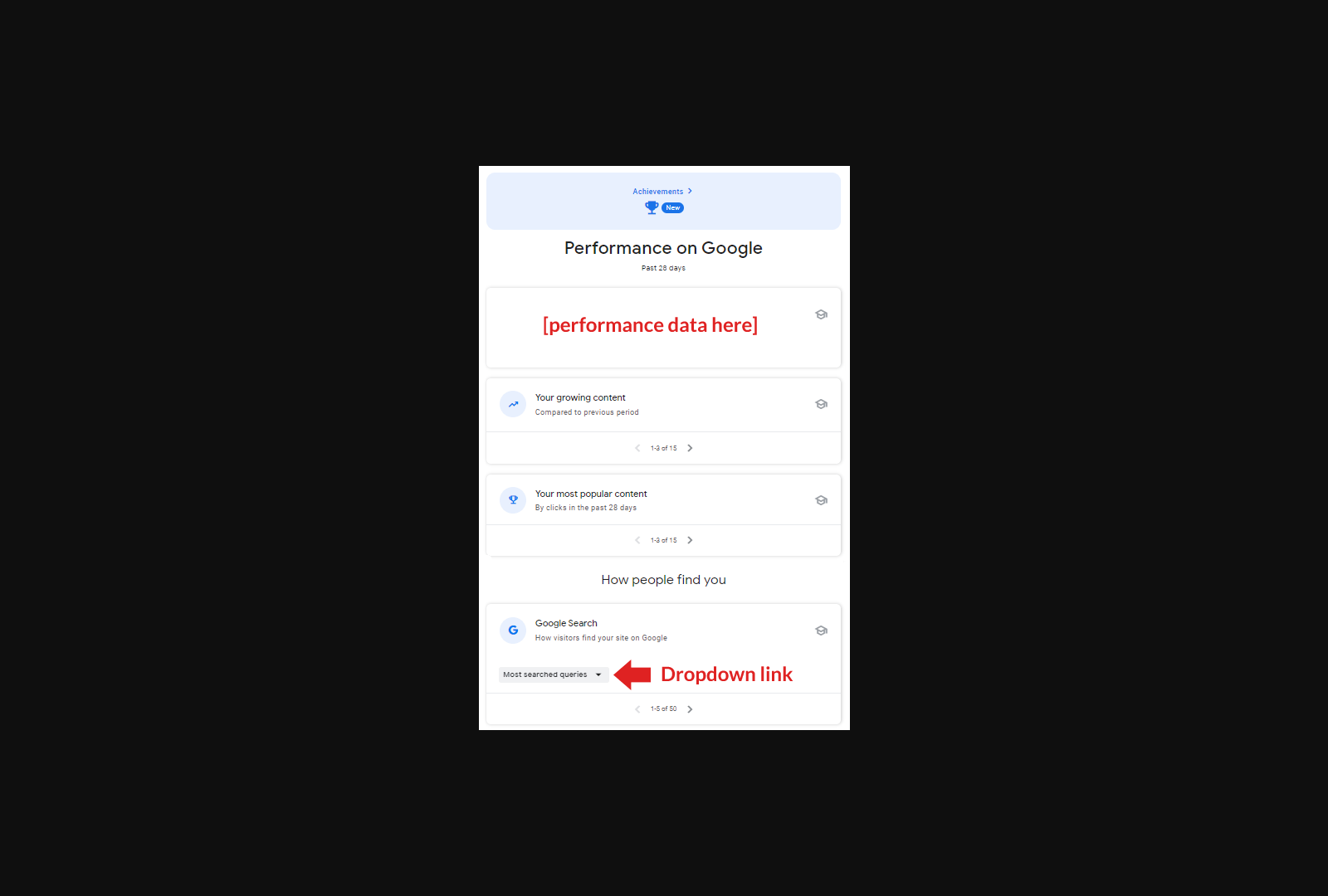
Google Search Console (GSC) provides critical insights into organic traffic patterns and user search behavior, enabling SaaS marketers to refine lead generation strategies. To begin, navigate to the Performance Report in GSC to analyze traffic metrics such as clicks, impressions, click-through rate (CTR), and average position for specific pages or search queries [8]. This report highlights pages driving the most traffic, allowing teams to prioritize content optimization efforts. For instance, if a page ranks highly for a keyword like “B2B SaaS lead generation tools” but has a low CTR, it may indicate a mismatch between the page’s title or meta description and user intent [3]. By cross-referencing this data with the URL Inspection Tool, marketers can identify indexing issues or technical barriers hindering traffic [10]. See the Common Challenges and Best Practices for SaaS Lead Generation with Google Search Console section for more details on addressing technical barriers.
Identifying Top-Performing Pages and Content
To pinpoint high-performing pages, filter the Performance Report by pages and sort by total clicks or average position. Pages with high traffic and low bounce rates often signal strong alignment with user intent, making them candidates for further optimization [9]. For example, a SaaS tutorial guide ranking on the first page for “how to improve SaaS SEO” could be expanded with additional subtopics to capture related searches [6]. Conversely, pages with high impressions but low clicks may require revisions to title tags or meta descriptions to better reflect content value [8].
Marketers should also analyze content groups—a feature introduced in 2025—to segment traffic by categories like blog posts, product pages, or case studies. This helps identify which content types resonate most with audiences. For B2B SaaS, case studies or whitepapers driving traffic to the site may correlate with higher conversion rates, as noted in [6]. Building on concepts from the Optimizing SaaS Content with Google Search Console Insights section, content groups enable data-driven decisions about resource allocation.
Analyzing Search Query Trends and Patterns
The Search Queries report in GSC reveals the exact terms users type into Google to reach your site. Sorting by clicks or CTR uncovers opportunities to refine keyword targeting. As mentioned in the Leveraging Google Search Console for Keyword Research and Planning section, this data is critical for identifying gaps in keyword coverage and prioritizing high-impact topics [8]. For instance, if a SaaS product page ranks for “cloud-based project management software” but not for its branded term, it may indicate a gap in visibility that can be addressed through internal linking or backlink strategies [8].
To track trends over time, use the date range selector to compare performance before and after major updates, such as the January 2025 SERPpocalypse mentioned in [3]. Sudden drops in impressions for specific queries may signal algorithmic changes or increased competition, requiring content updates or new outreach efforts [3]. Additionally, filter queries by mobile vs. desktop traffic to ensure responsive design optimizations align with user behavior patterns [5].
Recognizing Opportunities for Improvement
GSC’s Coverage Report highlights crawl errors, excluded URLs, or thin content that may harm rankings. For SaaS sites, outdated blog posts or duplicate product pages often appear here, offering clear targets for content audits [10]. The Enhancements section further identifies technical issues, such as missing mobile usability features or unoptimized images, which can reduce dwell time and lead generation effectiveness [5].
For content marketing improvements, focus on low-competition keywords with high search volume in the Queries report. Tools like Looker Studio (integrated with GSC) can visualize traffic trends and help prioritize topics [6]. For example, if competitors rank for “SaaS onboarding automation” but your site does not appear, creating a dedicated guide or webinar could capture untapped leads [9].
Finally, use the Search Appearance tab to manage rich results, FAQs, and sitelinks. Optimizing these elements increases visibility in competitive searches, as highlighted in [9]. For B2B SaaS, structured data markup on case studies or pricing pages can lead to featured snippets, directly boosting lead generation [10].
By systematically analyzing traffic, queries, and technical performance in GSC, SaaS teams can align content strategies with user intent, fix technical barriers, and capitalize on emerging trends—all while leveraging first-party data from Google’s own systems [8].
Optimizing SaaS Content with Google Search Console Insights
Optimizing SaaS content with Google Search Console (GSC) requires a structured approach to leverage its data for improving visibility, user engagement, and lead generation. By analyzing GSC metrics, SaaS teams can refine page experience, address technical SEO gaps, and align content with user intent. Below are actionable steps to implement these strategies effectively.
Improve Page Experience with Mobile/Desktop Traffic Analysis
Google prioritizes mobile-first indexing, making it critical to analyze device-specific traffic patterns. Use the “Performance” tab in GSC to compare mobile and desktop impressions, clicks, and average position [5]. For example, if mobile traffic shows lower engagement, audit page load speed, responsive design, and mobile usability issues directly in GSC’s “Coverage” report [5]. Addressing these gaps—such as optimizing images or simplifying navigation—can boost rankings and user retention. Additionally, GSC’s “Experience” report highlights pages with high intrusive interstitial penalties or errors, which should be fixed to enhance page experience scores [9]. See the Analyzing Traffic and Search Queries with Google Search Console section for more details on leveraging the Performance tab for traffic analysis.
Enhance Technical SEO for SaaS Content
Technical SEO ensures search engines can crawl and index SaaS content efficiently. Start by submitting XML sitemaps via GSC to help Google discover new content faster [7]. As mentioned in the Understanding Google Search Console for SaaS Lead Generation section, XML sitemaps are foundational for ensuring proper indexing. Monitor crawl errors in the “Coverage” report to identify broken links or server issues that may hinder indexing [6]. For keyword optimization, use the “Search Results” report to analyze which queries drive traffic and refine on-page elements like meta titles and descriptions accordingly [8]. For instance, if a guide on “B2B demand generation” ranks for low-intent keywords, update its metadata to target high-conversion terms like “B2B SaaS lead generation tools” [7].
Leverage User Experience Signals for Content Optimization
User experience (UX) signals, such as click-through rate (CTR) and bounce rate, provide indirect insights into content relevance. GSC’s “Performance” report tracks CTR for specific pages; compare this with search query performance data to identify underperforming content [8]. If a page has high impressions but low CTR, revise its title and meta description to better match user intent [9]. Additionally, use the “Search Analytics” tool to uncover queries where your content ranks in position 2–5 but could improve with targeted optimizations [11]. Building on concepts from the Leveraging Google Search Console for Keyword Research and Planning section, adding FAQs or structured data to address common search intent gaps can increase visibility and dwell time [9].
Implement Data-Driven Content Marketing Strategies
GSC data should inform content creation and refinement. Use the “Search Results” report to identify high-volume keywords with low competition, then create pillar pages or blog posts targeting these terms [9]. For instance, if “SaaS lead generation strategies 2025” shows rising search volume, develop a comprehensive guide and submit it via GSC’s “URL Inspection” tool to expedite indexing [7]. Track performance over time using the “Performance” report to measure traffic growth and adjust content based on seasonal trends or algorithm updates like the January SERPpocalypse [3]. Cross-reference GSC data with tools like Ahrefs or Looker Studio for deeper insights into backlink profiles and competitor benchmarks [6].
By systematically integrating GSC insights into your workflow, SaaS teams can align technical and content strategies with user behavior, ultimately driving higher-quality leads. Regular audits of GSC metrics—coupled with iterative optimizations—ensure sustained visibility in competitive search landscapes.
Leveraging Google Search Console for Keyword Research and Planning
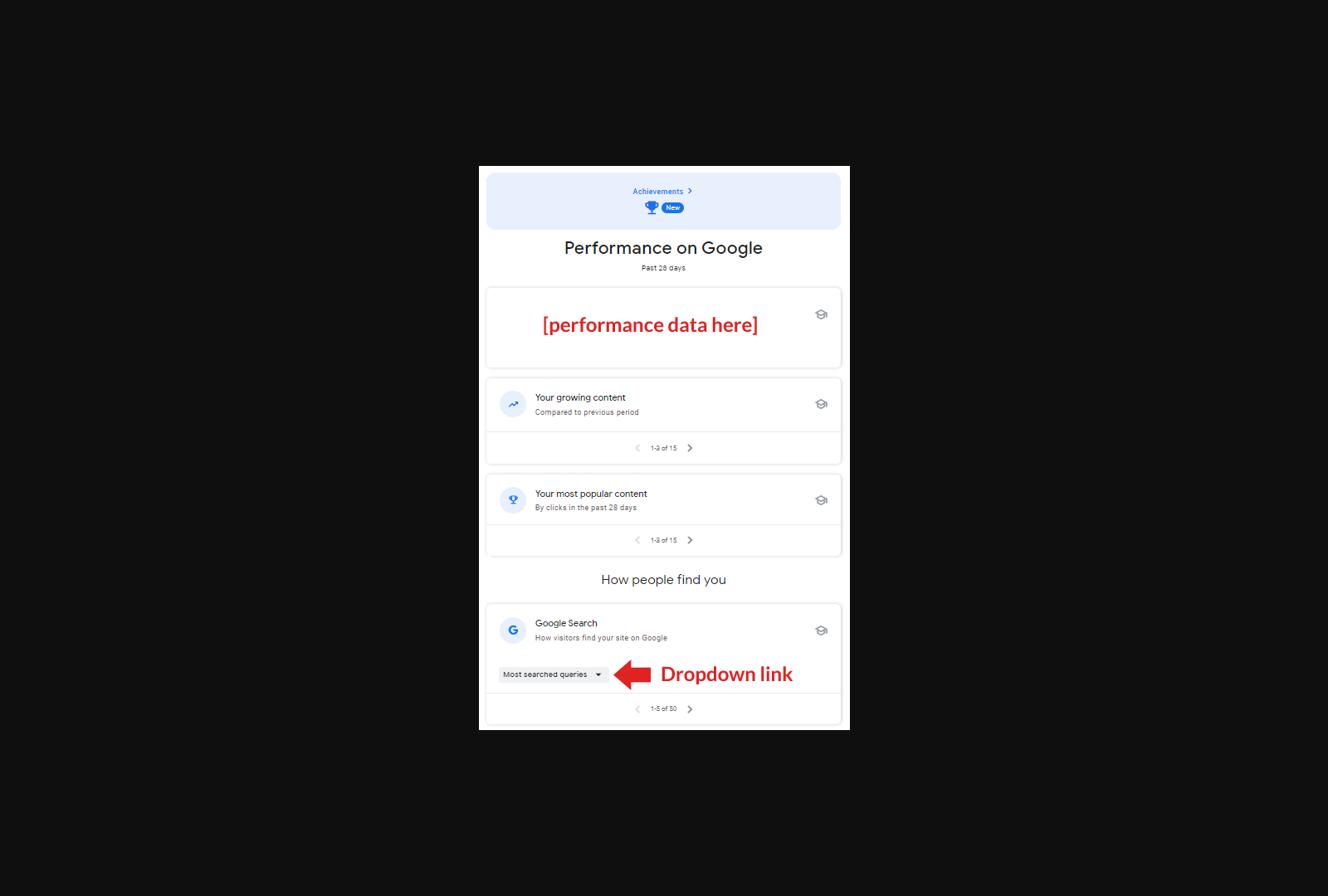
Leveraging Google Search Console (GSC) for keyword research begins with analyzing the Performance report, which provides granular data on search queries driving traffic to your SaaS site. By sorting queries by clicks, impressions, or position, you can identify high-intent keywords that align with your audience’s needs. For example, sorting by "position" reveals keywords where your site ranks but may not be optimized for visibility, while sorting by "clicks" highlights terms with strong user engagement [8]. This data helps prioritize keywords that balance search volume with relevance to your SaaS product’s value proposition. Additionally, GSC’s search analytics can uncover long-tail keywords or niche terms specific to B2B SaaS audiences, such as "B2B demand generation tools" or "SaaS lead scoring software," which may have lower competition but higher conversion potential [6]. See the [Analyzing Traffic and Search Queries with Google Search Console] section for more details on leveraging the Performance report for traffic insights.
Understanding Search Intent and User Behavior
GSC data must be interpreted alongside search intent to ensure content aligns with user needs. For instance, a query like "how to generate SaaS leads" likely indicates informational intent, requiring guides or tutorials, while "SaaS lead generation software" signals transactional intent, necessitating product pages or case studies [10]. By cross-referencing GSC’s query data with landing page performance metrics, you can determine whether your content satisfies user intent. If a page with high impressions but low clicks exists, it may indicate a mismatch between the content’s title/meta description and the user’s expectations [3]. Tools like GSC’s URL inspection tool further help diagnose why certain pages aren’t ranking, such as indexing errors or thin content gaps [7]. This analysis ensures your keyword strategy isn’t just volume-driven but also intent-aligned. For deeper insights into aligning content with search intent, see the [Optimizing SaaS Content with Google Search Console Insights] section.
Creating Targeted Content with GSC Data
Once high-potential keywords are identified, GSC enables targeted content creation by highlighting gaps in your existing content. For example, if GSC shows competitors ranking for "B2B SaaS SEO strategies" but your site isn’t appearing, creating a comprehensive guide on that topic could capture untapped traffic [9]. Additionally, GSC’s sitemap submission feature ensures new content is indexed quickly, accelerating visibility for optimized pages [7]. When drafting content, integrate keywords naturally into headings, subheadings, and body text, while avoiding keyword stuffing. GSC’s search appearance report also helps refine meta titles and descriptions to improve click-through rates (CTR), a critical factor in lead generation [8]. For B2B SaaS, focusing on solution-oriented keywords—like "enterprise SaaS onboarding tools"—can attract higher-quality leads by addressing specific pain points [6].
Refining Keyword Strategies with Performance Metrics
Google Search Console’s historical data allows iterative refinement of keyword strategies. By monitoring CTR, impressions, and average position over time, you can identify trends such as seasonal spikes in queries like "SaaS marketing automation" or shifts in competition post-algorithm updates [3]. For example, if a keyword’s CTR drops despite stable rankings, it may signal content quality issues or changes in user expectations [8]. A/B testing meta elements based on GSC insights—such as testing "Boost SaaS Sales with AI Tools" versus "AI-Powered SaaS Solutions for Growth"—can optimize user engagement [9]. Regularly exporting GSC data to tools like Google Sheets or Looker Studio [6] enables deeper analysis, such as correlating keyword performance with lead generation metrics from HubSpot or other CRMs [10]. To explore how these metrics tie into broader lead generation goals, refer to the [Measuring and Tracking SaaS Lead Generation with Google Search Console] section. This data-driven approach ensures your keyword strategy evolves with market demands and algorithmic changes.
Measuring and Tracking SaaS Lead Generation with Google Search Console
To measure and track SaaS lead generation using Google Search Console (GSC), start by monitoring organic search performance metrics that indirectly indicate lead generation success. GSC provides data on impressions, clicks, and click-through rates (CTR) for specific pages, which can be analyzed to identify high-performing content driving traffic to lead capture pages [2]. For example, pages with lead forms or free trial signups should be prioritized for analysis, as their traffic patterns can reveal correlations between search visibility and lead generation [9]. By tracking search queries that drive traffic to these pages, marketers can refine SEO strategies to target keywords with higher conversion potential [10]. See the [Leveraging Google Search Console for Keyword Research and Planning] section for more details on refining keyword strategies.
Setting Up Data-Driven Monitoring
GSC does not natively support direct conversion tracking like Google Ads, but its metrics can be used to infer lead generation effectiveness. Start by identifying pages critical to your lead funnel (e.g., pricing, free trial, case studies) and monitor their search performance [3]. Use the "Search Results" report to analyze impressions and clicks for these pages, focusing on queries that align with your target audience’s intent [5]. For instance, a surge in clicks for a page titled "B2B SaaS Project Management Tools" might indicate growing interest in your solution. Cross-reference this data with backend CRM metrics to manually assess whether traffic spikes correlate with increased leads [6]. As mentioned in the [Integrating Google Search Console with Other Marketing Tools for Enhanced Lead Generation] section, aligning GSC insights with CRM data strengthens lead attribution.
Monitoring Lead Generation Metrics
Key metrics to track in GSC include CTR, average position, and traffic sources. A high CTR for a specific page suggests effective meta titles and descriptions, while a low CTR despite high impressions may signal the need for on-page SEO adjustments [2]. Additionally, compare mobile and desktop traffic using the "Experience" report to determine which platforms drive more engagement with lead-related content [5]. For example, if desktop users are more likely to click through to a demo request form, allocate more resources to optimizing desktop-specific content.
Analyzing Campaign Performance
Use GSC’s "Performance" report to identify top-performing search queries and landing pages. Filter by URL parameters or subdomains to isolate traffic from A/B testing campaigns or seasonal promotions [3]. For instance, if a blog post about "SaaS security trends" drives significant traffic to a lead magnet, consider expanding similar content themes [9]. Additionally, monitor the "Coverage" report to ensure technical SEO issues (e.g., crawl errors, mobile usability problems) do not hinder lead pages from ranking [10].
Refining Strategies with GSC Data
Regularly review GSC’s "Search Queries" report to pinpoint keywords with high traffic but low CTR, indicating opportunities to improve meta tags or content relevance [8]. For example, if a high-volume keyword like "SaaS customer support tools" has a low CTR, update the page’s meta description to better match user intent [9]. Similarly, analyze the "Pages" report to identify underperforming lead pages and optimize their content or internal linking [6]. By aligning these adjustments with CRM data, marketers can iteratively refine their SEO and content strategies to prioritize high-converting search terms [10].
In conclusion, while GSC does not offer direct conversion tracking, its comprehensive search performance data enables SaaS marketers to make informed decisions about lead generation. By systematically analyzing traffic sources, query performance, and technical SEO health, teams can optimize their organic search strategy to drive higher-quality leads [2][5][9].
Integrating Google Search Console with Other Marketing Tools for Enhanced Lead Generation
Integrating Google Search Console (GSC) with CRM systems enhances lead generation by aligning SEO insights with customer relationship management. For example, GSC data on high-performing keywords and search trends can inform CRM teams about topics resonating with target audiences, enabling tailored outreach [6]. Tools like HubSpot, mentioned in blended search strategies for B2B SaaS growth (see the Advanced Strategies for SaaS Lead Generation with Google Search Console section for more details on this approach), allow direct synchronization of GSC data to refine lead scoring models based on organic search behavior [6]. By analyzing GSC’s top pages and queries, CRM workflows can prioritize leads generated from high-intent search terms, improving conversion rates [10]. This integration requires ensuring GSC is properly configured to capture accurate traffic data, which then feeds into CRM analytics for actionable insights [10].
Using Marketing Automation Platforms with Google Search Console
Marketing automation platforms like HubSpot or Marketo can leverage GSC data to trigger personalized campaigns based on user search behavior. For instance, if GSC identifies a surge in searches for “SaaS project management tools,” automation workflows can send targeted emails to users who visited related landing pages [6]. Blended search strategies, as explored in the Advanced Strategies for SaaS Lead Generation with Google Search Console section, emphasize using GSC alongside platforms like Looker Studio to visualize traffic patterns and automate content recommendations [6]. Additionally, GSC’s URL inspection tool helps identify underperforming pages, which automation systems can address with retargeting ads or follow-up sequences [10]. By syncing GSC’s performance metrics with automation dashboards, teams can dynamically adjust campaigns to capitalize on real-time search trends [10].
Leveraging Social Media Management Tools with Google Search Console
Social media strategies benefit from GSC integration by aligning organic content with high-performing search queries. For example, if GSC reveals strong engagement with content on “B2B SaaS SEO,” social media teams can create posts around related subtopics to drive traffic [6]. Tools like Hootsuite or Buffer can schedule posts based on GSC’s keyword data, ensuring social content aligns with SEO priorities [6]. Additionally, GSC’s referral traffic reports help track which social platforms drive the most search-optimized visitors, enabling resource allocation to top-performing channels [10]. By cross-referencing GSC’s mobile and desktop traffic insights with social media analytics, teams can optimize content formats (e.g., videos for mobile audiences) to boost lead generation [5].
Creating a Unified Marketing Strategy with Google Search Console
A cohesive strategy requires integrating GSC with all marketing tools to centralize data and eliminate silos. Multi-channel approaches, as outlined in the Understanding Google Search Console for SaaS Lead Generation section, recommend using GSC as a foundation for campaigns across CRMs, automation platforms, and social tools [6]. For instance, GSC’s performance reports can inform CRM teams about lead sources, automation workflows about engagement timing, and social teams about content themes [10]. Unified dashboards—built using GSC data alongside tools like Looker Studio—provide real-time visibility into how SEO efforts impact lead generation across channels [6]. This holistic view ensures all teams respond to the same data, improving coordination and maximizing ROI from organic search [10].
Common Challenges and Best Practices for SaaS Lead Generation with Google Search Console
Common Challenges and Best Practices for SaaS Lead Generation with Google Search Console
Overcoming Technical Issues with Google Search Console
Technical barriers in Google Search Console (GSC) often hinder SaaS lead generation. Crawl errors and index coverage issues can prevent target pages from appearing in search results, limiting visibility [2]. To address this, regularly use the URL Inspection Tool to identify and fix crawl errors, ensuring critical landing pages are indexed [10]. See the Analyzing Traffic and Search Queries with Google Search Console section for more details on using the URL Inspection Tool. Additionally, submit updated sitemaps through GSC to notify Google of new or revised content, a practice emphasized in B2B SaaS SEO strategies [7]. Mobile and desktop traffic discrepancies also pose challenges, requiring granular analysis in GSC’s Search Traffic Report to optimize device-specific user experiences [5]. For instance, if mobile traffic drops unexpectedly, cross-reference GSC data with Google Analytics to isolate technical issues like mobile usability errors [3].
Ensuring Data Accuracy and Reliability
Inaccurate data in GSC can mislead SaaS marketers. The “January SERPpocalypse” highlighted how search impression metrics in GSC may temporarily diverge from actual search performance, necessitating cross-validation with tools like Analytics or third-party SEO platforms [3]. Building on concepts from the Measuring and Tracking SaaS Lead Generation with Google Search Console section, audit keyword rankings monthly using GSC’s Performance Report, focusing on queries driving high click-through rates (CTRs) but low conversions—a sign of irrelevant traffic [8]. For example, if a keyword like “B2B SaaS lead generation tools” shows high impressions but low clicks, refine meta titles and descriptions to better align with user intent [6]. Additionally, verify that GSC is properly linked to your Google Analytics and Google Ads accounts to ensure consistent data tracking across platforms [10].
Maintaining a Competitive Edge in SaaS Lead Generation
Competitive advantage in SaaS requires leveraging GSC to identify and act on gaps in organic search performance. Monitor competitors’ high-performing keywords using GSC’s Search Analytics to uncover opportunities for content optimization [9]. As mentioned in the Leveraging Google Search Console for Keyword Research and Planning section, if competitors rank for long-tail terms like “automated SaaS pipeline management,” create targeted guides or case studies to capture similar traffic [6]. Simultaneously, analyze search queries in GSC to detect rising trends, such as increased interest in “AI-driven lead scoring,” and align content strategies accordingly [7]. Prioritize pages with high impressions but low CTRs by optimizing title tags and meta descriptions, a technique shown to improve click-through performance in B2B SaaS contexts [10].
Staying Updated with Google Search Console Features
Google frequently updates GSC, and SaaS marketers must adapt to maintain lead generation effectiveness. For example, the introduction of Enhanced Crawl Budget Reports allows teams to identify under-crawled pages, ensuring critical content receives adequate indexing [11]. Subscribe to Google’s official SEO blog and industry resources like the Advanced Guide to B2B SaaS SEO to stay informed about feature rollouts [10]. Additionally, utilize GSC’s Coverage Report to track how Google indexes your site post-update, addressing any sudden drops in indexed pages that could signal algorithmic changes [3]. Regularly test new features, such as the Mobile Usability Report, to preempt technical issues that might affect user experience and conversion rates [5].
By systematically addressing technical barriers, validating data accuracy, and leveraging competitive insights through GSC, SaaS companies can refine their organic search strategies. Staying proactive with GSC updates ensures alignment with evolving algorithms, sustaining lead generation momentum in a crowded market [2][6][10].
Advanced Strategies for SaaS Lead Generation with Google Search Console
Subsection Name: Leveraging Predictive Analytics for Lead Generation
Google Search Console (GSC) enables SaaS companies to implement predictive analytics by analyzing historical traffic and user behavior data to forecast high-converting keywords and content topics. By tracking metrics like click-through rates (CTRs), bounce rates, and pages per session in GSC, teams can identify patterns that correlate with lead generation success [10]. As mentioned in the [Analyzing Traffic and Search Queries with Google Search Console] section, analyzing historical traffic and user behavior data is foundational for leveraging predictive analytics. For example, [10] highlights that predictive analytics models—when applied to GSC data—can prioritize keywords with seasonal or industry-specific demand spikes, allowing SaaS marketers to adjust content calendars proactively. While the sources do not explicitly detail machine learning algorithms, the foundation for such models lies in the structured data GSC provides, such as query performance reports and landing page engagement metrics.
Subsection Name: Personalized Content via User Behavior Insights
GSC’s user behavior data, including device-specific traffic splits and search query performance, can inform personalized content strategies. [5] emphasizes analyzing mobile and desktop traffic separately to tailor content layouts and CTAs for each device type, as SaaS users often exhibit different engagement patterns. For instance, desktop users might prefer in-depth guides, while mobile visitors respond better to concise, scannable content. [9] adds that leveraging GSC’s “Performance” report to identify high-traffic, low-conversion pages allows teams to refine messaging or CTAs dynamically. By cross-referencing GSC data with CRM insights, SaaS marketers can create hyper-targeted content variants for different user segments, such as free trial signups vs. demo requests [9].
Subsection Name: Dynamic Content Optimization with GSC Data
Dynamic content experiences—where landing pages adapt in real-time based on user intent—can be informed by GSC’s query and page performance reports. [9] suggests using GSC’s “Search Appearance” section to monitor how featured snippets or rich results impact user engagement, then adjusting meta tags or headings accordingly. See the [Integrating Google Search Console with Other Marketing Tools for Enhanced Lead Generation] section for more details on integrating GSC data with external platforms. For example, if a page ranks for the query “SaaS project management tools” but has a high bounce rate, marketers might use GSC’s data to test alternative headlines or subheadings that better match user intent. [10] further recommends integrating GSC data with tools like HubSpot or Looker Studio to automate A/B testing of CTAs or form placements, ensuring content evolves with user behavior trends.
Subsection Name: Mobile-First Optimization for SaaS Lead Funnel
Given the dominance of mobile traffic in SaaS categories, GSC’s mobile usability report is critical for lead generation. [5] outlines how SaaS companies should use GSC to flag pages with poor mobile performance, such as oversized images or non-responsive design elements, which can hinder conversion rates. By prioritizing mobile-friendly content structures—like shorter paragraphs, larger buttons, and accelerated mobile pages (AMPs)—marketers can reduce friction in the lead capture process. [6] adds that combining GSC’s mobile traffic insights with heatmaps or session recordings provides a holistic view of how users interact with SaaS landing pages, enabling data-driven UX improvements.
Limitations and Next Steps
While the sources emphasize GSC’s role in predictive analytics and behavior-driven personalization, they do not explicitly discuss integrating machine learning algorithms directly into GSC workflows. However, the structured data exported from GSC (e.g., CSV downloads of search queries or performance metrics) can be fed into external ML platforms for advanced pattern recognition. Building on concepts from the [Integrating Google Search Console with Other Marketing Tools for Enhanced Lead Generation] section, teams are advised to cross-reference GSC insights with tools like Ahrefs or SEMrush [6] for a fuller picture of keyword intent, then apply ML techniques externally if resources permit. For most SaaS businesses, the focus should remain on actionable GSC features like query analysis, device-specific optimization, and dynamic content adjustments to drive scalable lead generation.
References
[1] What's one marketing tool you can't imagine removing from your ... - https://www.reddit.com/r/SaaS/comments/1ppqckm/whats_one_marketing_tool_you_cant_imagine/
[2] What is Google Search Console Used For? | SEO Best Practices ... - https://gripped.io/b2b-seo/google-search-console-use/
[3] Observations on the January SERPpocalypse | DemandSphere ... - https://www.linkedin.com/posts/raygrieselhuber_observations-on-the-january-serppocalypse-activity-7286069576096722945-N0hi
[4] How To Check Keyword Rankings in Google Search Console - https://www.tripledart.com/marketing-tutorials/how-to-check-keyword-ranking-in-google-search-console
[5] How To Analyze Mobile & Desktop Traffic Using Google Search ... - https://www.tripledart.com/marketing-tutorials/how-to-analyze-mobile-desktop-traffic-using-google-search-console
[6] B2B SaaS SEO Strategies for Growth in 2025 | Gravitate - https://www.gravitatedesign.com/blog/b2b-saas-seo-strategies/
[7] SEO Strategy: A Step-by-Step Guide for B2B SaaS - https://www.a88lab.com/blog/seo-strategy-guide-for-b2b-saas
[8] How To Check Keyword Rankings in Google Search Console - https://www.tripledart.com/marketing-tutorials/how-to-check-keyword-ranking-in-google-search-console
[9] SaaS Content Marketing Strategy 2025: Drive Real Growth - https://growthmindedmarketing.com/blog/saas-content-strategy/
[10] The Advanced Guide to B2B SaaS SEO | Stratabeat - https://stratabeat.com/b2b-saas-seo/
[11] How Can Google Search Console Uncover Secret Keyword Opportunities? - Saas Marketing Wizards by Saas Marketing Wizards - https://www.youtube.com/watch?v=db6vSiZtVnw
Frequently Asked Questions
1. How do I set up Google Search Console for my SaaS website?
To set up Google Search Console (GSC), first verify ownership of your domain by adding your site and selecting "Alternate method: HTML file upload" or "DNS TXT record" to confirm ownership. Once verified, submit a sitemap to ensure Google indexes all relevant pages. For SaaS platforms, ensure all subdomains (e.g., app.yoursaas.com) are added separately if they host critical content. Regularly check the "Coverage" report for crawl errors and fix broken links or redirects to maintain optimal visibility.
2. How can I identify high-performing content in Google Search Console?
Use the Performance report in GSC to analyze metrics like clicks, impressions, CTR, and average position for your pages. Filter results by "Page" or "Query" to identify top-performing URLs. For SaaS lead generation, focus on pages with high CTR (e.g., case studies or product pages) and low bounce rates. Export this data to compare content performance over time and prioritize updates or repurposing for underperforming topics.
3. What are the best ways to uncover keyword opportunities with Google Search Console?
Use the Search Queries report to find the exact terms driving traffic to your site. Look for high-impression, low-CTR keywords to refine title tags and meta descriptions. For deeper insights, export these queries into tools like Google Keyword Planner or Ahrefs to identify related long-tail keywords. For SaaS, prioritize intent-based keywords (e.g., "SaaS lead generation tools for B2B") that align with buyer personas and create content addressing their pain points.
4. How does Google Search Console help fix technical SEO issues for SaaS sites?
The Coverage report highlights crawl errors, mobile usability issues, and indexing problems. For SaaS platforms with complex architectures (e.g., multi-tenant apps), check for duplicate content or thin pages flagged in the "Excluded" section. Use the Mobile Usability report to ensure responsive design and fast load times, which are critical for SaaS demos or free trial landing pages. Fixing these issues improves rankings and reduces friction for lead conversion.
5. How can I improve my click-through rate (CTR) using Google Search Console data?
Analyze the Search Appearance report to see how your title tags and meta descriptions perform. If CTR is low, test variations of these elements using A/B testing tools like Optimizely or Google’s own experiments. For SaaS, include clear value propositions in titles (e.g., “Automate SaaS Lead Gen with [Your Tool] – 2025 Guide”) and highlight free trials or case studies in meta descriptions to entice clicks from decision-makers.
6. How do I align content with user intent using Google Search Console?
Review the Top Search Queries report to understand what users are searching for when they land on your site. Map these queries to the customer journey (awareness, consideration, decision) and create content that matches intent. For example, if users search “SaaS lead generation tools,” create a comparison guide (decision stage) or a tutorial (consideration stage). Use GSC’s Pages report to identify content gaps and update underperforming pages with intent-aligned messaging.
7. How can I track and optimize for featured snippets in Google Search Console?
In the Performance report, filter by "Featured snippet" in the "Search Type" dropdown to see which pages appear in rich results. Check the "Average position" for these pages—if they rank in the top 3 but aren’t featured, optimize headers and concise answers directly in the content. Use structured data markup (via Schema.org) for FAQs or product pages to increase chances of being selected for rich snippets, which boost visibility and CTR for SaaS lead magnets like free trials.