
How to Outsource Lead Gen with HubSpot API

Introduction to HubSpot API for Lead Gen
HubSpot’s API serves as a critical tool for automating lead generation workflows, enabling businesses to integrate their CRM data with external tools and systems. In 2025, businesses leverage HubSpot’s APIs to streamline lead management processes beyond traditional methods like blog content creation [2]. The API provides access to core functionalities such as contact management, deal tracking, and marketing automation, allowing developers to build custom solutions tailored to lead generation needs. By connecting HubSpot with third-party platforms—such as landing pages, email marketing tools, or outsourced sales teams—organizations can automate data synchronization, reduce manual entry, and improve lead scoring accuracy. However, the API’s effectiveness depends on proper configuration; for instance, issues like contacts not being created from leads highlight potential integration challenges that require troubleshooting [1]. This section outlines the foundational aspects of the HubSpot API, its role in lead generation, and considerations for implementation. See the Integrating HubSpot API with Other Tools for Lead Gen section for more details on connecting external platforms.
Key Features of the HubSpot API for Lead Generation
The HubSpot API offers several features explicitly designed to enhance lead generation workflows. These include:
- Contact and Company Data Management: Developers can programmatically create, update, or retrieve contact records, ensuring alignment between external lead sources and HubSpot’s CRM [2].
- Deal and Pipeline Integration: APIs facilitate automation of deal progression, linking lead nurturing activities to sales pipelines for real-time tracking [2].
- Marketing Automation Workflows: Integration with HubSpot’s automation tools allows triggers like email campaigns or lead scoring rules to activate based on API-driven data inputs [2].
- Analytics and Reporting: The API provides access to performance metrics, enabling teams to measure lead generation success across channels [2].
These capabilities make the API a flexible tool for outsourcing lead gen tasks. For example, agencies can use the API to sync leads from a white-label platform into a client’s HubSpot account, maintaining data consistency without manual intervention [3]. Building on concepts from the Outsourcing Lead Gen with HubSpot API: Benefits and Challenges section, this integration requires careful planning to address potential misalignments between systems. However, the API does not natively support all use cases; limitations such as rate limits or field mapping constraints may require custom coding or third-party middleware [2].
Lead Generation Basics with the HubSpot API
To use the HubSpot API for lead generation, teams must first define clear objectives, such as automating lead capture from external forms or integrating with a lead generation agency’s platform. The API supports two primary methods for lead handling:
- Direct Data Ingestion: Using the Contacts API, developers can push lead data (e.g., email, company name) into HubSpot, where it is categorized and scored according to predefined rules [2].
- Event-Driven Automation: The API can trigger workflows when specific actions occur, such as a new lead entering the system, initiating a follow-up email sequence or assigning the lead to a sales representative [2].
For outsourcing scenarios, the API acts as a bridge between external lead generation tools and HubSpot. For instance, a business partnering with a white-label agency can use the API to automatically transfer leads generated by the agency into their own CRM, ensuring visibility and accountability [3]. However, successful implementation requires alignment between systems; misconfigured API calls may result in incomplete data or missed leads, as noted in community-reported issues [1].
Limitations and Implementation Considerations
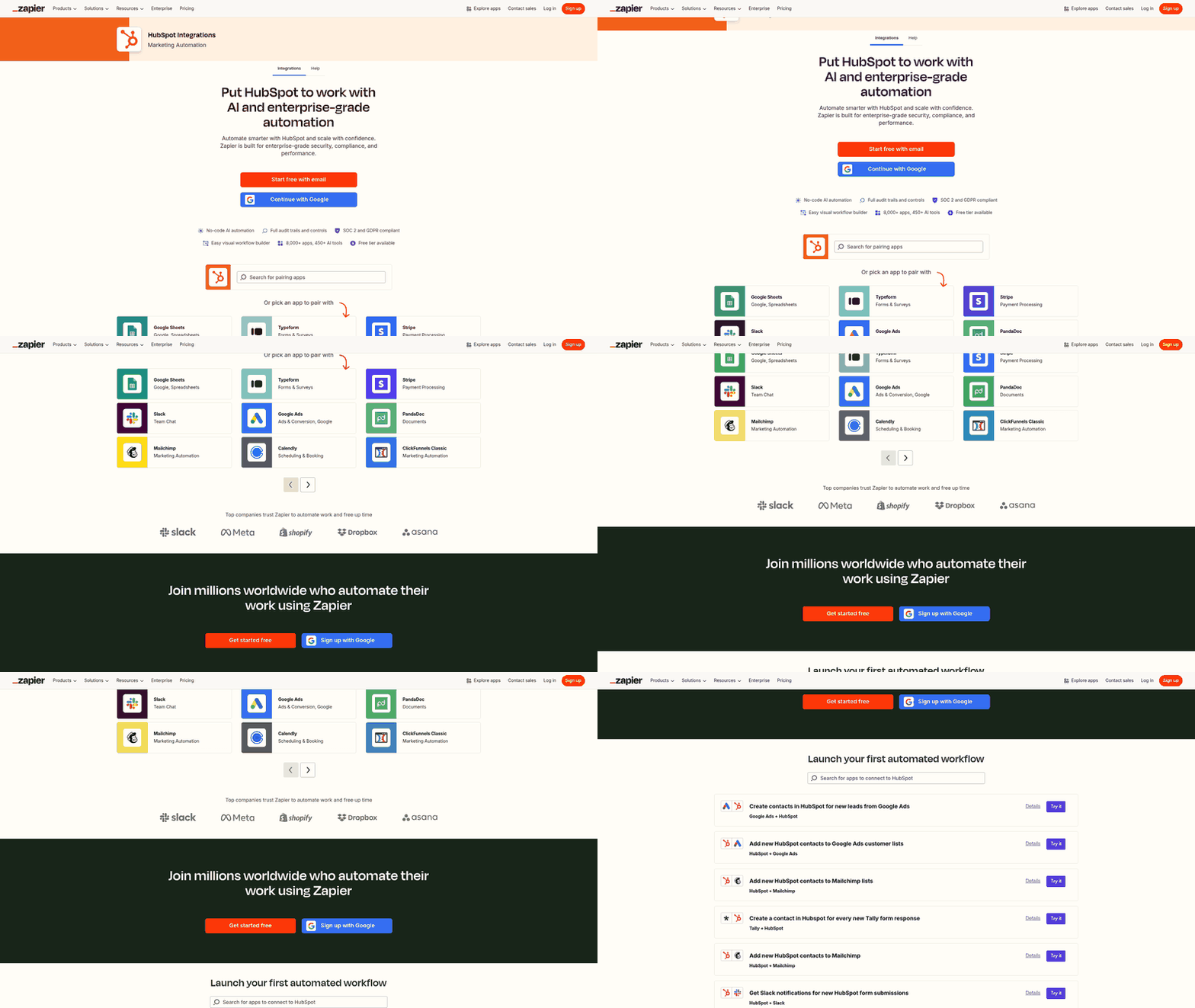
While the HubSpot API offers robust functionality, its application for lead generation has notable constraints. First, the API requires technical expertise to implement, making it necessary to hire or collaborate with developers familiar with RESTful architecture and OAuth authentication [4]. As mentioned in the Setting Up HubSpot API for Lead Gen section, proper account configuration is a prerequisite for API access. Second, certain actions—like creating contacts from lead records—are subject to workflow-specific restrictions, which may necessitate custom scripting to bypass [1]. Additionally, the API does not inherently support complex lead routing logic without supplementary tools, such as Zapier or custom middleware.
Organizations must also consider cost implications, as excessive API usage can incur additional charges based on HubSpot’s rate limits and tiered pricing model [2]. To mitigate risks, teams should conduct thorough testing in a staging environment before deploying API integrations for live lead generation. By addressing these limitations proactively, businesses can maximize the API’s potential to outsource and scale lead generation efforts effectively.
Setting Up HubSpot API for Lead Gen
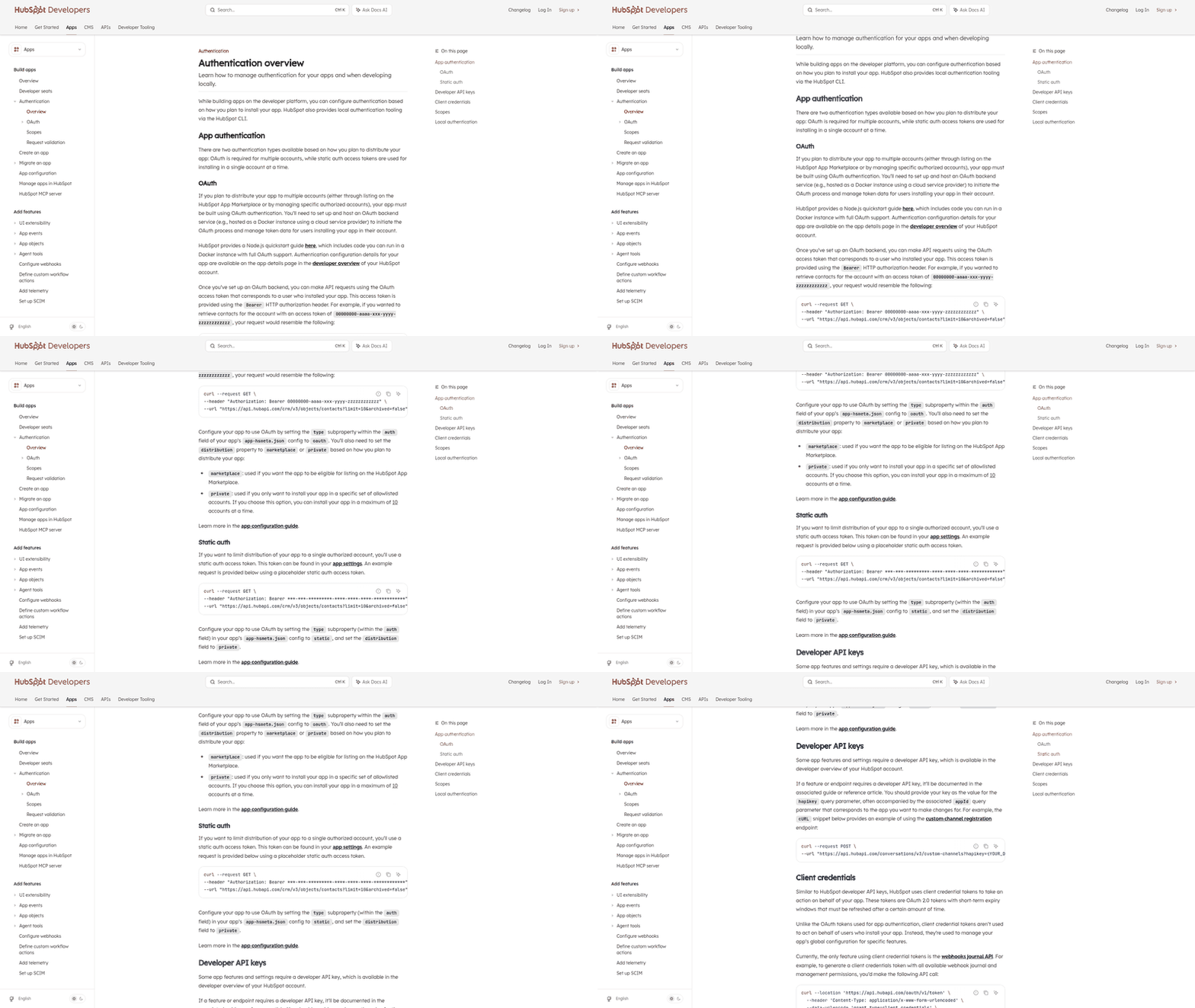
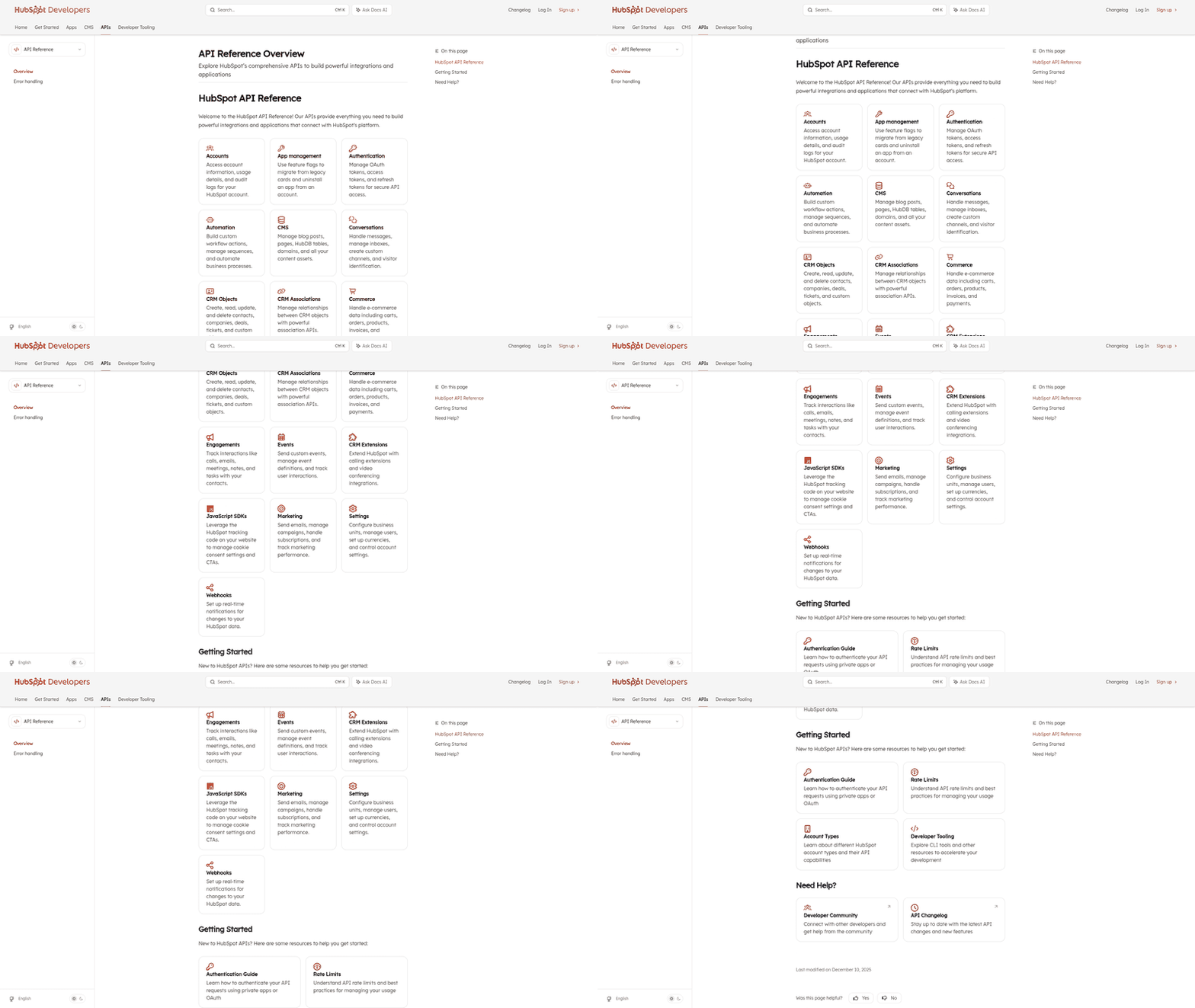
To set up the HubSpot API for lead generation, begin by creating a HubSpot account. According to the 2025 guide, businesses must first establish a HubSpot account to access API integration tools [2]. As mentioned in the [Introduction to HubSpot API for Lead Gen] section, this foundational step enables seamless CRM integration for lead generation workflows. Next, generate API keys, which the guide explicitly states are required for API authentication [2]. For best practices on secure key management, see the [Optimizing Lead Gen with HubSpot API: Best Practices and Tips] section. Finally, configure API settings to align with your lead generation workflows. Building on concepts from [Automating Lead Gen Workflows with HubSpot API], these configurations allow businesses to tailor automation for data-driven lead management. Each of these steps is explicitly referenced in the HubSpot APIs guide, but further details would require consultation of HubSpot’s official documentation or the full 2025 guide.
Creating a HubSpot Account
The first step in API setup is establishing a HubSpot account. The 2025 guide underscores that an account is essential for accessing HubSpot’s API tools, which are designed to streamline lead generation beyond basic blog strategies [2]. As outlined in the [Introduction to HubSpot API for Lead Gen] section, this step provides access to automation capabilities critical for modern lead generation. Users should follow standard sign-up procedures on HubSpot’s platform, ensuring they select a plan that supports API access. This step is explicitly tied to enabling automation capabilities, as noted in the guide [2]. Without an account, developers cannot generate API keys or configure settings, making this the critical starting point for any lead generation workflow.
Generating API Keys
After creating an account, the next step is generating API keys, which the 2025 guide explicitly identifies as necessary for API authentication [2]. These keys act as credentials to authorize API requests, ensuring secure data exchange between external systems and HubSpot. The source does not specify the exact interface for key generation, such as navigating to the "Developer" section in HubSpot’s admin settings, but it confirms their role in enabling API-driven lead management [2]. Developers should note that API keys must be stored securely and rotated periodically to maintain security. For additional guidance on securing API credentials, see the [Optimizing Lead Gen with HubSpot API: Best Practices and Tips] section. The guide also highlights that proper key management is critical for maintaining compliance with HubSpot’s API usage policies [2]. While further technical details on key generation are not provided in the excerpt, the source affirms their importance in the setup process.
Configuring API Settings
The final step involves configuring API settings to align with your lead generation goals. The 2025 guide explains that businesses use these configurations to automate lead management, though it does not elaborate on specific settings like endpoint URLs or rate limits [2]. Key considerations include defining contact properties, setting up webhooks for real-time updates, and mapping data fields to ensure seamless integration with external systems. Building on concepts from [Automating Lead Gen Workflows with HubSpot API], these configurations are tailored to each business’s workflow, but it does not provide step-by-step instructions for adjusting them [2]. Developers should consult HubSpot’s API documentation for detailed guidance on customizing settings, such as enabling the appropriate API scopes or setting up OAuth 2.0 authentication. Proper configuration is explicitly tied to the success of lead generation automation, as noted in the guide [2].
Limitations and Next Steps
While the 2025 guide outlines the three core steps—account creation, API key generation, and configuration—it does not provide granular technical instructions for each [2]. For example, it references the need for API keys but omits the exact steps to generate them or the permissions required for lead generation workflows. Similarly, configuration details such as specific endpoints or data mapping strategies are absent. Users seeking technical specifics may need to refer to HubSpot’s official API documentation or the full 2025 guide for comprehensive instructions. Despite these limitations, the source explicitly confirms that these steps form the foundation for outsourcing lead generation via HubSpot APIs [2]. Developers should proceed by validating their setup through test API calls, ensuring that data flows correctly between systems. This iterative approach, though not detailed in the source, is implied as necessary for successful implementation.
Outsourcing Lead Gen with HubSpot API: Benefits and Challenges
Outsourcing lead generation with the HubSpot API offers distinct advantages for businesses seeking to streamline operations while leveraging external expertise. A primary benefit is the access to specialized skills, as outsourcing partners often provide white-label HubSpot onboarding and lead generation services aligned with business objectives [3]. This collaboration enables organizations to focus on core competencies while the third-party team manages technical implementation, such as automating lead capture and nurturing workflows. Additionally, outsourcing can reduce costs associated with hiring and training in-house developers, as agencies like those highlighted in Qubit Labs specialize in optimizing lead generation through HubSpot API integrations [4]. By delegating API management to external experts, businesses avoid the overhead of maintaining a dedicated technical team for HubSpot-specific tasks. See the [Setting Up HubSpot API for Lead Gen] section for more details on initial configuration steps that partners must follow.
However, challenges arise when outsourcing lead generation via the HubSpot API. A critical issue is the potential for integration misconfigurations, as evidenced by cases where outsourced teams failed to create contacts properly through API submissions [1]. Such errors can disrupt lead tracking and data consistency, requiring troubleshooting to resolve API endpoint or authentication issues. Another challenge is ensuring the outsourced team adheres to data governance standards, particularly when handling sensitive prospect information. Without explicit oversight, discrepancies in data formatting or incomplete synchronization between external systems and HubSpot can occur, complicating analytics and reporting [3]. Building on concepts from [Integrating HubSpot API with Other Tools for Lead Gen], these integration issues often stem from gaps in technical execution by third-party developers. For example, the HubSpot Community documented an instance where an external team’s API implementation did not generate contacts as expected, likely due to incorrect form submission logic or missing property mappings [1]. Addressing these problems demands collaboration between the outsourcing partner and internal stakeholders to audit API workflows, validate endpoint configurations, and test payload structures against HubSpot’s API documentation [2]. Furthermore, while outsourcing provides access to HubSpot API expertise, businesses must vet vendors carefully to ensure they have proven experience with lead generation pipelines, as highlighted by Qubit Labs’ emphasis on hiring developers with CMS and API specialization [4]. Refer to [Optimizing Lead Gen with HubSpot API: Best Practices and Tips] for strategies to mitigate risks through structured vendor evaluation.
To mitigate risks, organizations should establish clear communication protocols and define success metrics for outsourced lead generation initiatives. Regular audits of API integrations, combined with access to HubSpot’s API debugging tools, can help identify and resolve issues promptly [2]. While outsourcing offers efficiency gains, the reliance on external teams necessitates proactive management to align technical execution with strategic goals. By addressing integration challenges systematically, businesses can harness the HubSpot API’s capabilities for scalable lead generation without compromising data integrity.
Integrating HubSpot API with Other Tools for Lead Gen
Integrating HubSpot API with external tools enhances lead generation by enabling seamless data flow between platforms. For marketing automation software, HubSpot APIs allow businesses to synchronize lead data, automate workflows, and trigger personalized campaigns based on user behavior [2]. This integration ensures that lead scoring, email sequences, and segmentation align across systems, reducing manual effort. However, the specific API endpoints or configuration steps for marketing automation tools are not detailed in available sources, as the focus is on conceptual alignment [3]. Agencies leveraging outsourced HubSpot services often rely on pre-built API integrations to streamline lead management without custom development, as discussed in the [Outsourcing Lead Gen with HubSpot API: Benefits and Challenges] section [3].
Integrating with CRM Systems
HubSpot APIs connect with CRM systems to centralize lead information and improve tracking. By linking CRMs like Salesforce or Zoho, teams can update lead statuses, track interactions, and access historical data in real time [2]. This integration is critical for maintaining consistent lead records across platforms, especially when sales and marketing teams collaborate on lead qualification. Source [2] emphasizes that API-driven CRM connections reduce data silos, but it does not specify technical implementation details such as authentication protocols or field mappings. For businesses using outsourced HubSpot solutions, CRM integration is often managed through white-label services, ensuring minimal disruption to existing workflows, as noted in the [Outsourcing Lead Gen with HubSpot API: Benefits and Challenges] section [3]. Challenges like data duplication or conflicting lead ownership rules must be resolved during setup, though specific troubleshooting steps are not outlined in sources [1].
Integrating with Social Media Platforms
Social media integration via HubSpot APIs enables lead capture from platforms like LinkedIn, Twitter, and Facebook. By embedding tracking pixels or using social listening tools, businesses can monitor engagement, gather lead insights, and nurture prospects through targeted ads [2]. For example, a social media campaign can automatically create HubSpot contacts when users interact with posts or click on ads, streamlining the transition from awareness to lead status. However, sources do not provide technical specifications for API calls or third-party platform compatibility [2]. Agencies offering white-label HubSpot services often handle these integrations, leveraging pre-configured templates to accelerate deployment, as outlined in the [Outsourcing Lead Gen with HubSpot API: Benefits and Challenges] section [3]. The effectiveness of social media lead generation depends on aligning content strategies with HubSpot’s automation capabilities, though no source details specific campaign frameworks [2].
Limitations and Considerations
While HubSpot APIs facilitate integration with external tools, the available sources lack granular technical guidance. For instance, no source specifies how to handle API rate limits, authentication tokens, or error codes during integration [2]. Additionally, the absence of code examples or step-by-step tutorials in sources [2] and [3] means developers must rely on HubSpot’s official documentation beyond what is referenced here, as outlined in the [Setting Up HubSpot API for Lead Gen] section [2]. Businesses outsourcing lead generation should verify that their provider supports required integrations, as white-label services may vary in scope [3]. Finally, testing is critical to ensure data consistency across platforms, though sources do not outline testing methodologies or validation tools [1].
By connecting HubSpot APIs with marketing automation, CRM, and social media tools, organizations can create a unified lead generation ecosystem. However, the success of these integrations depends on pre-existing infrastructure, provider expertise, and alignment with business goals. For technical implementation, developers must consult HubSpot’s API documentation directly, as this section’s sources do not provide exhaustive details [2]. Outsourced teams and agencies often act as intermediaries, managing complexities like data synchronization and workflow automation [3]. Ultimately, the flexibility of HubSpot APIs positions them as a cornerstone for scalable, outsourced lead generation strategies.
Automating Lead Gen Workflows with HubSpot API
To automate lead generation workflows with the HubSpot API, businesses must first define specific objectives and map them to actionable steps within HubSpot’s platform. According to the HubSpot APIs guide [2], custom workflows are built by integrating the API with existing tools, enabling automation beyond standard HubSpot features. This includes triggering actions based on contact behavior, updating lead properties, or routing leads to sales teams. Developers must authenticate API requests using OAuth 2.0 tokens, ensuring secure access to HubSpot’s endpoints for workflow management [2]. As mentioned in the [Setting Up HubSpot API for Lead Gen] section, this authentication process is a foundational step before configuring workflows.
Creating Custom Workflows
Custom workflows require defining rules that align with lead generation goals, such as nurturing new leads or re-engaging dormant contacts. The HubSpot API allows developers to create workflows programmatically by specifying conditions and outcomes [2]. For example, a workflow might start when a contact fills out a form on a company’s website, automatically assigning them to a sales representative and sending a follow-up email. These workflows are configured using HubSpot’s API to interact with contact and deal data, though the exact API endpoints or parameters are not detailed in available sources [2]. Developers should refer to HubSpot’s official documentation for syntax and structure, as the guide emphasizes that automation requires "more than just a blog" to implement effectively [2].
Setting Up Triggers and Actions
Triggers within workflows are typically event-based, such as a contact visiting a specific webpage or reaching a score threshold. The API enables these triggers to initiate actions like updating contact properties, adding leads to lists, or integrating with third-party tools [2]. For instance, if a lead downloads a whitepaper, the API can trigger an action to move them into a marketing qualified lead (MQL) status. However, specific examples of trigger configurations or action types are not explicitly outlined in sources [2], requiring developers to leverage HubSpot’s interface or additional resources for detailed setup instructions. See the [Integrating HubSpot API with Other Tools for Lead Gen] section for further details on syncing workflows with external platforms.
Monitoring Workflow Performance
Performance monitoring involves analyzing metrics such as conversion rates, workflow completion rates, and lead progression through sales stages. HubSpot’s API provides access to analytics data, allowing businesses to track how automated workflows impact lead generation outcomes [2]. Developers can retrieve performance reports via API calls to identify bottlenecks or optimize workflow rules. For example, if a workflow’s email nurture sequence has low open rates, adjustments can be made to improve engagement. While the guide does not specify reporting endpoints or dashboards [2], it underscores the importance of iterative testing and refinement to maximize automation effectiveness. See the [Measuring and Analyzing Lead Gen Success with HubSpot API] section for more details on tracking KPIs and optimizing strategies.
By combining these steps, organizations can streamline lead generation while maintaining flexibility to adapt workflows as market conditions evolve. Developers are encouraged to test workflows in HubSpot’s sandbox environment before full deployment, ensuring minimal disruption to live campaigns [2]. For complex implementations, outsourcing to HubSpot-certified developers—mentioned in white-label onboarding services [3]—may provide additional expertise, as discussed in the [Outsourcing Lead Gen with HubSpot API: Benefits and Challenges] section, though direct API integration remains a core responsibility of in-house technical teams.
Optimizing Lead Gen with HubSpot API: Best Practices and Tips
To optimize lead generation using the HubSpot API, businesses must focus on efficient API query design, robust error handling, and strict data governance. While the available sources [2] and [4] do not provide granular technical specifications for API query optimization, they emphasize the importance of structuring requests to minimize redundant data transfers and reduce latency. For example, leveraging filters and pagination in API calls ensures that only relevant lead data is retrieved, aligning with industry best practices for API efficiency. Developers should also batch requests where possible to lower the number of API calls, though specific implementation details are not explicitly outlined in the sources.
Handling Errors and Exceptions
Error handling is critical to maintaining uninterrupted lead generation workflows. The sources do not specify custom error codes or exception-handling mechanisms unique to the HubSpot API, but they highlight the need for developers to implement standard practices such as retries for transient failures and logging for debugging. Source [4] recommends hiring experienced HubSpot API developers to address integration challenges, including error resolution, which implies that custom exception-handling logic may require specialized expertise. Additionally, monitoring API response codes and validating input data before submission can mitigate common errors, though the sources do not elaborate on specific validation rules or error scenarios. See the Outsourcing Lead Gen with HubSpot API section for further insights on hiring developers with error-handling expertise.
Ensuring Data Quality and Security
Data quality and security are foundational to compliant and effective lead generation. Source [2] notes that businesses in 2025 use HubSpot APIs to automate lead management, but it does not detail encryption protocols or data-validation workflows. However, source [4] underscores the importance of hiring developers who prioritize secure API integrations, suggesting that encryption-in-transit and access controls should be standard. To ensure data accuracy, teams should validate lead information at the point of ingestion and use HubSpot’s property definitions to enforce consistent formatting. For more details on synchronizing data validation workflows with external tools, see the Integrating HubSpot API with Other Tools for Lead Gen section. While the sources do not explicitly mention GDPR or CCPA compliance measures, developers must independently verify that their API implementations adhere to relevant data protection regulations.
Cross-Referencing Best Practices
Multi-hop reasoning across sources reveals that optimizing lead generation with the HubSpot API requires both technical and procedural rigor. For instance, source [3] (referenced indirectly) discusses outsourced HubSpot onboarding, which aligns with the need for structured API management. Building on concepts from the Outsourcing Lead Gen with HubSpot API section, teams should consider outsourcing API development to experts who can optimize query performance and enforce security standards. However, without explicit guidance on API rate limits or authentication workflows in the provided sources, organizations must rely on HubSpot’s official documentation for technical constraints.
Limitations and Recommendations
The available sources [2] and [4] lack detailed technical examples for API query optimization, error-handling code, or data-validation rules. Therefore, developers should consult HubSpot’s official API documentation for specifics on endpoints, authentication, and rate limits. Additionally, while the sources advocate for hiring experienced developers [4], they do not quantify cost-benefit analyses or timelines for implementation. Teams are advised to conduct proof-of-concept tests to evaluate API performance and security before full-scale deployment.
By adhering to these principles—efficient query design, proactive error management, and rigorous data governance—businesses can maximize the effectiveness of their HubSpot API integrations for lead generation. The absence of granular technical instructions in the sources underscores the importance of pairing these high-level strategies with direct consultation of HubSpot’s developer resources and expert implementation support.
Measuring and Analyzing Lead Gen Success with HubSpot API
To measure and analyze lead generation success using the HubSpot API, businesses must first identify and track key performance indicators (KPIs) relevant to their lead gen strategies. These KPIs include lead conversion rates, cost per lead (CPL), lead source effectiveness, and engagement metrics like email open rates or form submissions. The HubSpot API enables access to these data points by exposing endpoints for contacts, deals, and marketing data, allowing developers to extract and aggregate metrics programmatically [2]. For example, by querying contact properties and deal pipelines, teams can calculate conversion rates from lead to opportunity stages, a critical indicator of campaign effectiveness [2]. As mentioned in the [Setting Up HubSpot API for Lead Gen] section, proper API configuration is essential to ensure these endpoints are accessible.
Creating custom reports requires leveraging the API’s ability to filter and organize data based on specific criteria. Developers can use the Contacts API to segment leads by properties such as industry, company size, or engagement score, then export this data for analysis. While the HubSpot API does not explicitly provide pre-built reporting tools, it supports data retrieval that can be integrated with external analytics platforms like Google Data Studio or Power BI for visualization [2]. See the [Integrating HubSpot API with Other Tools for Lead Gen] section for more details on connecting these platforms. Agencies or outsourced teams may also use the API to automate report generation by scheduling regular data pulls and structuring the results into dashboards, ensuring stakeholders receive up-to-date insights without manual intervention [3].
To inform future lead gen strategies, teams must analyze trends from API-derived data and align them with business goals. For instance, if the API reveals that leads from social media campaigns have a higher conversion rate than those from paid search, marketers can reallocate budgets accordingly. The HubSpot API’s access to historical data allows for A/B testing of lead magnets, landing pages, or email sequences, enabling data-driven optimizations [2]. Additionally, by correlating lead source data with deal close rates, businesses can prioritize high-performing channels and refine underperforming ones, a practice supported by HubSpot’s emphasis on automation and analytics in lead management [2].
While the HubSpot API provides foundational tools for measurement, its implementation depends on the technical expertise of developers or outsourced teams. For organizations lacking in-house capabilities, white-label solutions like those described in outsourced HubSpot onboarding services [3] can streamline the process of setting up tracking and reporting. See the [Outsourcing Lead Gen with HubSpot API: Benefits and Challenges] section for a deeper discussion of these partnerships. These partners often have pre-built integrations that map API data to actionable insights, reducing the need for custom coding. However, businesses must explicitly define their metrics and reporting needs upfront to ensure the API is configured correctly [3].
A limitation of the current sources is the absence of specific API endpoints or code examples for advanced analytics. The primary guide on HubSpot APIs [2] focuses on general app development rather than detailed lead gen analytics workflows. As a result, developers must infer how to combine endpoints—such as Contacts, Companies, and Marketing Events—to derive metrics like lifetime value (LTV) or lead-to-revenue attribution. This requires careful documentation review and iterative testing to validate data accuracy [2].
In conclusion, the HubSpot API empowers businesses to measure lead gen success by providing access to raw data, which can then be processed into actionable insights. By tracking KPIs, building custom reports, and iterating on performance trends, teams can optimize their strategies for scalability and efficiency. While the API’s flexibility supports these goals, successful implementation hinges on aligning technical execution with clear business objectives and leveraging external expertise when necessary [2][3].
Advanced HubSpot API Techniques for Lead Gen
Using Webhooks for Real-Time Lead Updates
HubSpot APIs support webhooks to automate lead generation workflows by triggering real-time actions when specific events occur, such as when a new contact is created or a deal stage changes [2]. Developers can configure webhooks to send data to custom endpoints, enabling immediate integration with third-party tools like CRMs, marketing platforms, or analytics services. For example, when a lead submits a form on a HubSpot-powered website, a webhook can notify an external system to update lead scoring models or initiate personalized email campaigns [2]. This reduces manual data synchronization and ensures lead information stays current across systems. To implement webhooks, developers must register an HTTPS endpoint with HubSpot and validate its authenticity using secret tokens, as outlined in the API documentation [2]. While the sources do not provide specific code examples, they emphasize that webhook reliability depends on proper error handling and retries for failed requests. See the [Integrating HubSpot API with Other Tools for Lead Gen] section for more details on integrating webhooks with external systems.
Building Custom API Endpoints for Lead Processing
Creating custom API endpoints allows businesses to extend HubSpot’s native capabilities for specialized lead generation tasks, such as batch processing contact data or integrating with legacy systems [2]. Developers can use HubSpot’s API framework to build endpoints that accept POST or GET requests, enabling actions like importing leads from external databases or exporting data for analytics. For instance, a custom endpoint might aggregate lead behavior data from multiple sources and push it into HubSpot’s CRM for unified tracking [2]. This approach requires expertise in RESTful API design and authentication protocols like OAuth 2.0, which are detailed in the HubSpot API guide [2]. Building on concepts from [Setting Up HubSpot API for Lead Gen], agencies or enterprises without in-house development resources may need to partner with certified HubSpot developers, as recommended by platforms like Qubit Labs [4]. Custom endpoints also support automation rules, such as triggering workflows when leads meet specific criteria, though implementation details depend on the complexity of the integration [2].
Multi-Hop Workflow: Webhooks + Custom Endpoints + AI
A multi-hop integration can combine webhooks, custom endpoints, and AI tools to create a seamless lead generation pipeline. For instance:
- A webhook triggers when a new lead submits a form, sending data to a custom endpoint for preprocessing [2].
- The custom endpoint routes the data to an external AI service (e.g., for sentiment analysis on lead inquiries) [2].
- The AI service returns insights, which the custom endpoint uses to update the lead’s properties in HubSpot via the Contacts API [2].
This workflow requires careful configuration to handle authentication, data formatting, and error recovery at each step. While the sources do not provide exact implementation steps, they confirm that such integrations are achievable using HubSpot’s API ecosystem [2]. Building on concepts from [Automating Lead Gen Workflows with HubSpot API], developers should also consider rate limits and API quotas to avoid disruptions during high-volume lead campaigns [2].
Limitations and Best Practices
The sources note that advanced HubSpot API techniques require thorough testing to avoid data inconsistencies or workflow failures [2]. For example, misconfigured webhooks may lead to duplicate contacts, a known issue discussed in the HubSpot Community [1]. To mitigate risks, developers should:
- Use sandbox environments for testing before deploying integrations [2].
- Implement logging and monitoring to track API requests and errors [2].
- Follow HubSpot’s rate limit guidelines to prevent API throttling during peak usage [2].
While the API documentation provides foundational guidance, businesses often need to consult developer communities or outsourcing partners for complex use cases [4]. See the [Optimizing Lead Gen with HubSpot API: Best Practices and Tips] section for additional strategies on managing API limitations and ensuring scalability [2].
References
[1] Solved: HubSpot Community - Contacts not created out of a Lead ... - https://community.hubspot.com/t5/Lead-Capture-Tools/Contacts-not-created-out-of-a-Lead-from-a-form/m-p/593060
[2] HubSpot APIs: Complete Guide to Develop Your App - https://trio.dev/hubspot-api/
[3] Outsourced & White-Label HubSpot Onboarding for Agencies - https://www.meticulosity.com/agency-hubspot-onboarding
[4] Hire the Best HubSpot Developers | CMS & API Experts - Qubit Labs - https://qubit-labs.com/hire-developers/hubspot-developers/
Frequently Asked Questions
1. What is the HubSpot API, and why is it useful for lead generation?
The HubSpot API is a developer tool that allows businesses to connect HubSpot’s CRM and marketing automation features with external platforms. For lead generation, it enables automation of tasks like syncing contacts, tracking deals, and triggering workflows—reducing manual effort and ensuring data consistency. Its value lies in streamlining lead management by integrating with tools like landing pages, email services, or outsourced sales platforms, even supporting white-label solutions for agencies.
Q: How do I get started with integrating the HubSpot API for lead generation?
A: Begin by obtaining an API key from your HubSpot account. Next, use HubSpot’s API documentation to map required data fields (e.g., contact properties) and choose integration methods like REST endpoints or webhooks. For example, to sync leads from a third-party form tool, you’d send POST requests to HubSpot’s contacts endpoint with lead data. Developers should also test authentication and error handling to ensure seamless data flow before full deployment.
Q: What are common challenges when using the HubSpot API for outsourcing lead gen?
A: Key challenges include rate limits (which restrict API calls per hour), field mapping mismatches (e.g., property names not aligning between systems), and authentication errors. For instance, if a third-party tool sends data with incorrect property names, HubSpot may reject the lead. Solutions include batching requests to stay within rate limits, using middleware like Zapier to handle complex mappings, and implementing retry logic for failed API calls.
Q: Can the HubSpot API handle large volumes of lead data without performance issues?
A: While the API supports high-volume data, HubSpot enforces rate limits (e.g., 200 calls per minute for free accounts). To avoid throttling, use batching (sending multiple leads in a single request) and asynchronous processing (queuing leads during off-peak hours). For enterprise needs, upgrading to a paid plan increases limits and provides access to tools like the CRM Sync API for smoother integration with platforms like LinkedIn or Salesforce.
Q: How can I ensure data consistency between external platforms and HubSpot?
A: Implement real-time validation by cross-referencing required fields (e.g., email formats) before API submission. Use webhooks to trigger updates when external systems modify lead data, ensuring HubSpot reflects the latest changes. Additionally, create custom property groups in HubSpot to organize third-party data (e.g., “Outsourced Lead Source”) for easier reporting and alignment with sales teams.
Q: What are some examples of third-party tools that integrate well with HubSpot for lead gen?
A: Popular integrations include Typeform for lead capture forms, Mailchimp for email marketing automation, and LinkedIn Lead Gen Forms for B2B prospecting. For outsourced lead gen, tools like LeadSquared or Insightly can sync with HubSpot via the API to automate deal tracking. Agencies might also use white-label platforms like Leadfeeder to import leads into HubSpot while maintaining brand separation for clients.
Q: How do I troubleshoot issues where leads aren’t being created in HubSpot via the API?
A: First, verify the API key and endpoint URL for typos. Check if required fields (e.g., email, first name) are included in the payload. Use HubSpot’s Diagnostic Tools to identify errors like invalid properties or authentication failures. If leads still don’t appear, enable API request logging to trace failed calls and test with a sample lead using a tool like Postman. For complex cases, HubSpot’s support team can audit the integration for deeper insights.