How to Rank YouTube Video on Google Fast

Key Takeaways
- A text companion for your video, such as an article linking back to it, gives Google crawlable signals and speeds discovery.
- Indexing speed still depends on crawl frequency, domain authority, and your site's SEO health. No tool guarantees overnight results.
- Three metrics show whether this is working: Google indexing time, impression lift, and engagement ratio.
- If you're in legal, medical, or financial fields, write your metadata by hand. Compliance and brand alignment matter more than speed.
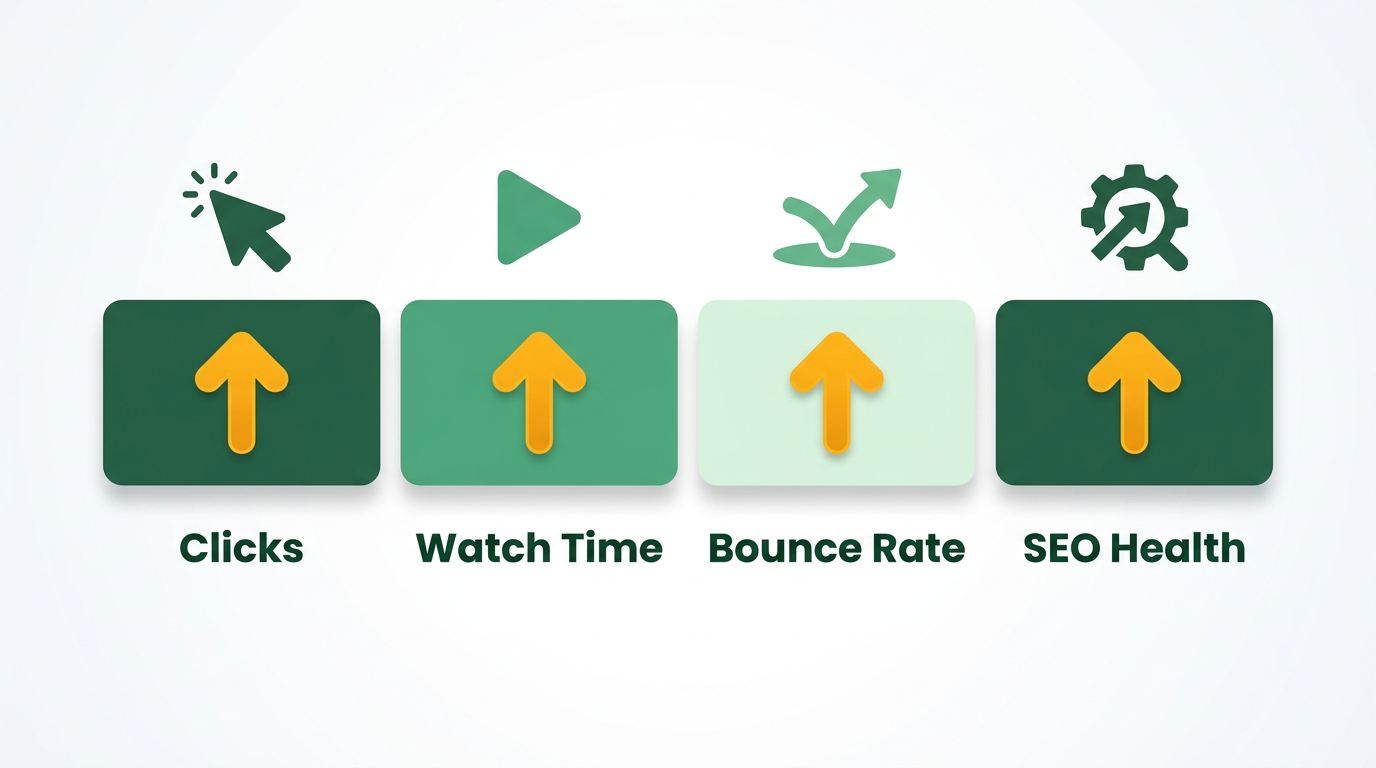
- Videos that rank at the top of Google often earn higher click-through rates, longer sessions, and stronger feedback loops.
Quick Summary
Getting your video into search means connecting two systems that rarely overlap: the video platform and the web search engine. When you pair your video with a text-based web page, crawlers can parse, index, and surface it to people searching for the topic.
When should you skip automation and go manual?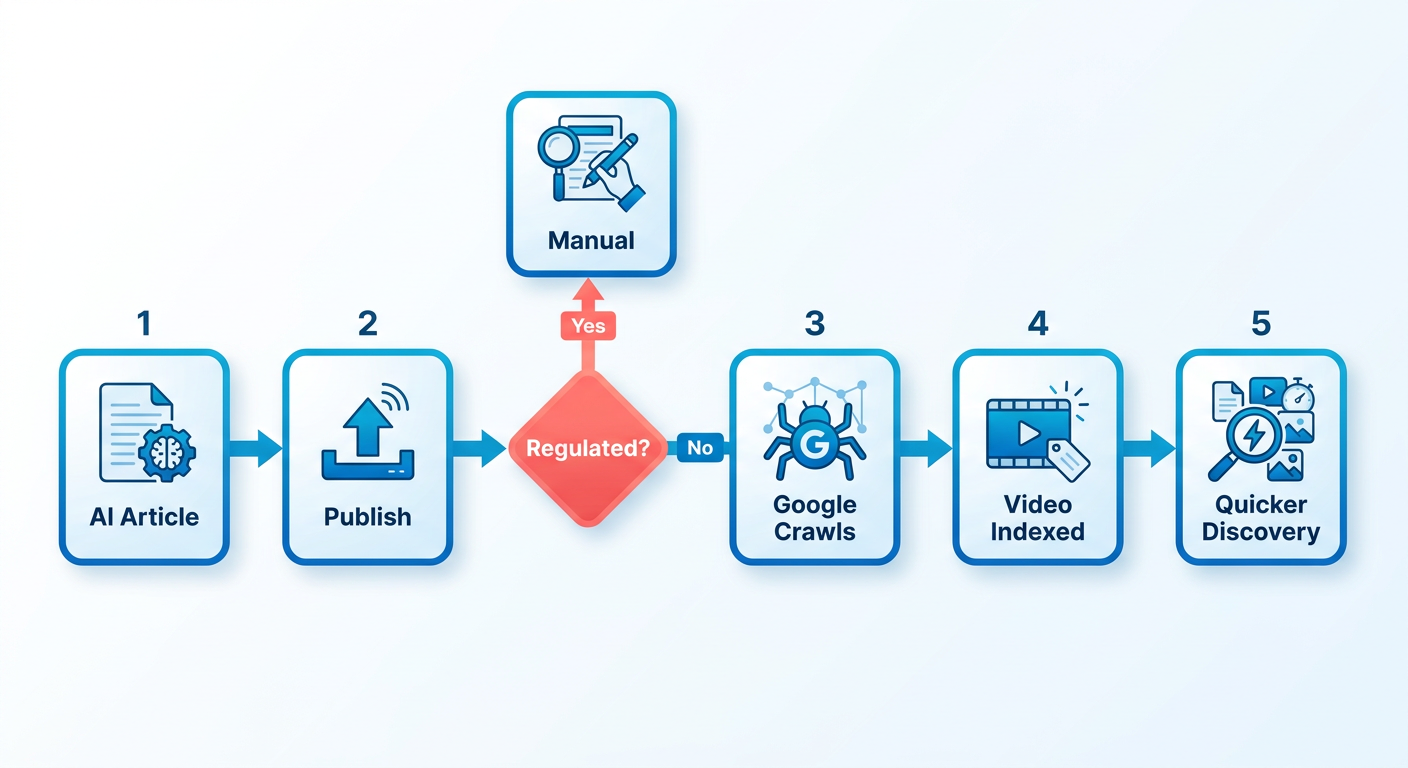
If you're under strict regulatory oversight, a human-led editorial workflow is safer. Set up review gates where subject-matter experts and legal teams check terminology against approved language. When you control every line by hand, you avoid unauthorized claims. That's the point.
How do you measure the impact of each strategy?
Build one dashboard that connects web search data to video analytics. Then watch three things:
- Search Console – Track indexation status and catch crawl errors that keep your video pages out of results.
- Traffic sources – See how viewers actually find you. Watch external search referrals and direct links closely.
- Viewer retention – Once people land, how long do they stay? Playback duration shows whether the content matched search intent.
Read these together, and you'll see which channels and tactics pay back.
Why ranking on Google (not just YouTube) changes the math
A top spot in the SERPs puts you in front of people at the exact moment they want an answer. That's different from a social feed, where attention is idle. Search users are hunting for something specific, so they are more likely to sit through a video that answers their question.
When a search engine surfaces your video high in results, it becomes a visible front door to everything else you've built. That visibility compounds brand authority, because people read top rankings as a signal of leadership. Embed those ranked videos on your own site, and you also lift on-page time. That tells search engines the page deserves visibility.
Which factors drive that ranking the most?
Three pillars decide whether a video climbs: audience retention, keyword-rich metadata, and thumbnail design.
YouTube has said retention is a major ranking factor. Videos that hold viewers past the 10-minute mark tend to beat shorter clips, and depth generally wins on the platform. The caveat matters, though. A bloated 12-minute video with a 30-second point gets abandoned faster than a tight three-minute one.
Keyword research is still the foundation. Use YouTube's auto-suggest and Google Trends to find the exact phrases people type, then work those terms into the title, description, and a focused set of tags.
A custom thumbnail that matches the content lifts click-through rate. Roughly 90% of top-performing videos use a bespoke thumbnail, not an auto-grab frame.
How can automation give you an edge?
An automated text companion for each video lets you scale search visibility without stretching production timelines.
Text is still what crawlers parse to understand context, relevance, and structure. Draft a well-built article to ship alongside each video, and you give search engines readable context immediately instead of waiting weeks for raw files to make sense. That speed matters when roughly 300 hours of video hit the platform every minute.
Set up a pipeline that turns each video concept into structured web copy, and every upload lands with a crawlable text asset attached. Two formats, one topic, more surface area for indexing. You also keep a steady publishing rhythm.
Retention-friendly length, precise keyword placement, and cross-linked content can help you rank YouTube videos on Google faster.
For more on finding low-competition terms, see our guide on finding niche keywords in 2026.
Finding topics worth the effort
Start by mining page one of Google and YouTube for keyword clusters with real search volume and thin competition, then validate them with AI-assisted research.
Run a quick search-suggest sweep first: type a seed phrase into YouTube's search bar and grab the dropdown suggestions. Those reflect real user intent. Drop them into Google Trends to confirm interest has held over recent weeks. Niches get crowded fast, so this double-check weeds out topics where ranking quickly is a math problem you can't win.
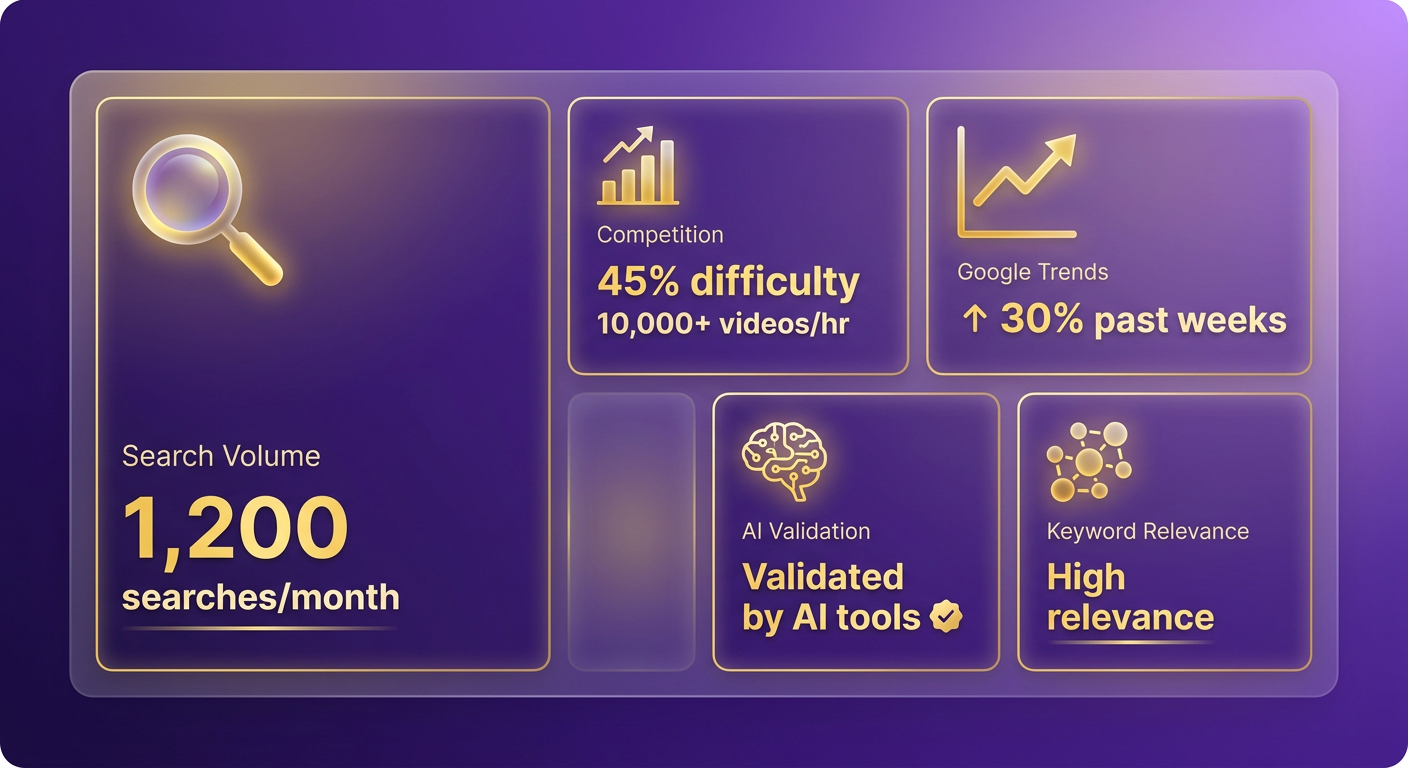
Group related terms into semantic clusters that map the questions your audience is asking. That surfaces long-tail variations and secondary questions you can answer inside a single video, so the content fully satisfies a messy, multi-part query.
Which metadata signals turn a good topic into a rankable video?
Get the core upload fields right, and crawlers can categorize your content and match it to the right queries.
Our rule of thumb: five to eight tightly chosen tags, since narrower tags sharpen relevance. Put the primary keyword inside the first 60 characters of the title.
"Structured video chapters help search engines parse your content." – Search Best Practices
Break the video into logical segments with timestamped chapters. That structure lets search engines pull specific answers from your video and show them as clickable segments in the results, a direct path for someone hunting one exact thing.
When should we skip automation and rely on manual research?
For high-CPC commercial keywords, manual competitive intelligence usually wins, because that's where the subtle content gaps hide.
Automated tools handle volume well, but they miss the nuance behind complex commercial intent. Reviewing the top-ranking SERP competitors by hand lets you study the visual style, tone, and value propositions of the videos already winning. That qualitative read helps you build something that stands out instead of just matching the field.
Optimizing the video itself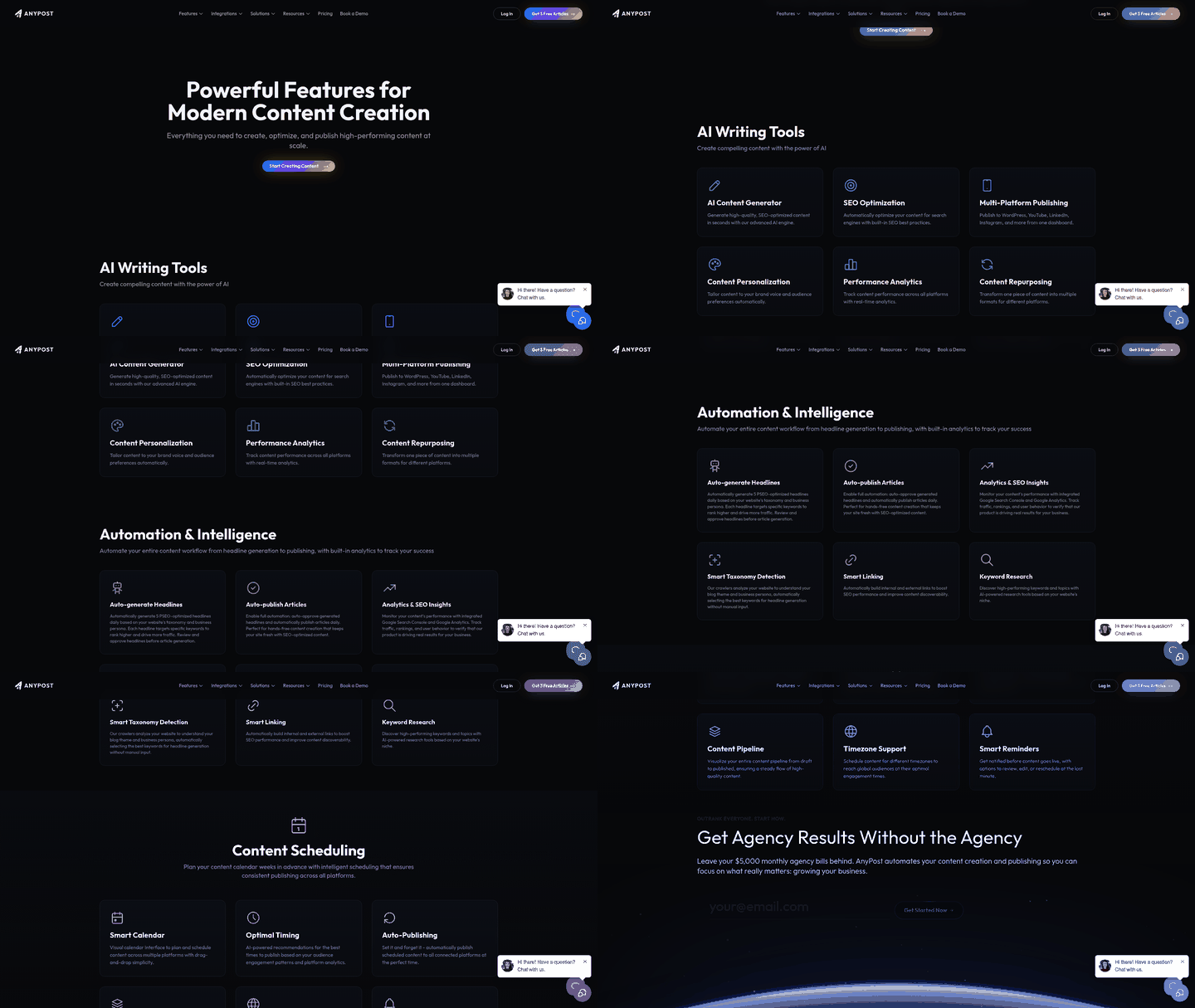
Build a full metadata package—title, description, tags, and file name—from the same keyword list you use for blog posts, then add it to the upload by hand.
- Title: Primary keyword plus a real hook.
- Description: Tight 150–200 words that naturally repeat the main term and related phrases. A couple of internal links help.
- Tags: A handful of genuinely relevant terms.
- File name: Prefix it with the main keyword before you upload.
What video length and engagement signals move rankings?
Watch behavior across playback, not just total runtime, and use it to fix your structure.
Retention curves in your analytics dashboard are the clue. Find the exact moment viewers drop off, and you know which segment lost them. Then adjust pacing, cut filler, and add something interactive to hold attention.
- Hook: Land it in the first few seconds.
- Structure: Break content into 2–3-minute chunks.
- Call to action: Drop a subtle prompt for likes or comments later in the video to nudge engagement.
How cross-linked supporting content speeds up indexing
Draw a clear line between your web pages and your video so search engines don't treat them as rivals.
When you publish a dedicated page for a video, the text and video should reinforce each other. Embed the video inside relevant written context, and you build one unified resource that serves readers and viewers. That association tells search engines the page is authoritative for the topic and keeps you from cannibalizing your own keywords.
- Article length: Around 300–400 words, aligned with the video's keywords.
- Embedding: Put the player above the fold.
- Linking: A couple of contextual internal links and one external reference.
Handle metadata, engagement, and supporting content in one coordinated workflow, and you cut manual prep way down. What comes out is a ready-to-rank video that lands in Google results faster than a purely manual process.
For a deeper walkthrough, see the guide on YouTube SEO: How to Rank and Optimize ….
Thumbnails, transcripts, and structured data
Thumbnails, transcripts, and structured data are the three-point launch pad for ranking a video on Google fast. The thumbnail earns the click, the transcript turns the video into searchable text, and VideoObject markup tells Google exactly what's on the page. Do all three, and the video tends to show up in the SERPs sooner after publishing.
How eye-catching thumbnails influence ranking
Design the thumbnail so it stays legible and compelling on every device, especially mobile, where results get squeezed into a sliver of screen.
- Design for clarity: One focal point, such as a product or speaker, with text under 30 characters.
- Stay on-brand: Same palette and logo across every video.
- Test variations: A/B two designs, keep the one with the higher CTR in YouTube Analytics.
Build thumbnails by hand from your existing brand assets. That keeps them cohesive without leaning on automation that isn't ready for it.
Why you should add transcripts and closed captions
Transcripts give Google a full text version of the video, so it can rank for long-tail phrases that never show up in the title or description. Captions also improve accessibility, which lifts engagement.
Upload a machine-generated transcript shortly after publishing, then clean up the top five keyword phrases by hand. Accurate caption files also keep you compliant with accessibility standards and reach people who watch with the sound off.
- Keyword-rich article: 200–300 words that work in the primary term naturally.
- Caption file: VTT or SRT, synced to the timeline.
- Cross-linking: Embed the article on your site and link it back to the video for a two-way signal.
Text companions streamline all of this without dragging on production.
How VideoObject structured data helps Google index faster
A VideoObject schema tells Google's crawlers the video's topic, duration, thumbnail URL, and upload date. That markup often earns a rich-snippet carousel above the organic results, which is a big visibility jump.
Here's a minimal JSON-LD block to adapt per video. Fill the fields from your thumbnail and transcript so everything stays on-brand.
{
 "@context": "https://schema.org",
 "@type": "VideoObject",
 "name": "How to Rank YouTube Video on Google – Quick Guide",
 "description": "Step‑by‑step tactics for boosting YouTube SEO and Google indexing.",
 "thumbnailUrl": "URL_TO_THUMBNAIL",
 "duration": "PT4M12S",
 "contentUrl": "https://www.youtube.com/watch?v=abcd1234",
 "embedUrl": "https://www.youtube.com/embed/abcd1234",
 "interactionStatistic": {
 "@type": "InteractionCounter",
 "interactionType": "http://schema.org/WatchAction",
 "userInteractionCount": 0
 }
}
Add it to the page's <head> by hand or through your CMS. A high-CTR thumbnail, a searchable transcript, and accurate structured data can speed up indexing.
Promoting and monitoring what you publish
To get real reach, push distribution past the hosting platform. Syndicate across multiple channels so search engines meet your video in several authoritative contexts, which reinforces relevance.
A structured distribution pipeline keeps your promo schedule consistent, so every release gets immediate exposure. That first wave of traffic matters, because early engagement is one signal search engines use to judge quality.
Automated syndication lets you push the video and its text companion to your owned channels at once. Same message, wherever your audience runs into your brand.
How AnyPost.ai automates metadata and cross-linked content
- Syndication hub setup – Configure the platform to detect new uploads and prep matching draft posts for your connected channels.
- Cross-platform formatting – Reshape the video's core message into short social updates, newsletter drafts, and other formats tuned to each audience.
- Automated link mapping – Every syndicated post carries direct links back to the video and to the page it's embedded on.
- Scheduled publishing – Sequence all the promo assets to go live in order, so initial visibility and crawler discovery both peak.
Promotion tactics that complement the content
- Industry newsletters – Embed the video and link back to the article. Newsletters often carry strong domain authority.
- Partner blogs – Offer a guest post that references the video's data. The SEO-rich copy makes it easy for partners to run.
- Social snippets – Share a short clip with a link to the article where your audience actually hangs out. Mirror the metadata in the caption to reinforce the keyword signals.
How AnyPost.ai tracks and iterates performance
- A/B testing metadata – Test alternate titles and description formats to see which phrasing pulls the higher CTR.
- Thumbnail performance – Compare designs by watching engagement and click behavior shift over set periods.
- Historical updates – Refresh the metadata on older, high-performing videos to match current and seasonal search trends.
- Feedback loop – Feed what worked back into your upcoming production schedule and keep refining the creative and technical calls.
Advanced moves once the basics are working
For long-term search authority, organize your videos into playlists that target broader themes. Grouping related videos shows search engines the depth of your expertise on a topic and nudges viewers into watching more in one session.
Channel-level authority comes from a consistent publishing schedule and a clean channel homepage. An organized, professional layout signals to both people and search engines that your brand is a reliable source.
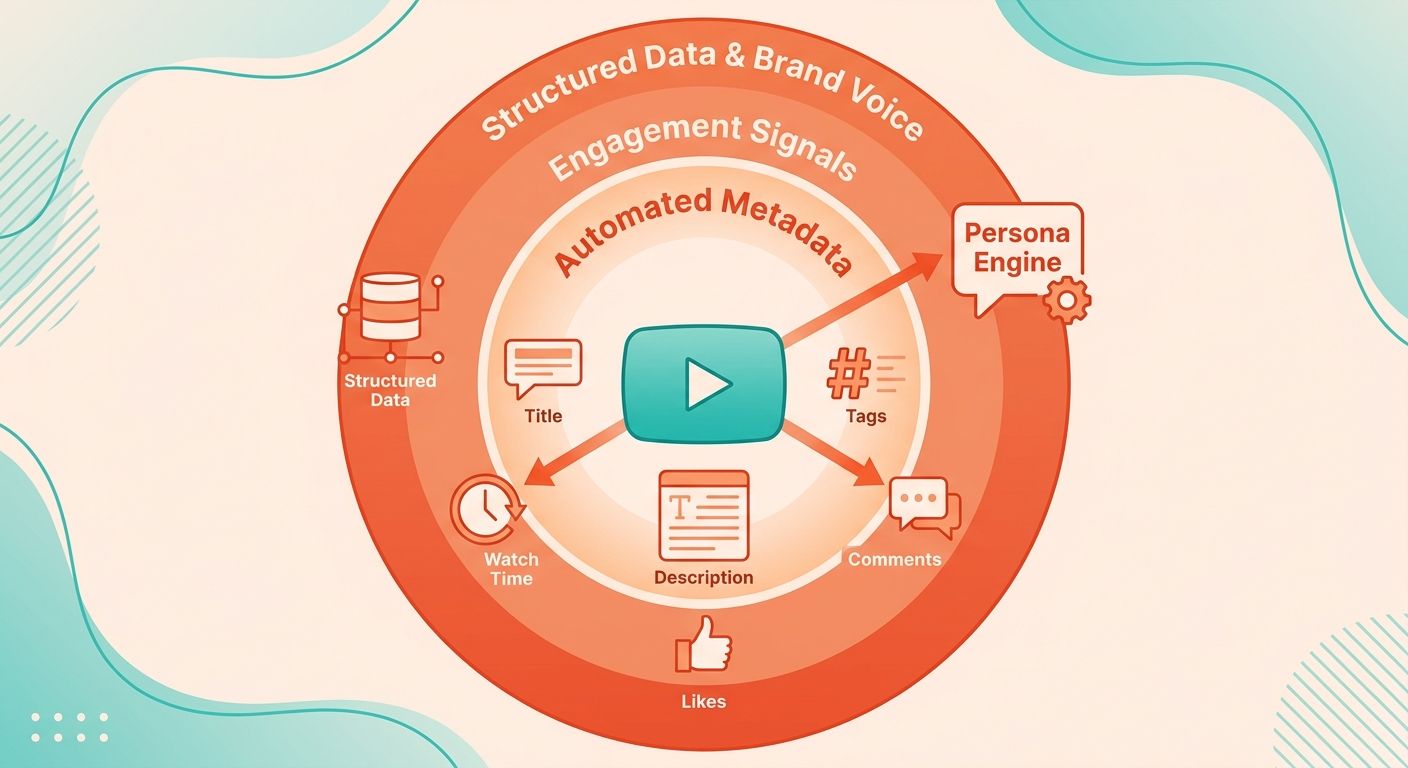
Which engagement signals amplify the automated metadata?
We push reach through external embeds and social sharing to build off-platform authority.
When authoritative sites embed your video in their own content, search engines read those embeds as endorsements. Get your audience sharing on social too, and you amplify those external signals, pulling in diverse traffic that helps indexing and rankings.
Pair off-platform signals with tight on-page metadata, and you build an authority profile search engines have a hard time ignoring.
How a content calendar keeps the momentum going
We use AnyPost's content calendar to line up each video upload with a pre-generated supporting article, so the flow of fresh, interlinked content never stalls.
The calendar draws from the same keyword research that powers your metadata, so every scheduled slot targets a phrase with realistic competition. For each planned video, AnyPost drafts an article, inserts the embed, and adds internal links to earlier pieces, building a semantic cluster Google can crawl as one coherent topic hub.
Keep the cadence disciplined, and you give crawlers a predictable pattern, which encourages them to come back more often to find and index your latest work.
Frequently Asked Questions
1. How can I boost video ranking when my website has low domain authority?
Leverage established Web 2.0 platforms and high-authority publishing networks to host your written content. By publishing detailed summaries or companion articles on platforms like Medium or LinkedIn, you can embed your video within an environment that search engines already trust, bypassing the limitations of a newer website.
2. What if my video is under three minutes—can it still rank well on Google?
Yes, short videos can rank highly by leveraging Google's "Key Moments" feature. By dividing your brief video into precise, timestamped segments, you allow search engines to display specific clips directly in the search results for highly targeted queries, maximizing the value of your concise content.
3. How often should I update the supporting article after the video is published?
Review your supporting articles quarterly to align them with shifting search intent and updated industry data. Replacing outdated statistics and ensuring all outbound links remain active signals to search crawlers that the page is actively maintained, helping preserve its search visibility.
4. Can I use AI to design thumbnails without violating brand guidelines?
Use AI tools strictly for initial concept generation and layout ideation. Once a concept is selected, import the layout into your brand's approved design templates, ensuring that exact color hex codes, official typography, and logo placements are applied manually to maintain brand consistency.
5. How do I measure the effect of a supporting article separate from YouTube’s own analytics?
Implement custom UTM parameters on all links pointing from your supporting article to your video. This allows you to track referral traffic within your web analytics platform, giving you a clear view of how many users transition from reading your article to watching your video.
6. Is it better to embed the video at the top of the article or in the middle for faster indexing?
While placing the video near the top is beneficial for visibility, prioritize page load speed by implementing lazy loading for your video player. This ensures that the text content loads instantly for search crawlers and users, preventing heavy video scripts from negatively impacting your page speed metrics.
