
How to Turn Ahrefs Content Explorer Research Into X Posts, Newsletters, and YouTube Scripts

Key Takeaways
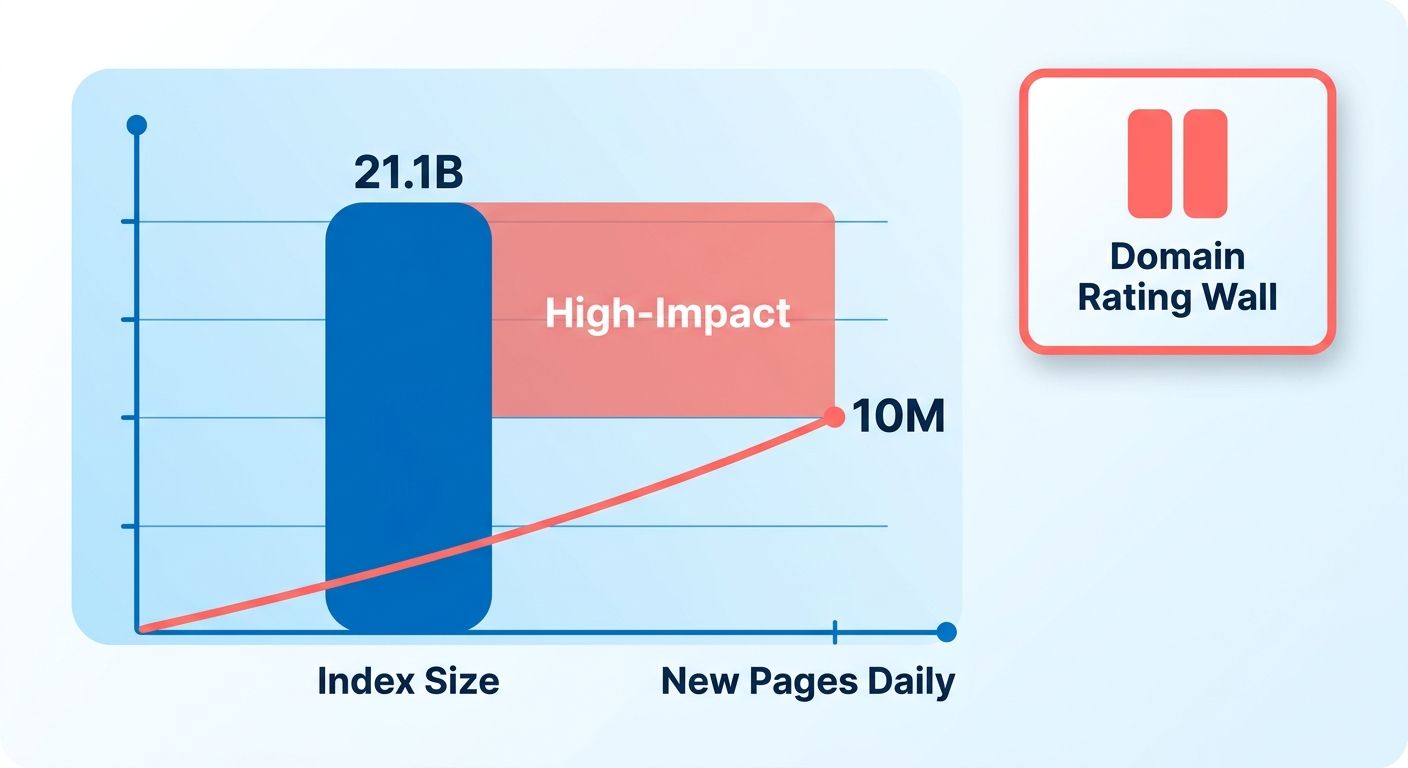
- Ahrefs Content Explorer indexes 21.1 billion pages, updates 300 million every 24 hours, and finds 10 million new pages daily.
- The real-time index surfaces fresh signals on emerging topics.
- Teams can catch angles before competitors publish them.
- Filtering by domain rating, referring domains, social shares, and traffic value reveals what performs and who links to it.
- A 2,000-word analysis earning 500 backlinks signals different value than a viral 300-word thread with 10K shares.
- Narrowing by word count, publication date, language, and author keeps research focused on one format.
- Pairing research with AI-assisted repurposing builds a continuous pipeline.
- Teams often lose hours translating research into social threads, newsletters, and video scripts without automation.
Why Ahrefs Content Explorer Research Matters
When you're staring at Content Explorer's index of 21.1 billion pages, the real question isn't finding relevant content. It's turning that research into published posts fast enough to stay ahead. Teams spend hours identifying high-performing topics, then get stuck translating those insights into social threads, email newsletters, and video scripts. Using Content Explorer as your research engine, paired with automation that generates and schedules output, changes that equation.
The Data Advantage You're Actually Using
Content Explorer updates 300 million pages every 24 hours and discovers 10 million new ones in the same window. That real-time index means you're working with fresh signals on what's gaining traction, not stale reports. This matters most when you're trying to catch emerging angles before competitors write the same LinkedIn post everyone else published last quarter. The tool filters by domain rating, referring domains, social shares, and traffic value, letting you spot both what's working and who's linking to it.
The filtering options make the difference between useful and overwhelming. You can narrow by word count, publication date, language, and author, which helps when you're researching a specific content format. A 2,000-word analysis that earned 500 backlinks tells you something different than a viral 300-word thread with 10K shares. Both are valuable. Your content calendar needs both. When you pair that research with AI-assisted repurposing, you're not just collecting ideas. You're building a continuous content pipeline that adapts each insight into the format your audience expects on each channel.
Who This Workflow Actually Serves
B2B marketers running lean teams benefit most. If you're managing content across LinkedIn, email, and YouTube with limited resources, the bottleneck is rarely the research. It's turning research into brand-voice-aligned drafts ready to publish. Content strategists see similar gains when they need to maintain publishing velocity without recycling the same takes. Growth teams testing content hypotheses can move faster when the path from "this topic is trending" to "here's the scheduled post" shrinks from days to minutes.
Teams that automate the research-to-draft step spend more time refining strategy and less time reformatting bullet points into tweet threads. If your current workflow involves manually copying insights from one tool into Google Docs, then rewriting for each platform, you're solving the problem this integration was built for.
What the Automation Layer Actually Does
Once you identify a high-performing article on a topic you want to cover using Content Explorer, automated content generation can pull the key points, social proof, and structural patterns that made it work. Then it adapts those elements into formats that match your publishing calendar: a LinkedIn carousel, a newsletter section, a YouTube intro script. The output stays consistent with your brand voice when the AI is trained on your existing content, not generic templates.
Automation changes the workflow. A typical process, research, outlining, drafting, and formatting for three platforms, takes significant time when done manually. With automation handling draft generation and platform formatting, teams can focus their effort on review and refinement. You're not eliminating the human step. You're eliminating the mechanical one. The research still requires your judgment on what's worth covering. The final review still requires your eye for tone and accuracy. The middle layer, turning research into structured drafts, is where automation earns its place.
Discovering High-Impact Topics with Ahrefs Content Explorer
When you open Ahrefs Content Explorer, the sheer volume of indexed pages can feel overwhelming. The real challenge isn't finding topics. It's finding the high-impact ones that justify the time to produce multi-format content. Teams waste hours scrolling through viral listicles that drove shares but zero sustained traffic, or chasing keywords that looked easy until they saw the domain rating wall blocking the first page.
Start by filtering for metrics that matter to multi-channel repurposing. You want topics that perform across formats, not just in one. That means looking beyond social shares and checking organic traffic estimates, referring domains, and whether the top-ranking pages are actually converting engagement into backlinks. A topic that earned 500 shares but only 12 referring domains tells you it sparked quick reactions but didn't earn authority. The reverse, steady traffic with strong link growth, signals a topic people return to and reference over time.
What Filters Separate Signal From Noise
The platform gives you filters for website traffic, page traffic, domain rating, referring domains, word count, and publication date. Start by setting a minimum threshold for referring domains, say 20 or more, to surface topics that earned editorial links, not just algorithmic visibility. Then layer in a domain rating cap to eliminate results dominated by publishers you can't outrank. If you're working with a DR 40 site, filtering out anything above DR 60 keeps your list realistic.
Filter by publication date to find topics with recent momentum. Content published in the last six months that's already collecting backlinks at pace tells you the topic hasn't peaked yet. Pair that with a word count range, 1,200 to 2,500 words works for most formats, to avoid outliers that either skimp on depth or demand resources you don't have. The combination surfaces topics where you can match or beat the existing content without needing a 5,000-word monument.
One detail most teams miss: sort results by traffic value instead of raw visits. Traffic value estimates what that organic audience would cost in paid ads, which helps you prioritize topics that attract high-intent searchers. A post pulling 800 visits per month with a $4,000 traffic value beats one with 3,000 visits worth $200. The former draws people actively solving a problem. The latter draws browsers.
Connecting Research to Multi-Format Output
Using Content Explorer data alongside an end-to-end automation workflow changes the equation. You're not just bookmarking high-performing posts. You're feeding those topics into AnyPost, which generates SEO-optimized, brand-aligned articles that sound like you wrote them. With our Persona Engine matching your tone and auto-publishing to WordPress, LinkedIn, and X, the same research pass can fuel content across every channel you manage from one dashboard.
Because the index refreshes constantly, you can run the same filter weekly and catch emerging angles before competitors do. Set up a saved search with your DR and backlink thresholds, check it every Monday, and route any new high-value topics directly into your content queue. The lag between "this topic is gaining traction" and "we've published across multiple channels covering it" shrinks from weeks to hours.
The short version: filtering for both organic potential and multi-format adaptability turns research from a discovery phase into a production trigger. AnyPost handles the SEO optimizations automatically, keyword-optimized content, search intent-aligned headings, semantic HTML, and relevant internal and external links, so you're not deciding what to write. You're deciding which high-probability topics to route through your automation first.
Evaluating Content Performance Metrics for Repurposing Decisions
When you pull a piece with 2,500 organic visits per month from Ahrefs Content Explorer and decide to turn it into an X thread, email newsletter, and YouTube script, you're making a resource bet. Which performance signals predict whether that content will work in other formats? Teams pick articles based on shares alone, then wonder why the video version gets 200 views. The data tells you what resonated, but only if you're reading the right metrics.
Which Metrics Actually Predict Multi-Format Success
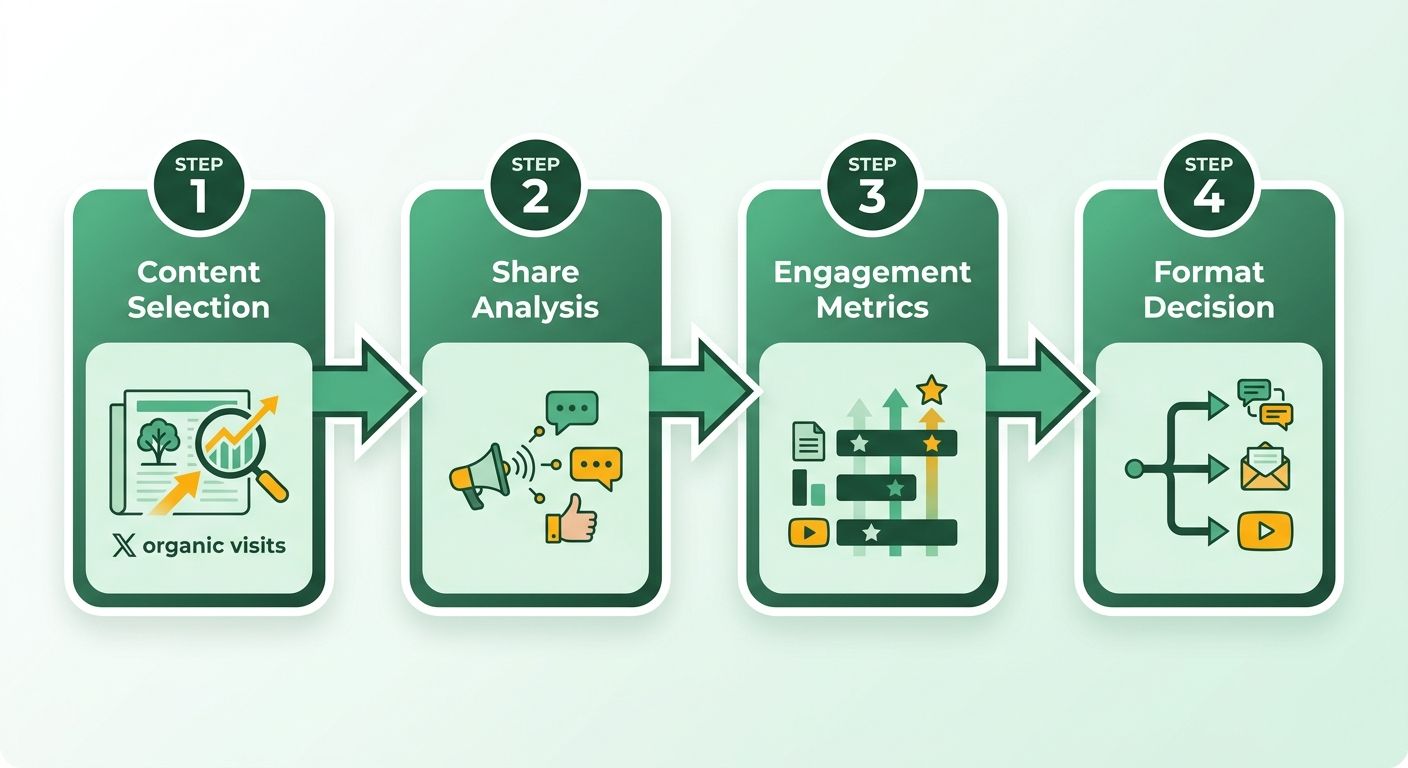
Organic traffic is the foundation. When Content Explorer shows a piece pulling steady monthly visits, that tells you the topic has sustained search demand, not just a viral moment. Prioritize content in the 1,000+ monthly visit range because it signals ongoing interest, the kind that supports a newsletter deep dive or a 10-minute YouTube breakdown. Referring domains come next. A piece with a high volume of linking domains usually means it solved a real problem or answered a question clearly enough that other sites referenced it. That credibility transfers when you repurpose it into a LinkedIn carousel or email series.
Social shares matter, but with a caveat. High share counts on platforms like Twitter or Reddit can indicate emotional resonance or virality, but they don't always mean the content holds up in longer formats. Filter for pieces where organic traffic and shares both appear strong. That overlap suggests the content works for quick consumption and deep engagement. Skip articles with massive share counts but weak organic traffic. They often rode a news cycle that's already passed.
Reading Content Explorer Filters for Repurposing Potential
The traffic value metric in Content Explorer gives you an angle most teams ignore. It estimates what the organic traffic would cost in paid ads, which indirectly tells you how competitive and valuable the topic is. When you see a piece with $500+ monthly traffic value, you know the keywords driving it have commercial intent or strong search volume. That makes the topic worth adapting into multiple formats because the audience is actively searching for solutions, not just casually browsing.
Word count and publication date filters help you spot evergreen candidates. Longer, comprehensive articles that still rank well 12+ months after publication usually contain depth you can mine for different angles. Turn those into segmented content: pull one section for an X thread, another for a newsletter case study, and the core framework for a YouTube tutorial. Recent content, published within the last few months, works better for trending topics. But for repurposing decisions, older content with sustained performance proves the topic has legs.
Connecting Performance Data to Format Fit
Once you've identified high-performing content, the next decision is format alignment. Engagement metrics from your own analytics, time on page, scroll depth, and click-through rates on internal links, tell you which sections held attention. Cross-reference those with Content Explorer's social share breakdowns to see which platforms amplified the content. If a piece got heavy traction on Twitter but low Pinterest saves, it's signaling a preference for quick, punchy insights over visual inspiration. That guides whether you adapt it into a thread or an infographic.
Automated content generation tools can take these high-performing topics and draft initial versions tailored to your brand voice. By tracking real-time analytics on these published pieces, you can see which formats drive the most organic traffic and engagement, helping you focus your efforts on the topics and formats your audience actually wants. You're not just creating content blindly. You're building on proven topics with performance data guiding your next moves.
When to Skip Repurposing a High-Performer
Not every top-ranking piece deserves the multi-format treatment. Articles that perform well because of a specific author's voice, a timely news hook, or highly technical step-by-step instructions often lose impact when stripped down for social or video. Skip content where the value is in the original format's depth or specificity. If the article's success hinges on its comprehensive 15-step walkthrough, turning it into a 280-character thread dilutes the value. Save your effort for pieces where the core insight, a framework, a contrarian take, or a data point, can stand alone across formats without losing its punch.
Designing a Newsletter Segment Using Ahrefs Data
When you spot a topic in Ahrefs Content Explorer pulling steady organic traffic and a healthy profile of referring domains, you're holding the raw material for a newsletter segment that actually drives opens. The challenge isn't finding the data. It's deciding which angle, hook, and depth will work in an email format versus a social thread or video. Teams export a list of high-performing articles, then freeze at the "now what?" stage because newsletter writing demands a different structure than blog repurposing.
Start by filtering for educational depth. Newsletter readers expect more than a quick tip. They want actionable frameworks they can apply immediately. When Content Explorer shows a piece ranking for "content marketing strategy" with deep educational value and strong engagement metrics, that signals enough substance to extract a standalone segment. Skip viral listicles and short how-to posts. Those work better as X threads. For newsletters, prioritize content with clear takeaways, data points you can quote, and a structure you can condense into 300 to 500 words without losing the core insight.
What Makes a Newsletter Segment Structure Work
The introduction needs to hook readers in two sentences maximum. Open with a specific pain point the sourced content addresses, then promise the payoff. Skip generic setup like "content marketing is important." Your subscribers already know that. Instead: "Most teams waste hours writing blog posts that rank but never convert. Here's the three-filter system high-performing sites use to pick topics that do both." That's your hook, lifted directly from the Content Explorer piece's main argument.
The body of your segment should follow a problem-insight-application flow. Extract the core framework or data point from the top-ranking article, reframe it in your brand voice, and add a one-paragraph example of how to apply it. Don't summarize the entire source piece. Pull the single most actionable insight and build around it. If the original article presents a five-step process, pick the two steps your audience struggles with most and go deep on those. This selective approach drives higher engagement than trying to cram a 2,500-word guide into an email segment.
Close each segment with a specific next action. Not "try this strategy" but "this week, filter your Content Explorer results for pages with a solid baseline of referring domains in your niche and export the top 10. Pick one to repurpose." Concrete, time-bound, doable. That's what separates a newsletter segment readers actually use from one they skim and forget.
Applying Research to Content Production at Scale
Once you've designed the segment structure, the next bottleneck is production speed. Writing one newsletter edition manually is manageable. Writing four per month, each with multiple segments sourced from fresh Content Explorer research, becomes a capacity problem. Automating content generation addresses this by taking your research insights and producing drafts in your brand voice, letting you focus on review and approval rather than starting from a blank page.
An automated workflow can handle this drafting phase by analyzing your existing content to match your established tone. This allows you to generate ready-to-rank content based on the insights you've prioritized, freeing up time for final polish. You're reviewing and refining content that already reflects your style, rather than writing from scratch. That cuts production time significantly, letting you maintain a consistent publishing cadence without overwhelming your team.
For teams running multiple newsletters or weekly editions, this approach solves the "we know what to write about but can't keep up" problem. Content Explorer tells you what's working in your space right now. Automated generation turns that research into drafts you can refine and publish. You stay on the publishing cadence your audience expects without burning out your writers.
Drafting a YouTube Script Outline from Ahrefs Findings
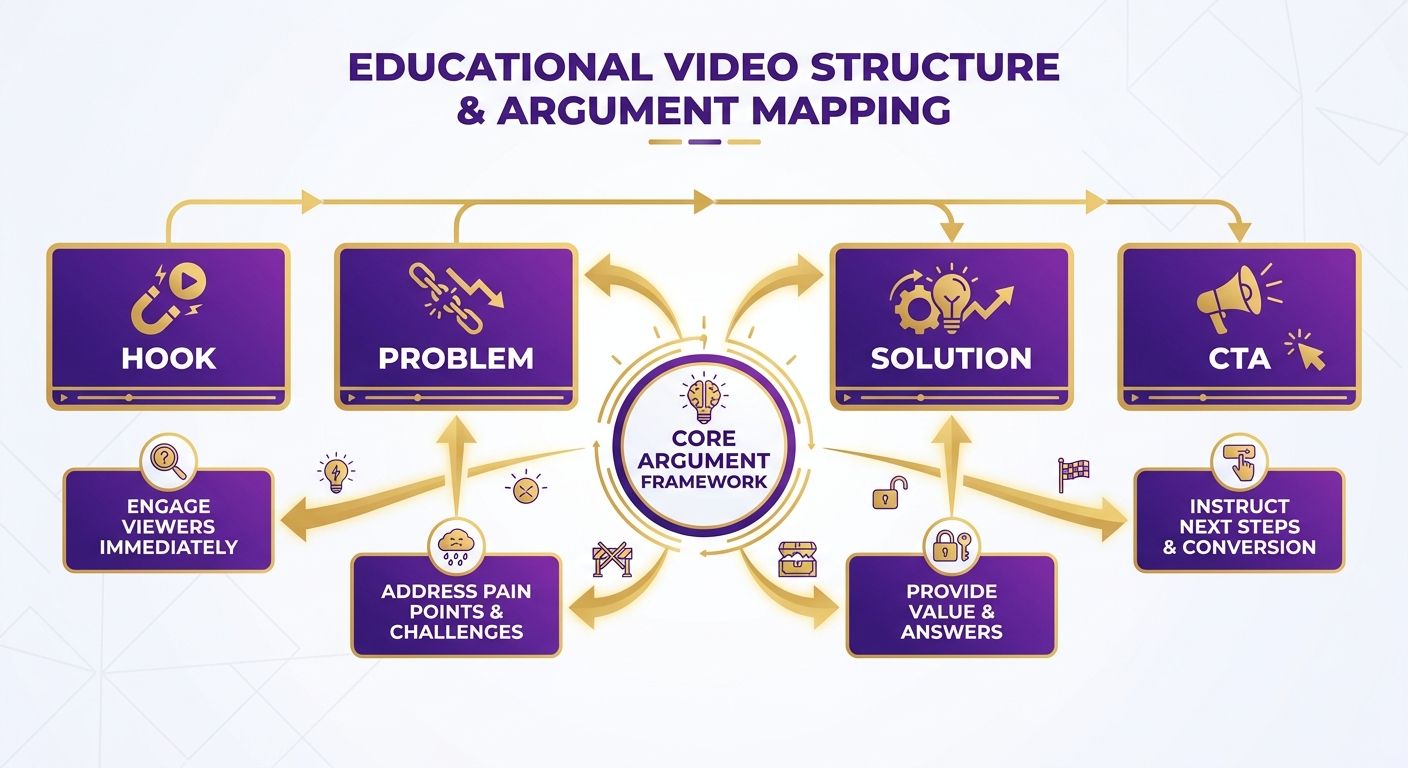
A YouTube script outline built from Ahrefs Content Explorer data starts with one decision: which sub-topics inside a proven piece deserve their own screen time. Pull the top-performing article on a subject, break it into its core arguments, then map each argument to a segment of the video. That gives you a structure grounded in what search demand already rewarded.
The advantage of starting from research instead of a blank page is that you already know which angles pulled traffic. When you run a search in Content Explorer and see which pages earned the most referring domains on a topic, those are the sections viewers and linkers cared about. Turn those into the beats of the script.
How Do You Structure the Outline?
Start with a three-part skeleton: hook, body segments, and payoff. The hook comes from the single most-linked claim in the source article. Body segments map to the article's main subheadings. The payoff is the practical takeaway that made the original piece worth citing.
Keep each body segment to one idea. If the source article covers five points, that's five segments, not one dense monologue. Short, single-idea beats hold retention better than sprawling explanations.
Order matters. Lead with the segment that carries the strongest search signal, not the one that happens to come first in the article. Viewers decide within seconds whether to stay, so the beat with the most proven interest earns the opening slot.
What Makes a Title and Intro Convert?
The title should echo the exact phrasing that ranked in your research. If a topic pulls steady organic interest under a specific query, use that language in the title and the first spoken line. You're matching the words people already search for.
Your intro has one job: confirm the viewer is in the right place. State the problem the video solves in the first sentence, then preview the payoff. Skip the channel-branding preamble. Cut anything that delays the promise, because that's where drop-off spikes.
Title rule: match the searched phrase, then add specificity, a number, an outcome, or a timeframe. Vague titles lose to precise ones every time.
Drafting the Script
Once the outline is set, draft each segment around the core insight from your research. The hook should frame the problem using language your audience already searches for. Each body segment covers one proven angle from the source material. The closing ties back to the practical takeaway that made the original article worth citing.
Maintain a consistent voice throughout. If you're building an X thread or newsletter from the same research, keep the tone aligned across formats. One research pull, multiple outputs, one recognizable brand voice.
Skip this workflow for reactive, trend-of-the-day videos. Those need speed over research depth, and the Content Explorer signal lags real-time spikes. For evergreen topics with proven search demand, though, building the outline from data beats guessing at what will land.
Adapting SEO Elements Across Formats
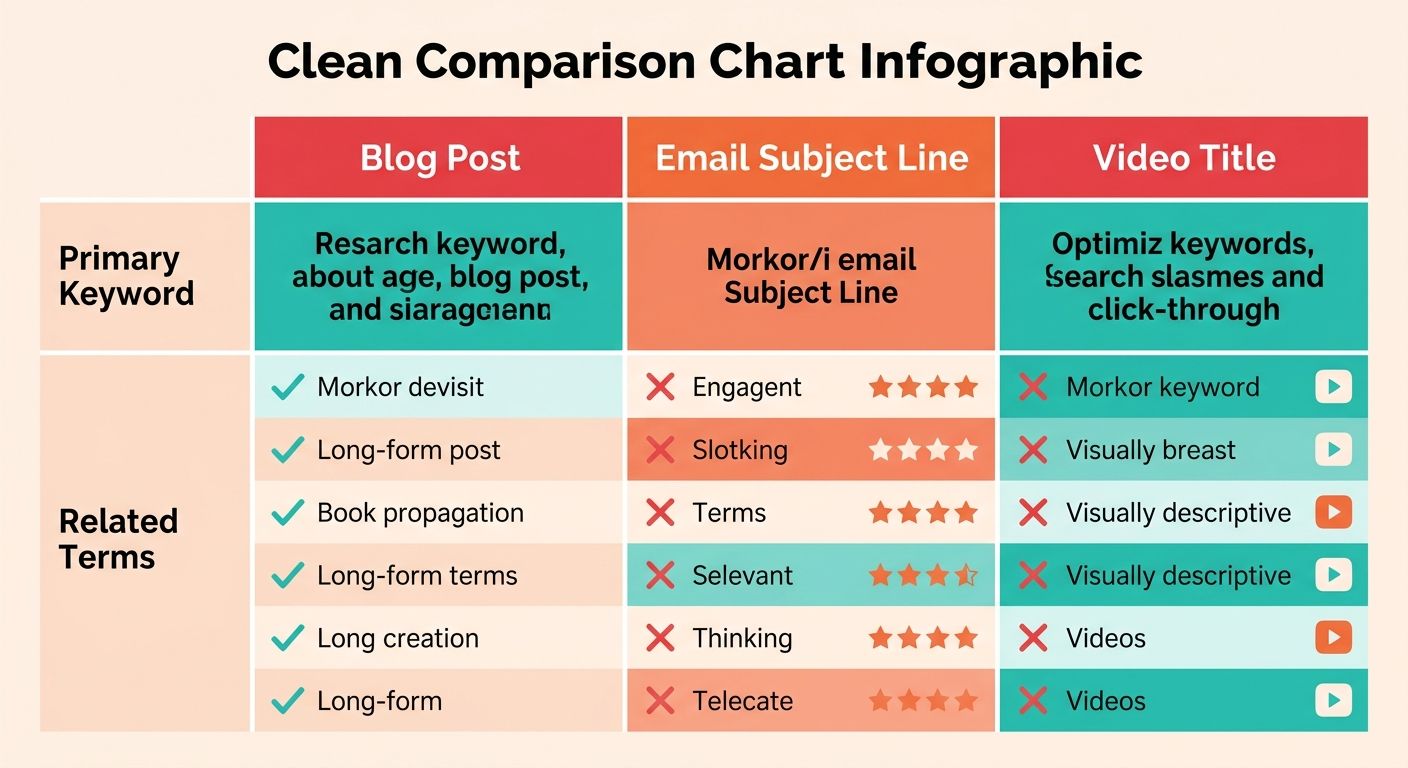
The same keyword that anchors a blog post won't do the same job in an email subject line or a video title. When you pull a topic from Content Explorer, you're getting one primary keyword and a cluster of related terms. Adapting SEO elements across formats means deciding which of those terms belongs where, and how each channel's ranking signals differ.
Keep the topic constant, change the optimization target. A blog post optimizes for organic search intent and internal links. A newsletter optimizes for the open, so the keyword becomes a curiosity hook. A YouTube script optimizes for the title, description, and the first 15 seconds of watch time. Your Content Explorer research feeds all three, but the surface treatment shifts.
How Do You Optimize Each Format for Its Own Search Signal?
Match the keyword placement to where each format actually gets discovered. Blog posts need the term in the H1, first paragraph, and a few subheadings. Newsletters bury the keyword in subject lines and preview text. YouTube videos need it in the title, the first two lines of the description, and spoken aloud early for auto-captions.
Blog posts: Target the exact search phrase plus semantic variants in headings. This is where you win organic traffic over months.
Newsletters: Reframe the keyword as a benefit-driven hook. Readers scan subject lines in under a second, so lead with the outcome, not the search term.
YouTube scripts: Front-load the keyword in the title and say it in the opening. YouTube's algorithm reads captions, so spoken keywords matter as much as written ones.
What Does Ahrefs' Own Content Prove About This?
Ahrefs practices exactly this loop, and their numbers show it works. The Ahrefs blog pulls 322K monthly search traffic and holds 284K subscribers, which means the same research engine feeds both their search-optimized articles and their subscriber-facing emails.
That's the self-reinforcing pattern worth copying. They use Content Explorer data to spot what resonates, publish it across formats, then measure which format each topic performed best in. Octopus Energy runs a similar play, using Ahrefs tools to monitor visibility across their content and adjust based on what's actually earning attention.
The value isn't in optimizing one format perfectly. It's in keeping the keyword research consistent so you can compare performance across channels and double down on what wins.
Tracking Performance Without Rebuilding Your Stack
Measure each format against its native metric, not a shared one. Blog posts get judged on organic traffic and rankings. Newsletters get judged on open and click rates. Videos get judged on watch time and click-through. Comparing them on a single number hides what's working.
Tag every piece with its source topic, then track how that topic performs per channel over the first 90 days. When a newsletter segment outperforms the blog version, that's a signal to shift more of that topic's budget toward email. Automation handles the tedious part. An integrated publishing platform can generate drafts for each format from a single research pull and auto-publish them, removing the manual translation work that usually kills multi-format consistency. And because these systems can surface real-time analytics straight out of Google Search Console, you can see what actually changed across channels instead of guessing.
Frequently Asked Questions
1. How often should I run Content Explorer searches to catch emerging topics before competitors?
Run saved searches weekly with your domain rating and backlink thresholds set. Because Content Explorer updates its index continuously throughout the day, weekly checks let you spot topics gaining traction early enough to publish before the angle saturates.
2. What's the minimum number of referring domains I should filter for when researching repurposing candidates?
Start by filtering for a moderate threshold of referring domains to surface topics that earned editorial links, not just algorithmic visibility. Articles with a strong backlink profile usually solved a clear problem, making them stronger candidates for multi-format repurposing across newsletters, video scripts, and social posts.
3. Why does traffic value matter more than raw visit counts for topic selection?
Traffic value estimates what the organic audience would cost in paid ads, revealing high-intent searchers. A post with high traffic value despite lower raw traffic beats a high-traffic post with low value because the former attracts people actively looking to solve commercial problems, while the latter draws casual browsers.
4. Should I repurpose content with high social shares but weak organic traffic?
Skip articles with massive share counts but weak organic traffic. They often rode a news cycle that's already passed. Prioritize pieces where organic traffic and shares both appear strong, signaling the content works for quick consumption and sustained engagement across formats.
5. How do I keep my brand voice consistent when repurposing research across multiple formats?
Extract the core insight from your research, then reframe it in your established voice for each format rather than summarizing the entire source. You can use automated brand-voice engines to analyze your existing content and generate drafts that match your tone across newsletters, social posts, and scripts.
6. What word count range works best for identifying newsletter-ready content in Content Explorer?
Filter for comprehensive, long-form articles to find pieces with educational depth that translate into newsletter segments. Short, quick-tip posts work better as social threads, while deep-dive guides that still rank well months after publication contain evergreen frameworks you can mine for different angles.