
HubSpot Integration to Ahrefs: A Lead-Tracking Workflow for SEO Content ROI

Key Takeaways
- Wire your CRM form-fill data into keyword reports, and the attribution blind spot closes. You stop reporting traffic and start reporting revenue per keyword.
- HubSpot's UTM tracking plus Ahrefs' batch API get you most of the way there. No data engineer required.
- The sync runs daily and returns one report: which of your top 100 ranking pages actually convert, not just which ones pull sessions.
- Cost per lead and ROI per topic cluster become real numbers once you trace a visitor from organic search through the form to the keyword that started it.
- Mid-tail queries often convert better than high-volume terms. That alone is a reason to attribute revenue before you prioritize topics.
- Most teams ship keyword-rich posts and never prove which ones drive conversions. That leaves the content budget undefended and the optimization roadmap running on vibes.
- A handful of Zapier steps or a light Python script can run the whole flow, from Ahrefs export to HubSpot conversion pull.
Quick Summary
This setup connects content production to revenue attribution through lead tracking. Most content strategies obsess over publishing volume. This one draws a straight line from search query to CRM contact record. Close that loop and you can drop vanity metrics and calculate the actual pipeline your organic footprint generates.
What a lead-tracking workflow actually gives you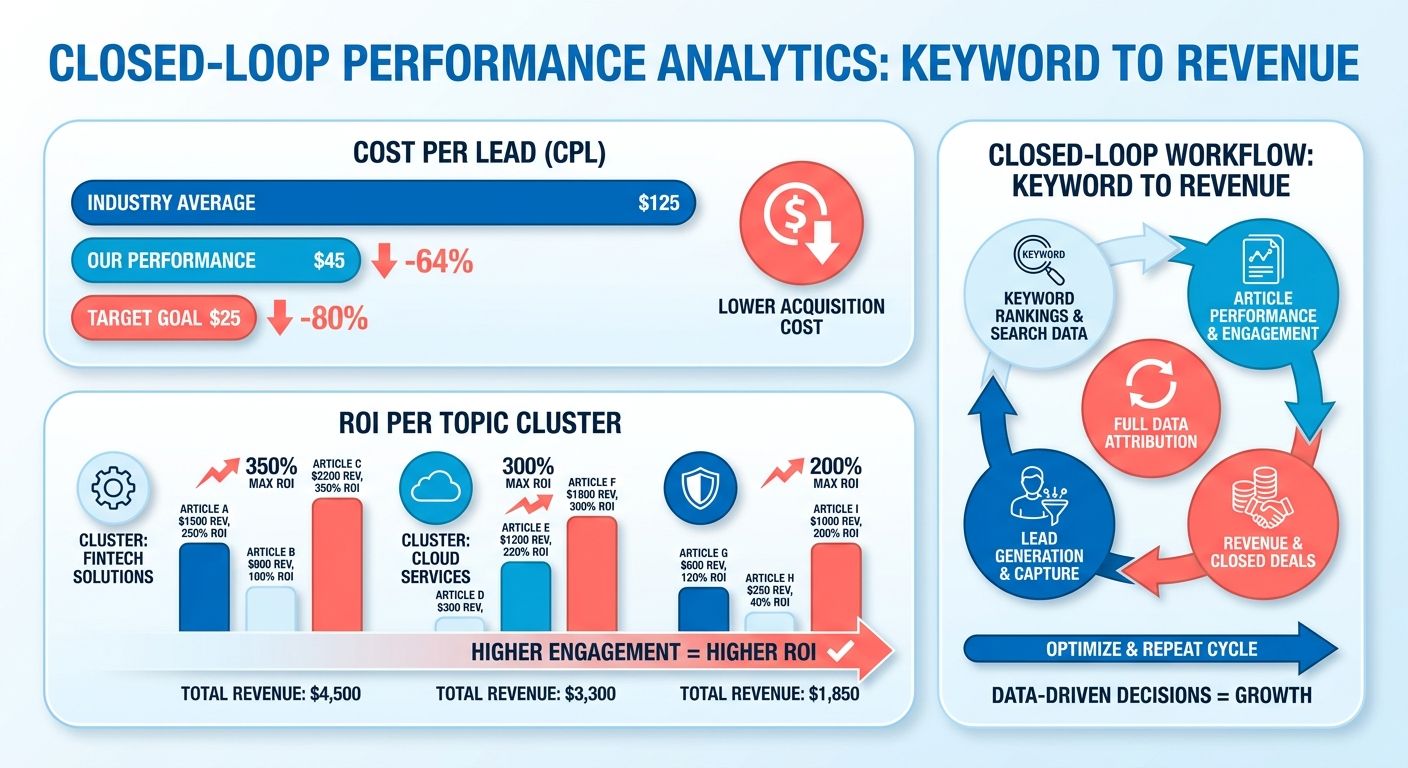
Linking CRM data to keyword research solves the attribution blind spot every content team knows and few admit to. Your keyword tool tells you which terms have volume and soft competition. Your CRM captures form fills and stamps a lead source. Connect the two and you finally see which keywords turn into pipeline, not just sessions. For a lean e-commerce brand, that swap from traffic reports to revenue-per-keyword dashboards rewrites the priority list.
The technical lift is smaller than most teams fear. No dedicated analyst is required. You pair native tracking with a couple of API calls and stand up a lightweight pipeline. Once it's live, rank data and CRM conversions reconcile on their own, and your team gets one view of content performance instead of two tabs that never agree.
Who should build this (and who shouldn't)
This setup fits B2B SaaS companies, DTC e-commerce brands with 50+ SKUs, and professional services firms that live on inbound. If you ship at least eight posts a month and collect lead info through forms, tying keyword data to CRM conversions kills your low-ROI content experiments fast. Teams clearing 10,000 monthly organic sessions but unable to connect a session to a dollar are the sweet spot.
Skip it if you monetize through ads or affiliate links instead of direct conversions. The whole thing assumes you own the funnel and can tag leads in your CRM. Media publishers and affiliate sites get more mileage from GA4 e-commerce tracking. Also skip it if you're publishing fewer than four posts a month. The sample stays too thin to draw reliable attribution conclusions before your quarterly review rolls around.
Effort and timeline
The core integration takes four to six hours if you're comfortable with APIs and spreadsheet formulas. Non-technical marketers can lean on a no-code connector like Zapier and land it in eight to ten hours off a template. Call the difficulty intermediate, mostly because you're mapping HubSpot contact properties to Ahrefs URL parameters without a pre-built UI holding your hand. After that, upkeep drops to about 15 minutes a week for report reviews and keyword-list edits.
The hardest part is defining custom attribution windows. HubSpot defaults to last-touch, but SEO content usually assists conversions rather than closing them. Budget an extra two hours to set up multi-touch models in HubSpot's attribution reports. That work stops you from over-crediting bottom-funnel posts and starving the awareness content that seeds a deal three months before it closes.
Why connecting HubSpot and Ahrefs is where SEO ROI hides
Connect HubSpot to Ahrefs and keyword rankings turn into revenue you can count instead of traffic you can only admire. The HubSpot integration to Ahrefs pairs keyword performance on one side with lead-source data on the other, so every ranking article gets tied to the pipeline it produced.
For small e-commerce brands, this is exactly where the money goes missing. You auto-generate keyword-rich posts, publish, and watch sessions climb. Without a bridge between the CRM and the keyword tool, you never learn which of those posts turned a browser into a buyer. That's the gap this closes.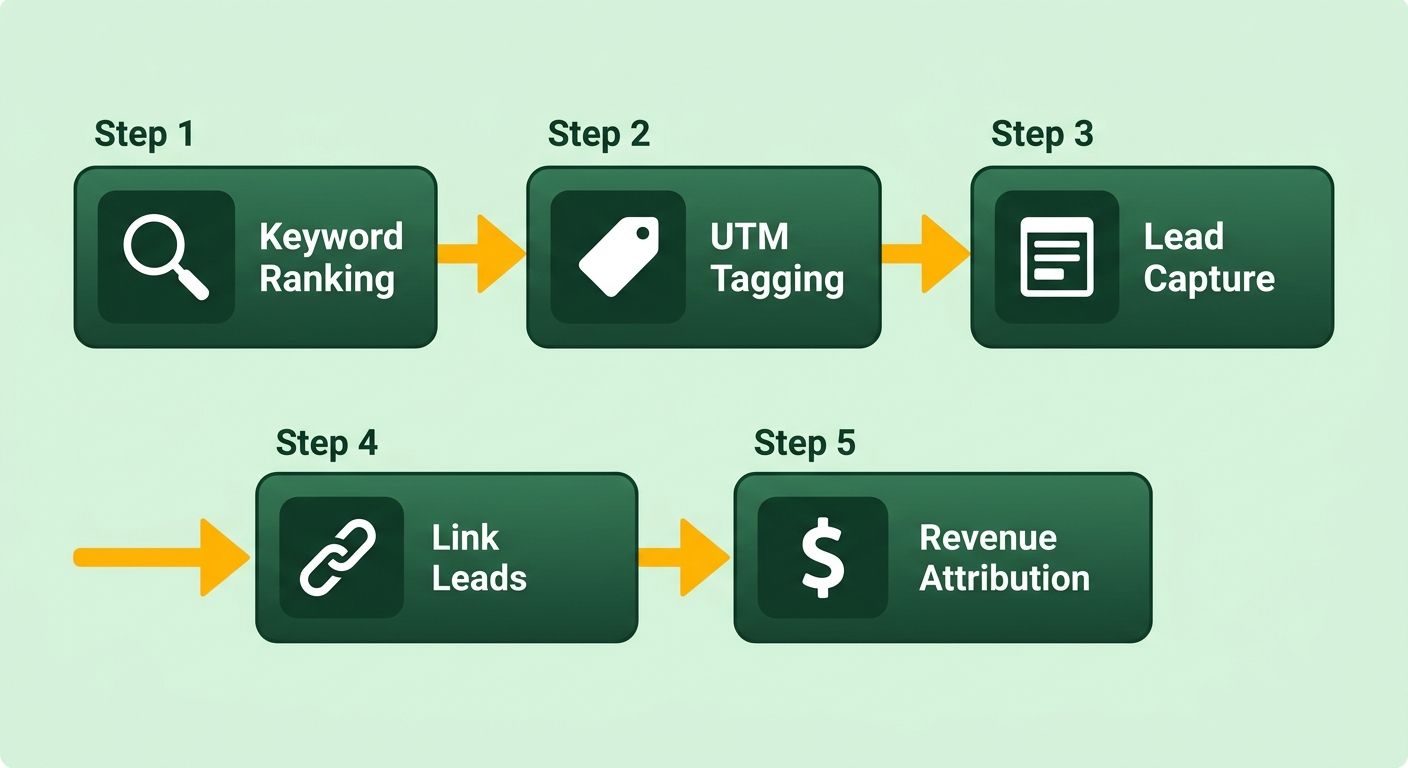
Why data silos quietly bleed your ROI
Your best-performing keyword and your highest-value lead sit in two systems that never speak. Ahrefs knows the term you rank for. HubSpot knows who filled out the form. Alone, neither tells the full story.
When the tools stay separate, teams fall back on manual stitching. Someone exports rankings into a sheet, someone else pulls lead sources, and the two get married once a quarter if you're lucky. That lag is how you keep funding topic clusters that look busy and never convert. The integration swaps the guesswork for a single trail from search term to closed deal.
There's a technical trap worth naming. If your tracking parameters are misconfigured, HubSpot files organic visitors as direct traffic and your attribution report goes blank. Getting the UTM and source rules right up front is what keeps the loop honest. It's also why real-time tracking earns its place: AnyPost surfaces performance as it happens, so the link between a ranking article and the pipeline it feeds stays visible.
Who gets the most out of it
Marketers and founders running lean content operations. If you're a small e-commerce team with no dedicated analyst, this hands you the attribution muscle a big brand pays a full department for.
The case is simple: connecting content optimization to pipeline is what earns executive buy-in. A ranking screenshot doesn't move a budget conversation. A report showing which keyword cluster generated qualified leads does. That's the difference between defending your content spend and growing it.
One marketing founder reported a real lift in traffic and engagement after adopting a content-scoring workflow. Pair a gain like that with lead attribution and you can finally answer the only question an owner cares about: did this post make us money?
Why AI search makes this urgent now
AI search surfaces like Google AI Overviews and ChatGPT are now baked into buyer research. Buyers bounce through several AI-generated answers before they ever land on your site, which scrambles the old models that credited a single visit.
That's why latest-source tracking beats original-source alone. When a shopper hops across multiple AI touchpoints, you want to know which optimization effort closed the sale, not just what sparked the first click. The brands measuring AI visibility alongside traditional rankings are the ones who'll keep their pipeline defensible as buyer behavior keeps moving.
From keyword discovery to lead capture: the full loop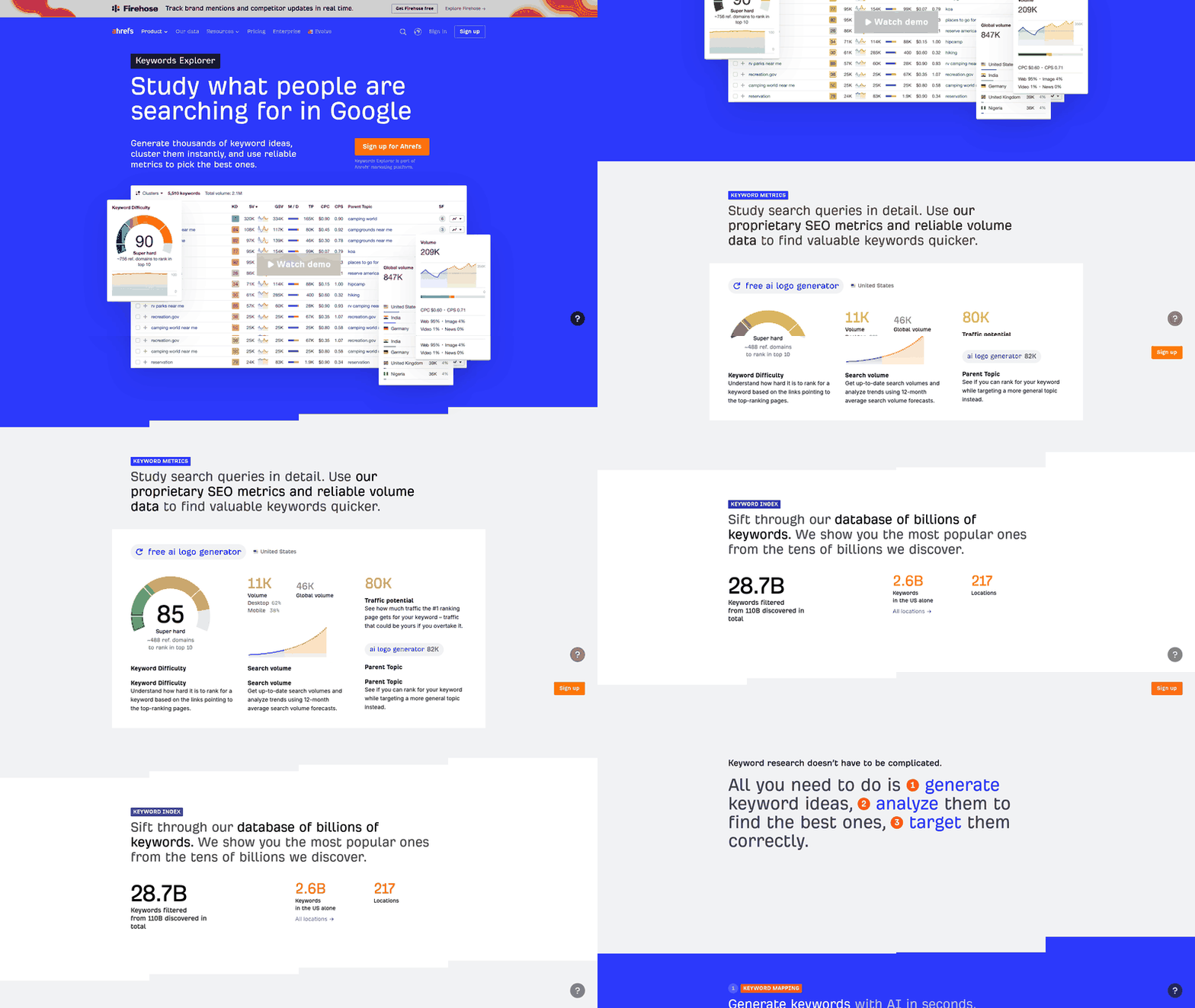
The workflow runs in three stages: keyword discovery through competitive research, content deployment through automated generation, and lead capture inside your CRM. Most teams use something like Ahrefs for research and HubSpot for lead management. The integration sits at both ends of the loop. Keyword research surfaces the terms worth targeting, your CRM records which of those terms converted a visitor into a contact, and the loop closes when you pull rankings back into the CRM to see which posts are pulling their weight.
Most small e-commerce teams stop at stage one. They export a keyword list, write a few posts, and call it content marketing. Running the full circuit is the only way half-measures don't leave your ROI unproven.
Step 1: Find the keywords and score them for intent
Start with competitive research. Run a keyword gap analysis against two or three competitors in your niche. Filter for search volume between 500 and 5,000 and a keyword difficulty under 30. You're hunting terms you can realistically land on page one without a domain rating in the 70s.
Export the list. Score each keyword by commercial intent. Terms like "buy," "best," "vs," and "review" signal bottom-of-funnel visitors who convert. Informational queries ("how to," "what is") drive traffic but rarely drive demos or purchases. Prioritize the commercial terms. A 60/40 commercial-to-informational split per content sprint is a reasonable target.
Tag every keyword with a topic cluster. If you sell project management software, "agile board templates," "sprint planning tools," and "kanban vs scrum" all ladder up to a single pillar page on agile workflows. Clustering lets you measure ROI at the theme level, not just article by article.
Step 2: Generate, publish, and start tagging
Feed the scored list into AnyPost's content generation pipeline. Posts get built at scale, each structured around its target keyword, with H2/H3 headers pulled from SERP analysis and internal links back to existing pillar content. Every post carries a UTM-tagged CTA pointing to a gated resource or demo form in your CRM.
Publish the batch. Most teams publish and wait. Instead, publish and immediately spin up a contact list for each topic cluster in your CRM. Any contact who converts through a CTA in that cluster gets auto-added. This is where tracking begins. You're segmenting leads by the content theme that brought them in, not dumping everyone into the generic "blog subscriber" bucket.
Stagger the posts over two weeks so you're not flooding the index and cannibalizing your own rankings. Track the original source field on every new contact. If the referrer is your blog and the landing page matches one of your target posts, you've got a content-attributed lead.
Step 3: Close the loop with lead-source data
Two weeks after publishing, pull a ranking report for the new posts. Filter for keywords sitting in positions 1–10. Cross-reference against your CRM contact records. The question you're asking: which of these ranking posts actually generated a lead?
Run a CRM report that groups contacts by original source URL. If a post ranks page one but shows zero conversions, either the content missed or the CTA is broken. If a post ranks page two but drove five demo requests, you've found a winner. Improve the on-page SEO and watch conversions climb.
This is where the workflow parts ways with teams that treat the SEO tool and the CRM as separate worlds. Connect ranking position to lead volume and you catch patterns early. When a keyword slips from position 3 to position 8, you see the matching dip in demo requests before the traffic report even notices. You're reading a revenue signal, not just a visibility one.
Configuring Ahrefs to feed data into HubSpot
Set up the HubSpot integration to Ahrefs by tying keyword performance to contact records, so every lead carries the search term that brought them in. The path runs through UTM parameters on organic posts, HubSpot's tracking code, and a reporting layer that pulls Ahrefs rank data into custom contact properties. Most teams skip that last piece and end up with keyword reports in one tab, lead data in another, and no way to connect them.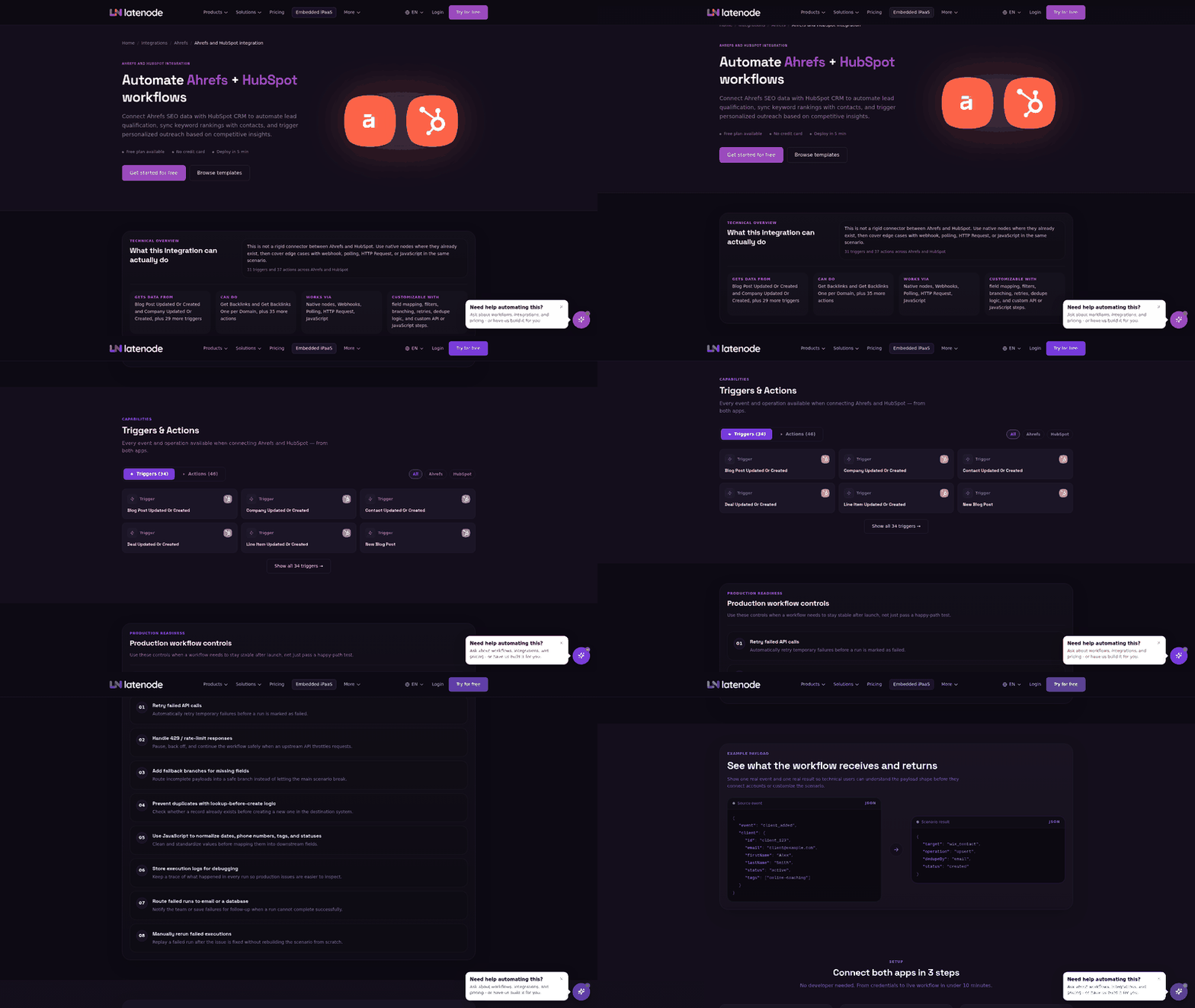
Three pieces make it work: a tracking parameter structure that survives the handoff from search engine to landing page, a contact property schema in HubSpot that records keyword and page data, and a reporting workflow that syncs Ahrefs rank changes back into the CRM. That stack answers the question revenue teams actually ask, which is which keywords convert, not which ones rank.
What you need before you start
You'll want HubSpot Marketing Hub Professional or Enterprise for custom contact properties and workflow automation. Ahrefs needs a Standard plan or higher for API access to rank tracking. On the HubSpot side, install the tracking code on every page that takes organic traffic: blog posts, product pages, landing pages. When that code fires reliably, you avoid the tracking gaps that hide the organic path.
Create custom contact properties for original keyword, landing page URL, and Ahrefs rank position. Original keyword captures the search term the visitor used when they first landed. Landing page URL records where they entered. Ahrefs rank position pulls the current ranking for that keyword from your project. These three fields let you filter contacts by cluster and calculate cost per lead at the topic level.
Set UTM parameters on any paid amplification of organic content. If you boost a post on LinkedIn or run retargeting, append utm_source, utm_medium, and utm_campaign. HubSpot reads those and separates paid from organic. Mixing the two inflates your organic conversion rate and makes weak keywords look better than they are.
How to pull Ahrefs data into HubSpot
Connect the two through a middleware layer that reads rank data from the Ahrefs API and writes it into HubSpot contact properties. A scheduled workflow can run daily, pull rankings for every tracked term, and update the Ahrefs rank position field on any contact whose original keyword matches. That's the step that closes the loop. Now your CRM knows not just that a contact came from organic search, but where that keyword ranks today.
Build the workflow in HubSpot's automation tool. Trigger it on contact creation when original source equals "organic search." Add a webhook action that queries the Ahrefs API for the keyword stored in original keyword. Parse the response for the current rank and write it to Ahrefs rank position. If the term doesn't rank in the top 100, write "unranked" rather than leaving the field empty.
For small teams running auto-generated content at scale, this surfaces which clusters produce leads versus which ones just stack pageviews. A keyword ranking position 8 that converts three leads a month is one you double down on. A keyword ranking position 3 that converts zero is a signal to rewrite the post for commercial intent or stop investing in the adjacent terms.
The pitfalls that break this setup
The biggest one is misconfiguring original source. HubSpot assigns it based on the very first touchpoint. If a visitor arrives through a referral link, then comes back later via organic and fills out a form, HubSpot records "referral." Your Ahrefs workflow never triggers and the contact never gets tagged with keyword data. Fix it by creating a latest keyword property that updates on every organic visit, not just the first.
Next trap: pulling rank data too rarely. If the workflow only runs weekly, a keyword can spike to position 2, convert five leads, then drop to position 15 before you spot the pattern. Run the sync daily. The call volume stays manageable. Track 500 keywords across 200 contacts and that's 200 API requests a day, well under Ahrefs' rate limits.
Finally, filter out branded keywords. If your company name shows up in the original keyword field, that contact already knew you before they searched. Counting them in organic attribution inflates conversion rates for your non-branded terms. Strip any keyword containing your brand name from the reporting layer so what's left reflects true discovery traffic, which is the whole point.
For teams running high-volume content, automated SEO reports keep this maintainable at scale.
Automating content publishing with HubSpot workflows
HubSpot workflows automate publishing by firing actions when a record meets a condition you set. Publish a post, tag the contact source, ping a channel, update a property, all without touching a dashboard. For small e-commerce teams, that means auto-generated posts move from draft to live and start feeding attribution data the moment they rank.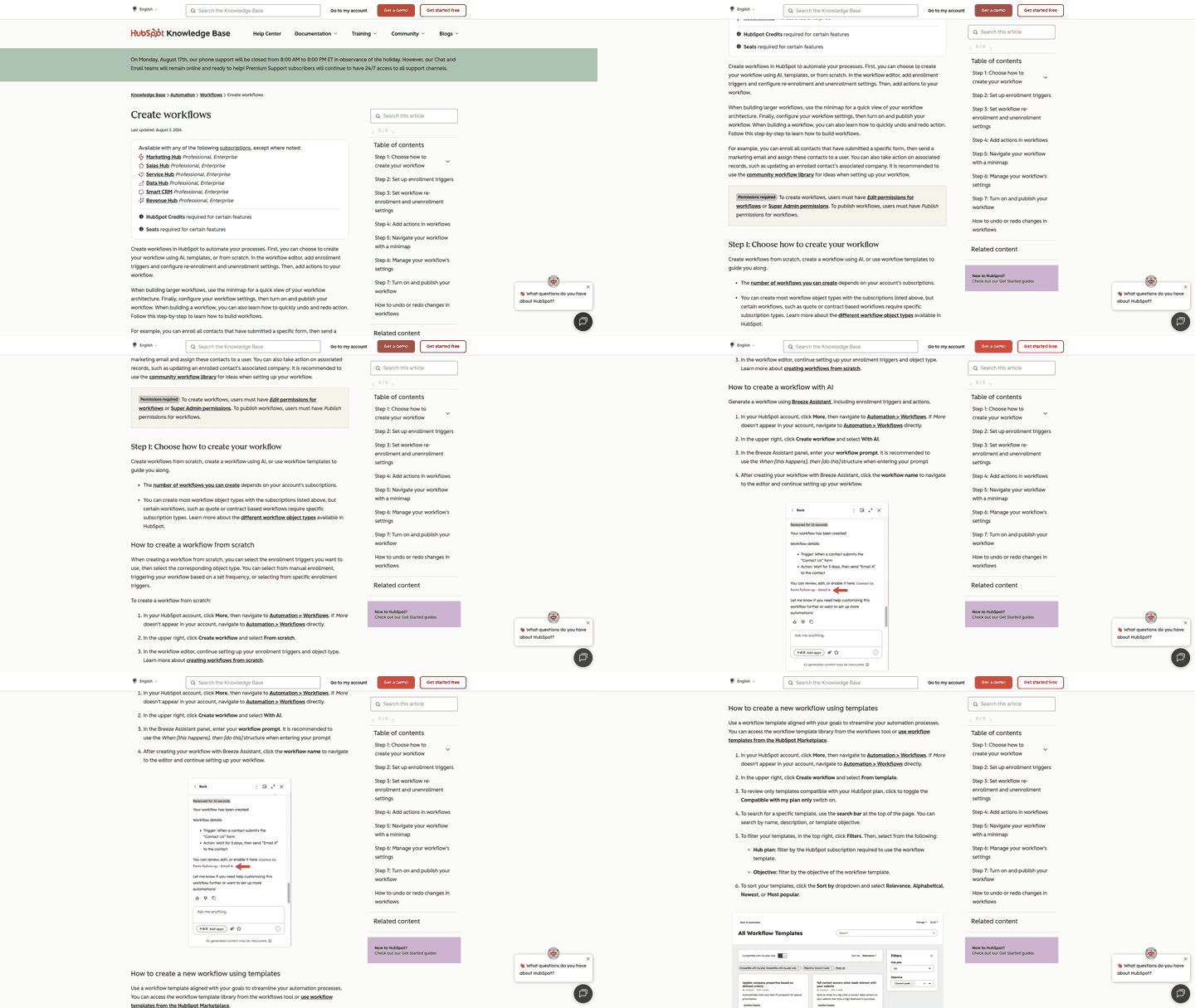
That automation is what makes a HubSpot integration to Ahrefs worth building. Without workflows, you publish a keyword-rich post, then manually stamp UTM tags, manually log the source, manually check rankings. Every manual step is a spot where attribution breaks. Automate the handoff and the loop holds from keyword discovery to closed deal.
How to automate publishing with workflows
You chain triggers to actions inside the workflow builder. A new blog record enters, the workflow applies UTM parameters, sets a content topic property, and enrolls the post in a reporting sequence. Nobody on your team retypes a thing.
A typical sequence for auto-generated posts:
- Trigger: A new post publishes with an organic-search UTM structure attached.
- Enrich: The workflow writes the target keyword and cluster into custom contact properties when a visitor converts.
- Route: Lead source gets set automatically so nothing lands in "unknown" and corrupts the reporting.
- Report: Rank data syncs back on a schedule, so you see which post earned the lead.
The payoff is clean lead-source data. Manual tagging is where attribution dies. Automation is the fix.
Why pair Ahrefs data with these workflows
Pairing keyword data with your workflows lets each post carry its rank story into the CRM, so optimization runs on revenue instead of guesses. You stop asking "which post got traffic" and start asking "which cluster produced pipeline."
Search now spans two channels: traditional rankings and visibility inside AI answer engines. Both drive traffic, and both need to be attributed accurately in the CRM.
Managing that dual visibility alongside clean lead-source attribution gets complex fast. If a manual step fails and a UTM parameter drops, the lead is misclassified and your ROI math skews. Automating the process captures each touchpoint reliably and keeps the data honest across campaigns.
When to skip the automation
Skip heavy automation if you publish fewer than a handful of posts a month. At that volume, manual tagging is quick and error-free, and building a full sync layer costs more time than it saves.
The break-even shifts the moment you turn on auto-generation. Once you're shipping keyword-rich posts faster than a person can tag them, automation stops being optional. That's the volume where the revenue loop either closes cleanly or leaks at every step.
Tracking lead engagement and scoring in HubSpot
Set up lead scoring in HubSpot by assigning point values to engagement signals (email opens, page visits, content downloads) then flag contacts who cross a threshold. That score tells your team which leads are ready for sales and which still need nurture. The HubSpot integration to Ahrefs adds keyword context, so you know not just that a lead is engaged, but which organic term brought them in and whether it maps to high-intent buying behavior.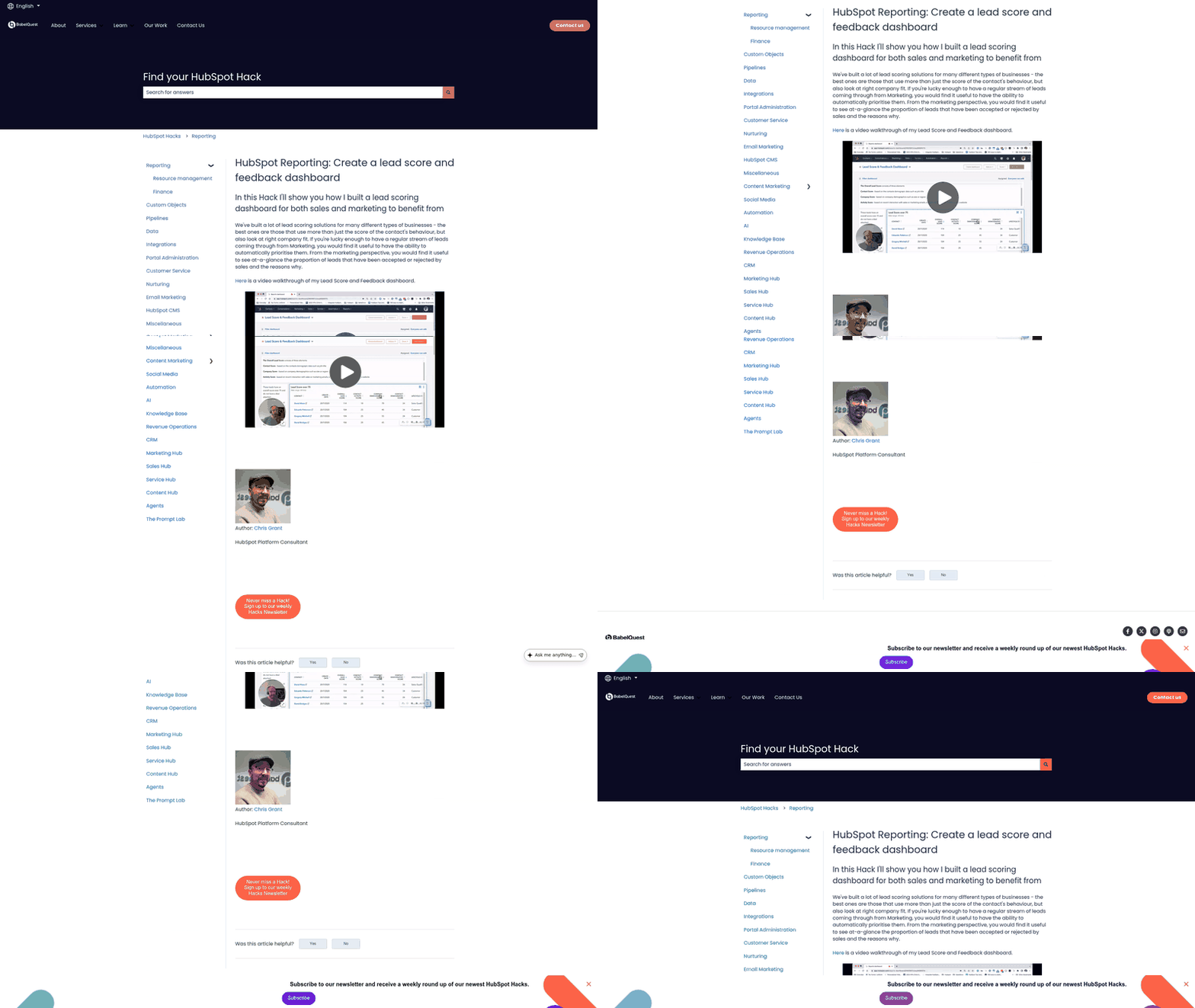
Lead scoring without keyword attribution is like counting touches without knowing where they came from. A contact who downloads three whitepapers looks engaged, but if they arrived via a top-of-funnel informational keyword, their conversion odds are lower than someone who hit a pricing page from a product-comparison term. Sync Ahrefs ranking data into HubSpot properties and you can tag each lead with the keyword that drove their first or latest visit, then adjust the score. High-intent keywords earn more points; research-phase keywords earn fewer.
Building a scoring model that uses keyword data
Define scoring rules in HubSpot that weigh both engagement actions and keyword intent. Start with the standard signals: +10 for an email open, +20 for webinar attendance, +30 for a form submission. Then layer in keyword rules using the custom property that stores the organic search term. A contact arriving via "best CRM for small business" gets +15 because it's a comparison keyword. A contact arriving via "what is a CRM" gets +5 because it's educational. The model compounds both, so a highly engaged contact from a high-intent keyword outscores an equally engaged contact from a research term.
Two pieces make this work. First, UTM parameters or HubSpot's organic source tracking capture the search term at entry. Second, a workflow or integration syncs that term into a property like "Organic Keyword." Once it's populated, build scoring rules that read the value and assign points by keyword category. If Ahrefs tracks your rankings for each term, you can pull rank changes into HubSpot to adjust scores dynamically. Leads from keywords ranking top three get a boost because that's confirmed visibility.
What tracking engagement and keyword performance together reveals
Together, they show which topics produce qualified leads instead of traffic spikes. A post ranking for a high-volume keyword might drive sessions, but if those contacts never convert, the keyword is a vanity metric. Score those contacts lower on entry keyword, watch conversion rates by category, and you learn which terms deserve more content and which deserve none.
You see this with e-commerce sites auto-generating product comparison posts. A post comparing Product A to Product B ranks well and pulls traffic. HubSpot tracks which contacts came from it and scores them on engagement. Ahrefs reports rank movement for the comparison keyword. With the two systems joined, you can check whether contacts from comparison keywords convert at different rates than those from educational keywords, even when both posts pull similar traffic. That insight can shift production toward the categories that produce buyers, not browsers.
The second-order win is prioritization. Sales teams burn hours chasing cold leads who filled out a form with no intent to buy. Score contacts on both engagement and keyword intent and your team gets a shortlist of leads who came from high-intent searches and stayed engaged. Those go to sales. Lower-scoring contacts drop into automated nurture until their score climbs or they go quiet.
Measuring ROI: KPIs and dashboards
Measure content ROI with three KPIs on one HubSpot dashboard: cost per lead by topic cluster, revenue attributed to organic keywords, and lead-to-customer rate by landing page. They pull straight from contact records, so every number ties back to a search term instead of a session count.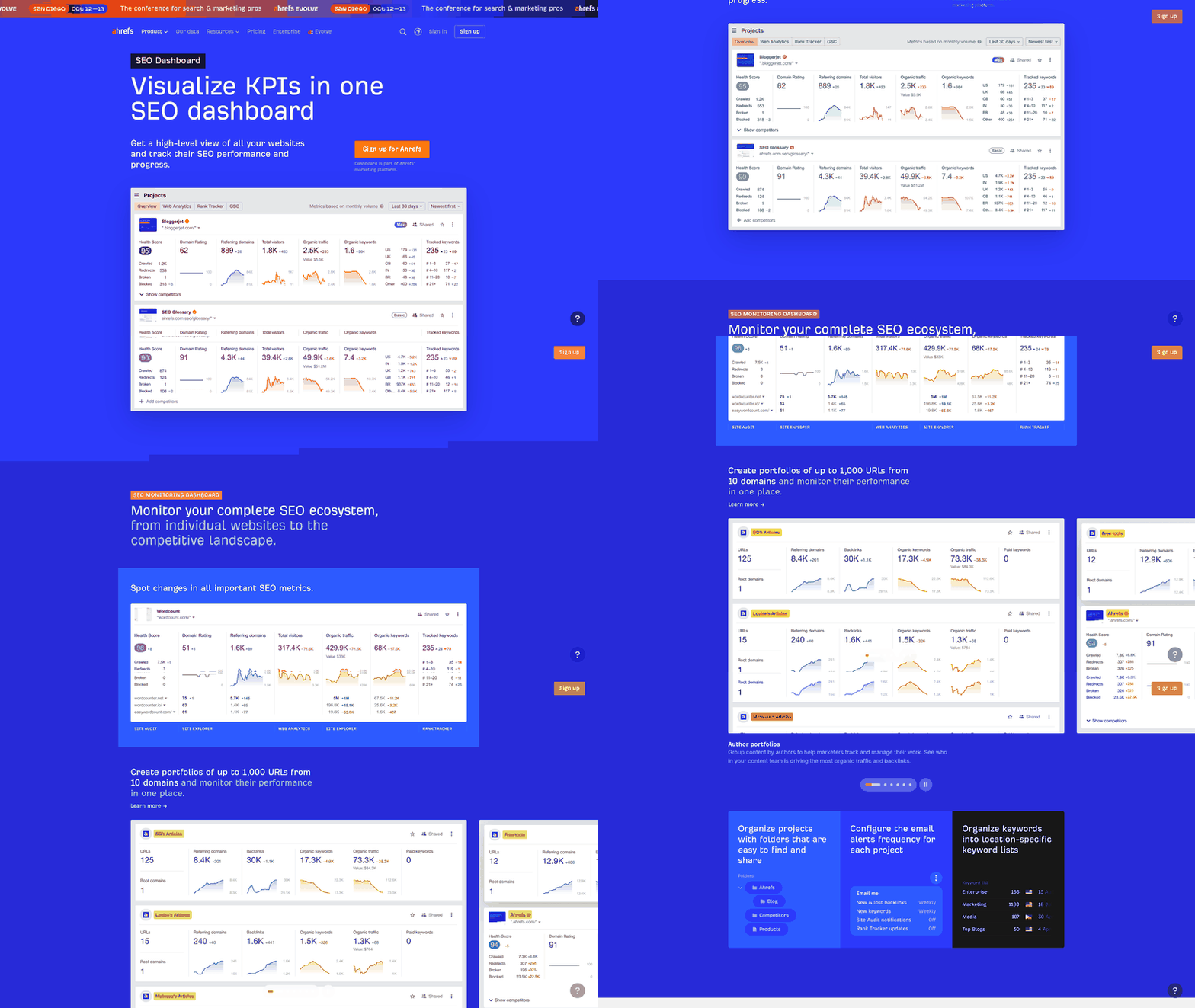
The HubSpot integration to Ahrefs earns its keep here, because rankings alone don't pay bills. You need rank data sitting next to pipeline data in one view. When both live on the same dashboard, you stop guessing which post drove revenue and start reading it off a chart. That's the evidence that justifies a content budget to leadership: business growth, not abstract search visibility.
Which KPIs belong on the dashboard
Track four metrics and skip the rest. Cost per lead shows what each cluster costs to convert. Revenue per keyword ties closed deals to the term that surfaced them. Lead-to-customer rate flags which pages punch above their traffic. Pipeline influenced captures deals a post touched without being the last click.
Build these as calculated properties, then group them by the keyword and page fields you already store on contact records. Now the dashboard answers the only question that matters: which cluster returns more than it costs?
Drop pure traffic counts to a secondary tile. Sessions are a diagnostic, not a KPI. A post with 200 visits and three qualified leads beats one with 5,000 visits and none, and your dashboard should make that obvious at a glance.
Attributing revenue across AI search touchpoints
To attribute revenue accurately in today's search, look past the first touch. When buyers pass through several AI-generated summaries before visiting your site, leaning only on first-click metrics can hide which assets drove the final decision.
The touchpoint right before conversion tells you which content closed the gap. Line that data up with your rank tracking and you can map the move from an informational search to a direct conversion.
Keeping your tracking parameters intact across those transitions is what holds it together. Lose a parameter in the handoff and the lead's source gets misclassified, which breaks the whole chain. Properly configured tracking rules keep the gaps from opening and the reporting accurate.
What these numbers actually change
They change where the money goes. The rule for dashboard reviews is one line: fund the clusters with the lowest cost per lead, cut the ones that only produce traffic. Auto-generated posts feed the top of the loop, HubSpot workflows tag the source, and Ahrefs rank data confirms which terms are climbing.
What you're left with is a spending decision backed by revenue instead of a hunch backed by pageviews. If you want the tooling comparison behind this setup, our breakdown of automated SEO reports tools: HubSpot vs Ahrefs covers where each side of the stack pulls its weight.
Frequently Asked Questions
1. What happens if a lead visits through a referral link before finding me via organic search?
Because HubSpot's default tracking prioritizes the very first touchpoint, an initial referral visit will permanently tag the contact as a referral lead. To capture subsequent organic search interactions, you must configure a custom "latest source" property. This ensures that even if a user originally found your site via a referral link, their subsequent high-intent search queries are still recorded and credited.
2. Why should I filter out branded keywords from the attribution report?
Including branded searches in your organic reports skews your understanding of how well your content attracts new audiences. Since branded queries represent users who already know your business, isolating them allows you to measure the true ROI of your non-branded SEO efforts and see how effectively your top-of-funnel content drives net-new customer acquisition.
3. Should I prioritize high-volume keywords or mid-tail queries for pipeline?
While high-volume keywords generate impressive traffic numbers, they often attract users in the early research phase. Mid-tail queries typically indicate a buyer who is closer to a purchasing decision. Prioritizing terms with clear commercial modifiers helps ensure that your content budget is spent on attracting visitors who are ready to engage with your sales funnel, rather than casual readers.
4. How often should the Ahrefs-to-HubSpot sync run?
A daily sync is ideal for maintaining accurate, actionable data. Search rankings can fluctuate rapidly, and a weekly schedule might miss critical ranking shifts that correlate with sudden conversion spikes. Running the integration daily provides a more precise timeline of how rank changes impact lead generation, without exceeding standard API usage limits.
5. Do I need paid plans for both tools to build this workflow?
Yes, this workflow relies on advanced features only available in specific tiers. HubSpot requires a plan that supports custom contact properties and automated workflows to store and route keyword data. Similarly, Ahrefs requires a tier that grants API access, which is necessary for exporting rank data programmatically to your middleware.
6. How is this different from tracking conversions in Google Analytics 4?
While Google Analytics 4 provides excellent aggregate data on user sessions and web events, it does not associate those actions with individual, identifiable leads in your sales pipeline. This CRM-based workflow connects search queries directly to specific contact records, allowing you to track a lead's journey from their first search all the way to a closed-won deal.
7. Why set up multi-touch attribution instead of HubSpot's default?
Default single-touch models often fail to capture the full value of your content strategy. An informational blog post might introduce a prospect to your brand, but a product comparison page might get the final click before they sign up. Multi-touch attribution ensures that early-stage awareness content receives proper credit for its role in initiating the customer journey.