
Product Page SEO: How to Write Pages That Rank and Convert

Key Takeaways
- Product page SEO wins twice: a well-built page can lift conversions by up to 20% and climb the rankings at the same time.
- Schema markup improves your odds of a rich result by around 30%, pulling star ratings, prices, and stock status straight into the search snippet.
- The pages that win treat search intent and buyer psychology as one problem, not two.
- Rich results compound. Higher click-through rates feed better rankings, which pull in more qualified traffic.
- Commercial-intent keywords like "buy" or "best price" flag purchase-ready visitors. They need fast answers, clear pricing, and an obvious call to action.
- Success comes from reading user behavior and commercial intent, not stuffing keywords or copying a template.
- Pages that rank but don't convert waste traffic. Pages that convert but don't rank never get seen.
Quick Summary
Product page SEO means optimizing your product detail pages to rank in search and turn visitors into buyers. It sits where technical structure, keyword research, and conversion psychology overlap. Get it right and you win on both fronts: better rankings, more sales from the same traffic.
The pages that win line up technical search requirements with what shoppers actually expect to see. Bridge the gap between what crawlers read and what buyers need, and visibility turns into sales.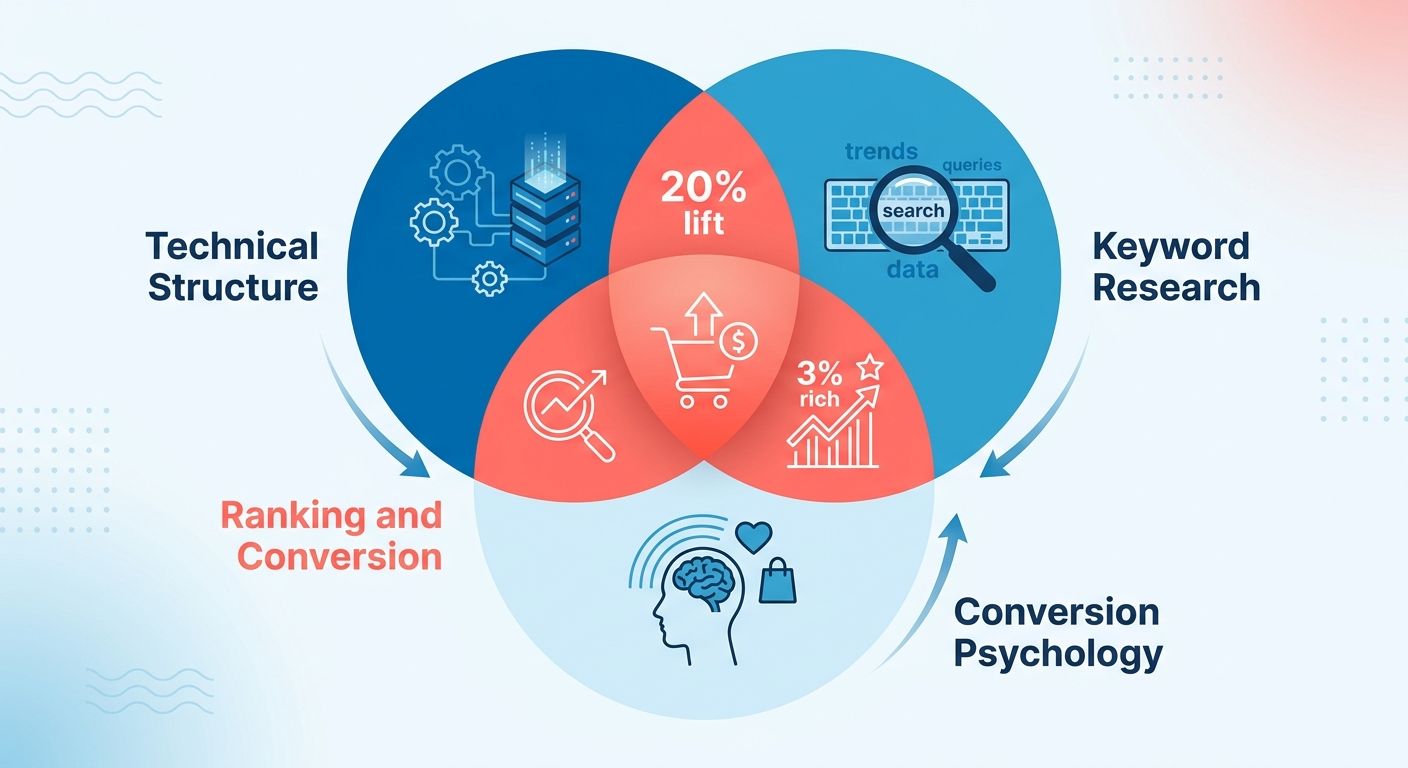
What results can you actually expect?
Two levers do most of the work: well-optimized pages drive real revenue, and structured data makes your listings far more competitive in the results. That's enough to justify the effort on its own.
Structured elements make your listing visually distinct on a crowded results page. When key details show up right in the snippet, you pull in shoppers who already know what you sell, which makes them more likely to click.
Conversion gains come from somewhere else: matching commercial intent. When someone searches with transactional terms, they're ready to act. Your page has to answer that intent fast, with clear pricing, obvious benefits, and a visible call to action.
What does it actually require?
A real understanding of commercial intent and user behavior, not keyword stuffing. You need to know why someone landed on the page and what they need to see before they buy.
That means mapping the specific terms buyers use at the transactional stage. Writing unique descriptions instead of copying the manufacturer's text. And structuring the page so search engines and shoppers both find what they need in seconds.
A well-structured page improves user experience and rankings at once. Clear headings, fast loads, quality images, internal links, they all pull the same direction. Search engines reward the same signals that keep buyers on the page.
Product page SEO at a glance
| Element | Why It Matters | Impact |
|---|---|---|
| Keyword research (commercial intent) | Captures ready-to-buy searchers | Higher qualified traffic |
| Unique product descriptions | Avoids duplicate content penalties | Better rankings |
| Schema markup | Enables rich results in SERPs | Enhanced search visibility |
| Page structure & UX | Serves shoppers and crawlers | Significant conversion growth |
| Internal linking | Distributes authority, aids discovery | Improved crawlability |
Skip aggressive product page SEO if your catalog changes weekly or your products have near-zero search demand. There, category pages and content marketing pull more weight. For stable, high-intent product lines, this is where the revenue lives. The rest of this guide walks through each element.
Why product pages carry the whole store
Product pages are where the money gets made. They account for the bulk of e-commerce traffic, which means they carry the heaviest load in any store. Optimize them well and you lift visibility and revenue together.
Most stores get this backwards. They pour effort into blog content and homepage design while product pages sit ignored, running on manufacturer descriptions and stock photos. That's a mistake. These pages are the last stop before a purchase.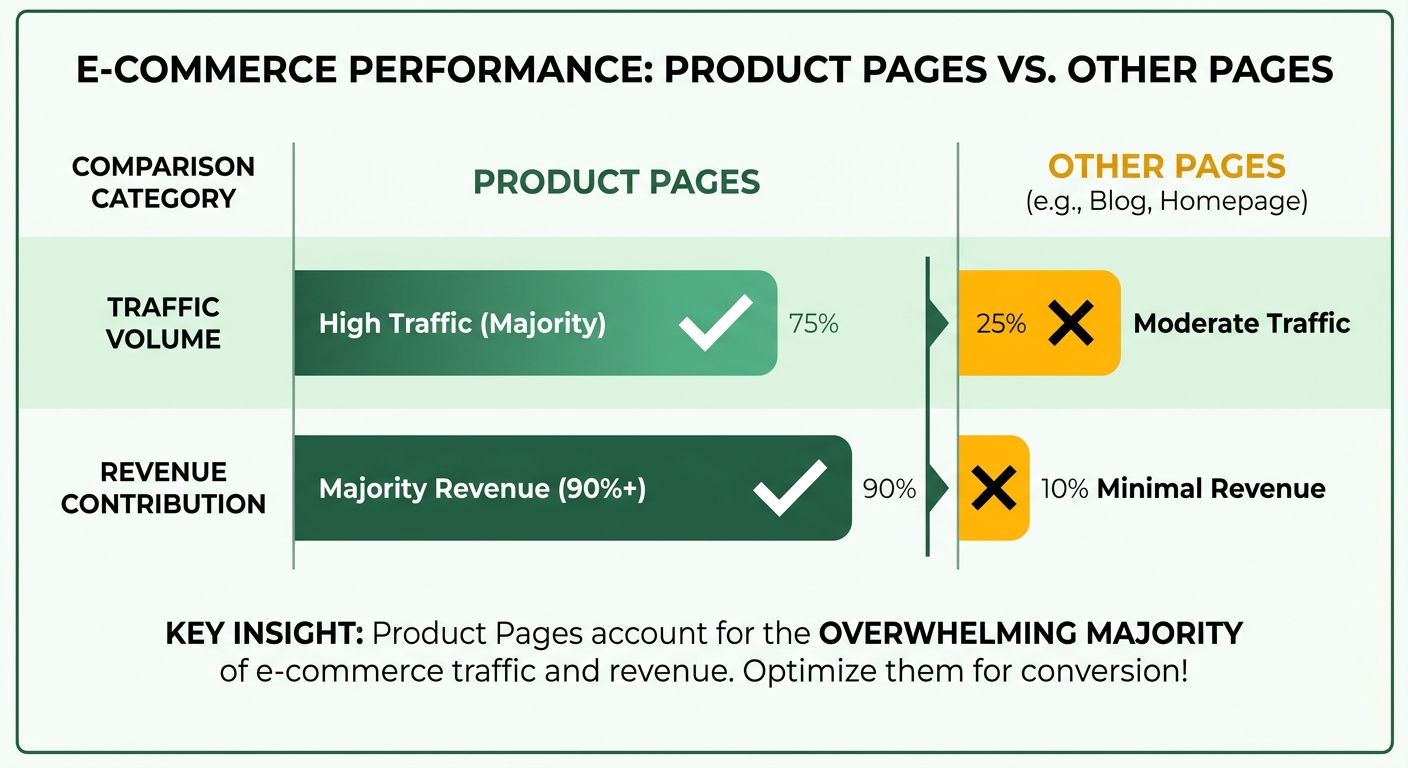
Why do product pages drive so much revenue?
They're the primary entry point for buyers. Someone searching for a specific item lands on a product detail page, not your homepage. That makes each page a direct line from a search query to a sale.
Prioritizing product page SEO tends to produce measurable sales increases, often around a 15% lift, just by making pages easier to find and easier to buy from.
Shoppers searching for a specific model or feature are showing high intent. They already know what they want. If your page ranks for that query and answers it clearly, you catch a buyer who was ready to spend. Miss the ranking, and a competitor gets the click.
The three problems that quietly kill product pages
The usual suspects: duplicate content, thin content, and poor user experience. Each one drags down rankings and conversions in the background. Fix them and that's where most of your gains come from.
Duplicate content is the silent one. Plenty of stores copy the manufacturer's description word for word, so dozens of sites publish identical text. Search engines have no reason to rank your version over anyone else's. Rewrite in your own voice and you stand out immediately.
Thin content is the opposite problem. A page with one line of text and a single image gives search engines almost nothing to work with. Add specs, use cases, FAQs, the detail that helps a buyer decide.
Poor user experience costs you on both fronts. Slow loads, cluttered layouts, and buried buy buttons push shoppers away and signal low quality to search engines. Good optimization means tuning each page while making sure it fits cleanly into the rest of your site.
How do you balance rankings and conversions?
Line your optimization up with the shopper's decision process. Add target keywords that real shoppers use, pulled from keyword tools and search trend data, then place them naturally in titles, descriptions, and headings. Keyword stuffing does nothing but hurt you.
The dual focus is the point. You optimize the individual page for its keyword while making sure every product page complements the others across your catalog. Strong internal structure helps search engines understand your whole store.
That's why product page SEO sits at the center of any serious e-commerce strategy. The pages already pull the most traffic. Making them rank higher and convert better multiplies the value of visitors you already earn. For a deeper walkthrough of the tactics, the SEO for e-commerce product pages guide covers the details.
Product page SEO fundamentals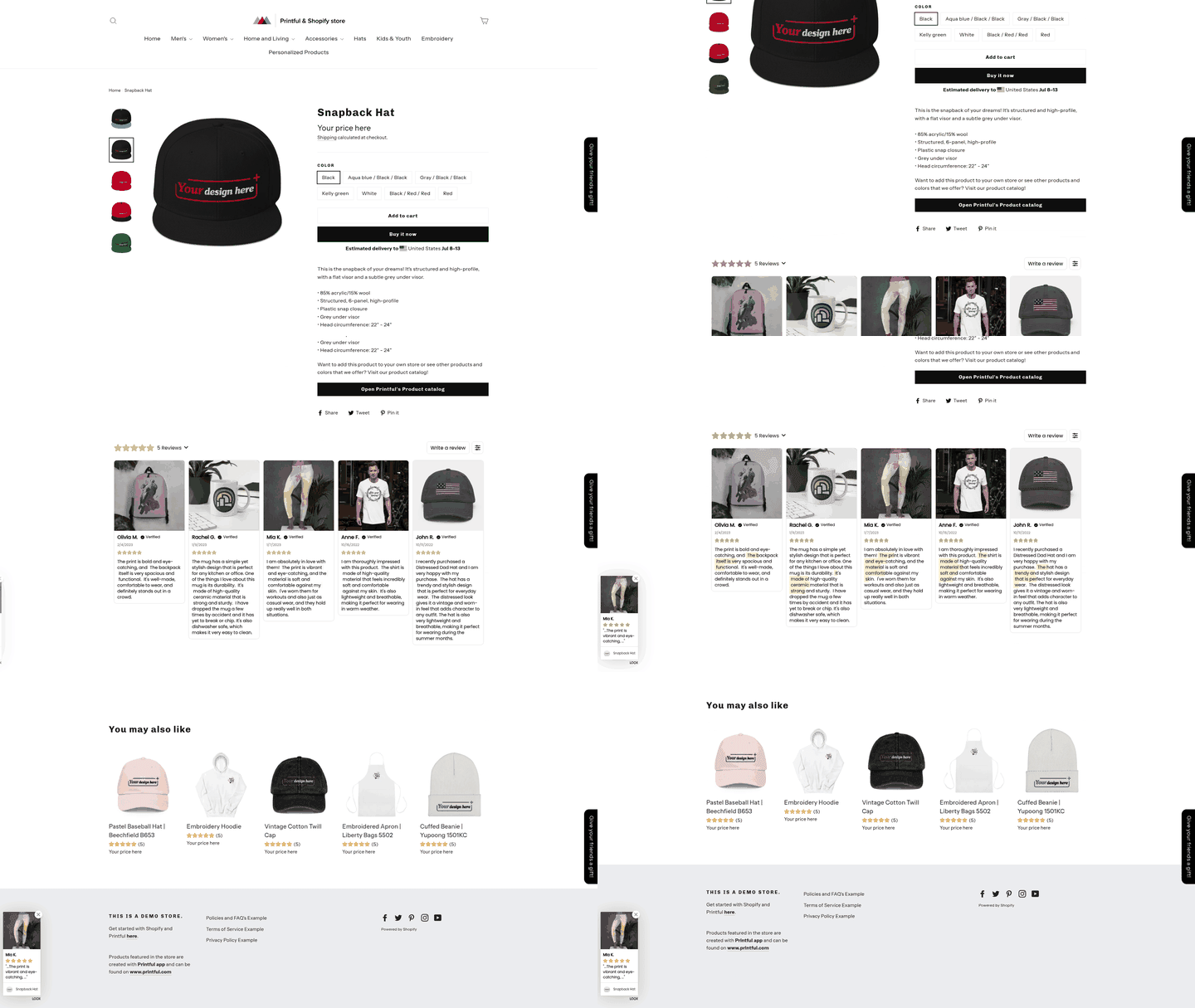
It starts with four on-page elements: title tags, meta descriptions, headings, and content. Get these right and search engines understand your page while shoppers find reasons to buy. Each does a specific job, and skipping one leaves rankings on the table.
The goal is coordination. Tune each page individually while making sure it fits the rest of the site. Here's how to handle each element.
How should you write title tags and meta descriptions?
Title tags should be descriptive, tight, and include your target keyword. They're the headline in search results, so they need to signal exactly what the page sells. Write a unique title for every page, never a duplicate.
The keyword belongs near the front. A title like "Merino Wool Hiking Socks - Men's Cushioned" tells both Google and the shopper what they're getting. Vague titles waste your best ranking real estate.
Meta descriptions should be compelling, informative, and around 155 to 160 characters. This is your ad copy in the results. It doesn't directly boost rankings, but a strong one earns more clicks.
Write each to answer why someone should click. Mention the benefit, a key feature, a reason to trust the product. Keep it unique per page, same as the title.
How do you structure headings and content?
Headings should follow a logical hierarchy and include your target keywords where they fit naturally. One H1 for the product name, then H2 and H3 sections below. This helps readers and crawlers scan the page.
Break long copy into headed blocks. A features section, a materials section, a sizing section. Each heading gives you a natural spot for long-tail keywords, especially inside the product name and section titles.
Add internal links between related products and categories. That spreads authority across your site and keeps shoppers moving toward a purchase. It also gives search engines a clearer map of how your pages connect.
One more technical detail: canonical tags tell search engines which version of a page to prioritize. Stores generate duplicate URLs through filters and variants all the time. Canonical tags stop the dilution so your rankings stay concentrated on one page.
What content actually moves conversions?
Pair keyword-rich copy with high-quality images, videos, and customer reviews. Text alone doesn't sell. Buyers want to see the product from every angle and hear from people who already own it.
An Ahrefs case study found that optimizing product page content can lift conversions by 25%. Solid return for work you do once per page. Reviews build trust, video answers questions, detailed images cut hesitation.
Replace manufacturer descriptions with original copy. Duplicate text across the web gives you nothing to rank on. Write unique descriptions that use your keywords while genuinely helping the shopper decide.
Category pages need real content too
Category pages need unique content as much as product pages do. They sit higher in your site structure and often catch broader queries like "running shoes" or "kitchen knives." A category page running on nothing but a product grid gives search engines little to rank and shoppers little reason to trust you.
Treat a category page like a mini landing page. It should give a clear overview of what's inside, guide shoppers toward the right subcategory, and answer the questions they carry in from search.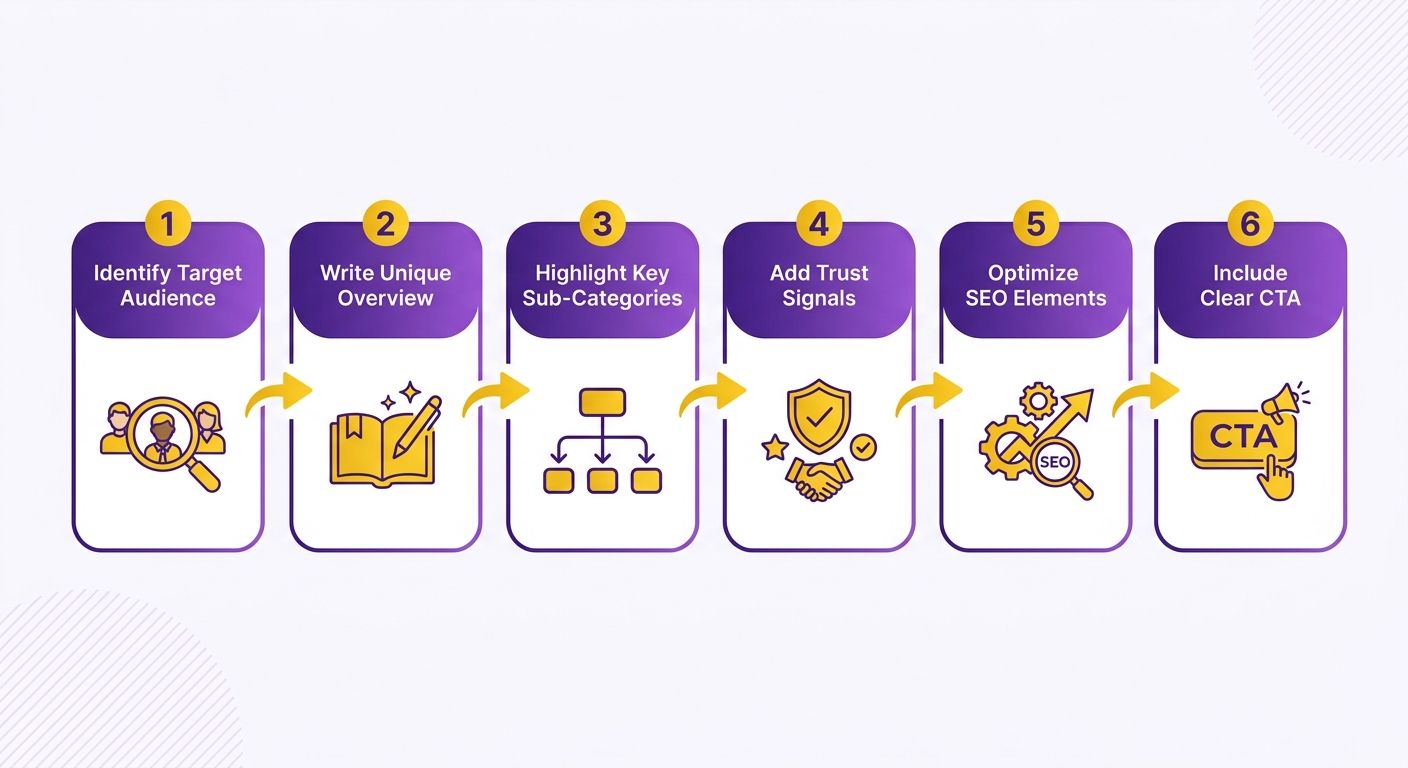
What content belongs on a category page?
Start with a short, useful intro describing the products and subcategories at a glance. That block tells search engines what the page is about and helps buyers orient fast. Keep it genuinely helpful, not keyword-stuffed filler shoved below the fold.
Beyond the intro, strong category pages pull in elements that build confidence:
- High-quality images that show the range clearly
- Videos that demonstrate product types or explain how to choose
- Customer reviews that add real voices and social proof
- Subcategory links that help shoppers narrow their search
These also affect how long people stay. Research from the Nielsen Norman Group shows users often decide whether to stay within the first 10 to 20 seconds, so a clear intro plus supporting media gives them a fast reason to keep scrolling instead of bouncing back to search.
How do you research content for category pages?
Three inputs: target keywords, user intent, and competitor analysis. Nail these and your page speaks the language your buyers actually use.
Start with keyword research. Pull popular and top keywords from industry tools or Google Trends, then use them where they read naturally in your intro and headings. Category keywords tend to be broader than product keywords, so map them to the funnel stage your shopper is in.
Next, read the intent behind those keywords. Someone searching a category term wants to compare options, not buy one specific SKU yet. Your content should help them browse and decide, which means clear descriptions and easy paths into subcategories.
Then study the pages already ranking. Look at how they structure their intros, what media they include, what questions they answer. You're not copying; you're finding the gaps you can fill better.
How do you optimize category content once it's written?
Give every category a unique title tag and meta description, and never let two categories share the same intro copy. Duplicate content across categories drags down the whole set.
Category pages are where content quality compounds. A well-built one earns rankings for broad terms while feeding qualified traffic down to your product pages.
Pair your written content with strong media and real reviews. That combination keeps shoppers on the page longer and gives search engines the signals they need to rank you.
Using structured data to earn rich results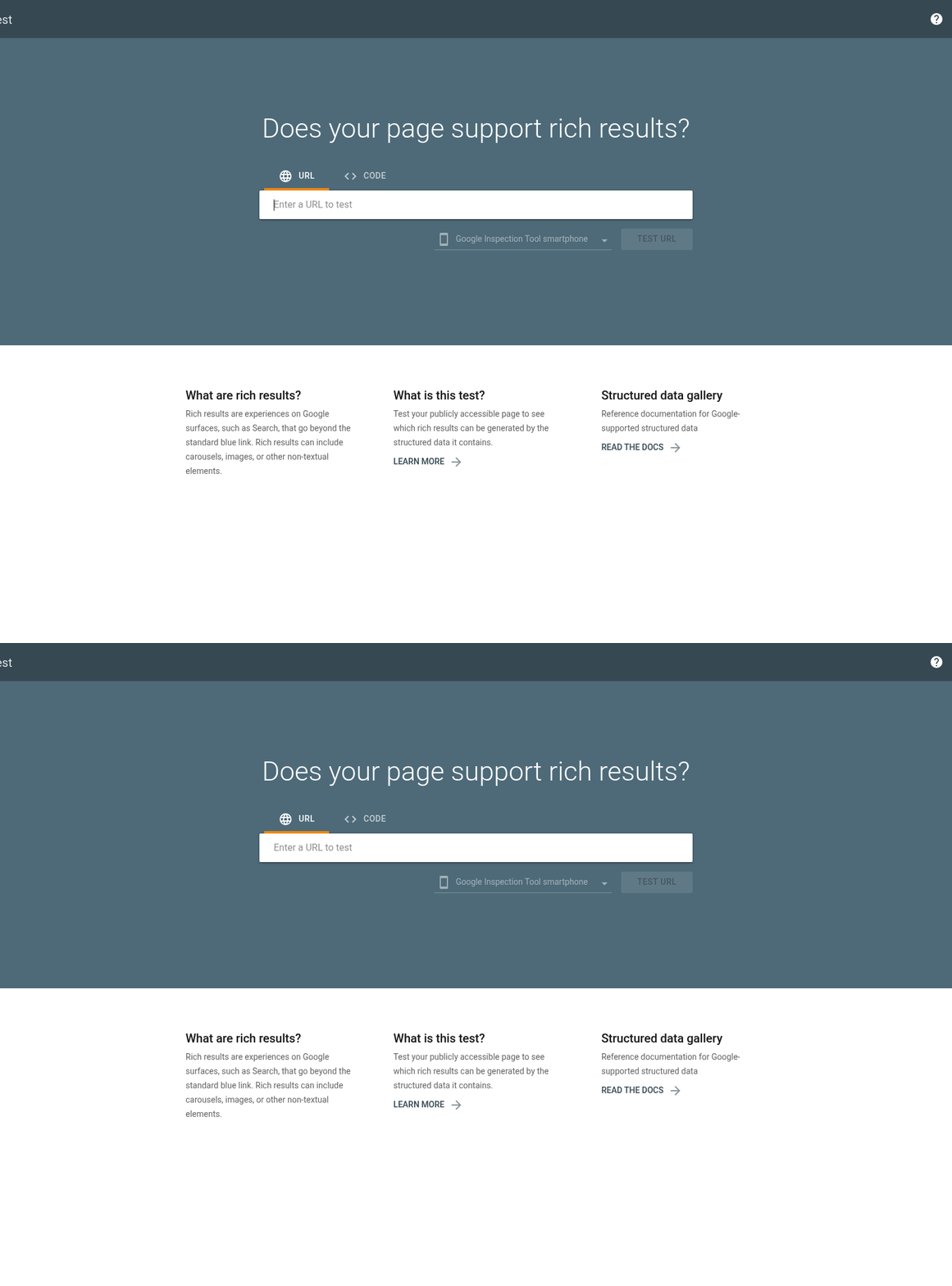
Schema markup is code that gives search engines extra context about your product pages. It's how you earn rich results, the enhanced listings that show star ratings, prices, and availability right in the results. Add it correctly and your listing takes up more space and pulls more clicks.
Rich results turn a plain blue link into something a shopper wants to click. A listing showing a 4.8-star rating and an in-stock price beats a bare title every time. That visual edge is why schema belongs on every product page you optimize.
What is product schema and what does it include?
Product schema tells search engines the core facts about what you're selling: name, description, image, and price. These map directly to the details a shopper scans before clicking.
Think of it as a structured summary of the page. The name identifies the item. The description explains it. The image gives search engines a photo to display. The price signals what the buyer will pay.
Fill in every property you can. A partial setup earns weaker results than a complete one, and missing fields mean search engines guess or skip your listing entirely.
How do offer and review schema work together?
Offer schema and review schema handle the two things buyers care about most: cost and credibility. Offer schema covers commercial details. Review schema surfaces social proof. Together they answer "how much?" and "is it any good?" before the click.
Offer schema includes price, availability, and review. Availability is the one people forget. It tells search engines whether the item is in stock, which shapes whether a shopper bothers clicking through.
Review schema includes rating, reviewer, and review body. The rating drives those star snippets. The reviewer names who left the feedback. The review body carries the customer's actual words.
Keep this data honest. Mark up reviews that genuinely exist on the page. Faking ratings to game the stars is the fastest way to lose your rich results entirely.
Does schema actually improve click-through rates?
Yes, and it also improves the quality of the traffic. When a listing shows price and stock upfront, the people who click are the ones already comfortable with what they'll pay, so bounce rates tend to drop and conversion rates climb.
A richer listing stands out on a crowded results page. When your entry shows stars and stock status and a competitor's shows plain text, more clicks flow your way.
FAQ schema adds another angle. It marks up common questions and answers on your page, which can surface directly in search. That eats more screen space and handles buyer objections before they reach your site.
Schema works best as a layer on top of solid on-page work, not a substitute for it. You still need strong titles, unique content, and clean product data. The markup just translates that groundwork into a format search engines can display.
Internal linking from content to product pages
Internal linking connects your blog posts, guides, and category pages to the product pages you want to rank. It tells search engines how your site fits together and passes authority from strong pages to weaker ones. Done well, it lifts discoverability and rankings both.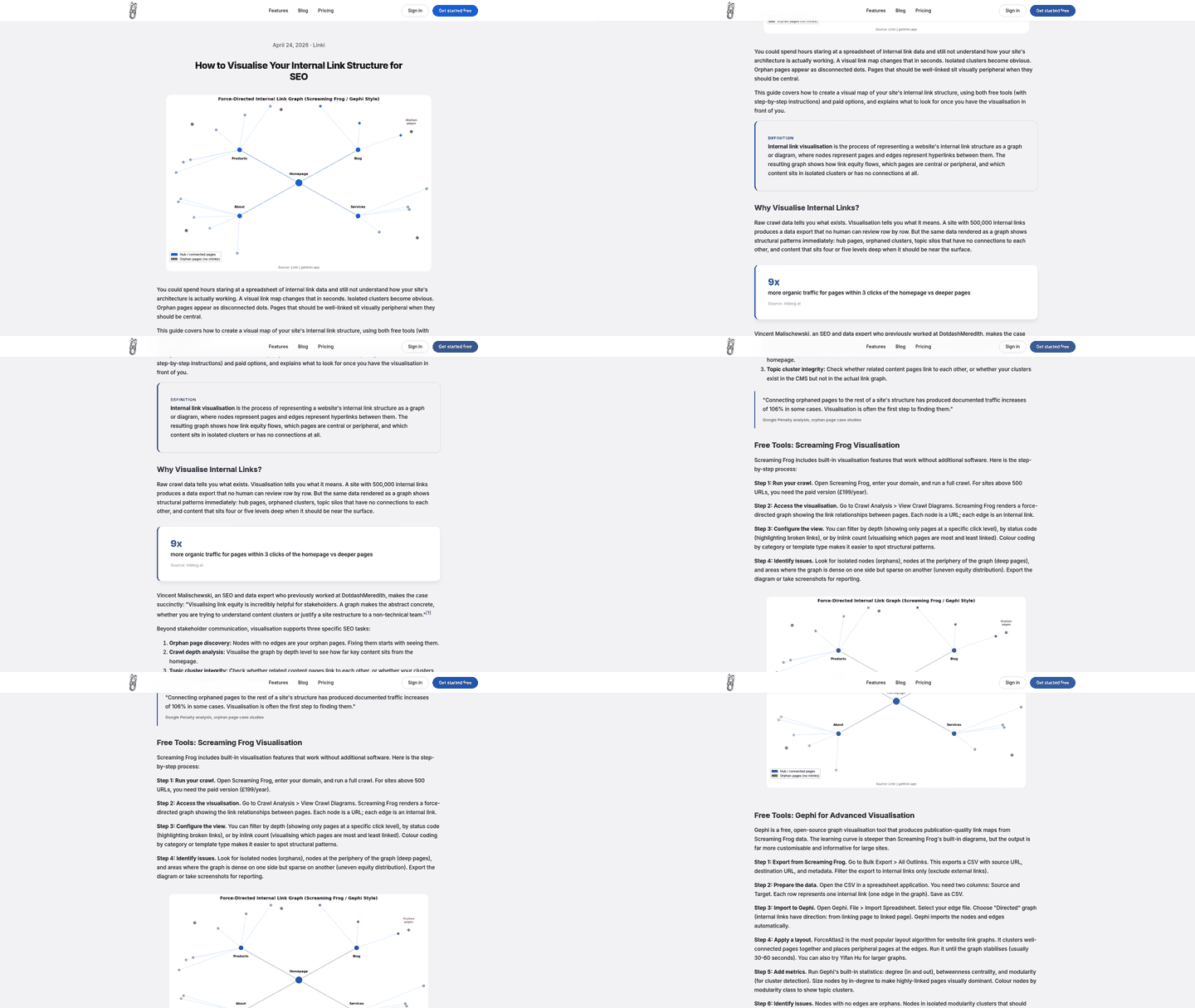
Most stores treat internal links as an afterthought. They publish helpful content, then never point it at the products that content supports. That leaves ranking power stranded on pages that don't sell anything.
How do internal links help search engines understand your site?
They map your content hierarchy. They signal which pages matter most and how each relates to the others. A crawler follows these links to find your product pages and gauge their importance.
Picture your site as a pyramid. Broad category pages near the top, individual product pages branching off below, blog content feeding links into both. When a buying guide about running gear links to specific shoe pages, it shows search engines those products belong to that topic.
This matters because product pages often live deep in your site. A shopper searching for a specific item lands there directly, but crawlers need a clear path to reach it. Strong internal linking builds that path.
How should you write anchor text for product links?
Anchor text should be descriptive, short, and include your target keyword. The clickable words tell readers and search engines what's on the other end. Vague anchors like "click here" waste the signal.
Match the anchor to the product's target term. Linking to a page for insulated water bottles? Use "insulated water bottles" as the anchor, not "this product" or "learn more." That descriptive text reinforces the keyword you want the page to rank for.
Keep anchors short and natural. Cramming a full keyword phrase into every link reads as spam and annoys the reader. Aim for anchors that fit the sentence while carrying the relevant term.
What is link equity and how does it boost product pages?
Link equity is the ranking authority a page passes through its links. When a high-authority page links to a product page, it shares some of that strength, which raises the product page's odds of ranking.
Your homepage and popular blog posts usually hold the most authority. Point their links toward the product pages that need a push. A well-placed link from a widely read guide can move a buried product page up the results.
This is where a coordinated strategy pays off. Individual page optimization works with site architecture, so your product pages inherit authority from your strongest content. One reinforces the other.
A few practical rules keep internal linking clean:
- Link from relevant content: A post about knife care should link to knife product pages, not unrelated items.
- Break copy with headings and links: Structure content with headings, then work product links into the body naturally.
- Prioritize high-value products: Send more internal links to the products you most want to rank and sell.
Start by auditing your top blog posts. Find the ones pulling traffic, then add links from those posts to matching product pages. That single move often produces quick ranking gains.
Managing faceted navigation and duplicate URLs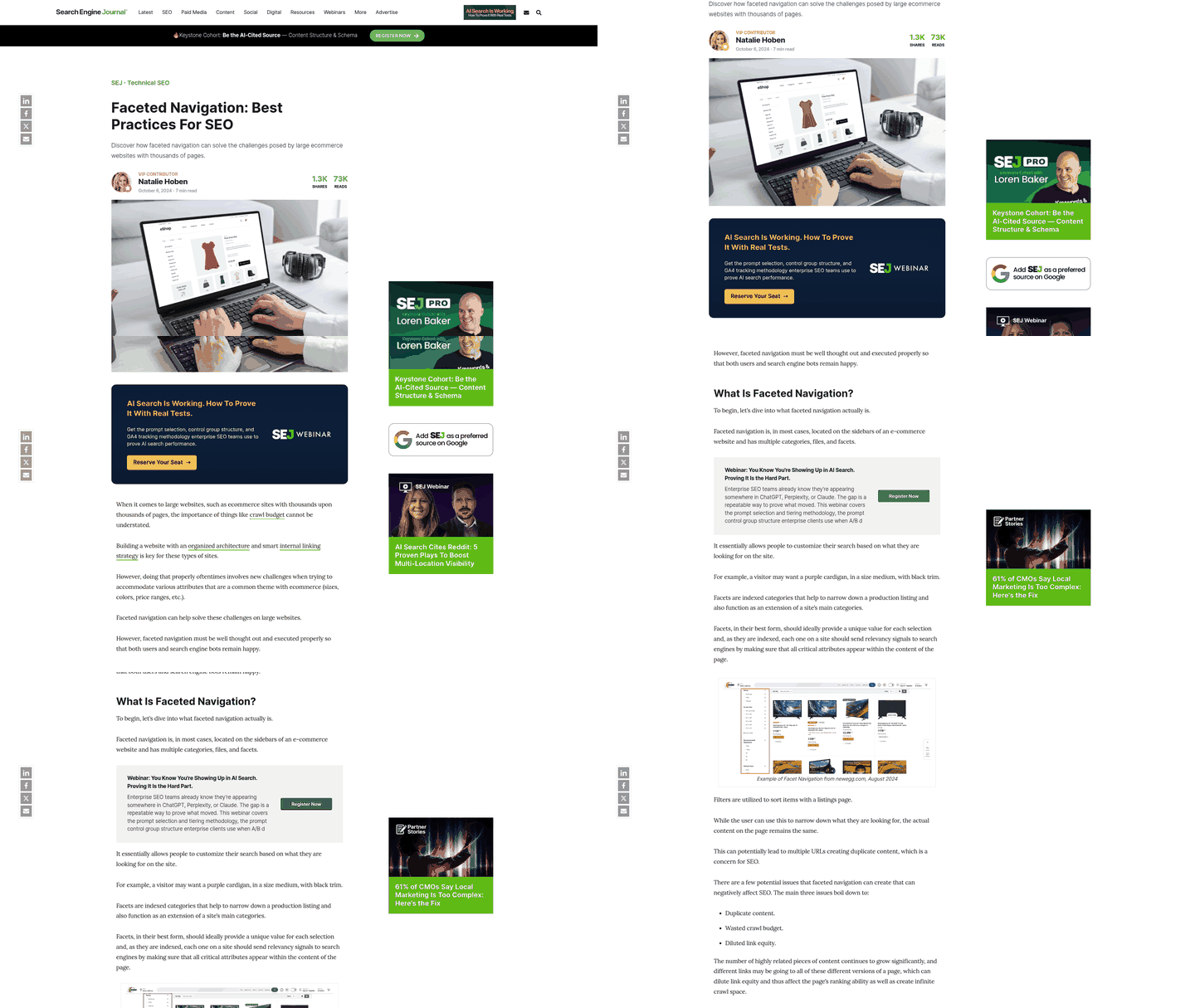
Faceted navigation is the filtering system that lets shoppers narrow products by size, color, price, or brand. Great for buyers. But it generates a flood of URL variations that can create duplicate and thin content problems. Left unchecked, those extra URLs dilute your rankings and waste crawl budget.
Every filter combination can spawn a new URL. Filter by "red," then "size medium," then "under $50," and you've created three URLs showing near-identical content. Search engines see these as competing pages and struggle to decide which one deserves to rank.
Why does faceted navigation cause duplicate content?
Because each filter appends parameters to the URL, producing many pages with overlapping product sets. A single category can balloon into hundreds of crawlable variations, most offering little unique value. That splits ranking signals and buries the version you actually want to rank.
Low-value pages are the other consequence. A filtered view showing only one or two items offers very little for crawlers to index. You end up with pages that neither rank nor convert, quietly draining authority from the ones that matter.
Managing faceted navigation and duplicate URLs is one of the trickier technical challenges in e-commerce SEO. The fix isn't to kill filtering. It's to control which versions search engines index.
How do canonical tags fix duplicate URLs?
They consolidate ranking signals by pointing search engines to a single preferred URL. Add a rel=canonical tag to each filtered variation pointing back to the main category page. This prevents content dilution and keeps your rankings strong.
When a crawler hits a filtered URL, the tag redirects its attention to the page you want indexed. The duplicates still work for shoppers, but they stop competing in search.
Stores with hundreds of indexed filter pages burn search engine resources on redundant indexing. Canonicalize aggressively and Google spends its limited crawl time on the pages that actually drive revenue. Sites that tightened their canonical rules have reported fewer indexation errors and cleaner Search Console reports within weeks.
What's the right way to plan this?
Treat canonicalization as a repeatable process, not a one-time cleanup. Map your filter combinations, decide which deserve to be indexed, and canonicalize the rest to their parent category. Build a decision matrix: high-traffic filters with unique search intent may warrant their own indexed pages, obscure combinations should always point back to the parent.
Keep it balanced, so your URL controls support both user navigation and search engine crawling.
Track the results after you make changes. Watch rankings, click-through rates, and conversions to confirm the cleanup worked. If a canonicalized page still pulls traffic, revisit whether it deserves its own indexed spot instead.
Frequently Asked Questions
1. How long does it take to see measurable results from product page SEO optimization?
Most e-commerce stores notice initial ranking improvements within 4-8 weeks of implementing product page optimization. Conversion lifts typically surface within 2-3 months as pages gain traction in search results. Full compound effects from rich results and improved click-through rates often materialize after 6 months of sustained optimization across your catalog.
2. Should I optimize every product page or focus on bestsellers first?
Prioritize high-value products with stable inventory and existing search demand. Start with your top 20% revenue-generating products, then expand to items with strong commercial intent keywords but underperforming rankings. For items with highly volatile inventory or negligible search interest, direct your resources toward broader category-level optimization and supporting content instead.
3. What happens if I use manufacturer descriptions on some pages but unique content on others?
Using a mix of custom and copied text creates an uneven performance profile across your catalog. While your custom pages can build search authority and rank well, the pages relying on manufacturer boilerplate will struggle to gain traction, as search engines generally filter out repetitive listings to show diverse results. This fragments your site's overall strength and wastes search engine crawling resources on low-value pages that never rank.
4. Can I add schema markup myself or do I need a developer?
Most e-commerce platforms offer schema plugins that handle basic product markup without coding. Shopify, WooCommerce, and BigCommerce include built-in or one-click solutions for product, offer, and review schema. Custom implementations or advanced markup like FAQ schema may require developer assistance, but standard product schema is accessible to non-technical store owners.
5. How do I know which commercial intent keywords to target for each product?
Use keyword research tools to identify terms containing transactional modifiers that indicate a readiness to purchase, or specific model numbers. Filter for keywords with monthly search volume above your minimum threshold and low-to-medium competition. Cross-reference these with your product's actual features and benefits to ensure natural fit, avoiding forced keyword placement that reads awkwardly.
6. What's the minimum content length needed to avoid thin content penalties?
Product pages need enough substantive details to satisfy search engine quality standards and answer buyer questions, typically 300-500 words of unique text covering features, specifications, use cases, and benefits. Length alone doesn't determine quality; a 200-word page with detailed specs and strong media can outperform a 600-word page filled with generic filler. Focus on comprehensiveness over arbitrary word counts.
7. Do internal links from blog posts actually move product page rankings or is the effect minimal?
Internal links from authoritative blog content produce measurable ranking improvements, especially for product pages buried deep in site structure. A single link from a high-traffic guide can elevate a product page several positions within weeks. The effect compounds when multiple relevant content pieces link to the same product, concentrating authority and signaling topical relevance to search engines.