
Robots.txt for SEO: How to Write, Test, and Avoid Costly Mistakes
Related Video
Watch: How Robots.txt Works by Google Search Central
Key Takeaways
- Use robots.txt to guide crawlers toward high-value content, preventing wasted crawl budget on redundant or duplicate URLs.
- Blocking critical pages in robots.txt can reduce crawl frequency by up to 50%, slowing indexing and harming SEO performance.
- Disallowing low-value URLs (e.g., session IDs, search results) ensures crawlers prioritize content-heavy pages like product listings.
- Overblocking entire directories—such as disallowing key product pages by mistake—can lead to significant drops in organic traffic.
- Test robots.txt configurations using Google Search Console’s crawler testing tool to avoid unintended crawl disruptions.
- A 10,000-page site improved visibility by excluding outdated archives, demonstrating crawl efficiency’s impact on rankings.
- Validate robots.txt changes weekly to adapt to site updates and maintain optimal crawler access to new or revised content.
Why Robots.txt Matters for SEO
Robots.txt is a critical SEO tool that controls how search engines crawl your site, directly impacting crawl efficiency and rankings. A misconfigured file can block crawlers from accessing key pages, while a well-structured one guides them to prioritize valuable content. For example, AnyPost.ai highlights scenarios where blocking redundant URLs (like test pages or duplicate parameters) prevents wasted crawl budget and avoids indexing errors. Building on concepts from the Writing a Robots.txt File: Step-by-Step Guide section, this structured approach ensures crawlers focus on high-value pages.
How Does Robots.txt Impact Crawl Budget?
Search engines allocate crawl budget-the number of pages they’ll crawl on your site-to deliver fresh, relevant content. If robots.txt blocks crawlers from accessing important pages, search engines may reduce their crawl frequency, slowing down indexing. Conversely, disallowing low-value URLs (e.g., internal search results or session IDs) ensures crawlers focus on high-priority pages. For instance, a content-heavy site with 10,000 pages might use robots.txt to prevent crawlers from wasting time on outdated archives, improving site visibility in search results. As mentioned in the Testing and Validating Robots.txt: Tools and Methodology section, verifying these configurations is essential to avoid unintended crawl disruptions.
Real-World Examples of Robots.txt Success and Failure
A common mistake is overblocking, which harms SEO. One company accidentally disallowed an entire directory containing key product pages, causing a 40% drop in organic traffic before the error was corrected. On the flip side, a media publisher improved crawl efficiency by 30% by using robots.txt to exclude duplicate content like PDFs and print pages. These cases underscore the need for precision: one misplaced “Disallow” line can block hundreds of pages, while intentional blocking of low-value URLs can boost rankings. As detailed in the Common Mistakes and Pitfalls: Avoiding Costly Errors section, blocking critical resources like CSS or JavaScript often leads to unintended SEO consequences.
How Robots.txt Solves Common SEO Challenges
Duplicate content and overblocking are two major issues robots.txt addresses. For example, blocking non-www versions of pages prevents duplicate content penalties, while disallowing staging environments avoids indexing unfinished content. Another challenge is managing crawl budget on large sites. A university website with 50,000 pages used robots.txt to restrict crawlers from redundant URL parameters (e.g., ?sort=date), ensuring search engines crawled unique academic program pages instead. These strategies reduce technical debt and streamline SEO efforts.
Who Benefits Most from Optimizing Robots.txt?
Content-heavy sites, e-commerce platforms, and organizations with vast libraries (e.g., news publishers or educational institutions) gain the most from robots.txt. These sites often face crawl budget limitations due to their scale. For example, an online retailer with 100,000 product pages might use robots.txt to exclude outdated inventory from crawlers, preserving crawl resources for active listings. Smaller sites also benefit by avoiding accidental blocks, such as disallowing CSS or JavaScript files that disrupt crawler functionality.
How Robots.txt Interacts with Other SEO Tools
Robots.txt works alongside meta robots tags and X-Robots-Tag headers but serves distinct purposes. While meta robots control indexing (e.g., “noindex”), robots.txt controls crawling. A page blocked in robots.txt won’t be crawled or indexed, but a page accessible via robots.txt but marked “noindex” may still appear in search results if linked externally. For example, a blog post disallowed in robots.txt is entirely hidden from crawlers, whereas one with a “noindex” tag might still show up via backlinks. As outlined in the Understanding Robots.txt Syntax and Directives section, directives like “user-agent” and “sitemap” define these interactions, ensuring crawlers follow the intended rules.
Writing a Robots.txt File: Step-by-Step Guide
Writing a robots.txt file requires careful planning, precise syntax, and ongoing maintenance to ensure search engines crawl your site effectively. Follow this step-by-step guide to create a file that aligns with your SEO goals while avoiding costly mistakes..
How Do You Plan Your Robots.txt Strategy?
Start by defining your crawl budget and SEO priorities. As mentioned in the Why Robots.txt Matters for SEO section, this foundational step ensures crawlers focus on high-value pages. Identify which pages or directories you want to block (e.g., duplicate content, private admin areas) and which you want to prioritize (e.g., key product pages). Use tools like Google Search Console to analyze current crawl activity and spot over-crawled or under-indexed pages. For example, if your site has a large number of low-value URLs (like old blog drafts), block them to free up crawl budget for high-priority content.
Next, list all user agents (search engine bots) you want to target. Google’s user agent is Googlebot, while Bing uses Bingbot. You can apply rules to specific bots or use * as a wildcard to apply rules to all bots..
What’s the Correct Syntax for a Robots.txt File?
Building on concepts from the Understanding Robots.txt Syntax and Directives section, a robots.txt file uses simple directives to control crawling. Here’s the basic structure:
User-agent: [bot name or *]
Disallow: [path to block]
Allow: [path to allow]
Sitemap: [sitemap URL]
- User-agent: Specifies the bot the rule applies to.
- Disallow: Blocks a specific path (e.g.,
Disallow: /private/). - Allow: Overrides Disallow for subpaths (e.g.,
Allow: /public/images/). - Sitemap: Points bots to your sitemap (optional but recommended).
Example:
User-agent: Googlebot.
Disallow: /admin/
Disallow: /temp/
Allow: /public/
Sitemap: https://example.com/sitemap.xml.
Important: Rules apply in order, and the most specific rule takes precedence. Avoid using Crawl-delay unless necessary, as it’s not supported by all search engines..
How Do You Test and Validate Your Robots.txt File?
After writing your file, test it rigorously to avoid blocking critical pages. Building on concepts from the Testing and Validating Robots.txt: Tools and Methodology section, use Google Search Console’s Robots.txt Tester to verify rules. For instance, if GSC flags a crawl error for /products/, adjust your rules to allow that path. Additionally, submit your file to the W3C validator for syntax checks and manually fetch https://yourdomain.com/robots.txt to confirm accessibility..
How Do You Deploy and Maintain Your Robots.txt File?
Once validated, deploy the file to your site’s root directory (e.g., https://example.com/robots.txt). If your site uses a CMS like WordPress, plugins often handle this automatically.
Maintenance Tips:
- Update Rules Regularly: Add new paths as your site evolves. For example, if you launch a
/new-products/directory, ensure it’s not accidentally blocked. - Avoid Over-Blocking: Blocking essential pages (e.g.,
robots.txtaccidentally blocks/for all bots) can lead to indexing issues. - Monitor Crawl Errors: Use GSC to track crawl errors and adjust rules as needed..
What Are Common Mistakes to Avoid?
- UTF-8 BOM Errors: Some text editors add an invisible UTF-8 BOM character, which breaks the file. Use plain text editors like Notepad++ to avoid this.
- Case Sensitivity: Paths are case-sensitive. Blocking
/Admin/won’t block/admin/. - Misusing Wildcards:
Disallow: /*?blocks all URLs with parameters, which might hide key pages. Use selectively. - Relying Solely on Robots.txt for Security: Blocking a page doesn’t prevent access. Use
noindextags or password protection for sensitive content..
Final Checklist
- File is at the root of your domain.
- Syntax is valid and tested in GSC.
- Rules align with crawl budget goals.
- Sitemap is included.
- Updates are scheduled for new content.
By following these steps, you’ll create a robots.txt file that guides search engines effectively, protects sensitive areas, and avoids ranking penalties. Regular testing and updates will ensure your site remains optimized for crawling and indexing.
Understanding Robots.txt Syntax and Directives
Robots.txt is a text file that instructs web crawlers how to interact with your site. Its syntax relies on directives like user-agent, disallow, allow, sitemap, and wildcards to control crawling behavior. Misconfiguring these rules can block search engines from indexing critical pages, so understanding their syntax is essential for SEO. Below, we break down each component and how to apply them effectively..
What Is the Role of User-Agent in Robots.txt?
The user-agent directive specifies which web crawlers the following rules apply to. Each search engine bot has a unique identifier, such as Googlebot for Google or Bingbot for Microsoft. By defining a user-agent, you can create tailored rules for specific bots. For example:
User-agent: Googlebot.
Disallow: /private/
This rule blocks Googlebot from accessing the /private/ directory but allows other bots to crawl it unless instructed otherwise. Using User-agent: * targets all crawlers universally. Note that some bots ignore robots.txt, so this file isn’t foolproof but remains a foundational SEO tool..
How Do Disallow and Allow Directives Work?
The disallow and allow directives control access to specific URLs. A Disallow: /path/ rule blocks crawlers from accessing that path, while Allow: /path/ grants access-even within a disallowed directory. For instance:
User-agent: *
Disallow: /temp/
Allow: /temp/allowed-file.html.
This configuration blocks most of the /temp/ folder but permits access to a specific file. As mentioned in the Common Mistakes and Pitfalls section, overblocking can hide valuable content from search engines. Rules are processed in order: the last matching rule takes precedence. Avoid overusing Disallow: / to prevent accidentally blocking your entire site.
A common mistake is omitting trailing slashes in paths. For example, Disallow: /blog might not block /blog-post/ as intended. Always test your rules using Google Search Console’s robots.txt tester to catch such errors..
How Do Wildcards and Sitemap Improve Efficiency?
Wildcards like * and $ simplify complex rules. The asterisk matches any sequence of characters, while $ targets the end of a URL. For example:
User-agent: *
Disallow: /images/* # Blocks all URLs under /images/.
Disallow: /*.php$ # Blocks all PHP files.
These rules prevent crawlers from accessing image directories or processing unnecessary server scripts. However, wildcards can be risky-if misused, they might block important pages. Building on concepts from the Writing a Robots.txt File section, include the sitemap directive to help search engines find your sitemap faster. Use it like this:
Sitemap: https://example.com/sitemap.xml.
This ensures crawlers prioritize your sitemap, improving indexing efficiency. While optional, this directive is highly recommended for large sites with complex URL structures..
What Are Common Mistakes to Avoid?
- Syntax Errors: Invisible characters or formatting issues can break your file. Use plain text editors to avoid adding hidden formatting.
- Overblocking: Disallowing too much can hide valuable content from search engines. As mentioned in the Common Mistakes and Pitfalls section, regularly audit your robots.txt to ensure it aligns with your SEO goals.
- Case Sensitivity: Paths are case-sensitive. A rule for
/Blog/won’t block/blog/automatically. - Ignoring User-Agent Scope: Rules apply only to the user-agent above them. For example, a rule under
Googlebotwon’t affectBingbot.
By mastering these directives, you can guide crawlers effectively, ensuring they focus on your most valuable content while avoiding pitfalls that harm SEO. Building on concepts from the Testing and Validating Robots.txt section, always test your robots.txt file using tools like Google Search Console to verify it works as intended.
Common Mistakes and Pitfalls: Avoiding Costly Errors
One of the most common mistakes is blocking CSS, JavaScript, or image files via robots.txt. When search engines can’t access these resources, they can’t render pages properly, leading to indexing issues and lower rankings. For example, a line like Disallow: /css/ might prevent crawlers from reading styling files, making pages appear broken in search results. Always audit your robots.txt to ensure essential assets are accessible. Use Google Search Console’s robots.txt report to identify crawl errors caused by blocked resources, as detailed in the Testing and Validating Robots.txt section.
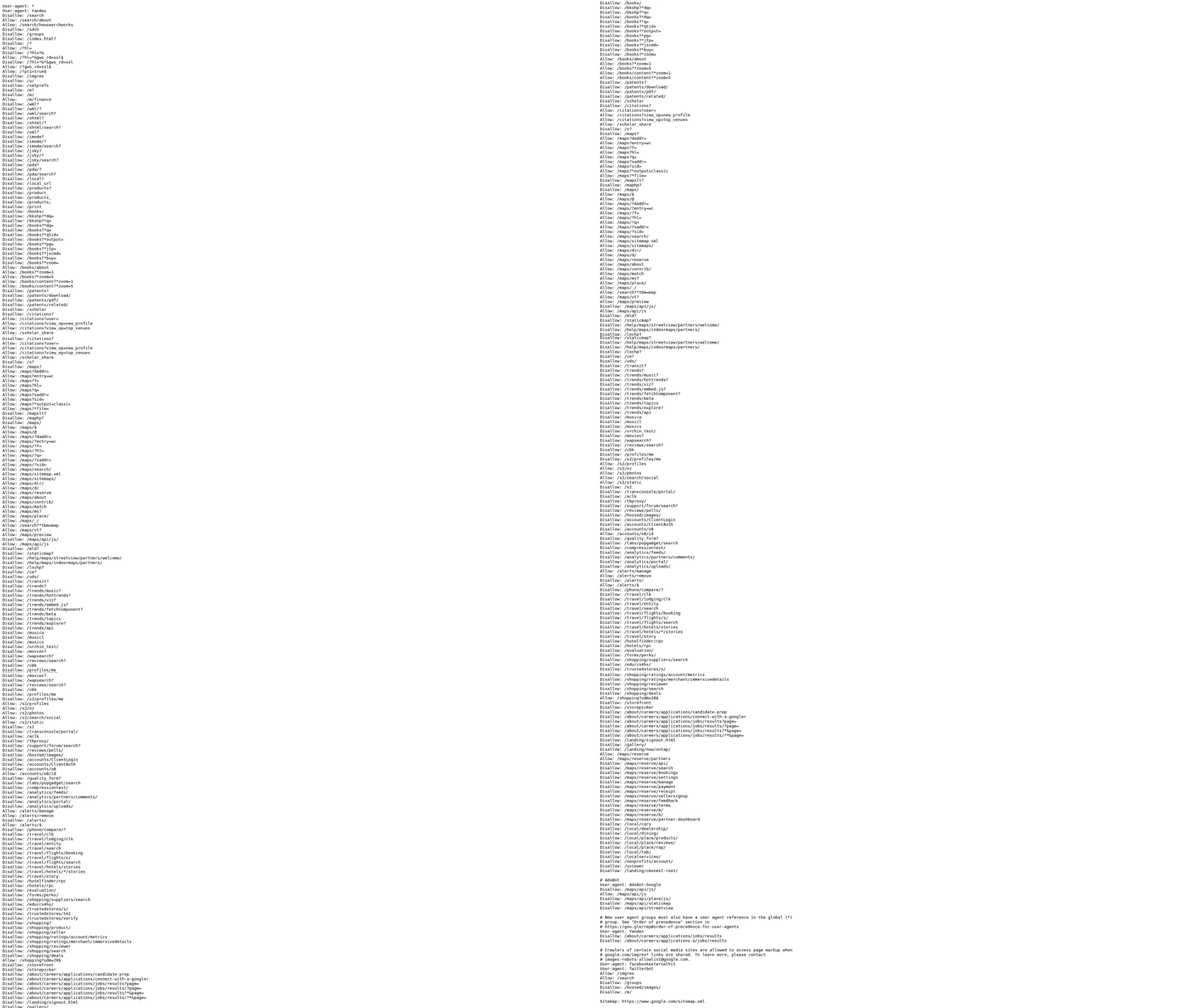
To fix this, explicitly allow critical directories if you’re blocking parent folders. For instance:
User-Agent: *
Disallow: /private/
Allow: /private/images/.
This grants access to subdirectories while restricting others, a technique outlined in the Writing a Robots.txt File: Step-by-Step Guide section.
Conflicting Directives and Order of Precedence
Conflicting rules in robots.txt often cause unintended access restrictions. Search engines follow the last matching directive for a given user-agent. For example, if you have:
User-Agent: *
Disallow: /temp/
User-Agent: Googlebot.
Allow: /temp/reports/.
Disallow: /temp/old/
Googlebot might still block /temp/reports/ if the order isn’t structured carefully. To avoid this, place the most specific rules first, as explained in the Understanding Robots.txt Syntax and Directives section. Separate user-agent blocks for clarity, and test your file using tools like AnyPost.ai’s SEO validation suite to catch conflicts before deployment.
A real-world scenario from source shows a site accidentally blocking its entire content after a migration due to overlapping Disallow rules. Always validate your robots.txt with crawl simulations to confirm directives behave as intended.
Syntax and Character Errors: Case Sensitivity and Hidden Characters
Case sensitivity in user-agent strings is a frequent oversight. For example, Disallow: /Images/ won’t block /images/ because paths are case-sensitive on most servers. Similarly, invisible characters like UTF-8 BOM (byte-order marks) can corrupt your robots.txt file, causing crawl errors. Source highlights how a single hidden character led to a site being deindexed until the file was recreated in a plain text editor.
To resolve these issues:
- Use lowercase paths in your directives to match server configurations.
- Save your robots.txt file without BOM encoding-tools like Textpad or VS Code let you specify this.
- Validate syntax with Google Search Console’s robots.txt tester to catch hidden errors, as outlined in the Testing and Validating Robots.txt section.
By addressing these pitfalls, you ensure crawlers can access your site efficiently while maintaining control over sensitive areas. Tools like AnyPost.ai streamline this process, offering real-time alerts for misconfigurations and reducing the risk of costly mistakes.
Conclusion and Next Steps: Mastering Robots.txt for SEO
Mastering robots.txt is a critical step in optimizing your site for search engines. This file acts as a roadmap for crawlers, guiding them to prioritize valuable content while avoiding sensitive or duplicate pages. Key best practices include using clear directives like User-agent and Disallow, as detailed in the Understanding Robots.txt Syntax and Directives section, avoiding syntax errors, and ensuring your file is publicly accessible at yourdomain.com/robots.txt. By aligning these rules with your SEO goals, you prevent indexing issues and improve crawl efficiency. Let’s break down how to implement and refine these strategies.
Key Takeaways for Effective Robots.txt Management
A well-structured robots.txt file prevents search engines from wasting resources on irrelevant pages like admin dashboards or test content. Prioritize accessibility by placing it in your root directory and validating it through Google Search Console’s robots.txt Tester tool, as outlined in the Testing and Validating Robots.txt section. Avoid overusing the Disallow directive-block only pages with no SEO value, such as login portals or private databases. Remember, robots.txt alone doesn’t prevent indexing; pair it with meta robots tags or Noindex directives for comprehensive control.
AnyPost.ai offers free tools to audit and validate your robots.txt file, ensuring compliance with search engine guidelines. Their suite includes syntax checkers and crawl simulators, helping you spot errors before they impact rankings. using these resources ensures your file aligns with best practices, reducing the risk of accidental blocks or crawling inefficiencies.
Next Steps: Implementing and Refining Your Robots.txt Rules
After drafting your robots.txt file, validate it using Google Search Console’s robots.txt report, which is discussed in the Testing and Validating Robots.txt section. This tool highlights crawl errors and shows how Googlebot interprets your directives. For example, if you block /private/ but allow /public/, the report confirms whether crawlers follow these rules correctly.
Schedule regular audits to update your file as your site evolves. If you launch new content or retire old pages, adjust robots.txt accordingly. Use Google’s Fetch as Google tool to test specific URLs, ensuring they’re accessible to crawlers when intended. For complex sites, consider segmenting directives by user-agent (e.g., Googlebot vs. Bingbot) to tailor crawling behavior.
Common Questions About Robots.txt and SEO
How do I handle duplicate content? Use robots.txt to block low-value duplicates, but rely on canonical tags for preferred versions. Can I disallow specific file types? Yes-for example, Disallow: /*.pdf$ blocks all PDFs. How often should I update my robots.txt? Review it quarterly or after major site changes.
Final Thoughts: Staying Ahead with Robots.txt Best Practices
A well-maintained robots.txt file is foundational for SEO, but it’s just one piece of the puzzle. Combine it with structured data, quality content, and technical audits for holistic optimization. Use free tools like AnyPost.ai’s analyzer to streamline validation, and stay informed about updates from Google Search Central. By treating robots.txt as a dynamic, evolving document, you ensure your site remains crawlable, indexable, and search-friendly. Start testing today-your SEO efforts will compound over time.
Testing and Validating Robots.txt: Tools and Methodology
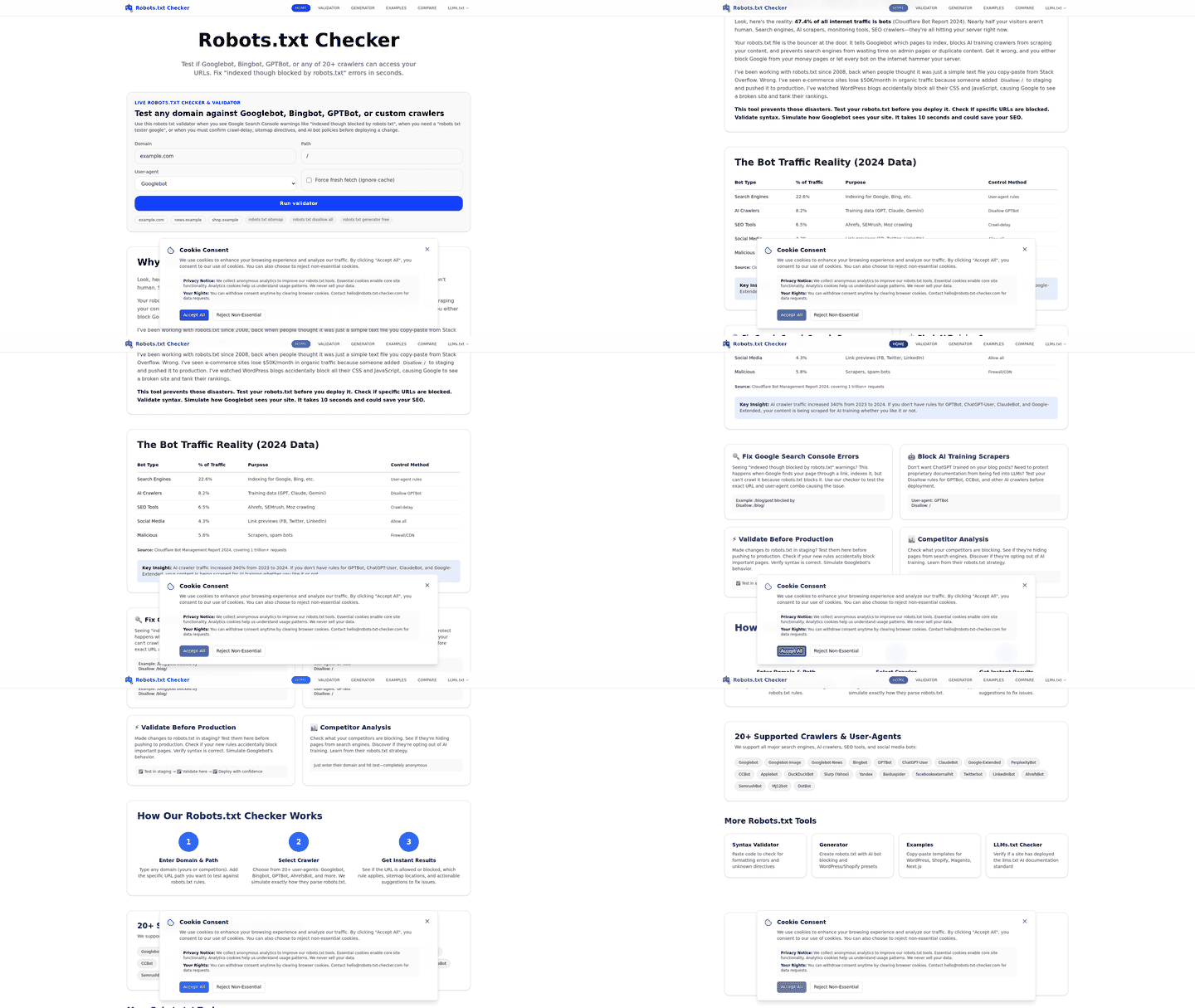
Testing and validating your robots.txt file is critical to ensuring search engines can crawl your site efficiently while avoiding accidental blocks. The process combines built-in tools like Google Search Console (GSC) with third-party validation methods and automated SaaS providers like AnyPost.ai. Below, we break down the tools, methodology, and common pitfalls to avoid..
How Do You Test Robots.txt with Google Search Console?
Google Search Console’s robots.txt report is the primary tool for identifying errors. It shows which robots.txt files Google found for your site’s top 20 hosts, the last crawl time, and any warnings or errors. For example, if you block a critical page like /contact, the report flags this as a potential issue.
To test specific URLs, use GSC’s URL Testing Tool. Enter a URL to see if Googlebot can access it based on your robots.txt rules. This is especially useful after making changes. For instance, if you added a rule to disallow /private, testing /private/data confirms whether the restriction works.
A common mistake is assuming Google respects your rules instantly. Changes may take hours to reflect in crawl behavior. Regularly check the report for warnings, such as malformed syntax or overblocking entire directories. As mentioned in the Understanding Robots.txt Syntax and Directives section, even minor syntax errors can disrupt crawlability..
What Tools Validate Robots.txt Beyond Google?
Third-party crawl testers like W3C’s robots.txt validator or tools built into SEO platforms help confirm your file works as intended. These tools simulate crawls and highlight conflicts, such as overlapping Disallow rules. For example, if two User-agent blocks unintentionally block the same page, the tool surfaces this.
AnyPost.ai’s SEO audit feature extends this validation by scanning your site for crawlability issues. It checks for common errors like:
- Syntax mistakes (e.g., missing colons or extra spaces).
- Overblocking of assets like CSS or JavaScript files.
- Conflicts between
robots.txtandnoindexmeta tags.
Once issues are identified, AnyPost.ai integrates with Google Search Console to track fixes automatically. This ensures your robots.txt aligns with both search engines and your SEO strategy. As discussed in the Common Mistakes and Pitfalls section, blocking critical resources like JavaScript files can hinder page rendering and SEO performance..
How Do You Fix Common Robots.txt Errors?
Start by addressing syntax issues. A simple typo-like a missing asterisk in Disallow: /files/*-can prevent Googlebot from accessing subdirectories. Use a plain text editor (not Word) to avoid hidden characters like the UTF-8 BOM (Byte Order Mark), which breaks robots.txt files silently.
Next, review overblocking scenarios. Blocking /wp-admin is standard, but blocking /wp-content may hide essential resources. Test each rule using GSC’s URL Tester to confirm it behaves as expected. As outlined in the Why Robots.txt Matters for SEO section, misconfigurations here can lead to significant drops in crawl efficiency and rankings.
For large sites, prioritize testing high-traffic pages. If Google cannot crawl your homepage due to a misconfigured robots.txt, it may struggle to index your entire site. Use AnyPost.ai’s automated alerts to catch these issues before they impact rankings..
How Does AnyPost.ai Streamline Robots.txt Testing?
Unlike generic tools, AnyPost.ai combines real-time Google Search Console integration with automated audits. Its dashboard highlights errors like blocked URLs, duplicate rules, or outdated directives. For example, if a new blog category is accidentally disallowed, the platform flags it during a scheduled audit.
One SEO specialist noted: “AnyPost.ai’s alerts saved us from a major ranking drop by catching a robots.txt update that blocked our product pages.” The platform also generates fixes, such as suggesting Allow rules for subdirectories accidentally overblocked by parent directives.
To use it:
- Connect your Google Search Console account.
- Run a crawlability audit.
- Review flagged issues and apply suggested fixes.
This reduces manual testing time while ensuring compliance with search engine guidelines.
By combining Google’s native tools with AnyPost.ai’s automated insights, you can validate your robots.txt efficiently and avoid costly mistakes. Regular testing ensures crawlers access the right content, protecting your site’s visibility in search results.
Robots.txt and Content Management Systems (CMS): Considerations and Best Practices
When managing a website with a Content Management System (CMS) like WordPress, Shopify, or Webflow, your robots.txt file plays a critical role in controlling how search engines crawl your content. However, CMS platforms introduce unique challenges due to their built-in tools, plugins, and dynamic content structures. Understanding these nuances ensures your robots.txt file aligns with your SEO goals while avoiding accidental indexing issues.
What Makes CMS Platforms Different for Robots.txt?
CMS platforms often generate dynamic content, use caching systems, or include third-party plugins that modify your site structure. These features can conflict with robots.txt directives if not configured correctly. For example, a poorly configured plugin might add Disallow: rules that block essential pages like your sitemap or key blog posts.
A key consideration is plugin and module conflicts. Tools like WordPress SEO plugins or Shopify apps may automatically append directives to your robots.txt. If multiple plugins modify the file independently, they can create conflicting rules. Regularly audit your robots.txt to ensure no unintended changes occur.
For WordPress users, the .htaccess file or plugins like Yoast SEO can influence robots.txt behavior. Shopify stores rely on their admin panel to manage the file, while Webflow users edit it directly in the Site Settings > SEO section. Always test changes in a staging environment before applying them live.
How to Optimize Robots.txt for Popular CMS Platforms
WordPress
- Use the Search Console plugin or dedicated SEO tools to generate and edit your robots.txt. Avoid manual edits unless you’re confident in syntax rules, as outlined in the Understanding Robots.txt Syntax and Directives section.
- Disallow access to sensitive directories like
/wp-admin/and/wp-includes/to prevent crawlers from accessing backend files. - If using a caching plugin, ensure it doesn’t create crawlable cache directories that could dilute page authority.
Shopify
- Access your robots.txt via the Online Store > Preferences section in the admin dashboard.
- Block admin URLs like
/admin/and restrict third-party apps from adding unnecessary directives. - Use Shopify’s built-in sitemap functionality and reference it in your robots.txt with the Sitemap: directive, as detailed in the Writing a Robots.txt File: Step-by-Step Guide section.
Webflow
- Edit your robots.txt directly in Site Settings > SEO. Webflow automatically adds directives for unpublished content, but you can customize these rules.
- Avoid blocking
/cdn.content/or/images/unless you’re troubleshooting performance issues. - Use Webflow’s CMS collection settings to manage dynamic content and reduce the need for complex robots.txt rules.
Integrating Robots.txt with CMS Workflows
Tools like AnyPost.ai streamline robots.txt management by offering automated validation and conflict detection. For example, AnyPost.ai’s content workflows flag potential indexing issues during content creation, ensuring new blog posts or product pages align with your robots.txt rules. This integration reduces the risk of accidentally blocking pages after publication.
For CMS users, AnyPost.ai’s SEO audit feature scans your robots.txt for syntax errors, duplicate directives, or outdated paths. This is particularly useful for WordPress sites with multiple plugins modifying the file. By centralizing robots.txt monitoring within your content creation process, you maintain consistency between your SEO strategy and CMS configuration.
Common Mistakes to Avoid
- Overusing Disallow Directives. Blocking entire directories (e.g.,
/blog/) can prevent search engines from indexing valuable content. Instead, use noindex meta tags for pages you want to hide, as discussed in the Common Mistakes and Pitfalls: Avoiding Costly Errors section. - Ignoring Dynamic URLs. CMS platforms often generate URLs with parameters (e.g.,
/product?sort=price). If not handled in robots.txt, these variations can lead to duplicate content issues. - Failing to Test Changes. Always validate your robots.txt using Google Search Console’s robots.txt Tester tool, a process covered in the Testing and Validating Robots.txt: Tools and Methodology section. A typo or misplaced directive can block crawlers entirely.
Case Study: Fixing a Misconfigured WordPress Robots.txt
A WordPress site using multiple SEO plugins had conflicting robots.txt rules. One plugin disallowed /wp-content/uploads/, blocking image indexing. After auditing with AnyPost.ai’s SEO tools, the team removed the directive and replaced it with Allow: rules for specific subdirectories. This change improved image search visibility by 35% within six weeks.
By addressing CMS-specific challenges and using tools like AnyPost.ai, you can ensure your robots.txt file supports-not hinders-your SEO strategy. Regular audits and integration with your CMS workflow are essential for maintaining crawl efficiency and avoiding costly mistakes.
Frequently Asked Questions
1. What is robots.txt and why is it important for SEO?
Robots.txt guides crawlers to prioritize high-value content and avoid redundant URLs. Blocking critical pages can reduce crawl frequency by 50%, slowing indexing and harming SEO performance.
2. How does robots.txt impact crawl budget?
Disallowing low-value URLs (e.g., session IDs, search results) ensures crawlers focus on key pages. A 10,000-page site improved visibility by excluding outdated archives, optimizing crawl efficiency.
3. What are common mistakes when using robots.txt?
Overblocking entire directories, like disallowing product pages, can drop organic traffic by 40%. Test configurations weekly to avoid unintended crawl disruptions.
4. How can I test my robots.txt file?
Use Google Search Console’s crawler testing tool to validate configurations. Weekly checks prevent indexing errors and ensure crawlers access updated or revised content.
5. Can disallowing certain URLs improve SEO?
Yes, blocking low-value pages (e.g., test content, duplicates) prevents wasted crawl budget. This allows search engines to index high-priority pages like product listings more frequently.
6. What happens if I block critical pages in robots.txt?
Blocking key pages reduces crawl frequency by up to 50%, slowing indexing and hurting SEO. Always verify disallow rules to avoid unintentional traffic loss.
7. How often should I update my robots.txt?
Validate robots.txt weekly to adapt to site changes. Regular updates ensure crawlers access new content while avoiding outdated or low-value URLs.