
Score Every Video for Repurposing Value Before You Cut a Single Clip

Quick Answers
- Video demand keeps growing, but most teams lack production capacity, not audience.
- Scoring clips before editing prevents wasted effort on weak moments.
- A practical scorecard evaluates hook strength, structure, platform fit, audio-visual coherence, debate or CTA potential, and production readiness.
- Teams with repeat long-form assets benefit most from pre-cut scoring.
The part most teams skip until it's too late
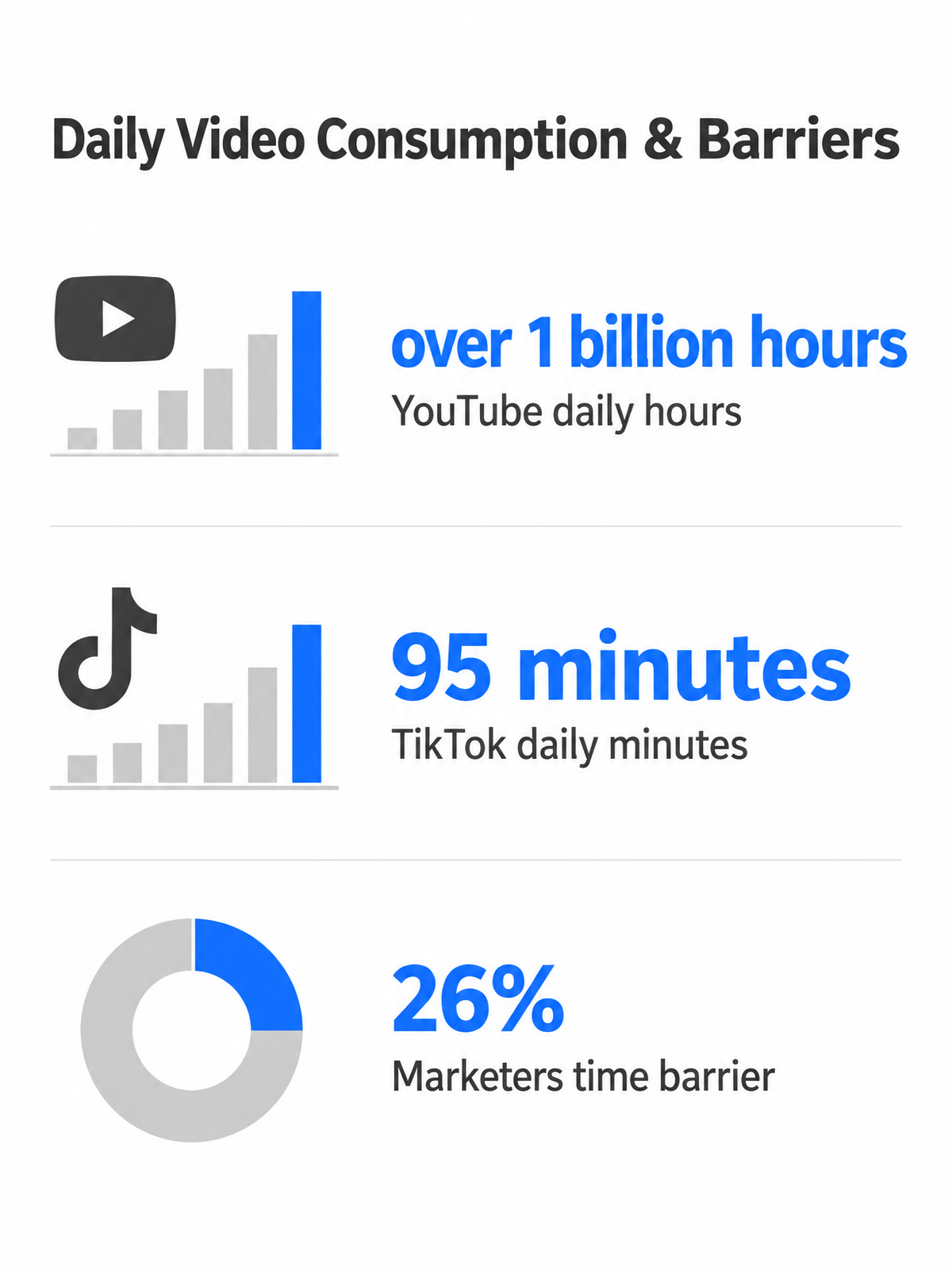
Score the source material before you spend editing time. Video demand keeps stretching production capacity. Teams still have to record, review, edit, caption, resize, publish, and measure every asset. The pressure is not just to make more video. It is to choose which footage deserves attention first.
AI content repurposing can help turn a single webinar into multiple clipped assets, or a long interview into several standalone insights. The footage already exists. The question is which moments deserve editing first. That decision often happens after clips are cut, tested, and measured. By then, the editing budget is already spent.
What scoring before you cut actually prevents
A moment that lands perfectly deep inside a webinar can lose its punch when pulled out of sequence. The setup is gone. The context evaporates. The insight feels abrupt. Scoring before editing flags these moments early. Does this clip make sense on its own? Does the speaker reference something earlier in the recording? Does the visual demonstration need too much setup before the viewer understands the point? Teams that score first avoid polishing clips that fail because they were not self-contained in the first place.
Platform fit drives the other half of the decision. A product walkthrough that works on YouTube may need vertical framing, captions, and a tighter runtime for TikTok. LinkedIn expects a professional tone and a hook tied to business outcomes. Scoring these requirements before editing prevents rework. Cut once for the platform’s native format, not twice because the first version missed audience expectations.
Who actually needs a scoring system
Pre-production scoring works best for teams that repeatedly create long-form source material: B2B marketers running webinars, agencies producing client interviews, solo creators recording podcasts, SaaS companies hosting product demos, and brands filming testimonials or live events. The common bottleneck is the same. Hours of raw footage meet limited editing bandwidth.
Filming choices are scorecard inputs made before the camera rolls. A product walkthrough filmed as one continuous session tends to yield fewer usable clips than the same feature set recorded as discrete segments. An interview yields multiple testimonial clips only if the interviewer asked tight, quotable questions. If you can influence the recording, make structural legibility a production goal. Clear topic breaks and standalone explanations become repurposing assets later.
Building your repurposing scorecard
Teams waste the most time scoring the wrong dimensions. Most repurposing scorecards start with “will this go viral?” or “how many backlinks will this generate?” Neither question can be answered before publishing. What you can assess before cutting a single frame: how many discrete assets a video contains, whether those assets match your platform mix, and how much editing effort each one will require.
What a pre-production scorecard actually measures
Use a weighted scorecard that measures what you can evaluate before editing. The example weights below sum to 100%. Adjust them after validating against post-publish data.
| Dimension | Weight | What to score |
|---|---|---|
| Hook strength | 25% | Does the first line create curiosity or front-load the insight? |
| Structural legibility | 20% | Are topic breaks clean? Can segments stand alone without prior context? |
| Platform fit | 20% | Does the runtime and format match the target channel’s native expectations? |
| Audio-visual coherence | 15% | Can the clip communicate with clean audio, captions, and muted viewing? |
| Debate/CTA potential | 10% | Does the clip create a position worth responding to or give a specific next step? |
| Production readiness | 10% | How little editing does it need beyond trimming and captions? Higher is easier. |
Hook strength measures whether the opening seconds create immediate curiosity or front-load the insight. Structural legibility scores how easily you can identify standalone moments. Webinars with clear topic breaks tend to yield more clips, while unstructured vlogs often produce fewer usable assets even when the content quality is high. Platform fit uses practical targeting: count how many platform-appropriate segments the source video naturally contains. A long webinar often contains several self-contained ideas that can each support a short social clip.
Audio-visual coherence scores what makes clips work across feeds: captions for sound-off viewing, square or vertical crop compatibility, readable on-screen text, clean audio, and whether the clip communicates its core point when muted. Debate/CTA potential separates clips that state a position someone could argue with, or give a specific action, from clips that are merely informative. Production readiness estimates editing time by flagging whether the video requires color correction, noise reduction, B-roll insertion, or animated captions. Producing derivative assets from a single long-form recording can be more efficient than producing each asset independently, but only when the source footage was production-ready.
How to tailor the card by video type and team input
A customer interview scores differently than a product demo. Interviews often yield multiple testimonial clips, a headline quote, a detailed case story, and several soundbites—but only if the interviewer asked tight, quotable questions. Product demos can yield one micro-demo per feature, each targeting a specific search query or buyer objection, as long as each feature was demonstrated in isolation rather than blended into one walkthrough.
Pull in cross-functional input from SEO, social, product, sales, and compliance when you define the scorecard. Each team knows which content types drive their goals. Your SEO lead can tell you which topics generate search traffic; your social manager knows which hook styles stop the scroll on each platform; compliance flags which claims require legal review before posting. This internal planning judgment is the difference between a scorecard that generates scores and one that generates decisions.
Reframe SEO scoring around what you can measure before editing: transcript quality, evergreen relevance, topic clarity, and whether the clip can support a search-friendly title or description. Treat backlink impact and organic-traffic lift as scored hypotheses to validate after publishing, not proven pre-production predictions.
From raw footage to scorecard in practice
We score raw footage the way editors edit: by watching the timeline with a scorecard open and marking every moment that could carry a clip. That discipline—deciding which segments deserve editing before you spend the afternoon cutting them—turns AI clipping from a hopeful experiment into a predictable system.
Ingest, transcript, and mark
Start by uploading the recording to whichever platform generates a transcript fastest. Several tools now integrate transcript creation into the recording flow itself, letting you mark candidate moments while the session is still live. If you are working from an already-recorded file, generate the transcript separately. A usable transcript is the foundation. It lets you scan the entire recording for quotable moments, identify logical breakpoints, and spot sections where the speaker leads with the insight instead of burying it.
With the transcript in hand, scroll through and place visual markers at every candidate moment. Marking systematically as you move through the timeline ensures you capture strong segments rather than relying on memory or a single pass. The markers serve as your scoring grid. Each one represents a hypothesis that this segment will carry a finished clip. You are not committing to editing yet. You are flagging what is worth evaluating.
Score each segment, then route to editing
Once candidate moments are marked, score each one against the weighted scorecard defined above. AI can surface usable material quickly, but it does not know your positioning, campaign goals, compliance constraints, or channel priorities. The human review step is where raw suggestions become intentional clips. If a tool suggests a clip that lacks a clear CTA or creates a compliance risk, the scorecard should reject it.
For large webinars or hour-long sessions, use AI or transcript analysis to surface candidate clips first, then keep a human review step to validate that each segment works as a standalone asset. For smaller projects or single-interview recordings, manual markers and subsequences are faster. Either way, the output is the same: a list of scored, timestamped segments ready for editing, with original source timestamps, initial scores, and clip IDs recorded in a shared tracking sheet. That sheet becomes your version-control layer. When you publish a clip, log the final URL and post-publication metrics in the same row, so you can validate whether hook strength and platform fit actually predicted performance.
Measuring repurposing ROI and tweaking your scores
Analytics dashboards can track published content across platforms and tie performance back to the source material. That tracking becomes your measurement loop. Without it, you are editing clips into a black box. You never learn which characteristics on your scorecard actually predict performance.
Compare outcomes by score band
Group your published clips by score range—clips that scored 80+ versus 60–79 versus below 60—and compare engagement rates, lead generation, and cost per outcome. If your top-scored clips consistently outperform lower-scored segments, the scorecard is working. If they do not, one of your dimensions is weighted incorrectly or measuring the wrong thing.
Use broad reference benchmarks as context, not targets. Some estimates put short-form video’s share of consumer internet traffic very high, but treat any single percentage as directional rather than target. LinkedIn has reported that video posts generate 5x more engagement than static posts. These numbers tell you the opportunity is real. They do not tell you whether your scored clips are capturing it.
Iterate weighting based on observed ROI
If high-caption-quality clips consistently generate longer watch times or more shares, raise the audio-visual coherence weight in your scorecard. If evergreen clips deliver sustained traffic months after publishing while trending clips spike and die, increase your evergreen/topic-relevance score. This is practical optimization. Your data will reveal which dimensions matter most for your audience and platform mix.
Production economics favor repurposing: re-editing existing footage into multiple derivative assets costs less than producing each piece from scratch. If your cost per clip still feels high, your editing workflow needs tightening, or you are scoring segments that require too much post-production work. The scorecard should help you avoid that trap before editing starts.
Real‑world example: scoring a 60‑minute webinar for multi‑platform distribution
Treat a 60-minute webinar as a source file with several possible distribution paths. Some moments may work as short social clips, some as longer educational excerpts, and some as audio-first material. The scorecard answers which ones to edit first before you open the editing software.
Candidate clip selection from a representative webinar
Start by scanning the webinar transcript and marking every segment that could stand alone as a clip. A typical 60-minute webinar often contains an opening context block, three to five core sections with distinct topics, and a Q&A or closing summary. The strongest candidates usually combine a clear opening line, a complete idea, clean audio, and minimal dependence on slides or prior context.
Here is an illustrative weighted scorecard for a representative webinar:
| Timestamp | Topic | Hook (25%) | Structure (20%) | Platform fit (20%) | A/V coherence (15%) | Debate/CTA (10%) | Production readiness (10%) | Weighted total |
|---|---|---|---|---|---|---|---|---|
| 3:45-4:30 | “Why most teams score repurposing wrong” | 9 | 9 | 9 | 8 | 9 | 7 | 87 |
| 12:10-13:45 | Three-step scorecard walkthrough | 7 | 8 | 8 | 9 | 6 | 5 | 74 |
| 28:30-29:15 | “When to skip this for routine content” | 8 | 7 | 8 | 7 | 9 | 8 | 78 |
| 41:00-43:20 | Platform routing logic explained | 6 | 7 | 7 | 8 | 5 | 4 | 64 |
| 55:15-56:00 | Closing CTA with next steps | 5 | 6 | 6 | 6 | 5 | 7 | 58 |
The top-scoring clip earns its priority because it opens with a counterintuitive tension. Most teams waste time scoring the wrong dimensions. It delivers the hook immediately, works for professional social feeds, and remains understandable with sound off because the main idea can be carried through captions. Production readiness is high because the speaker’s framing is tight and the visual is a simple talking-head shot with minimal B-roll needs. Route this clip to LinkedIn and Instagram first.
The second-ranked segment explains the scorecard framework itself. Hook strength is lower because the payoff takes longer to land, but the segment works well as a YouTube Short or a blog-embedded explainer. Longer educational segments tend to perform better on YouTube than on TikTok, where daily usage patterns favor rapid-fire entertainment over extended tutorials.
Routing clips by platform-fit logic
Platform routing follows supported distribution patterns, not guesswork. Longer educational segments go to YouTube, where audiences expect in-depth tutorials. Expert insight clips with strong hooks route to LinkedIn, where professionals consume thought leadership during work hours. Shorter vertical clips go to Instagram Reels or TikTok, optimized for users who scroll past anything that does not hook quickly. Audio-friendly segments, where the spoken insight carries the value and the visual is secondary, can be stripped to audio and embedded in a podcast episode or newsletter.
Cross-posting the same video to multiple platforms without changes is not real repurposing. A raw webinar recording posted to Instagram as-is will typically underperform. The editorial layer—selecting the right moments, adapting structure, and reformatting for each platform’s UX—is where repurposing delivers its ROI.
Defining the measurement plan
Replace claimed outcomes with a measurement plan that tracks real post-publish data. After you publish each clip, log its views, engagement rate, click-through rate to your landing page, newsletter sign-ups attributed to the clip, and cost per repurposed asset. Repurposing a single long-form recording into multiple derivative assets can cost substantially less than producing each asset independently, but that advantage only holds if the clips you choose perform well enough to justify the editing time.
For this webinar example, compare performance by score band: clips weighted 80+, clips weighted 60–79, and clips below 60. Review results after a consistent publishing window. If the strongest-scored clips win, keep the weighting. If a lower-ranked clip performs better because the topic was more timely or the hook was sharper than expected, update the card before the next recording. The scorecard is a hypothesis you validate with real distribution data, not a fixed formula.
FAQ
Can I score video clips after editing them instead of before, or does pre-cut scoring actually save time?
You can score after editing, but that turns the scorecard into a postmortem instead of a planning tool. Pre-cut scoring helps you reject weak candidates while they are still just timestamps, not finished assets. That matters most when you have more footage than editing capacity and need a defensible way to choose what enters production.
What happens if my highest-scored clips don’t outperform lower-scored ones after publishing?
Treat the miss as useful calibration. A scorecard is not supposed to be perfect on the first pass. It makes your assumptions visible. Review which dimension failed: maybe the hook looked strong in the transcript but felt slow on video, or the topic was timely but not evergreen. Then adjust the weighting before scoring the next batch.
How many usable clips should I expect from a 60-minute webinar or interview recording?
The answer depends less on runtime and more on structure. A recording with clean topic breaks, concise answers, and self-contained explanations will usually yield more usable clips than a loose conversation with long setup passages. Before promising a clip count, scan the transcript for complete ideas that can stand alone without the viewer needing the full recording.
Does AI clipping software replace the need for a scoring system, or do they work together?
They work together. AI can accelerate transcript review, suggest cuts, create drafts, and reduce production time. The scorecard supplies the editorial filter: which suggested clips match the campaign, which are worth refining, and which should be skipped even if the software selected them. That combination keeps automation useful without handing strategy to the tool.