
SEO Automated Reporting with WordPress REST API

Introduction to SEO Automated Reporting with WordPress REST API
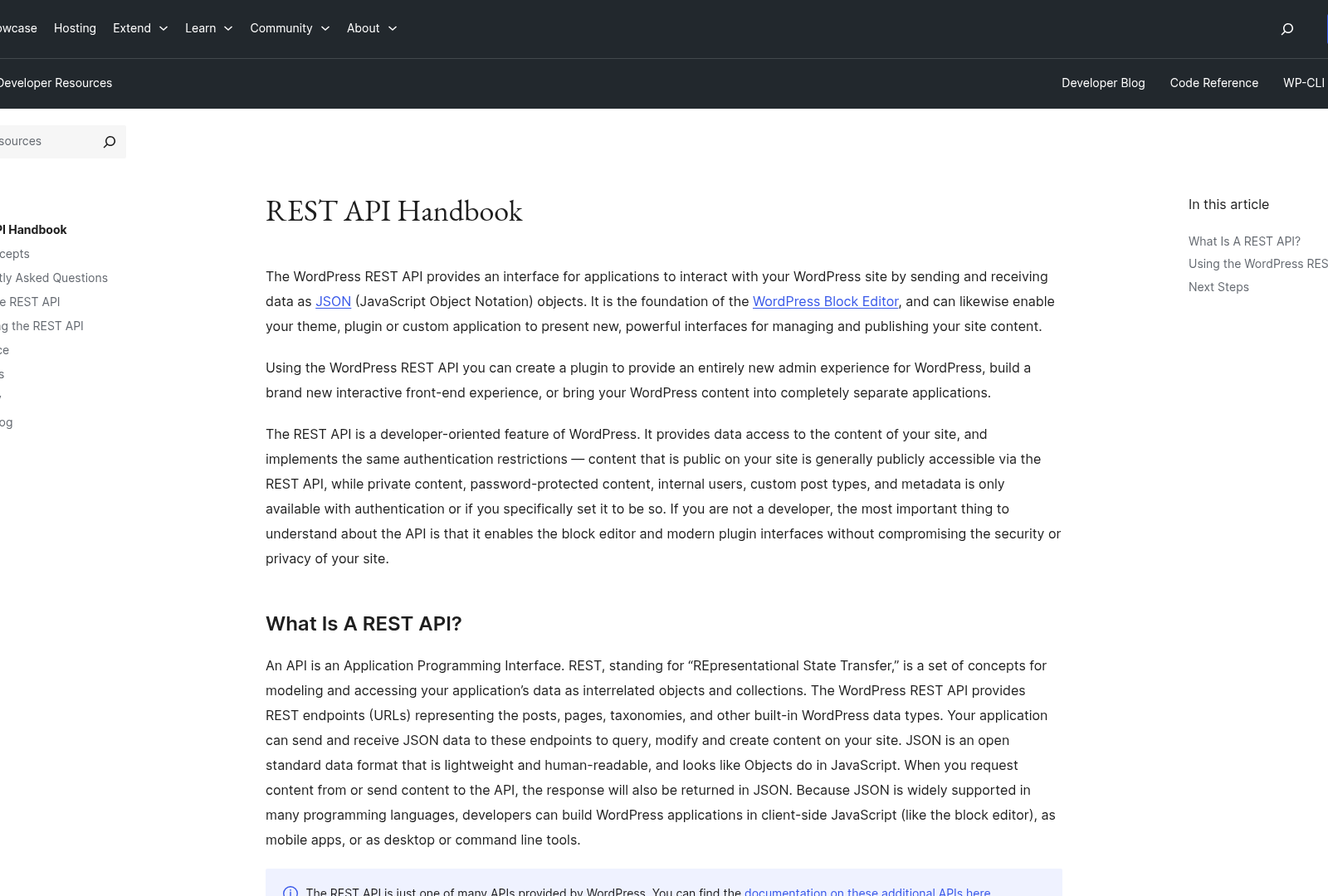
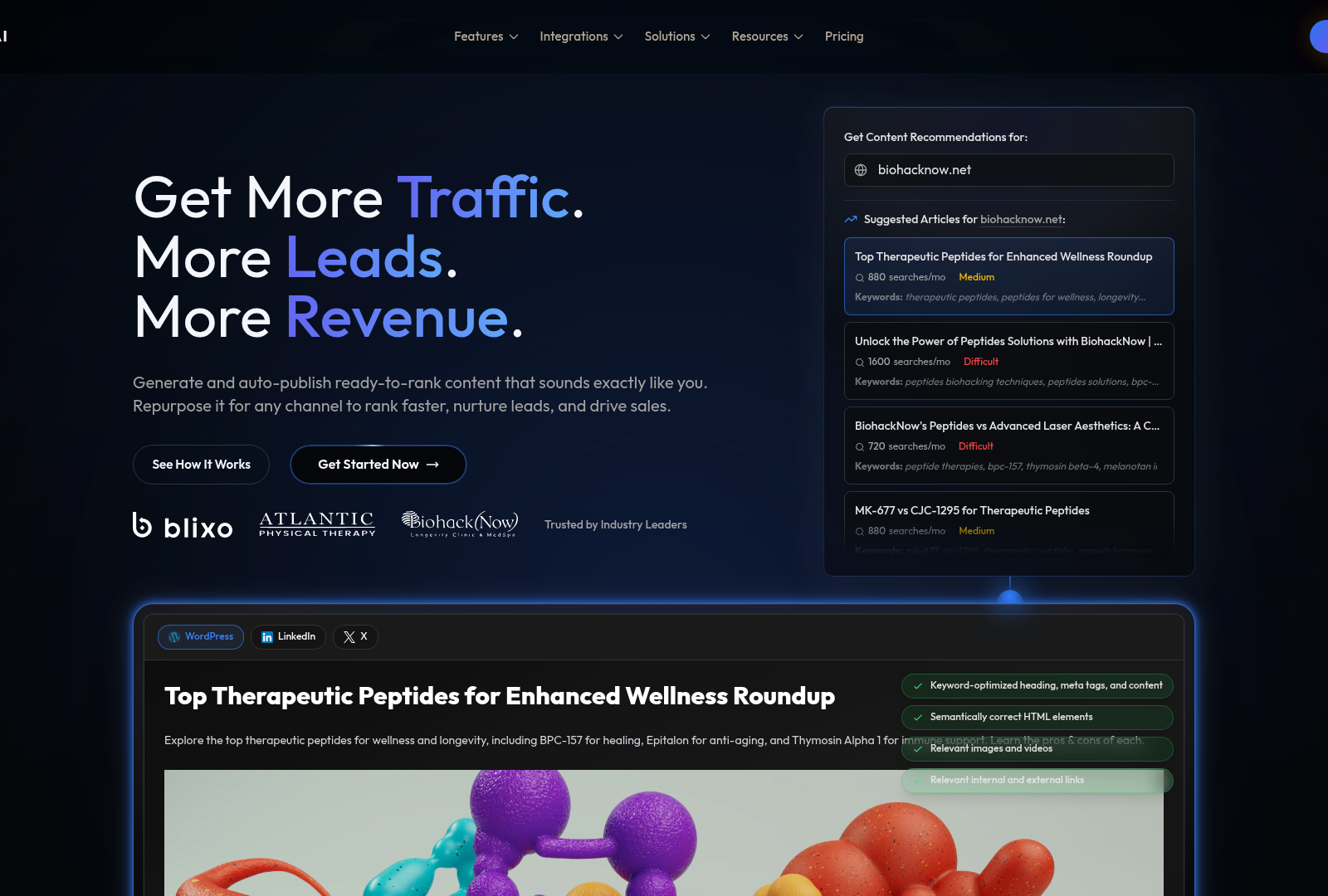
SEO automated reporting refers to the systematic generation of data-driven insights about a website’s search engine optimization (SEO) performance through programmable workflows, eliminating manual data collection and analysis. This approach streamlines tasks like tracking keyword rankings, auditing on-page SEO elements, and monitoring backlink profiles, enabling marketers and developers to focus on strategy rather than repetitive data entry. For content marketing teams, automated reporting ensures consistent, real-time visibility into SEO metrics, which is critical for aligning content creation with audience intent and search trends [1]. By leveraging tools like All in One SEO’s REST API, WordPress users can integrate SEO data into custom dashboards, generate client-facing reports, and automate corrective actions for underperforming content [3]. The growing adoption of headless WordPress architectures further amplifies the need for programmatic SEO management, as content must be optimized across multiple platforms while maintaining technical SEO integrity [3].
The WordPress REST API serves as a foundational tool for building SEO automation workflows, offering developers programmatic access to WordPress data such as posts, metadata, and taxonomies. This API enables seamless integration with third-party SEO tools and custom scripts, allowing for automated content audits, bulk metadata updates, and real-time performance tracking [1]. For example, agencies managing multiple client sites can use the API to aggregate SEO metrics into centralized reports, reducing manual effort and minimizing human error [6]. Additionally, developers can build custom workflows that trigger SEO checks upon content publication, ensuring compliance with best practices like meta tag optimization and structured data implementation [5]. The API’s flexibility also supports headless WordPress setups, where SEO configurations must be synchronized with external frontends or content delivery networks [3]. By automating these processes, teams can scale SEO efforts across large websites while maintaining consistency in technical and on-page optimization [1]. See the [Understanding SEO Data Retrieval with WordPress REST API] section for more details on how specific SEO metrics are accessed programmatically.
Target audiences for SEO automated reporting include digital marketing agencies, enterprise WordPress developers, and SaaS platforms offering SEO services. Agencies often struggle with the time-intensive nature of manual reporting, particularly when managing 100+ client sites or generating weekly performance updates [4]. Developers face challenges in maintaining SEO consistency across headless WordPress implementations, where traditional plugins may not apply [3]. SaaS companies, meanwhile, require automated reporting to deliver competitor analysis, keyword tracking, and content performance insights to their users without exposing raw data [6]. Pain points across these groups include fragmented workflows—such as manually exporting data from SEO tools and WordPress dashboards—and the risk of outdated or inconsistent reports due to delayed updates [2]. For instance, n8n users have highlighted the need for workflows that automate WordPress post publishing while validating SEO elements like meta descriptions and heading structures [4]. These challenges underscore the demand for integrated solutions that unify WordPress data with SEO analytics through APIs [2]. As mentioned in the [Setting Up WordPress REST API for SEO Reporting] section, plugins like All in One SEO provide essential API endpoints to streamline these integrations.
The WordPress REST API addresses these pain points by enabling custom integrations that automate data synchronization and reporting. For example, developers can use the API to fetch post metadata, analyze it against SEO guidelines via external tools, and generate actionable recommendations without manual intervention [5]. Similarly, agencies can build automated pipelines that pull keyword rankings from SEO platforms like Ahrefs or SEMrush and cross-reference them with WordPress content to identify optimization gaps [1]. Source code repositories, such as the Rank Math API Manager plugin [8], demonstrate how WordPress APIs can be extended to support bulk SEO audits and real-time data exports. These capabilities are particularly valuable for enterprises needing to enforce SEO standards across distributed content teams or multi-site networks [3]. By reducing reliance on manual processes, the WordPress REST API empowers teams to prioritize high-impact SEO activities, such as content strategy refinement and competitor benchmarking [6]. Building on concepts from the [Automating SEO Reporting with WordPress REST API and Third-Party Tools] section, integrating with platforms like Google Analytics further enhances the depth of automated insights.
For technical users, implementing SEO automation with the WordPress REST API requires familiarity with JSON data structures, authentication protocols, and endpoint customization. The API’s endpoints for posts, terms, and users form the core of most SEO workflows, while plugins like All in One SEO add specialized endpoints for managing SEO metadata programmatically [3]. Developers must also consider rate limits and caching strategies when building high-frequency reporting tools, as outlined in AIOSEO’s API documentation [1]. Non-technical stakeholders benefit indirectly through faster report generation and more accurate insights, but their primary role involves defining KPIs and interpreting automated outputs [6]. Cross-functional collaboration between developers and marketers is essential to align technical implementations with business goals, ensuring that automated reports address specific needs like improving organic traffic or reducing bounce rates [4].
In summary, SEO automated reporting with the WordPress REST API transforms how teams manage and analyze SEO data by combining programmatic efficiency with WordPress’ flexibility. By automating repetitive tasks and centralizing data access, this approach reduces operational overhead while enhancing the scalability of SEO strategies. As headless architectures and multi-site deployments become more prevalent, the ability to programmatically control SEO parameters will remain a critical differentiator for agencies and developers aiming to deliver results-driven content marketing [3]. The following sections will explore practical steps for building these workflows, including code examples and integration patterns derived from real-world use cases.
Setting Up WordPress REST API for SEO Reporting
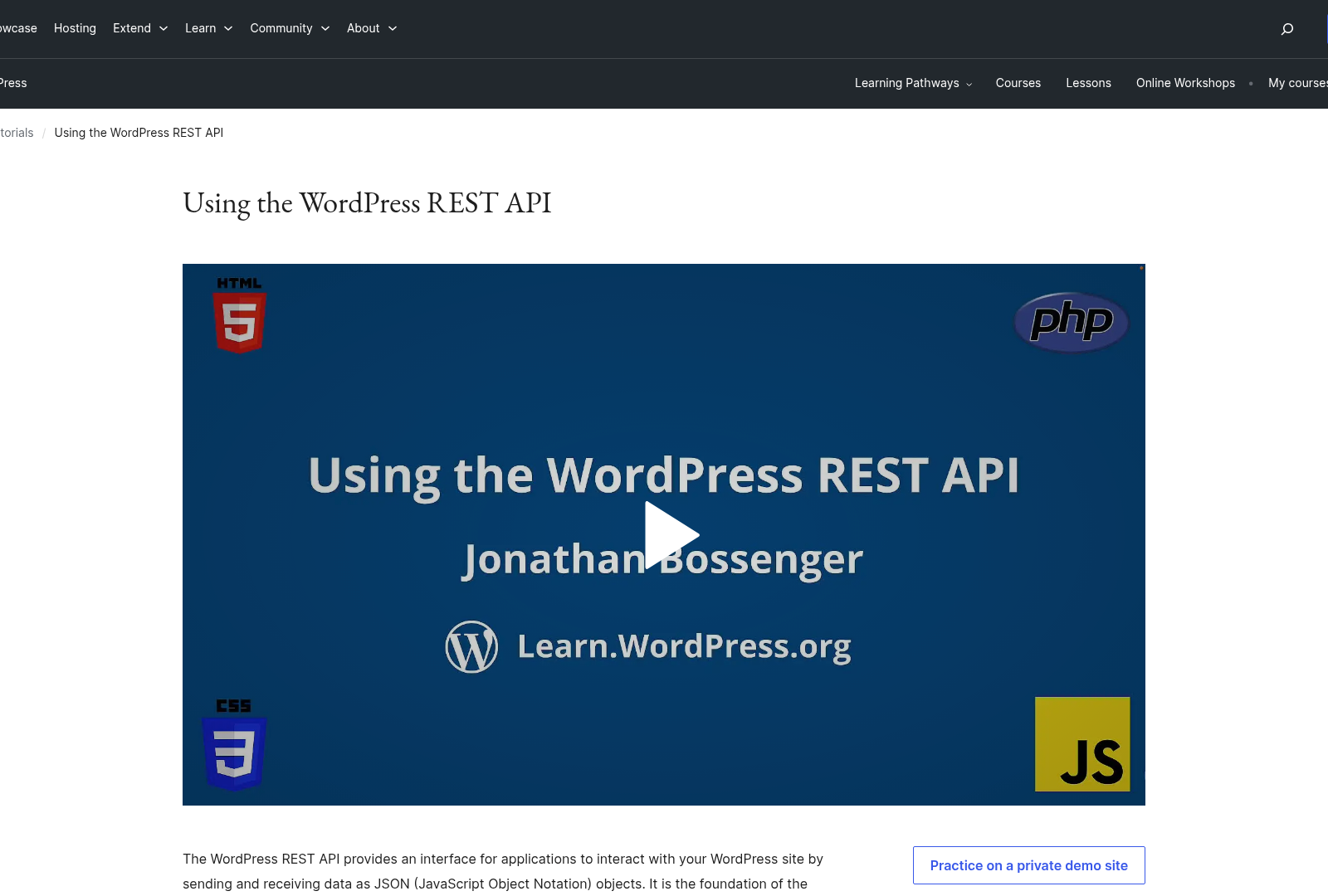
To configure the WordPress REST API for SEO reporting, begin by installing and activating an SEO plugin that supports API integration. The All in One SEO plugin ([1][3]) is explicitly designed for headless WordPress setups and provides REST API endpoints to retrieve SEO data such as meta titles, descriptions, and focus keywords. Alternatively, the Rank Math API Manager plugin ([8]) allows updates to SEO metadata (e.g., canonical URLs, focus keywords) via REST API, though it is less detailed in documentation compared to All in One SEO. Both plugins require activation through the WordPress dashboard under Plugins > Add New, followed by configuration in their respective settings menus to enable API access.
Configuring API Endpoints for SEO Data
Once the plugin is installed, configure its REST API endpoints to expose SEO data. For All in One SEO, navigate to AIOSEO > Settings > REST API to enable endpoints for SEO analytics ([3]). This plugin provides endpoints like /wp-json/aioseo/v1/posts/{id} to retrieve SEO metadata for specific posts or pages ([1]). Developers can use these endpoints to fetch data such as content scores, keyword rankings, and on-page SEO suggestions. The Rank Math API Manager ([8]), on the other hand, focuses on updating SEO fields rather than retrieving them, supporting actions like modifying meta titles or focus keywords via POST requests to its designated endpoints. However, specific endpoint URLs for Rank Math are not documented in the sources, so developers must refer to the plugin’s code or custom setup for implementation details. For a deeper understanding of how these endpoints function, see the [Understanding SEO Data Retrieval with WordPress REST API] section for more details on retrieving specific SEO metrics.
Authentication and Authorization for API Access
To secure API interactions, WordPress REST API authentication methods must be configured. The sources do not specify unique authentication protocols for SEO plugins but align with standard WordPress practices. For server-to-server communication, OAuth 2.0 or application passwords (introduced in WordPress 5.6) are recommended ([7]). For example, All in One SEO’s API ([3]) likely inherits WordPress’ default authentication, requiring users to generate API keys or use OAuth tokens to validate requests. For client-side applications, JWT (JSON Web Tokens) can be implemented via plugins like WP JWT Authentication, though this is not explicitly mentioned in the sources. Authorization levels depend on user roles: administrators typically have full access, while editors or contributors may face restrictions unless explicitly granted permissions in the plugin settings. For troubleshooting authentication-related issues, refer to the [Troubleshooting and Optimizing WordPress REST API for SEO Reporting] section.
Limitations and Developer Considerations
While All in One SEO’s REST API is highlighted for automation and headless workflows ([1][3]), the sources do not provide code samples or detailed endpoint parameters, requiring developers to consult the plugin’s official documentation. Similarly, the Rank Math API Manager ([8]) lacks explicit guidance on endpoint customization, emphasizing its use for metadata updates rather than comprehensive SEO reporting. For advanced use cases, developers may need to combine multiple plugins or extend existing APIs using WordPress hooks, as noted in discussions about building SEO automation systems ([2]). Additionally, API rate limits and caching strategies are not addressed in the provided sources, which could impact performance for large-scale reporting. Building on concepts from the [Advanced SEO Reporting Techniques with WordPress REST API] section, developers can explore predictive analytics and machine learning integrations for deeper insights.
By integrating these plugins and configuring their endpoints, WordPress sites can automate SEO data retrieval and reporting. Developers should prioritize All in One SEO for robust API support and cross-reference Rank Math’s plugin for metadata management where needed. Always test API interactions in a staging environment before deploying to production to ensure compatibility and security.
Understanding SEO Data Retrieval with WordPress REST API
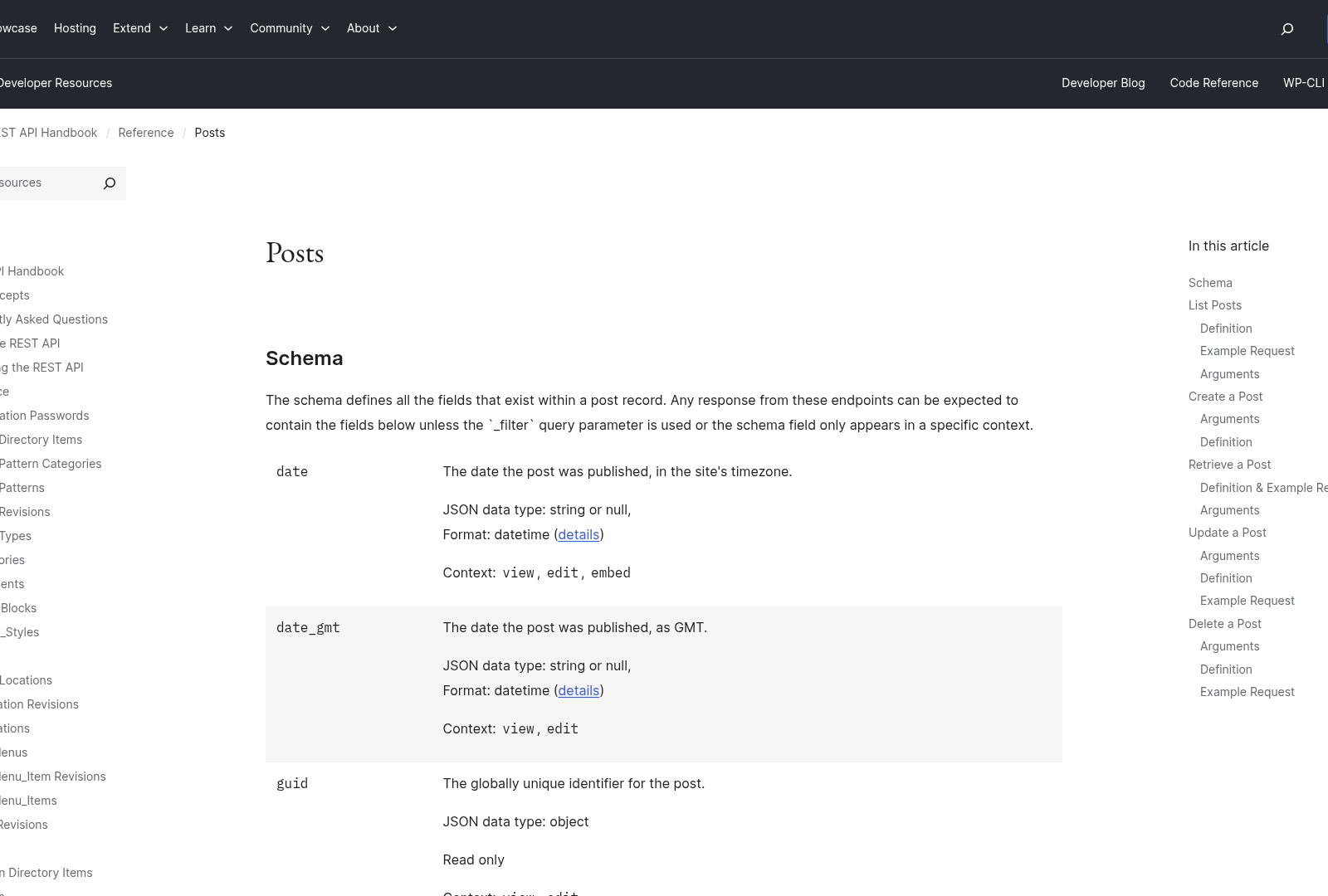
To retrieve SEO data via the WordPress REST API, developers leverage plugins like All in One SEO, which provides endpoints for keyword rankings, backlink analysis, and technical metrics. The All in One SEO REST API [1][3] enables automated access to SEO data, allowing integration with headless WordPress setups or third-party tools. For keyword rankings, the API can fetch data on a site’s performance for targeted keywords, though specific implementation details like endpoint URLs or request parameters are not explicitly outlined in the sources. Developers are directed to use the API’s automated reporting features [1] to compile keyword rankings and search volume data, which are critical for on-page SEO optimization. As mentioned in the [Introduction to SEO Automated Reporting with WordPress REST API] section, this automation reduces manual effort and enhances data-driven decision-making.
Keyword Rankings and Search Volume
The WordPress REST API, when extended with All in One SEO, supports retrieving keyword rankings to assess content visibility. This data helps identify high-performing pages and gaps in content strategy. For example, automated reports can aggregate rankings across devices and regions [1], though the sources do not specify how granular the location-based data is. Search volume metrics are also accessible, enabling content creators to prioritize keywords with higher traffic potential. The integration with headless architectures [3] allows developers to pull this data into external dashboards or CMSs. See the [Setting Up WordPress REST API for SEO Reporting] section for more details on configuring plugins like All in One SEO to enable these features.
Backlink Data and Anchor Text Analysis
Backlink analysis is another key SEO metric accessible through the WordPress REST API. The All in One SEO API [3] facilitates fetching backlink data, which includes metrics like domain authority and anchor text distribution. This is essential for evaluating the quality of incoming links and identifying toxic backlinks. Anchor text analysis, which helps assess link relevance, is supported via automated reporting workflows [1], though the sources do not clarify if the API provides tools for disavowing harmful links. Developers can use the API to integrate backlink data into custom SEO dashboards, but the lack of detailed API specifications in the sources means specific request formats remain unspecified.
Technical SEO Metrics
Technical SEO metrics such as page speed and mobile responsiveness are critical for audit workflows. The All in One SEO REST API [1] allows developers to retrieve performance scores, aiding in compliance with Google’s Core Web Vitals. Page speed data can be automated into reports to track improvements over time, while mobile responsiveness metrics ensure content is optimized for mobile users. The API’s support for headless WordPress sites [3] means these technical metrics can be surfaced in external applications or CMS integrations. However, the sources do not mention whether the API directly interfaces with tools like Google PageSpeed Insights or Lighthouse, leaving implementation specifics to developer discretion.
Limitations and Integration Considerations
While the WordPress REST API streamlines SEO data retrieval, its capabilities depend heavily on plugin extensions like All in One SEO. For instance, the API does not natively support backlink or keyword ranking data without plugins [3]. Developers must also account for rate limits and authentication methods, which are not explicitly detailed in the provided sources. Additionally, source [7] highlights the use of PHP and custom WordPress code to enhance reporting workflows, suggesting that combining the REST API with server-side scripts can extend its functionality. However, the absence of concrete code examples in the sources [1][3] necessitates further exploration of plugin-specific documentation. Building on concepts from the [Automating SEO Reporting with WordPress REST API and Third-Party Tools] section, integrating these data points into third-party tools can further automate and enrich SEO insights.
By leveraging the WordPress REST API with SEO-focused plugins, teams can automate data collection for keyword rankings, backlinks, and technical metrics. This reduces manual audits and enables real-time insights for content optimization. However, the reliance on third-party plugins introduces variability in available features, and developers must cross-reference plugin documentation for precise API usage. The integration of these data points into reporting tools [1] ultimately empowers marketers to make data-driven decisions while maintaining technical SEO health.
Automating SEO Reporting with WordPress REST API and Third-Party Tools
Automating SEO reporting requires integrating the WordPress REST API with third-party tools to streamline data collection and analysis. By leveraging APIs from platforms like Google Analytics and using automation tools such as Zapier or Integromat, developers can create workflows that reduce manual reporting tasks. As mentioned in the [Setting Up WordPress REST API for SEO Reporting] section, the All in One SEO plugin provides a REST API that allows developers to access SEO data programmatically, enabling integration with external services for traffic and engagement insights [1]. This API is particularly useful for headless WordPress sites, where custom dashboards can be built to aggregate metrics from multiple sources; see the [Customizing and Visualizing SEO Reports with WordPress REST API] section for more details on dashboard construction [3].
Integrating WordPress REST API with Google Analytics
Google Analytics integration is critical for tracking traffic and engagement data. While the WordPress REST API itself does not directly interface with Google Analytics, third-party tools like All in One SEO act as intermediaries. The AIOSEO REST API exposes endpoints for SEO metadata, which can be combined with Google Analytics data using custom scripts or automation tools [1]. For example, developers can use PHP scripts alongside the WordPress REST API to pull post metadata and cross-reference it with Google Analytics’ API for performance metrics such as pageviews and bounce rates [7]. This hybrid approach allows agencies to generate reports that correlate SEO efforts with audience behavior, providing actionable insights for content optimization [6]. See the [Understanding SEO Data Retrieval with WordPress REST API] section for more details on retrieving and combining SEO data [3].
Automating Technical SEO Audits with Third-Party Tools
Technical SEO audits and keyword research often require specialized tools like SEMrush. APIs from SEO tools can pull data on site health, backlink profiles, and keyword rankings, which can then be synchronized with WordPress content via the REST API [6]. For example, a developer could create a workflow where technical audit results from an external tool are automatically logged into a WordPress database using custom API endpoints [3]. This ensures that SEO teams have real-time access to audit findings without manually exporting and importing data.
Automating Report Generation with Zapier or Integromat
Zapier and Integromat (now Make) simplify report automation by connecting WordPress with analytics platforms. Source [4] describes an n8n workflow that uses the WordPress REST API to auto-publish SEO content, demonstrating how automation tools can interact with WordPress endpoints. Similarly, developers can configure Zapier to trigger report generation when new data is available in Google Analytics. For instance, a Zapier "Zap" could pull traffic data from Google Analytics, format it into a template using WordPress REST API content, and email the report to stakeholders on a schedule [4]. Source [5] further illustrates this by showing how Python scripts can interface with the WordPress REST API to generate SEO-optimized content, suggesting that similar logic can be applied to reporting workflows [5].
Limitations and Practical Considerations
While the WordPress REST API enables automation, its implementation depends on the available plugins and third-party tool capabilities. For example, All in One SEO’s API focuses on metadata and site structure, leaving analytics integration to custom code or external services [1]. Additionally, tools like n8n require users to configure API keys and authentication for seamless data flow between WordPress and external services [4]. Developers should also note that automated reports may need manual refinement for accuracy, as APIs might not capture nuanced SEO metrics like user intent or content quality scores [7].
In summary, the WordPress REST API serves as a backbone for automating SEO reporting by facilitating data exchange between WordPress and tools like Google Analytics. By combining APIs with automation platforms, teams can reduce repetitive tasks and focus on strategic improvements. However, success depends on precise configuration and leveraging plugins like All in One SEO to bridge gaps between WordPress and third-party services [1][3][6].
Customizing and Visualizing SEO Reports with WordPress REST API
Customizing and visualizing SEO reports with the WordPress REST API requires leveraging its integration capabilities with external tools and platforms. Developers can use the WordPress REST API to build custom SEO dashboards by connecting to headless WordPress sites or plugins like All in One SEO, which provide dedicated REST API endpoints for SEO data [3]. For instance, AIOSEO’s REST API allows automated retrieval of on-page SEO metrics, meta tags, and content analysis, enabling developers to construct tailored dashboards that display critical SEO performance indicators [1]. By combining this data with visualization tools like Google Data Studio, users can create dynamic, real-time reports that aggregate WordPress SEO metrics alongside third-party analytics [6]. This approach is particularly beneficial for agencies managing multiple client sites, as it streamlines the process of generating professional, data-driven SEO insights without manual data entry [1].
To create a custom dashboard, developers first need to authenticate access to the WordPress REST API, which can be achieved using OAuth or API keys depending on the site’s configuration. Once authenticated, endpoints such as /wp-json/aioseo/v1/posts (for All in One SEO data) or /wp-json/wp/v2/posts (for core WordPress content) can fetch structured SEO data [3]. For example, All in One SEO’s API exposes fields like keyword rankings, content scores, and meta descriptions, which can be mapped to visualization tools [1]. Google Data Studio supports direct connections to WordPress REST API endpoints via its "Data Studio connector" feature, allowing users to design interactive charts, tables, and maps without writing custom code [6]. This integration is automated through predefined data schemas, ensuring consistency in reporting across different WordPress installations [7]. Building on concepts from [Automating SEO Reporting with WordPress REST API and Third-Party Tools], developers can further enhance workflows by synchronizing API data with tools like Google Analytics or SEMrush for comprehensive reporting [4].
Visualizing SEO data involves transforming raw API responses into actionable insights using charts, tables, and geospatial maps. Developers can use the WordPress REST API to fetch time-series data, such as monthly keyword rank fluctuations, and feed it into line charts or bar graphs to track progress [6]. For spatial analysis, tools like Google Data Studio can render maps showing the geographic distribution of organic traffic, provided the WordPress SEO plugin tracks such metrics [6]. Tables are useful for displaying granular data, such as lists of underperforming pages or competitor keyword gaps, which can be exported from the REST API and formatted dynamically [1]. While the sources do not specify exact visualization workflows, they emphasize that the API’s structured JSON output is compatible with most BI tools, enabling developers to focus on layout and interactivity rather than data parsing [3].
Customizing report templates and layouts requires combining WordPress REST API data with front-end frameworks or reporting libraries. Developers can use PHP or JavaScript to fetch API data and inject it into HTML templates, allowing for fully branded SEO reports with custom headers, footers, and styling [7]. For example, All in One SEO’s API can be queried to generate PDF reports containing keyword density analysis, which are then formatted using CSS and exported via WordPress plugins like DOMPDF [1]. Additionally, headless WordPress configurations enable developers to build single-page applications (SPAs) that pull SEO data in real time, offering interactive filtering and sorting options for users [3]. While the sources do not provide code examples, they confirm that the REST API’s flexibility supports both static and dynamic reporting workflows, depending on the developer’s toolkit [3].
For advanced customization, developers can extend WordPress SEO reports by combining multiple REST API endpoints. For instance, merging data from /wp-json/wp/v2/posts (core content) and /wp-json/aioseo/v1/seo-score (SEO metrics) creates a unified view of content quality and optimization status [1]. This aggregated data can then be visualized using libraries like Chart.js or D3.js for custom front-end dashboards [7]. Agencies can further automate reporting by scheduling API requests via cron jobs or tools like n8n, ensuring stakeholders receive updated reports at regular intervals [2]. As discussed in [Troubleshooting and Optimizing WordPress REST API for SEO Reporting], developers should also implement error-handling mechanisms to address potential API rate limits or authentication failures during automation [7]. By leveraging these capabilities, technical teams can build scalable, reusable SEO reporting systems that adapt to evolving client needs.
Advanced SEO Reporting Techniques with WordPress REST API
Subsection Name
Advanced SEO reporting with the WordPress REST API extends beyond basic data aggregation by integrating predictive analytics, machine learning (ML), and natural language processing (NLP). These techniques require structured data retrieval via the REST API, as demonstrated by developers leveraging endpoints like /wp/v2/posts and /wp/v2/media to automate workflows [2][7]. For example, predictive analytics can forecast SEO trends by analyzing historical traffic, keyword rankings, and content performance data exported through custom endpoints. While no source explicitly details API-specific forecasting models, the WordPress REST API’s flexibility allows integration with external tools like Python or R for trend analysis [5]. Developers using PHP scripts with the REST API have also created automated reports for clients, emphasizing the API’s role in streamlining data preparation for advanced modeling [7]. As discussed in the [Understanding SEO Data Retrieval with WordPress REST API] section, these endpoints are fundamental for accessing the necessary data.
Predictive Analytics for SEO Trends
Predictive analytics relies on historical SEO data to identify patterns and project future performance. The WordPress REST API enables this by providing programmatic access to content metadata, such as post publish dates, SEO plugins’ structured data, and user engagement metrics [3][7]. For instance, Joel G. describes using the REST API with Python to automate SEO-optimized Q&A content generation, which indirectly supports trend forecasting by correlating content structure with search performance [5]. While no source specifies REST API-driven forecasting models, developers have combined API-exported data with external ML libraries to predict seasonal traffic fluctuations or keyword volatility [2]. A critical limitation is the absence of native REST API endpoints for real-time search engine ranking data, requiring third-party integrations for comprehensive predictive insights [6].
Machine Learning for SEO Data Analysis
Machine learning enhances SEO reporting by identifying non-obvious patterns in WordPress data. The REST API facilitates this by serving as a data pipeline for ML models. For example, developers have used Python’s GPT-4 integrations with the WordPress REST API to generate structured data, which can then be fed into clustering algorithms for content optimization [5]. Similarly, PHP-based systems leveraging the REST API have automated report generation, demonstrating how ML can classify underperforming pages or suggest topic expansions [7]. However, no source provides explicit REST API code examples for ML integration, emphasizing the need for custom backend logic. A notable use case involves training models on API-exported metadata to predict optimal publish times or content formats, though implementation details remain sparse [2]. Building on concepts from [Automating SEO Reporting with WordPress REST API and Third-Party Tools], these workflows often rely on external services for processing.
Natural Language Processing for Content Optimization
Natural language processing (NLP) improves SEO by refining content quality and keyword alignment. The WordPress REST API enables NLP workflows by exposing text data through endpoints like /wp/v2/posts/[id]/content, which can be processed by external NLP tools. Joel G. highlights using GPT-4 with the REST API to generate SEO-optimized content, showcasing how NLP can automate meta descriptions, headers, and semantic keyword insertion [5]. Additionally, plugins like Rank Math provide REST API compatibility for structured data, allowing NLP tools to validate schema markup programmatically [8]. While no source specifies NLP model training via the REST API, developers have used it to batch-process content for readability scores or keyword density analysis [3]. A limitation is the lack of native NLP endpoints in WordPress core, necessitating custom API extensions or third-party service integrations [2].
Implementation Considerations
To implement advanced SEO reporting, developers must first ensure the WordPress REST API is properly configured for data access. This includes enabling authentication via OAuth or API keys, as required by plugins like All in One SEO [1][3], as mentioned in the [Setting Up WordPress REST API for SEO Reporting] section. Source [7] emphasizes using PHP scripts to augment REST API responses with custom SEO metrics, such as backlink authority or page speed scores. For machine learning and NLP, the API acts as a data source rather than a processing engine, requiring integration with external services like Google’s NLP API or Hugging Face models [5], building on concepts from [Automating SEO Reporting with WordPress REST API and Third-Party Tools]. Developers should also consider rate limits and caching when querying large datasets, as noted in discussions about automation workflows [2]. See the [Troubleshooting and Optimizing WordPress REST API for SEO Reporting] section for more details on managing these challenges.
While the sources do not provide complete code examples for predictive models or NLP pipelines, they collectively illustrate a framework for advanced SEO reporting. By combining the WordPress REST API’s data access with external analytics tools, developers can create systems that forecast trends, optimize content, and deliver actionable insights at scale. However, multi-site deployments or enterprise SEO platforms may require custom REST API endpoints or plugin development to handle complex data workflows [8].
Troubleshooting and Optimizing WordPress REST API for SEO Reporting
When working with the WordPress REST API for SEO reporting, common errors often stem from authentication issues, endpoint misconfigurations, or data inconsistencies. To address authentication failures, verify that API requests include valid nonces or OAuth tokens, as outlined in the Rank Math API Manager plugin documentation [8]. For 401 or 403 errors, ensure the user role assigned to the API key has sufficient permissions to access SEO metadata fields like SEO titles and focus keywords. As mentioned in the [Setting Up WordPress REST API for SEO Reporting] section, proper configuration of authentication during initial setup is critical to avoid these issues. Additionally, check server logs for "Invalid JSON" errors, which may indicate malformed payloads when updating SEO data via the REST API [8]. If the Rank Math API Manager plugin is used, confirm it’s updated to the latest version, as older versions may lack compatibility with recent WordPress core updates or conflicting plugins like All in One SEO [1].
Optimizing API Performance and Reducing Latency
To improve API response times, implement caching mechanisms for frequently accessed SEO data. For instance, WordPress plugins like AIOSEO provide REST API endpoints optimized for headless setups, leveraging object caching to reduce database queries [3]. When fetching large datasets for SEO reports, use pagination parameters (page and per_page) to limit payload sizes and avoid timeouts. Building on concepts from the [Automating SEO Reporting with WordPress REST API and Third-Party Tools] section, bulk operations and batch requests can further streamline updates. For bulk updates, batch multiple metadata changes into a single REST API call instead of making individual requests. The Rank Math API Manager plugin supports bulk operations for SEO titles and canonical URLs, which minimizes server load compared to sequential updates [8].
Reduce latency further by enabling HTTP/2 on the server hosting WordPress, as this allows parallel API requests and compresses headers. If using a CDN, configure it to cache static SEO assets like sitemaps or robots.txt files, freeing up API resources for dynamic metadata queries. For real-time reporting needs, consider asynchronous processing via webhooks. For example, n8n workflows can trigger SEO audits after content updates, instead of polling the REST API repeatedly [4]. This approach is particularly effective when integrating with external SEO tools that require event-driven updates, as detailed in the [Automating SEO Reporting with WordPress REST API and Third-Party Tools] section.
Ensuring Data Accuracy and Consistency
Data inconsistencies often arise when multiple plugins or APIs modify SEO metadata simultaneously. To resolve conflicts, prioritize a single source of truth—such as the Rank Math API Manager plugin [8]—and configure other tools to sync data from its endpoints. For example, if All in One SEO [1] and Rank Math are both active, disable overlapping features in one plugin to prevent race conditions during REST API updates. Validate data integrity by cross-referencing REST API responses with the WordPress database directly. See the [Understanding SEO Data Retrieval with WordPress REST API] section for more details on how to access and verify SEO metadata endpoints. Use WP CLI commands like wp db query to inspect SEO metadata tables (wp_postmeta) and ensure they match API outputs.
To automate validation, create a custom REST API endpoint that audits SEO metadata for missing or duplicate entries. The Rank Math API Manager plugin provides hooks to verify required fields like focus keywords before saving posts [8]. For large sites, schedule periodic audits using WordPress cron jobs, and log discrepancies to a dedicated error log. If inconsistencies persist, consider transactional updates: wrap multiple API calls in a single request to ensure all changes succeed or fail together, preventing partial updates that corrupt SEO data.
When troubleshooting, leverage tools like Postman or WP REST API Tester to manually inspect endpoint responses. For instance, send a GET request to /wp-json/rank-math/v1/post/123 to check if metadata is correctly retrieved [8]. If the response is empty, verify that the post ID exists and the Rank Math plugin is properly activated. For advanced debugging, enable WordPress debug mode (WP_DEBUG) to capture REST API errors in wp-content/debug.log. This method is critical for identifying issues with custom endpoints or third-party integrations [3].
By combining these strategies—authentication validation, caching, bulk operations, data validation, and logging—WordPress sites can maintain a reliable REST API workflow for SEO reporting. Always refer to plugin-specific documentation, such as the Devora-AS/rank-math-api-manager GitHub repository [8], for detailed implementation guidance. For multi-author environments, enforce role-based access controls to prevent unauthorized API modifications that could compromise SEO data accuracy.
Best Practices and Future Directions for SEO Automated Reporting with WordPress REST API
To ensure effective SEO automated reporting with the WordPress REST API, prioritize leveraging established plugins like All in One SEO, which provides dedicated REST API endpoints for headless WordPress sites [1]. This approach simplifies metadata management, allowing developers to programmatically access SEO titles, descriptions, and focus keywords [3]. Additionally, custom dashboards can be built using the WordPress REST API to aggregate SEO metrics, as highlighted by SaaS companies utilizing APIs for automated reporting and competitor tracking [6]. For agencies, integrating tools like Rank Math’s API Manager streamlines bulk updates to SEO metadata, such as canonical URLs and focus keywords, via REST API calls [8]. Workflow automation platforms like n8n further enhance efficiency by connecting WordPress REST API endpoints with on-page audit tools, enabling scheduled SEO checks and data collection [2]. Developers should also ensure secure API access by implementing authentication protocols, such as OAuth, to protect sensitive SEO data during automated reporting processes [6].
As mentioned in the Introduction to SEO Automated Reporting with WordPress REST API section, the integration of AI and machine learning is poised to revolutionize SEO strategies. The evolution of SEO reporting will increasingly rely on artificial intelligence (AI) and machine learning to refine content optimization and predictive analytics. For example, GPT-4 has already been used in conjunction with WordPress REST APIs to generate SEO-optimized Q&A content and structured data, suggesting a shift toward AI-driven content strategies [5]. Future systems may leverage real-time data processing to dynamically adjust metadata and improve search visibility, as seen in advanced automation workflows [2]. Additionally, the integration of GA4 and WordPress custom code will enable more granular analytics reporting, allowing developers to create client-specific dashboards that combine SEO metrics with user behavior insights [7]. As headless CMS adoption grows, expect expanded REST API functionalities for SEO tools, such as All in One SEO’s focus on decoupled architectures [3]. Collaborative workflows between developers and SEO specialists will also become critical, with plugins like Rank Math’s API Manager facilitating seamless metadata updates across large-scale websites [8].
Emerging technologies like AI and automation platforms are reshaping SEO reporting by reducing manual tasks and improving accuracy. For instance, Python-based scripts paired with WordPress REST APIs can automate content audits, identifying issues such as missing meta tags or low-content pages [5]. These scripts can interface with plugins like Rank Math to enforce SEO best practices programmatically [8]. Furthermore, the rise of low-code automation tools, such as n8n, allows non-developers to create workflows that pull SEO data from WordPress and external sources, streamlining reporting cycles [2]. In the long term, advancements in natural language processing (NLP) may enable automated content scoring, where AI evaluates keyword relevance and readability directly through API integrations [5]. Developers should also anticipate increased demand for real-time reporting solutions, as businesses seek immediate insights into SEO performance [7]. To stay competitive, agencies must invest in training teams to use these tools effectively, ensuring they can adapt to rapid technological changes [1].
Building on concepts from the Automating SEO Reporting with WordPress REST API and Third-Party Tools section, managing SEO metadata across 100+ WordPress sites requires custom API solutions, as highlighted by developers seeking scalable automation systems [2]. Additionally, most existing plugins focus on on-page SEO, leaving opportunities for third-party tools to integrate off-page metrics like backlink analysis via REST APIs [6]. Another limitation is the lack of native support for structured data reporting in many WordPress SEO plugins, though custom code and external APIs can partially address this [5]. Future innovations may include hybrid systems that combine WordPress REST API data with external SEO platforms, offering unified dashboards for comprehensive analysis [7]. Developers are encouraged to contribute to open-source projects like the Rank Math API Manager to expand functionality and address these challenges [8]. By addressing these limitations, the WordPress ecosystem can further solidify its role as a leading platform for automated SEO reporting.
References
[1] #1 WordPress SEO Tool for Agencies - All in One SEO - https://aioseo.com/wordpress-seo-tool-for-agencies/
[2] Feedback on this SEO On-page Audit workflow : r/n8n - https://www.reddit.com/r/n8n/comments/1o2w3ad/feedback_on_this_seo_onpage_audit_workflow/
[3] REST API for WordPress - Built by AIOSEO for Headless Sites - https://aioseo.com/features/rest-api/
[4] Help Needed: n8n Workflow to Auto-Publish SEO Content to 100+ ... - https://www.reddit.com/r/n8n/comments/1l8bvpl/help_needed_n8n_workflow_to_autopublish_seo/
[5] Joel G. - Professional Nerd. | LinkedIn - https://www.linkedin.com/in/joelgratcyk
[6] What is an API in SEO? | ClickRank - https://www.clickrank.ai/seo-glossary/a/what-is-an-api-in-seo/
[7] "7 technical skills for GA4/GTM developers" | Himanshu Sharma ... - https://www.linkedin.com/posts/analyticsnerd_these-7-technical-skills-will-set-you-activity-7330937446441828352-OOsd
[8] Devora-AS/rank-math-api-manager: A WordPress plugin ... - GitHub - https://github.com/Devora-AS/rank-math-api-manager
Frequently Asked Questions
1. How do I begin setting up automated SEO reporting using the WordPress REST API?
Start by enabling the WordPress REST API (already active by default in most WordPress installations). Install an SEO plugin with REST API support (e.g., All in One SEO or Yoast SEO) to expose SEO-specific endpoints. Use tools like Postman or cURL to test API requests, and write custom scripts or integrate with platforms like AnyPost.ai to automate data collection, analysis, and reporting workflows. For headless setups, ensure your frontend syncs with WordPress SEO data via the API.
Q: Which third-party SEO tools are compatible with the WordPress REST API?
A: Tools like Ahrefs, SEMrush, and Screaming Frog can integrate with WordPress via the REST API for tasks like keyword tracking or backlink analysis. SEO plugins like All in One SEO and Rank Math also provide their own REST API endpoints for metadata, structured data, and performance metrics. Custom integrations are possible using platforms like Zapier or custom code to bridge WordPress with external SEO platforms.
Q: What security risks should I consider when using the WordPress REST API for SEO automation?
A: Unauthorized access is a major risk. Use nonces (WordPress security tokens) or OAuth 2.0 for authentication. Limit API access via role-based permissions (e.g., restricting endpoints to admins). Harden your site by disabling public API access unless necessary, and employ rate-limiting to prevent brute-force attacks. Always validate and sanitize inputs to avoid injection attacks.
Q: Can you provide a real-world example of SEO automation with the WordPress REST API?
A: An agency managing 50+ client sites might use the API to automatically aggregate SEO data (e.g., meta titles, keyword density) into a centralized dashboard. For instance, a script could audit all posts daily via the /wp/v2/posts endpoint, flagging content with missing meta descriptions. Upon publication, the API could trigger a tool like Google’s Search Console API to check indexing status and alert the team if pages aren’t crawling.
Q: How does automated SEO reporting impact WordPress performance?
A: Frequent API calls or large data requests (e.g., auditing thousands of pages) can strain server resources. Mitigate this by caching API responses, using pagination for bulk queries, and leveraging plugins like WP Super Cache. For high-traffic sites, consider a headless setup with a CDN to offload API requests. Optimize scripts to run during off-peak hours to minimize user-facing delays.
Q: What alternatives exist if the WordPress REST API isn’t sufficient for my SEO needs?
A: For advanced use cases, consider custom APIs built with WordPress hooks or external platforms like Google’s Search Console API for deeper analytics. Headless CMS solutions (e.g., Strapi or Contentful) offer more granular API control but require migrating content. Alternatively, use WordPress CLI for local SEO audits or combine the REST API with tools like Google Analytics for multi-platform tracking.
Q: How do I troubleshoot common errors when using the WordPress REST API for SEO automation?
A: Start by checking the API response code (e.g., 401 for authentication issues, 404 for invalid endpoints). Use browser developer tools or tools like Postman to inspect requests. Ensure CORS headers are configured if integrating with external services. For SEO plugin issues, verify the plugin’s API documentation and activate debug mode in WordPress. For rate-limiting errors, implement exponential backoff in your scripts.