
SEO Automation Tools Checklist: HubSpot, Ahrefs, Google Search Console

Section 1: Introduction to SEO Automation Tools
Definition of SEO Automation
SEO automation refers to the use of tools and platforms to streamline repetitive tasks such as keyword research, technical SEO audits, and performance tracking. By automating these processes, marketers reduce manual effort while improving data-driven decision-making [1][2]. Automation also enables teams to scale SEO efforts across larger websites or content libraries without sacrificing precision [5]. For example, tools like Ahrefs and Google Search Console automate keyword analysis and technical error detection, while HubSpot integrates automation into content creation workflows [1][3]. This approach ensures consistent optimization and faster response times to algorithm updates [2].
Benefits of Using SEO Automation Tools
- Time efficiency: Automating tasks like site crawling and keyword tracking eliminates hours of manual work. Ahrefs, for instance, allows quick keyword checks, while Google Search Console automatically identifies crawl errors [1][8].
- Data integration: Tools like HubSpot combine CRM and SEO data, providing unified insights for content marketing. Integration with platforms like Google Analytics and Ahrefs further enhances reporting depth [4][5].
- Scalability: Mid-sized teams often rely on automation to manage complex SEO strategies. HubSpot’s basic on-page recommendations, paired with Ahrefs’ backlink analysis, support scalable campaigns [3][5].
- Real-time monitoring: Google Search Console offers instant visibility into site performance, allowing marketers to address technical issues before they impact rankings [1][3]. See the Google Search Console for Website Optimization section for more details on technical SEO monitoring.
Overview of Key Tools
HubSpot
- Core functionality: HubSpot serves as a CRM and marketing automation platform, offering basic on-page SEO suggestions for content creation [3]. It integrates with Google Analytics and Search Console for a holistic view of SEO performance [4]. As mentioned in the Setting Up HubSpot for SEO Automation section, its CRM data can inform content priorities when paired with external tools.
- Limitations: While helpful for foundational SEO, mid-sized teams often pair HubSpot with dedicated tools like Ahrefs for advanced keyword and backlink analysis [3].
Ahrefs
- Core functionality: Ahrefs is widely used for keyword research, competitor analysis, and backlink audits. Its quick keyword checks and site explorer features make it a staple in 2025 marketing stacks [1][2]. See the Ahrefs for Keyword Research and Backlink Analysis section for in-depth guidance on leveraging its keyword research capabilities.
- Integration: The tool connects with Google Search Console and HubSpot, enabling unified reporting and data-driven strategy adjustments [5].
Google Search Console
- Core functionality: Google Search Console is essential for technical SEO, monitoring crawl errors, indexing status, and mobile usability issues [1]. It also provides direct performance metrics from Google’s algorithms [3]. Building on concepts from the Google Search Console for Website Optimization section, its technical health metrics are critical for diagnosing SEO issues.
- Collaboration: Marketers frequently combine its data with Ahrefs’ keyword insights and HubSpot’s automation workflows to refine content strategies [8].
Multi-Tool Integration
- Synergy in action: The integration of HubSpot, Ahrefs, and Google Search Console is highlighted in modern MarTech stacks. For example, HubSpot’s CRM data can inform content priorities, while Ahrefs and Search Console validate keyword effectiveness and technical health [2][5].
- Reporting: Tools like Looker Studio and Google Analytics often pull data from these platforms to create comprehensive SEO reports, streamlining client communication [2][5].
Practical Use Cases
- Content creation: HubSpot’s on-page SEO suggestions guide writers, while Ahrefs’ keyword difficulty scores prioritize topics [3].
- Technical audits: Google Search Console identifies crawl issues, and Ahrefs maps backlink profiles to uncover gaps [1][8].
- Performance tracking: Automated dashboards using Google Analytics and Search Console provide real-time visibility into ranking improvements [4].
By leveraging these tools, marketers can address both strategic and tactical SEO needs, ensuring alignment with evolving search engine algorithms and user intent [1][2].
Section 2: Setting Up HubSpot for SEO Automation
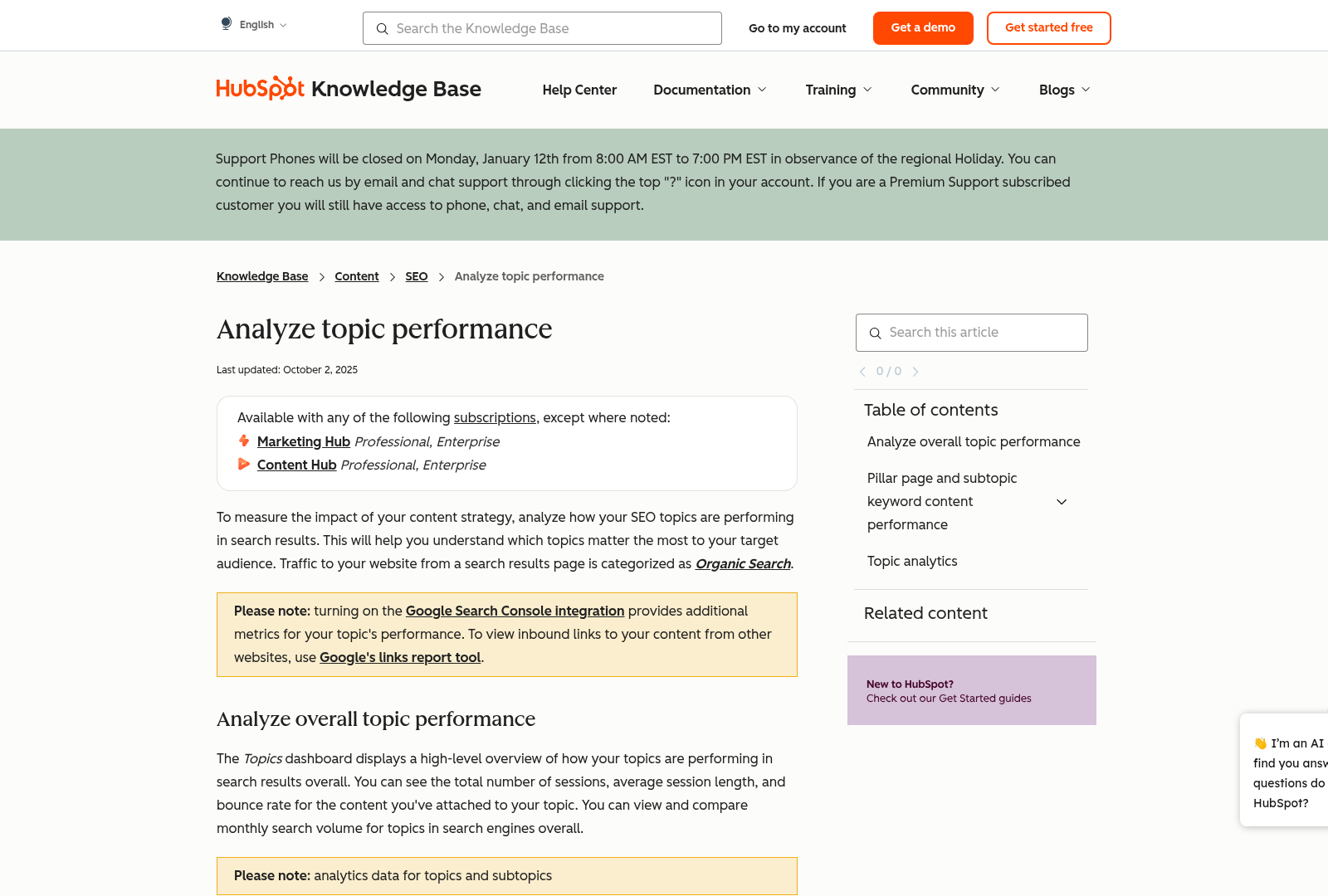
- Enable on-page SEO recommendations in HubSpot’s content settings. The platform provides fundamental SEO guidance for blog posts and landing pages, such as keyword placement and meta tag suggestions, though it is limited compared to specialized tools like Ahrefs or SEMrush [3]. See the [Ahrefs for Keyword Research and Backlink Analysis] section for more details on advanced keyword analysis capabilities.
- Integrate Google Search Console to enhance data visibility. While HubSpot’s native SEO tools are basic, connecting Google Search Console allows deeper insights into crawl errors, search traffic, and indexing performance, which are critical for technical SEO audits [4]. Building on concepts from [Google Search Console for Website Optimization], this integration streamlines technical SEO monitoring.
- Explore third-party integrations for extended functionality. HubSpot supports connectors for tools like Google Search Console and Ahrefs via platforms such as Amigo, enabling data synchronization for more robust SEO reporting and analysis [5][7]. Advanced strategies for integrating AI and machine learning into SEO workflows are discussed in [Advanced SEO Automation Strategies].
Section 3: Ahrefs for Keyword Research and Backlink Analysis
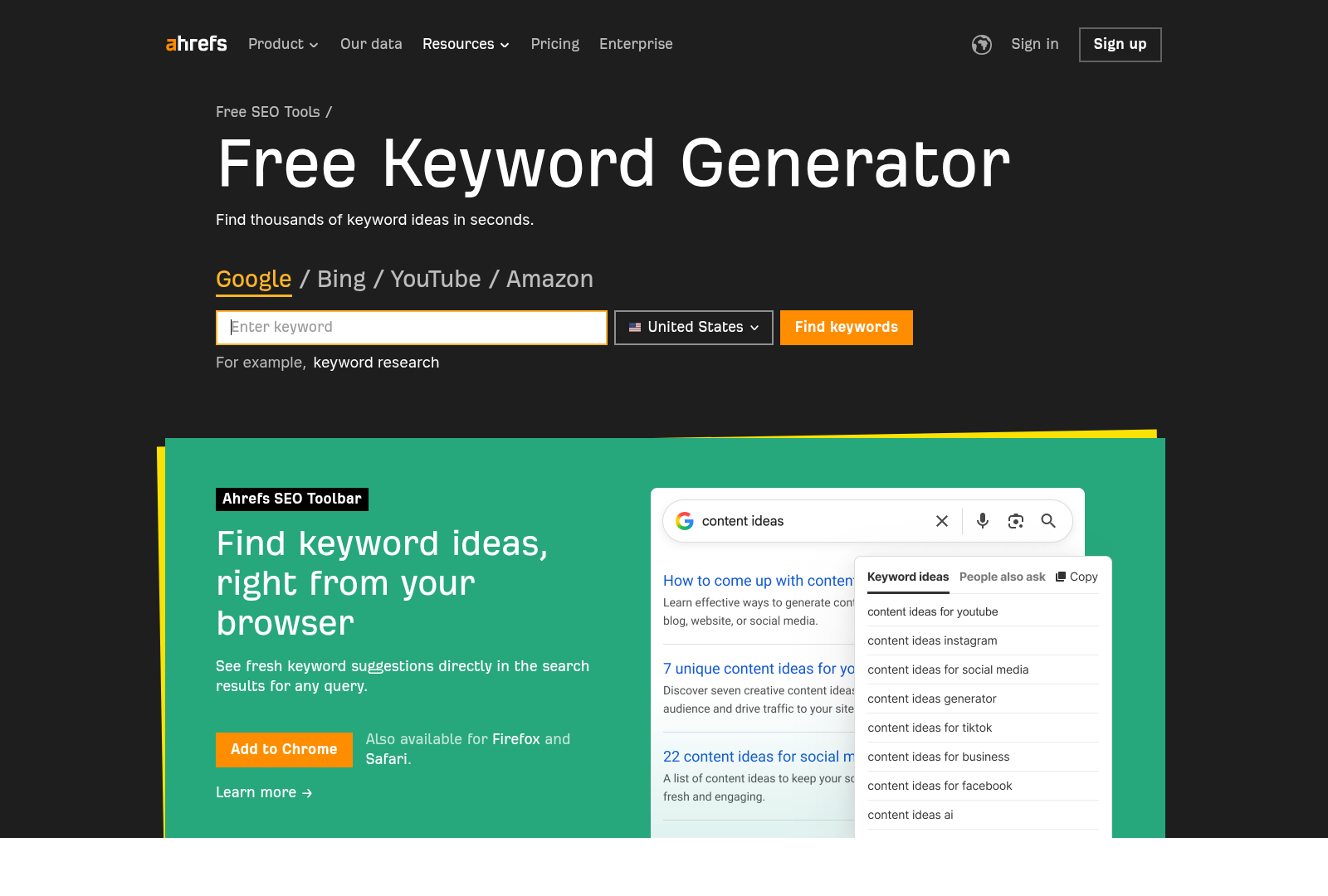
- Leverage Ahrefs' Content Explorer to assess top-performing content for target keywords, including metrics like backlinks and social shares [2][8]. This provides insights into what content structures and topics drive engagement. For repurposing strategies based on these insights, see the [Content Repurposing with SEO Automation Tools] section.
- Integrate Ahrefs with Google Search Console via third-party tools like Amigo or native connectors to consolidate performance data [5][7]. This streamlines reporting and highlights discrepancies between expected and actual search performance. For foundational guidance on using Google Search Console, refer to the [Google Search Console for Website Optimization] section.
- Combine Ahrefs with GA4 and Google Analytics for comprehensive SEO reporting, tracking keyword-driven traffic and conversion metrics [2][5]. This integration ensures alignment between SEO efforts and business outcomes. For deeper analysis of real-time analytics, building on concepts from the [Measuring Success with Real-Time Analytics] section is recommended.
Section 4: Google Search Console for Website Optimization
Google Search Console (GSC) is a foundational tool for technical SEO optimization, offering insights into website performance, crawl errors, and keyword visibility. When integrated with platforms like HubSpot and Ahrefs, it enables automated tracking of indexing issues, mobile usability, and search traffic trends [2][5]. This section outlines steps to configure GSC, leverage its reporting features, and resolve technical SEO barriers using the tool’s built-in diagnostics [1][3].
Setting Up Google Search Console
- Add and verify your website to access data. Verification confirms ownership via DNS, HTML file upload, or Google Analytics linkage. This step is critical to unlock features like URL inspection and crawl error reports [1][3].
- Submit sitemaps to ensure Google indexes all intended pages. Sitemap submission helps prioritize content for crawling and identifies gaps in internal linking [3].
- Configure property settings to specify the preferred domain (e.g., www vs. non-www) and set up redirects. Proper configuration prevents duplicate content issues and ensures consistent indexing [6].
Monitoring Search Traffic and Performance
- Analyze search performance metrics (clicks, impressions, CTR, and average position) to identify high- and low-performing pages. These metrics help prioritize content optimization efforts for better visibility [1][2].
- Track top search queries to align content with user intent. By cross-referencing GSC data with Ahrefs or SEMrush, marketers can uncover keyword opportunities and refine SEO strategies [5]. See the [Section 3: Ahrefs for Keyword Research and Backlink Analysis] section for more details on leveraging Ahrefs for keyword insights.
- Review the Coverage report to detect crawl errors, such as 404 pages or blocked resources. Resolving these issues improves crawl efficiency and ensures search engines access critical content [3].
Fixing Technical SEO Issues
- Address crawl errors by repairing broken links or removing barriers like robots.txt misconfigurations. Fixing these errors enhances indexation and reduces technical friction for search bots [6].
- Optimize mobile usability by resolving issues like text too small to read or unplayable video content. Google prioritizes mobile-friendly sites, making this report essential for maintaining rankings [3].
- Validate structured data to ensure rich snippets display correctly in search results. Errors in schema markup can prevent enhanced search listings, reducing click-through rates [5].
Integrating with SEO Automation Tools
- Export GSC data to tools like HubSpot or Looker Studio for consolidated reporting. As mentioned in the [Section 2: Setting Up HubSpot for SEO Automation] section, HubSpot integrations streamline workflows by aggregating SEO performance with CRM data [2][5].
- Use GSC with Ahrefs or SEMrush to compare keyword rankings and backlink profiles. Combining datasets provides a holistic view of SEO health and competitive positioning [2][7].
- Automate technical audits by linking GSC alerts to HubSpot workflows for real-time issue resolution. Building on concepts from [Section 7: Advanced SEO Automation Strategies], AI-driven tools can further enhance these workflows by predicting and addressing SEO risks proactively [5].
By systematically using Google Search Console alongside automation platforms, marketers can identify and resolve SEO bottlenecks while maintaining visibility in search results. Regular monitoring of technical health, paired with data-driven adjustments to content and site structure, ensures sustained performance in competitive markets [1][3][6].
Section 5: Content Repurposing with SEO Automation Tools
- Analyze top-performing blog posts using Ahrefs’ content explorer to identify pieces with high traffic and low bounce rates, ensuring repurposed content retains SEO value [5]. See the [Section 3: Ahrefs for Keyword Research and Backlink Analysis] section for more details on leveraging Ahrefs for content insights.
- Leverage Google Search Console’s performance report to pinpoint pages with high click-through rates (CTR) but low conversion rates, signaling opportunities to refine and repurpose content [5]. As mentioned in the [Section 4: Google Search Console for Website Optimization] section, GSC is critical for technical SEO alignment.
- Use HubSpot’s content performance dashboard to track engagement metrics across platforms, prioritizing content with strong user interaction for repurposing [5]. Building on concepts from [Section 2: Setting Up HubSpot for SEO Automation], HubSpot’s integrations streamline workflow efficiency.
- Convert long-form blog posts into Twitter threads by extracting key insights and adding platform-specific hashtags, using HubSpot’s social media scheduling tools to maintain SEO consistency [5].
- Transform video scripts into YouTube descriptions by repurposing metadata and keywords from the original content, ensuring alignment with Google’s video SEO guidelines [5].
- Adapt webinar recordings into newsletter summaries by highlighting actionable takeaways, leveraging HubSpot’s email marketing templates to retain brand messaging [5].
- Use Ahrefs’ site audit tool to generate XML sitemaps for repurposed content, ensuring search engines index new assets like YouTube videos or Twitter threads [5].
- Apply Google Search Console’s URL inspection tool to verify indexing status of repurposed content, resolving crawl errors before publishing [5].
- Automate meta tag generation for repurposed assets (e.g., social media previews, email subject lines) using HubSpot’s SEO templates, ensuring consistent keyword usage [5].
- Connect HubSpot with WordPress via built-in integrations to automatically syndicate blog updates to social media channels, reducing manual content repurposing efforts [5].
- Utilize Zapier integrations with Ahrefs and Google Analytics to track repurposed content performance in a unified dashboard, minimizing data silos [5].
- Schedule recurring content audits using HubSpot’s reporting features to identify new repurposing opportunities, aligning with quarterly SEO strategy updates [5].
- Note that HubSpot’s native tools lack advanced video SEO optimization features, requiring manual adjustments for YouTube’s algorithm-specific requirements [5].
Section 6: Measuring Success with Real-Time Analytics
- Enable real-time monitoring of SEO performance to quickly identify and address issues like traffic drops or crawl errors. Google Search Console provides immediate insights into indexing status and search queries, while tools like HubSpot and Google Analytics track live traffic trends [1][4]. For foundational details on Google Search Console’s role in technical SEO, see the [Google Search Console for Website Optimization] section.
- Integrate data from multiple platforms to create a unified view of performance. SEO reporting software with integrations for Google Ads, Google Search Console, Ahrefs, and HubSpot allows cross-platform analysis, ensuring no critical metric is overlooked [5].
- Leverage automated alerts to respond to ranking fluctuations or technical errors. Tools like Ahrefs and SEMrush (compatible with HubSpot and Google Analytics) offer real-time notifications for keyword ranking changes or backlink profile shifts [5]. For more on Ahrefs’ capabilities in keyword analysis, refer to the [Ahrefs for Keyword Research and Backlink Analysis] section.
Key Metrics to Track
- Website traffic volume and sources to measure the effectiveness of SEO campaigns. Google Analytics distinguishes organic traffic from paid or referral sources, while HubSpot tracks lead generation tied to specific landing pages [4][5]. For guidance on setting up HubSpot for SEO workflows, see the [Setting Up HubSpot for SEO Automation] section.
- User engagement metrics, such as pages per session, average session duration, and bounce rate, to assess content quality. Google Analytics and HubSpot provide granular engagement data, highlighting underperforming pages [4].
- Keyword ranking movements to evaluate SEO strategy success. Ahrefs offers quick keyword checks, and Google Search Console reveals position changes for target keywords over time [1].
- Lead generation and conversion rates to quantify SEO’s impact on business goals. HubSpot’s CRM integrates with Google Analytics to track leads generated from organic search, ensuring alignment with revenue targets [4][5].
Using Analytics to Optimize Content Strategy
- Identify high-performing content using traffic and engagement data from Google Analytics and Google Search Console. Prioritize updates or repurposing of pages driving the most sessions or conversions [4]. For strategies on repurposing top content, see the [Content Repurposing with SEO Automation Tools] section.
- Refine keyword targeting based on Ahrefs or SEMrush insights. Tools like HubSpot and Google Analytics reveal gaps between target keywords and actual search queries, guiding content revisions [1][5].
- Align content creation with audience intent by analyzing search terms and user behavior. Google Search Console’s query report and HubSpot’s lead data uncover topics with high search volume but low conversion rates, signaling content opportunities [4].
- Test and iterate based on A/B results from integrated tools. SEO reporting platforms that connect Google Ads, HubSpot, and Ahrefs enable side-by-side comparisons of different content formats or CTAs, optimizing future campaigns [5].
Limitations and Considerations
- Acknowledge data latency in some tools. While Google Analytics offers near real-time metrics, HubSpot and Ahrefs may aggregate data over hours or days, affecting immediacy [4][5].
- Avoid over-reliance on single metrics. Combine traffic, engagement, and lead generation data to prevent skewed conclusions—for example, high traffic with low conversions may indicate poor content relevance [1][4].
- Ensure cross-tool consistency. Discrepancies between Google Analytics and HubSpot traffic reports may require audits of tracking codes or UTM parameters to maintain accuracy [5].
Section 7: Advanced SEO Automation Strategies
- Leverage AI for predictive keyword analysis to identify emerging search trends and content gaps. Tools like SEMrush and Ahrefs [2] integrate machine learning to analyze historical data and forecast high-impact keywords, reducing manual research time. See the [Section 3] section for more details on Ahrefs’ keyword research capabilities.
- Automate content scoring with machine learning models to evaluate on-page SEO elements such as keyword density, readability, and meta tag optimization. HubSpot’s automation features [2] can prioritize content updates based on algorithmic performance metrics. Building on concepts from [Section 5], automated audits can inform content repurposing strategies.
- Use AI-driven competitor analysis tools to monitor rivals’ backlink profiles and content strategies. Ahrefs [2] provides automated reports on competitor SEO moves, enabling rapid adjustments to maintain a competitive edge.
- Implement semantic SEO with AI-powered content generators to align material with user intent. Tools in the 2025 marketing stack [2] utilize natural language processing (NLP) to suggest topic clusters and optimize content for featured snippets. As mentioned in the [Section 1] section, this builds on foundational SEO automation principles.
- Monitor machine learning updates in core web vitals. Google’s evolving emphasis on page experience metrics [2] requires automated tools to audit loading speed, interactivity, and visual stability continuously. See the [Section 4] section for more details on integrating Google Search Console for technical SEO optimization.
- Cross-reference with free tools for budget constraints. If premium platforms are unavailable, use free resources from [1] (e.g., Ubersuggest, Google Keyword Planner) to supplement AI-driven insights, though they lack advanced ML capabilities.
References
[1] What are the best free tools to get started? : r/digital_marketing - https://www.reddit.com/r/digital_marketing/comments/1mbo6cx/what_are_the_best_free_tools_to_get_started/
[2] What's in Your 2025 Marketing Stack? : r/DigitalMarketing - https://www.reddit.com/r/DigitalMarketing/comments/1nicz1r/whats_in_your_2025_marketing_stack/
[3] Solved: HubSpot Community - MarTech stack options ... - https://community.hubspot.com/t5/128172-RevOps-Discussions/MarTech-stack-options-recommendations-for-effective-and-simple/m-p/1136257
[4] SEO Certification Course - HubSpot Academy - https://academy.hubspot.com/courses/seo-training
[5] 23 Best SEO Reporting Software For Clients Reviewed In 2025 - https://thedigitalprojectmanager.com/tools/best-seo-reporting-software-for-clients/
[6] Senior Strategist (UK) - https://ats.rippling.com/blendb2b/jobs/6698cf36-b2d9-444a-820f-ff8812dd41cc
[7] Amigo: Shopify, Salesforce, HubSpot Data Connector - Google ... - https://workspace.google.com/marketplace/app/amigo_shopify_salesforce_hubspot_data_co/274781802717
[8] Those that decide to wield the power of Claude Code right now will ... - https://www.linkedin.com/posts/ericosiu_those-that-decide-to-wield-the-power-of-claude-activity-7358119527835934720-kxfr
Frequently Asked Questions
1. How do I choose between HubSpot, Ahrefs, and Google Search Console for my SEO strategy?
Choose HubSpot for CRM-integrated content creation and basic on-page SEO guidance, especially if you need to align SEO with sales pipelines. Use Ahrefs for advanced keyword research, competitor backlink analysis, and technical audits requiring in-depth data. Google Search Console is essential for real-time technical SEO monitoring, such as crawl errors, indexing issues, and mobile usability. For a comprehensive strategy, combine all three: HubSpot for content creation workflows, Ahrefs for competitive insights, and Google Search Console for ongoing technical validation.
Q: Can these tools integrate with each other, and how does that benefit SEO efforts?
A: Yes, these tools can work synergistically. HubSpot integrates with Google Analytics and Search Console to provide unified performance data, enabling you to track content success from creation to technical execution. Ahrefs can pull keyword and backlink data into HubSpot for content prioritization. For example, use Ahrefs to identify high-traffic keywords, then import them into HubSpot’s content editor for on-page optimization, and finally monitor rankings in Google Search Console. This integration ensures data-driven decisions and reduces manual data reconciliation.
Q: What are the limitations of relying solely on SEO automation tools?
A: While automation streamlines tasks, it cannot replace human creativity or nuanced decision-making. HubSpot’s on-page suggestions are basic and lack advanced technical SEO guidance. Ahrefs’ backlink analysis, though powerful, requires manual interpretation to prioritize high-quality link-building opportunities. Google Search Console alerts you to technical issues but doesn’t fix them. Teams should pair automation with periodic manual audits, competitor research, and user experience testing to address gaps in automation’s scope.
Q: How can I set up Google Search Console for real-time technical SEO monitoring?
A: Start by verifying ownership of your website in Google Search Console (via HTML file upload or DNS). Once verified, monitor the “Coverage” report to identify crawl errors and indexing issues. Use the “Performance” tab to track search traffic trends and click-through rates. Enable mobile usability alerts and fix issues like slow page load speeds flagged in the “Core Web Vitals” report. For proactive monitoring, set up email alerts for critical errors and integrate the data into tools like HubSpot for cross-platform analysis.
Q: What are best practices for scaling SEO with these tools?
A: To scale effectively, automate repetitive tasks like keyword tracking (Ahrefs) and technical audits (Google Search Console) while using HubSpot to manage content workflows. Create templates in HubSpot for on-page SEO (e.g., title tags, meta descriptions) to maintain consistency. Use Ahrefs’ Site Explorer to benchmark competitors and identify content gaps for bulk creation. For technical scalability, schedule regular crawls with Google Search Console to catch errors early, and use Ahrefs’ Content Explorer to repurpose trending content across platforms. Prioritize tools that offer API access for custom automation as your site grows.
Q: How can I avoid common mistakes when using SEO automation tools?
A: Avoid over-reliance on automation by balancing tool-generated recommendations with manual review. For example, HubSpot’s on-page suggestions may not always align with brand voice, so edit suggestions to maintain tone. In Ahrefs, avoid targeting low-authority backlink opportunities, which can harm SEO. In Google Search Console, don’t ignore “Fix” recommendations for mobile usability issues—address them within 24–48 hours. Lastly, ensure all tools are connected (e.g., HubSpot + Google Search Console) to avoid fragmented data and conflicting insights.
Q: Are these tools suitable for small businesses, or do they require advanced technical expertise?
A: These tools cater to various team sizes but require tailored approaches. Google Search Console is free and user-friendly for small businesses to monitor technical SEO. HubSpot offers a low-learning-curve interface for content creation, making it ideal for teams new to SEO. Ahrefs, while powerful, has a steeper learning curve due to its depth of data—start with its “Keyword Explorer” for basic research. Small businesses can begin with Google Search Console and HubSpot, then adopt Ahrefs as their SEO strategy matures. Training resources (e.g., Ahrefs’ blog, HubSpot’s academy) can help bridge knowledge gaps.