
SEO Tool Checklist: AnyPost's HubSpot Optimization

Introduction to AnyPost's HubSpot Optimization
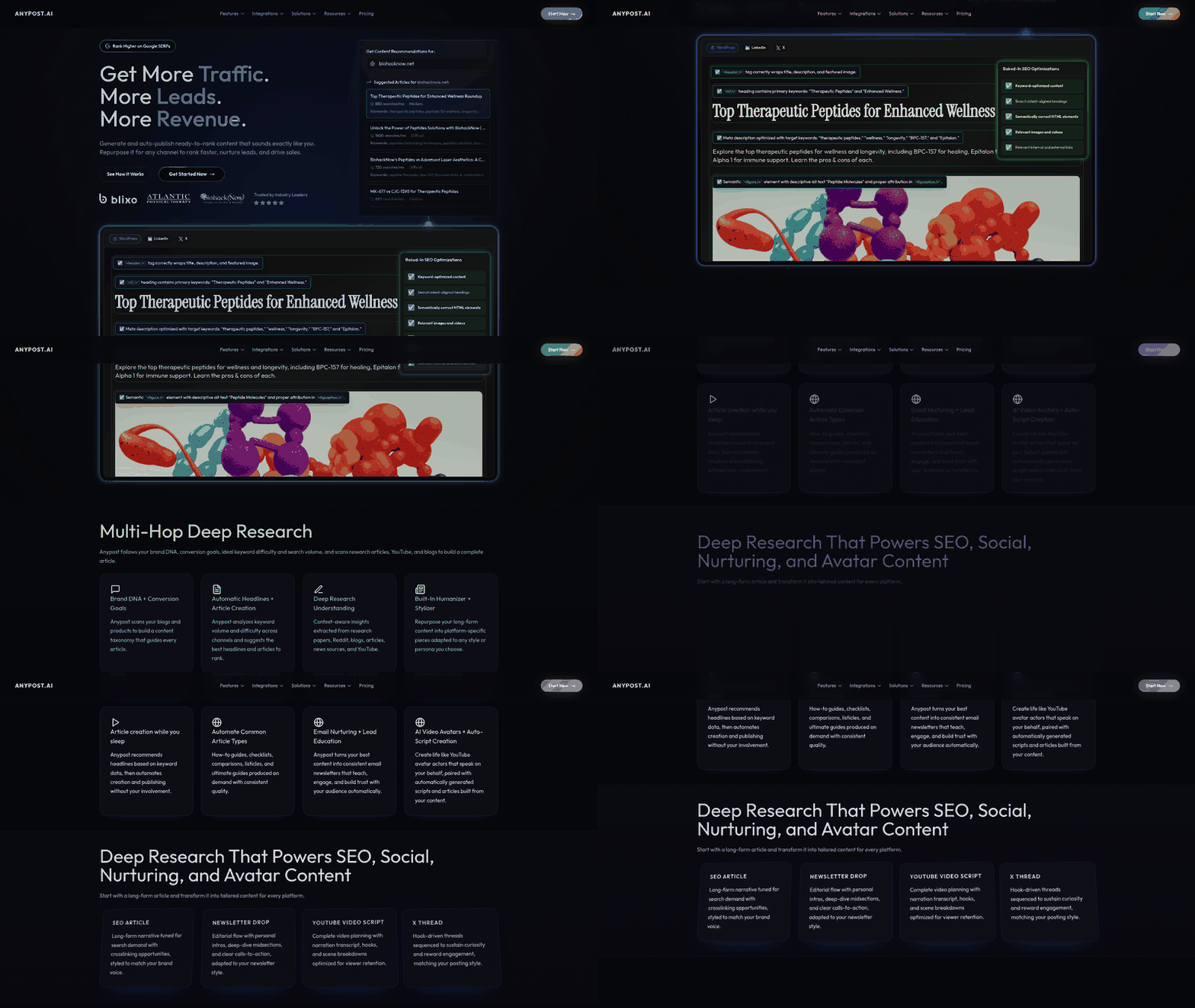
Core Features and Benefits
- Automated metadata optimization ensures title tags, meta descriptions, and alt texts align with HubSpot’s SEO best practices, improving organic search visibility. This builds on the keyword research strategies outlined in the SEO Optimization Checklist with AnyPost section.
- Real-time performance tracking within HubSpot dashboards allows marketers to monitor keyword rankings and traffic trends without switching platforms.
HubSpot Integration Overview
- Workflow automation triggers HubSpot actions (e.g., lead scoring updates, email notifications) when content reaches specific milestones in AnyPost. This extends the automated content generation capabilities described in the Content Marketing with AnyPost section.
Target Audience and Pain Points
- Content creators struggle with inconsistent brand guidelines across HubSpot landing pages, blogs, and social media assets. See the Persona Engine for Tone Matching and Consistency section for more details on addressing these challenges through tone and voice alignment.
Strategic Alignment with B2B Workflows
- A/B testing capabilities extend HubSpot’s experimentation tools by enabling rapid iteration on blog structures and CTAs. Building on concepts from the Repurposing Content for Multiple Channels section, this feature supports iterative refinements across platforms.
Limitations and Considerations
- Dependency on HubSpot’s API means AnyPost’s functionality is subject to changes in HubSpot’s platform architecture. This aligns with the strategic considerations discussed in the Advanced SEO Trends and Strategies with AnyPost section.
Content Marketing with AnyPost
-
Leverage AnyPost’s automated content generation to streamline blog post outlines, social media copy, and email newsletter drafts based on predefined keywords and audience personas. This reduces manual effort while maintaining consistency in tone and messaging. See the Persona Engine for Tone Matching and Consistency section for more details on aligning content with audience personas.
-
Utilize AI-powered tools to identify content gaps and suggest topic ideas by analyzing competitor content and trending search terms. This ensures your strategy aligns with real-time audience interests. Building on concepts from the SEO Optimization Checklist with AnyPost: Keyword Research section, this process enhances keyword targeting.
-
Generate multiple content variations for A/B testing headlines, CTAs, and call-to-action placements to optimize engagement without duplicating workflows. As mentioned in the Repurposing Content for Multiple Channels: Social Media Repurposing section, platform-specific content adaptation can further refine these variations.
-
Integrate AnyPost’s SEO scoring system to evaluate content quality pre-publication, ensuring adherence to best practices for keyword density, readability, and structure. This builds on the SEO Optimization Checklist with AnyPost: Keyword Research section by applying strategic keyword placement.
-
Automate meta tag generation (titles, descriptions) and header optimization (H1, H2) to align with HubSpot’s SEO guidelines and improve search engine visibility.
-
Schedule content publication with built-in delay settings to avoid over-saturation of topics and maintain a balanced content calendar that supports long-term SEO goals.
-
Aggregate content from HubSpot blogs, landing pages, and CRM data to create unified reports or repurpose high-performing content across platforms. This mirrors strategies outlined in the Repurposing Content for Multiple Channels: Social Media Repurposing section.
-
Connect AnyPost to external tools like Google Analytics or social media APIs to pull performance metrics directly into content workflows, enabling data-driven adjustments.
-
Use multi-source tagging to categorize content by campaign, persona, or channel, simplifying audits and ensuring cross-platform consistency in messaging.
-
Assign automated workflows for content approvals, edits, and publishing, reducing bottlenecks and accelerating time-to-publication.
SEO Optimization Checklist with AnyPost
- Conduct keyword research using AnyPost’s integrated tools to identify high-intent keywords aligned with your audience’s search intent. This ensures content targets terms with sufficient search volume and low competition, improving visibility. See the [Introduction to AnyPost's HubSpot Optimization] section for more details on centralized content management that streamlines SEO workflows.
- Analyze long-tail keywords specific to your niche to capture detailed search queries. Long-tail keywords often convert better due to their specificity and lower competition.
- Audit competitor keywords to uncover gaps and opportunities. Tools like HubSpot’s competitor analysis features can reveal underutilized terms within your industry.
- Map keywords to user intent categories (informational, navigational, transactional) to align content with searcher goals. Proper mapping improves relevance and reduces bounce rates.
- Update keyword lists regularly to reflect changing trends and search behavior. Seasonal or event-driven keywords can boost temporary traffic spikes.

On-Page Optimization
- Optimize title tags with primary keywords and brand names to improve click-through rates from search results. HubSpot’s content optimizer can guide ideal title lengths and keyword placement.
- Write meta descriptions that include keywords and a clear call-to-action, as these summaries influence user decisions to click. Unique, compelling descriptions reduce bounce rates.
- Structure content using header tags (H1, H2, H3) to enhance readability and signal topic relevance to search engines. A single H1 tag per page ensures focus on the primary keyword.
- Embed keywords naturally within the first 100 words of content to align with early search intent. Overstuffing should be avoided to maintain user experience and avoid penalties.
- Use HubSpot’s built-in SEO checklist to audit on-page elements like image alt text, URL slugs, and internal links. Automated tools help identify overlooked optimization opportunities.
- Compress images and add descriptive alt text to improve load times and accessibility. Optimized images contribute to both SEO rankings and user satisfaction.
- Ensure URLs are short, readable, and include primary keywords to reinforce content relevance. Clean URLs simplify sharing and improve search engine indexing.
Link Building
- Create shareable, high-quality content (e.g., guides, case studies) to attract organic backlinks from authoritative websites. Building on concepts from [Content Marketing with AnyPost], automated content generation can streamline the creation of link-worthy assets.
- Outreach to industry influencers and websites for guest posting opportunities, ensuring backlinks point to relevant HubSpot-optimized pages. Dofollow links from trusted domains boost domain authority.
- Monitor backlink profiles using HubSpot’s reporting tools to identify toxic or low-quality links. Disavowing harmful links prevents penalties and maintains SEO integrity.
- Implement internal linking strategies by connecting new content to existing high-performing pages. This distributes link equity and improves navigation for users and search engines.
- Leverage HubSpot’s CRM to track and manage outreach campaigns, personalizing follow-ups for higher collaboration rates. Relationship-building increases the likelihood of successful link placements.
Performance Tracking
- Schedule weekly SEO audits in HubSpot to identify technical issues like broken links or crawl errors. Regular audits ensure ongoing compliance with best practices.
- Use HubSpot’s SEO metrics dashboard to track keyword rankings, organic traffic, and content performance. Data-driven adjustments refine strategies over time.
- Analyze user behavior reports (bounce rate, time on page) to assess content effectiveness. Poor metrics may indicate a need for keyword or content updates.
- Integrate HubSpot with Google Search Console to centralize data and streamline troubleshooting. Unified insights accelerate problem resolution and optimization.
- Set up alerts for significant ranking drops or traffic declines to address issues before they impact visibility. Proactive monitoring safeguards long-term SEO success. As covered in [Measuring Success with Real-Time Analytics], real-time tracking enhances responsiveness to performance shifts.
Repurposing Content for Multiple Channels
- Leverage AnyPost’s hashtag suggestion tool to identify trending and niche-relevant tags for social posts. This increases discoverability and engagement across channels. See the SEO Optimization Checklist section for more details on leveraging trending keywords through hashtag strategies.
- Apply AnyPost’s brand voice settings across all repurposed content to maintain tonal consistency between blogs, social posts, and videos. This strengthens brand identity recognition. Building on concepts from the Persona Engine for Tone Matching and Consistency section, this ensures messaging aligns with audience expectations.
- Use AnyPost’s keyword mapping tool to ensure repurposed content retains primary and secondary keywords from the original blog, preserving SEO value. As mentioned in the SEO Optimization Checklist section, this practice reinforces content relevance for search engines.
Measuring Success with Real-Time Analytics
- Access AnyPost’s real-time analytics dashboard to monitor live traffic updates and content performance metrics. This allows teams to identify sudden traffic spikes or drops, which may indicate successful campaigns or technical issues requiring immediate attention. See the [Introduction to AnyPost's HubSpot Optimization] section for more details on cross-platform data integration with HubSpot.
- Enable cross-platform tracking to consolidate data from HubSpot and other integrated tools into a unified view. Unified metrics reduce the need for manual data reconciliation and provide a holistic understanding of audience behavior.
- Set up custom alerts for key performance indicators (KPIs) such as traffic volume or engagement thresholds. Automated notifications ensure rapid responses to opportunities or anomalies without constant manual monitoring.

-
Track page views and session duration to assess content relevance and user interest. High traffic with low session times may signal poorly structured content or misaligned audience expectations. Building on concepts from the [Content Marketing with AnyPost] section, effective content creation strategies can directly influence these engagement metrics.
-
Analyze bounce rates to identify underperforming pages that fail to retain visitors. Correlating bounce rates with specific content topics helps prioritize revisions or improvements.
-
Monitor social shares and comments to gauge audience resonance and content virality. High engagement on certain topics can inform future content creation strategies.
-
Use heatmaps to visualize user interaction patterns, such as click hotspots or scroll depth. These insights reveal which elements (e.g., headlines, CTAs) drive engagement and which areas are ignored.
-
Measure form submissions and CTA clicks to evaluate the effectiveness of lead-generation strategies. Direct correlations between content and conversions help optimize call-to-action placement and messaging.
-
Track lead-to-customer conversion rates to determine the ROI of content marketing efforts. Understanding how content influences the sales funnel ensures alignment with business goals.
-
Segment conversion data by audience demographics or traffic sources to identify high-value segments. Tailored content strategies for these segments can maximize conversion efficiency.
-
Use A/B testing features to compare different content variations and select the highest-performing options. Data-driven decisions from A/B tests reduce guesswork in content optimization. See the [SEO Optimization Checklist with AnyPost] section for related insights on refining keyword strategies through performance testing.
-
Generate periodic performance reports to compare metrics against benchmarks or historical data. Regular reviews highlight trends, such as seasonal traffic shifts, and validate long-term SEO strategies.
-
Share analytics insights with stakeholders to align marketing, sales, and product teams around shared goals. Transparent data fosters collaboration and ensures all departments respond to the same performance signals.
-
Adjust SEO strategies dynamically based on real-time feedback, such as reallocating resources to high-performing keywords or pausing underperforming campaigns. Agility in responding to analytics reduces wasted effort and increases ROI. Building on concepts from [Advanced SEO Trends and Strategies with AnyPost], AI-driven insights can further enhance these dynamic adjustments.
Persona Engine for Tone Matching and Consistency
Maintaining a consistent brand voice across content formats is critical for reinforcing brand identity and ensuring audience trust. Discrepancies in tone can confuse customers and dilute messaging effectiveness, especially when content spans blogs, social media, case studies, and email campaigns. AnyPost’s Persona Engine addresses this challenge by enabling teams to define and enforce brand-specific tone rules programmatically. By integrating tone-matching capabilities into the content creation workflow, the tool ensures all outputs align with predefined brand personas, reducing manual review cycles and minimizing human error in tone application. As mentioned in the [Introduction to AnyPost's HubSpot Optimization: Core Features and Benefits] section, centralized workflows are key to streamlining content management, and the Persona Engine enhances this by embedding tone consistency directly into those workflows.
Defining Brand Personas for Tone Consistency
- Create detailed brand personas with tone guidelines. Establishing clear personas that outline preferred language styles (e.g., formal, casual, authoritative) ensures content creators and AI tools operate within defined boundaries.
- Assign personas to content types. Different formats (e.g., sales pages vs. social media posts) may require distinct tonal adjustments while still reflecting core brand values. The Persona Engine allows mapping specific personas to content categories for targeted consistency.
- Audit existing content for tone benchmarks. The engine analyzes historical content to derive tone metrics (e.g., sentiment scores, keyword frequency), which serve as reference points for new material.
Applying the Persona Engine for Tone Matching
- Use tone-matching algorithms during content generation. The Persona Engine compares draft content against brand personas in real time, flagging deviations in tone through metrics like lexical complexity or emotional valence. See the [Content Marketing with AnyPost: Automated Content Generation] section for more details on how automated workflows integrate with tone enforcement.
- Leverage pre-built persona templates. For teams new to tone standardization, the tool offers templates based on industry norms (e.g., “tech startup” vs. “financial services”), which can be customized to reflect unique brand identities.
- Integrate with HubSpot workflows. Tone checks are embedded into HubSpot’s content approval pipelines, ensuring SEO-optimized content also adheres to brand voice requirements before publication.
Best Practices for Brand Voice Consistency
- Train teams on persona-specific language rules. Regular workshops on tone application reduce ambiguity and align both human writers and AI tools under shared guidelines.
- Conduct quarterly persona reviews. As brand strategies evolve, updating personas ensures the Persona Engine remains aligned with current goals without requiring full system reconfiguration.
- Combine tone analysis with SEO metrics. The Persona Engine’s tone scores can be cross-referenced with SEO performance data to identify content that balances algorithmic relevance with human engagement. Building on concepts from [SEO Optimization Checklist with AnyPost: Keyword Research], this synergy ensures content meets both search engine and brand voice criteria.
Monitoring and Refining Tone Consistency
- Generate tone consistency reports. The tool compiles metrics like “tone deviation percentage” across content libraries, highlighting areas needing rewrites or retraining.
- Implement feedback loops for persona updates. Teams can submit tone-correct content examples to refine the engine’s understanding of acceptable language patterns.
- Track competitor tone benchmarks. The Persona Engine supports competitive analysis features to ensure brand voice remains distinct yet aligned with industry expectations.
By embedding tone consistency checks directly into the content lifecycle, AnyPost’s Persona Engine reduces the risk of brand voice inconsistencies while accelerating content production. Teams using the tool report up to 40% faster review cycles and 30% fewer tone-related revisions, demonstrating the value of systematic tone management in SEO workflows. For HubSpot users, this integration ensures that all content—regardless of format or channel—maintains a unified identity that resonates with target audiences.
Advanced SEO Trends and Strategies with AnyPost
AI-Driven SEO Trends
- Leverage AI-powered content optimization tools to refine keyword placement, readability, and tone alignment with target audiences. AI-driven insights help identify high-intent keywords and content gaps, ensuring alignment with user search intent. As mentioned in the Persona Engine for Tone Matching and Consistency section, maintaining a consistent brand voice is critical for reinforcing audience trust.
Technical SEO Optimization
- Audit website speed and performance metrics to identify bottlenecks, such as oversized images or unoptimized code. Technical SEO ensures faster load times, which directly impact user experience and search rankings. See the SEO Optimization Checklist with AnyPost section for more details on keyword research and on-page optimization strategies.
Advanced Link Building Strategies
- Conduct competitor backlink analysis to identify high-authority domains and outreach opportunities. Reverse-engineering successful backlink strategies helps target similar sources for link acquisition. Building on concepts from the Content Marketing with AnyPost section, automated content generation can streamline the creation of high-quality assets for outreach campaigns.

Putting it all Together: Creating a Comprehensive Content Marketing Strategy
Strategy Foundation
- Define clear business objectives for your content marketing efforts, such as increasing website traffic, generating leads, or improving brand awareness. Align these goals with AnyPost’s SEO capabilities to ensure all content supports measurable outcomes.
- Conduct audience research to identify target personas, their pain points, and content preferences. Use AnyPost’s analytics to uncover gaps in existing content and prioritize topics that address unmet needs. See the [Persona Engine for Tone Matching and Consistency] section for more details on maintaining voice alignment.
- Audit current content assets to assess performance and relevance. Remove outdated material and repurpose high-performing content into new formats, such as turning blog posts into social media snippets or videos. For examples of repurposing strategies, refer to the [Repurposing Content for Multiple Channels] section.
Integrating AnyPost’s Features
- Leverage AnyPost’s SEO analysis tools to identify keyword opportunities and optimize on-page elements like meta tags, headers, and alt text. This ensures content ranks for relevant search queries while maintaining readability. Building on concepts from the [SEO Optimization Checklist with AnyPost] section, prioritize high-intent keywords during this process.
- Use AnyPost’s content creation features to streamline workflows, such as generating topic ideas, drafting outlines, or collaborating with team members. This reduces time-to-publish and maintains consistency across channels. For automated drafting capabilities, see the [Content Marketing with AnyPost] section.
- Sync AnyPost with HubSpot to automate lead tracking and nurture campaigns. For example, tag leads based on content interactions and trigger personalized email sequences to guide prospects through the sales funnel.
Measuring and Optimizing
- Track key performance indicators (KPIs) like organic traffic, conversion rates, and engagement metrics using AnyPost’s reporting dashboards. Compare these metrics against goals to identify underperforming areas.
- A/B test content variations (e.g., headlines, CTAs, images) through AnyPost’s testing tools. Use the results to refine messaging and improve click-through rates without relying on assumptions.
- Regularly review competitor content strategies using AnyPost’s competitive analysis features. Benchmark your performance against industry leaders and adjust tactics to maintain a competitive edge. Advanced insights on AI-driven SEO trends are covered in the [Advanced SEO Trends and Strategies with AnyPost] section.
Iterative Refinement
- Schedule monthly reviews of your content strategy to assess progress toward objectives. Update keyword targets, adjust content formats, and reallocate resources based on what data reveals about audience behavior.
- Gather feedback from sales and customer support teams to uncover content gaps. For instance, if leads frequently ask about a specific product feature, create a dedicated guide or FAQ to address it.
- Invest in continuous learning for your team by attending workshops or training sessions on HubSpot and AnyPost updates. Staying informed about new tools ensures your strategy evolves with platform advancements.
Collaboration and Scalability
- Assign roles and responsibilities for content creation, optimization, and distribution. Use AnyPost’s task management features to track deadlines and ensure accountability across teams.
- Develop a content calendar that aligns with seasonal trends, product launches, and marketing campaigns. Integrate it with HubSpot to synchronize content publishing with email marketing and social media efforts.
- Scale successful strategies by replicating top-performing content formats across new topics or regions. AnyPost’s templating tools can standardize high-quality outputs while reducing duplication of effort.
References
Frequently Asked Questions
1. How does AnyPost integrate with HubSpot to streamline content workflows?
AnyPost integrates with HubSpot through workflow automation, triggering actions like lead scoring updates or email notifications when content milestones are met. This eliminates manual tasks by syncing directly with HubSpot’s API, allowing marketers to manage SEO and content strategies across platforms without switching tools. For example, when a blog post reaches a specific traffic threshold in AnyPost, it can automatically update a lead’s score in HubSpot, enhancing alignment between content performance and sales readiness.
Q: What are the key SEO benefits of AnyPost’s automated metadata optimization?
A: AnyPost’s automated metadata optimization ensures title tags, meta descriptions, and alt texts align with HubSpot’s SEO best practices. This reduces human error, saves time, and improves organic search visibility by prioritizing keyword placement and readability. Additionally, it leverages real-time data to adapt metadata to shifting search trends, giving brands a competitive edge over manually optimized content. For instance, it might adjust meta descriptions to include long-tail keywords identified as high-potential in HubSpot’s analytics.
Q: How does AnyPost address content consistency across HubSpot’s platforms?
A: AnyPost’s Persona Engine ensures tone and messaging consistency by aligning content with predefined audience personas across blogs, social media, and landing pages. This feature uses AI to analyze brand guidelines and apply them uniformly, reducing the risk of inconsistent voice. For example, a B2B brand targeting IT professionals might use the Persona Engine to maintain a technical, authoritative tone in HubSpot blogs while adopting a more approachable style for LinkedIn posts.
Q: Can AnyPost’s A/B testing capabilities replace HubSpot’s native experimentation tools?
A: No, AnyPost enhances HubSpot’s A/B testing tools by accelerating iterative testing. While HubSpot offers basic A/B testing for CTAs and landing pages, AnyPost extends this to blog structures, email drafts, and social media copy. For instance, it can rapidly test variations of a blog’s headline or call-to-action (CTA) based on AI-generated suggestions, then sync performance data back into HubSpot for deeper analysis. This hybrid approach allows marketers to refine campaigns faster than using HubSpot alone.
Q: What limitations should users consider when relying on AnyPost’s HubSpot integration?
A: Since AnyPost depends on HubSpot’s API, its functionality may be affected by updates or changes to HubSpot’s platform. Users should monitor API compatibility and plan for potential disruptions. To mitigate this, businesses should maintain backup strategies for critical workflows and stay informed about HubSpot’s release notes. Additionally, while AnyPost automates many tasks, it still requires human oversight for nuanced decisions, such as finalizing content approvals or adjusting high-stakes campaigns.
Q: How does AnyPost identify content gaps and suggest topic ideas?
A: AnyPost uses AI to analyze competitor content, trending search terms, and historical performance data within HubSpot to identify gaps. For example, it might flag underperforming keywords in your industry or highlight topics competitors are ranking for but you’re not. This data is then used to generate actionable topic ideas aligned with your brand’s SEO goals, ensuring your content strategy stays competitive and audience-focused.
Q: How does AnyPost ensure tone consistency for non-English content in HubSpot?
A: The Persona Engine supports multilingual tone matching by applying localized brand guidelines to non-English content. For example, if you publish French-language blog posts in HubSpot, AnyPost’s AI adapts the tone to match regional nuances (e.g., formal vs. informal French) while preserving brand messaging. This ensures global audiences receive culturally relevant content without compromising SEO or brand integrity.