
Supercharge Your SEO Strategy with Automated Reporting and Content Insights

Key Takeaways
- Automated SEO reporting pulls your KPIs into scheduled, tool-generated reports. Rankings, organic traffic, technical issues, conversions. No hand-built spreadsheets.
- Three metrics carry the most weight: engagement, conversions, and keyword rankings. They tell you whether your content attracts the right people and moves them to act.
- Real-time reporting catches a ranking drop or traffic dip the day it happens, instead of a month later.
- Content insights point you at low-difficulty, high-intent keywords, so you write for what searchers want instead of guessing.
- A good automated report has three parts: an overview, key metrics in charts, and clear next steps, pulled straight from Search Console and Google Analytics 4.
- Automation buys back the hours you'd otherwise spend rebuilding dashboards. You shift from assembling data to acting on it.
The short version
SEO automated reporting pulls all your KPIs into one scheduled report, generated by a tool instead of a person. It tracks rankings, organic traffic, technical issues, and conversions without anyone building spreadsheets by hand. Add content insights on top and you stop guessing what to write next.
Teams that move to automated reporting cut the busywork that eats their week. Modern platforms fold these workflows into one dashboard, handling context extraction and competitor analysis without manual data pulls. Content insights push it further, surfacing low-difficulty, high-intent keywords so your articles match what searchers actually want.
Here's the high-level version of how it changes the way you do SEO.
What automated reporting actually does
It builds SEO reports on a schedule, drawing from sources like Search Console and Google Analytics 4. No manual work, no copy-paste errors, no Monday morning spent rebuilding last week's dashboard.
A solid report has three parts: an overview, key metrics shown in charts, and clear next steps. It pulls rankings, organic traffic, and technical health into one view. The point is speed. You spend your time acting on the data, not assembling it.
Real-time reporting adds another layer. Instead of waiting for a monthly cycle, you catch a ranking drop or traffic dip the day it happens. That turns SEO from a rear-view mirror into something you can actually steer.
Which metrics should you track?
Track three things above everything else: engagement, conversions, and keyword rankings. They tell you whether your content pulls the right people in, moves them to act, and holds position in search.
- Engagement: How readers interact with your content. Time on page, scroll depth, return visits.
- Conversions: The business outcome. Leads, signups, or sales tied back to organic traffic.
- Keyword rankings: Where you sit on the SERP for target terms, tracked over time to spot momentum or decline.
Layer in organic traffic and technical issues for the full picture. Technical flags matter because a crawl error or a slow page can quietly sink rankings you worked hard to earn.
How long does setup take?
Most teams get automated reporting and content insights running in 1 to 3 weeks. The timeline depends on how many data sources you connect and how custom you want your dashboards.
Week one usually goes to connecting tools and defining goals. You gather data, pick the right metrics, and shape the report layout around what your stakeholders care about. The back half is refinement, tuning what shows up and what gets cut.
The payoff is real time back. Automating content creation alongside reporting frees up hours you'd otherwise spend drafting and formatting. That time goes into strategy, the part machines still can't do for you.
One caveat: skip full automation if you publish one post a month and check rankings by hand in five minutes. The setup overhead isn't worth it at that scale. But once you're juggling multiple keywords, channels, and stakeholders, manual reporting stops being sustainable and automation earns its keep fast.
Why bother automating it
Manual SEO reporting eats your week. You pull data from search consoles, analytics platforms, and rank trackers, then stitch it into a report nobody reads twice. Automated reporting fixes that by generating your reports on a schedule, without the copy-paste grind.
The time savings are real. Teams that switch to automated reporting can claw back up to 20 hours per week on manual data work. That's time spent acting on insights instead of assembling spreadsheets.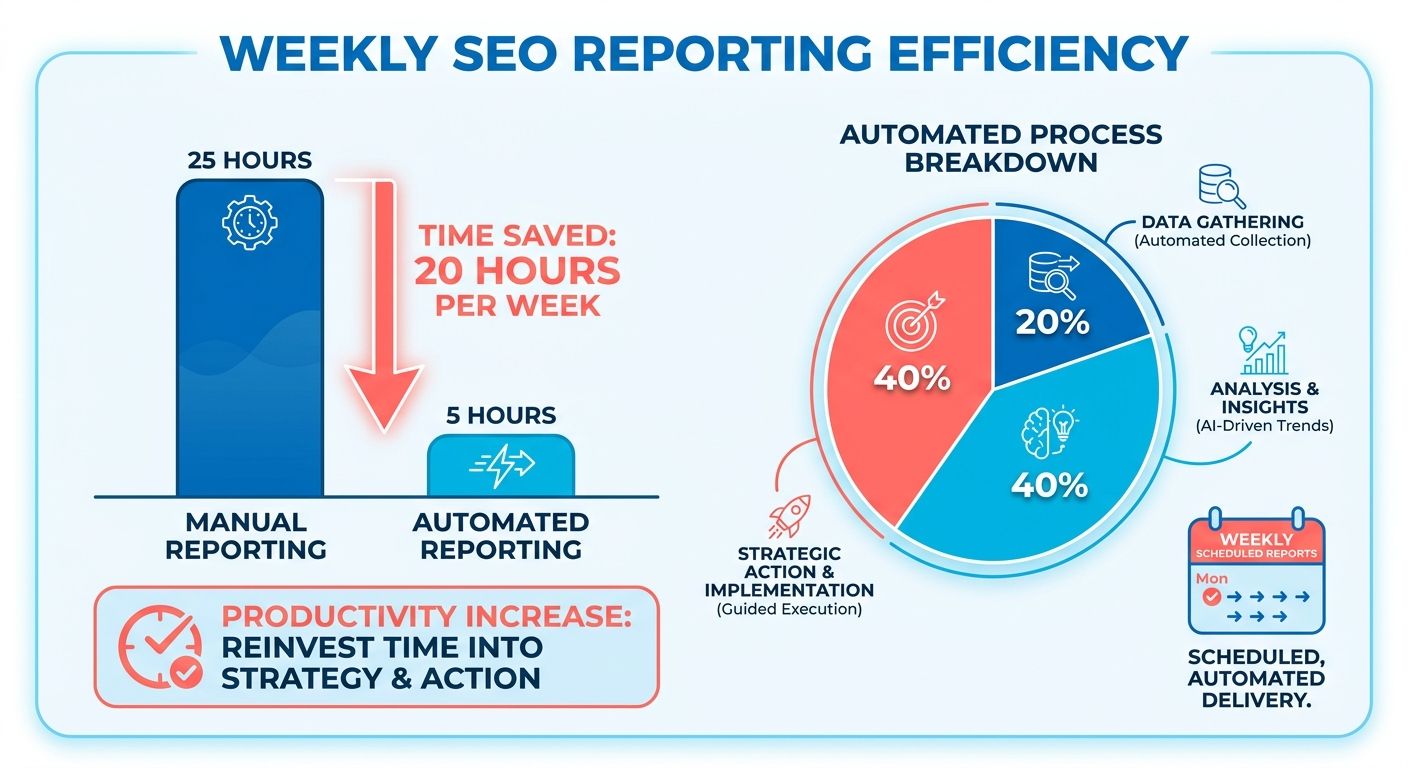
Why so many teams struggle with reporting
Most teams drown in data without knowing what it means. Ahrefs found that 70% of businesses wrestle with SEO reporting. The numbers pile up faster than anyone can interpret them.
Two problems cause most of the pain:
- Data overload: Rankings, organic traffic, technical issues, and conversions all live in separate tools. Pulling them together by hand is slow and error-prone.
- No insights: Raw metrics don't tell you what to do next. A report full of charts is useless if it never answers "what should we fix first?"
Automation handles both. It aggregates your KPIs into one place and surfaces the opportunities worth chasing, so the report actually tells you where to act.
What data-driven decisions look like in practice
It means every SEO move ties back to a metric you can track. You stop guessing which pages to optimize and follow the numbers instead. Neil Patel has been beating this drum for years: decisions grounded in data beat decisions based on gut feel.
Automated reports make this practical. They track rankings, organic traffic, technical issues, and conversions on a set cadence. When the data updates itself, you catch a ranking drop or a crawl error while it still matters, not a month later.
Real-time reporting sharpens it. Instead of a monthly snapshot, you see shifts as they happen. And you can prove the value of SEO with hard numbers the moment a stakeholder asks.
Who gets the most out of it
Three groups see the biggest return: B2B marketers, content creators, and digital strategists. Each one lives or dies by consistent, accurate performance data.
- B2B marketers need to prove ROI to leadership. Scheduled reports give them clean numbers on demand, no scramble before the quarterly review.
- Content creators want to know which articles pull traffic and which keywords to target next. Automated data points them there without manual keyword digging.
- Digital strategists juggle multiple clients or campaigns. One dashboard tracking every KPI beats switching between five tools all day.
The common thread is focus. When reporting runs itself, these teams spend their hours on strategy and creative work instead of assembling data. That's the shift that separates teams growing their organic traffic from teams still buried in spreadsheets.
Automating reports with AI-powered tools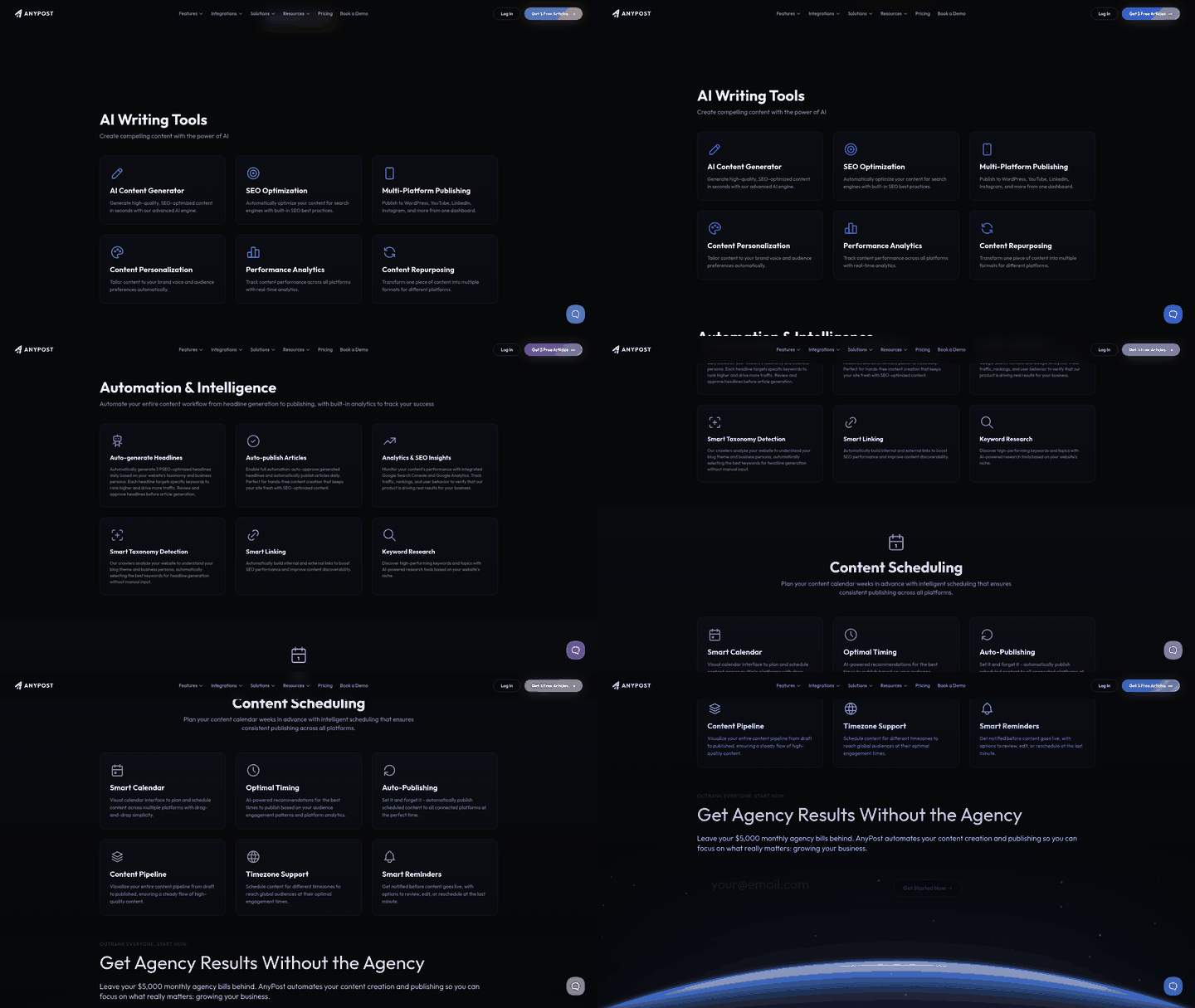
AI tools handle automated reporting by pulling data from search consoles and analytics platforms, then interpreting it for you. Instead of a person stitching spreadsheets together, the tool tracks rankings, organic traffic, technical issues, and conversions on a set schedule. Your team acts on the numbers instead of assembling them.
What separates AI tools from basic dashboards is the analysis layer. These systems chew through large datasets and surface patterns a human might miss in the noise. Good reporting doesn't just show you what happened. It tells you what to do next.
What makes an AI reporting tool worth using
The best tools combine keyword tracking, content performance analysis, and real-time data. Keyword tracking watches your rankings across the terms that matter. Content performance analysis shows which pages pull traffic and which ones stall.
Look for these when you evaluate anything:
- Data integration: Connects to Search Console, Google Analytics 4, and rank trackers so everything lives in one place.
- Customization: Build reports around your goals, not someone else's template.
- Scalability: Handles more sites and keywords without slowing down.
- Real-time reporting: Live data lets you catch traffic drops or ranking shifts before they cost you.
Accuracy matters most here. A reporting module built on accurate Search Console and GA4 data saves dozens of hours each month and keeps your decisions grounded in real numbers. See the full feature set for what that looks like in one tool.
How AI tools turn data into action
They analyze performance and flag opportunities you'd otherwise dig for by hand. They compare your rankings against competitors, catch technical errors, and highlight the next steps that matter. A good AI-generated report boils complex trends down to a summary and a prioritized to-do list.
Take a B2B marketing company that switches from manual reports to automated ones. The tool flags a cluster of pages losing rank to a competitor and surfaces low-difficulty keywords those pages could target.
The team acts on it over a quarter. They rewrite the underperforming pages and publish content matching real search intent. Conversions climb 15% because the reporting pointed them straight at the fix.
That's the difference automation makes. The data was always there. The tool just made it usable fast enough to act on.
Is this the future of SEO reporting?
Pretty much. AI-powered reporting is becoming standard for teams that want speed and accuracy without the manual grind. Machine analysis handles the scale of modern SEO data better than any manual process can.
The shift mirrors what's happening across marketing automation, where AI-driven systems are automating whole processes end to end. SEO reporting is following the same path.
The core benefit is simple. Less time building reports, more time improving rankings. That's where these tools earn their keep.
Getting content insights out of your reports
Automated reporting does more than track rankings. It surfaces content insights that tell you which pages pull their weight and which ones fall flat. Businesses that act on these insights improve content relevance by up to 25%, matching what searchers actually want instead of guessing.
That's the real payoff. You get user behavior, business outcomes, and search visibility trends in one view, then use that data to shape your next article. No more publishing into the void and hoping something sticks.
What your content reports should track
Prioritize three things: user interaction, direct business actions, and search visibility. They tell you whether people read your content, whether they act on it, and whether search engines rank it. Everything else builds on that.
Engagement shows how readers behave. Time on page, scroll depth, and bounce rate reveal whether your content holds attention or loses it fast.
Conversions connect content to revenue. A post that ranks well but converts nobody is a vanity metric. Automated reports tie rankings to actual business outcomes.
Keyword rankings track visibility. Watch which terms climb and which slip, then adjust your content plan around the winners.
How automated reporting reads your content
Through three techniques: sentiment analysis, topic modeling, and entity recognition. Together they read your content the way a search engine does, spotting patterns a manual review would miss across hundreds of pages.
Sentiment analysis reads the emotional tone of your content and the reactions it draws. It flags whether readers respond positively or negatively, so you can write in a voice that resonates.
Topic modeling groups your content by theme. It reveals gaps in your coverage and clusters of related pages, which helps you build authority around subjects that matter.
Entity recognition pulls out the people, places, and concepts your content mentions. Search engines use entities to understand relevance, so aligning with the right ones sharpens your rankings.
A real example: engagement up 30%
Content performance data guides editorial calls directly. Spot which articles hold attention and which lose readers in the first scroll, then systematically rewrite weak intros and double down on the topics that work. That approach has lifted reader engagement by 30%, just by replacing guesswork with clear performance metrics.
That's the pattern worth copying. Let the reports point to your winners, then pour effort where it already works. Joe Pulizzi has argued for years that content insights sit at the center of any content marketing strategy, and results like this back him up.
Pair these analysis techniques with scheduled reporting and you stop reacting to old numbers. You act on fresh data every week, tightening the loop between what you publish and what your audience wants next.
SEO as a team sport
Automated reporting turns SEO from a solo grind into a team sport. When everyone sees the same live numbers, marketers, writers, and technical specialists stop working from stale spreadsheets and start pulling in the same direction. Teams that adopt it cut their administrative overhead and reclaim hours lost to manual dashboard maintenance.
That saved time changes how teams operate. Instead of one person hoarding data and emailing screenshots, a shared dashboard puts rankings, traffic, and conversions where everyone can read them. Communication improves, decisions speed up, and no one waits on a manual export to act.
How real-time tracking improves collaboration
Real-time tracking is a live feed of rankings, traffic, and technical issues that every team member can view at once. It removes the lag between something happening and someone noticing.
Customizable dashboards push this further. Each role sees the metrics that matter to them. Writers watch content performance, technical staff monitor crawl errors, managers track conversions, all from the same source of truth.
When technical specialists and content writers watch the same live data, they align on fixes instantly, like resolving a crawl error or updating a declining page. Cutting out the lag time from manual data requests has driven a 20% increase in conversions across active campaigns. No back-and-forth, no waiting on someone's export.
Can reporting reveal skills gaps on your team?
It can. Automated reporting surfaces which parts of your SEO work are lagging, which points straight at where your team needs training. If content metrics stall while technical scores climb, you know where the gap sits.
That makes reporting a coaching tool, not just a scoreboard. One company used automated reporting to spot weak areas in its marketing team, then built targeted training around those gaps. People developed real SEO skills by working directly with the data instead of guessing.
The skills worth building show up clearly in the numbers:
- Data analysis: reading reports to separate signal from noise and spot patterns that shape strategy.
- Technical SEO: fixing crawl errors, site speed, and indexing issues that dashboards flag automatically.
- Content creation: turning keyword and engagement insights into articles that match search intent.
When your team can do all three, automated reporting stops being a passive record and becomes fuel for growth. People see the impact of their work in the data, which sharpens both their judgment and their careers.
Why collaboration decides SEO success
SEO wins when specialists share one view of performance. No single person owns rankings, content, and technical health at once. Collaboration ties those threads together, and automated reporting is the shared thread.
The advantages stack up fast: better communication, higher productivity, sharper decisions. Teams stop debating whose numbers are right because everyone reads the same live report. That shared clarity is what separates teams that guess from teams that grow.
If you want automation to reach beyond reporting into your wider workflow, the same logic applies. Here's a broader look at how AI can automate the manual work across your team.
Frequently Asked Questions
1. What's the difference between automated reporting and real-time reporting?
Scheduled automation compiles and delivers performance summaries at set intervals (such as weekly or monthly) to keep stakeholders aligned without manual effort. Real-time tracking, by contrast, provides a continuous live stream of performance metrics, allowing teams to instantly detect sudden technical errors or ranking fluctuations as they occur.
2. Can automated SEO tools replace an SEO specialist entirely?
Automated tools handle data collection, analysis, and opportunity flagging, but they can't replace strategic judgment. Machines excel at processing scale and spotting patterns, yet decisions about rewrites, positioning, and creative direction still require human expertise. The tools free specialists to focus on strategy rather than assembling spreadsheets.
3. How much data history do I need before automated reporting becomes useful?
Automated reporting delivers value from day one for current tracking, but trend analysis improves with three to six months of history. Keyword momentum, seasonal patterns, and content decay only become visible over time. Connecting Search Console and GA4 preserves your existing historical data during setup.
4. Is automated reporting worth it for a small business or solo blogger?
For low-volume publishers or hobbyists, manual tracking is often sufficient. However, once your strategy scales to include multiple search terms, distribution channels, or client reporting requirements, manual data collection becomes a major bottleneck. Automation is highly recommended for any team managing active, multi-page campaigns where manual updates consume valuable strategic hours.
5. What's the difference between sentiment analysis and topic modeling in content reports?
Sentiment analysis evaluates the tone and audience reception of your copy, helping you align your brand's voice with reader expectations. Topic modeling, on the other hand, maps out thematic clusters across your site to identify content gaps and opportunities for building topical authority. Together with entity recognition, they help you build subject authority systematically.
6. How does automated reporting help identify training needs on my team?
By highlighting specific performance bottlenecks—such as stagnant organic traffic on high-quality pages or sudden technical crawl errors—dashboards pinpoint exactly where team members might need additional support. This allows managers to design targeted professional development around real-world account needs rather than generic training programs.
7. What happens if my data sources like Search Console or GA4 have gaps or errors?
Reporting accuracy depends entirely on source data quality, so gaps or misconfigured tracking produce misleading reports. Using direct, verified integrations with Search Console and GA4 reduces this risk, but you should verify integrations connect properly during the initial onboarding phase before trusting automated insights.