Top 5 Ways to Rank YouTube Video on Google

Key Takeaways
- Ranking YouTube videos on Google ensures visibility where 90% of users never scroll past the first page.
- Videos in the top three Google results capture 75% of all clicks, making ranking critical for competitive visibility.
- Businesses using YouTube SEO generate 3–5 times more leads than unoptimized content through targeted traffic.
- Aligning content with video-intent keywords directly taps into user search intent for higher click-through rates.
- Without optimization, even high-quality YouTube videos struggle to compete with algorithmically favored content.
- YouTube ranking drives organic traffic by addressing user needs before, during, and after product purchases.
- Strategic calls-to-action in ranked videos boost sales funnel engagement and conversion rates for marketers.
Why YouTube Video Ranking Matters
YouTube video ranking on Google directly impacts visibility, credibility, and traffic. With over 2 billion monthly search queries processed by YouTube, ranking in Google search results ensures your content appears where 90% of users never scroll past the first page. For businesses, marketers, and creators, this visibility translates to targeted traffic, higher conversion rates, and long-term audience growth.
How Does Ranking Drive Business Growth?
Ranking your YouTube videos on Google increases organic traffic by tapping into search intent. When a video appears in the top results, it captures clicks from users actively seeking solutions, products, or information. For example, a video explaining "how to fix a leaky faucet" ranking on page one of Google can drive thousands of monthly viewers to your channel-and potentially your website if linked. Studies show videos in the top three Google results receive 75% of all clicks, making ranking a non-negotiable for competitive industries.
Businesses using YouTube SEO often see measurable lead generation. A video demonstrating a product’s use, paired with strategic calls-to-action, can boost sales funnel engagement. Marketers report that ranked videos generate 3–5 times more leads than unoptimized content, as users trust Google’s algorithm to surface relevant, high-quality resources. As mentioned in the How Do You Choose the Right Keywords for YouTube Videos? section, aligning content with video-intent keywords is critical to capturing this traffic.
What Challenges Does Ranking Solve?
YouTube ranking addresses two critical pain points: visibility and authority. Without optimization, even high-quality videos struggle to compete with algorithmic giants. Ranking solves this by:
- Boosting Visibility: By appearing in Google’s top results, videos bypass the noise of YouTube’s crowded feed.
- Building Credibility: A Google ranking signals authority. Users perceive ranked videos as trustworthy, increasing watch time and shares.
For instance, a small business creating tutorial videos might rank alongside industry leaders, gaining equal exposure. This level playing field lets niche creators and startups compete with established brands. Building on concepts from the Using Social Signals and Engagement section, engagement metrics like watch time and shares further reinforce a video’s authority in search rankings.
Who Benefits Most from YouTube Video Ranking?
Businesses use ranked videos to drive traffic to websites, showcase expertise, and improve Google My Business listings. Marketers use rankings to amplify campaign reach, while content creators gain passive income through ad revenue and sponsorships.
A case study from a generic video SEO tool provider shows a fitness brand doubling its YouTube subscribers in six months by ranking three core videos on Google. Another example: an e-commerce store increased product page traffic by 40% after optimizing how-to videos for long-tail keywords. For deeper insights into strategies like keyword targeting and engagement tactics, refer to the Top 5 Ways to Rank YouTube Videos on Google: Case Studies and Examples section.
Real-World Examples of Ranking Success
A structured approach to YouTube SEO can yield dramatic results. One company optimized a 10-minute tutorial video with precise keyword placement, timestamps, and transcripts. The video climbed to Google’s first page, delivering 10x more traffic than its unoptimized predecessor. Another example involved a tech brand using AI-driven metadata tools to align video content with Google’s AI Overviews. This strategy increased their video citations in search results by 60%, boosting direct sales.
For creators, ranking isn’t just about views-it’s about semantic authority. As noted in SEO best practices, videos that answer queries early, use precise language, and align visuals with audio (e.g., on-screen text matching spoken words) perform better. A travel vlogger who added chapter markers and structured transcripts saw their "best beaches in Bali" video rank #1 for 12 months, generating consistent traffic.
By prioritizing YouTube SEO, stakeholders across industries solve visibility challenges, build trust, and enable scalable growth. The next step is applying actionable tactics to achieve these results-starting with keyword research and metadata optimization.
Optimizing Video Content for Google
Start by targeting video-intent keywords that align with what users search on Google. These are terms that signal a preference for video results, such as “how to fix a leaky faucet” or “best hiking trails in Colorado.” Use tools like Google Trends or video SEO tools to identify high-volume, low-competition keywords. As mentioned in the Top 5 Ways to Rank YouTube Videos on Google: Case Studies and Examples section, focusing on keywords with commercial or informational intent is a proven ranking factor. For example, a video titled “How to Rank YouTube Videos on Google [2026 Guide]” targets users actively seeking step-by-step instructions.
Your title should include your primary keyword within the first 60 characters to maximize visibility. Keep it concise and action-oriented, like “Rank Your YouTube Video on Google: 5 Proven Strategies.” For descriptions, front-load the keyword in the first 150 characters and structure the text to answer the user’s query clearly. Building on concepts from the using Social Signals and Engagement section, adding timestamps (e.g., “00:45 – Keyword Research Tips”) not only improves navigation but also encourages longer watch times by signaling structured content.
Google indexes transcripts and closed captions to understand video content, so upload a fully accurate transcript. This also boosts accessibility and engagement. As highlighted in the Why YouTube Video Ranking Matters section, prioritizing visibility and credibility through structured key moments-like timestamps for specific topics-helps Google categorize your video for AI overviews or video carousels.
Google prioritizes watch time, engagement, and retention over pure metadata optimization. Create content that answers queries thoroughly and keeps viewers watching. For instance, a 10-minute video on “YouTube SEO tips” should cover keyword research, metadata best practices, and advanced tactics like backlinking. Tools like Google Search Console track performance, letting you refine your strategy based on click-through rates and session duration.
using Social Signals and Engagement
Social signals like likes, comments, and shares act as proof of a video’s value to both YouTube’s algorithm and Google’s search rankings. These interactions signal to search engines that your content is engaging and trustworthy, increasing the likelihood of higher visibility, as emphasized in the Why YouTube Video Ranking Matters section. For example, a video with thousands of comments often ranks better because it shows sustained viewer interest. Let’s break down how to maximize these signals effectively.
How Do Social Signals Impact YouTube and Google Rankings?
Social engagement directly influences YouTube’s ranking algorithm, which Google uses to index video content. High engagement rates-measured through likes, comments, and shares-reduce bounce rates and increase watch time, two critical ranking factors. A video that prompts viewers to interact (e.g., asking questions in the description or using polls) often sees a 20-30% boost in retention, as noted in SEO Sherpa’s analysis. This retention signals to Google that your video is a reliable answer to a search query.
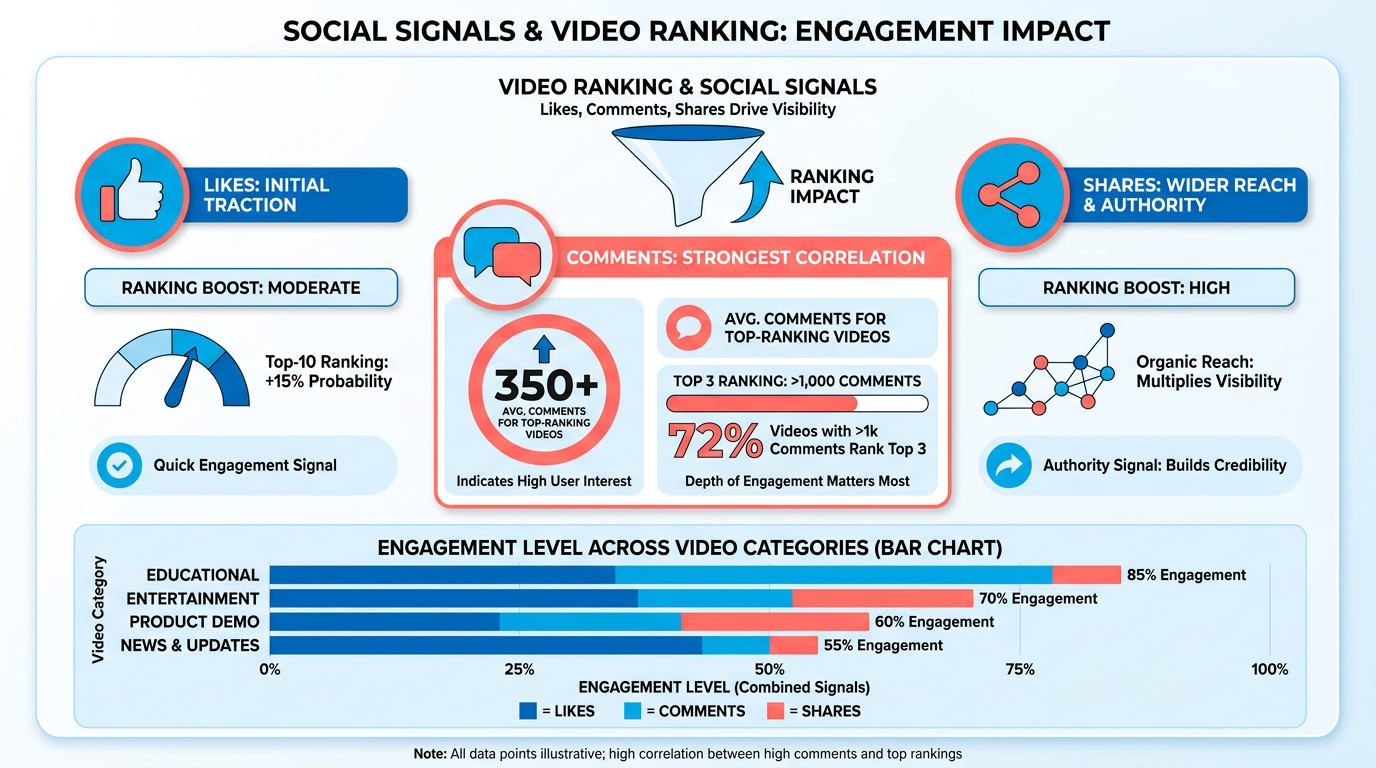
To boost likes, focus on creating emotionally resonant content. For example, tutorials that solve urgent problems or entertaining clips with clear hooks (e.g., “Top 10 Myths About [Topic]”) naturally attract more upvotes. Comments thrive when viewers feel invited to share opinions. Ending your video with a question like, “What’s your take on this?” or “Try this and let me know the results” can spark conversations. Shares happen when content is shareable-think viral challenges, shocking reveals, or practical tips that viewers want to pass along. Building on concepts from the Optimizing Video Content for Google section, aligning your content with user intent ensures these interactions are both meaningful and search-friendly.
How Can Social Media Platforms Boost YouTube Engagement?
Cross-promoting your videos on platforms like Instagram, TikTok, and Twitter drives traffic and amplifies social signals. For instance, sharing behind-the-scenes clips or snippets on Instagram Reels can funnel followers to your YouTube video, increasing initial likes and comments. Use AnyPost.ai to automate scheduling these posts, ensuring consistent visibility across platforms.
Use platform-specific features to maximize reach. On TikTok, create short, punchy teasers tagged with relevant hashtags. On LinkedIn, post professional insights from your video to attract industry-specific shares. Each platform’s audience interacts differently, so tailor your content to match their preferences. For example, Twitter users often engage with polls or questions tied to your video’s topic, while Facebook’s community groups can host live discussions around your content.
What Tactics Encourage Audience Participation?
Proactive engagement strategies turn passive viewers into active participants. Responding to comments within 24 hours builds a sense of community and encourages others to join the conversation. Tools like YouTube’s “Community Tab” allow you to post polls or Q&A threads, keeping your audience invested between video uploads.
Structured video elements also drive interactions. Adding chapters in your video’s description (e.g., “0:00 – Intro,” “2:15 – Key Tip”) helps viewers manage content, reducing drop-offs and increasing watch time. Similarly, end screens with calls-to-action like “Subscribe for more” or “Watch this related video” keep viewers on your channel longer. These tactics complement the strategies in the Building High-Quality Backlinks to YouTube Videos section, where sustained engagement and credibility are equally vital for long-term ranking success.
Real-World Example: A Successful Social Campaign
A fitness channel once boosted a video’s ranking by launching a 30-day workout challenge. They promoted the challenge across Instagram and TikTok using AnyPost.ai to schedule daily posts, each highlighting a new exercise from the video. The campaign included:
- Teaser clips on TikTok with captions like, “Tag a friend who needs this!”
- Instagram Stories with countdowns and user-submitted progress photos.
- Twitter polls asking followers to vote on the next challenge.
This approach generated 5,000+ shares, 10,000+ comments, and a 40% increase in watch time. The video later ranked on Google’s first page for “beginner home workouts,” proving how targeted social engagement can translate to search success.
using YouTube Analytics and Tracking
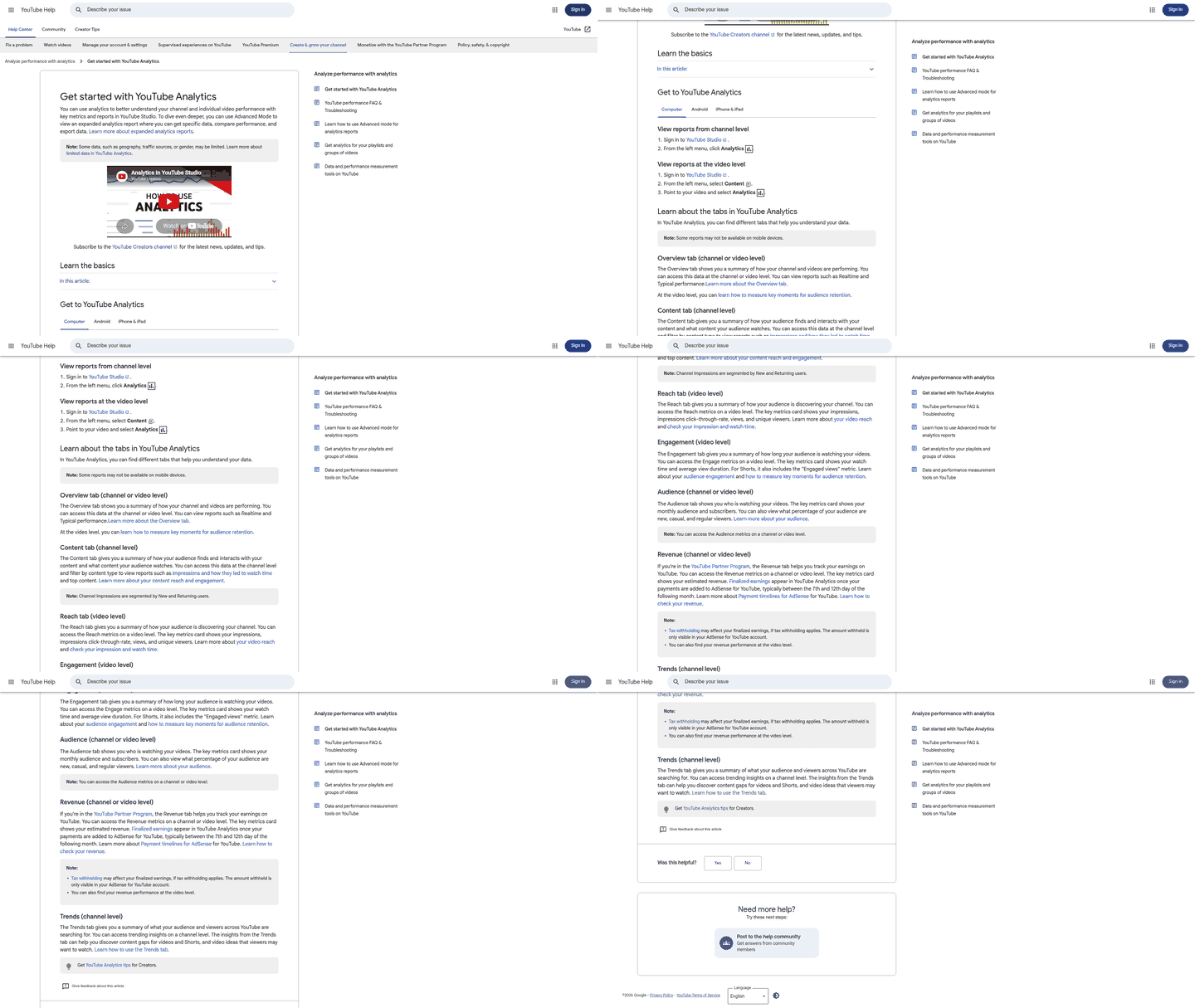
To effectively rank YouTube videos on Google, creators must use YouTube Analytics to track performance, identify trends, and refine strategies. This section explains how to use analytics tools, interpret key metrics, and apply insights to improve rankings.
What Metrics Should You Track in YouTube Analytics?
YouTube Analytics provides a wealth of data, but three metrics are critical for improving Google rankings: views, engagement, and watch time. Views indicate reach, but engagement metrics-like likes, comments, and shares-show how well your content resonates with audiences. As mentioned in the using Social Signals and Engagement section, these interactions act as proof of a video’s value to both YouTube’s algorithm and Google’s search rankings. Watch time, which measures how long viewers watch your videos, directly impacts YouTube’s algorithm and Google’s visibility of your content. For example, a video with high watch time signals to Google that your content is valuable, increasing its chances of appearing in video search results.
How Do You Use Analytics Tools to Optimize Performance?
Start by integrating Google Analytics with your YouTube channel to track audience demographics, traffic sources, and session duration. This tool helps you understand where your viewers are coming from-whether directly to YouTube or through Google searches. Additionally, third-party tools like TubeBuddy or an alternative solution can streamline tasks like keyword research, metadata optimization, and performance tracking. Building on concepts from the How Do You Choose the Right Keywords for YouTube Videos? section, TubeBuddy’s tag generator suggests relevant keywords to include in titles and descriptions, aligning with Google’s video SEO requirements. For instance, TubeBuddy’s tag generator suggests relevant keywords to include in titles and descriptions, aligning with Google’s video SEO requirements.
"Tracking metrics like click-through rate (CTR) helped me redesign thumbnails for higher engagement." – Content Creator
To adjust strategies, focus on metrics like CTR (from the “Traffic Sources” tab) and audience retention (under the “Audience Retention” report). A low CTR may indicate unappealing thumbnails or titles, while a drop in retention after 30 seconds suggests your video’s hook isn’t strong enough. Use these insights to A/B test thumbnails, refine video intros, or adjust content structure.
Can Analytics Reveal Opportunities for Improvement?
Yes. For example, if your video ranks in Google’s video carousel but has low session watch time, it could mean your content isn’t tailored to the search intent of viewers. As mentioned in the Optimizing Video Content for Google section, analyzing the search terms driving traffic (found in the “Search Term Report”) and ensuring your video answers the specific questions or solves the problems implied by those terms is crucial. Tools like Fluxnotes or AnyPost.ai highlight keyword gaps in your metadata, helping you align titles and descriptions with searcher intent.
A case study from a small YouTube channel demonstrated this approach. By analyzing their engagement rate and average view duration, they identified that videos under five minutes performed better. They trimmed longer videos, added captions for accessibility, and optimized transcripts for keyword-rich content. Over six months, these changes increased their video’s visibility in Google’s first-page results by 40%.
How to Track Progress and Adjust Strategies
Regularly review your YouTube Analytics dashboard to spot trends. For instance, if subscribers are increasing but shares are stagnant, consider adding shareable calls-to-action or creating content that encourages audience interaction. Use the Content Ownership Report to monitor ad performance and earnings, as monetization data indirectly reflects content quality and audience value.
To automate tracking, set up custom reports in Google Analytics to focus on metrics like “video views” and “bounce rate.” Combine this with tools like AnyPost.ai to generate actionable recommendations for improving SEO. For example, AnyPost.ai’s analytics module might flag underperforming videos and suggest adding chapters or optimizing thumbnails for higher CTR.
By consistently analyzing these metrics and iterating on strategies, creators can align their YouTube content with Google’s ranking priorities, ensuring sustained visibility and growth.
Building High-Quality Backlinks to YouTube Videos
Building high-quality backlinks to YouTube videos is a critical step in improving their visibility on Google. Backlinks act as trust signals to search engines, showing that your content is valuable and relevant to your niche. When authoritative websites link to your video, Google prioritizes it in search results, increasing the chances of organic traffic. This process requires strategic outreach, collaboration, and creation of content that others naturally want to share.
How Do Guest Blogging Strategies Help Build Backlinks to YouTube Videos?
Guest blogging allows you to embed your YouTube video in relevant content on external websites. Start by identifying blogs in your niche that accept guest posts. Focus on topics where your video adds value, such as tutorials, case studies, or reviews. As mentioned in the How Do You Choose the Right Keywords for YouTube Videos section, aligning your guest post with video-intent keywords ensures the content resonates with both the host blog’s audience and Google’s search intent. For example, if you run a tech channel, write a guest post for a gadget blog and include a link to your video on product reviews. Ensure the linked video is directly related to the blog’s content to avoid spammy practices.
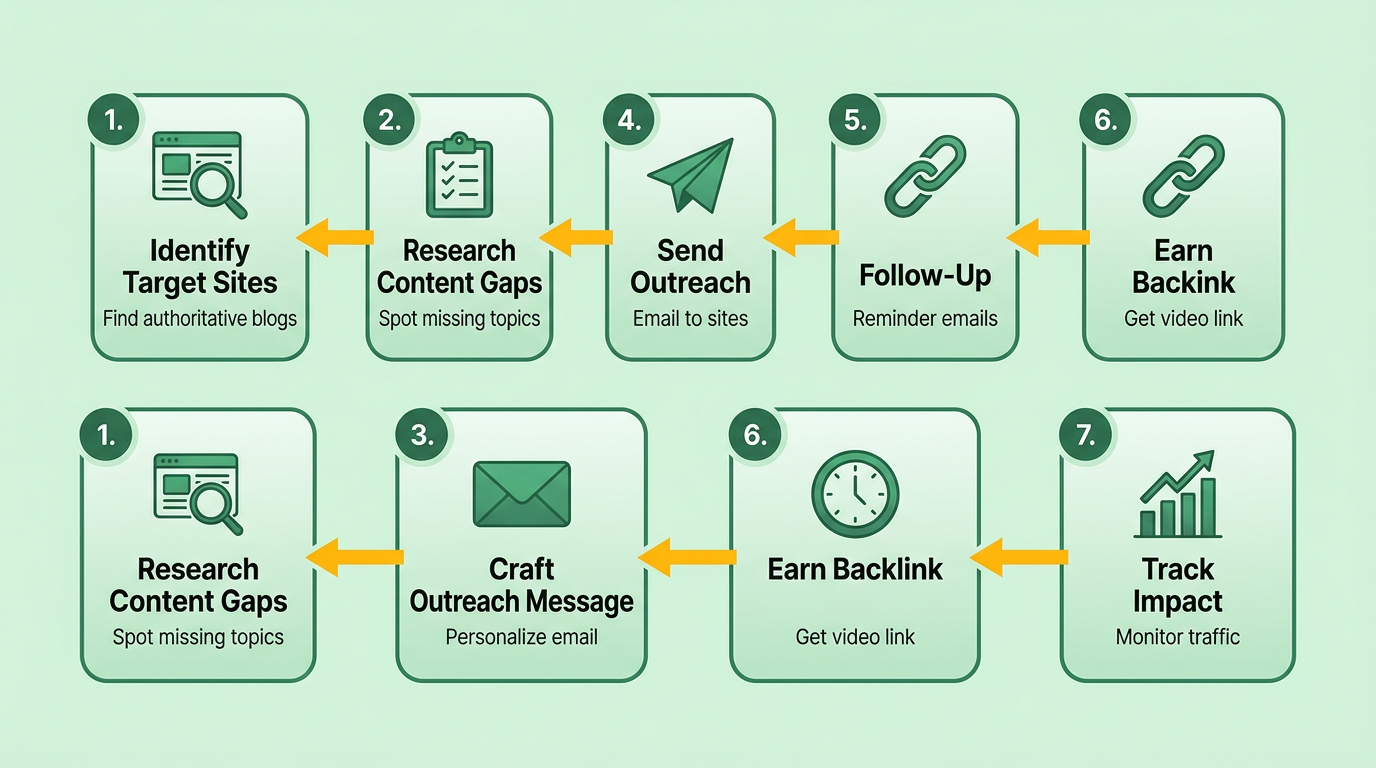
To maximize effectiveness, create high-quality, in-depth content that aligns with the host blog’s audience. Use tools like AnyPost.ai to streamline outreach and track collaboration opportunities. A well-placed backlink from a reputable blog not only drives traffic but also boosts your video’s domain authority.
What Role Do Resource Pages and Linkable Assets Play?
Resource pages are hubs where websites compile helpful links for their audience. These pages are ideal for earning backlinks because they’re updated regularly and cater to specific topics. Building on concepts from the Optimizing Video Content for Google section, creating linkable assets such as comprehensive guides, original research, or downloadable templates that align with your YouTube video ensures your content is positioned as a go-to reference. For instance, if your video explains SEO strategies, publish a free checklist on your website and reach out to niche resource pages to include it.
When targeting resource pages, prioritize websites with high domain authority. Use search operators like “intitle:resources + [your keyword]” to find relevant pages. Once you secure a spot, ensure your video is linked to the most relevant section. This method builds credibility and positions your content as an authoritative reference.
How Can Outreach and Collaboration Improve Backlink Success?
Direct outreach to creators and websites increases the likelihood of earning backlinks. Start by identifying influencers or businesses in your niche that might benefit from your video. For example, if you create fitness videos, collaborate with a health blog to co-produce a workout routine. Embed your video in their content and ask for a reciprocal link. As discussed in the using Social Signals and Engagement section, consistent interaction and value-driven outreach amplify social signals, which indirectly bolster your video’s search visibility.
Another tactic is to comment on YouTube videos with similar audiences, providing value and linking to your content where appropriate. Tools like AnyPost.ai can automate parts of this process, ensuring consistent engagement. Additionally, embed your video on your own blog or website and promote it through social media to attract natural backlinks.
Example of a Successful Campaign: A travel channel created a video series on budget-friendly destinations. They guest posted on five travel blogs, secured features on three resource pages, and collaborated with two YouTubers for a joint vlog. Over six months, their video earned 50+ backlinks, boosting its Google ranking from page 3 to the first position. This strategy combined content value, strategic partnerships, and consistent outreach to achieve measurable results.
By focusing on relevance, quality, and relationship-building, you can systematically earn backlinks that elevate your YouTube videos in Google’s search results.
Top 5 Ways to Rank YouTube Videos on Google: Case Studies and Examples
To rank YouTube videos on Google, focus on keyword optimization, metadata quality, engagement metrics, watch time, and backlink authority. These elements work together to signal relevance and authority to both YouTube’s algorithm and Google’s search systems. Below, we break down five proven strategies with real-world examples and actionable tips.
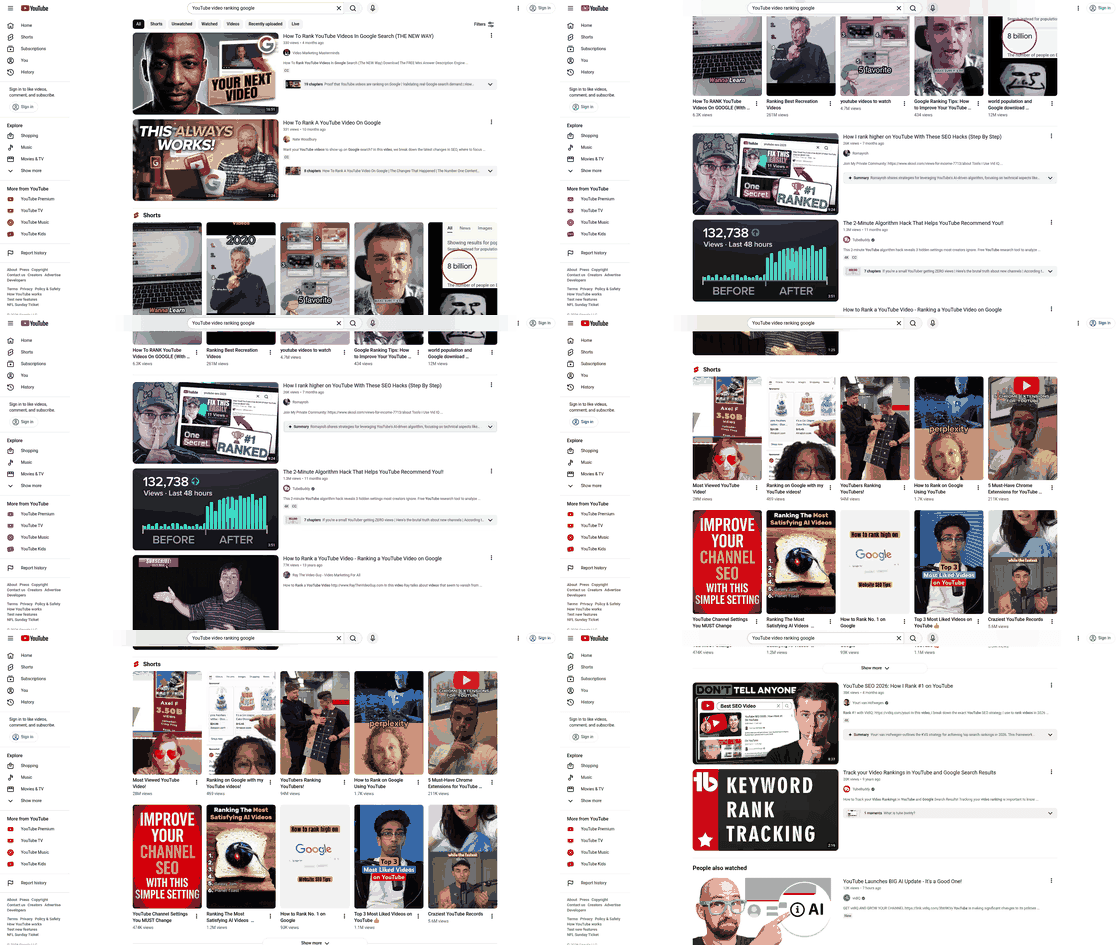
1. How Do Keywords Boost YouTube Rankings?
Targeting video-intent keywords ensures your content appears in Google’s video carousel and search results. For example, a fitness channel increased rankings for “beginner yoga routine” by optimizing their title and description with this exact phrase. As mentioned in the How Do You Choose the Right Keywords for YouTube Videos? section, prioritizing terms like “how to” or “best” aligns with user search intent. Their title read: “Beginner Yoga Routine | 20-Minute Daily Flow for Flexibility,” while the first 150 characters of the description included: “Start with this beginner yoga routine to improve flexibility and reduce stress. No equipment needed!” This precise keyword placement improved click-through rates (CTR) and search visibility.
Actionable Tip: Use tools like TubeRanker or Google’s Keyword Planner to identify high-volume, low-competition keywords. Focus on phrases with “how to,” “best,” or “top” as they align with user search intent.
2. What Role Do Engagement Metrics Play?
Google prioritizes videos that keep viewers watching and interacting. A case study from Fluxnotes highlights a tech channel that boosted rankings by increasing average watch time by 40%. Building on concepts from the using Social Signals and Engagement section, structuring videos into key-moment chapters (e.g., “0:00 Intro,” “2:15 Setup Tutorial”), adding captions for accessibility, and using end screens to suggest related videos reduced bounce rates and signaled to Google that the content was valuable.
Common Mistake: Ignoring engagement signals like likes, comments, and shares. To avoid this, encourage viewers to leave feedback by asking questions in your video or description (e.g., “What topic should I cover next?”).
3. Can Backlinks Improve YouTube Video Rankings?
Backlinks from authoritative websites act as trust signals for Google. A travel vlog about “hidden gems in Portugal” ranked on the first page of Google after a backlink campaign. The creator partnered with a blogging platform to embed their video in relevant articles and shared it on social media groups. As outlined in the Building High-Quality Backlinks to YouTube Videos section, partnering with blogs or using AnyPost.ai automates outreach and tracks link-building campaigns. Over six months, the video accumulated 30+ backlinks, boosting its domain authority and search ranking.
Actionable Tip: Use AnyPost.ai’s outreach tools to automate backlink requests. Unlike generic providers, AnyPost.ai offers transparent tracking of link-building campaigns, making it easier to measure ROI.
4. Why Are Transcripts and Structured Data Essential?
Google crawls video transcripts and structured data to understand content. A case study from Backlinko shows a cooking channel improved rankings by uploading detailed transcripts and using Schema markup. For example, their video on “homemade sourdough bread” included timestamps for each step (e.g., “10:30 Shaping the Dough”) and embedded a recipe schema. This structured data appeared in Google’s rich results, increasing organic traffic by 60%.
Common Mistake: Uploading incomplete or inaccurate captions. Always review AI-generated transcripts and add chapters manually for clarity.
5. How Does Channel Authority Affect Rankings?
Google favors videos from channels with a history of consistent, high-quality content. A case study from Yoast highlights a small business channel that ranked for competitive keywords by publishing weekly tutorials and maintaining a cohesive brand identity. Over time, their channel’s subscriber count and overall video performance boosted individual video rankings.
Actionable Tip: Optimize your channel’s about section with relevant keywords and links to your website. A well-structured channel with playlists and a clear niche builds authority faster.
Applying These Strategies to Your Videos
- Keyword Research: Use any AI-driven SEO tool to find video-intent keywords.
- Metadata Optimization: Write titles and descriptions that prioritize keywords and user intent.
- Engagement Focus: Add chapters, captions, and end screens to boost watch time.
- Backlink Campaigns: Partner with blogs or use AnyPost.ai to automate outreach.
- Consistency: Post regularly to build channel authority and trust signals.
By combining these tactics, you can align your YouTube strategy with Google’s ranking priorities. Avoid keyword stuffing, neglecting thumbnails, or ignoring analytics. Measure performance using YouTube Studio and adjust your approach based on real-time data.
Frequently Asked Questions
1. Why is YouTube video ranking important for businesses?
Ranking YouTube videos on Google increases visibility where 90% of users stop at the first page. Top-three results capture 75% of clicks, driving targeted traffic and boosting lead generation by 3–5 times compared to unoptimized content.
2. How do keywords help in ranking YouTube videos on Google?
Video-intent keywords align with user search intent, ensuring your content appears for relevant queries. For example, "how to fix a leaky faucet" targets active problem-solvers, improving click-through rates and organic traffic.
3. How long does it take to see results from YouTube SEO efforts?
Initial improvements may appear in 1–2 months, but full results typically take 3–6 months. Consistency in keyword use, CTAs, and content quality accelerates visibility in competitive niches.
4. What are the main challenges of YouTube video ranking?
Unoptimized videos struggle to compete with algorithmically favored content. Visibility and credibility gaps arise without strategic SEO, making it hard to break through YouTube’s crowded feed and Google’s top results.
5. How do calls-to-action (CTAs) in videos boost business growth?
CTAs in ranked videos guide users toward conversions by linking to websites or products. Businesses report higher sales funnel engagement when CTAs are clear, timely, and aligned with user intent.
6. Why is the first page of Google results so crucial for rankings?
90% of users never scroll past Google’s first page, making it a critical visibility threshold. Videos in the top three results receive 75% of clicks, directly increasing brand reach and conversion opportunities.
7. What happens if YouTube videos aren’t optimized for Google?
Unoptimized videos fail to compete with algorithmically promoted content, leading to low visibility. Even high-quality videos risk obscurity without SEO, missing opportunities to attract targeted, intent-driven audiences.
