
Top Auto SEO Tools: Google Search Console Ranking Test

Introduction to Auto SEO Tools
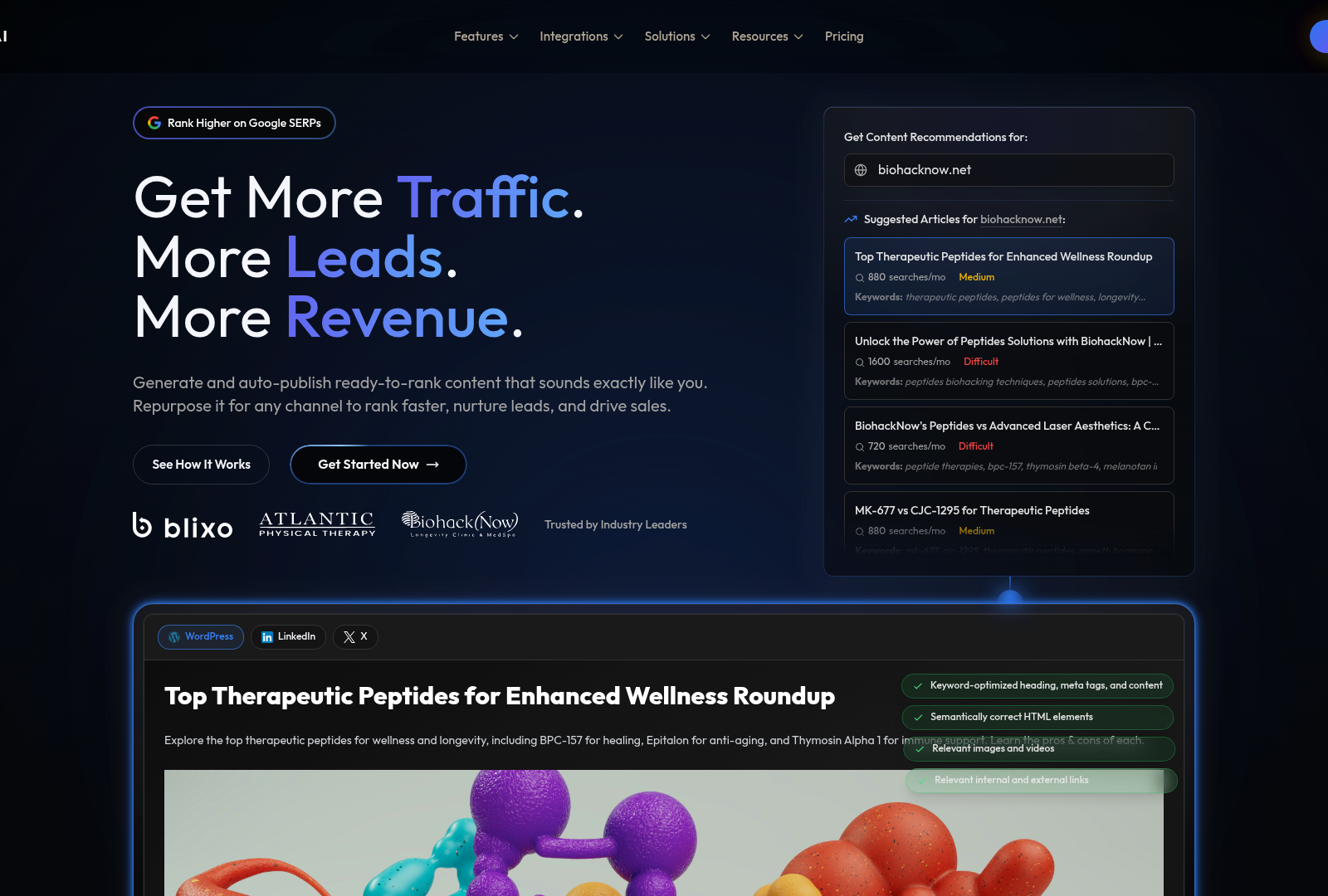
Auto SEO tools are software platforms that automate repetitive search engine optimization tasks, including keyword monitoring, technical site audits, content optimization, rank tracking, and performance reporting. Many integrate with services such as Google Search Console to help businesses monitor organic search visibility and identify potential SEO issues without manually checking every page. By automating these workflows, marketers can spend less time on repetitive analysis and more time creating and improving content.
SEO is particularly important for content marketing because publishing content alone does not guarantee that potential customers will discover it. Automated SEO systems can help identify search opportunities, optimize pages around relevant topics, monitor organic performance, and detect technical problems that could affect search visibility.
Traditional SEO tools, however, often focus on analysis and recommendations. A marketer may receive a keyword opportunity, SEO score, technical warning, or content recommendation, but still need separate tools and manual processes to create the content, publish it, repurpose it, and distribute it.
This is where AI-powered platforms such as Anypost.ai approach SEO differently. Rather than treating SEO as a standalone reporting function, Anypost.ai is designed to connect SEO with the broader content-production workflow.
Summary of Auto SEO and AI Content Tools
Tool | Primary Focus | Key Capabilities | Typical Workflow |
|---|---|---|---|
Anypost.ai | AI content + SEO automation | AI content creation, SEO optimization, publishing, repurposing, distribution | Create → Optimize → Publish → Distribute |
Google Search Console | Search performance monitoring | Queries, impressions, clicks, indexing |
Google Search Console Ranking Test Overview
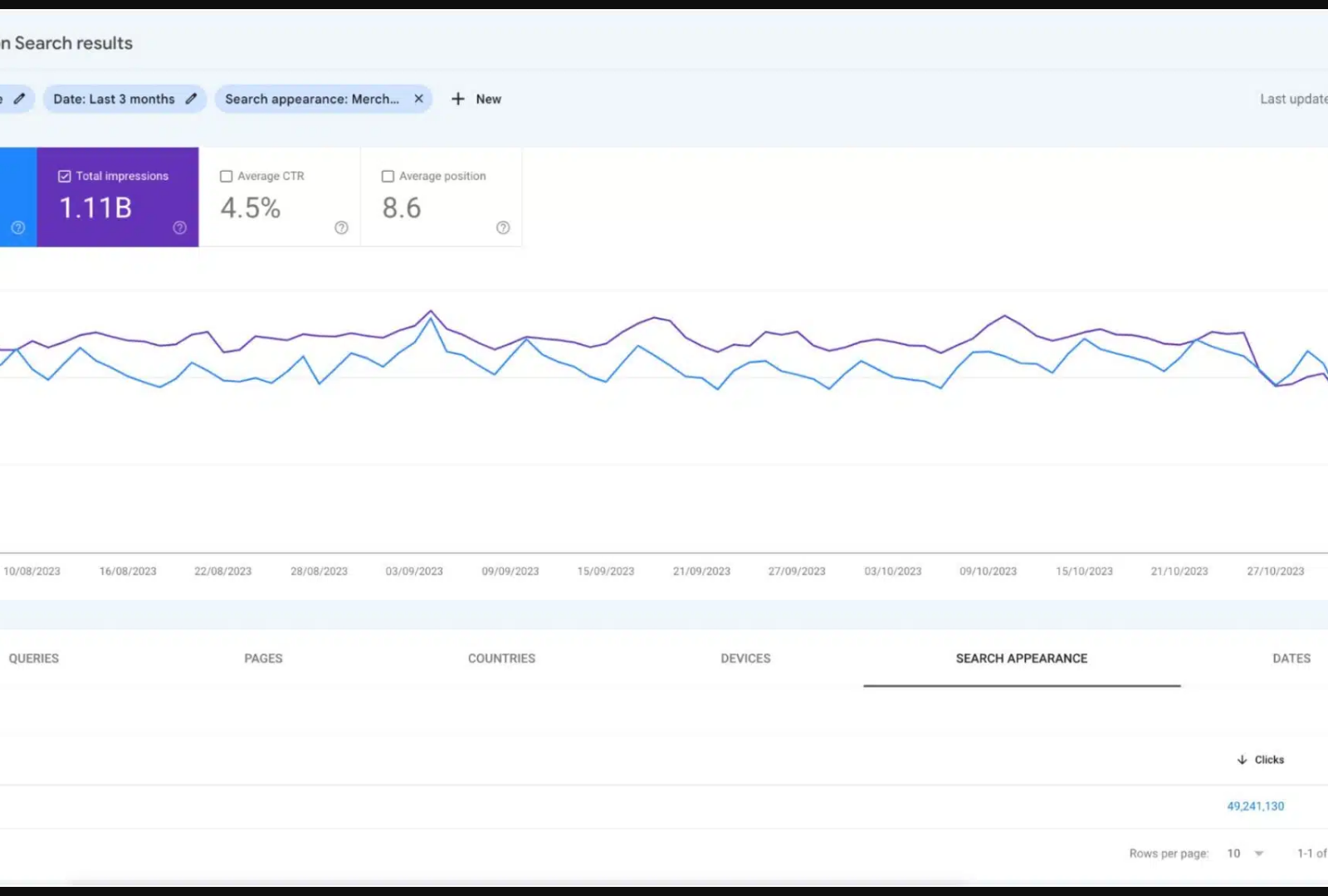
Google Search Console remains an important component of an automated SEO workflow because it provides first-party information about how a website performs in Google Search.
Marketers can use Search Console to examine:
- Search queries
- Impressions
- Organic clicks
- Average position
- Click-through rate
- Indexed pages
- Indexing problems
- Individual URL performance
The data can then be used to identify pages that are gaining traction, pages that need optimization, and search queries where a website has visibility but could potentially improve.
However, Search Console is primarily a measurement and diagnostic platform. It tells you what is happening with your search presence, but it isn't designed to run an entire content marketing operation.
From SEO Monitoring to SEO Execution
This creates an important distinction between traditional auto SEO tools and AI content platforms.
A traditional workflow might look like:
Google Search Console → Keyword Tool → Content Brief → AI Writer → SEO Optimizer → CMS → Social Media
Each step can require a different platform.
Anypost.ai is designed to bring more of this workflow together:
Research → Generate → Optimize → Publish → Repurpose → Distribute
This allows businesses to use SEO data as an input into an ongoing content-production system rather than treating SEO as a separate reporting process.
Why AI-Powered SEO Automation Matters
The biggest challenge for many businesses isn't understanding that they need SEO. It is consistently executing SEO at scale.
A company may know which keywords to target but still need to:
- Create the article.
- Optimize it for search intent.
- Incorporate the company's expertise and brand voice.
- Publish it.
- Repurpose it for other channels.
- Promote it.
- Monitor its performance.
- Create the next piece of content.
Anypost.ai is built around automating more of these steps from one platform.
Its workflow can extend beyond blog publishing into content repurposing, LinkedIn content, newsletters, backlink-building workflows, press releases, AI citation visibility, and lead capture, allowing SEO content to become part of a broader automated marketing engine.
Setting Up a Ranking Test with Google Search Console
To initiate a ranking test, begin by identifying target keywords and corresponding pages using GSC’s Performance Report, which aggregates keyword rankings and search traffic data [3]. Next, use the URL Inspection Tool to verify that the pages in question are indexed and crawlable [2]. For granular analysis, compare pre- and post-optimization data by exporting reports or using automated tools like Data Bloo to track shifts in impressions and click-through rates [3]. While GSC lacks built-in A/B testing features, its historical data can be paired with external tools for structured experiments [4]. However, manual monitoring is required to correlate ranking changes with specific SEO actions, such as meta tag edits or content updates [5]. See the [Top Auto SEO Tools for Content Marketing] section for additional tools that integrate with GSC for enhanced ranking analysis.
Best Practices for Using Google Search Console
Effective use of GSC for ranking tests requires consistent monitoring and proactive troubleshooting. Regularly review the Index Coverage Report to address crawl errors and ensure new content is indexed promptly [1]. Leverage the Performance Report to identify underperforming keywords and prioritize optimizations for high-traffic queries [3]. For technical SEO, use the Sitemaps and Crawl Errors tools to resolve issues like broken links or duplicate content, which can indirectly affect rankings [2]. Additionally, submit updated URLs via the URL Submission Tool to expedite indexing after content revisions [1]. Avoid over-reliance on GSC alone; cross-reference its data with third-party tools like SE Ranking for comprehensive audits [1]. Building on concepts from the [Automated Content Generation and SEO Optimization] section, integrating GSC data with automated workflows ensures alignment between content creation and SEO performance. Finally, document all tests and results to establish patterns and refine long-term strategies [4].
Summary Table: Google Search Console Features for Ranking Tests
Title | Description | Key Features | Pros/Cons |
|---|---|---|---|
Performance Report | Tracks clicks, impressions, and average position for keywords and pages [3]. | Keyword-level data, historical trends, exportable reports [3]. | Pros: Free, real-time insights. |
URL Inspection Tool | Analyzes indexing status and crawlability of specific pages [2]. |
Limitations and Recommendations
While GSC is indispensable for first-party data, it lacks advanced competitor analysis and automation features [1]. Pair it with tools like Screaming Frog for technical audits or SE Ranking for large-scale rank tracking [1]. For auto SEO, prioritize GSC for indexing validation and performance monitoring but supplement with paid tools for comprehensive ranking tests [4]. Its strength lies in transparency and direct integration with Google’s search infrastructure, making it a cornerstone for any SEO strategy [3]. See the [Real-Time Analytics and Tracking for SEO Success] section for further discussion on leveraging GSC alongside other analytics platforms.
Top Auto SEO Tools for Content Marketing
The top auto SEO tools for content marketing in 2025 focus on automating rank tracking, audits, and keyword research while integrating with first-party data sources like Google Search Console (GSC). These tools streamline repetitive tasks such as monitoring keyword positions, generating reports, and identifying technical SEO issues. Below is a detailed comparison of leading tools, their features, and pricing insights, supported by recent industry analysis [1][3][4].

SE Ranking: Affordable Rank Tracking and Audits
SE Ranking is highlighted as the most cost-effective solution for automated rank tracking and site audits [1]. Its key features include real-time keyword position monitoring, competitor analysis, and technical SEO audits. The tool integrates with GSC for indexing insights and provides structured reports on broken links, meta tags, and content quality. Pros include its budget-friendly pricing tiers (starting at $49/month for basic features) and user-friendly interface. However, advanced users may find its content optimization tools limited compared to competitors [1]. See the Google Search Console Ranking Test Overview section for more details on how GSC integration enhances indexing insights.
Google Search Console: First-Party Data and Indexing Insights
Google Search Console (GSC) remains indispensable for accessing first-party organic search data, including clicks, impressions, and indexing status [3]. Automated SEO reports generated from GSC data help marketers identify underperforming pages and track search traffic trends. The tool’s integration with other Google services, such as Google Keyword Planner, enhances its utility for keyword research [1]. While GSC is free and offers unparalleled transparency into Google’s crawl behavior, it lacks advanced features like competitor benchmarking or technical audit automation, requiring supplementation with third-party tools [3].
Google Keyword Planner: Keyword Research and Search Volume Data
Google Keyword Planner is essential for content marketing teams prioritizing data-driven keyword selection [1]. It provides search volume metrics, competition insights, and bid estimates for paid campaigns. Automated keyword lists can be generated based on seed topics, streamlining content ideation. The tool’s integration with GSC allows cross-referencing of keyword performance data [1]. A major limitation is its exclusion of organic search volume data for non-campaign purposes, pushing users toward third-party tools for comprehensive keyword analysis [1]. See the Automated Content Generation and SEO Optimization section for how keyword research feeds into automated content strategies.
Screaming Frog SEO Spider: Website Crawling and Technical Audits
Screaming Frog SEO Spider excels in automated website crawling and technical SEO audits [5]. It identifies issues like broken links, duplicate content, and meta tag inconsistencies at scale. The tool’s integration with GSC enables cross-validation of indexing problems and crawl errors [5]. Advanced users appreciate its structured data testing and XML sitemap analysis features. However, its desktop-only interface and steeper learning curve may deter beginners [5]. Pricing starts at £149/year for the standard version, with enterprise plans offering additional team collaboration features [5]. Building on concepts from the Google Search Console Ranking Test Overview section, Screaming Frog’s GSC integration helps validate crawlability and indexing status.
Summary Table of Top Auto SEO Tools
Title | Description | Key Features | Pros/Cons |
|---|---|---|---|
SE Ranking | Affordable rank tracking and audits | Real-time keyword monitoring, technical audits, GSC integration | Pros: Low cost, easy to use. Cons: Limited advanced content tools [1]. |
Google Search Console | First-party organic search data and indexing insights |
Recommendations and Pricing Comparison
For small teams, SE Ranking and GSC provide the most cost-effective entry points into automated SEO. Mid-to-large enterprises may combine Screaming Frog for technical audits with SE Ranking’s competitive analysis features [1][5]. Google Keyword Planner remains a must-use for foundational keyword research despite its limitations [1]. Pricing varies significantly, with GSC and Google Keyword Planner offering free tiers, while paid tools like SE Ranking and Screaming Frog cater to specialized needs [1][5].
This analysis underscores the importance of integrating first-party tools like GSC with third-party solutions to cover gaps in automation, technical depth, and competitor intelligence [3][4]. By leveraging these tools strategically, content marketers can optimize workflows and enhance SEO performance in 2025 and beyond.
Automated Content Generation and SEO Optimization
Automated content generation and SEO optimization play a critical role in modern content marketing strategies. Automated tools streamline repetitive tasks such as keyword research, meta tag creation, and content distribution, enabling marketers to focus on strategic decision-making. As mentioned in the [Introduction to Auto SEO Tools] section, these tools are designed to automate SEO tasks like keyword tracking and performance reporting, which aligns with the efficiency gains discussed here. According to [1], SEO tools like automated content generators can enhance efficiency by reducing manual effort in producing large volumes of optimized content. However, these systems require careful oversight to ensure alignment with brand voice and audience needs. SEO optimization remains foundational, as emphasized in Google’s SEO Starter Guide [2], which highlights the importance of on-page elements like headers, alt text, and internal linking in improving search engine visibility. The synergy between automation and SEO best practices allows brands to maintain consistency while adhering to evolving search algorithms.
Benefits of Automated Content Generation
Automated content generation offers scalability and speed, particularly for high-volume content needs. For example, [3] explains that automated SEO reports can generate data-driven insights for content refinement, reducing the time required for manual analysis. Tools that integrate keyword suggestions directly into content creation workflows, as noted in [1], help writers prioritize relevant topics and phrases. Additionally, automation minimizes human error in repetitive tasks like formatting meta descriptions or updating sitemaps. However, these benefits are contingent on the quality of input data and the sophistication of the automation platform. Marketers must balance efficiency with creative input to avoid generic, low-value content.
Importance of SEO Optimization
SEO optimization remains a non-negotiable component of content marketing. The Google SEO Starter Guide [2] underscores that search engines prioritize content that delivers value to users through clear intent, structured data, and technical performance. Automated tools can assist in optimizing elements like title tags, URL structures, and mobile responsiveness, but they cannot replace human judgment in crafting engaging narratives. For instance, [5] highlights the role of crawlers in identifying technical SEO issues, such as broken links or slow load times, which directly impact rankings. See the [Top Auto SEO Tools for Content Marketing] section for more details on tools like Screaming Frog SEO Spider [5], which perform these technical analyses. By combining automation with manual SEO audits, teams can address both technical and creative aspects of content.
Challenges of Implementing Automated Content Generation
Despite its advantages, automated content generation presents significant challenges. One limitation is the inability of AI systems to fully grasp nuanced topics or brand-specific tone requirements, as discussed in [1]. Over-reliance on automation may lead to content that is algorithmically optimized but lacks originality or depth. Additionally, [4] notes that monitoring search engine rankings requires continuous human intervention to interpret performance metrics and adjust strategies. Technical barriers, such as configuring automated tools to work seamlessly with content management systems, are also cited in [5] as a common hurdle. Marketers must invest in training and iterative testing to mitigate these risks.
Summary Table: Automated Content and SEO Tools
Title | Description | Key Features | Pros/Cons |
|---|---|---|---|
Automated SEO Reports [3] | Generates actionable insights for content optimization | Keyword tracking, performance metrics, error logs | Pros: Time-saving, data-driven decisions; Cons: Limited creative input |
Screaming Frog SEO Spider [5] | Crawls websites to identify technical SEO issues | Site audits, broken link detection, speed tests |
By leveraging automated tools while adhering to SEO fundamentals, marketers can achieve a balance between efficiency and quality. The key is to use automation as a supplement—rather than a replacement—for human creativity and strategic oversight. As [2] and [4] emphasize, continuous learning and adaptation are essential to navigate the complexities of search engine algorithms. Teams that invest in both automated workflows and manual SEO expertise are best positioned to succeed in competitive digital landscapes.
Content Repurposing and Multi-Channel Distribution
Content repurposing and multi-channel distribution are critical for maximizing the reach and impact of SEO content. For example, automated SEO reports [3] can identify high-performing content for repurposing, while tools like Screaming Frog SEO Spider [5] audit content quality to guide revisions. Multi-channel distribution benefits are indirectly supported by Google’s SEO Starter Guide [2], which highlights the importance of broad audience engagement through diverse formats. See the Introduction to Auto SEO Tools section for more details on how these tools streamline SEO workflows.
Strategies for Repurposing Content with SEO Tools
Effective content repurposing requires analyzing performance metrics to prioritize content for reuse. As mentioned in the Top Auto SEO Tools for Content Marketing section, automated SEO reports [3] provide insights into traffic, bounce rates, and keyword rankings, helping identify underperforming or high-potential content. For instance, a blog post with strong organic traffic might be transformed into a video script or infographic, adapting its core message for different audiences. Screaming Frog SEO Spider [5] can audit existing content for technical issues, ensuring repurposed assets meet SEO standards. Additionally, Google Search Console data [4] reveals user search behavior, informing adjustments to content structure or keyword targeting during repurposing.
Multi-Channel Distribution and SEO Synergy
Multi-channel distribution amplifies SEO efforts by increasing content visibility across platforms. While no source explicitly outlines distribution strategies, the interconnectedness of SEO tools suggests a workflow: using automated reports [3] to track performance on primary channels, then deploying tools like Google Search Console [4] to monitor cross-platform ranking impacts. Building on concepts from the Introduction to Auto SEO Tools section, the SEO Starter Guide [2] underscores the importance of consistent brand presence, aligning with multi-channel strategies to reinforce topical relevance.
Summary Table: Tools for Content Repurposing and Distribution
Title | Description | Key Features | Pros/Cons |
|---|---|---|---|
Automated SEO Reports [3] | Generate performance data for content analysis | Traffic metrics, keyword rankings, error tracking | Pros: Data-driven insights for repurposing; Cons: Limited formatting for creative adaptation |
Screaming Frog SEO Spider [5] | Audit site content for technical SEO issues |
Recommendations for Implementation
To repurpose content effectively, start by using automated reports [3] to identify top-performing assets. Pair this with Screaming Frog’s [5] technical audits to ensure repurposed content adheres to SEO best practices. For multi-channel distribution, leverage Google Search Console [4] to track how shared content influences search visibility. While the sources do not provide explicit workflows, combining these tools aligns with the SEO Starter Guide’s [2] emphasis on audience-centric optimization.
By integrating these strategies, marketers can extend the lifecycle of high-quality content, reduce creation costs, and maintain consistent messaging across platforms. The absence of a dedicated content repurposing tool in the sources underscores the need for a hybrid approach, using existing SEO tools to inform and validate repurposing decisions. This method ensures that content remains aligned with search intent while adapting to the unique requirements of each distribution channel.
Real-Time Analytics and Tracking for SEO Success
Real-time analytics and tracking are critical for SEO success, enabling marketers to identify opportunities and resolve issues as they arise. Tools like Google Search Console provide immediate insights into indexing status, crawl errors, and search performance, while automated reporting systems streamline data interpretation. By leveraging these tools, teams can adapt strategies dynamically to maintain visibility in competitive search landscapes [2][3].
Google Search Console: Core Tool for Real-Time Insights
Google Search Console (GSC) is foundational for real-time SEO tracking. As mentioned in the [Google Search Console Ranking Test Overview] section, its URL Inspection Tool allows users to verify how Google indexes specific pages, identify rendering issues, or request re-crawling of updated content [2]. For example, if a page is excluded from search results due to duplicate content or crawl errors, GSC highlights the cause, enabling swift fixes. Additionally, GSC’s performance report tracks clicks, impressions, and keyword rankings over time, offering granular data to prioritize optimization efforts [3]. While GSC is free and directly integrates with Google’s algorithms, its interface can be overwhelming for beginners, requiring supplementary tools for deeper analysis [4].
Automated SEO Reports: Enhancing Data Utilization
Automated reporting tools, such as those built on GSC data, simplify the process of monitoring SEO metrics at scale. These systems aggregate clicks, impressions, and keyword rankings into customizable dashboards, reducing manual effort [3]. See the [Introduction to Auto SEO Tools] section for more details on how automation streamlines tasks like performance tracking and data aggregation. For instance, automated reports can flag sudden drops in traffic or shifts in high-performing keywords, prompting targeted audits. However, setting up these reports often demands technical expertise to extract and format data correctly, and they may lack the predictive analytics of paid SEO platforms [3].
Strategies for Optimization Based on Real-Time Data
Effective SEO optimization hinges on actionable insights from real-time tracking. When GSC identifies a page with low click-through rates (CTRs), teams can A/B test meta titles and descriptions to improve visibility [2]. Similarly, automated reports highlighting keyword ranking fluctuations allow for rapid content adjustments, such as integrating new search terms or addressing competitor tactics [3]. For technical SEO, real-time crawl error monitoring ensures broken links or server issues are resolved before impacting user experience [4].
Title | Description | Key Features | Pros | Cons |
|---|---|---|---|---|
Google Search Console | Core tool for indexing, crawl errors, and performance metrics | URL Inspection, performance reports, manual actions | Free, direct Google integration | Steep learning curve |
Automated SEO Reports |
While real-time analytics empower proactive SEO management, their effectiveness depends on consistent monitoring and cross-tool validation. Building on concepts from [Top Auto SEO Tools for Content Marketing], teams should combine GSC with automated reporting systems to balance depth and efficiency, ensuring no critical issues go unnoticed [2][3][4]. For advanced tracking, third-party tools referenced in broader SEO tool roundups [1] may offer additional features, though specific recommendations require direct evaluation.
Conclusion and Recommendations for Auto SEO Tools
In conclusion, this article highlights the critical role of auto SEO tools in streamlining keyword tracking, ranking analysis, and content optimization for businesses. The key takeaway is that automated tools like Google Search Console, Screaming Frog SEO Spider, and others reduce manual effort while providing actionable insights for improving search visibility [4][5]. As mentioned in the [Google Search Console Ranking Test Overview] section, businesses must prioritize tools that align with their specific needs—whether real-time ranking monitoring, technical SEO audits, or content optimization—while leveraging both free and paid solutions to maximize ROI [1]. The integration of automated reporting features, as discussed in [3] and outlined in the [Real-Time Analytics and Tracking for SEO Success] section, further enhances efficiency by consolidating data into digestible formats for stakeholders. However, no single tool addresses all SEO challenges, necessitating a strategic combination of platforms to cover on-page, technical, and off-page SEO aspects comprehensively.
Recommended Auto SEO Tools for Content Marketing Strategy
Title | Description | Key Features | Pros/Cons |
|---|---|---|---|
Google Search Console | A free tool for tracking website performance and identifying technical issues | Keyword ranking data, crawl error reports, mobile usability insights | Pros: Free, integrates with Google ecosystem. Cons: Limited competitor data [2][4] |
Screaming Frog SEO Spider | Crawls websites to identify technical SEO issues | Site audit, broken link detection, metadata analysis |
Implementation Recommendations for Auto SEO Tools
Businesses should begin by auditing their current SEO workflows to identify gaps where automation can provide value. For instance, teams struggling with manual keyword tracking can adopt tools like Google Search Console or SEMrush to monitor rankings and adjust strategies dynamically [4]. Technical SEO teams may prioritize Screaming Frog for crawling websites and uncovering crawl errors, broken links, or meta tag inconsistencies [5]. Cross-referencing data from multiple tools—such as combining Ahrefs’ competitor analysis with Google Search Console’s performance metrics—enables a holistic view of SEO health, building on concepts from [Top Auto SEO Tools for Content Marketing]. Automated reporting features, as discussed in [3], should be configured to generate weekly or monthly summaries for non-technical stakeholders, ensuring alignment between SEO efforts and business goals.
Future Directions for Auto SEO Tools
The evolution of auto SEO tools will likely focus on deeper AI integration, enabling predictive analytics for keyword trends and content recommendations. While current tools provide retrospective data [4], future platforms may leverage machine learning to forecast ranking shifts based on algorithm updates or competitor actions. Enhanced integration with content management systems (CMS) will also streamline on-page optimizations, allowing real-time suggestions for metadata and keyword placement [3]. However, businesses must remain cautious about over-reliance on automation, as manual audits and human creativity remain irreplaceable for nuanced content strategies [2]. As outlined in [1], staying updated with tool advancements—such as voice search optimization modules—will be critical for maintaining competitive advantage in 2025 and beyond.
Final Rating and Strategic Prioritization
For small businesses, Google Search Console and free tools from [1] offer cost-effective entry points, while enterprises should invest in paid platforms like Ahrefs or SEMrush for advanced analytics. Screaming Frog remains indispensable for technical teams requiring in-depth site audits [5]. To future-proof SEO strategies, businesses should allocate resources to train teams on multi-tool workflows and explore AI-driven insights from emerging platforms [3]. By balancing automation with strategic human oversight, organizations can achieve sustainable growth in organic search visibility.
References
[1] 24 best SEO tools I'm using in 2025 (free + paid) | Marketer Milk - https://www.marketermilk.com/blog/best-seo-tools
[2] SEO Starter Guide: The Basics | Google Search Central ... - https://developers.google.com/search/docs/fundamentals/seo-starter-guide
[3] Automated SEO Reports: How And Where to Create Them - Data Bloo - https://www.databloo.com/blog/automated-seo-reports/
[4] How to Monitor Search Engine Rankings: Best Tools & Strategies ... - https://agencyanalytics.com/blog/monitor-search-engine-rankings
[5] Screaming Frog SEO Spider Website Crawler - https://www.screamingfrog.co.uk/seo-spider/
Frequently Asked Questions
1. What are auto SEO tools, and how do they streamline SEO tasks?
Auto SEO tools are software solutions that automate repetitive SEO tasks like keyword tracking, site crawls, and performance reporting. They use algorithms and integrations with platforms like Google Search Console to analyze on-page elements, backlinks, and technical SEO factors. By automating these tasks, marketers save time and focus on strategy, ensuring websites remain optimized for search engines. For example, tools like Screaming Frog’s SEO Spider identify crawl errors and duplicate content, streamlining technical audits.
2. How do auto SEO tools integrate with Google Search Console for ranking analysis?
Auto SEO tools integrate with Google Search Console to pull real-time data on keyword rankings, click-through rates (CTRs), and site performance. This integration allows tools to analyze search visibility, identify ranking opportunities, and flag issues like broken links or crawl errors. For instance, tools can cross-reference Google Search Console data with on-page SEO suggestions to prioritize optimization efforts effectively.
3. Which auto SEO tools are recommended for technical SEO audits?
Top tools for technical SEO audits include Screaming Frog’s SEO Spider, Ahrefs, and SEMrush. These tools automate site crawls, detect duplicate content, analyze site speed, and identify broken links. Screaming Frog, in particular, excels at technical audits by mapping site architecture and highlighting crawlability issues, ensuring websites meet Google’s technical requirements for optimal indexing.
4. How do auto SEO tools enhance content marketing strategies?
Auto SEO tools enhance content marketing by aligning content with user intent and search trends. They provide real-time keyword performance data, helping marketers create optimized content that ranks well. Tools also track competitors’ content strategies and suggest topics or keywords to target. For example, integrating keyword research tools with content creation platforms streamlines workflows, ensuring SEO-friendly content is produced efficiently.
5. What cost considerations should businesses evaluate when choosing auto SEO tools?
Businesses should consider factors like subscription costs, feature breadth, and scalability. While free tools like Google Search Console offer basic insights, premium tools (e.g., Ahrefs, Moz Pro) provide advanced analytics, competitor data, and automation. It’s also important to assess whether the tool supports team collaboration and integrates with existing workflows. Many tools offer tiered pricing plans, allowing businesses to choose features that match their budget and SEO goals.
6. Can auto SEO tools improve local SEO performance?
Yes, many auto SEO tools support local SEO by tracking location-based keywords, optimizing for “near me” searches, and analyzing local competitors. Tools like BrightLocal and Local SEO Checker help manage Google My Business listings, monitor local citations, and generate localized content. Integrating these tools with Google Search Console ensures local websites address technical SEO issues specific to their geographic target audience.
7. How do auto SEO tools track and report on keyword performance?
Auto SEO tools track keyword performance by aggregating data from Google Search Console, third-party databases, and competitor analysis. They report metrics like search volume, keyword rankings, and traffic potential, often visualizing trends over time. Tools like SEMrush and Ubersuggest provide actionable insights, such as identifying high-intent keywords with low competition, enabling marketers to refine their keyword strategies dynamically.