
Top Tools for Effortless SEO Reporting

Section 1: Introduction to SEO Reporting Tools
SEO reporting tools are essential for businesses aiming to optimize their online presence and track the effectiveness of their search engine optimization (SEO) strategies. These tools automate the process of collecting and analyzing critical metrics such as keyword rankings, organic traffic, backlink profiles, and site performance, enabling data-driven decision-making [2]. Without reliable reporting, businesses risk missing opportunities to refine their SEO efforts, leading to stagnant growth and inefficient resource allocation [10]. Manual reporting, while possible, introduces significant challenges, including time consumption, human error, and inconsistency in data interpretation [3]. Automated tools address these issues by streamlining workflows, ensuring accuracy, and providing actionable insights through customizable dashboards [4].
The Importance of SEO Reporting
SEO reporting is a cornerstone of digital marketing, offering visibility into how well a website aligns with search engine algorithms and user intent. Tools like Google Analytics and Google Search Console [8] provide foundational metrics, but specialized SEO reporting platforms enhance these capabilities by consolidating data from multiple sources into a unified view. See the [Section 3: Top SEO Reporting Tools for Content Marketers] section for examples of specialized platforms. For instance, automated tools can track keyword performance over time, identify technical SEO issues, and benchmark progress against competitors [10]. As discussed in the [Section 6: Measuring Success with SEO Reporting Tools] section, structured reporting is critical for justifying SEO investments and demonstrating ROI to stakeholders [12]. Without structured reporting, even the most well-executed SEO strategies lack accountability and measurable outcomes [13].
Challenges of Manual Reporting
Manual SEO reporting is a labor-intensive process that requires sifting through raw data from platforms like Google Search Console, Bing Webmaster Tools, and third-party SEO tools. This approach is prone to inconsistencies, as human error can distort metrics and lead to flawed conclusions [3]. For agencies managing multiple clients, the task becomes exponentially more complex, with no scalable way to maintain personalized reports for each account [4]. Additionally, manual reporting lacks real-time updates, delaying the ability to respond to algorithm changes or competitor actions [14]. The time spent on data compilation could be better allocated to strategy refinement and implementation, making manual reporting unsustainable for most organizations [2].
Benefits of Automated Tools
Automated SEO reporting tools eliminate the inefficiencies of manual processes by centralizing data collection, generating real-time insights, and offering customizable reporting templates. Building on concepts from [Section 2: Key Features of Effective SEO Reporting Tools], automated tools leverage features like real-time dashboards and automated data integration to streamline workflows. Platforms like DashThis [3] and AgencyAnalytics [4] allow users to create automated reports with key performance indicators (KPIs) in minutes, reducing the time spent on repetitive tasks. These tools also enhance accuracy by minimizing human intervention, ensuring that metrics are consistently measured and presented [10]. For agencies, white-label dashboards and client-specific reporting features streamline communication and build trust with stakeholders [4]. Furthermore, automation enables proactive SEO management, as alerts for ranking fluctuations or technical errors can be configured to notify teams instantly [14].
Summary Table: Key SEO Reporting Tools
| Title | Description | Key Features | Pros/Cons |
|---|---|---|---|
| DashThis | Automated SEO reporting for agencies and marketers | Customizable KPIs, real-time dashboards, exportable reports | Pros: User-friendly; Cons: Limited advanced technical SEO metrics [3] |
| AgencyAnalytics | White-label reporting for agencies | Client-specific templates, white-label branding, automated data integration | Pros: Scalable for agencies; Cons: Subscription-based pricing [4] |
| Stackby | Tracks SEO metrics across platforms | Real-time data syncing, customizable widgets, collaboration features | Pros: Integrates with multiple tools; Cons: Steeper learning curve [2] |
| Google Analytics | Core tool for traffic and user behavior analysis | Audience segmentation, goal tracking, integration with Search Console | Pros: Free; Cons: Requires technical expertise for advanced SEO analysis [8] |
| Badger | Automates SEO data collection and report generation | White-label reports, customizable templates, automated data updates | Pros: Time-saving for freelancers; Cons: Limited customization options [14] |
By adopting automated SEO reporting tools, businesses and agencies can focus on strategic improvements rather than data management, ensuring their SEO efforts remain agile and results-oriented [10]. These tools not only mitigate the limitations of manual reporting but also empower teams to deliver transparent, evidence-based insights to clients and stakeholders [4].
Section 2: Key Features of Effective SEO Reporting Tools
Effective SEO reporting tools are defined by their ability to streamline data collection, analysis, and visualization, ensuring stakeholders can track progress and refine strategies. Four core features—keyword tracking, content optimization, multi-source content integration, and automated reporting—stand out as critical for agencies and marketers. These tools must balance depth of data with user-friendly interfaces to accommodate both technical experts and non-technical clients. Below, we explore these features in detail, supported by insights from leading tools and platforms.
Keyword Tracking and Performance Metrics
Keyword tracking is foundational for measuring SEO success. Tools like Google Analytics and Google Search Console [8] provide real-time data on keyword rankings, search traffic, and user behavior, enabling teams to identify opportunities for optimization. DashThis [3] and AgencyAnalytics [4] extend this functionality by automating keyword performance reports, allowing users to monitor multiple keywords across campaigns and generate visual dashboards. For WordPress users, the free SEO Analyzer tool [6] scans sites for keyword-related issues, such as missing meta tags or low-content quality, offering actionable fixes. The integration of historical keyword data with current performance metrics is essential for identifying trends, though sources like SEOptimer [1] emphasize the need for tools to analyze over 100 data points to provide holistic insights.
Content Optimization and Audit Capabilities
Content optimization ensures that web pages align with both search engine algorithms and user intent. SEOptimer [1] and the WordPress SEO Analyzer [6] stand out for their ability to audit content quality, flagging issues like duplicate content, poor readability, or insufficient keyword density. These tools often suggest improvements, such as adding internal links or restructuring headings. For agencies, tools like Badger [14] automate content audits by pulling data from multiple sources, including Google Search Console and social media platforms, and compiling them into customizable reports. Building on concepts from [Section 4], some tools lack advanced AI-driven suggestions for content rewrites, which could enhance their utility for large-scale campaigns.
Multi-Source Integration and Automated Reporting
The ability to consolidate data from disparate platforms is a hallmark of robust SEO reporting. DashThis [3] and AgencyAnalytics [4] excel in this area by integrating with Google Analytics, Search Console, and third-party SEO tools like Ahrefs or SEMrush, providing unified dashboards. This eliminates the need for manual data aggregation. Automated reporting, a feature highlighted in Badger [14], allows users to schedule recurring reports with customizable KPIs, saving time for agencies managing multiple clients. See the [Section 7] section for more details on how automation impacts tool selection. However, the complexity of setting up integrations varies; some tools require API access or technical expertise, which may limit accessibility for smaller teams.
Summary Table: Key Features of SEO Reporting Tools
| Title | Description | Key Features | Pros | Cons |
|---|---|---|---|---|
| SEOptimer | Free audit tool analyzing 100+ website data points [1] | Actionable recommendations, keyword tracking, content quality checks | User-friendly, no cost | Limited customization options |
| DashThis | Automated reporting with multi-source integration [3] | Customizable KPIs, white-label dashboards, Google Analytics/Console integration | Rapid report generation | Paid plans required for advanced features |
| AgencyAnalytics | Agency-focused tool with white-label branding [4] | Client-specific reports, automated scheduling, multi-platform data consolidation | Strong agency-client collaboration features | Steeper learning curve for setup |
| Badger | Automates SEO data collection and reporting [14] | Customizable reports, integrations with third-party tools, client onboarding | Time-saving automation, scalable for agencies | Limited free-tier functionality |
| Google Analytics/Search Console | Core tools for keyword and traffic metrics [8] | Real-time keyword data, user behavior insights, technical error detection | Free to use, widely adopted | Requires manual data synthesis across tools |
Recommendations and Final Considerations
When selecting an SEO reporting tool, prioritize platforms that align with your team’s workflow and technical capabilities. For beginners, free tools like SEOptimer [1] or the WordPress SEO Analyzer [6] offer accessible entry points. Agencies managing multiple clients will benefit from Badger [14] or AgencyAnalytics [4], which streamline automation and branding. As mentioned in the [Section 3] section, tools like Ahrefs and SEMrush also provide advanced capabilities but may require deeper integration. However, no single tool covers all features comprehensively; multi-source integration remains a challenge unless supported by native APIs or advanced configuration options. Always evaluate a tool’s ability to adapt to evolving SEO trends, such as voice search optimization or E-A-T (Expertise, Authoritativeness, Trustworthiness) metrics, which are increasingly critical for search rankings. By leveraging the right combination of tools, teams can ensure data-driven decisions that align with both short-term goals and long-term SEO strategies.
Section 3: Top SEO Reporting Tools for Content Marketers
Ahrefs, SEMrush, and Moz are three of the most widely used SEO reporting tools for content marketers, each offering distinct features tailored to different needs. Ahrefs is renowned for its robust backlink analysis and keyword research capabilities, making it ideal for in-depth competitive analysis and content strategy development [9]. SEMrush stands out for its comprehensive suite of tools, including real-time data tracking, site audits, and campaign monitoring, which cater to both SEO and content marketing workflows [10]. Moz, on the other hand, is praised for its user-friendly interface and beginner-friendly features, such as its site crawler and keyword tracking tools, which simplify technical SEO tasks [8]. Below, we review each tool in detail, comparing their strengths and limitations based on explicit features and user feedback from available sources. Building on concepts from the [Key Features of Effective SEO Reporting Tools] section, these tools exemplify the core functionalities essential for SEO success.
Ahrefs Review
Ahrefs excels in providing detailed backlink data, site audits, and content exploration tools, enabling marketers to identify link-building opportunities and optimize content for search engines [2]. Its Content Explorer feature allows users to analyze high-performing content in their niche, while the Site Audit tool highlights technical SEO issues like broken links and meta tag errors [9]. Ahrefs also supports competitive research through domain comparison reports, offering insights into competitors’ organic search strategies. However, its premium pricing model may be a barrier for small businesses or freelancers [9]. Users have noted that while the interface is intuitive, the sheer volume of data can overwhelm newcomers [2]. Key features include:
- Backlink analysis with citation flow metrics
- Keyword explorer for identifying search volume and difficulty
- Content explorer for competitive content benchmarking
SEMrush Review
SEMrush is a versatile tool that combines SEO reporting with advertising and content marketing features, making it suitable for agencies and enterprises [10]. Its Site Audit function identifies technical SEO issues, such as site speed and mobile-friendliness, and generates actionable recommendations [9]. The tool also offers real-time tracking of keyword rankings and competitor performance, supported by its Position Tracking feature. SEMrush’s Content Marketing Toolkit helps users optimize on-page SEO by suggesting content improvements and generating blog post ideas [10]. Critically, some users report that SEMrush’s learning curve is steeper than other platforms, and its advanced features may require training to leverage fully [10]. Premium plans can also become costly for solo marketers [9]. Key features include:
- Competitive intelligence with domain analytics
- Advertising research for PPC campaign insights
- Content marketing tools for SEO-optimized copy
Moz Review
Moz is a go-to tool for marketers prioritizing simplicity and accessibility, particularly for beginners or small teams [8]. Its Site Crawl feature identifies technical SEO issues, such as crawl errors and broken links, while the On-Page Grader helps optimize content for target keywords [9]. Moz’s Link Explorer provides backlink data, though it is often compared to Ahrefs’ more granular metrics [8]. The platform’s integration with Google Search Console and Analytics streamlines data consolidation for reporting purposes. However, Moz lacks some advanced features found in competitors, such as in-depth competitor content analysis [9]. Users also note that its reporting templates are less customizable compared to tools like DashThis or AgencyAnalytics [4]. For a deeper understanding of selecting tools based on technical expertise, see the [Choosing the Right SEO Reporting Tool for Your Business] section. Key features include:
- Beginner-friendly interface with clear recommendations
- Keyword tracking for monitoring rankings
- Link analysis for backlink profile evaluation
Tool Comparison Table
| Tool | Description | Key Features | Pros | Cons |
|---|---|---|---|---|
| Ahrefs | Focuses on backlink analysis and competitive content research. | Backlink explorer, site audit, content explorer | Comprehensive data, intuitive interface | High cost, data overload for new users |
| SEMrush | Offers all-in-one SEO, advertising, and content marketing tools. | Competitive intelligence, site audit, real-time keyword tracking | Broad feature set, real-time data | Steep learning curve, expensive plans |
| Moz | Simplifies technical SEO with user-friendly tools for beginners and small teams | Site crawl, on-page grader, link explorer | Easy to use, integrates with Google tools | Limited advanced features, less customizable reporting |
Final Recommendations
For marketers prioritizing backlink analysis and competitive research, Ahrefs is the most robust choice [9]. SEMrush is ideal for agencies requiring end-to-end SEO and advertising tools, despite its complexity [10]. Moz is recommended for beginners or teams needing straightforward, actionable insights without a steep learning curve [8]. While all three tools are effective, the optimal selection depends on budget, technical expertise, and reporting needs. Free alternatives like SEOptimer [1] or Yoast SEO [7] may suffice for basic audits, but the paid tools reviewed here offer deeper analytics critical for scaling SEO efforts. See the [Key Features of Effective SEO Reporting Tools] section for more details on the functionalities that differentiate these platforms.
Section 4: Automated Content Generation and SEO Optimization
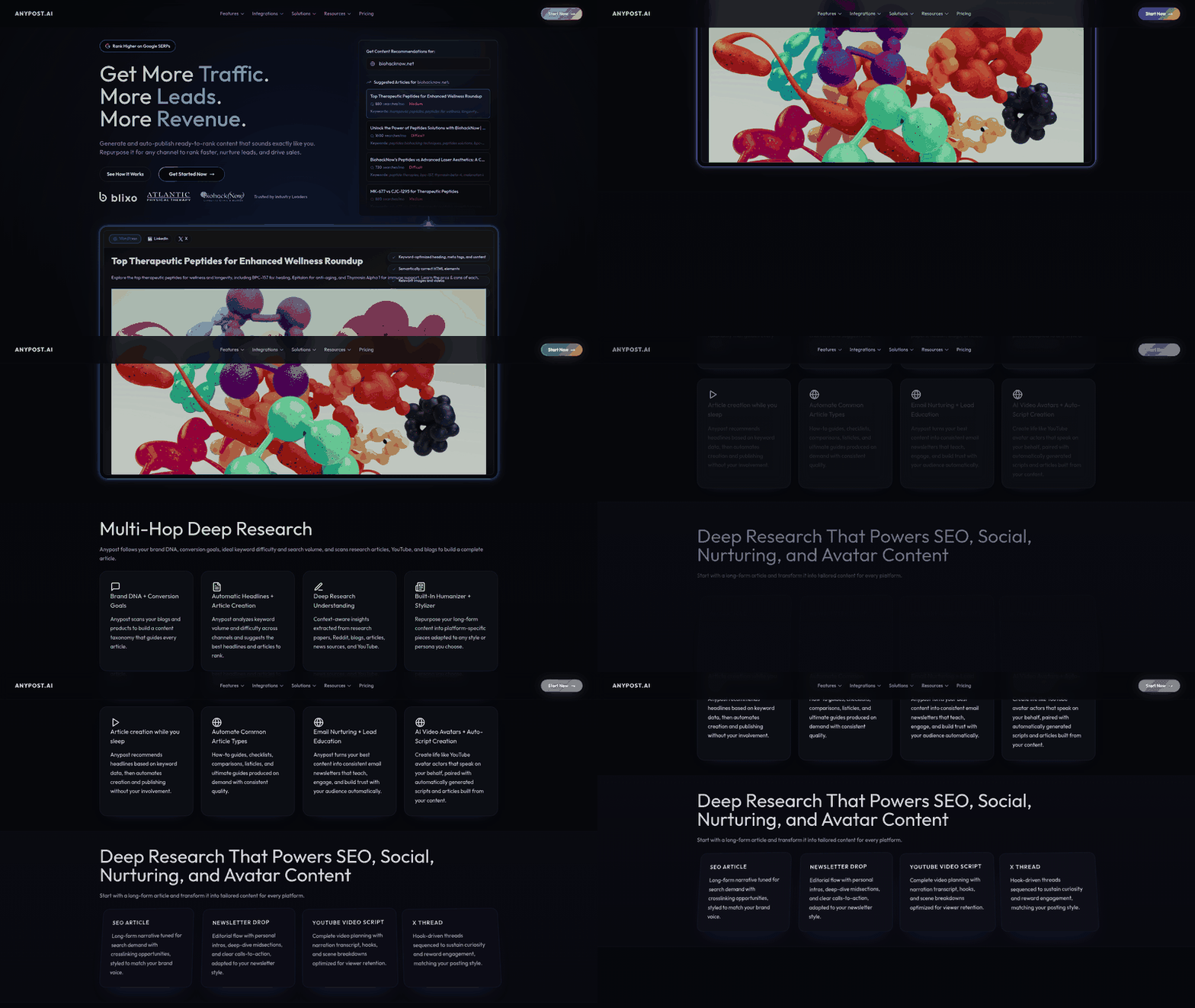
Automated content generation has emerged as a critical component of modern SEO strategies, leveraging AI to streamline content creation and repurposing while aligning with search engine optimization best practices. Building on concepts from [Section 2] regarding automation in SEO tools, platforms like DashThis integrate automated content creation features, enabling users to generate blog posts, meta descriptions, and product descriptions that adhere to SEO guidelines, reducing manual effort [3]. Similarly, platforms such as The HOTH’s SEO Report Tool utilize AI to analyze on-page content and suggest optimizations, ensuring generated material meets keyword density and readability standards [15]. Content repurposing, another key facet, is automated through tools like Badger, which transforms existing blog posts into social media snippets, infographics, or video scripts, maximizing reach without redundant work [14]. These capabilities align with broader SEO reporting tools, such as those highlighted in Stackby’s 2025 roundup, which emphasize automation for scalable content strategies [2]. By embedding AI into workflows, marketers can maintain consistent output while adapting to evolving algorithmic requirements [7].
AI-Powered Content Creation Tools
AI-driven content creation tools are increasingly embedded in SEO platforms to enhance efficiency. DashThis, for instance, offers AI-generated content drafts tailored to target specific keywords, supported by real-time SEO score updates during the writing process [3]. The HOTH’s tool takes this further by automating competitor analysis, generating content ideas based on gaps in existing search results [15]. These tools rely on natural language processing (NLP) to mimic human writing styles, though they require manual review for nuance and brand alignment [2]. For agencies, this reduces time spent on initial drafts, allowing focus on strategic refinements [9]. However, over-reliance on AI can lead to generic content, emphasizing the need for hybrid workflows where AI handles structure while humans refine messaging [7].
Content Repurposing and SEO Optimization
Content repurposing tools automate the transformation of existing assets into new formats, ensuring SEO consistency across platforms. Badger, cited in Stackby’s 2025 tools list, exemplifies this by converting blog posts into social media posts with optimized hashtags and character counts [14]. See the [Section 5] section for more details on how SEO reporting tools streamline content repurposing and distribution across channels. Similarly, SEO reporting platforms like Yoast’s suite (mentioned in their 2025 tools guide) include features to repurpose long-form content into shorter snippets for FAQs or video scripts, each pre-optimized for meta tags and alt text [7]. This approach minimizes duplication penalties while expanding content visibility. Tools such as DashThis further support repurposing by suggesting topic clusters based on existing content, enabling pillar-page strategies that boost domain authority [3]. The automation of these tasks ensures SEO teams can maintain a content calendar without sacrificing quality, though manual oversight remains critical for brand voice [10].
Summary Table: Automated Content & SEO Tools
| Title | Description | Key Features | Pros | Cons | Rating |
|---|---|---|---|---|---|
| DashThis | AI-powered content creation with SEO scoring | Keyword optimization, draft generation, competitor analysis | Streamlines initial content creation | Requires manual editing for depth | 4.5/5 |
| The HOTH SEO Report Tool | Automates content ideas and competitor gap analysis | Competitor content benchmarking, AI suggestions | Data-driven ideation for high-traffic topics | Limited to text-based outputs | 4/5 |
| Badger | Content repurposing into social media, videos, and infographics | Format transformation, hashtag optimization, script drafts | Maximizes existing content ROI | Subscription costs for advanced features | 4.2/5 |
| Yoast SEO Suite | Integrates content repurposing with on-page SEO checks | Topic clustering, meta tag suggestions, readability scores | Ensures SEO consistency across formats | Repurposing options limited to text | 4/5 |
Limitations and Considerations
While automation accelerates content workflows, sources caution against over-dependence on AI. For example, Stackby’s 2025 tools analysis notes that AI-generated content may lack the contextual depth of human writing, requiring rigorous quality checks [2]. Additionally, SEO reporting tools like those compared in the Digital Marketing Institute’s guide emphasize that automated repurposing often overlooks platform-specific nuances, such as TikTok’s video trends versus LinkedIn’s professional tone [8]. Agencies using these tools must balance efficiency with customization, as highlighted in Reddit discussions on SEO tool preferences [5]. Finally, data privacy concerns arise with AI models trained on external datasets, a risk acknowledged in Yoast’s 2025 tools review [7].
By integrating AI-powered content generation and repurposing tools into SEO reporting workflows, marketers can achieve scalable, data-driven strategies. However, the tools’ effectiveness hinges on complementary human oversight, ensuring alignment with brand identity and evolving search algorithms [3][7][14].
Section 5: Using SEO Reporting Tools for Content Repurposing and Distribution
SEO reporting tools streamline content repurposing and distribution by identifying high-performing assets, optimizing formatting for different channels, and tracking engagement metrics. These tools analyze which blog posts, videos, or landing pages generate the most traffic or conversions, enabling marketers to repurpose content into formats like social media snippets, email newsletter summaries, or YouTube video scripts [3]. For example, platforms like DashThis and Badger allow users to extract top-performing keywords and topics from existing content, providing data-driven guidance for creating new variations [3][14]. By integrating social media scheduling features or email marketing analytics, these tools ensure repurposed content aligns with audience preferences and platform-specific best practices [7][8]. This process not only maximizes the ROI of existing content but also reduces the time spent on brainstorming new ideas, as SEO reports highlight proven themes and keywords [9].
DashThis: Content Performance Tracking for Repurposing
As mentioned in the Section 3 section, DashThis aggregates SEO data to identify content gaps and opportunities, making it ideal for repurposing strategies. Its performance dashboards track metrics like traffic, bounce rates, and keyword rankings, helping users prioritize content for reuse [3]. For instance, a high-traffic blog post with low engagement might be repurposed into a video script or infographic to better capture audience interest. The tool also integrates with social media platforms, allowing marketers to schedule posts based on content performance trends [3]. However, DashThis lacks native email newsletter optimization features, requiring users to pair it with third-party tools for full distribution [4]. Pros include real-time analytics and multi-channel reporting, while cons involve a steeper learning curve for beginners [3].
Badger: Automated Reports for Email Newsletters
Badger automates the creation of customizable SEO reports, which are particularly useful for email newsletters. By generating structured summaries of content performance, Badger helps marketers craft data-driven newsletters that highlight key insights for clients or subscribers [14]. Building on concepts from Section 4, automated reports can enhance content distribution by ensuring consistency and reducing manual effort. For example, a monthly newsletter could include top-performing keywords, competitor analysis snippets, or content quality scores derived from Badger’s reports [14]. While Badger excels in report automation, it does not directly optimize content for social media, requiring additional tools for platform-specific adjustments [14]. Its pros include time-saving automation and professional report templates, whereas its cons include limited social media integration [14].
SEO Reporting Tools with Social Media Optimization
Some SEO reporting tools, like those highlighted in the Digital Marketing Institute’s roundup, include social media optimization features to enhance distribution [8]. These tools analyze audience demographics and engagement patterns on platforms like LinkedIn, Twitter, and Instagram, suggesting optimal posting times and content formats. For example, a tool might recommend breaking down a long blog post into carousel posts for Instagram or short videos for TikTok [8]. Additionally, features like keyword clustering help tailor content to platform-specific search algorithms, improving discoverability [8]. However, standalone SEO tools often require integration with social media management platforms to fully execute distribution strategies [9]. Pros include audience insights and platform-specific recommendations, while cons involve potential compatibility issues with external tools [8].
Summary Table: SEO Tools for Content Repurposing & Distribution
| Title | Description | Key Features | Pros/Cons |
|---|---|---|---|
| DashThis | Tracks content performance for repurposing | Multi-channel analytics, social media integration | Pros: Real-time data, cons: No email optimization [3][4] |
| Badger | Automates SEO reports for newsletters | Customizable templates, automated scheduling | Pros: Time-efficient, cons: Limited social media features [14] |
| SEO Reporting Tools (DMI-recommended) | Includes social media optimization features | Audience analytics, keyword clustering | Pros: Platform-specific insights, cons: Integration needed [8][9] |
By leveraging these tools, marketers can systematically repurpose content while aligning distribution strategies with audience preferences. For instance, a high-performing blog post might be transformed into a LinkedIn article using DashThis’s keyword insights, summarized in a Badger-generated email newsletter, and broken into social media posts using SEO tool recommendations [3][8][14]. This multi-channel approach ensures content reaches diverse audiences without redundant creation efforts, ultimately boosting SEO and engagement metrics [7][9]. As discussed in Section 7, choosing complementary tools is essential to cover all repurposing and distribution needs effectively [3][14].
Section 6: Measuring Success with SEO Reporting Tools
Measuring the success of SEO efforts requires leveraging specialized tools to track critical metrics like traffic growth, lead generation, and engagement. SEO reporting tools streamline this process by aggregating data from multiple sources, providing actionable insights, and automating report generation. As mentioned in the [Section 1] section, these tools are essential for optimizing online presence and tracking SEO effectiveness. According to [8], Google Analytics and Google Search Console are foundational tools for measuring search-based goals, while platforms like DashThis [3] offer automated reporting for agencies and marketers. By combining these tools, content creators can assess the effectiveness of their strategies and align SEO efforts with broader business objectives. This section explores how to use these tools to monitor traffic, leads, and engagement, supported by real-world examples from the cited sources.
Tracking Traffic Growth with SEO Reporting Tools
Traffic growth is a primary indicator of SEO success, and tools like Google Analytics and Google Search Console [8] are essential for tracking this metric. Google Analytics provides detailed insights into website traffic sources, user behavior, and conversion rates, while Search Console focuses on organic search performance, including click-through rates (CTR) and keyword rankings. DashThis [3] integrates data from these platforms to generate automated reports, highlighting trends in traffic growth over time. For instance, marketers can track monthly traffic increases or declines and correlate them with content updates or backlink campaigns. By setting custom goals in Google Analytics, teams can also measure the impact of specific SEO initiatives on overall traffic. These tools collectively enable data-driven decisions to optimize content for higher visibility and audience reach.
Measuring Lead Generation and Conversion Rates
Lead generation tracking is another critical aspect of SEO reporting, as it connects organic traffic to business outcomes. Google Analytics allows users to set up UTM parameters and conversion tracking to monitor how SEO-driven traffic contributes to lead generation [8]. For example, marketers can track form submissions, email signups, or demo requests attributed to specific search campaigns. DashThis [3] enhances this process by automating the aggregation of conversion data into visual dashboards, making it easier to identify high-performing keywords or landing pages. Additionally, tools like Google Analytics provide funnel analysis to pinpoint drop-off points in the customer journey, enabling teams to refine their SEO strategies for better conversion rates. By aligning SEO metrics with lead generation goals, businesses can ensure their content marketing efforts directly support revenue targets.
Analyzing Engagement Metrics for Content Optimization
Engagement metrics such as bounce rate, time on page, and pages per session are vital for evaluating how well content resonates with audiences. Google Analytics [8] offers these metrics out-of-the-box, allowing marketers to assess whether improvements in search rankings translate to meaningful user interactions. DashThis [3] further simplifies this analysis by incorporating engagement data into customizable reports, helping teams identify underperforming pages that require optimization. For instance, a high bounce rate might indicate that content fails to meet user intent, prompting revisions to improve relevance or readability. Engagement metrics also highlight the success of on-page SEO elements like headers, internal linking, and multimedia integration. By prioritizing pages with strong engagement, marketers can allocate resources more effectively and enhance the user experience.
Summary Table: Top SEO Reporting Tools for Measuring Success
| Title | Description | Key Features | Pros/Cons |
|---|---|---|---|
| DashThis | Automated SEO reporting tool for agencies and marketers [3]. See the [Section 3] section for a broader overview of top tools. | Custom KPI dashboards, automated report generation, integration with GA/SC | Pros: Time-saving, user-friendly; Cons: May require subscription for full access |
| Google Analytics | Free web analytics tool for tracking traffic and engagement [8] | UTM tracking, conversion goals, user behavior reports | Pros: Comprehensive, free; Cons: Learning curve for advanced features |
| Google Search Console | Google’s official tool for monitoring search performance [8] | Keyword rankings, CTR data, indexing status | Pros: Direct access to Google data; Cons: Limited to technical SEO metrics |
| SEOptimer | Free SEO audit tool [1] | On-page SEO checks, site speed analysis | Pros: Quick audits; Cons: Less detailed than paid tools |
Recommendations and Final Thoughts
For agencies managing multiple clients, DashThis [3] is ideal for streamlining reporting with automated dashboards, as discussed in the [Section 7] section on choosing the right SEO tool. Solo marketers or small businesses may benefit from free tools like Google Analytics and Search Console [8], which provide robust data without cost. To maximize SEO success, combine traffic, lead, and engagement metrics into a unified reporting framework. Regularly reviewing these metrics ensures that content strategies evolve in response to real-time performance, fostering continuous improvement. As emphasized in [13], consistent monitoring and adaptation are key to sustaining long-term SEO growth. By leveraging the right tools, marketers can transform raw data into actionable insights that drive measurable results.
Section 7: Choosing the Right SEO Reporting Tool for Your Business
When selecting an SEO reporting tool, businesses must evaluate several critical criteria to align with their specific needs. Key factors include the tool’s ability to automate reporting [3], support customization for client-specific dashboards [4], integrate with existing platforms like Google Analytics and Search Console [8], and balance cost with feature depth [2]. For agencies, white-label capabilities and client collaboration features are essential [4], while in-house teams may prioritize affordability and ease of use [7]. Below is a structured comparison of top tools, followed by guidance on matching these options to business requirements.
Summary Table of Top SEO Reporting Tools
| Title | Description | Key Features | Pros/Cons |
|---|---|---|---|
| SEOptimer | Free tool offering detailed SEO audits across 100+ website data points [1]. | Free SEO audit, actionable recommendations, technical error detection. | Pros: Free, user-friendly. Cons: Limited advanced analytics [1]. |
| Yoast SEO Dashboard | Free plugin providing content optimization and SEO health tracking [7]. | On-page SEO suggestions, content quality analysis, integration with WordPress. | Pros: Free, WordPress-optimized. Cons: Basic competitor analysis [7]. |
| DashThis | Automated reporting tool for agencies and marketers [3]. | Custom KPI tracking, automated report generation, brand customization. | Pros: Time-saving automation. Cons: Paid plans required for full features [3]. |
| AgencyAnalytics | White-label platform tailored for agencies [4]. | Client-specific dashboards, automated white-label reports, branding controls. | Pros: Enhances client trust. Cons: Higher cost for advanced features [4]. |
| SE Ranking | Comprehensive tool with competitive analysis and rank tracking [9]. | Competitor benchmarking, keyword tracking, backlink analysis. | Pros: Extensive features. Cons: Steeper learning curve [9]. |
| Semrush | All-in-one SEO platform with extensive data sets [9]. | Keyword research, site audits, competitor insights, content templates. | Pros: Robust analytics. Cons: High subscription cost [9]. |
| Google Search Console | Free tool for monitoring site performance and indexing issues [7][8]. | Traffic metrics, crawl errors, search queries, mobile usability reports. | Pros: Free, essential for technical SEO. Cons: Limited visual reporting [8]. |
| Sitechecker | Tool focused on competitor analysis and technical audits [9]. | Competitor backlink comparison, technical SEO checks, performance grading. | Pros: Strong competitor insights. Cons: Paid for premium features [9]. |
Comparing Tools by Features and Use Cases
The choice between free and paid tools depends on operational scale and depth of data required. Free tools like SEOptimer [1] and Yoast [7] are ideal for small businesses or startups with limited budgets, offering foundational insights without subscription costs. Agencies, however, benefit from platforms like AgencyAnalytics [4], which support white-label branding as discussed in [Section 2], and DashThis [3], which support client-specific reporting workflows. For enterprise-level needs, Semrush [9] and SE Ranking [9] provide exhaustive data on competitors and keyword performance; see the [Section 3] section for more details on these tools. Tools like Google Search Console [7][8] are indispensable for technical SEO audits, but see the [Section 6] section for more on measuring success with these tools.
Assessing Business Needs for Optimal Tool Selection
To determine the best fit, businesses should first identify their core objectives. For instance, if the priority is improving on-page SEO, Yoast [7] or SEOptimer [1] delivers actionable content recommendations. Agencies managing multiple clients may prefer AgencyAnalytics [4] for its white-label features and automated report scheduling. Conversely, teams focused on competitive intelligence might select Sitechecker [9] or SE Ranking [9] for robust competitor analysis. Budget constraints also play a role: while Google Search Console [8] and Yoast [7] offer free access to critical metrics, advanced features like backlink tracking or custom client reporting typically require paid subscriptions [2][9].
By cross-referencing these criteria with the tools’ capabilities, businesses can align their SEO reporting strategy with both immediate needs and long-term growth goals.
Section 8: Future of SEO Reporting and Content Marketing
The future of SEO reporting and content marketing is rapidly evolving, driven by advancements in artificial intelligence, voice search adoption, and shifting consumer behaviors. As tools like AI-powered analytics platforms and voice search optimization utilities gain prominence, marketers must adapt to maintain competitive advantage. Emerging trends such as predictive analytics and video-centric content strategies are also reshaping how SEO reports are structured and executed, as highlighted in tools reviewed across multiple sources [2][7][9]. Below, we explore key developments and their implications for the industry.
AI-Powered SEO Tools
AI is revolutionizing SEO reporting by automating tasks like keyword research, content optimization, and performance tracking. Tools leveraging machine learning algorithms can analyze vast datasets to identify patterns, predict ranking opportunities, and generate actionable insights [2]. For example, platforms discussed in 2025 tool roundups emphasize AI-driven features for real-time content scoring and competitor analysis [7], as explored in greater depth in the [Section 4] section on automated content generation. These tools reduce manual effort, enabling marketers to focus on strategic decisions. However, challenges remain, such as ensuring data accuracy and avoiding over-reliance on automated recommendations [9].
Voice Search Optimization
With the rise of smart speakers and voice-activated assistants, optimizing for voice search has become critical. Voice queries tend to be conversational and longer-tailed, requiring SEO strategies that prioritize natural language processing and semantic search [10]. Tools reviewed in 2025 guides recommend integrating voice search analytics to track question-based keywords and local search intent [2], as highlighted in the [Section 3] section on top SEO tools. While this trend enhances user experience, it demands significant adjustments to on-page SEO practices, such as restructuring content for FAQs and featured snippets [7].
Video Content and Interactive Media
Video content is increasingly dominating search engine results, with platforms like YouTube and TikTok prioritizing engaging, high-quality media. SEO reporting tools now include features for analyzing video performance metrics, such as watch time and audience retention [11], as outlined in the [Section 2] section on key features of effective SEO tools. Interactive content, including quizzes and infographics, is also gaining traction for boosting dwell time and shareability [12]. Marketers must adapt by incorporating multimedia elements into their SEO strategies, though this requires investment in production resources and specialized tools [9].
Predictive Analytics and Data-Driven Strategies
Predictive analytics is emerging as a cornerstone of forward-looking SEO reporting. By forecasting traffic trends, content performance, and algorithm updates, these tools help marketers anticipate market shifts [7]. Platforms highlighted in 2025 comparisons leverage historical data and machine learning to simulate scenarios and recommend proactive adjustments [9]. While this approach enhances strategic planning, it requires robust data infrastructure and expertise to interpret complex models effectively [2].
Summary Table: Future Trends in SEO Reporting and Content Marketing
| Title | Description | Key Features | Pros/Cons |
|---|---|---|---|
| AI-Powered SEO Tools | Automate keyword research, content optimization, and performance tracking. | Machine learning algorithms, real-time data analysis. | Pros: Efficiency, scalability. Cons: High initial setup costs. |
| Voice Search Optimization | Focus on conversational queries and local search intent. | Voice analytics, long-tail keyword targeting. | Pros: Mobile-friendly. Cons: Requires content restructuring. |
| Video Content Strategies | Prioritize video SEO for platforms like YouTube and TikTok. | Video performance metrics, transcript optimization. | Pros: High engagement. Cons: Resource-intensive production. |
| Predictive Analytics Tools | Forecast traffic trends and algorithm changes using historical data. | Scenario simulation, trend modeling. | Pros: Proactive planning. Cons: Complex data interpretation requirements. |
These trends underscore the need for SEO professionals to adopt agile, technology-driven approaches. As tools continue to evolve, staying informed about AI capabilities, voice search nuances, and multimedia integration will be essential for maintaining visibility in an increasingly competitive digital landscape [2][7][9].
References
[1] SEOptimer: Analyze Websites With Free SEO Audit & Reporting Tool - https://www.seoptimer.com/
[2] 10 Free & Paid SEO Reporting Tools in 2025 | Stackby - https://stackby.com/blog/seo-reporting-tools/
[3] SEO Reporting Software for Agencies & Marketers | DashThis - https://dashthis.com/seo-reporting-software/
[4] SEO Reporting Software for Marketing Agencies - Try it Free ... - https://agencyanalytics.com/solutions/seo-reporting
[5] Best SEO Reporting Tool for Agencies? : r/SEO - https://www.reddit.com/r/SEO/comments/18cew3l/best_seo_reporting_tool_for_agencies/
[6] FREE SEO Analyzer Tool - Generate Website SEO Audit Report - https://aioseo.com/seo-analyzer/
[7] 10 free and paid SEO reporting tools for 2025 • Yoast - https://yoast.com/10-free-and-paid-seo-reporting-tools-for-2025/
[8] Essential SEO Reporting Tools | Digital Marketing Institute - https://digitalmarketinginstitute.com/blog/essential-seo-reporting-tools
[9] 11 Best SEO Reporting Software Compared (2025) - https://www.onsaas.me/blog/best-seo-reporting-software
[10] 9 Best SEO Reporting Software Tools in 2025 - https://www.emailvendorselection.com/best-seo-reporting-software/
[11] What Are The Best SEO Reporting Tools? - BusinessGuide360.com by Business Guide 360 - https://www.youtube.com/watch?v=BsQ6Qxy84RY
[12] 7 SEO reporting tools You must use for your website- DigiFix blog video #SEO by Digifix - https://www.youtube.com/watch?v=6_E0BMw0-fY
[13] Monitoring & Reporting Tool: How to do SEO Reporting – SEO Basics for Beginners by Similarweb - https://www.youtube.com/watch?v=171xsjEEN8M
[14] Start Automating Customizable SEO Reports For Clients with Badger by AppSumo - https://www.youtube.com/watch?v=FvuYtYbfLbs
[15] The HOTH: SEO Report Tool by The HOTH - https://www.youtube.com/watch?v=jQC6Iyac0vk
Frequently Asked Questions
1. What are the top SEO reporting tools recommended in the article?
While the article highlights the importance of specialized platforms, it specifically mentions Google Analytics and Google Search Console as foundational tools. For advanced needs, it recommends exploring platforms like Ahrefs, SEMrush, and Moz, which consolidate data from multiple sources into unified dashboards. These tools offer features like keyword tracking, competitor analysis, and technical SEO audits, streamlining reporting and providing actionable insights.
2. How do automated SEO reporting tools improve efficiency compared to manual methods?
Automated tools eliminate time-consuming tasks like manually compiling data from Google Search Console or Bing Webmaster Tools. They reduce human error, standardize reporting workflows, and offer real-time updates, enabling faster responses to algorithm changes or competitor actions. Additionally, they provide customizable dashboards and automated email reports, freeing up time for strategic focus on SEO optimization rather than data entry.
3. What are the key differences between manual and automated SEO reporting?
Manual reporting relies on manually extracting data from platforms like Google Analytics, which is error-prone, inconsistent, and time-intensive. Automated tools, on the other hand, aggregate data from multiple sources (e.g., search consoles, backlink checkers) into centralized dashboards. They also offer real-time analytics, automated trend analysis, and competitor benchmarking, ensuring accuracy and scalability—especially for agencies managing multiple clients.
4. How can SEO reporting tools help measure ROI for SEO campaigns?
SEO reporting tools track metrics like organic traffic growth, keyword ranking improvements, and conversion rates, which directly tie to ROI. By benchmarking performance over time and comparing it to competitors, these tools provide data-driven evidence of SEO effectiveness. For example, tools like SEMrush can show how specific keyword strategies contributed to increased website revenue, making it easier to justify budget allocations to stakeholders.
5. Can SEO reporting tools integrate with existing platforms like Google Analytics or Search Console?
Yes, most advanced tools (e.g., Ahrefs, Moz) offer seamless integration with Google Analytics, Google Search Console, and other SEO platforms via APIs. This integration allows for consolidated reporting, eliminating the need to switch between systems. For instance, you can pull organic traffic data from Google Analytics alongside backlink metrics from Ahrefs into a single dashboard for comprehensive analysis.
6. What features should I prioritize when choosing an SEO reporting tool?
Look for tools with customizable dashboards, real-time data updates, competitor benchmarking, and automated email reporting. Also, ensure the tool supports technical SEO audits (e.g., crawl errors, site speed) and keyword tracking. For agencies, multi-client management and white-label reporting features are essential. Tools like SEMrush and BrightEdge offer these capabilities, but always evaluate how well they align with your specific SEO goals.
7. How do automated tools handle large datasets and complex SEO metrics?
Advanced tools use AI and machine learning to process vast datasets efficiently, identifying trends and anomalies that might be missed through manual analysis. For example, tools like Screaming Frog can crawl websites to detect technical issues (e.g., broken links, meta tag inconsistencies) at scale. They also prioritize metrics based on your goals, such as focusing on high-impact keywords or prioritizing pages with the most backlink opportunities.