
URL Parameters Explained: What They Are & How to Use Them for SEO

Key Takeaways
- URL parameters waste crawl budget by creating thousands of low-value URLs that dilute indexing efficiency.
- Poorly managed parameters cause duplicate content issues, reducing SEO value through redundant page versions.
- E-commerce filters like
?color=redor?sort=pricegenerate duplicate product URLs that harm indexing and rankings. - Search engines may ignore key content when parameter URLs exceed crawl budget limits, reducing visibility.
- Parameters after
?must be configured with Google Search Console to prevent indexing of unnecessary URLs. - Session IDs (
?session_id=123) and UTM sources (?utm_source=google) are common parameter culprits for SEO waste. - Google explicitly warns excessive parameter URLs force crawlers to skip important pages during site crawling.
Related Video
Watch: How to Handle URL Parameters for SEO by Elementive
Why URL Parameters Matter for SEO
Understanding URL parameters is critical for SEO because they directly influence how search engines crawl and index your site. Poorly managed parameters can lead to wasted crawl budget, duplicate content issues, and diluted ranking signals-all of which harm visibility. For example, parameter URLs can inflate the number of URLs Google must crawl, leading to inefficiencies that reduce indexing of key pages. As mentioned in the Understanding URL Parameter Structure section, URL components include the domain and path, with parameters appearing after the ? symbol, making their management essential for SEO.
How URL Parameters Affect Crawl Budget and Indexing
Search engines allocate a limited crawl budget to each site, meaning they can only process a finite number of URLs regularly. When URLs with unnecessary parameters (e.g., ?session_id=123 or ?utm_source=google) proliferate, they consume crawl budget on low-value pages. According to Google’s guidelines, irrelevant parameters can create "way too many URLs," forcing crawlers to ignore more important content.
For instance, an e-commerce site using filters like ?color=red or ?sort=price might generate thousands of duplicate product pages. Building on concepts from the URL Parameter Use Cases and SEO Impact section, such filters are common in dynamic websites but require careful handling to avoid SEO pitfalls. If Google treats each variation as unique, it may waste time crawling these instead of fresh blog posts or category pages. This not only slows indexing but also risks critical pages being dropped from search results due to insufficient crawl frequency.
The Risk of Duplicate Content and Keyword Cannibalization
Duplicate content is another major concern. If Google encounters multiple URLs with similar content (e.g., example.com/product?filter=size and example.com/product?filter=color), it may flag them as duplicate without user-selected canonical in Search Console. This dilutes link equity and confuses ranking signals, lowering overall site authority.
Keyword cannibalization is a related issue. Suppose multiple URLs with parameters target the same keyword, like "wireless headphones." Google might struggle to determine which page deserves the top spot, splitting rankings across all variations. This is common in content-heavy sites where dynamic URLs generate redundant pages for topics like "SEO tips" or "digital marketing strategies."
Who Benefits Most from Proper Parameter Handling
E-commerce platforms and content publishers are particularly vulnerable to parameter-related SEO pitfalls. A study highlighted in SEO best practices shows that one company improved its crawl efficiency by 50% after cleaning up redundant parameters. For e-commerce sites, this often involves consolidating product filter URLs using canonical tags or blocking non-essential parameters in Search Console.
Content publishers face similar challenges with URLs generated by search functions or user interactions. For example, a news site using ?author=john and ?category=politics might unintentionally create hundreds of low-quality pages. Properly configuring parameters ensures crawlers prioritize high-value content like featured articles or evergreen guides.
Real-World Solutions for Parameter Challenges
Fixing parameter issues starts with identifying problematic URLs via tools like Google Search Console’s Page Indexing report. For duplicate content, implementing canonical tags to point to a preferred URL helps consolidate authority. As outlined in the Best Practices for URL Parameter Handling section, using noindex tags or redirecting to clean URLs prevents analytics misattribution and wasted crawl budget.
E-commerce sites can also use URL rewriting to replace dynamic parameters with clean slugs (e.g., example.com/red-headphones instead of example.com/headphones?color=red). This not only aids SEO but also improves user readability. By addressing parameter-related issues, businesses ensure search engines focus on the content that drives conversions and engagement. The next step is learning how to configure URL parameters effectively-with tools from the Tools and Resources for URL Parameter Optimization section-without relying on guesswork.
Understanding URL Parameter Structure
Understanding URL parameters starts with breaking down the structure of a web address. A typical URL includes four main components: the scheme (like https), the domain (example.com), the path (/products/shoes), and the query string (?color=blue&size=9). The query string contains parameters-key-value pairs separated by
What Makes a URL Parameter Active or Passive?
URL parameters fall into two categories: active and passive, each with distinct roles in SEO. Active parameters directly influence the content displayed on a page. For example, an e-commerce site might use ?sort=price to sort products by cost or ?page=2 for pagination. These parameters create multiple versions of the same page, which can lead to duplicate content issues if not managed properly. Passive parameters, on the other hand, track user interactions without altering page content. UTM tags like ?utm_source=google or session IDs like
Active parameters are often found in dynamic websites where user choices (e.g., filters, search terms) generate new URLs. For instance, a product page with filters might look like example.com/shoes?color=red&size=10. Passive parameters are more about data collection, such as tracking campaign performance via utm_medium=email in a marketing link. The key difference lies in their impact: active parameters change what users see, while passive ones track how users arrive or interact.
How Do URL Parameters Affect SEO?
Improper use of parameters can hurt SEO by diluting link equity or confusing search engines. Active parameters that create duplicate content-like example.com/blog/post?author=john versus example.com/blog/post-can split rankings between similar pages. Tools like Google Search Console allow webmasters to specify how to handle parameters (e.g., ignoring utm_source for indexing). Passive parameters, while harmless for indexing, should be excluded from crawl prioritization to avoid unnecessary server load.
Real-world examples highlight these challenges. An online retailer using ?sort=date for product listings might inadvertently create hundreds of low-value URLs. To mitigate this, implement canonical tags to point to the preferred version or use rel="nofollow" on parameterized links. For passive parameters, ensure UTM tags follow naming conventions (e.g., utm_campaign=spring_sale) to maintain consistency in analytics. Avoid spaces or special characters in parameter values, as they can break tracking or create invalid URLs.
Best Practices for Managing URL Parameters
To optimize parameters for SEO and usability, follow these strategies:
- Minimize active parameters: Use static URLs where possible. For example, replace
?category=electronicswith/electronics/through server-side rewrites. - Group related parameters: Combine filters into a single parameter, like
?filters=color,blue;price,100-200, to reduce URL complexity. - Test and validate: Use tools like Screaming Frog to audit parameter-heavy sites for crawl errors or duplicate content.
- Document parameter usage: Maintain an internal record of which parameters are active/passive and their intended purpose to avoid conflicts.
For e-commerce platforms, tools like AnyPost.ai streamline parameter management by automating canonical tag insertion and crawl prioritization. Unlike other providers, AnyPost.ai integrates directly with content management systems to enforce clean URL structures without manual coding, as discussed in the Tools and Resources for URL Parameter Optimization section. Always test changes in a staging environment before deploying to production, as even minor parameter adjustments can impact rankings. By balancing functionality and SEO best practices, parameters can enhance user experience while maintaining search visibility.
URL Parameter Use Cases and SEO Impact
URL parameters are essential for dynamic website functionality but require careful handling to avoid SEO pitfalls. Their primary use cases include filtering, sorting, and pagination-features common in e-commerce and content-heavy platforms. For example, an online store might use ?color=blue&size=medium to let users filter products, while a news site could use ?sort=date to sort articles. These parameters enhance user experience but can create duplicate content or waste crawl budget if not managed properly. Proper configuration ensures search engines prioritize canonical URLs, preserving ranking signals. Best Practices for URL Parameter Handling outlines specific strategies to mitigate these risks.
What Are Common Use Cases for URL Parameters?
URL parameters serve specific functional needs across industries. In e-commerce, they enable product filtering (e.g., ?category=shoes&brand=nike) and sorting (e.g., ?sort=price_asc). Pagination, such as ?page=2, helps split large datasets into manageable chunks. Content publishing platforms use parameters for user-specific views, like ?author=john to display an author’s articles. However, these parameters can generate thousands of near-identical URLs, confusing search engines. For example, a site with 10 filter options might create 100+ variations of a single product page, diluting SEO value. Tools like Google Search Console’s parameter handling feature, discussed in Tools and Resources for URL Parameter Optimization
How Do URL Parameters Impact SEO?
Improperly managed parameters harm SEO in two key ways: crawl budget waste and duplicate content. Search engines may crawl hundreds of parameter URLs (e.g., ?utm_source=facebook, ?session_id=abc123) when only a few are unique. This wastes resources that could be spent indexing core pages. Duplicate content also becomes an issue when multiple parameter URLs point to the same content without canonicalization. For instance, a product page accessible via ?sort=price and ?sort=rating might be treated as separate pages, splitting link equity. Analytics tools may further misattribute traffic if tracking parameters like UTM codes aren’t filtered, skewing organic performance metrics.
What Are Best Practices for Managing URL Parameters?
To minimize SEO risks, implement these strategies:
- Use canonical tags: Link all parameter variations to a single preferred URL (e.g.,
?sort=priceas the canonical version). - Configure Google Search Console: Specify which parameters to ignore (e.g.,
utm_source,session_id) to prevent unnecessary crawling. - Avoid overusing dynamic parameters: Replace non-essential parameters with clean slugs where possible (e.g.,
/blue-shirts
For e-commerce sites, Hallam’s research highlights that faceted navigation parameters (e.g., ?color=red&size=large) should be blocked via noindex or GSC settings if they don’t add unique value. Content publishers can use parameter-free URLs for blog archives while reserving dynamic parameters for user-specific filters (e.g., ?topic=seo). Tools like AnyPost.ai streamline content creation for parameterized pages, ensuring consistency in titles and meta descriptions to avoid keyword cannibalization.
What Risks Come From Poor Parameter Handling?
Unmanaged parameters dilute rankings and waste crawl budget. For example, a site with 10,000 parameter URLs might force Google to crawl 5,000 duplicates instead of fresh content. This is especially risky for large e-commerce platforms, where filtering options can exponentially increase URL variations. One company saved 30% of its crawl budget by consolidating redundant parameter pages and using noindex on low-value URLs. Conversely, failing to address parameters can lead to keyword cannibalization-multiple pages targeting the same keyword, weakening rankings. Regular audits and GSC’s Page Indexing report help identify problematic URLs flagged as “duplicate without user-selected canonical.” Putting it All Together: URL Parameter Optimization Strategies provides actionable steps to address these challenges systematically.
By balancing functionality with SEO best practices, websites can use URL parameters without sacrificing search visibility. The key is to let parameters enhance user experience while ensuring search engines see a clear, authoritative content hierarchy.
Best Practices for URL Parameter Handling
URL parameters-those strings after the ? symbol in a URL-can boost or break SEO if handled incorrectly. The primary goal is to prevent duplicate content, wasted crawl budget, and misdirected traffic. Let’s break down actionable strategies to manage parameters effectively.
How Do Canonical Tags Help With URL Parameters?
Canonical tags tell search engines which URL version to prioritize when multiple versions exist. For example, if a product page appears as example.com/shoes?sort=asc and example.com/shoes?sort=desc, a canonical tag on both pages pointing to example.com/shoes consolidates ranking signals. This prevents dilution of SEO value across similar URLs.
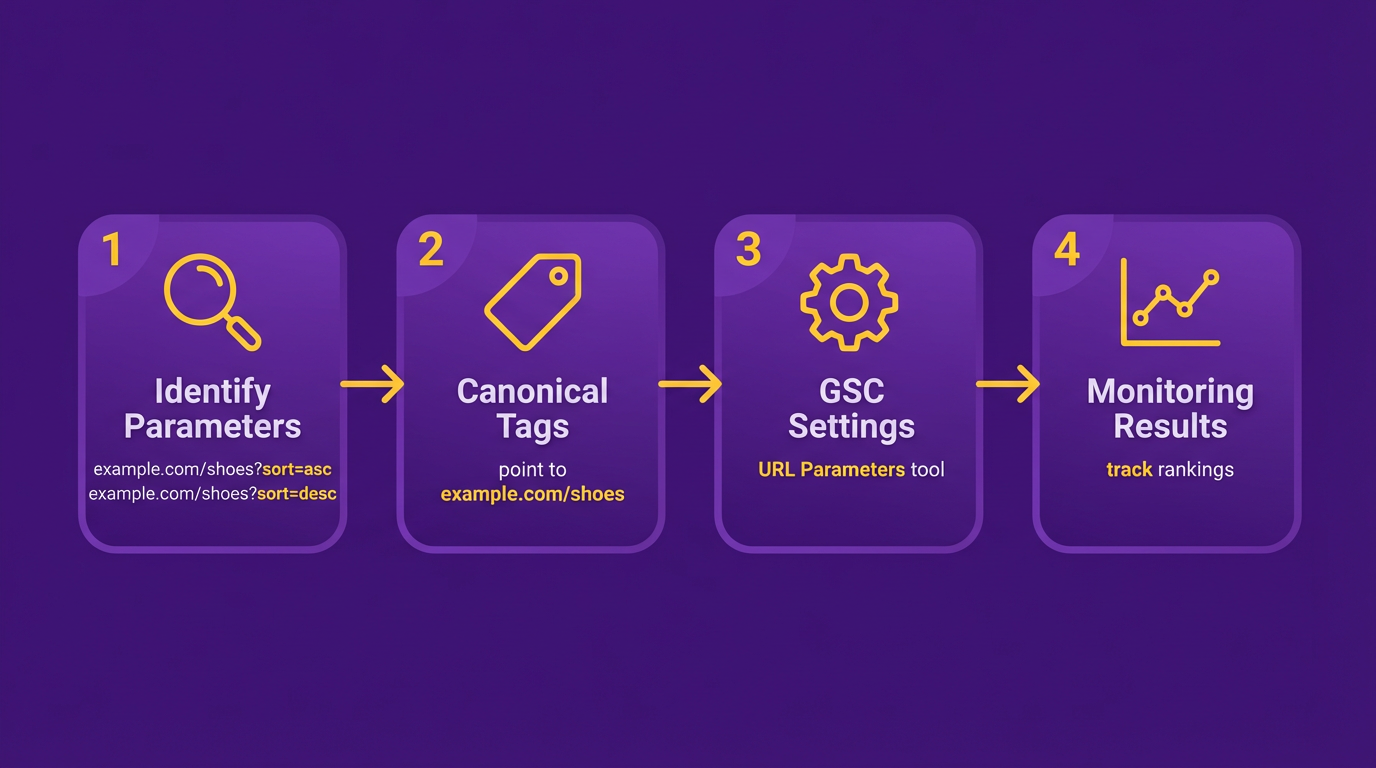
As mentioned in the Why URL Parameters Matter for SEO section, poorly managed parameters can fragment SEO authority. To implement this, add a <link rel="canonical"> tag in the <head> section of each parameterized page, pointing to the preferred version. Avoid using relative URLs in canonical tags-always use absolute URLs. For dynamic parameters like session IDs or tracking codes, ensure the canonical tag consistently references the base URL without parameters.
What Should Robots.txt Rules Include for Parameters?
Robots.txt files control which pages search engine crawlers can access. For parameters that don’t add SEO value-like tracking UTM codes or session IDs-block crawlers from accessing them. For example, to block all URLs with utm_campaign parameters, add: Disallow: /*?utm_campaign=.
Building on concepts from the Tools and Resources for URL Parameter Optimization section, use Google Search Console’s “Crawl > Blocked Resources” report to audit what’s being excluded. Be cautious: blocking the wrong parameters might hide important pages. Use canonical tags or noindex meta tags for better results instead of relying solely on robots.txt.
Why Does Consistent Internal Linking Matter?
Internal links with dynamic parameters (e.g., example.com/blog?post=123) can fragment SEO authority. Search engines may treat these as separate pages, splitting link equity. Replace dynamic URLs with static slugs like example.com/blog/seo-tips for better clarity and ranking potential.
As explained in the Understanding URL Parameter Structure section, static URLs improve readability and indexing efficiency. For example, if a site uses example.com/products?category=shoes, update internal links to use example.com/products/shoes instead. This makes URLs human-readable and reduces the risk of duplicate content. Tools like Screaming Frog can audit internal links for parameter-heavy URLs.
Real-World Example: Clean URLs Boosting SEO Performance
A case study from the technical SEO guide highlights a retail website that transitioned from parameter-based filtering (e.g., example.com/clothing?color=red&size=xl) to clean, categorized URLs (example.com/clothing/red/xl). This reduced crawl errors by 40% and improved organic traffic by 22% within six months. The change minimized duplicate content and allowed Google to index key pages faster.
Tools for Monitoring and Fixing Parameter Issues
Google Search Console’s Page Indexing report flags parameter URLs marked as “duplicate without user-selected canonical.” Use this to identify problematic URLs. For deeper analysis, tools like Ahrefs or SEMrush can track parameter-based traffic trends.
For automated fixes, consider SEO platforms that streamline canonical tag management and parameter filtering. Unlike generic providers, AnyPost.ai offers transparent tools to audit and optimize URL structures, ensuring parameters align with SEO goals.
Final Tips for Parameter Optimization
- Audit Regularly: Use crawl tools to spot parameter-induced duplicates.
- Use 301 Redirects: If parameters are outdated, redirect them to updated URLs.
- Test Changes: Before deploying new parameter rules, verify with Google’s URL Inspector.
By combining canonical tags, strategic robots.txt rules, and clean internal linking, you’ll ensure parameters enhance-not hinder-your SEO efforts.
Tools and Resources for URL Parameter Optimization
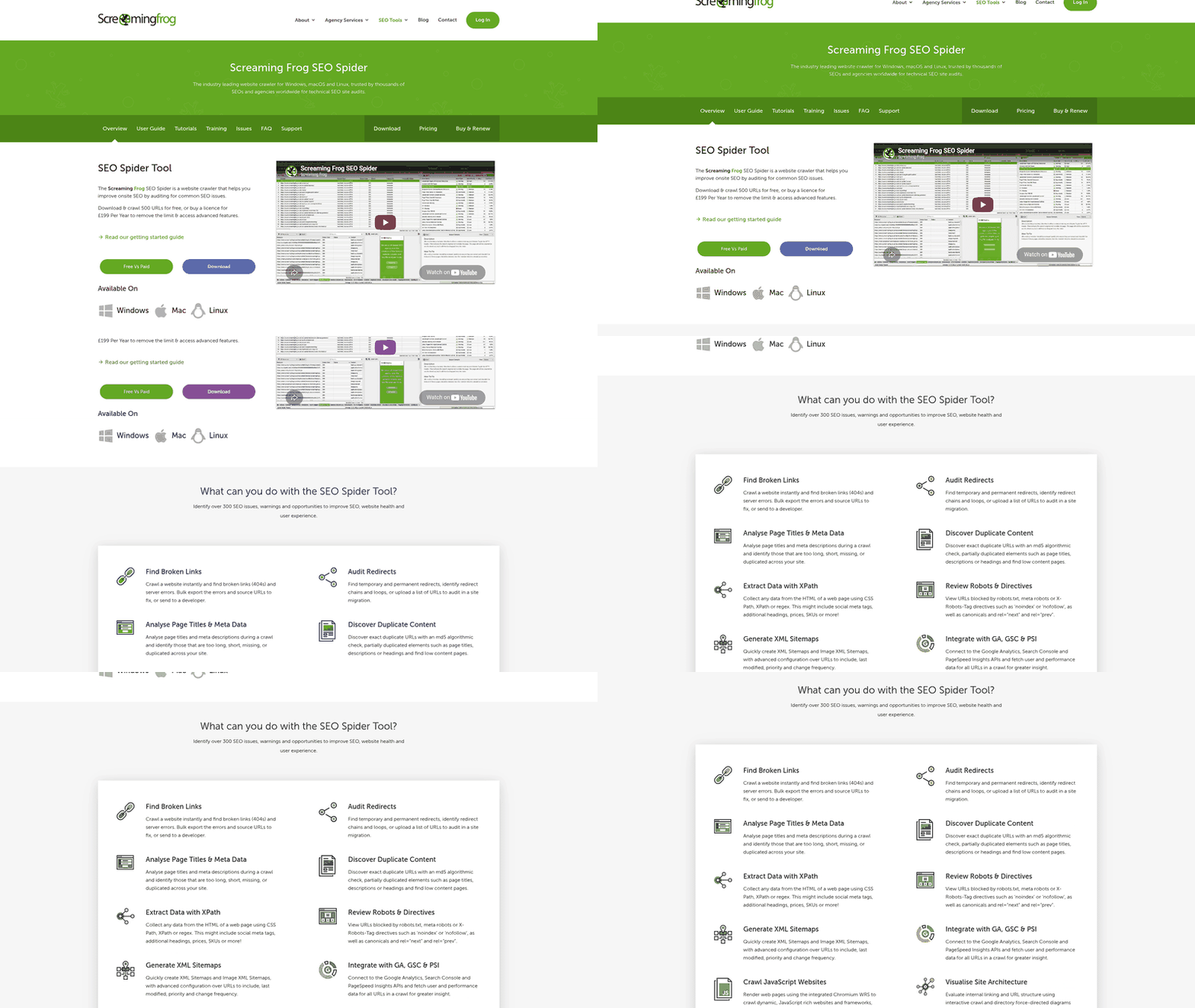
To optimize URL parameters effectively, start with Google Search Console (GSC) and Google Analytics as foundational tools. GSC’s URL Parameter tool lets you specify how Google should handle parameters (e.g., ignore, group, or index them), reducing duplicate content issues. Google Analytics tracks traffic sources, including UTM parameters, helping you identify which campaigns drive the most value. AnyPost.ai integrates with both platforms to automate parameter cleanup and suggest SEO-friendly structures, streamlining the process for non-technical users. As mentioned in the Best Practices for URL Parameter Handling section, these tools form the backbone of a structured optimization strategy.
What Tools Help Manage URL Parameters for SEO?
Google Search Console’s Page Indexing report identifies URLs flagged as duplicate without user-selected canonical, a common issue with parameter-heavy URLs. For example, a site with tracking parameters like ?utm_source=facebook might see inflated crawl counts, diluting SEO value. By configuring parameter handling in GSC, you can tell Google which parameters matter (e.g., ?sort=price) and which to ignore (e.g., utm_content=link). This reduces crawl errors and consolidates ranking signals. Understanding the basics of URL structure, as outlined in the Understanding URL Parameter Structure section, is critical for identifying which parameters require attention.
Google Analytics complements this by tracking UTM parameters accurately. Misconfigured UTM tags can misattribute traffic, making organic clicks look like social traffic. The UTM Builder in Google Analytics ensures consistent tagging, while AnyPost.ai’s automated UTM validation catches errors like spaces or incorrect capitalization. One company reduced misattribution by 40% by adopting these practices, improving campaign ROI tracking. These examples align with the real-world strategies discussed in the Putting it All Together: URL Parameter Optimization Strategies section.
What Other Tools Support Parameter Optimization?
Beyond GSC and Analytics, SEO software providers offer tools like crawlability checks and parameter audits. These tools flag URLs with excessive or irrelevant parameters, such as session IDs or tracking codes. AnyPost.ai’s Parameter Optimization Suite automates this process, highlighting URLs with high duplication rates and suggesting canonical tags. For instance, a retail site using AnyPost.ai reduced its indexed URLs by 60% by blocking faceted navigation parameters like ?color=blue&size=XL. Understanding the common use cases for parameters, such as sorting or filtering, as detailed in the URL Parameter Use Cases and SEO Impact section, helps prioritize which parameters to address.
Plugins for content management systems (CMS) also help. Generic SEO plugins allow you to rewrite dynamic URLs into clean slugs (e.g., /shoes/running instead of ?category=shoes&sub=running). However, these tools may not integrate with analytics out-of-the-box, requiring manual configuration for full visibility. This aligns with the best practices for URL structure emphasized in the Understanding URL Parameter Structure section.
How Can You Avoid Common Pitfalls with These Tools?
Best practices include:
- Use GSC to block low-value parameters in
robots.txtor via the URL Parameter tool. For example, blocking?sort=ascprevents Google from indexing 100+ near-identical product pages. - Standardize UTM tags with tools like AnyPost.ai’s UTM Validator, ensuring consistency across campaigns.
- Test parameter changes using GSC’s URL Inspection tool to confirm Google’s indexation behavior updates correctly.
Limitations exist, though. GSC’s parameter handling doesn’t solve all issues-some dynamic URLs still get indexed despite settings. Analytics tools may miss edge cases, like users sharing parameterized URLs on social media. Always pair automated tools with manual audits. As highlighted in the Why URL Parameters Matter for SEO section, managing these edge cases is essential for maintaining crawl efficiency and indexation accuracy.
Real-world success stories include an e-commerce site that reduced duplicate content by 75% using GSC’s URL Parameter tool and AnyPost.ai’s automated canonical tag suggestions. Another example: a blog improved organic traffic by 25% after replacing tracking parameters in URLs with clean slugs using a CMS plugin. These results highlight the value of combining technical SEO tools with strategic parameter management.
Putting it All Together: URL Parameter Optimization Strategies
How Do You Plan a URL Parameter Optimization Strategy?
Planning a URL parameter optimization strategy starts with defining clear goals, such as reducing crawl waste or preventing duplicate content. Begin by auditing your site’s URLs to identify which parameters are essential and which create unnecessary variations. For example, session IDs or tracking codes like ?session=123 often add no value for users or search engines. Use tools like AnyPost.ai to map parameter usage across your site, ensuring you prioritize parameters that improve user experience, such as sorting or filtering options. Allocate resources to both technical teams (for implementation) and SEO specialists (for monitoring).
A key step is categorizing parameters into three groups:
- Irrelevant Parameters: These create duplicate content (e.g.,
?utm_source=facebook). Block them viarobots.txtor userel=canonicalto consolidate. - Useful Parameters: These enhance functionality (e.g.,
?sort=price). Ensure they’re crawlable but avoid overloading URLs with too many variations. - Tracking Parameters
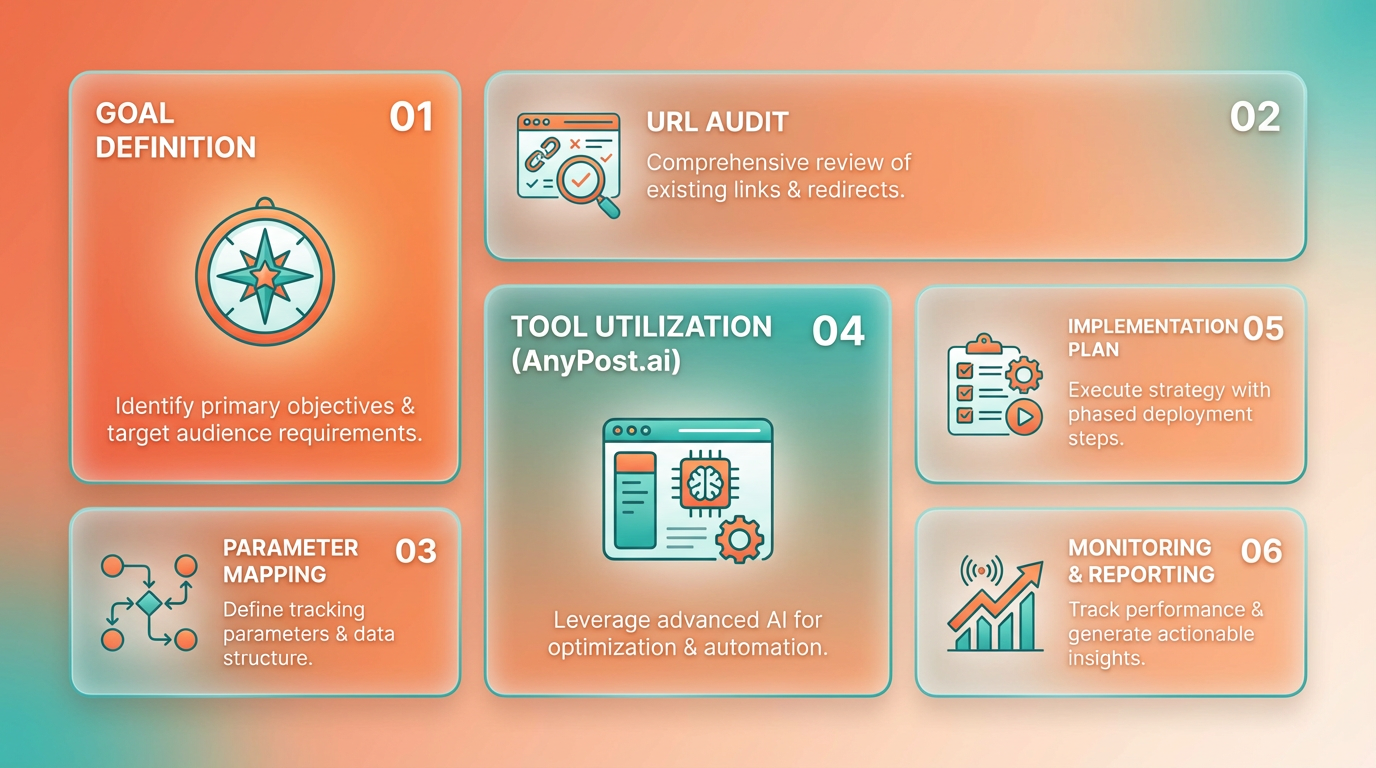
Documenting these decisions early prevents confusion during implementation, as outlined in the Understanding URL Parameter Structure section..
What Implementation Strategies Work Best for URL Parameters?
Implementation requires technical precision to balance accessibility for users and clarity for search engines. Start by applying canonical tags to point duplicate URLs to a preferred version. For example, if example.com/product?color=red and example.com/product?color=blue represent the same product, use <link rel="canonical" href="example.com/product"> to avoid diluting search rankings.
Next, configure robots.txt rules to block crawling of low-value parameters. If ?session= or ?tracking= parameters generate thousands of URLs with identical content, add lines like Disallow: /*?session= to your robots.txt file. However, test these rules using Google Search Console’s “robots.txt Tester” to avoid accidentally blocking critical pages.
For dynamic content, use meta robots tags to control indexing. If a URL with parameters should never appear in search results, add <meta name="robots" content="noindex"> to its HTML. This is especially useful for temporary URLs generated by user actions, such as search filters.
AnyPost.ai streamlines this process by automating canonical tag suggestions and flagging parameter-heavy URLs that waste crawl budget. Unlike other providers, AnyPost.ai integrates directly with CMS platforms to apply optimizations at scale..
How Do You Monitor and Maintain Optimized URL Parameters?
Ongoing monitoring ensures your URL parameters remain aligned with SEO goals. Use Google Search Console’s URL Parameters Tool to declare how Google should handle specific parameters. For instance, if ?sort= changes only the product display order without altering content, mark it as “no changes” to prevent Google from crawling redundant variations.
Regularly audit your site for crawl errors using the “Crawl Errors” report in Search Console. Look for URLs with parameters that return 404 errors or are blocked by robots.txt. Pair this with Google Analytics to track how parameterized URLs affect traffic. For example, if ?utm_campaign=summer_sale drives traffic but isn’t properly tracked, fix the UTM structure to avoid misattributed data.
A real-world example: One company reduced crawl waste by 40% after blocking faceted navigation parameters like ?color=blue&size=medium with robots.txt and consolidating product pages using canonical tags. Another improved rankings by removing tracking parameters from internal links, ensuring search engines prioritized clean, static URLs.
Building on concepts from the Best Practices for URL Parameter Handling section, document your monitoring criteria to maintain consistency over time..
What Pitfalls Should You Avoid in URL Parameter Optimization?
Common mistakes include overusing dynamic parameters in internal links or failing to update legacy code. For example, linking to example.com/page?id=123 instead of example.com/page/123 can create messy URLs that confuse users and search engines. Stick to static slugs where possible, as mentioned in the Understanding URL Parameter Structure section.
Another pitfall is misconfiguring canonical tags. If the tag points to a URL with irrelevant parameters (e.g., example.com/page?utm=abc), it may dilute link equity. Always ensure canonical URLs are parameter-free and represent the most authoritative version of the content.
Lastly, avoid assuming all parameters are harmful. Some, like ?location= for local services, are necessary. The key is to use them judiciously and pair them with 301 redirects or canonical tags to maintain SEO value. As outlined in the Tools and Resources for URL Parameter Optimization section, using the right tools can help identify problematic parameters quickly.
By combining technical implementation with continuous monitoring, you can turn URL parameters from an SEO liability into a strategic asset.
Frequently Asked Questions
1. What are URL parameters and why do they matter for SEO?
URL parameters are the parts of a URL after the ? symbol that can create thousands of low-value URLs, wasting crawl budget and diluting indexing efficiency. They often lead to duplicate content issues and reduce visibility of key pages.
2. Which URL parameters commonly harm SEO?
Session IDs (?session_id=123) and UTM sources (?utm_source=google) are common culprits. They generate unnecessary URLs that waste crawl budget and create duplicate content, as seen in Google's warnings about inefficient crawling.
3. How do URL parameters waste crawl budget?
Parameters create thousands of low-value URLs, forcing crawlers to skip important pages. Google estimates this reduces indexing efficiency, as seen in e-commerce sites using filters like ?color=red or ?sort=price.
4. How do URL parameters cause duplicate content issues?
Filters like ?color=red or ?sort=price generate redundant product pages. Search engines may index each variation separately, diluting SEO value and confusing crawlers with duplicate content.
5. How can I prevent URL parameters from harming SEO?
Use Google Search Console to block irrelevant parameters like session IDs or UTM sources. This prevents duplicate content and preserves crawl budget, as shown in Elementive's video on parameter management.
6. Can URL parameters ever be useful for SEO?
Yes, when properly configured. UTM parameters track campaigns, but they should be excluded from crawling to avoid indexation. Proper management ensures they provide analytics without harming SEO.
7. What’s the best way to handle e-commerce URL filters?
Configure Google Search Console to ignore filters like ?color or ?sort. This stops crawlers from indexing redundant product pages, maintaining crawl efficiency and avoiding duplicate content penalties.