
Use Search Engine Optimizer to Rank Youtube Video

Key Takeaways
- Treat a YouTube video like a web page with real metadata and structure, and you can lift rankings by up to 30%.
- Keyword research is the foundation. It decides what goes in your title, description, and tags.
- Good tags plus a clear thumbnail together bump visibility by roughly 25% in search results.
- Target one primary keyword per video. Rename the file to include it before you upload.
- Blend your primary keyword with close variations in your tags. Stuffing irrelevant tags actively hurts you.
- A thumbnail with a clean image and readable text decides whether anyone clicks after they see your video.
- Captions, honest file names, and steady analytics tracking are what keep the ranking work paying off.
Quick Summary
Using an SEO approach to rank a YouTube video on Google means treating each video like a web page that needs metadata, keywords, and structure. Done right, this can lift your rankings by up to 30%. The work splits into a few clear moves: keyword research, metadata optimization, file and caption cleanup, and performance tracking.
The short version: start with keyword research to find terms people actually search. Optimize your title, description, and tags around those terms. Then clean up your video file, add captions, and watch the analytics to adjust.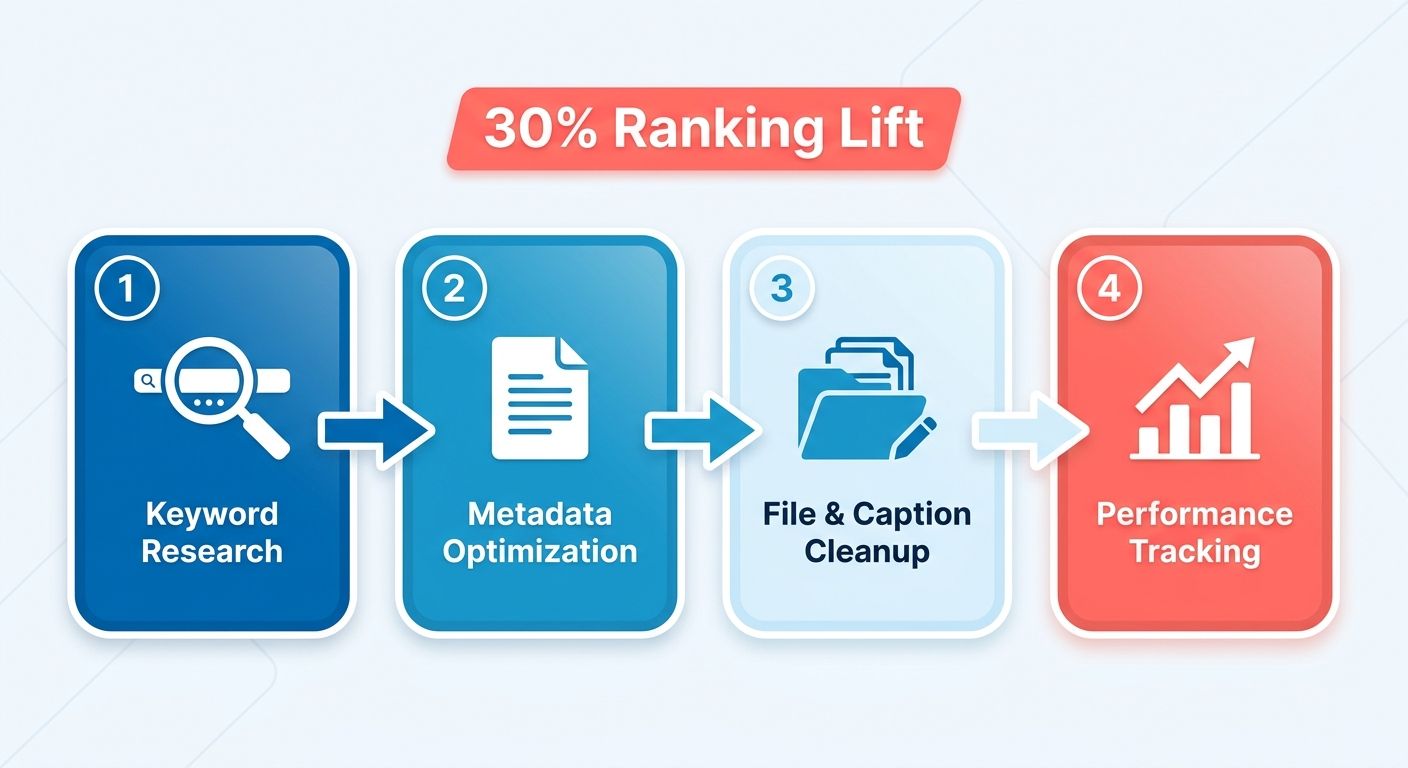
What should you optimize first?
Keyword research, because everything else depends on it. It's the step that decides which terms go into your title and description. Without it, you're guessing at what your audience types into search.
Pick one primary keyword per video. Rename your video file to include that keyword before you upload it. Small habit, but it helps search engines index your content correctly from the first crawl.
How do tags and thumbnails change visibility?
Together, optimizing your tags and thumbnails can improve visibility by around 25%. Tags tell the algorithm what your video covers. Thumbnails decide whether someone clicks once they see it.
Write tags that mix your primary keyword with close variations. Keep them relevant. Stuffing unrelated tags hurts more than it helps.
For thumbnails, use a clear image with readable text. A weak thumbnail sinks a well-optimized video no matter how good your metadata is. This is one place where design work pays off directly in click-through rate.
Why do captions and file names matter?
Search engines can't watch your video, so captions give them readable text to crawl. That text becomes another ranking signal. Captions also make your video usable for people watching without sound.
Rename your file with your target keyword before upload. Add a full caption file instead of leaning on auto-generated ones, which often miss context and specific terms. Accessibility and SEO reinforce each other here.
Tracking performance with YouTube Analytics
Analytics is where you find out if your optimization actually worked. It tracks watch time, traffic sources, and the search terms bringing people to your video. Use that data to adjust over time.
Check which keywords actually drive views versus the ones you targeted. If a video underperforms, revisit the title and tags before writing it off. Small metadata edits after launch can recover a stalled video.
Rough time estimates for a single video:
- Keyword research: 20 to 30 minutes
- Title, description, and tags: 15 minutes
- File rename and captions: 10 to 20 minutes
- Analytics review: ongoing, weekly check-ins
Skip heavy optimization for videos that will never target search, like internal team clips or one-off announcements. The metadata work only pays off when people are searching for what your video covers. For evergreen, search-driven content, the routine is worth every minute.
Why bother optimizing at all
YouTube is the second-largest search engine in the world. More than 2 billion people use it every month, searching for how-tos, reviews, and product demos. Rank a video on Google and you tap two search giants at once. Your content shows up in video results and in Google's regular search pages.
That double exposure is why the work pays off. A well-optimized video can pull traffic from Google's main results, from YouTube's own search, and from suggested video feeds. Skip the optimization and your video sits buried where nobody finds it.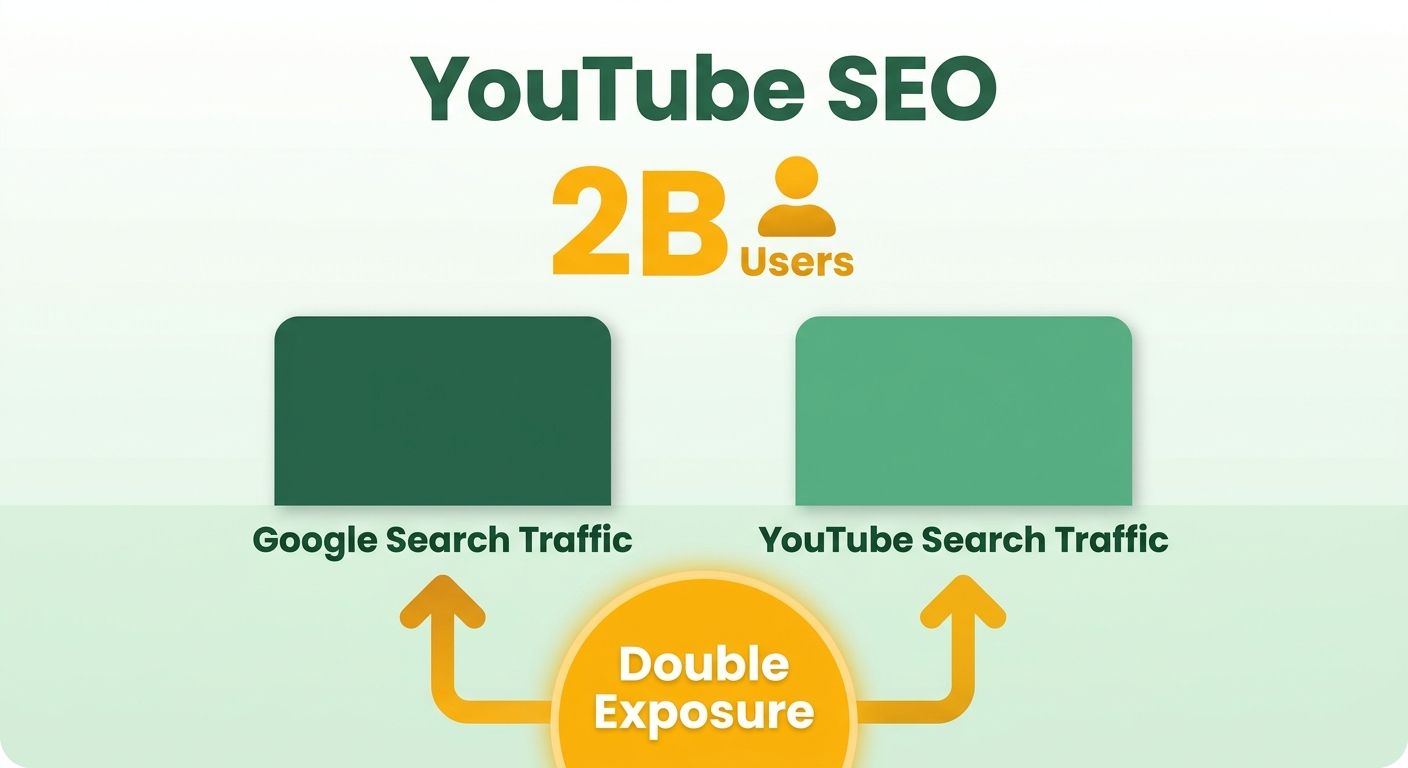
Why businesses should care
Optimized video puts your brand in front of people already searching for what you sell. That intent is what makes video such a direct path to new customers. It drives visibility, website traffic, and leads.
And people want more of it. A HubSpot study found 54% of consumers want more video content from the brands they follow. If you're not producing and optimizing video, you're leaving an audience on the table.
Video also earns SERP features. Google often pulls video thumbnails into its results, giving you a visual slot plain text pages can't match. That thumbnail draws the eye and pulls clicks away from competitors.
How optimization widens your reach
When your title, description, and tags match what people search, YouTube and Google serve your content to more of the right viewers. More relevant views mean more watch time, and watch time feeds back into higher rankings.
Engagement is the fuel. Likes, comments, and shares tell the algorithm your video is worth showing. A video that holds attention climbs while an ignored one fades. Optimization gives you the first push; engagement keeps the momentum going.
Research on video SEO backs this up: working with how a search engine ranks content, through keyword and feature analysis, can lift a video's position on the first page. That first page is where the real traffic lives.
Do the experts actually recommend this?
Yes. SEO authorities like Neil Patel and Moz recommend optimizing YouTube videos for search. University marketing guides from Boston University and UC Davis publish step-by-step frameworks for the same reason. This isn't a fringe tactic. It's standard practice among people who take search seriously.
The core moves are consistent across every guide. Rename your video file with your target keyword. Write descriptions that match search intent. Add custom thumbnails in the 16:9 format Google displays. Small steps that compound into real ranking gains.
Treat each video like a page that needs structure and metadata. That mindset separates videos that rank from videos that vanish.
Optimizing video titles and descriptions
Your title is the single biggest lever for search visibility. Placing your target keyword at the front can improve visibility by up to 20%. That matters, because both search engines read your title as the primary signal of what the video covers.
Titles and descriptions work as a pair. A strong title pulls the click; a detailed description tells the algorithm what your content is about. Together they decide whether your video surfaces or stays hidden. Rand Fishkin recommends descriptive, keyword-rich titles and descriptions to give both YouTube and Google clear context.
How to write a title that ranks
Put your target keyword near the start, then make the rest compelling for a human. The keyword tells search engines what to index. The rest earns the click. A study by Search Engine Journal found videos with optimized titles and descriptions post higher engagement.
Rules to keep in mind:
- Lead with the keyword so it reads within the first few words.
- Stay under the display limit so nothing gets cut off in results.
- Match search intent by describing exactly what the viewer will get.
- Add specifics like a number, a year, or a benefit to sharpen the promise.
Vague titles bury good videos. "Great Tips" tells the algorithm nothing. "5 Editing Tricks for Faster Video Workflow" gives it keywords and context at once.
What belongs in a description
Write a detailed paragraph that explains what the video covers and where the keyword fits naturally. More text means better indexing and accessibility, giving search engines more to read and rank. The first two lines carry the most weight, so front-load your keyword and main point.
Treat the description as a mini web page. Spell out the topic, mention related terms people search for, and include links to relevant resources. This context helps both search engines and viewers understand your video before they hit play.
For more on structuring on-page copy, the Backlinko guide to blog SEO breaks down how descriptive text drives rankings.
Why thumbnails affect rankings
Thumbnails don't change indexing, but they drive click-through rate, which feeds back into how well your video ranks. A custom thumbnail pulls more clicks, and higher click-through tells the algorithm your video satisfies searchers.
Thumbnail rules:
- Use a custom image instead of an auto-generated frame.
- Stick to 16:9, the format Google displays.
- Match the image to the topic so it reads at a glance.
A blurry auto-frame kills clicks even when your title and description are perfect. Design a clear, on-topic thumbnail and your metadata finally gets the traffic it deserves.
Selecting and using video tags
Tags tell YouTube and Google what your content covers. Relevant, specific tags can improve visibility by up to 15%. They act as extra metadata signals, helping search engines categorize your video correctly.
A video with well-chosen tags is easier for the algorithm to match against user queries. Skip them, and you leave one of the simpler ranking signals on the table.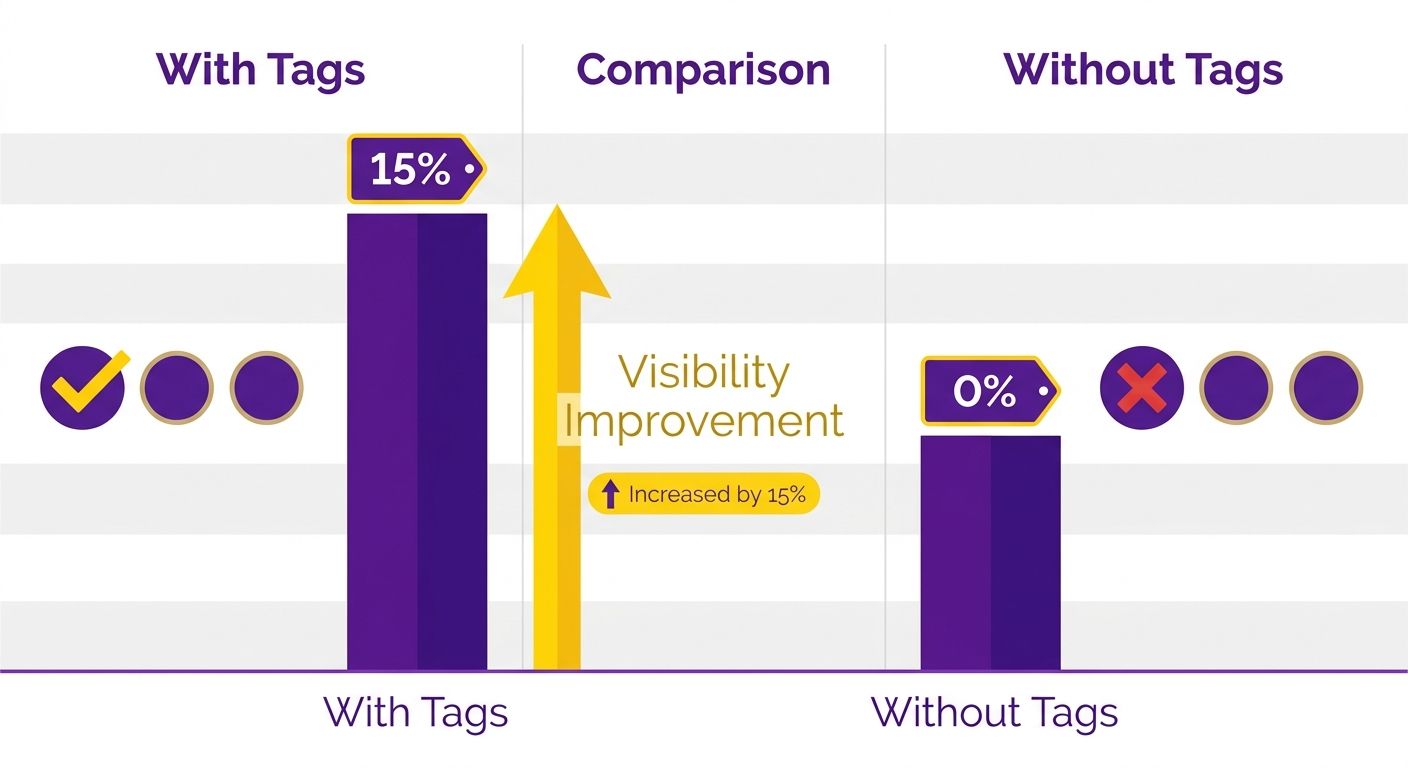
What tags to choose
Mix broad and niche tags. Broad tags reach a wider audience; specific tags target viewers searching for exactly what you offer. Combining both helps your video surface across general searches and narrow, intent-driven ones.
Start with your target keyword as the first tag. Then add close variations and related phrases. Mari Smith recommends using tags to categorize your content and make it more discoverable, which is exactly what a balanced tag set does.
Think about how people phrase their searches. For a product demo, include the product name, the category it fits, and the problem it solves. Each tag is another entry point for a searcher to find you.
How optimized tags boost engagement
Tags do more than help discovery. A TubeBuddy study found videos with optimized tags have higher engagement. Better tags pull in viewers who actually want your content, so they watch longer and interact more.
That engagement feeds back into ranking. When viewers stay and engage, YouTube reads your video as valuable and pushes it further. Tags start the chain by matching your video to the right audience.
Relevance beats volume. Ten precise tags outperform thirty loose ones. Stuffing your list with unrelated terms confuses the algorithm and hurts the match quality you're working to build.
How to find the right tags
Tag research tools take the guesswork out. VidIQ suggests relevant tags based on what performs well for similar content, and shows you which terms competitors rank for.
A simple workflow:
- Start with your main keyword and its closest variants
- Add broad category tags for the general topic
- Layer in niche tags for specific features, problems, or use cases
- Check a research tool to confirm the terms have search demand
- Trim anything irrelevant so every tag earns its place
Review your tags whenever you check analytics. If a video underperforms, adjust the tags to better reflect the searches you want. Tags aren't set-and-forget. Treat them as a signal you refine over time.
Keyword research for YouTube video optimization
Keyword research is the first real step. You find the terms people actually type into search, then build your title, description, and tags around them. Get this right and every other decision gets easier.
Treat each video like a page that answers a specific query. Brian Dean of Backlinko recommends doing keyword research before you even hit record. His analysis found videos ranking in the top 3 positions on YouTube carry an average of 4.5 keywords in their titles. Titles reward specificity, not vague phrasing.
Which keyword tools to use
Use dedicated tools to find search terms with real demand. Google Keyword Planner and Ahrefs both surface the phrases your audience searches, along with volume and competition data. Plug in a broad topic and you get dozens of related queries to build around.
Google Keyword Planner shows what people search on Google itself. That matters when your goal is Google visibility, not just YouTube's internal search. Ahrefs adds competitive metrics and helps you spot terms winnable for a newer channel.
Once you have a list, sort it by relevance. Drop the terms that are too broad or too far from your topic. A tight, focused list beats a long, scattered one every time. For a deeper walkthrough of tool-based research, the Ahrefs blog covers the mechanics.
Why long-tail keywords work better
Long-tail keywords often beat broad ones. These are longer, more specific phrases with lower competition and clearer intent. Someone searching "how to fix a leaky kitchen faucet" knows exactly what they want, and your video can match that need precisely.
Broad terms like "faucet repair" pull huge volume, but you're competing against thousands of established videos. Long-tail phrases narrow the field. Fewer creators target them, so a smaller channel has a real shot.
They convert better, too. The specificity means the people who click already want your exact content. That tighter match signals relevance to both search engines, which helps your video climb.
How competitor keywords inform your strategy
The videos already ranking for your target terms show you which keywords work in your niche. Study their titles, descriptions, and tags. Those elements reveal the language the algorithm rewards.
Watch for patterns across the top results. If several ranking videos use the same phrase in their titles, that phrase carries weight. Note the keywords they miss, too. Gaps are openings for your content.
Pair competitor analysis with tool-based research. The tools give you volume data; competitors show you what actually ranks. Together they point you toward keywords that are both searched and reachable.
Using YouTube Analytics to track performance
Analytics is your feedback loop for every optimization choice. It tracks views, engagement, and earnings so you can see what's working and what needs fixing. You made keyword and metadata choices earlier. Now you check whether those choices moved the numbers.
A Hootsuite study found YouTube Analytics helps identify areas for improvement, giving you concrete signals about where your video falls short. Think of it as the scoreboard for your SEO work.
What metrics to track first
Start with views, watch time, and engagement. These three tell you whether people find your video and stay to watch. Views measure reach, watch time measures retention, engagement covers likes, comments, and shares.
Watch time matters most for ranking. YouTube rewards videos that keep viewers on the platform. If your retention drops off in the first 30 seconds, your intro or thumbnail promised something the content didn't deliver.
Engagement tells a second story. High comment and share counts signal to both YouTube and Google that your video resonates. Low engagement on decent views means your content needs a sharper hook or a clearer call to action.
How analytics help you rank
Analytics show which keywords and traffic sources actually drive results. Michael Stelzner of Social Media Examiner recommends using YouTube Analytics to track performance and adjust your strategy accordingly.
Check your traffic sources report. It tells you whether viewers arrive from YouTube search, Google, suggested videos, or external sites. If Google search sends real traffic, your metadata work is paying off. If it doesn't, revisit.
Look at the search terms bringing people in. Sometimes viewers find your video through keywords you never targeted. That's a gift. Fold those terms into your description or tags to reinforce the signal.
Small adjustments compound. Change a weak title, watch the click-through rate over the next two weeks, then keep or revert based on the data.
Tools that extend YouTube Analytics
Third-party tools surface insights the native dashboard doesn't. TubeBuddy tracks performance and gives specific suggestions, from tag recommendations to keyword scores. It sits inside your YouTube interface, so you review data without switching tabs.
These tools help you spot patterns across your whole channel, not just one video. You see which topics earn the most watch time and which tags consistently rank. That pattern recognition guides your next round of content.
Data without action changes nothing. Set a review cadence. Check analytics weekly, note what moved, make one focused change at a time, track the result, then repeat. That loop is how raw numbers turn into steady ranking gains.
Promoting videos through social sharing and engagement
Social sharing is one of the fastest ways to push a video in front of new eyes. When your content spreads across platforms, more people watch, and those extra watch signals feed both search engines and YouTube's own ranking system.
Sharing widens your reach beyond people who already follow you. A Social Media Examiner study found social sharing helps content reach a wider audience than organic search alone. Post to your feeds and you tap networks your channel couldn't touch on its own.
How social sharing boosts rankings
Every share sends new viewers to your video, which lifts view counts and watch time. Those engagement signals tell Google and YouTube your content matters, helping it climb.
Jay Baer recommends using social sharing to promote videos and increase engagement. It fits the mechanics of how videos rank: the more people watch and interact, the stronger your video looks to the algorithm.
Post where your audience already spends time. Add it to your feeds, drop it in relevant groups, pin it where followers see it first. Each placement is another door people walk through to reach your content.
Why reply to every comment
When you respond to viewers, you signal an active channel, and active channels earn more return watchers. Comment activity also counts as an engagement signal search engines read.
Engagement is a two-way street. A viewer who leaves a comment and gets a reply is more likely to watch your next video. That loyalty compounds, giving you a base of repeat viewers who boost your numbers on every upload.
Ask questions in your video to prompt comments. Then answer them. Simple habit, but it turns passive viewers into an active community.
Quick engagement tactics
- Reply within the first hour. Early responses catch viewers while they're still on the page.
- Pin a top comment. Highlight a great question or your own prompt to spark more replies.
- Ask for opinions. Direct questions get more responses than vague calls to "let me know."
Can you automate social sharing?
Yes. Scheduling tools automate and streamline it. Something like Buffer lets you schedule posts across platforms in advance, so your video hits every feed at the right time without manual effort.
Automation frees you to focus on making better videos. Batch your posts once, then let the scheduler handle timing. That keeps your sharing consistent, and consistency builds momentum over weeks.
Set a schedule that matches when your audience is online. Space your shares across days instead of dumping them all at once. Steady, repeated exposure pulls in more views than a single burst that fades in an hour.
Renaming video files and adding captions
Renaming your video file before upload is one of the quickest wins going. Search engines can't watch your video, so they read the filename as an early clue about the content. Put your target keyword right in the file name and you feed both YouTube and Google a signal before the video even finishes processing.
This matters more than most creators think. Renaming a file to include your target keyword can improve indexing by up to 10%. A file called youtube-seo-guide.mp4 tells the algorithm far more than final_v3_export.mp4 ever will.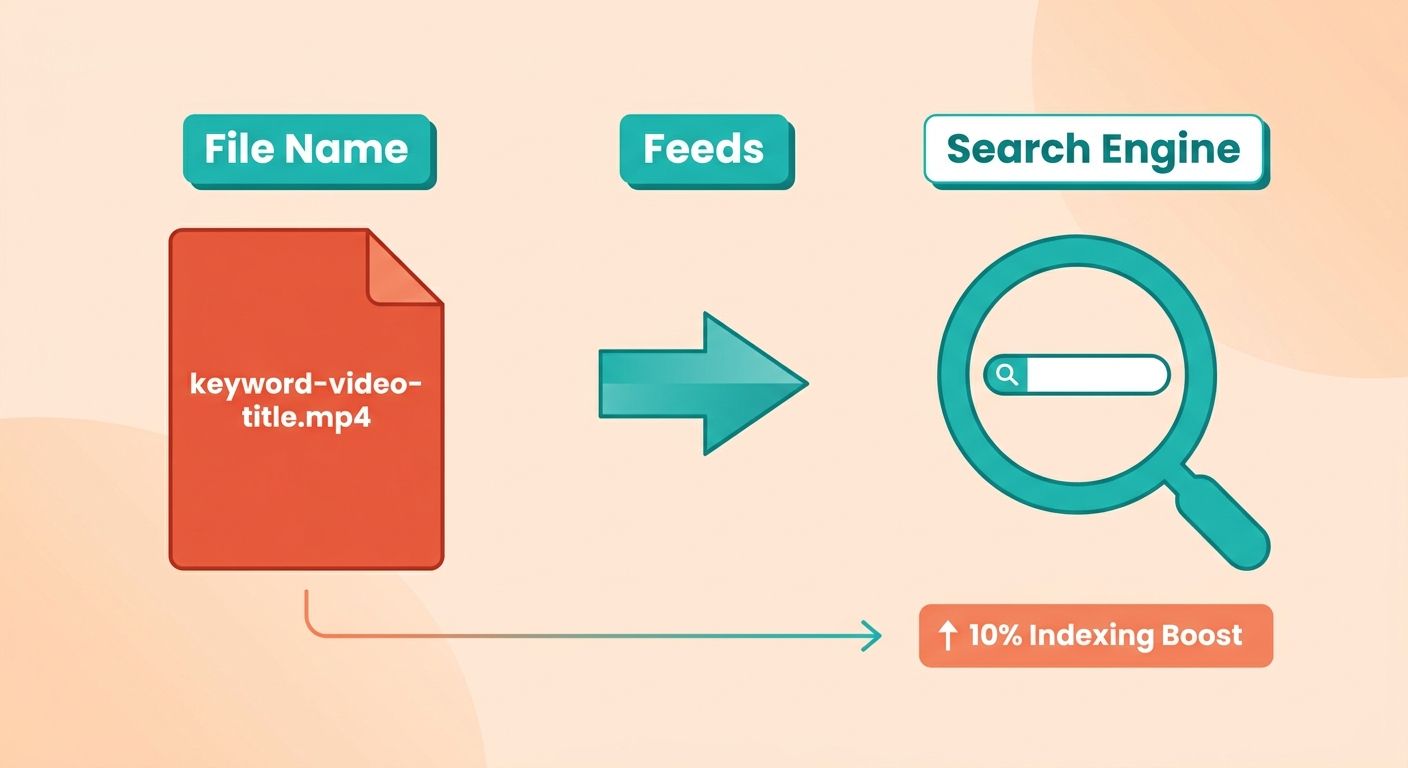
How to rename a file for indexing
Swap the default camera export name for a short, descriptive phrase people actually search. Use hyphens between words, keep it lowercase, and drop any random numbers or version tags your editing software added.
The filename is the first line of metadata the algorithm reads. If your keyword is "youtube seo tips," name the file youtube-seo-tips.mp4. Every signal then points at the same query, which makes it easier for search engines to match your video to what viewers type.
Keep it honest, though. Stuffing five keywords into one filename won't help and reads as spam. One clear phrase beats a jumble of terms.
Why captions improve engagement and accessibility
Captions make your video readable by both people and search engines. They give viewers a text track to follow, and they hand the algorithm a full transcript of your spoken words. That boosts accessibility for viewers watching on mute or with hearing needs, while adding another layer of indexable text.
Captions also keep people watching. A study by a major video hosting platform found videos with captions carry higher completion rates. Higher completion means stronger watch-time signals, and watch time is one of the metrics search engines reward.
Joe Pulizzi recommends captions as a way to make videos more engaging and accessible. The logic is simple: remove friction for the viewer, more of them stay to the end, and that retention feeds back into rankings.
Tools that add captions
Use a captioning tool to generate a transcript, then upload it as a subtitle file. Automated services can transcribe your audio in minutes, and you edit the draft before publishing. You can also write captions manually if your video is short.
Accuracy is the part you can't skip. Auto-generated captions often miss names, technical terms, and homophones. Read through once and fix the errors, because a caption that says the wrong keyword sends the wrong signal.
Upload the finished file as a proper subtitle track, not burned-in text. That way search engines can read the words and viewers can toggle captions on or off. For more on how on-page text drives search visibility, the Backlinko guide to blog SEO covers the same indexing principles that apply here.
Frequently Asked Questions
1. How long does it take for an optimized YouTube video to start ranking on Google?
Rankings typically develop over several weeks as YouTube gathers watch time and engagement data. New videos may appear in results within days, but competitive keywords often need one to three months of steady performance. Weekly analytics reviews help you spot early movement and refine underperforming metadata.
2. Should I optimize private or unlisted videos the same way as public ones?
Skip heavy optimization for internal team clips, one-off announcements, or private videos that won't target search. Metadata work only pays off when people actively search for your content. Reserve keyword research, custom thumbnails, and caption files for evergreen, search-driven videos meant to attract new viewers over time.
3. Can I change a video's title and tags after it's already published?
Editing published videos is often the smartest recovery move for stalled content. If analytics show low click-through or weak search traffic, revise the title and tags, then track click-through rate over the next two weeks. Keep or revert the change based on measurable results rather than guessing.
4. How many tags should I add to a YouTube video?
Around ten precise, relevant tags outperform thirty loose ones. Start with your primary keyword, then layer in close variations, broad category terms, and niche phrases describing specific features or problems. Irrelevant tag-stuffing confuses the algorithm and weakens match quality, so trim any tag that doesn't earn its place.
5. What's the difference between auto-generated and manually uploaded captions?
Auto-generated captions frequently miss context, technical terms, and proper punctuation, weakening both accessibility and search signals. Uploading a full, accurate caption file gives search engines clean, crawlable text that reflects your exact keywords. Since engines can't watch video, this text becomes a direct ranking input worth the extra effort.
6. Do social media shares actually influence YouTube search rankings?
Shares don't directly count as a ranking factor, but they drive views and watch time from audiences outside YouTube's search. Those engagement signals tell both Google and YouTube your content resonates. Posting in relevant groups and replying to comments builds return viewers who strengthen performance on every future upload.
7. Can tools like AnyPost or VidIQ handle optimization automatically?
Platforms like AnyPost generate SEO-optimized titles and descriptions, surface high-performing keywords, and automate multi-platform publishing with metadata handling. Tools like VidIQ and TubeBuddy suggest tags and keyword scores inside YouTube. These accelerate research and drafting, but you still review analytics weekly and make one focused adjustment at a time.