
Automated Weekly SEO Reports by Email: SE Ranking, GA4, and GSC for Monday Reviews

Stop treating the Monday report as a status check
Yes, you can automate weekly SEO reports by email. The better question is what you do with the file once it lands. Most teams read the Monday drop, nod, and move on. We think that's a waste. A clean weekly pull from SE Ranking, GA4, and GSC is raw material. Feed it into a brand-voice newsletter or a content brief and the data you already collect turns into something publishable.
The time argument gets stronger when you count both sides of the workflow: the weekly reporting hours you stop spending on pulling, formatting, and summarizing, plus the manual newsletter or content-summary writing you no longer have to do from scratch. Reporting is one of the most repetitive, hour-heavy jobs in any agency workflow, and it scales badly. Every client you add multiplies the pulling, the formatting, the summarizing. Automate the weekly send and you get those hours back, plus a repeatable input for content.
Why weekly beats monthly
A weekly rhythm shifts the conversation from "what did you do?" to "what should we do next?" Monthly reports work for slow retainers. Weekly ones fit fast-moving projects where a ranking drop or a traffic dip needs a response in days, not weeks.
Data timing matters too. Google Search Console and GA4 can update on different schedules, and by the time most teams review on Monday the previous week's numbers are usually stable enough to act on. That freshness is a reason to lean on direct-from-Google sources rather than third-party crawlers, whose rankings and traffic estimates can lag depending on the provider.
What automation actually fixes
The big one is the manual stitch. Copying numbers from three platforms into a doc every Friday, then retyping the same summary paragraph, is where most reporting time disappears. Automation kills the copy-paste and the deadline scramble.
It also fixes the "nobody reads it" problem. A raw PDF export of metrics doesn't build trust or drive decisions. A short, narrative email in your brand voice does. That's the whole angle here: the automated report isn't the finish line, it's the draft.
One catch, stated plainly. AI-written narrative only holds up when the data underneath is reconciled first. Metric definitions, attribution, and channel labels have to agree across GA4, GSC, and SE Ranking before any writing engine touches them. Skip that step and your auto-written newsletter reads correct until someone checks a number. Build the clean data layer, then let the automation write.
Which metrics make the cut
Keep it tight. Keyword rankings, organic traffic, conversions, and technical health tied to active work. Pile on more and you dilute the report and bury the story.
One newer signal earns a spot even though it's still small. AI search traffic may be growing for many sites, but it still sits at an early-stage share of overall website traffic for most. Treat AI-answer visibility as an early demand indicator, not a performance metric. When competitors get cited in AI answers and you don't, that gap becomes next week's content brief.
Before any of this becomes publishable, add a small governance layer: record the as-of cutoff for each pull, label dashboard sections by source and freshness, and keep a source-authority map. Rankings should come from your rank tracker, traffic and conversions from GA4, search impressions from GSC, and AI visibility from your AI-answer tracker. That keeps a number from being quoted from the wrong platform.
Before we get into it, the short version:
- Search Console and GA4 update on different schedules, so a Monday review should wait until the prior week's numbers have settled enough to act on.
- Scheduled, unattended weekly pulls usually run best on a service account rather than OAuth 2.0, which suits interactive apps that need a human to click "allow."
- AI-generated report narratives only hold up when metric definitions, attribution, and channel labels are reconciled across GA4, GSC, and SE Ranking first.
- A focused weekly send covers keyword rankings, organic traffic, conversions, and technical health, with AI-answer visibility serving as an early demand indicator rather than a performance metric.
Configuring API access for SE Ranking, GA4, and GSC
The credentials layer is where "can I automate weekly reports by email" stops being a wish and turns into plumbing. Before any newsletter writes itself, three data taps have to open cleanly: SE Ranking, GA4, and GSC. Each authenticates differently, and getting that right up front is what keeps your Monday send from shipping with silent gaps.
The piece most guides skip: the prerequisite for publishable auto-content isn't the writing engine. It's the reconciliation layer beneath it. Feed raw, mismatched numbers into an AI summary and you get output that reads correct until someone checks the source. So configure access with the newsletter in mind, not just the dashboard.
How to authenticate each platform
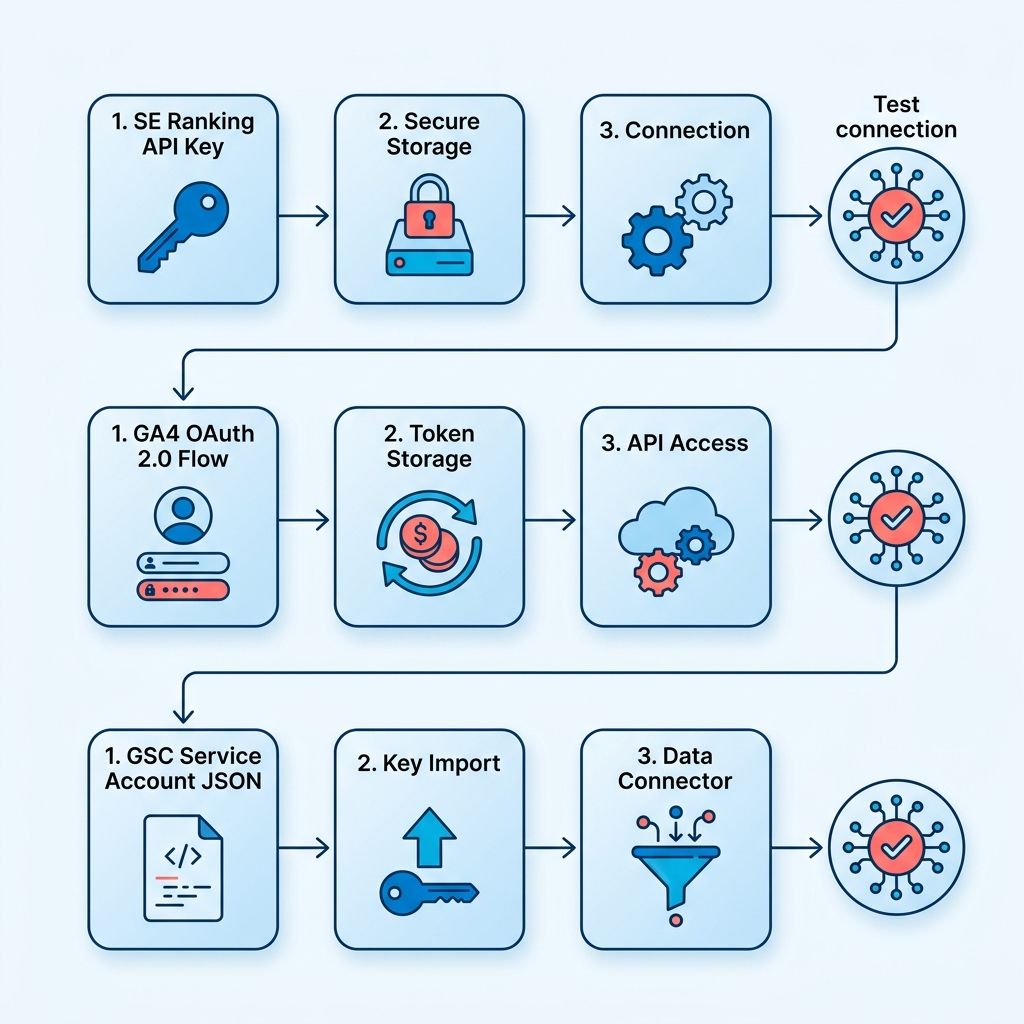
GA4 and GSC both live inside Google's auth system, so you'll choose between OAuth 2.0 and a service account. For an unattended weekly pull, use a service account. OAuth suits interactive apps where a human clicks "allow," but a scheduled job needs credentials that don't expire mid-run or demand a login screen every Monday.
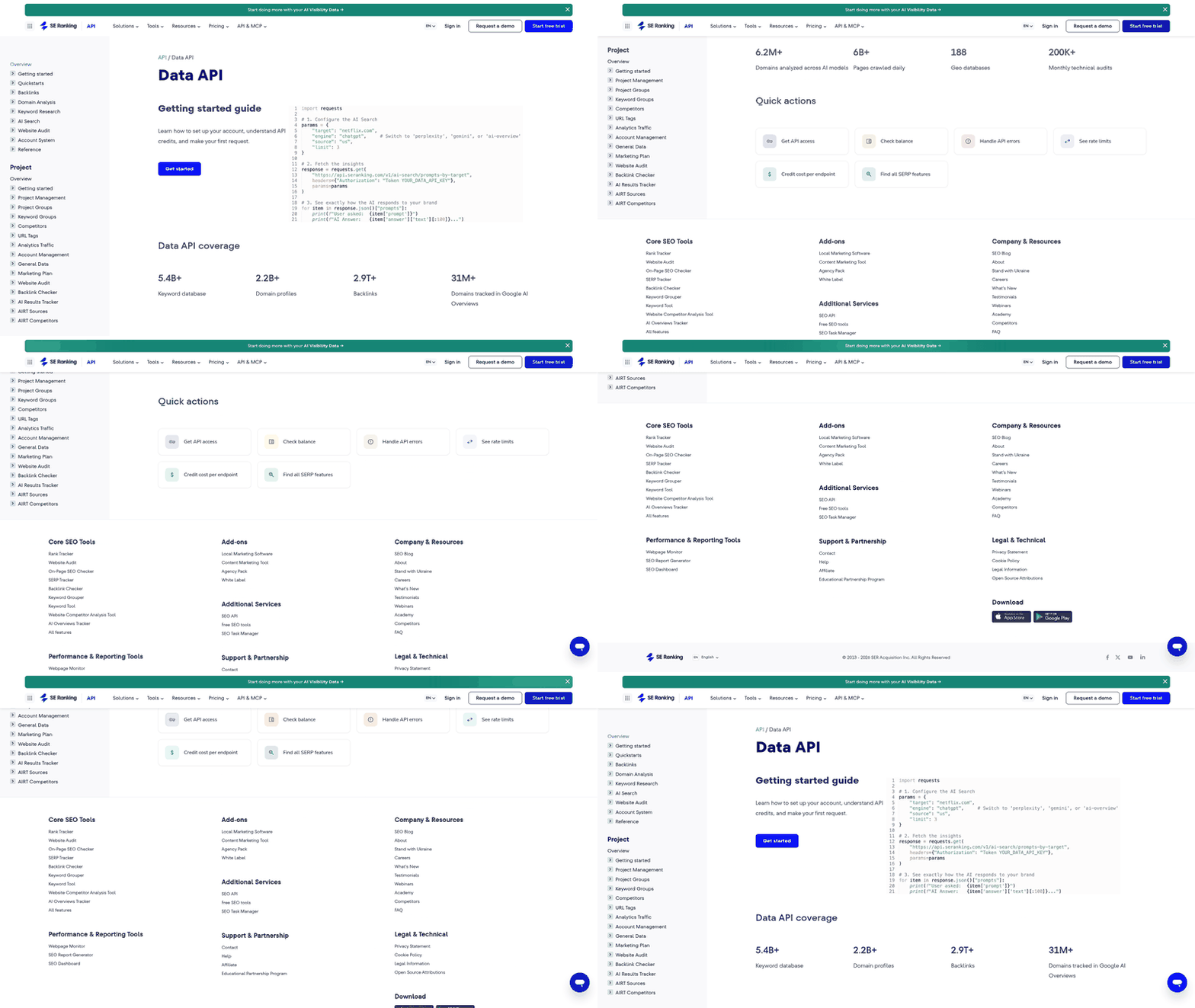
SE Ranking exposes its own API for live rankings, audits, backlinks, and AI visibility data, depending on your plan. Treat every key like a password. Store secrets in environment variables or a dedicated secrets manager, never hard-coded in the script that generates your brief. Rotate them on a schedule.
Which endpoints feed a weekly brief
Pull only what the newsletter uses. From GSC, grab impressions, clicks, and query-level position data. From GA4, sessions and conversion events. The platform exposes far more metrics than any single report needs, so restraint beats coverage. From SE Ranking, keyword positions and, where available, AI citation data showing whether your domain gets cited in AI answers and how that compares to competitors.
That last field is where the loop closes. Feed the citation-gap data into your content brief and the weekly report becomes a to-write list. It can name the queries where competitors are cited and you aren't. Measurement turns straight into an assignment. AnyPost is built to help carry that handoff into article production and publishing workflows.
Native connectors or a third-party ETL layer?
Native connectors win for speed. SE Ranking offers integrations with some workflow automation tools across keyword research, rank tracking, backlinks, and audits, and some plans may include an MCP connector that opens the same data to AI agents for conversational querying. That access can let teams pull live SEO and AI-visibility data into the tools they already use.
A third-party ETL platform makes sense when you need data in a system those native paths don't reach. Custom API work isn't a last resort for giant agencies only. It's the right call any time your writing pipeline lives somewhere the built-in connectors can't feed.
Two pitfalls to plan around. GSC data can lag real time because Google's crawl data is delayed, and it may retain only a limited window of history depending on your setup. GA4 may rely on sampled data for some advanced analysis. Reconcile those quirks before the AI writes, or your brand-voice newsletter will quote numbers that don't survive a second look.
Building a Looker Studio dashboard for Monday reviews
You can send reports by email straight out of Looker Studio (the tool formerly called Data Studio), but the design choices decide whether that Monday send is a status check or the raw material for your next newsletter. The dashboard is where the newsletter's structure gets set. If the report reads clean at a glance, the AI summary that feeds your content brief will too.
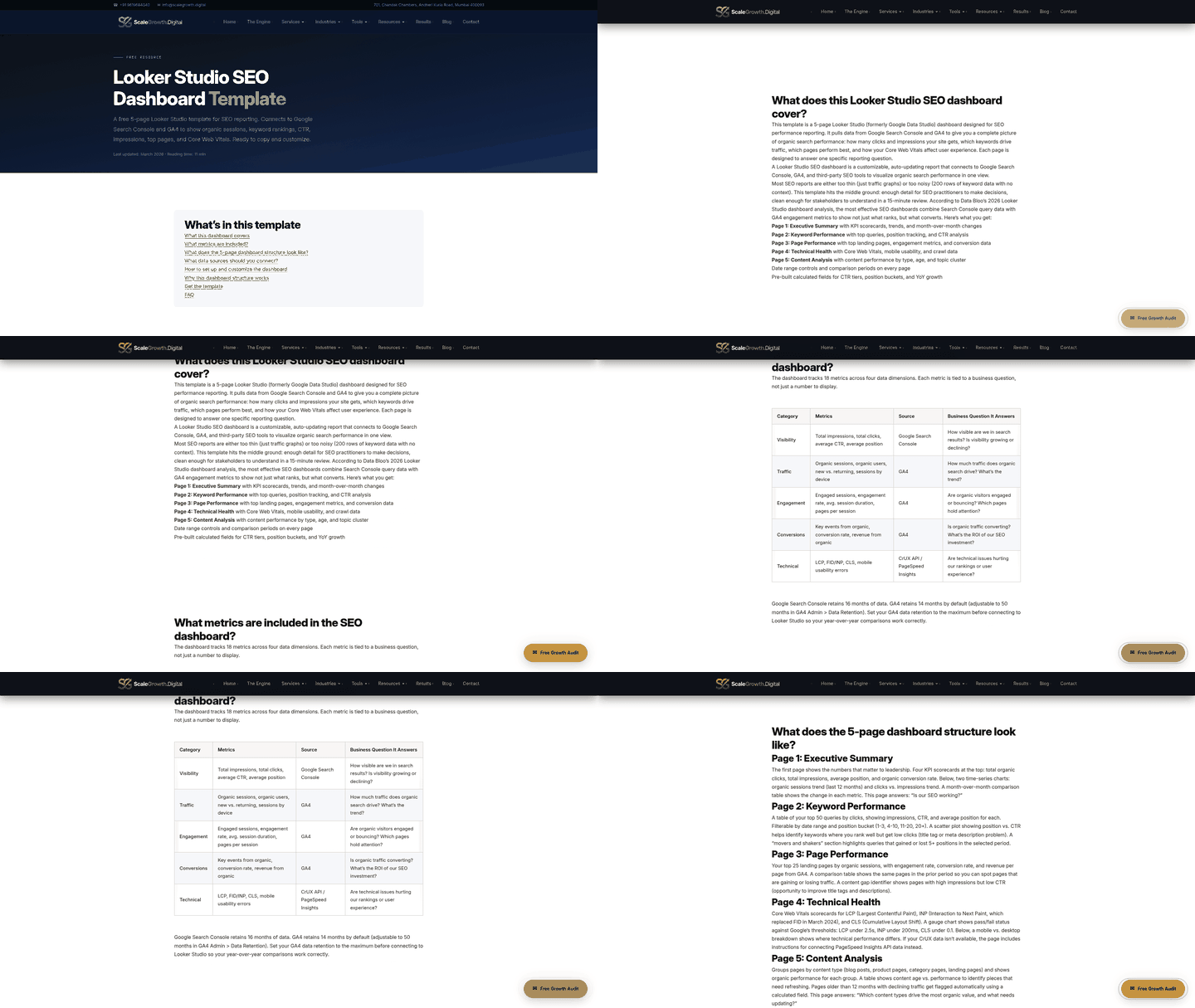
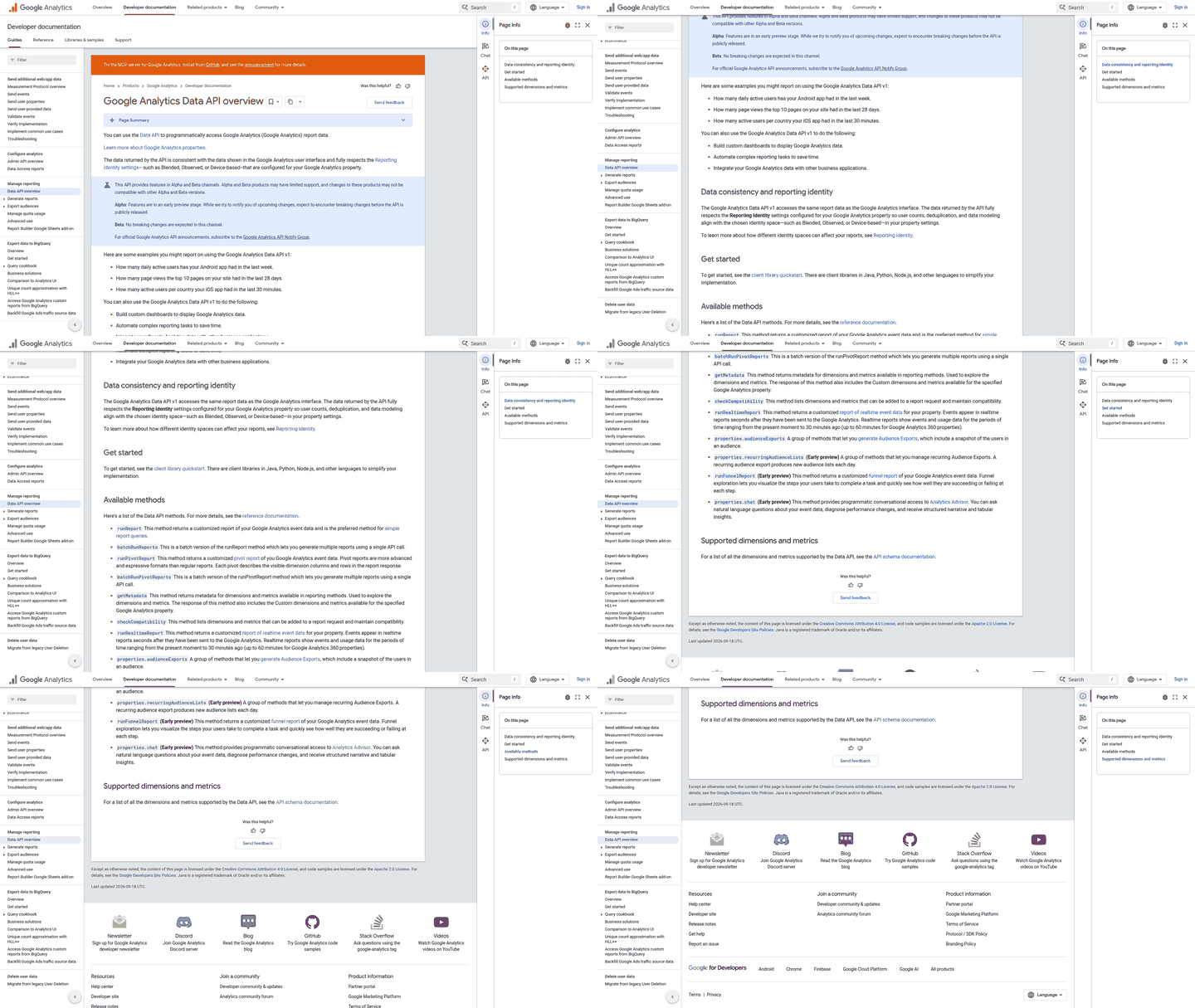
Looker Studio can connect to many data sources, including SE Ranking, GSC, GA4, Google Ads, and BigQuery, and it can be configured to refresh without manual exports. That range is why it can work as the source layer for auto-generated content. Blend the taps once, and every scheduled send can pull fresh numbers your writing engine can turn into publishable copy.
The single-page snapshot that survives an email thumbnail
Design for the thumbnail first. When a report lands in an inbox, the preview is often a shrunk-down first page. If your key story doesn't read at that size, the client scrolls past.
Keep the top of page one to a tight row of scorecards: organic sessions, total clicks, average position, conversions. Below that, the trend and detail charts. This ordering doubles as the outline your newsletter follows, headline metric first, supporting detail second.
One page also loads faster and exports cleaner. A dashboard crammed with too many components on the fold drags load time and produces a muddy attachment. Fewer, sharper visuals win.
Match the visual to the KPI
Traffic belongs on a trend line. Week-over-week organic sessions tell a story of direction, and a line makes that direction obvious. Rankings work better as a bar chart, where you can stack your top keywords and read movement without squinting.
For AI-content and visibility metrics, use scorecards with a comparison period turned on. That green-or-red delta is the single most quotable element for an auto-generated summary. It hands the writing engine a plain movement it can drop into a sentence.
A raw scorecard number means little without context, so set the comparison window to the prior period and let the percentage change carry the message. For distribution questions, like which page types drive the most clicks, a pie or stacked bar reads faster than a table. Match every metric to the chart that answers its question in one look, and the AI summary inherits that clarity.
Scheduled email until you need the brief
Looker Studio's built-in scheduled email is the simplest path. Set the cadence, pick recipients, and the PDF ships every Monday. For a straightforward client update, that's all you need. Skip the external automation layer here; it adds moving parts for no gain.
The built-in send stops short of one thing: it emails a report, not a content brief. When you want the weekly data to write something, route the same dashboard data through a tool that generates copy. Feed it the citation-gap view, the queries where competitors show up and you don't, and the report becomes a to-write list instead of a recap.
Choosing the metrics that turn a report into prose
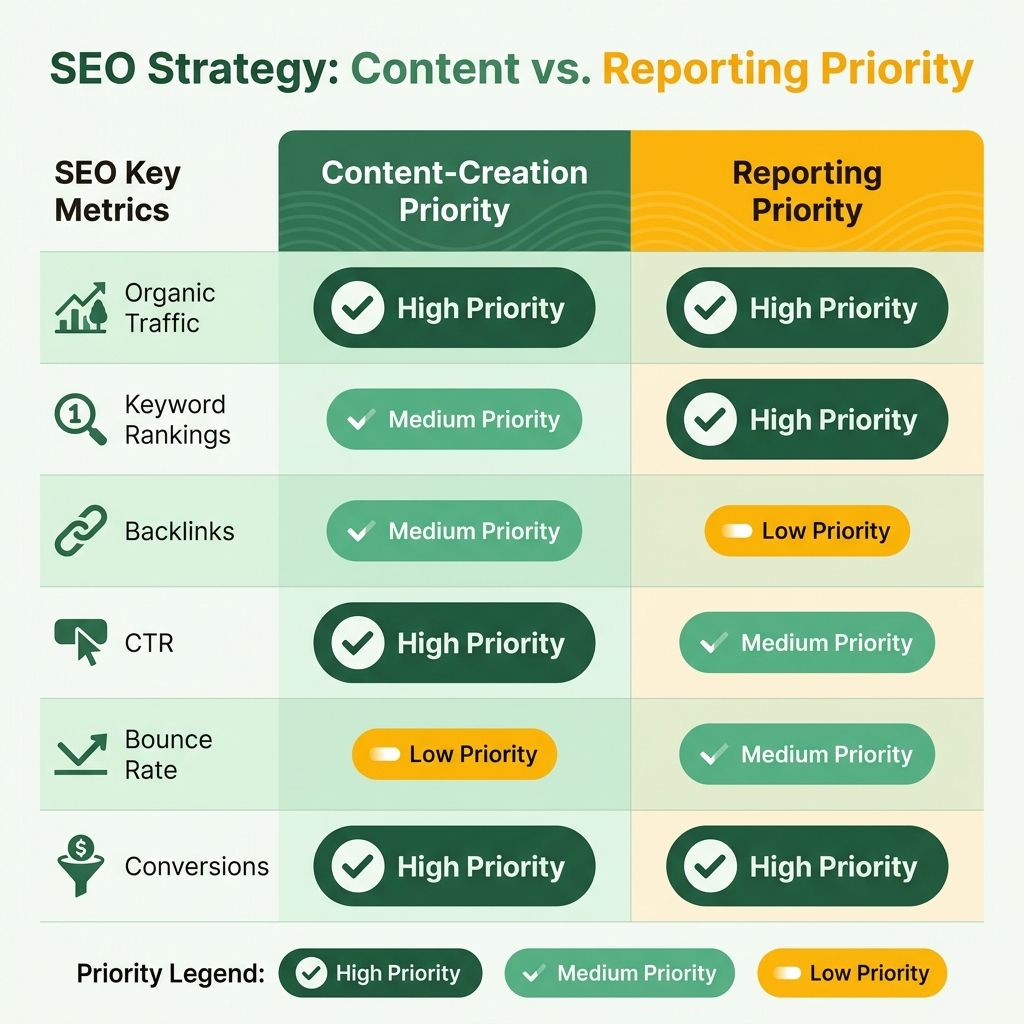
The temptation with any automated feed is to dump everything in. Resist it. The metric list you choose decides whether the newsletter reads like a story or a spreadsheet. A good report shows the dynamics of business metrics and SEO's impact, not the effort you put in.
So yes, you can automate these reports by email, but the smarter move is to pick a short list of signals your writing engine can turn into prose. Analytics platforms expose a sprawling menu of metrics. Feed all of them to an AI summary and you get a wall of numbers nobody publishes. Feed it four or five, and you get a paragraph.
The short list that feeds the newsletter
Keep the core layer tight: keyword rankings, organic traffic, backlink changes, and technical health tied to work you're actively doing. Anything that doesn't map to a live service is noise in a client-facing send.
Thresholds are what make this auto-writable. Set a rule like "flag any priority keyword that drops more than the threshold configured for that client," and the summary has a headline before anyone reads it. The email leads with what changed, not a static leaderboard.
One caution on the numbers your engine narrates. Rank data can swing on a single volatile day, so a same-day snapshot often reports noise as if it were a trend. Some teams use a rolling average to smooth out that daily noise, and the prose then reports the direction that holds.
AI visibility is a leading indicator, not a vanity metric
This is where teams disagree. Impressions are usually vanity metrics. But some GSC views now include generative-AI impression data, often impressions only, with no clicks or CTR yet. That changes what the number means.
Read as an endpoint, an impression is filler. Read as an early warning, an AI-answer impression tells you a brand is starting to appear in generative results that may drive future demand. Some analytics platforms now classify traffic from assistants like ChatGPT and Gemini separately, giving you a second read on the same shift.
The scale check matters. AI search traffic is growing for many sites, yet it's still a small slice of all website traffic. So frame it in the newsletter as an emerging signal, not a replacement for organic. A brand can appear in an AI answer, sway a decision, and still show no standard organic session.
Citation gaps become your to-write list
This is the loop that turns a report into a content brief. SE Ranking's AI Results Tracker can show whether a domain is cited across available AI answer surfaces and assistants, and how that citation rate stacks up against competitors, depending on your plan and configuration.
Feed that gap data into your auto-generated brief and the weekly email stops being a status check. It names the exact queries where rivals are cited and you aren't. That's a to-write list, generated from data you already collect. For a deeper walkthrough, our guide on maximizing SEO efficiency with automated reporting covers how we wire this together.
Automating the refresh, the schedule, and the send
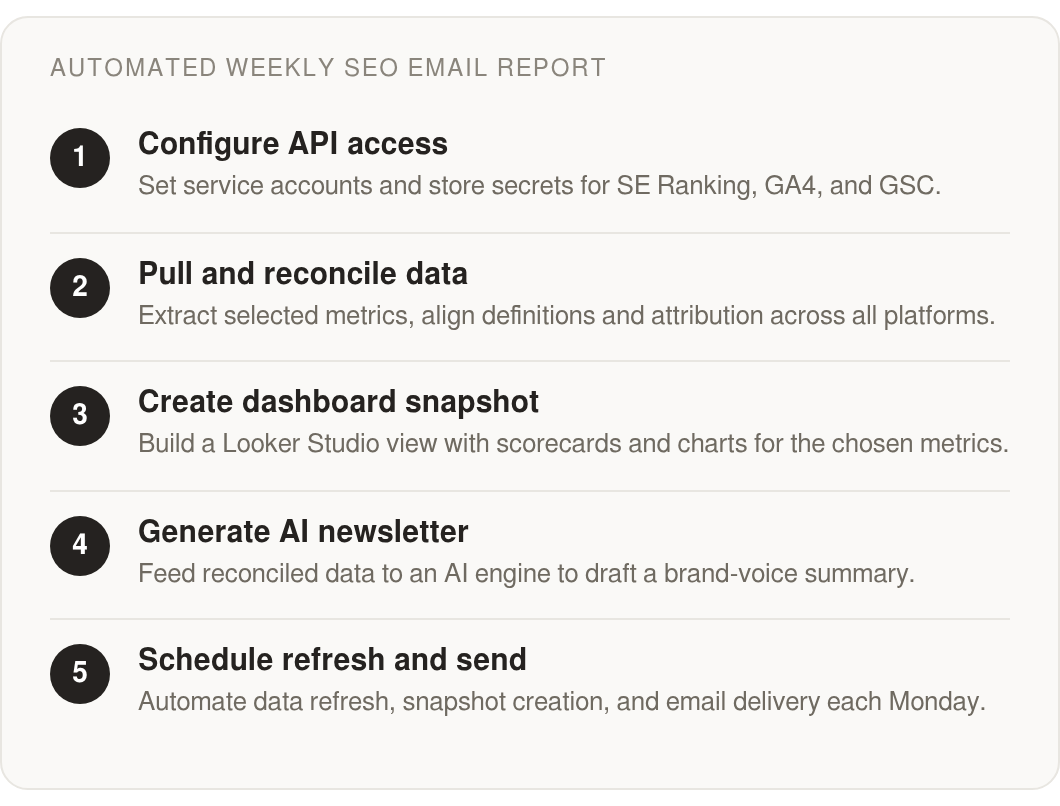
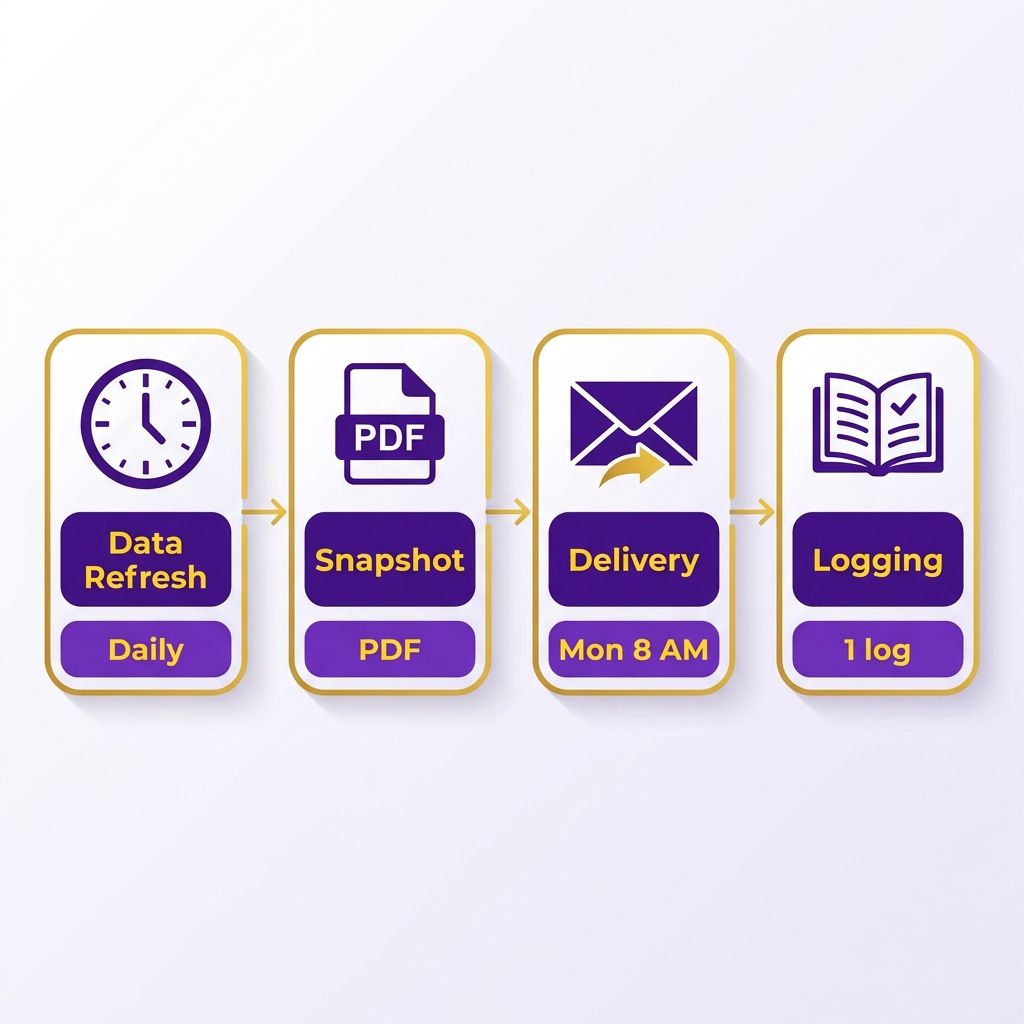
You can automate the whole send, and the pipeline behind that Monday email is simpler than most teams assume. Four moving parts do the work: a scheduled data refresh, a snapshot generated as PDF or HTML, a delivery trigger, and a logging layer that tells you when something broke. Wire those once and the report ships itself while you sleep.
The choice that shapes everything is how you schedule and send. Looker Studio has native scheduled email delivery built in, and for a single dashboard landing in a few inboxes, it does the job. But native scheduling stops at "here's the dashboard." If your real goal is auto-generating a brand-voice newsletter from the numbers, you need a workflow layer that can grab the report, pass it to a writing engine, and route the output. That's where external tools earn their place.
Native scheduling or an external workflow tool?
Native Looker Studio scheduling wins on simplicity. You set a day, a time, and a recipient list, and the current dashboard state goes out as an email. No extra accounts, no glue code. Use it when the report is the deliverable and nobody needs to reshape the data after it lands.
External workflow platforms win the moment you want the report to become something else. A no-code automation tool can fetch the rendered report, hand the metrics to an AI summary, and drop a finished newsletter draft into your CMS or a review queue. Some workflow platforms can connect to SE Ranking data across keyword research, rank tracking, backlinks, and audits, so the same run that emails the PDF can also pull the raw signals your content brief needs.
For teams already living in Google's stack, Google Apps Script with a time-based trigger, or Google Cloud Scheduler hitting an API on a cron, gives you refresh-then-send control without a third-party subscription. It's more setup, but you own every step.
How to time the data refresh
Timing matters more than people expect, because your sources don't update in sync. GA4 and Google Search Console each carry their own processing lag, and Search Console can trail longer than some other sources before its numbers settle. Schedule your Monday send too early and the Search Console panel may show stale numbers your newsletter then repeats as fact.
The fix is sequencing. Trigger the refresh, wait for the connectors to reconcile, then generate the snapshot and send. Building that buffer in is what keeps the automated report from publishing a confident sentence about a metric that hasn't caught up yet.
What breaks, and how to catch it
API timeouts and quota limits are the usual failure points. A connector hits its request cap mid-run, a token expires, and the send either ships with blank panels or doesn't fire at all.
Log every step. Capture the timestamp, which source returned data, and any error code, then route failures to a Slack or email alert instead of letting the report go out broken. For auto-generated content this is non-negotiable. A silent gap in the data becomes a wrong sentence in the newsletter, and nobody wants to publish that under their brand.
Templates, white-labeling, and per-client tuning
Branding is where the auto-generated newsletter stops looking like a dashboard export and starts looking like it came from your team. Once the send works, the next question is whether every client gets the same generic template or a version tuned to their goals, their logo, and their voice. At agency scale, that difference decides whether a client opens the report or ignores it.
Some white-label report builders can generate branded PDF, XLS, or HTML reports with custom domains, logos, and branded email delivery, so the Monday send carries your identity, not a stock vendor header. The same branding has to carry through to the AI summary that becomes your content brief. If the email says one thing and the attached PDF uses different fonts and colors, the whole thing reads as pieced together.

Dynamic text is what makes one template serve thirty clients
The point of a template is reuse without repetition. You build the structure once, then let variables fill in the client name, the date range, and a custom note per account. That single mechanism turns a 30-client book into one workflow instead of thirty.
SE Ranking's Agency Pack includes AI-powered summaries inside Report Builder on some plans, so you can draft a fresh brand-voice narrative for each client every week. Feed the summary engine the client's name, their priority metrics, and a short context note, and the output can read like it was written for them. That's the difference between a status check and a publishable brief.
Watch the trap most teams walk into. The summary feels correct when you read it, then falls apart the second someone checks the source. If your currencies, attribution windows, and metric definitions aren't reconciled before the AI writes, the dynamic text will confidently state numbers that don't match the dashboard. Reconcile the data layer first, then let the template fill in.
A central config keeps client thresholds out of the template
Client goals aren't uniform. One wants ranking movement flagged, another cares only about conversions and revenue. Rather than forking your template for each, store per-client thresholds and metric choices in a central sheet or database, then have the workflow pull the right values at send time.
A spreadsheet or a structured table works well here. Each row holds a client: logo URL, tracked keywords, alert thresholds, custom note. The workflow reads that row and applies it, so updating a client's goals means editing one cell, not rebuilding a dashboard.
Feed that same config the citation-gap data from an AI visibility tracker and the brief writes its own to-do list. When the tracker shows competitors ranking where the client isn't, the newsletter names those queries as next targets. That closes the loop from measurement to publishable content.
Set edit permissions before two people overwrite the master
Shared templates break when everyone has full edit rights. Give most team members view or comment access to the master template and the config repository, and reserve edit rights for the one or two people who own the structure. That keeps a well-meaning teammate from changing a variable that silently breaks every client's send. Locking down permissions is what lets the traditional metrics layer and the AI visibility layer keep working together as one dependable workflow.
Keeping the weekly send honest after launch
Once the reports go out on their own, the real work shifts from building the pipeline to keeping it honest. An automated send that quietly breaks is worse than no send at all, because it looks fine until a client checks the numbers. So the maintenance layer matters as much as the setup.
The upside: upkeep on a weekly report is light if you check the right things on a schedule. Three areas need attention. Connector health, metric relevance, and email deliverability. Get those into a routine and the newsletter that writes itself keeps writing itself accurately.
API failures fall into three predictable buckets
When a connector to SE Ranking, GA4, or GSC drops, the failure almost always maps to a standard HTTP response. A 401 means your credentials expired or got revoked, so the fix is re-authenticating the token, not rebuilding the query. A 429 means you hit a rate limit, which calls for spacing out or batching requests. A 500 is on the provider's side, so retry with backoff before you assume your setup broke.
Log every scheduled pull with its status code. That way a silent gap surfaces in your logging layer before it ships in Monday's email.
Deliverability is the quieter failure mode. A report that generates cleanly but lands in spam still counts as a miss. Authenticate your sending domain with SPF, DKIM, and DMARC records, and monitor bounce rates. A rising bounce rate may signal a stale recipient list that can drag your sender reputation down. Send from a consistent address rather than rotating aliases, and inbox placement stays predictable week over week.
Metric relevance decays, so revisit it quarterly
The metric list you picked at launch won't stay right forever. Review it every quarter and prune what stopped earning its place. This is also where new signals enter the mix.
AI visibility is the live example. Some search consoles now include a generative-AI tab, often impressions only in early versions. That impression stream is worth watching as demand shifts toward AI answers. Treat AI-answer impressions as an early-warning demand signal in the narrative, not a KPI. Feed a citation-gap read into your content workflow and the report becomes a to-write list: the queries where competitors get cited and you don't.
A realistic picture of post-launch impact
A small agency running weekly reports across a modest client list might spend much of Monday pulling, formatting, and summarizing by hand. After wiring the connectors once and routing the reconciled snapshot into a brand-voice draft, that Monday block can shrink to a review-and-approve pass.
The wins worth tracking after your own launch: hours reclaimed per client, on-time send rate from your logging layer, and how often clients reply to the newsletter rather than asking "what did you do this week." AnyPost can bring much of this workflow into a single dashboard, from context extraction to content production, depending on your setup, which can make that review-and-approve pass practical.
One caveat before you scale it. Skip the fully automated send for a client in the middle of a site migration. A tracking break can make traffic look like it collapsed, and an unattended summary will report a crisis that isn't real.
FAQ
Why use a service account instead of OAuth 2.0 for scheduled reports?
Service accounts usually suit unattended weekly pulls because they don't expire mid-run or demand a login screen every Monday. OAuth 2.0 typically fits interactive apps where a human clicks "allow," so a scheduled job that runs without supervision often needs the service-account path.
What do 401, 429, and 500 errors mean when a connector fails?
A 401 means credentials expired or got revoked, so re-authenticate the token rather than rebuilding the query. A 429 signals a rate limit, calling for spaced-out or batched requests. A 500 is a provider-side failure on SE Ranking, GA4, or GSC.
When is a monthly SEO report still the better choice?
Monthly reports work for slow retainers where changes unfold gradually and no rapid response is needed. Weekly reviews fit fast-moving projects where a ranking drop or traffic dip demands action inside days. Match the cadence to how quickly the project actually moves.
Should I ignore AI search traffic since it's still such a small share?
AI-answer visibility works best as an early demand indicator, not a performance metric. It's a small slice of total traffic for most sites, but an AI-answer impression signals a brand starting to appear in generative results that may drive future demand. Frame it as an emerging signal.
Why does data need reconciling before an AI writes the newsletter?
Metric definitions, attribution, and channel labels have to agree across GA4, GSC, and SE Ranking first. Skip that step and the auto-written narrative reads correct until someone checks a number. Build the clean data layer, then let the writing engine produce copy.
How do I stop my Monday send from reporting stale GSC numbers?
Sequence the pipeline: trigger the refresh, wait for connectors to reconcile, then generate the snapshot and send. Search Console can trail longer than some other sources before its numbers settle, so scheduling too early means the panel may repeat stale figures your newsletter states as fact.
Can one report template serve thirty clients without rebuilding it each time?
Dynamic text insertion fills variables like client name, date range, and a per-account note into one reusable structure. Store per-client thresholds and metric choices in a central sheet or table, so updating a client's goals means editing one cell instead of forking the template thirty times.
Who on my team should have edit access to the master template?
Reserve edit rights for the one or two people who own the structure. Give everyone else view or comment access to the template and config repository, which prevents a well-meaning teammate from changing a variable that silently breaks every client's send.