Generate LSI Keywords With Google Autocomplete, Related Searches, and Clusters That Actually Map to Content

Key Takeaways
- Search intent decides how many URLs you need. Semantic relatives decide the vocabulary inside each page. That is the two-layer clustering model this article uses.
- Google's 2013 Hummingbird update let documents match queries without exact keywords, which is why related terms like "grind" and "temperature" still signal topic.
- The term LSI traces to a 1988 information-retrieval paper on "the vocabulary problem," and John Mueller said in 2019 that LSI keywords don't exist.
- People Also Ask questions mirror how searchers phrase problems, so they make good heading and FAQ candidates. They don't guarantee a featured snippet.
- Suggestions fall into four intent tags. Informational queries typically group into guides, while commercial or transactional queries often warrant separate pages.
- Difficulty: 2 out of 5. You need a browser, a spreadsheet, and working knowledge of search intent.
Why Generating LSI Keywords Is the Easy Part
The expensive part of keyword work usually isn't the harvest. It's the work that comes after: a spreadsheet of autocomplete strings nobody owns, where two writers chase the same phrase and the long-tail questions sit unread. Generate LSI keywords without a plan for grouping them, and you often pay a hidden tax in duplicate briefs and missed priorities.
One correction before we go further. Strictly speaking, LSI is an older information-retrieval concept, not a confirmed Google ranking feature. We use the label here as shorthand for the semantically related words, questions, and modifiers that help a page cover its topic completely.
Semantic Coverage Still Earns Rankings
Search stopped being a phrase-matching game a while ago. A post about cold brew coffee tends to signal its topic through words like "filter," "temperature," "grind," "cold water," and "ice," not by repeating "cold brew coffee" every other paragraph.
That matters at planning time, because you're really making two separate calls. One is architectural: does this query deserve its own page? The other is editorial: what supporting language belongs inside the draft? Mash both into one undifferentiated keyword list and you get the classic failure modes, cannibalized URLs on one side and thin articles on the other.
A Sorted Cluster Makes a Better Drafting Input
Structured clusters hand off cleanly to a persona or AI drafting step. Each brief arrives with intent, subtopics, and terms already sorted, so the drafter isn't guessing. We walk through that handoff in our guide to wiring keyword research into your content workflow. The table below shows an illustrative pass using free tools:
| Seed | Source | Example related terms | Grouping approach | Time/effort |
|---|---|---|---|---|
| cold brew coffee | Autocomplete, PAA | filter, temperature, grind, cold water, ice | Group by intent, then by subtopic | Manual |
| jogging | Autocomplete, Related Searches | shoes, cardio, 5k | Separate related terms from synonyms like "running" | Manual |
This is a lightweight process, not a technical benchmark. The real requirement is editorial judgment: can you tell when a query wants a guide, a comparison, or a purchase path? For a quick demand check, spend a few keyword-tool lookups on the terms most likely to become page titles.
One caveat. If you're building a single landing page with fixed scope, skip clustering. It pays off when you're planning a series.
Mining Related Searches and People Also Ask
Autocomplete hands you fragments. The results page hands you something closer to finished thoughts: full questions people ask, plus the neighboring searches Google pairs with your topic. Teams that stop at autocomplete often miss this question layer, and it tends to shape headings better than any single phrase.
Pulling it by hand is slower than running a scraper. It can still be worth it. A writer who reads the SERP while capturing it learns how searchers frame the problem, and no bulk export gives you that.
How Do You Capture Related Searches and People Also Ask?
Settle the page's scope first. Then search your seed term in a clean browser window and follow this loop:
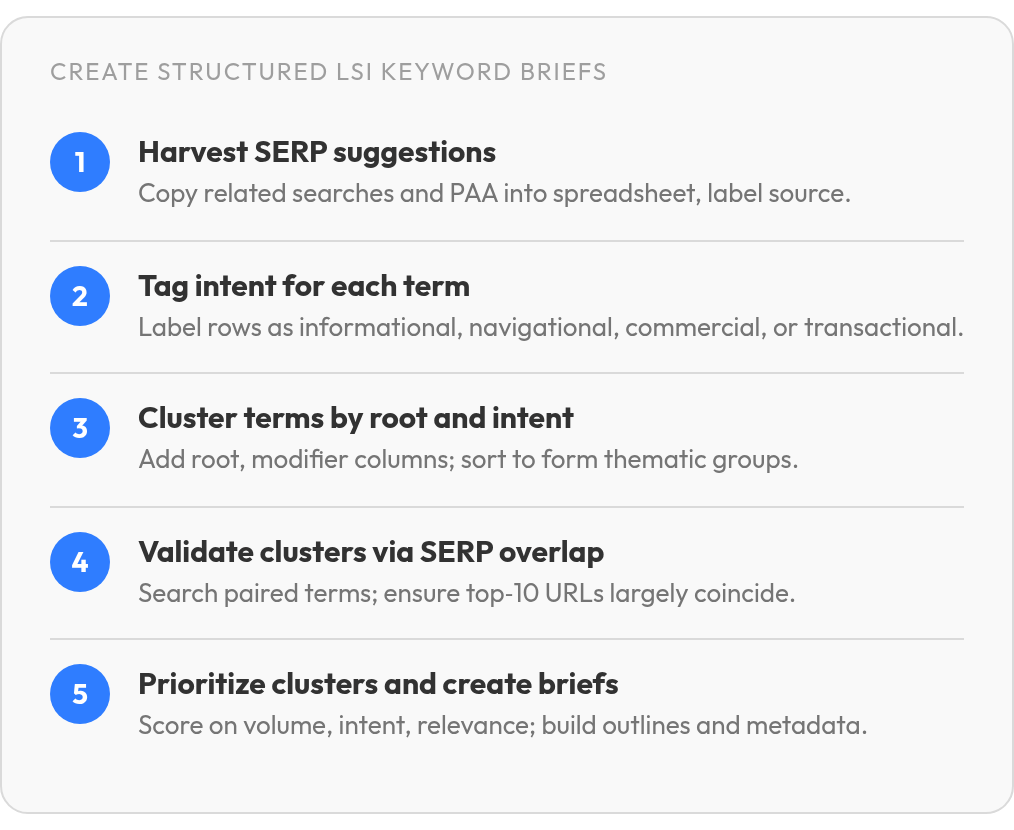
- Copy every visible Related searches phrase into a spreadsheet, one per row.
- Copy each People also ask question exactly as worded. Expanding a question often loads new ones, so open a few and grab those too.
- Add a Source column and label each row "Related" or "PAA".
- If several seeds share one sheet, log the seed term in its own column.
Question rows earn their keep because they preserve the searcher's own language. Treat them as coverage prompts. Some become headings, some become FAQ entries, and some show wording the body needs to answer.
Which Intent Does Each Suggestion Signal?
Add one more column and tag every row by the job behind the query:
- Informational: "how," "what," and "why" questions looking for an answer.
- Navigational: searches for a specific brand, tool, or page.
- Commercial: comparisons, "best" lists, and review-style queries.
- Transactional: pricing, signup, or buy-ready phrasing.
This tag does most of the work later, at clustering time. A how-to question usually belongs in an educational asset. A comparison query may need its own page because that reader is evaluating options rather than learning terminology. For a one-off post with no content plan around it, a quick editorial pass is usually enough.
Sorting Raw Terms Into Clusters That Earn a Page
Grouping is where most keyword lists quietly fall apart. Two phrases can look like twins in a spreadsheet and still need different pages, because Google treats them as different jobs. The harvest is done. The real work is deciding which terms share a URL and which only share vocabulary.
Treat the spreadsheet as both a map and a filter. Some rows point to new pages. Others are supporting language for a page you already know you need. Separate those roles early, or every modifier starts lobbying for its own article.
How Do You Group Raw Terms in a Spreadsheet?
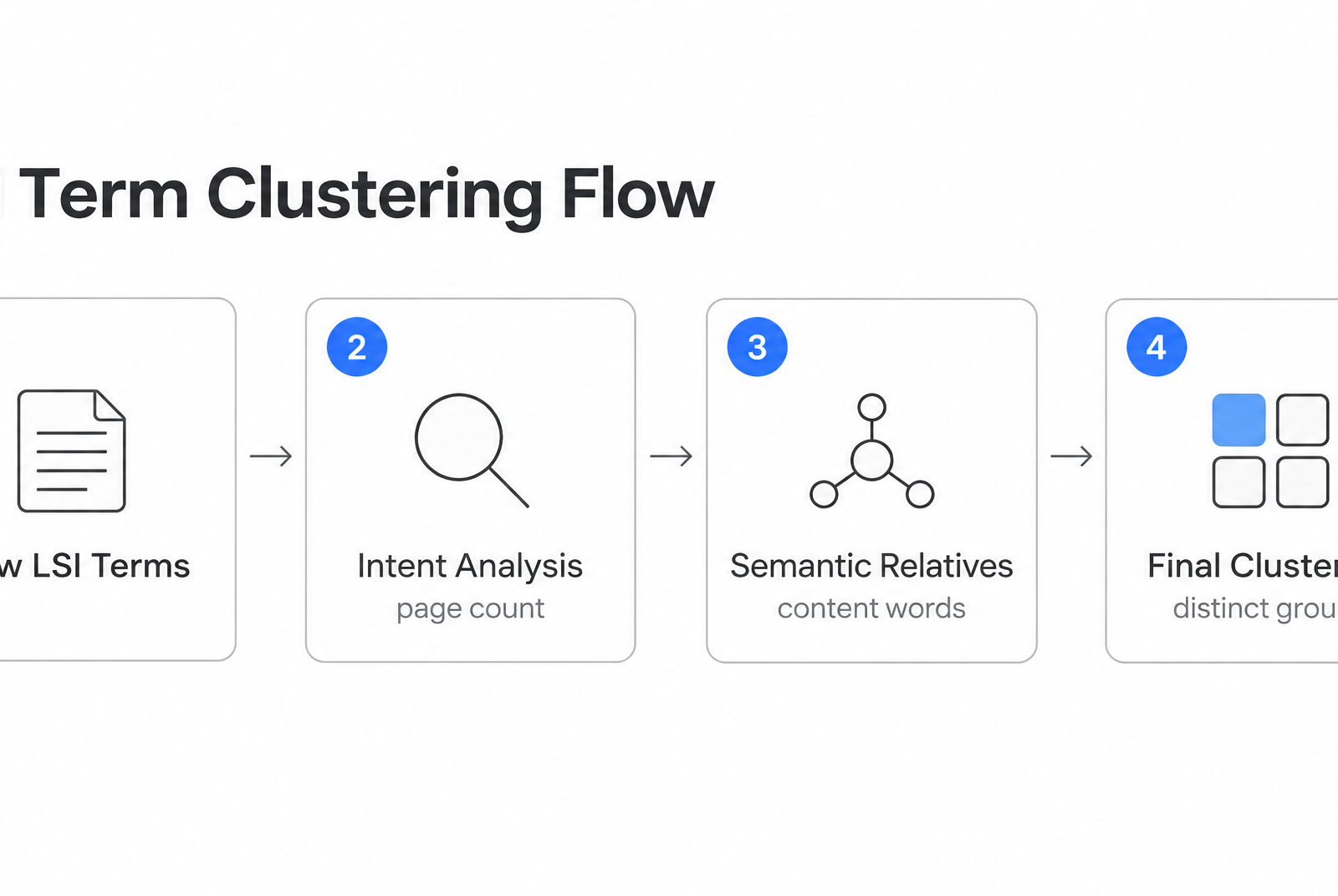
Add three columns beside your harvest: root, modifier, and intent. Tag shared stems first ("cluster," "clustering"), then modifier patterns: question starters, "how to," "best," "tools," and "vs" comparisons. Sort by intent and the page structure starts to show itself.
Before you trust the list, check what shaped it. Autocomplete shifts with location, language, personalization, and timing, so note the session conditions and date beside each pull.
A cluster earns a page when it has four things: semantic cohesion, one shared intent, enough terms to fill a page or section, and a clear angle. Mixed intents get split into separate pages. A pile of low-volume terms with the same intent belongs together on one.
An illustrative map (not a case study) might look like this:
- Pillar: semantic keyword research
- Supporting page: "how to find related searches" (how-to intent)
- Supporting page: "LSI keyword tools" (tools intent)
- Section inside the pillar: "what are LSI keywords" questions
When Should You Automate the Grouping?
Grouping by linguistic similarity tends to suit very large keyword sets. It's fast, but it ignores intent and can merge queries Google keeps apart. SERP-based clustering takes a different route: it groups terms that share significant overlap among the same top-10 URLs, so the results page has already shown that one URL can satisfy both. The catch is drift. Overlap fluctuates, and your clusters shift with it.
Manual tagging gives you nuance and editorial control. Automation can save whole afternoons on big lists, but it needs cleanup afterward. For a list one writer can read in a sitting, we'd stick with the spreadsheet.
Turning Clusters Into Briefs Someone Can Draft From
A cluster that never becomes a brief is just a tidier spreadsheet. The overlooked stage sits between grouping and drafting, where each cluster has to commit to a format: a standalone post, a pillar section, a landing page, or a short social derivative. Plenty of teams stall right here, because nobody decided what the terms are actually for.
Let the cluster make that call. A tight cluster with one intent tends to fit a single, focused page, which favors short related terms. A sprawling, mixed-intent cluster becomes long-form or a pillar, and that's where long-tail phrases earn their place.
Coverage Beats Placement
Google scans the obvious page elements, such as the title tag, body content, and image alt text. It also evaluates whether the surrounding language supports the topic. That signal comes from covering the subject naturally, not from wedging a term into a particular slot.
So placement is flexible and coverage isn't. A related term can live in a heading, the body, or alt text. What matters is that each major subtopic's terms anchor its H2 or H3, and supporting terms land in body copy wherever they fit the point. You're not filling in a formal "LSI" field. You're making the page complete enough that a reader and a search engine can both see its scope.
One Brief Template Feeds Every Draft
Fill the brief straight from the cluster map, starting with:
- Subtopic headings (H2/H3 list)
The handoff to an AI drafting tool looks the same in any workflow. Paste the cluster map, your voice and persona notes, the outline headings, and the metadata instructions in one go. A drafter given structure tends to stay on topic. One handed a loose keyword list often wanders. If metadata slows you down, our roundup of free meta description generators covers it.
The Bottom Line on Prioritizing Your LSI Keyword Map
Validation tends to get skipped because it feels like a second harvest. It isn't. Every grouped cluster still has to pass two checks before it reaches a writer: Google treats it as one job, and that job is worth doing now.
You don't need a paid stack for every decision. If your tool access is limited, spend your lookups on cluster leaders rather than every long-tail variation. The head term usually tells you whether the broader group has enough demand to justify a brief.
How Do You Confirm Terms Belong Together?
Search two terms from the same cluster and compare the top-10 URLs. When a significant share of the same pages ranks for both, Google has already decided one page can satisfy both queries. Little overlap means two pages, however similar the wording looks.
Treat the result as a snapshot, not a verdict. SERP overlap shifts, and newer terms without shared results can still be close semantic relatives. Recheck your priority clusters every quarter instead of trusting a spreadsheet from last spring.
Which Clusters Should You Publish First?
One practical approach: score each validated cluster on a simple scale across five criteria.
- Volume potential: does the head term show real demand?
- Intent match: does the SERP reward the format you plan to build?
- Business relevance: could a reader plausibly become a lead?
- Competition and effort: can you match the ranking pages quickly? (higher = easier)
- Content readiness: do you already have the expertise and examples?
Keep the rule simple. Agree on a cutoff as a team and send the top scorers into this month's briefs. Mid-range clusters wait in the backlog. The weakest are often better merged into a stronger cluster or cut entirely.
The tradeoff is overhead. If you're planning only a handful of pages, skip the matrix, since judgment works fine at that scale. Remember that the threshold is a manual trigger your team owns, not an automated flag. Once a cluster clears it, it's ready to move into drafting and distribution.
Frequently Asked Questions
Should you stop calling them LSI keywords if Google says they don't exist?
You don't have to ban the phrase, but you should use it carefully. In practical SEO work, it usually means related terms, modifiers, and questions that round out a topic. The mistake is treating the label as a ranking mechanism.
What if two keywords look nearly identical but Google ranks different pages for them?
Give the difference real weight. Similar wording can hide a different search job, especially when one query asks for education and the other asks for evaluation. If the results clearly diverge, plan separate URLs rather than trying to make one page satisfy both.
Why do my autocomplete suggestions differ from a teammate's?
Autocomplete is context-sensitive, so mismatches are normal. A clean browser window reduces some noise, but it won't make every list identical. The safest habit is to record how and when the pull was made so the team can interpret differences instead of accidentally briefing the same idea twice.
Can you hand a raw keyword list straight to an AI drafting tool?
You can, but it is rarely the best input. Turn the list into a brief first: choose the page intent, arrange the subtopics, and decide which terms are primary versus supporting. That small planning step gives the draft a spine before generation starts.
