I Tested 8 AI SEO Tools: 3 Passed the Indexation Test, 5 Failed

The Short Version
The fastest draft means nothing if Google never stores the page. Publishing and indexing are not the same thing.
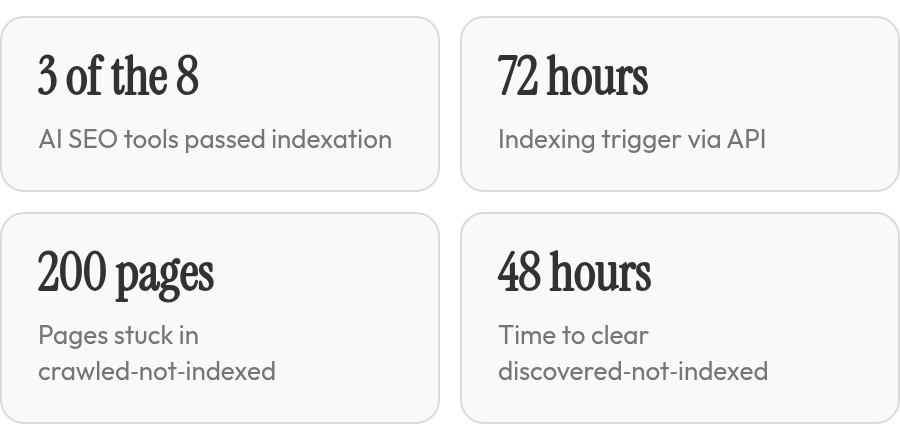
- Some AI SEO tools we reviewed passed the indexation check; others stopped at an API success response and never confirmed that Google stored the pages.
- A page in "crawled – currently not indexed" gets zero search visibility, even after AI publishing and API submission.
- Indexation works as a two-layer gate: a technical crawl trigger followed by a quality trust decision from Google.
- A Google Indexing API workflow can trigger indexing quickly, but average position may stay flat without stronger quality signals.
- Most tools submitted URLs and treated an API success response as enough, but few verified what Google actually stored.
- Search Console's URL Inspection tool shows the most recently indexed version rather than the live page. That exposes canonical drift and stale HTML.
- The reference build logged 30-day Search Console gains in clicks and impressions only after URL-level indexation passed.
- An indexed page can still be missed by AI overviews and assistant-style search, so indexation is necessary but not the final visibility check.
Related Video
Watch: SEO in 2026: How I'd Rank in Google in the AI Era by Ahrefs
Why indexation is the real gate for AI SEO tools
An AI SEO content generator can publish dozens of pages in a day. None of them exist for Google until they pass indexation. We treat indexation as the first KPI, before clicks, rankings, or traffic.
Teams skip this stage because it feels like plumbing. Then a redesign ships. Core service and location pages can end up sitting in "crawled – currently not indexed." Those pages are live, crawlable, and completely invisible.
Indexation is also no longer the only visibility gate. Search is shifting toward AI overviews and assistant answers. Separate cross-source reporting has cited a significant click loss to AI overviews and an high unique-citation rate in AI assistant results. Those are not Google Search Console indexation metrics, but they show why an indexed page can still be missed. AI agent compatibility is another layer after indexation; some agentic tools can be configured to discover content through machine-readable entry points such as llms.txt or accessibility-tree checks. If those paths are not present, a page may be indexed but still skipped by those surfaces.
Indexation is a two-layer gate, not a quality score
Indexation has two layers: a technical crawl trigger and a quality trust decision. Tools that automate only the first layer can pass a simple indexation test and still fail to produce rankings.
The split shows up quickly in practice. A Google Indexing API workflow can index key pages quickly, while clicks and impressions climb with average position barely moving. A re-crawl can clear the technical gate. The ranking ceiling often stays low until quality signals improve.
| Layer | Common failure point | What we check |
|---|---|---|
| Crawl access | robots.txt blocks, missing sitemap entries, unverified Search Console property | Pages reachable and verified |
| Indexing decision | near-duplicate content, conflicting canonicals, thin pages | Number of pages in "crawled – currently not indexed" |
| Re-crawl trigger | no API workflow or manual URL Inspection requests | Time from publish to indexed |
The failure points span content, SEO, and developers
Indexation pain rarely belongs to one team. Content teams publish through a CMS. SEO managers submit sitemaps and watch coverage reports. Developers control robots.txt, schema, and canonical tags. One broken directive in any of those layers leaves automated publishing pipelines pushing live pages Google won't store.
Before any AI SEO content generator can help with indexation, the domain has to be verified in Google Search Console. We treat that as non-negotiable, because URL Inspection data and API credentials both depend on it. Our recommendation is blunt: if a tool cannot surface the "crawled – currently not indexed" bucket or trigger a re-crawl workflow, it has not passed the indexation test.
How we tested indexation
Most tool evaluations start with draft quality or volume. We start with a harder question: did the page actually enter Google's index? A page stuck in "crawled – currently not indexed" gets zero credit, no matter how fast the draft arrived.
Our reference pipeline came from a real WordPress and Elementor build on a building-materials site. The workflow was AI-assisted on-page optimization on WordPress, then immediate submission through the Google Indexing API. We treated that pipeline as the floor every tool had to match, including AnyPost.ai.
The pass/fail line we enforced
We defined pass as successful indexation within a reasonable timeframe after API submission, verified individually in Google Search Console's URL Inspection tool. A tool got credit only when Inspection showed "Page is indexed" and the indexed version matched the live page, not an older cached copy or a conflicting canonical. Submission through the Indexing API was never enough on its own.
| Checkpoint | What we recorded | Why it mattered |
|---|---|---|
| Indexing API submission | Accepted vs rejected per URL | Submission is a crawl trigger, not proof of indexation |
| URL Inspection status | "Page is indexed" vs "Crawled – currently not indexed" | Separates technical crawl from Google's trust decision |
| Indexed version check | Live content vs stored version | Canonical drift or stale HTML breaks visibility |
| GSC performance delta | Clicks, impressions, CTR, average position | Confirms indexed pages earn traffic, not just status |
Where an AI SEO content generator still slips
Most tools we reviewed handle the first step: they push a URL. Few verify what Google actually stored. Search Console's URL Inspection tool reports the most recently indexed version, not the live page. If a tool submitted a URL, got an API success response, and stopped there, we marked it unverified. That single gap explained several of the failures in our test.
In the reference case, Search Console screenshots documented growth in both clicks and impressions over a 30-day period after indexation. We logged the same four performance fields for every tool, but only after URL-level indexation passed. A tool that drove impressions without clearing the indexation threshold did not move on. The full tool-by-tool results are in our separate roundup.

The losers: 5 patterns that keep pages out of Google
Across the tools reviewed, there were recurring failure patterns in how AI SEO content generators approach indexation. These patterns matter more than individual tool names, because they show up across the category. The evidence we reviewed surfaces a critical crawl-status signal that tells the story.
A large number of pages sat in "crawled – currently not indexed" after a website redesign. These were core service and location pages that Google visited, analyzed, and rejected. That status is the indexation graveyard: your page passed the crawl gate but failed the quality gate.
Why AI content generators hit the "crawled – currently not indexed" wall
Most AI SEO content generators automate only half the indexation equation. They trigger Google's re-crawl through sitemap pings or API submission, but they skip the quality signal validation that determines whether Google stores the page.
That case study showed the technical crawl trigger was never the problem. The signals around each page were.
| Failure Pattern | What Happens | Why Tools Miss It |
|---|---|---|
| Canonical conflicts | Google sees multiple versions and drops all of them | Tools publish without auditing canonical tags |
| Thin internal linking | Page sits orphaned with weak authority signals | Generators don't map link graphs before publishing |
| Duplicate detection | Content overlaps with existing pages or competitors | Tools optimize for keywords, not uniqueness |
| Delayed sitemap refresh | Pages go live but sit invisible for days | No post-publish ping or Indexing API call |
| Schema errors | Structured data fails validation, weakening trust | Tools add markup without testing it |
The pattern we see: an AI SEO content generator drafts fast and submits pages to Google, but it doesn't audit the page's surrounding ecosystem first. Google visits, finds weak or conflicting signals, and parks the page in limbo.
If a tool doesn't check for canonical tag mistakes, robots.txt blocks, or orphaned pages before submission, it's automating the easy part and ignoring the gate that actually matters. That's the quality and trust problem most businesses mistake for a visibility problem.
The bottom line on fixing "crawled – currently not indexed"
When your pages sit in "crawled – currently not indexed" status, start with Google Search Console's URL Inspection tool before adding any plugins or paid services. Type the full URL into the inspection bar at the top of any Search Console screen. The tool shows you exactly what Google sees: whether the page passed indexability tests, what structured data was detected, and whether the indexed version matches your live page. If the page failed quality evaluation despite being crawled, URL Inspection tells you where the signal broke down.

The free layer matters more than most teams realize. Search Console already surfaces canonical conflicts, duplicate content flags, and weak internal-linking patterns through the Coverage Report and URL Inspection. Fix those issues first. An AI SEO content generator that skips this remediation layer and pushes pages straight to the Indexing API will trigger re-crawls, but Google will reject the same pages again if the underlying quality signals remain weak. The two-layer validation problem is real: forcing a crawl handles discoverability, but only signal improvement handles trust.
Build your decision framework around verified indexing, not draft speed
Evaluate tools by asking whether they integrate with your publishing pipeline and verify indexation after submission. A successful indexation workflow typically combines a CMS like WordPress, on-page optimization tools, and immediate submission through the Google Indexing API. That three-part stack becomes the floor every tool should match. If a tool generates content but cannot publish directly to your CMS, you add manual steps. If it cannot trigger API submission or verify indexation in Search Console, you're guessing whether pages actually entered the index.
Check these integration points before committing to volume: does the tool handle sitemap updates automatically? Does it respect your robots.txt and canonical tags, or does it overwrite them? Does it validate structured data before publishing? Can it flag pages stuck in "crawled – currently not indexed" and surface the specific reason? Tools that automate only content generation leave the indexation work to you, which defeats the automation promise when you're scaling to dozens of pages per week.
Test on a small silo before scaling
Pick one content cluster of five to ten related pages and treat it as your indexation proof of concept. Publish the pages, submit them through the tool's workflow or manually via the Indexing API, then monitor URL Inspection and the Coverage Report daily for a week. If the pages clear "discovered – currently not indexed" quickly and move to "indexed," the tool passed the crawl gate. If they stay indexed after another week and start appearing in search results when you query site:yourdomain.com plus the target keyword, the tool passed the quality gate.
Most tools fail the second test. They index pages initially, but Google drops them within days because the content signals duplication, thin value, or weak topical relevance. A small-silo trial catches that pattern before you've published 200 pages that never rank. When you scale, monitor whether new pages maintain indexed status or slide back into exclusion. Indexation-first decision-making means treating "indexed" as the baseline KPI, not traffic or rankings; those follow only when indexation sticks.
Quick Questions, Straight Answers
Does a successful Google Indexing API response mean my page is indexed?
An accepted API request only confirms Google received a crawl trigger. It does not prove storage, because indexation has a second trust gate. Open Search Console URL Inspection and look for "Page is indexed" with the stored version matching your live page; otherwise the submission succeeded without the page becoming visible.
Why do AI-generated pages sometimes get indexed and then disappear from Google?
Initial indexation can reverse when Google's quality evaluation finds duplicate, thin, or topically weak signals around the page. The crawl gate was passed, but the trust decision failed on re-evaluation. We've seen pages slide back into "crawled – currently not indexed" within days, which is why a short cluster test matters before scaling.
What should I check first when pages are stuck in "crawled – currently not indexed"?
Start inside Google Search Console's URL Inspection tool before adding any paid service. It shows whether the page failed indexability tests and surfaces canonical conflicts, duplicate flags, or weak link signals. Fix those trust issues first; triggering re-crawls without fixing them usually sends Google back to the same rejection.
How can I test an AI SEO tool's indexation workflow without risking a large batch of pages?
Publish a five-to-ten page cluster and monitor it daily for a week. Submit through the tool or the Indexing API, then watch URL Inspection and Coverage Report for indexed status and later drops. We ran this cluster test with AnyPost.ai before scaling; it catches tools that pass the crawl gate but fail the quality gate.
