
One Blog, Seven Assets in 90 Minutes: The AnyPost Repurposing Sprint

Planning grammar and style editsRewriting article for clarity and concisenessRefining key messaging and reducing promotionFixing claim phrasing and slide grammarRevising key sentences for clarity and tone

Key Takeaways
- One blog can spin out roughly 10 distinct formats and expand reach three to five times over what single-format publishing gets you.
- Brands running three or more coordinated channels see a 287% higher purchase rate. Push past five channels and that jumps to 412%.
- 94% of B2B marketers say repurposing meaningfully extends the ROI of content they already produced.
- The value of a repurposing sprint lives in the distribution, not in the seven assets themselves.
- Retention climbs as high as 91% when buyers interact with a brand across multiple channels.
- Treat distribution as one outcome, not the finish line. Ranking and reach are the actual goal.
- Tools like AnyPost auto-publish repurposed assets in your brand voice, turning one blog into a multi-channel presence.
Distribution is the point, not the seven assets
Repurposing is one of the highest-ROI moves a content team can make. Tailor each asset to a channel your audience already uses, and one blog post stops being a static page. It becomes a multi-format campaign.
This is the part most repurposing guides miss. They stop at publishing. But publishing is not the win. The win is making every piece rank and hold attention on its platform. That separates a real sprint in AnyPost from a spreadsheet exercise that creates noise.
Why repurposing actually moves revenue
Repurposing multiplies reach and stretches the value of every post. Instead of letting a strong article sit alone, break it apart to reach different market segments. Your original research and writing keep earning long after publish day.
The multi-channel data makes the case clear. More touchpoints correlate with better commercial outcomes. When buyers keep seeing your insights across platforms, familiarity builds. Familiarity is what converts and retains.
Our view: pulling seven distinct assets from one source is the fastest way to build a multi-channel presence without juggling seven separate content projects.
Which repurposed assets anchor your reach
Use your highest-intent, rank-ready formats. Build the sprint around channels that reach your audience directly. Treat every asset as a shot at high-intent search traffic. Your social and search footprints should pull in the same direction.
So your X thread, LinkedIn carousel, and long-form article all work together. Each one is keyword-optimized and intent-aligned, so the format that earns attention is doing measurable work, not just filling a slot. Because AnyPost pulls performance straight from Google Search Console, you can see what actually changed instead of guessing. Dr. Dan at Atlantic Physical Therapy is a decent example: consistent publishing across his blog and social accounts grew his impressions enough that patients started mentioning it at the front desk.
When the sprint is worth automating
Above roughly two blogs a month. The automated pipeline runs about $1.80 in API fees for 20 blogs monthly, against $150 an hour for manual repurposing. Clear win at volume. Below that threshold, doing it by hand can be more efficient than building and maintaining the automation.
Be honest about your cadence. Publish once a quarter? Repurpose by hand. Shipping weekly? Let AnyPost generate and auto-publish every asset so nothing sits in a draft folder. That step turns a 90-minute sprint into a repeatable engine. For the full asset-by-asset build, see our workflow for turning one blog into seven assets.
Sprint Phase 1 — Atomization: pulling out the core ideas
Atomization means breaking your long-form blog into small, self-contained ideas before you write a single social post. Each idea becomes a card. Each card carries the metadata that later routes it into your workflow. In our experience, this is where a sprint either compounds into lead nurturing or falls apart into disconnected noise.
The trick most teams miss: tag each idea with its target channel at extraction time. AnyPost's content generation and multi-source integration let you produce and publish anywhere, so mapping ideas to channels stays part of the same sprint instead of becoming a separate cleanup job later. You are already building the map. That same map tells you where each asset gets published.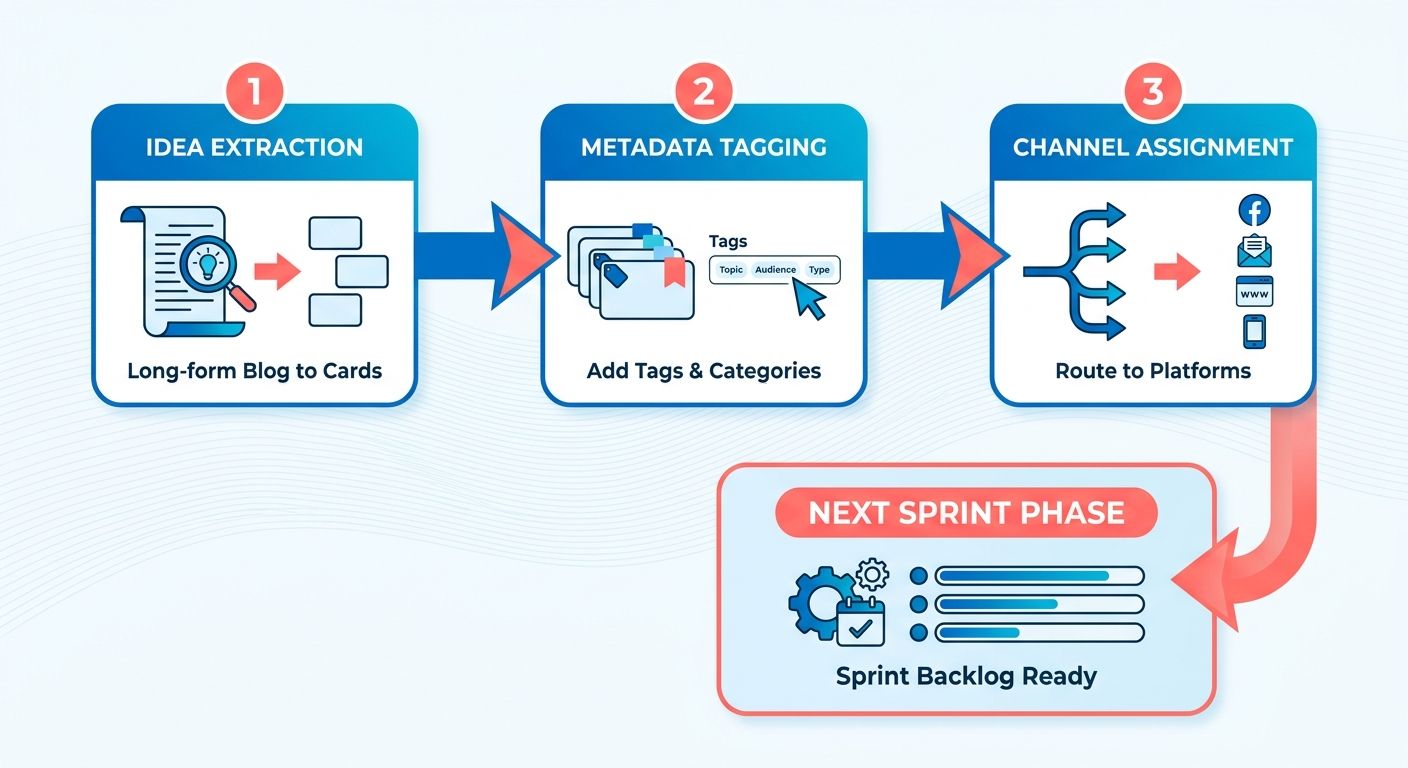
The 3-layer atomization model
Split every blog section into a pillar claim, a supporting data point, and one actionable tip. Three layers, three distinct asset types. This ensures each atomized idea can stand on its own across formats.
Start with the pillar claim. State the section’s argument in one sentence. Next, pull the supporting data point that proves it. Then extract the actionable tip a reader can use today.
The payoff is immediate. A pillar claim feeds a thought-leadership post. A data point feeds a graphic. A tip feeds a how-to thread. One section, three lead-generating angles.
Building an idea card that routes each asset
Build a spreadsheet where every row is one idea and every column is a routing instruction. Columns: claim, evidence, CTA, target channel. The target channel column turns your extraction sheet into a publishing map, so fill it in during atomization, not later.
Run this prompt against your draft: "Summarize each paragraph into a tweet-length takeaway." You get a raw list of atomic ideas in minutes. Then sort each takeaway into the right layer and drop it in the sheet.
Add a CTA to every card. A card without a next step captures attention but no lead. Match the CTA to the channel and to the action it should prompt once someone clicks.
Lining each idea up with SEO intent
Assign your primary keyword to the cards that map to search-driven channels. Not every card needs it. Force the keyword into a tweet and you break the read. Put it in the blog-derived cards where intent actually lives.
Keep one card as the intent anchor. It holds the primary keyword and links back to the pillar page, so search traffic and the lead-capture form stay connected.
The quality filter and visual hooks
The 80% rule: at least 80% of your cards must be stand-alone value propositions. If an idea only makes sense after reading three others, it fails. Cut it or merge it.
Extract visual hooks in the same pass. Pull quotes, standout stats, and any images already in the post. These become your graphic assets, and each one gets its own card with a channel tag and CTA.
A corporate wellness consultancy's guide on workplace burnout, for instance, can yield a dozen tweet-ready insights from a single 1,500-word post. Each insight carries a channel and a CTA before you publish anything. That's atomization doing double duty.
Sprint Phase 2 — the asset creation blueprint
Once your ideas are tagged and routed, Phase 2 turns each one into a finished draft. Here's the sequence we run to hit seven assets in 90 minutes, and the one rule that ties every asset together: each piece points to the same lead-capture destination.
We build the email newsletter first, not last. Blog-derived newsletters convert far better than social posts, and email is your most direct nurture channel. So the newsletter is the primary bridge to your audience. The social assets feed people toward it.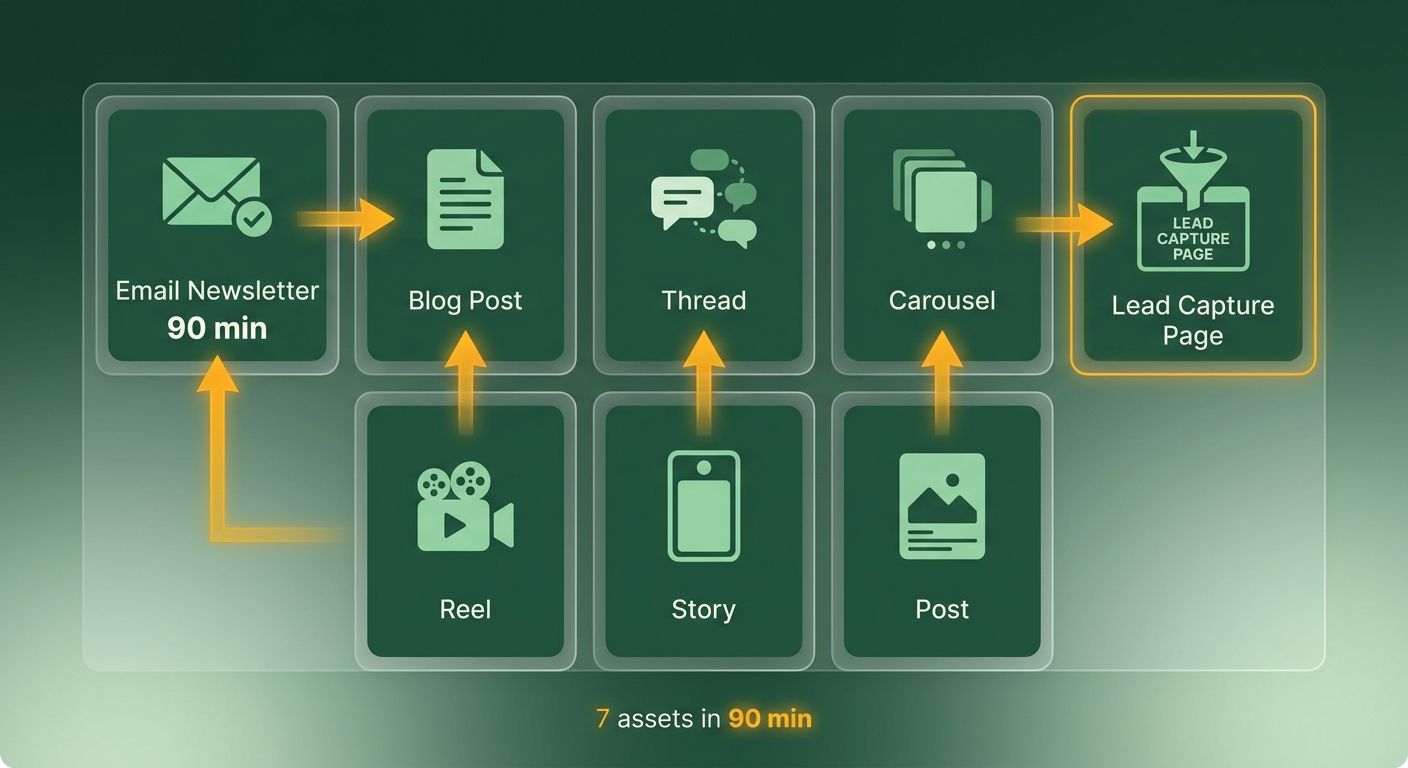
Which assets feed the funnel, and which capture the lead
The rule: social assets are top-of-funnel feeders, and the email newsletter is the capture bridge. Every X thread, carousel, and Reel should route a reader to either the original blog or a lead-gen landing page, which then hands the contact to your nurture sequence.
Blog-repurposed newsletters land in the 18-22% open rate range, versus 2-5% for generic sends. That gap is why we prioritize it. When a social feeder drives a signup, that new subscriber enters an audience already primed to open at the higher rate.
Here's how each asset maps:
- X/Twitter thread: 8-10 tweets. Open with a hook-question, drop one data point mid-thread, close with a CTA to the blog. Feeder.
- LinkedIn carousel: 6-8 slides in headline-subtitle-bullet format. Keep visual hierarchy tight. Final slide is your CTA. Feeder.
- Email newsletter: 300-word intro, three-point body, one "read more" link to the full blog. This is your capture bridge.
- YouTube script: 800 words, intro-value-example-wrap-CTA, with timestamps. Feeder.
- Instagram Reel: 30-second story arc, a visual-cue list, a caption hook. Feeder.
- Pinterest pin: SEO-rich 500-character description with your keyword near the front. Feeder with a long tail.
What the minute-by-minute sprint looks like
The sprint starts with the fastest assets so the timer does not win. You warm up, generate, tweak, and route each piece to its lead-capture destination as you go.
Minute 0-5. Warm-up. Open the tagged idea, set a 90-minute timer, open your dashboard. Confirm your lead-gen landing page URL is copied to the clipboard. Every CTA reuses it.
Minute 5-20. X/Twitter thread. Generate the AI draft, then manually tweak the hook and the data-point tweet. Paste the landing page URL into the final tweet's CTA. Fifteen minutes, one feeder done.
Minute 20-35. LinkedIn carousel. Copy the AI-drafted slide text into a quick carousel template. Set the headline-subtitle-bullet rhythm, then add the same CTA on slides 6-8.
Keeping every CTA synced
Use one canonical destination across all seven assets. Pick the original blog or a single lead-gen landing page, and never split traffic across mismatched links.
Keep the destination URL noted from Phase 1, and paste it into each draft's CTA as you generate it. A Reel viewer, a thread reader, and a pin clicker all land in the same capture flow, and you can track performance by source in real time without manual cleanup.
Skip the multi-URL approach for a single sprint. Splitting CTAs across five landing pages fractures your attribution and slows nurture setup. One destination, seven feeders, one clean handoff.
Quality assurance and performance tracking
QA is where a sprint stops being a publishing burst and starts feeding your CRM. Before any asset goes live, check it against your brand standards, then wire each one to track back into your lead-nurture data. That last step makes automation a closed loop instead of a one-way broadcast.
The goal: every asset meets brand standards, carries clean tracking, and reports engagement back into the same retention data your sales team already watches. Get this right and the sprint compounds. Skip it and you're guessing which of your seven assets actually pulled leads.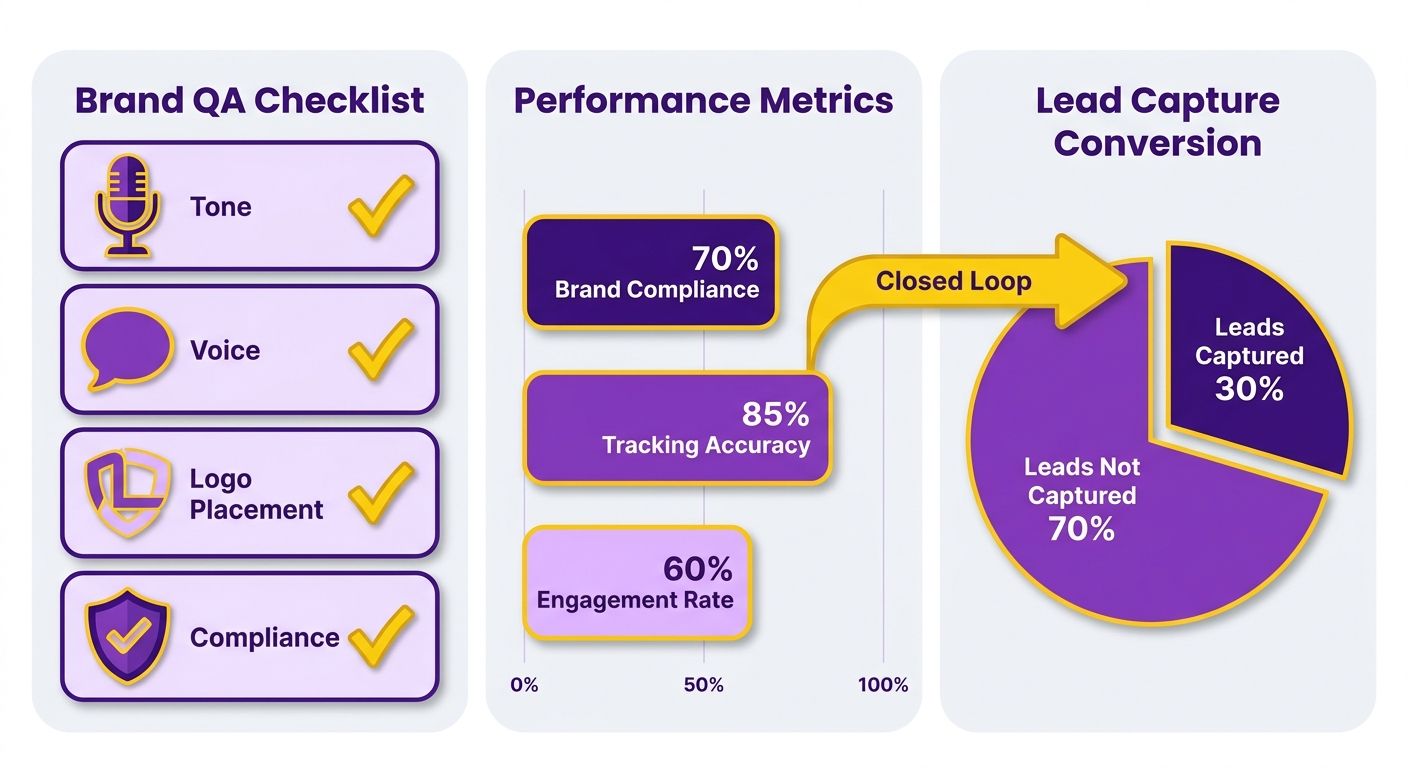
What belongs on your brand QA checklist
A pre-publish gate confirms tone, voice, logo placement, and compliance before an asset ships. Run it on all seven assets in one pass, not asset by asset. Consistency across channels is what makes a repurposed set feel like one voice.
Check four things fast. Tone and voice match your style guide. Logo placement is correct on every carousel and video frame. Compliance holds for any regulated claims. And each asset points to the same lead-capture destination you set in Phase 2.
Layer an SEO audit on top. Confirm keyword density reads natural, YouTube descriptions carry meta tags, every image has descriptive alt text. These are the details AI answer engines and search crawlers reward, and they cost minutes to fix now versus a re-upload later.
Tracking each asset back to a lead
Tag every asset with UTM parameters at publish time, then route post-scheduling engagement back into your CRM through a webhook. This pushes the extraction-to-scheduling pipeline one node further. Engagement per asset flows into your retention data, so the sprint becomes a nurture engine rather than a publishing event.
Set a UTM per channel so you can separate an X thread's clicks from a Reel's. Watch these KPIs by channel:
- Impressions. Raw reach per asset.
- CTR. How well the hook drives clicks to your capture bridge.
- Engagement rate. Comments, saves, shares — the signals of resonance.
- Lead conversions. The metric that actually matters.
Closing this loop is what keeps each asset working long after publish. When engagement data feeds back automatically, every published asset keeps earning as a nurture touchpoint.
Benchmarking and iterating
Compare every metric against your pre-sprint baseline. Without a baseline, an uplift in engagement is just a number with no meaning. Log where your channels sat before the sprint, then read the next 30 to 60 days against that line.
Use the data to refine which idea cards you pick next time. If your carousels drove conversions and your threads only drove impressions, weight the next atomization pass toward carousel-friendly ideas. That's the iterative loop. Say a B2B SaaS team runs its first sprint, wires the CRM webhook, and sees a two-week lead-gen spike as newly captured contacts enter nurture. The spike is not luck. It's what happens when tracking and capture are built into the sprint instead of bolted on after. Pull search performance data into the same dashboard and you can watch those shifts as they happen.
Scaling the sprint with AnyPost automation
A one-off sprint is a nice win. A repeatable engine is what keeps the pipeline moving every week. The difference is automation: instead of running the 90-minute sprint by hand each time, you lean on AnyPost to handle asset generation and distribution.
Automation changes the workflow itself. In a manual sprint, you decide when and how to repurpose every piece. With AnyPost, the platform manages distribution of your tailored assets across your active channels. Your repurposing goes from a stack of manual tasks to a consistent multi-channel presence.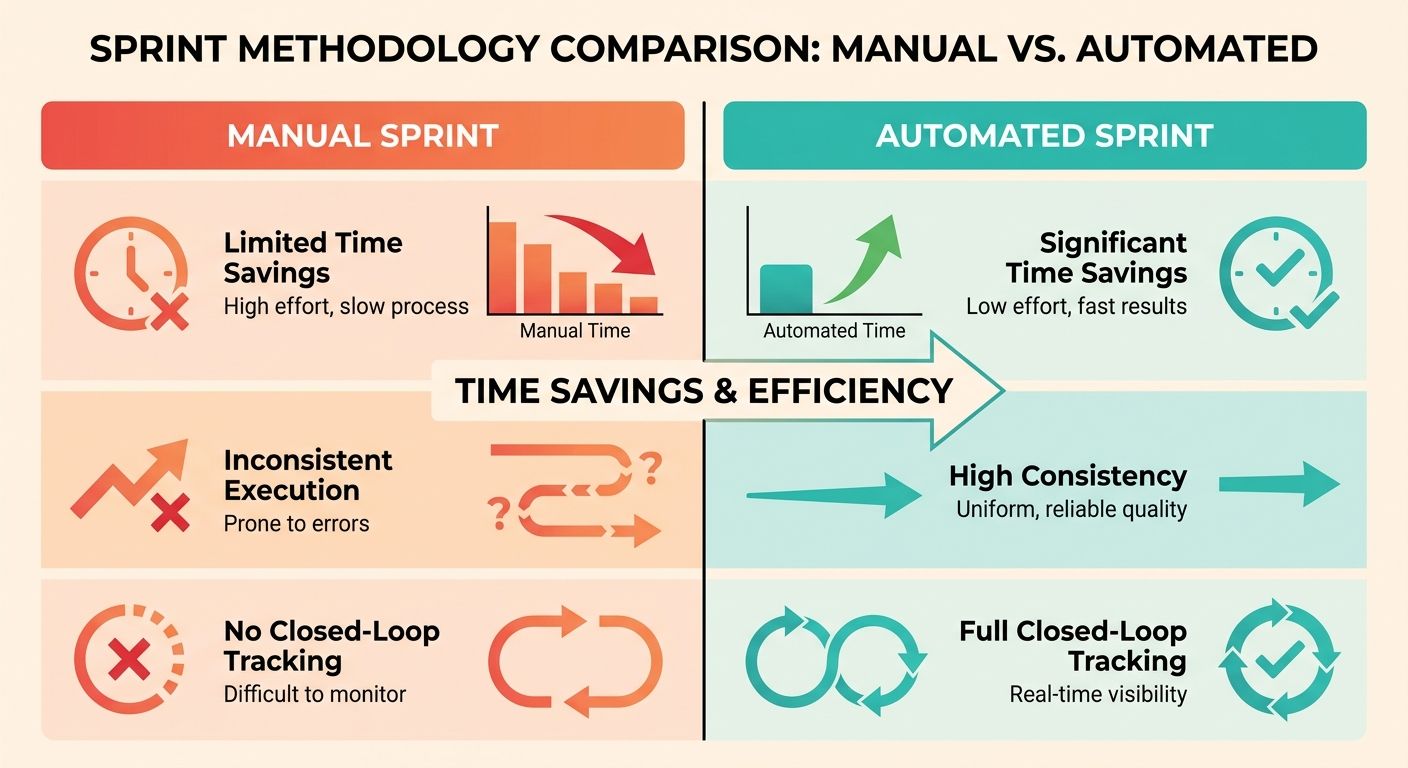
Batching the sprint instead of repeating it
Batch mode means loading several blogs at once and generating assets for all of them in a single pass, rather than sprinting one post at a time.
Feed AnyPost a month of blogs, and the Persona Engine runs across the whole set, matching your brand voice for each one. Because the engine already knows your brand context, built from a crawl of your entire site into a Business Context Graph, the tone holds whether you feed it one blog or twenty.
The payoff is consistency at scale. Every batched asset carries your brand's DNA, so a reader moving from a blog to a LinkedIn post to a newsletter hears the same voice throughout. Without that, you get volume but no coherent brand experience.
What should trigger asset creation automatically
Start with your best-performing content. When a blog proves audience demand through its real-time analytics, that's your signal it deserves the full repurposing treatment.
Prioritizing proven posts keeps you from wasting effort on content nobody reads. It also means your strongest content becomes a set of SEO-optimized, multi-channel assets while it's still driving traffic.
From there, publishing takes over. The platform distributes your assets across your selected networks, keeping each piece aligned to the search intent and keywords you targeted in the original.
Are the performance metrics actually useful
Yes, when they show you what's working, not just what happened. Pull search performance data straight into your dashboard and you can see exactly how your visibility shifts, instead of receiving a static report on completed tasks.
That closes the loop between publishing and results. Real-time analytics track how each asset performs in search, so you're looking at impressions, clicks, and position data tied to real audience demand.
On cost: traditional SEO agencies charge up to $5,000 a month for slow, manual workflows. AnyPost brings the whole professional SEO workflow into one dashboard at a fraction of that, with no specialized technical or search expertise required.
For now, focus on getting your best content into the batch, letting the Persona Engine match your voice, and publishing across your channels. That's the workflow that keeps your pipeline full without rebuilding it from scratch every week.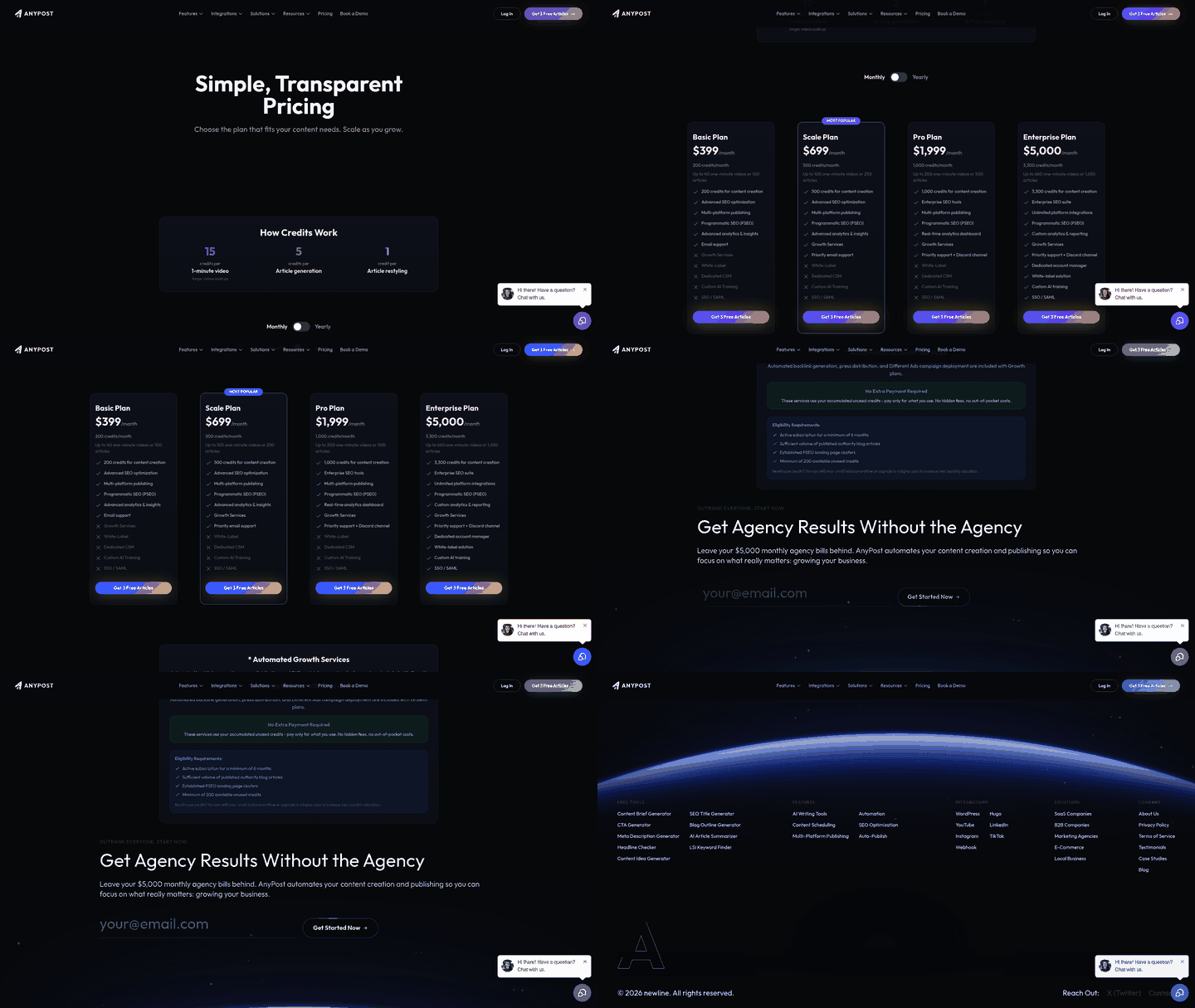
Frequently Asked Questions
1. How is a repurposing sprint different from just cross-posting the same blog everywhere?
Cross-posting drops identical text across platforms, which often feels out of place. A repurposing sprint reformats each idea to match the native style of each platform. This means adjusting the length, structure, and presentation style so the content feels natural to users on that specific channel.
2. Which asset should I build first if I only have time for a few?
Prioritize your direct-to-audience channels first. Focusing on your subscriber list ensures you are speaking directly to your warmest leads. Once that core communication is drafted, you can easily strip out key points to create social posts that drive new signups to that list.
3. What if I only publish one blog every few months?
If your publishing volume is low, manual repurposing is usually the most practical approach. Setting up automated pipelines requires an initial investment of time and configuration. Until you are publishing multiple pieces of content each month, handling the translation of your blog posts into social updates by hand remains highly efficient.
4. Should I use different landing pages for each asset to track them separately?
It is best to direct all traffic to a single, high-converting page. Managing multiple destinations complicates your analytics and makes it harder to optimize your landing page. Instead, use distinct tracking codes on your links to identify which social platform or post is driving the most conversions.
5. How do I decide which blog posts deserve the full repurposing treatment?
Look at your existing traffic and engagement data to identify your top performers. If an article is already attracting organic search traffic or earning shares, it has demonstrated market fit. Repurposing these successful pieces allows you to maximize their value and reach audiences who prefer other formats.
6. What is the 80% rule in the atomization phase?
This guideline ensures that the vast majority of the extracted points can be understood on their own. If a concept requires a reader to have deep background knowledge from the rest of the article, it will not perform well as an isolated social post. Filtering for self-contained ideas ensures your social assets remain highly engaging.
7. Does batching multiple blogs at once hurt brand voice consistency?
Batching actually improves consistency when using a system trained on your brand's existing content. Because the underlying model references your entire site's historical tone and style, it applies the same editorial standards across all generated assets simultaneously, preventing the voice drift that often happens with manual writing over time.