Rank YouTube Video on Google vs SEO Tools

Key Takeaways
- A YouTube video that ranks on Google reaches two audiences at once: YouTube's 2.7 billion monthly users and everyone typing a question into Google.
- YouTube ranks for 4.4 billion keywords, while TikTok ranks for 1.4 billion. Users spend more than 27 hours a month on the platform.
- Brian Dean grew his channel past 77,000 monthly views through search optimization. HubSpot's keyword research video cleared 30,000 views.
- Sheep & Stitch holds three spots for "how to knit": a video carousel, an organic listing, and a People Also Ask box.
- YouTube's algorithm rewards retention and engagement. Google's index reads text from descriptions and transcripts. Two different systems.
- Video SEO is core marketing work, not a side project, because one ranking asset serves two search platforms.
- Consistent keyword coverage across every metadata field drives multiple placements, but that repetitive work stalls small teams.
Why bother ranking YouTube videos on Google
Rank a video on Google and you reach two crowds in one shot: people already watching video, and people searching Google for an answer. When a single video earns a Google result, it pulls traffic you'd otherwise pay for. That's why we file video SEO under core marketing, not "nice to have."
Most teams optimize for one platform and forget the other. YouTube still dominates search visibility against newer video platforms, capturing a large share of queries and holding deep engagement every month. A video that ranks well on YouTube can also surface in Google search, so one asset does double duty. For a lean team without an SEO department, that efficiency is the point.
Who gets the most out of higher rankings?
Content creators and small B2B teams, because ranking compounds. One well-known SEO expert scaled his audience by optimizing for search, and major B2B brands have used targeted video to capture high-intent queries and hold steady organic traffic. Rankings feed views, and views feed more rankings.
The ceiling sits higher than people assume. A niche crafting channel took over a competitive SERP by winning several separate placements for one high-volume query. Getting there means careful optimization across every text field, and that work swamps a small team fast.
YouTube's algorithm vs Google's index: what's the actual signal?
The two engines run on different fuel. YouTube weighs user behavior and session length. Google leans on crawlable text. YouTube itself calls audience retention "a HUGE ranking factor," while a 2015 video SEO study found that even with better visual and audio feature extraction, keyword-based metadata still drives indexing.
| Ranking layer | Primary signal | What it rewards |
|---|---|---|
| YouTube search/feed | Watch time, retention, engagement | Hooks that keep viewers watching |
| Google index | Keyword-rich text (description, transcript, captions) | Metadata a crawler can read |
| AnyPost.ai | Keyword-optimized copy in your brand voice | SEO-ready content, generated automatically |
So the same video needs two optimization layers at once: text that Google can index, and engagement that YouTube can measure. Manual workflows buckle trying to do both at scale, because writing keyword-rich supporting copy for every upload is slow, tedious work.
That gap is what our AI closes. AnyPost generates keyword-rich content in your brand voice, using our Persona Engine so every piece still sounds like you. For a small team, that turns hours of manual writing into a repeatable step.
One caveat, and it's a real one: automation handles the text layer, but it won't rescue a boring video. Retention comes from the content itself. Win the indexing battle with AI, then earn watch time the old-fashioned way.
How Google actually indexes a YouTube video
Google reads YouTube videos. It doesn't watch them. It pulls the title, the description, the tags, and increasingly the transcript. So when you're trying to rank a video on Google, you're really feeding the crawler clean, keyword-rich text it can parse. The video plays on the page, but the ranking signal is language.
That splits your job in two. You deliver a watchable video for humans and comprehensive, crawlable text for the crawler. Academic research backs this up: search engines still lean on text-based signals over direct video analysis to judge relevance. Every video needs both layers, which is where automated content generation earns its keep for a lean team.
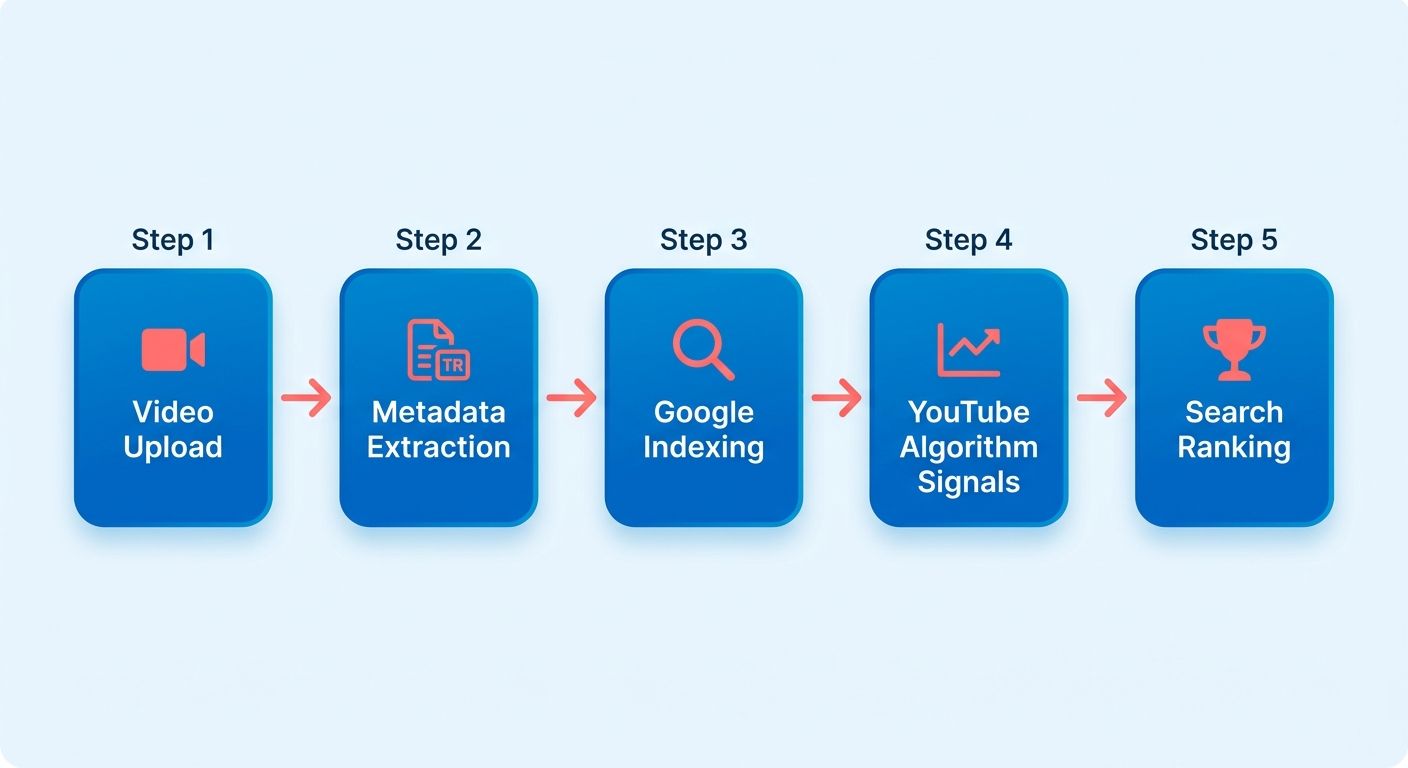
How does Google decide which videos to index?
It indexes what it can understand and trust as relevant. It reads the title, the first lines of the description, VideoObject schema, and the caption track. Thin or auto-generated metadata gets skipped or buried. Rich, consistent text across every field earns the spot.
And the payoff isn't just one ranking. A single well-optimized asset can hold several distinct areas of the results page at once, taking a big chunk of search real estate. That takes tight alignment across every text element. Producing that clean, keyword-optimized text over and over is precisely what content automation is built for.
Titles, descriptions, and transcripts
Good video metadata follows tight rules. Backlinko's guidance: titles of at least five words with the target keyword, kept under 70 characters so they don't truncate. Descriptions of 250-plus words, with the keyword placed two to four times. Tags up to 500 characters. UC Davis notes YouTube weights a 1:1 keyword match even harder than Google does, so plain phrasing like "What Cows Eat" beats a clever title.
This is where manual work breaks down:
| Task | Manual SEO | AI content automation |
|---|---|---|
| Keyword-rich description | Written per asset, 20-30 min each | Generated in brand voice, seconds |
| Search-intent headings | Manual research | Aligned automatically |
| Relevant internal and external links | Often skipped | Included by default |
| Consistency across fields | Drifts over time | Uniform every time |
Transcripts and captions pull double duty. They make the video accessible, and they hand Google a full block of indexable text. Skip captions and you leave that text on the table. For a small team, hand-transcribing every upload is the first task to get dropped. On the text layer, automated tools can produce keyword-optimized, on-brand copy in seconds, so your descriptions stay consistent across every upload.
One carve-out: metadata alone won't save a video nobody finishes. Search-focused metadata is a primary driver of organic growth, but YouTube's own docs stress that keeping viewers engaged matters for search visibility too. Generated text gets you indexed. Retention keeps you there. You need both, and you can use a search engine optimizer to rank your YouTube video to handle the text layer at scale.
SEO tools for video optimization
SEO tools solve one problem: manual keyword research and tagging don't scale past a couple of videos a month. Ranking on Google needs clean, keyword-rich text across the title, description, tags, and transcript. TubeBuddy and VidIQ speed up the research. AI generation handles the writing. That split matters more the smaller your team is.
Getting one video to rank isn't the ceiling either. You can capture several distinct placements on a single results page and own the real estate for your target query. That takes consistent keyword presence, which is the repetitive work AI takes off your plate.
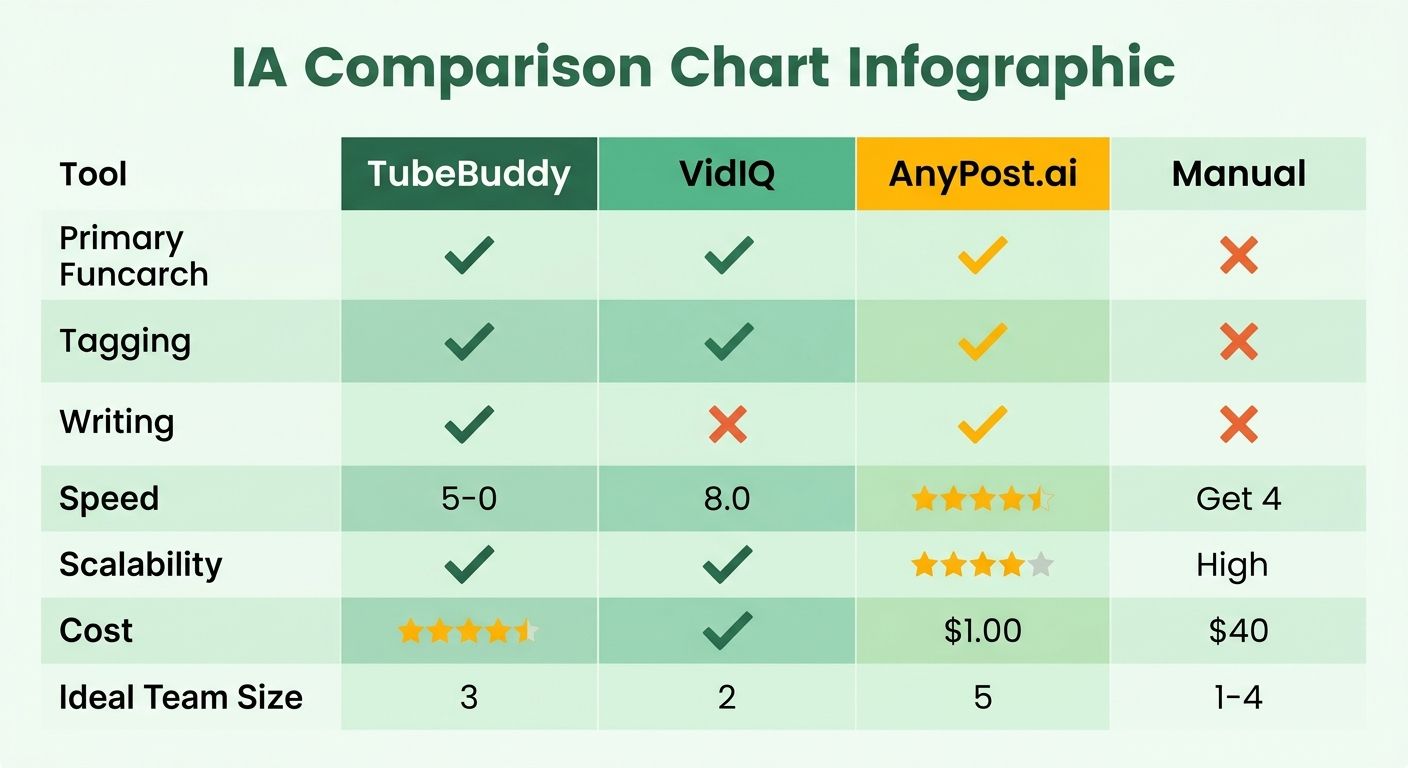
What do TubeBuddy and VidIQ actually do?
They're browser tools that surface high-volume, low-competition keywords and suggest tags right inside YouTube Studio. They're strongest at the research phase, showing search volume, competition scores, and tag ideas so you pick the right target before you publish.
Both help you find keywords worth chasing. YouTube's own Search Suggest does the same for free, and it's how plenty of top creators built audiences without paid ads. What these tools don't do is write the surrounding text. You're still stuck drafting long-form, keyword-optimized copy for every upload.
How does AI generation change the workflow?
AI generation writes the text layer those tools only research. Your video still has to satisfy human viewers while feeding crawlers the structured text they want. Producing that surrounding copy by hand is where small teams stall.
We built AnyPost.ai to generate ready-to-rank, SEO-optimized articles in your own voice, then auto-publish them anywhere. The Persona Engine captures your tone so every piece reads like you wrote it, and the Taxonomy Researcher surfaces low-difficulty, high-intent keywords. You get companion content that ranks and reinforces the topics your videos cover.
| Feature | TubeBuddy / VidIQ | AnyPost.ai |
|---|---|---|
| Keyword & tag research | Yes | Partial |
| Writes SEO-optimized articles | No | Yes |
| Brand-voice tone matching | No | Yes |
| Auto-publishes content | No | Yes |
| Competitor rank analysis | Yes | No |
| Best for | Research & tag suggestions | Scalable content generation |
Where do you track results?
Google Search Console confirms a video actually ranks in Google, not just on YouTube. It shows impressions, clicks, and the queries your video page surfaces for, which YouTube Studio can't tell you.
Pair Search Console with YouTube Studio's retention data and you see both layers. Studio tells you if viewers stay. Search Console tells you if Google indexed your text. Use TubeBuddy or VidIQ for competitor checks and keyword discovery, and let AI handle the content writing at volume. That division of labor is what gives a small team the output of a full SEO department.
Comparing the methods, honestly
Picking how to rank a video on Google comes down to a simple split: research tools tell you what to target, generation tools write the text Google indexes. Manual methods sit in the middle, cheap but slow. The right pick depends on how many videos you publish and how big your team is.
No method wins on every axis. Todd Beaupré, Senior Director of Growth and Discovery at YouTube, said it plainly: "There's no single answer to that question, as much as Creators would love to have one." So we compare tools on the work they remove, not on a magic ranking promise.
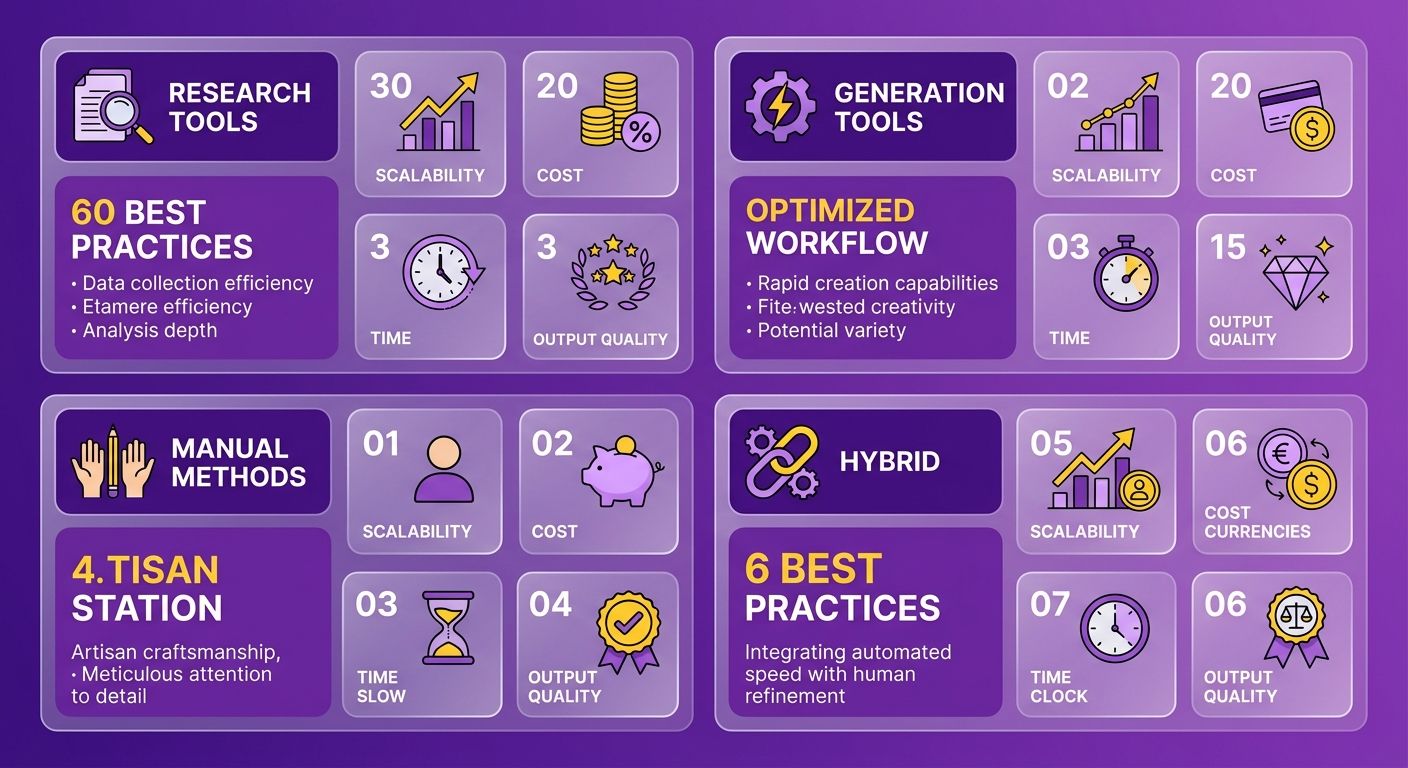
Which method fits your team?
The best method matches your publishing volume. Solo creators can hand-optimize a few videos a month. Small teams shipping weekly need automation across titles, descriptions, transcripts, and captions, because keeping a high volume of search-optimized text flowing is what search visibility runs on.
| Method / Tool | Keyword Research | Title & Metadata | Transcript & Captions | Backlinking | Time per Video | Difficulty |
|---|---|---|---|---|---|---|
| Manual YouTube Search Suggest | Basic autocomplete | Manual | Auto-caption cleanup | Manual outreach | 2-4 hrs | Medium |
| TubeBuddy / VidIQ | Strong keyword scores | Templated suggestions | Not generated | Not included | 1-2 hrs | Low-Medium |
| Agency / freelancer | Deep, custom | Expert-written | Human transcription | Full campaigns | Days (outsourced) | Low effort, high cost |
| AnyPost.ai | AI keyword mapping | Brand-voice generated | Not generated | Not primary focus | Minutes | Low |
What do the case studies actually prove?
Optimization moves real numbers when it's applied consistently. Treating video metadata with the same rigor as web pages compounds organic traffic over time. Ali Abdaal has credited disciplined titling and description work for pushing several of his tutorials into top results for competitive study and productivity terms.
Bigger programs show the ceiling. Western Union saw a 487% jump in organic search share of voice, and Adobe's XD Ideas program drove non-brand first-page Google rankings up 648%. The pattern holds: coverage across many keyword fields, repeated at scale, is what compounds.
Where AI generation pulls ahead
The winning play is dual-track: compelling video for viewers, plus a strong text footprint for crawlers. Automated platforms can generate SEO-optimized descriptions in your brand voice and push them across your channels, turning hours of repetitive metadata work into minutes.
Skip the AI route if you publish one video a quarter. Hand-tuning is fine at that volume, and TubeBuddy or VidIQ cover your research cheaply. For a two-person team shipping weekly, manual metadata is the bottleneck, and automation pays off fast.
One thing worth keeping straight: research tools and AI generation solve different problems. TubeBuddy finds the keyword. A generator writes the text around it. We use them together, not as either-or, and you can run the whole workflow from one dashboard.
Engagement signals and what really moves rankings
Engagement signals decide whether your video survives past the first few hundred views. Watch time, retention, likes, and comments tell YouTube's algorithm that people actually value the content. To rank on Google, you need those signals working next to the text Google indexes. One feeds discovery on-platform, the other feeds the crawler.
Small teams feel this squeeze most. As Neil Patel puts it, "YouTube rewards content that performs, not just content that's well-optimized." So you're designing content to keep viewers watching while making sure the text around it is rich with search signals. That dual demand is where automated tools can write brand-voice descriptions, transcripts, and captions that get indexed while your hooks handle retention.
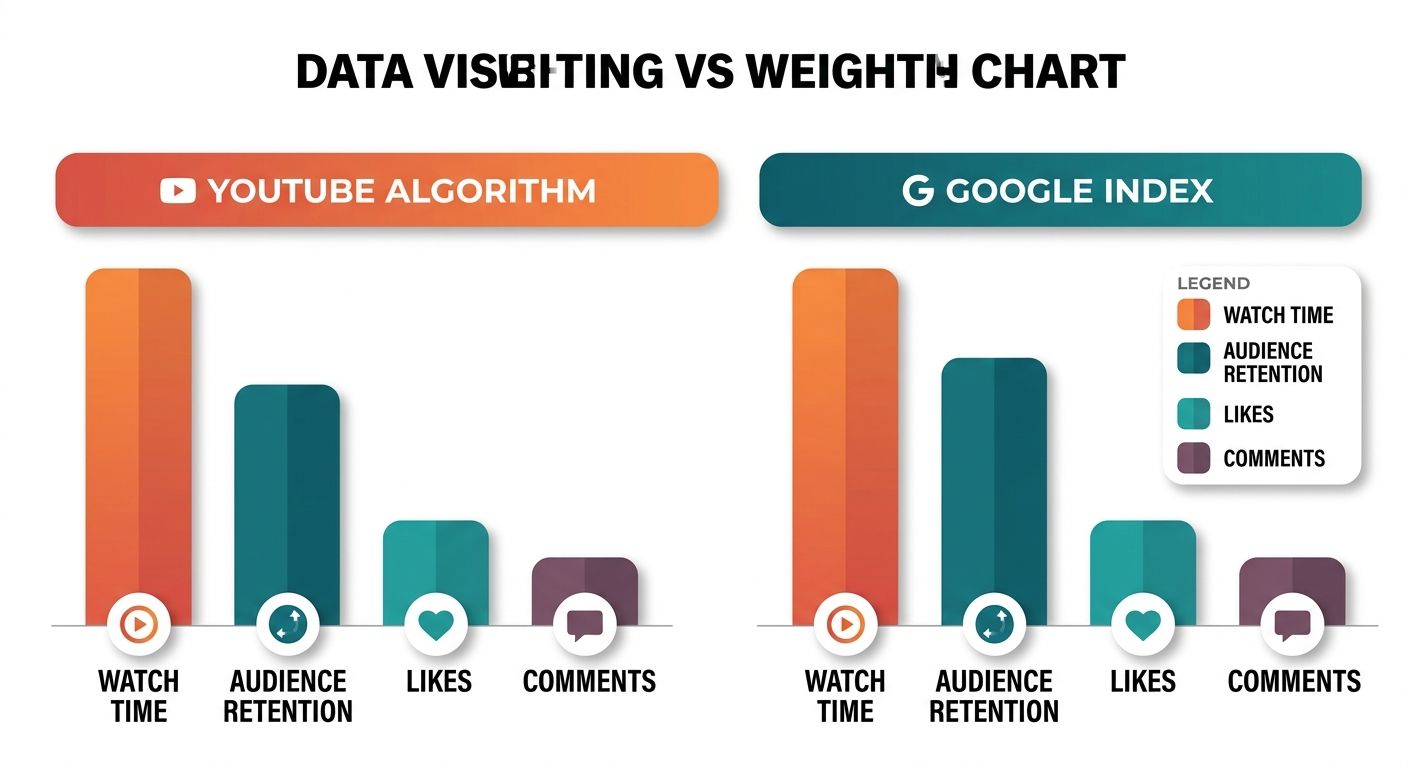
Why is retention the biggest ranking factor?
Retention measures how long viewers stay before clicking away. YouTube's official creator guidelines say keeping viewers watching is a primary driver of search visibility. Successful channels climb the rankings mostly by holding attention, following one rule: "If your video keeps people on YouTube, YouTube will rank your video higher in the search results."
Retention beats raw view counts because it signals satisfaction. A strong opening that answers the search intent in the first 15 seconds does more for ranking than any tag. Match the promise in the title to what viewers actually get, and retention follows.
Longer videos or Shorts: which wins?
Both, depending on format. The evidence splits. Longer videos tend to accumulate more watch time and rank better in search, while Shorts with high completion rates win in the Shorts feed. The real signal is retention percentage, not raw duration. Pick length by intent, then optimize for completion either way.
Do likes and comments actually move rankings?
Yes, as secondary signals that confirm relevance. Videos ranking #1 pull about 70% more likes or dislikes than the #2 result for the same query. Comments and shares act as engagement votes that reinforce a video's authority.
The catch: you can't fake these at scale. What you can control is the metadata that earns them, a description that sets clear expectations and captions that make the video watchable with the sound off.
| Signal | What it tells the algorithm | How AI helps |
|---|---|---|
| Audience retention | Viewers find content satisfying | Intent-matched transcripts and hooks |
| Watch time | Video holds attention | Keyword-aligned descriptions set accurate expectations |
| Likes / comments | Content earns approval | Captions and CTAs that prompt interaction |
| Shares | Content worth spreading | Brand-voice copy consistent across every video |
The pattern across all four is the same. Engagement can't be forced, but the text that supports it can be produced consistently. Doing that by hand for every upload rarely holds up over time. Automating the supporting text means every video is ready for crawlers without draining your creative energy. That consistency is how small teams compete with channels that have full SEO departments.
What I'd actually recommend
To rank a YouTube video on Google, you win two games at once: the search engine's text crawlers and the video platform's user-behavior metrics. Nail one and skip the other, and your video stalls.
That split runs through this whole comparison. Research tools tell you which keywords to target. Generation handles the writing Google reads. Manual work sits between them, cheap but slow. Without a full SEO team, the deciding factor is how much of that repetitive text work you can offload.
Which approach fits your team?
Match the method to your publishing volume, not your ambition. Solo creators can hand-write a few optimized videos a month. Small teams shipping weekly hit a wall fast, because every asset needs its own block of search-optimized copy.
There's a clear exception. If you publish rarely, specialized software isn't worth it. Manual optimization is fine when you're doing a few assets a year. The math flips the moment you scale.
| Approach | Best for | What it removes | Scales past ~4 videos/mo? |
|---|---|---|---|
| Manual optimization | Occasional publishers | Nothing | No |
| Research tools (TubeBuddy, VidIQ) | Keyword targeting | Keyword guesswork | Partially |
| Brand-voice AI (AnyPost.ai) | High-volume small teams | Writing SEO content in your voice | Yes |
Why layering beats any single tactic
The text layer and the engagement layer answer to different systems, so the strongest results come from feeding both at once. Creators build big audiences by pairing keyword research with retention-first content, and YouTube's own guidance confirms that keeping viewers engaged is central to search success.
Formats get treated differently, too. Longer content often does well in search because of total watch time, while short-form leans on fast completion rates in discovery feeds. Raw duration is secondary to retention percentage. Match your length to the format, then optimize the metadata for Google separately.
This is where content automation shows its value. It can produce keyword-rich text for indexing plus hooks that support completion, in one pass. Manual workflows struggle to keep that up at scale, so brand-voice AI generates SEO-optimized content in your own voice and auto-publishes it, keeping the indexable text consistent without the manual grind.
Final recommendation
Consistency compounds. One-off effort doesn't. Channels that publish on a fixed cadence give the algorithm more data points to test and rank, and that steady signal outweighs any single polished upload. A video published this week can keep pulling search traffic months later, so every optimized description you ship keeps working long after it goes live.
That compounding only happens when the manual labor of consistent keyword content disappears. My recommendation: use research tools to find winnable keywords, use AI generation to write the indexable text in your voice, and watch retention in YouTube Studio to refine. That stack gives a two-person team enterprise-style reach without the enterprise headcount.
Frequently Asked Questions
1. Can a video rank on Google without ranking well on YouTube first?
A video can surface in Google search based on its indexable text even if the video platform's internal algorithm hasn't fully promoted it. Google's crawler evaluates textual relevance, whereas the video feed focuses heavily on user behavior and watch time. The two systems judge separately, so strong metadata can earn Google visibility independently.
2. How long should a YouTube description be for Google indexing?
Industry best practices recommend writing comprehensive descriptions that naturally incorporate your target search terms multiple times. Titles should be concise yet descriptive to prevent truncation in search results, while tags should fully use the available character limits to provide maximum context, giving Google's crawler consistent, readable text across every field.
3. Do TubeBuddy and VidIQ write my video descriptions for me?
These browser extensions are designed primarily for keyword discovery and tag optimization within the creator studio. They provide search volume and competition metrics to help you target the right terms, but they do not generate the actual written descriptions or transcripts. AI-driven writing tools handle that content creation layer, allowing you to automate the generation of supporting text.
4. Where do I confirm my video actually ranks on Google, not just YouTube?
You can verify your search performance using Google's webmaster tools, which track impressions, clicks, and search queries for indexed video pages. Combining this data with your video platform's internal analytics gives you a complete view of both search visibility and viewer engagement, allowing you to see whether search engines read your text and whether viewers stay watching.
5. Should I choose long-form videos or Shorts for better rankings?
The ideal format depends on your goals. Extended content is highly effective for capturing search traffic due to accumulated watch time, while short-form content relies on high completion rates to thrive in discovery feeds. Align your video length with user intent, then optimize for completion in whichever format you choose.
6. If I only publish one video a quarter, do I need SEO tools or AI generation?
For low-volume creators, manual optimization is highly practical. If you only publish a few times a year, you can easily handle keyword research and metadata drafting by hand without investing in specialized software. Automation earns its keep once you're shipping weekly and manual metadata becomes the bottleneck.
7. Can AI-generated descriptions fix a video with low retention?
Generated text handles the indexing layer Google reads, but it won't improve a boring video. Retention still depends on content quality and an immediate, engaging opening that directly addresses the viewer's search query. Use AI to win indexing, then earn watch time with a video worth finishing.
