5 Pre-Launch Checks Before You Automate SEO Content (Sitemap, Canonicals, Collision Logs)

TL;DR
Sitemap-canonical conflicts arise when auto-generated sitemaps list URLs that canonicalize elsewhere or omit canonical targets entirely, which can delay indexation. Redirect chains can consume crawl attention before reaching canonical URLs, and indexation regressions may appear as Search Console coverage changes between week one and week four. The checks below are intended to catch these patterns before launch.
Quick Summary
The part most teams underestimate isn't writing the content. It's the five checks that prevent silent failures before Google ever crawls a real page. Sitemap scope comes first because it defines what you tell Google to expect, canonicals confirm which version of each URL you want indexed, collision logs catch template overlaps that create duplicate targets, redirect-chain audits remove crawl traps, and launch monitoring compares your baseline against early production data to surface regressions while you can still fix them.
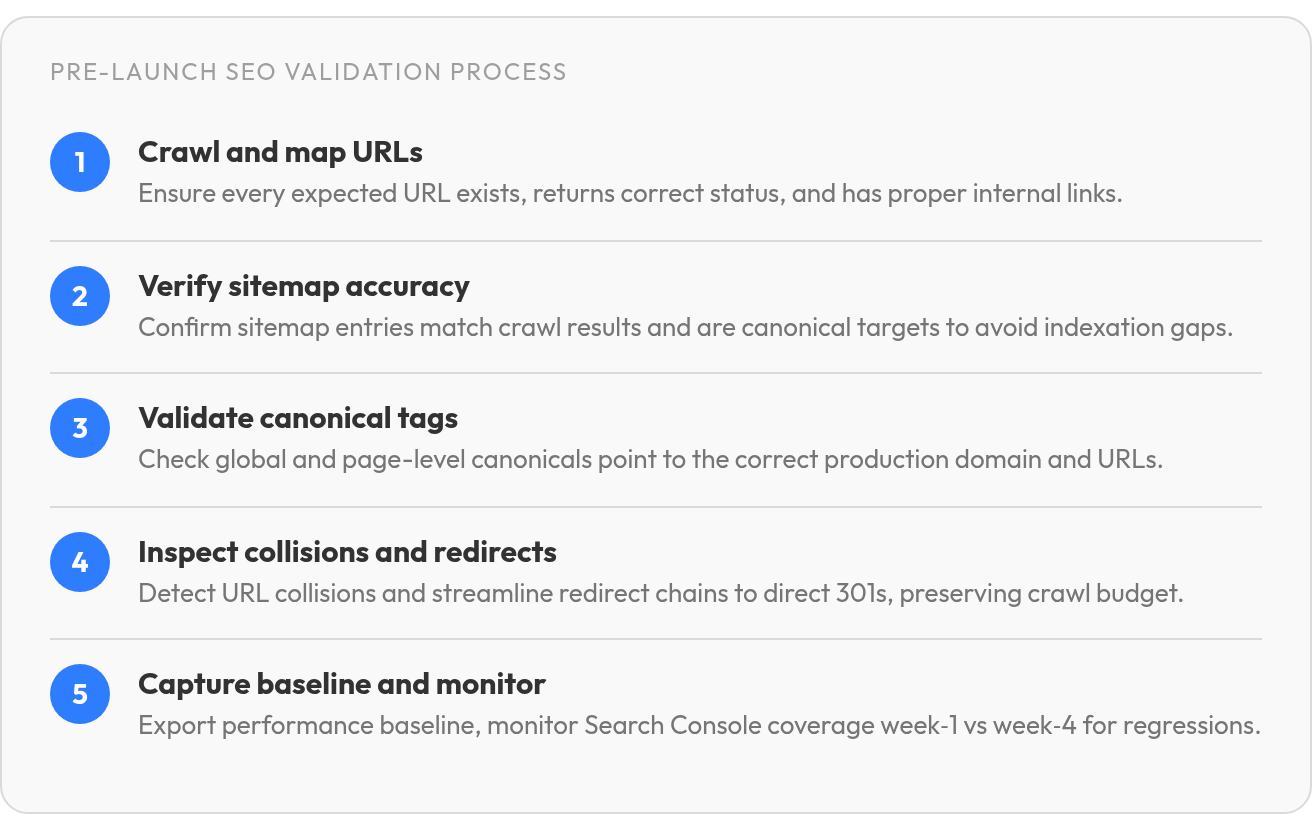
| Check | Goal | Primary Tool/Method | Risk if Ignored |
|---|---|---|---|
| Sitemap scope audit | Declare only indexable URLs | Crawl export vs. Sitemap XML comparison | Crawl attention may be spent on noindex pages or real content may be missed |
| Canonical tag validation | Specify preferred URL for each page | Screaming Frog canonical report + GSC duplicate scan | Competing versions split authority; wrong page ranks |
| URL collision log | Surface template overlaps before publish | Regex pattern scan + manual review of CMS output | Two pages target identical keywords; both rank poorly |
| Redirect chain resolution | Compress multi-hop paths to direct 301s | Redirect-mapper tool or spreadsheet trace | Crawlers may not reach final URLs |
| Launch coverage comparison | Measure indexed vs. Submitted delta week one and week four | GSC Pages report before and after | Silent indexation drops go unnoticed until traffic falls |
Three Takeaways Grounded in Crawl and Index Evidence
The five checks above focus on the failures most likely to appear when publishing systems, templates, and routing rules meet production. At scale, the problem is rarely one isolated typo. It's the accumulation of pages that are reachable in the CMS but invisible in internal navigation, indexable in the sitemap but contradicted by page-level tags, or technically live but trapped behind routing rules Google has to untangle before it can evaluate the content.
Why Pre-Launch Checks Matter
Google's first production crawl sets the tone for how it interprets a new or relaunched site. If that pass encounters a staging directive, a sitemap populated with URLs that no longer represent final destinations, or page-level signals that still reference an old environment, you've made discovery harder before ranking even begins. Technical issues like broken internal links and missing metadata tend to surface at launch because they're woven into the site's structure, not from gradual drift.
Pre-launch checks exist because fixing indexation mistakes after discovery means asking Google to revisit assumptions it's already made. A sitemap problem before launch is a configuration task. The same problem after launch becomes a crawl-management problem: submit, wait, inspect, and prove through cleaner signals that the production URLs deserve attention.
Before go-live, test the staging environment for the three signals that most often leak into production: noindex tags, staging-domain canonicals, and staging URLs in sitemaps. These are easy to miss when the staging site looks complete but has not been separated from production settings.
When Sitemaps and Canonicals Send Conflicting Signals
Your sitemap tells Google which URLs you consider indexable. Your canonical tags tell Google which version of each page is authoritative. When those instructions disagree, Google has to choose whether the URL you submitted is the one you actually want indexed or whether the page itself is pointing somewhere more trustworthy.
This can happen with CMS platforms that generate sitemaps independently from page-level index settings. A page blocked through a template rule, custom code, or publishing option can still remain in the XML file unless the indexing controls are reviewed together. The result isn't just messy reporting; it creates an avoidable ambiguity at the exact moment you need clean discovery.
Run a collision check before launch: crawl your staging site, export every URL with its canonical target, and cross-reference that list against your submitted sitemap. Mark anything where the submitted URL and the declared preferred URL don't match. Also mark preferred URLs that are absent from the XML file. Those two lists become your final sitemap repair queue before submission.
Why Redirect Chains Matter More at Launch Than After
Redirects aren't just a user-experience concern during a launch; they shape whether authority and discovery flow to the new URL structure. Every unnecessary routing step makes crawl loss more likely.
If legacy URLs pass through temporary destinations, protocol changes, host changes, and formatting rules before landing on the final page, the crawler may spend effort on routing instead of content discovery. That's not a speed issue you can fix later with caching. It's a discoverability issue that can keep important pages out of the evaluation queue.
Map every old URL to its final destination before you flip the switch. Use regex patterns where possible to limit the total redirect count, but verify the final destination manually for your top landing pages by clicks and conversions. Those URLs are non-negotiable in the redirect map.
Post-Launch Monitoring as a Regression Test
Search Console should be treated like a regression test, not a vanity dashboard. Export the Pages report after launch and segment by index status so you can distinguish crawl discovery problems from content-quality or duplication problems. If Google is finding URLs but not fetching them, the issue points upstream to discovery signals. If it's fetching pages but excluding them, the issue points closer to content, duplication, or internal authority.
Cross-validate crawler output against Search Console. Export your crawler's final URL list, status codes, canonical tags, and indexability signals, then compare those to Search Console's Pages report. Mismatches can show whether Google is seeing the production set you expect. Capture pre-launch Core Web Vitals for LCP, INP, and CLS so you have a performance baseline before launch traffic and template changes. A collision log—your comparison of sitemap contents, canonical targets, and actual crawl results—keeps the investigation concrete instead of turning the launch review into guesswork.
Check 1: Crawl and Map Your URLs
We run crawls before launch to confirm that every URL you expect Google to index actually exists, responds with the right status code, and carries the internal-link structure you designed. A crawler shows what's possible. Search Console shows what Google actually did. The gap between those two lists tells you whether your crawl budget is being spent on pages that matter or drained by routing problems, orphaned pages, and duplicate targets.
Before you rely on a staging crawl, confirm that staging noindex tags, staging-domain canonicals, and staging URLs in sitemaps are not live. These can pass unnoticed in staging and then leak into production.
Start by exporting your XML sitemap and running it through a crawler that records HTTP status, canonical tags, internal-link counts, and render state. Compare that list against your CMS page inventory and your Search Console Index Coverage report. URLs present in the sitemap but absent from Search Console require review because they may not have been discovered, selected, or retained. URLs in Search Console but missing from your sitemap suggest legacy paths, forgotten redirects, or pages found through external links that aren't supported by your current architecture.
What the Internal-Link Count Reveals
Internal-link audits surface the pages Google will never prioritize because no other page on your site points to them. When you automate content creation at scale, it's common to publish pages that satisfy keyword targets but never get wired into the existing site architecture. A systematic internal-linking review shows which URLs exist only because the CMS can produce them, not because the site architecture supports them.
Flag weakly linked pages for review instead of assuming sitemap inclusion will compensate. If a page matters enough to occupy server space, it needs contextual paths from related content, category pages, or navigation modules. Otherwise, it competes for crawl attention without sending the structural signals that help Google understand why the page matters.
Export both lists as CSV: the full crawl with status codes and link counts, and the CMS inventory with publish dates and template tags. Sort by internal-link count ascending. The lowest-linked pages become your first redirect-or-delete candidates unless they're intentional landing pages supported by paid campaigns. Cross-reference the two exports to catch pages that exist in one system but not the other; these are the URLs that break when you flip DNS to the new domain.
Check 2: Verify Sitemap Coverage and Accuracy
We compare sitemap URLs with crawled and indexed URLs because a mismatch tells you whether Google is seeing what you intended to publish. Your sitemap is a declaration of which pages matter. The crawl report shows what's actually reachable. Search Console coverage shows what Google chose to keep. When these three lists don't align, you've found the indexation gap before it costs you traffic.
Build a three-column review: submitted URL, crawl result, and Google status. That lets you separate configuration problems from prioritization problems. A submitted URL that returns an unexpected status code is a technical fix. A crawlable URL absent from the sitemap is a scope decision. A URL that appears in Google's reporting but not in your planned inventory may be a route, filter, or template output you didn't intend to expose.
Sitemap Entries Must Be Canonical Targets
Before submission, confirm that every sitemap entry represents the URL you want treated as the primary version. A sitemap populated with redirected URLs or alternate variants forces Google to reconcile hints that should have been consistent from the start. Cross-reference your XML file against the canonical field produced in the rendered HTML, not just the CMS database value.
Run a small sample through URL Inspection in Search Console and confirm the rendered canonical matches the submitted address. If they differ, trace the source: CMS route rules, trailing-slash middleware, locale handling, and plugin defaults are common causes. A single platform-level rule can quietly alter canonicals across an entire template family after the sitemap has already been generated.
Compare Week-One and Week-Four Coverage
After launch, export your Search Console Index Coverage report in week one and again in week four. Compare the two snapshots to catch regressions early. New "Excluded" entries signal pages that shipped with indexability issues: noindex tags, blocked resources, or content that didn't meet quality thresholds. Pages that shift from discovery into crawl-based exclusion deserve a closer look for duplication, weak internal linking, or template overlap.
Track indexed-page movement during the first stretch after launch using Search Console's summary graph. The goal isn't to panic over daily noise; it's to notice when the trend contradicts the publishing plan. When you automate SEO, indexed-page velocity becomes the leading indicator of whether your template changes shipped correctly. If the count stalls while new URLs are being added, inspect the sitemap, internal links, and canonical output before publishing another batch.
Check 3: Validate Canonical Tags and URL Consistency
A canonical tag tells Google which version of a URL you want indexed when multiple variations exist: staging versus production, www versus non-www, or HTTP versus HTTPS. When you automate SEO content at scale, duplicate URL variants multiply fast, and a misconfigured canonical host setting can send every automated page's indexing signal to the wrong domain before the first production crawl finishes.
We audit canonicals in two passes: verify that the global canonical setting matches your default domain exactly, then confirm that individual page canonicals point to the intended target rather than a staging subdomain or an old URL structure.
Check the Global Canonical Setting First
Your CMS or platform usually offers a single field that builds the canonical tag on every page. In that field, type your default domain with the protocol, with www only if www is your default, and with no trailing slash. A trailing slash in the wrong place can produce malformed canonicals when the platform appends paths automatically, so this is one of the first fields to inspect.
Then verify your default domain setting matches that canonical. If the sitemap and canonical host disagree, every submitted URL may answer with a signal that points elsewhere. In some multi-domain or migrated stores, canonical tags may still point to retired brand URLs, regional subdomains, or staging hosts, fracturing authority across properties that no longer serve traffic.
Audit Canonical Targets at Scale
Run a crawl or site audit that extracts the canonical tag from every indexable page. Compare those values against the URLs you plan to submit. Pages with canonicals pointing to staging subdomains or old URL patterns leak indexing authority away from your production site. Pages whose rendered canonical changes after JavaScript, middleware, or localization rules execute deserve separate inspection because the source field may look correct while the live output doesn't.
Paginated archive pages should generally use self-referential canonicals rather than canonicalizing to page 1. If using Webflow, check how your Collection lists are configured: a Collection-list view may display only a limited set of items unless pagination is applied. Each paginated URL should carry its own canonical to itself rather than pointing back to the first page.
- Set the global canonical URL to your default domain with https, with www only if www is default, and no trailing slash
- Verify that your default domain setting matches the canonical host
- Crawl all indexable pages and confirm canonical targets point to the intended production URL
- Check that sitemap URLs and canonical targets align—no redirects between them
- Review CMS template canonical bindings to ensure dynamic pages reference the correct field
- Confirm paginated archive pages self-canonicalize rather than pointing to page 1
When to Use a Canonical Versus Noindex
Use a canonical when a page should remain accessible but a preferred version should be indicated: product pages with filter parameters, syndicated content, or near-duplicate pages. Paginated archive pages are usually an exception: each paginated page should generally reference itself as canonical rather than page 1. Use noindex when the page shouldn't appear in search at all: thank-you pages, internal tools, or duplicate test environments. Canonicalization signals vary in strength; redirects and rel=canonical annotations are generally stronger hints than sitemap inclusion. These methods can reinforce each other, so a canonical tag combined with sitemap exclusion of the non-canonical variant can reinforce your preference during the initial evaluation.
Check 4: Inspect Collision Logs and Redirect Chains
Run collision reviews to catch cases where a planned URL already exists on the site or points to a different page than you intended. When you automate SEO content, template rules can generate slugs that overlap with existing URLs or with each other, and a collision discovered after publish usually means one page never made it into the index or the wrong version is ranking.
A collision happens when two publishing rules try to claim the same URL. Your blog might auto-generate /category/finance while a static page already lives at that path. Your product template might build /product/blue-widget while an old redirect map still sends that slug to /widgets/blue. The CMS picks one, often silently, and the other page becomes unreachable or sends authority in the wrong direction.
Compare Planned URLs Against the Crawl Inventory
Export your sitemap or your CMS's URL list before you publish the next batch of automated pages. Run a crawler on the live site and filter for the paths you're about to use. Any match means a collision. Check whether the existing page is a redirect, a canonical target, or a live page you want to keep. If it's a page you're replacing, add the appropriate redirect before you publish. If the planned slug conflicts with a page you need, change the slug in the template rule.
Some platforms evaluate redirect rules in order, so a broad wildcard added early in the list can catch URLs before a specific rule added later gets a chance to fire. Before importing a redirect list, check whether the platform replaces existing redirects; if it does, export your current rules first, merge new rows into that file, then import the combined list.
Audit Redirect Chains Before Launch
- Crawl the old URL list and check HTTP status for each one; redirects should resolve cleanly to the intended destination
- Flag paths that pass through unnecessary intermediates; crawlers may not reach the final page, turning routing convenience into a lost indexing opportunity
- Verify that internal links point to final URLs rather than redirected intermediates, since every redirect in the path can consume crawl attention
A launch redirect audit should focus on final-state clarity: old addresses should hand off authority to the correct new pages, and internal links should already use the destination URLs the site intends to keep.
Check 5: Capture a Performance Baseline and Set Launch-Day Monitoring
We export Search Console performance data before launch—queries, pages, countries, devices—because the baseline separates a real regression from a nervous guess. When a redesign team reports "traffic is down," the first question is always "compared to what?" Without a dated snapshot of which URLs were indexed, which queries drove clicks, and which pages converted, every post-launch argument becomes guesswork instead of diagnosis.
The redirect map prioritizes the URLs that already work: the landing pages that drive meaningful clicks and conversions. A staging-site audit that declares "all pages have canonical tags" means nothing if the old URLs that earned backlinks and held rankings now redirect to a homepage or return 404s. Export the old URL list after launch as well as before, because that's where traffic loss can hide.
Capture pre-launch Core Web Vitals for LCP, INP, and CLS. These metrics give you a baseline before launch traffic, layout changes, or template code changes.

Compare Early and Later Coverage
After launch, compare Search Console's Pages report at multiple intervals. The indexed count should hold or climb. If crawl-based exclusions grow, Google reached the pages but declined to retain them, which points to thin content, duplication, or weak internal-link support rather than pure discovery failure. If discovery-based exclusions dominate, the sitemap may be declaring URLs that don't yet have enough architectural support from already-indexed pages.
Cross-validate crawler output against Search Console: compare your crawler's list of production URLs, status codes, and canonical tags with the Pages report. This helps separate URLs that are reachable from URLs that Google has actually selected.
Review crawl errors and unexpected URL changes in the same window. Redirect issues can form during deployment when temporary URLs, environment routes, or formatting rules remain active after launch. A post-launch redirect audit that removes those leftovers helps preserve crawl attention before a technical inconsistency turns into a ranking gap.
What This Looks Like in Practice
A launch rarely fails because someone forgot one meta description. It fails because Google can't reach the intended production URLs or because old authority signals weren't carried forward cleanly. The checklist is manual: export, compare, document. You're not chasing real-time alerts; you're building evidence that the production site matches the staging plan. When indexed-page velocity stalls or coverage shifts unexpectedly, you already have the baseline data to isolate whether the issue is discovery, crawl budget, or content quality—and you can fix it before the next batch ships.
FAQ
1. What happens if my sitemap includes pages that canonicalize to a different URL?
Google has to decide whether to trust the URL you submitted or the preferred version declared in the page markup. Before launch, export sitemap URLs and rendered canonical targets into one sheet so mismatches become a cleanup list rather than a post-launch mystery.
2. How do I know if my redirect chains are blocking indexation?
Crawl your legacy URL list and trace each path to its final destination. If important URLs pass through avoidable intermediates, simplify the route and manually test the pages that historically earned the most traffic, links, or conversions.
3. Why would my indexed page count stay flat after launching new content?
A flat count usually means the new publishing volume is not translating into indexable, well-supported URLs. Filter Search Console's Pages report by status, then compare those URLs with internal-link counts, canonical output, and sitemap inclusion to isolate whether the problem is discovery, duplication, or site architecture.
4. Can I fix a missing sitemap after Google has already crawled my site?
Yes. Submit the corrected sitemap, inspect representative URLs, and monitor whether Google begins discovering the intended pages. The repair is slower than catching the issue before launch because you are asking crawlers to revisit the site with better instructions after the first crawl has already happened.
