How to Auto-Generate SEO Metadata for Every Article You Publish

Where auto-generated SEO metadata pays off first
The part most teams underestimate isn't writing the metadata. It's holding the rules on every row, every time. One title drifts to 68 characters. One description forgets its call to action. Spread that across a few hundred pages and the cleanup swallows whole afternoons.
That's the hidden tax, and it's why we start automation at the metadata layer. Title tags and descriptions stay one of the highest-use, lowest-effort wins in SEO. They shape your click-through rate in search results, and AI answer engines now pull that same structured text to build their responses. Get it right once, at scale, and both audiences benefit.
So which rules actually need enforcing? Three guardrails come up again and again:
- Meta titles: 60 characters or fewer, spaces included.
- Meta descriptions: between 120 and 155 characters.
- H1 headings: capped at 70 characters, spaces included.
Pick your spot within roughly 120 to 160 characters based on content type: product and catalog copy reads better when short, while doc‑heavy pages can stretch toward 160.
The catch: these are counts a person has to eyeball, hundreds of times, without drifting. That's where manual work breaks.
Three prompts clear a 30-product catalog
Take a home and kitchen store with 30 products: coffee makers, cookware, bakeware, kitchen tools. Each row carries a product name, category, and feature list. An AI agent working inside the spreadsheet can process the whole set in three prompts. Generate titles and descriptions, audit them against the rules, then extend with H1 headings. Thirty rows can be processed in about a minute, depending on how long each feature list runs.
The core fields stay narrow on purpose: SEO title, meta description, and H1 heading. One step generates, the next quality-checks, so a title that runs long gets flagged and shortened without you reading a single count. That generate-then-review rhythm is the point, and it mirrors the discipline behind any solid pre-publish check.
The short version before we dig in:
- Meta titles stay at 60 characters or fewer including spaces; meta descriptions land between 120 and 155 characters.
- An AI agent inside a spreadsheet can process a 30-product catalog in three prompts, finishing all rows in about a minute.
- H1 headings cap at 70 characters including spaces and should take a different angle than the title rather than echoing it.
- If you inject schema through Webflow, check the current site-level head and footer field limits before you publish.
- The Webflow API returns a 429 error with a Retry-After header once per-key rate limits are exceeded during publishing.
- Keep meta descriptions above 120 characters, and let doc-heavy pages stretch toward 160 only when the content needs the room.
Designing the pipeline before the prompt runs
The stage most teams skip isn't generation. It's what happens before the prompt ever fires. The model writes from whatever you hand it, so if the input is a page full of ads, raw HTML, and stray code, you get metadata built from noise.
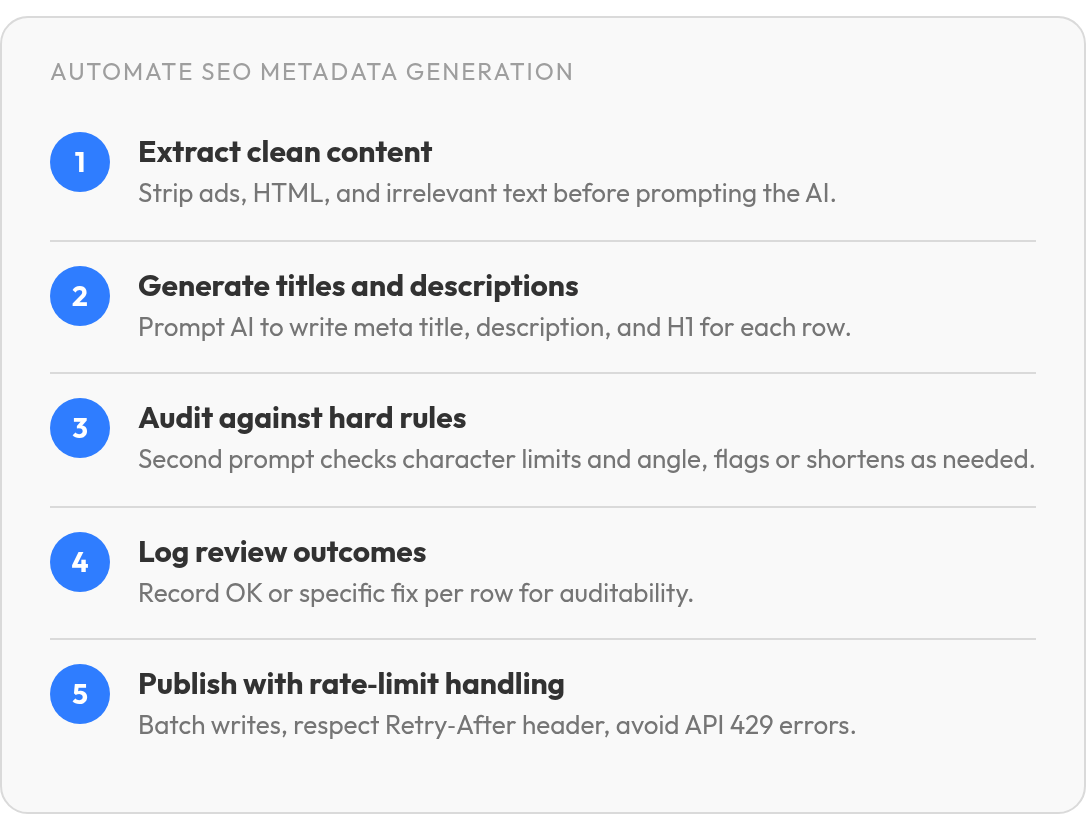
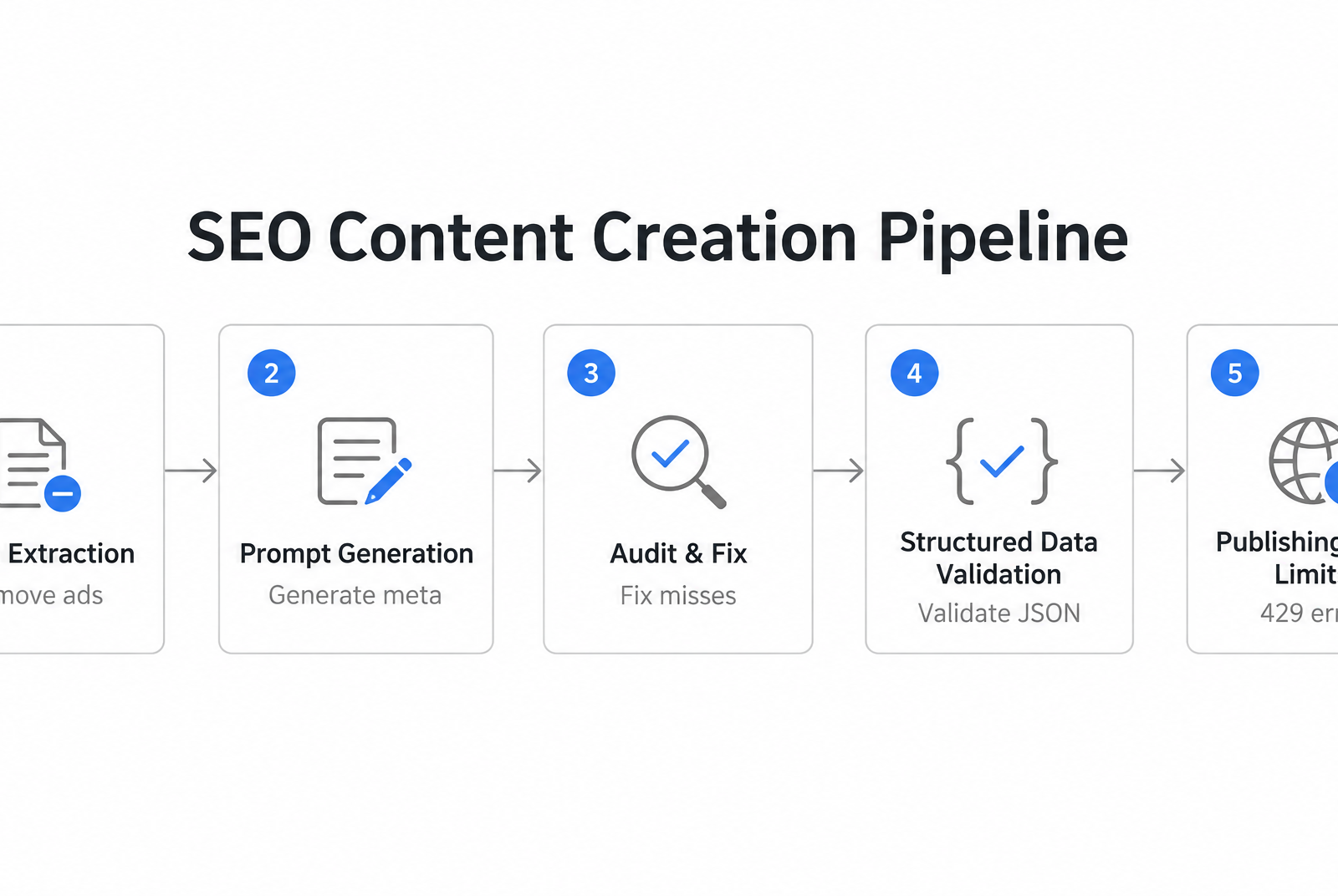
That's why a reliable pipeline starts with clean extraction. The research pipelines that inject structured data into news pages strip out ads and irrelevant text before generating anything. Document generators do the same, cutting HTML, images, and URLs first. Build this clean-content step in before any prompt runs, or you'll quality-check garbage downstream.
Generate, then audit against hard rules
Separate the writing step from the checking step. One prompt generates a meta title and description per row. A second prompt audits that output against your rules and fixes the misses. The agent generates in one step, then quality-checks in the next.
The rules worth enforcing in that second pass are specific. Meta titles stay at 60 characters or fewer. Descriptions land in a band of roughly 120 to 160. H1 headings cap at 70 characters and should take a different angle than the title, not echo it.
Keep a visible review log so the fixes are auditable. A clean pattern writes "OK" or a specific note per row, like "Meta title shortened to 58 chars" or "Added CTA to meta description." For structured data, validate JSON-LD against Google's Rich Results Test and treat a "Pass" as your eligibility signal before publishing.
Respect the API before you push
Publishing through a CMS API comes with documented limits you have to design around. On Webflow, check the current site-level head and footer field limits before injecting schema, and budget against that ceiling. The API can return a 429 error with a Retry-After header once you exceed per-key rate limits.
Honor that header. Back off for the interval it names, then resume. Batch your writes and throttle to the rate limit instead of firing every row at once. That one habit keeps a few hundred pages publishing cleanly instead of stalling halfway through.
Writing prompts that produce click-worthy titles and descriptions
A prompt that just says "write a meta title" hands the model too much freedom. The rules live in your head, not in the instruction, so the output drifts. The fix is to write the rule set into the prompt itself, in plain language the model can follow row by row.
Be explicit about what the model may invent and what it may not. The biggest failure mode is a prompt that lets the agent pad copy with features the product doesn't have. Tell it to pull claims only from the input columns and to leave a cell blank rather than guess. Add that every character count includes spaces, because models quietly forget this and ship copy that truncates in results. State the exact rule once, in numbers, and the output holds steady across thousands of rows.
Column mapping matters as much as the limits. Tell the model exactly where to read and where to write: product name in one column, category in another, key features in a third, meta title and description in their own output columns. Skip this and the agent guesses, which is where catalog runs go sideways.
The meta description length nobody agrees on
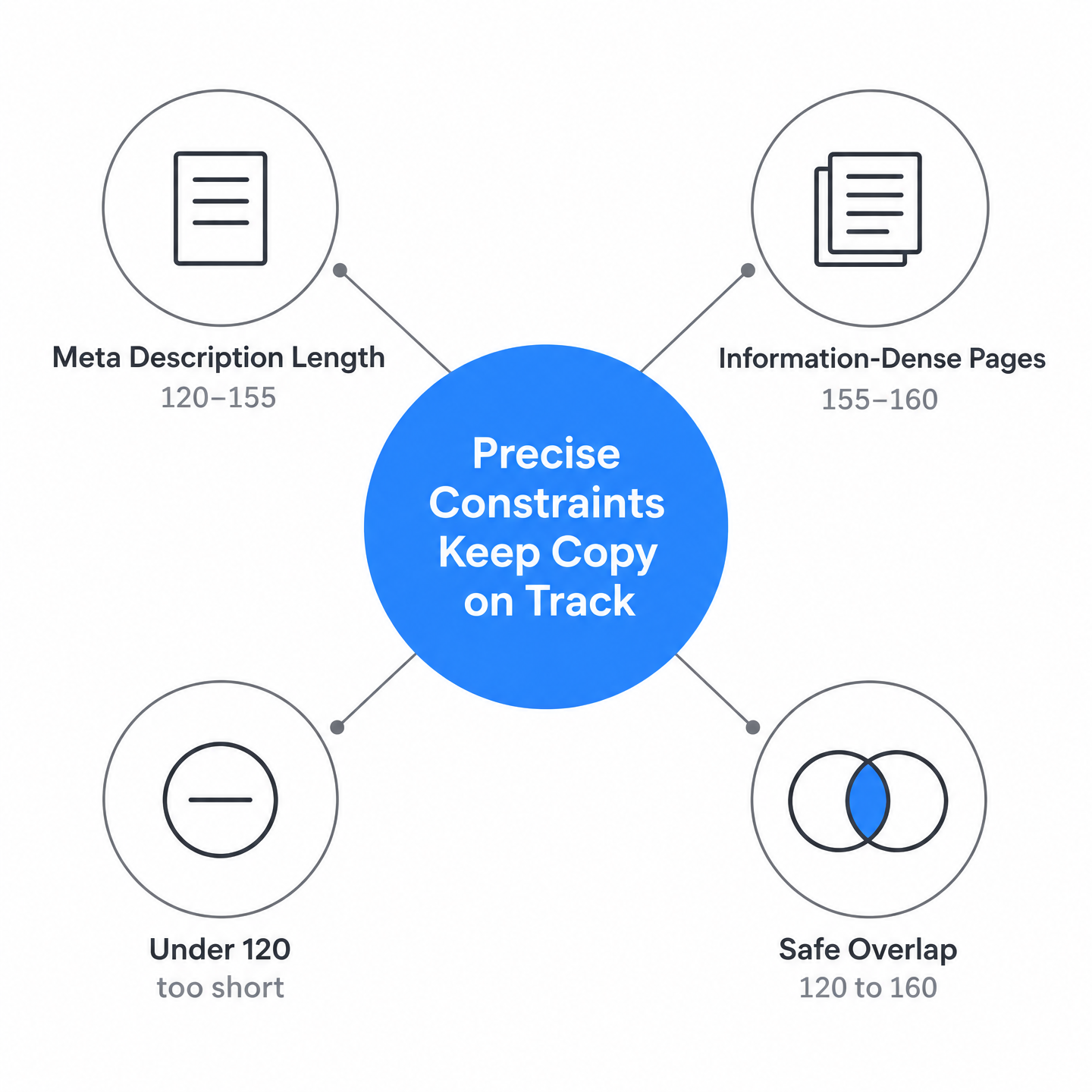
The usual guidance splits here: tight product copy often works near 120–155, while information-dense pages can stretch toward 155–160 when they need to state the question the content answers.
The safe overlap is 120 to 160 characters, and the review log is where you verify the decision. For catalog pages, aim low and lead with a tight call to action. For articles and docs, push toward the upper end and front-load the answer, so the most important information lands first.
Two rules that kill formulaic output
Tell the model not to open the description with the product or page name. Starting every row the same way produces copy that reads like a template, and readers skim right past it.
Then separate your headings. The H1 should not echo the meta title. Point the prompt at a different feature or angle so the on-page heading earns its own click.
Concrete beats vague. "Explains how to configure role-based access" works harder than "everything you need to know." A few quality checks before anything auto-publishes catch the rows that still slip past the rules.
Reviewing and publishing without breaking your own rules
Generation feels like the finish line. It isn't. The rows the model writes are a draft, and the real work is catching the ones that quietly break your rules before they go live.
A second pass does most of that catching. One prompt generates, a separate prompt audits every row against the same hard limits: meta titles at 60 characters or fewer, descriptions in the 120 to 160 band. At scale, that split matters, because a model checking its own output row by row flags far more than a human skimming a spreadsheet ever will.
Keep the audit visible. The review-log column from the generation step carries straight through here, so each row shows an "OK" or the specific fix it got. You get a paper trail you can scan in seconds instead of re-reading a few hundred descriptions.
The 120-character floor catches more than the ceiling
Everyone watches the upper limit. The under-length descriptions slip through. Those thin descriptions can cost you more than an over-long one that truncates cleanly.
For page-level checks beyond character counts, plugin-style tools can earn their keep. They tend to run on-page checks covering keyword usage, meta tag quality, and structural SEO elements, surfacing fixes as you build rather than after publish.
Bulk runs hit rate limits before they hit quality limits
Volume is rarely the bottleneck. A 30-row catalog clears in three prompts, with the full run done in minutes depending on how long each feature list runs. The wall you hit is the publishing API.
Push a bulk update to Webflow and you can trip its rate limit, which returns a 429 response with a Retry-After header telling you how long to wait. Build that backoff into your publish step. Honor the Retry-After value instead of hammering the endpoint, or your clean metadata stalls at the last mile.
Common Questions
What should the AI do when a product's feature list is too thin to fill a full description?
Leave the cell blank rather than guess. The biggest failure mode is a prompt that lets the agent pad copy with features the product doesn't have, so instruct it to pull claims only from your input columns. A short, accurate description beats an invented one that promises something the product can't deliver and erodes trust when readers arrive.
Do the 60 and 155 character limits count spaces, or just letters?
Spaces count. Models quietly forget this and ship copy that truncates in search results, so state the rule once, in numbers, inside the prompt itself: every character count includes spaces. Meta titles stay at 60 or fewer, descriptions land in the 120 to 160 band. Spelling it out explicitly keeps output steady across thousands of rows instead of drifting past the ceiling.
How many pages can I push through Webflow before the API becomes the bottleneck?
Volume rarely breaks first, the publishing API does. Check Webflow's current site-level head and footer field limits before you inject schema, and budget against that ceiling. Exceed per-key rate limits and the API returns a 429 with a Retry-After header. Batch your writes, throttle to the limit, and back off for the interval it names rather than hammering the endpoint.
Can I save time by reusing the meta title as the H1 heading?
Reusing it wastes the second click. The H1 should take a different angle than the title, pointing at a separate feature so the on-page heading earns its own attention rather than echoing what the reader already saw in search. Cap it at 70 characters including spaces, and favor concrete phrasing like "explains how to configure role-based access" over vague filler.
