7 Technical Checks Before You Automate SEO Content at Scale

What You Need to Know
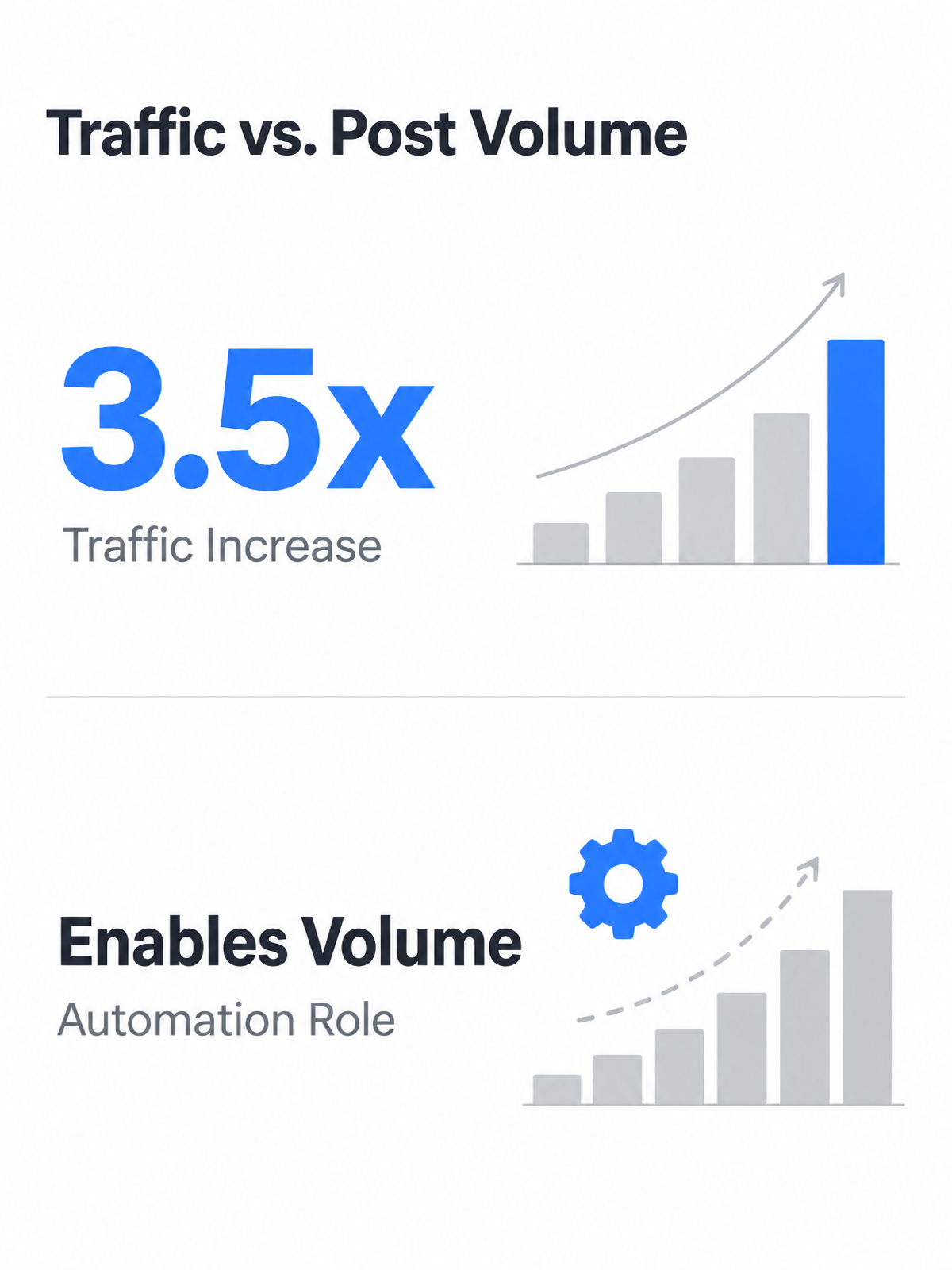
- Companies publishing many blog posts monthly often generate more traffic than those publishing fewer posts.
- Automated workflows combining AI drafts, human edits, and publishing automation substantially reduce per-article costs compared to manual agency or freelance builds.
- Automated drafts that pass through structured briefs and human review gates often require less editing than open-ended generation.
- Flatter URL structures help crawlers work more efficiently than deeply nested hierarchies, as pages buried five clicks deep signal lower importance to search engines.
Related Video
Watch: SEO automation: what to automate and what to keep manual by OrganiKPI
The gap most teams misjudge
You start with one writer shipping four articles a month. Then leadership wants twelve, then twenty. The math stops working.
Publishing frequency has become a competitive constraint. Sites that can consistently ship useful, well-targeted content have more opportunities to capture search demand than teams limited to occasional releases. At the same time, marketing teams report rising content demands while budgets and headcount stay flat. You need volume to compete organically, but manual workflows can't scale without burning out your team or sacrificing quality.
What actually changes
Cost shifts compound. Once drafting, review routing, formatting, and publishing steps are connected, content operations become less dependent on one-off manual labor. For teams managing large content libraries, those savings compound as the workflow improves repeatable tasks.
Problems automation can actually solve
Ad-hoc AI use creates its own problems. Teams that bolt AI onto manual processes without review gates often publish content that drifts from brand voice or introduces factual errors. The risk isn't that AI drafts exist; the risk is that no one has defined what must be checked before those drafts go live.
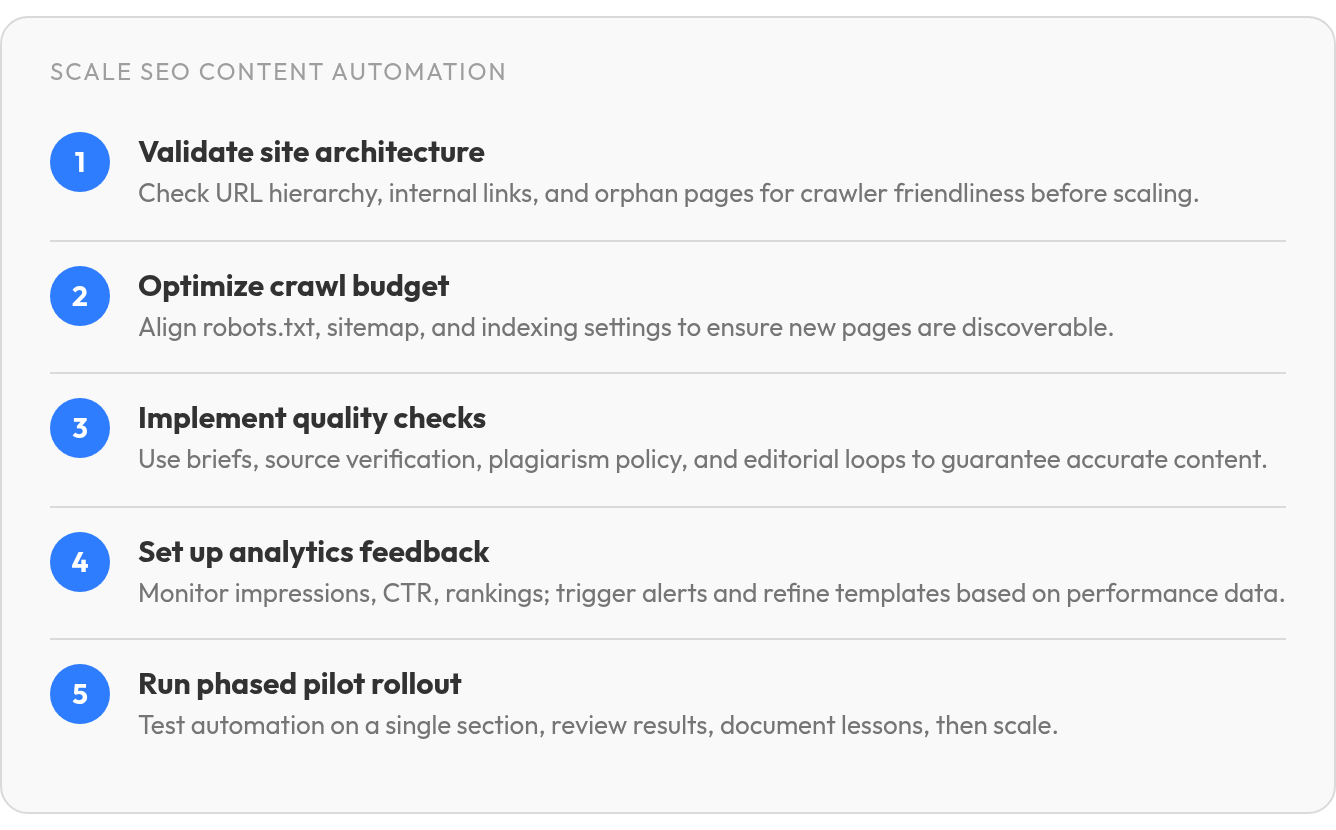
1. Confirm Site Architecture Is Automation‑Ready
Before you automate content creation at scale, your site's underlying structure needs to support it. Teams rush to publish dozens of AI-generated articles, only to find that orphaned pages, tangled URL hierarchies, and broken internal links turned their content investment into invisible inventory.
Does your URL structure let crawlers work efficiently?
Clean URL structures make life easier for crawlers and users than unnecessarily deep nesting. Important content should sit where search engines can discover it easily and users understand its relationship to the rest of the site. We use web crawlers to map existing sites and spot structural problems before scaling begins.
Check the basics. Every automated content cluster should have a clear hub page, supporting articles anchored to it, and no obvious orphan or duplicate topics. If your crawler shows many pages with zero inbound links, that's not a crawler-friendly foundation.
Can your internal links handle scaled publishing?
Crawl-budget problems compound fast when you publish faster than your team can review. Orphan pages (no internal links pointing to them), weak internal links (only one or two connections to important content), duplicate or thin URLs, parameter bloat, and stale sitemap entries all create friction. Instead of a numeric minimum link count, we use a checklist: every new article should link to relevant hub pages and related articles, and important new posts should receive links back from existing pages.
Fix the foundation before scaling. Crawl your site thoroughly, resolve structural issues, and confirm that new content will be discoverable and well-linked from the start.
3. Optimize Crawl Budget & Indexing Settings
Before you automate content creation at scale, confirm that crawlers can find and index the pages you're about to publish. Teams produce dozens of AI-generated articles only to find that a single robots.txt misconfiguration blocked the entire content directory, or that noindex tags left over from staging prevented any page from appearing in search results.
Does your robots.txt file match production intent?
Most crawl-budget mistakes happen in robots.txt: blocked CSS or JavaScript resources, staging rules left active after launch, or disallowed content directories. A single Disallow: /blog/ line will hide every article you publish under that path.
Crawl your staging site with a tool that shows blocked resources. Check that your robots.txt allows crawlers to fetch rendering assets and no production directories are disallowed. Use noindex meta tags rather than robots.txt; the former removes pages from the index while the latter only blocks discovery.
Build a dynamic sitemap that updates automatically
Your XML sitemap should include only indexable pages with 200 status codes, list their canonical URLs, and refresh automatically whenever you publish new content.
Include <lastmod> dates so crawlers can prioritize recent updates. Exclude pages carrying noindex tags, 404 or 410 responses, or canonicals pointing elsewhere. Set up Google Search Console monitoring to catch indexing drops after batch publishing. Check indexing status regularly after each major content release to confirm your pages are entering the index as expected.
4. Ensure Content Quality & Source Integration
When automating for SEO, writing is fast. What takes time—and determines whether output ranks or gets buried—is the quality infrastructure around it. Teams rush to AI drafting without building checks that catch factual errors, outdated claims, and off-brand phrasing before publish. That infrastructure separates scalable content operations from expensive cleanup projects.
Build policy-based originality checks, not score targets
Originality checkers return a score, but the score itself is meaningless without context. A high originality percentage can look safe until the flagged portion turns out to be a distinctive paragraph copied from a competitor's page. Define internal thresholds tied to content type, and set a policy where any substantial verbatim match triggers human review regardless of the overall score. Run drafts through batch plagiarism verification before they enter the publishing queue, and route flagged content to an editor with the matched source highlighted. The policy is what matters. The score is just the trigger.
Define credible source categories that can inform AI drafts
AI pulls from its training data, which includes outdated guides, speculative forum posts, and content written before your product existed. Feed it controlled inputs instead: first-party product documentation, customer research findings, industry reports with publication dates, expert interviews, and current authoritative publications. According to research from Launchmind, drafts informed by structured briefs and verified source material often require less editing than open-prompt generation. A draft built from your own case studies and benchmark data will need light editing; a draft generated from open prompts will need fact-checking on every claim.
Replace quick-pass reviews with structured human editorial loops
When upstream briefs and quality gates function correctly, an editor can focus the review on verification and calibration, not rewriting. That review confirms factual accuracy against source documents, checks that statistics include dates and contexts, removes unsupported claims, ensures internal links point to relevant pages, and adjusts tone where the draft drifts from brand voice. Teams that skip this step and publish AI drafts directly spend more time later correcting misinformation and customer confusion.
Common AI content errors fall into predictable categories: factual inaccuracy (wrong product specs, outdated pricing), invented examples (plausible-sounding case studies that never happened), missing citations (statistics presented without source attribution), duplicated phrasing (reused transitions across multiple articles), and wrong product claims (features your platform does not offer). A review checklist catches these systematically. Without one, they slip through.
6. Deploy Real‑Time Analytics & Feedback Loops
When automating for SEO at any scale, publishing is only half the workflow. The other half is knowing what's working, what's not, and feeding that intelligence back into your production system before you've spent another three months generating content that repeats the same structural mistakes.
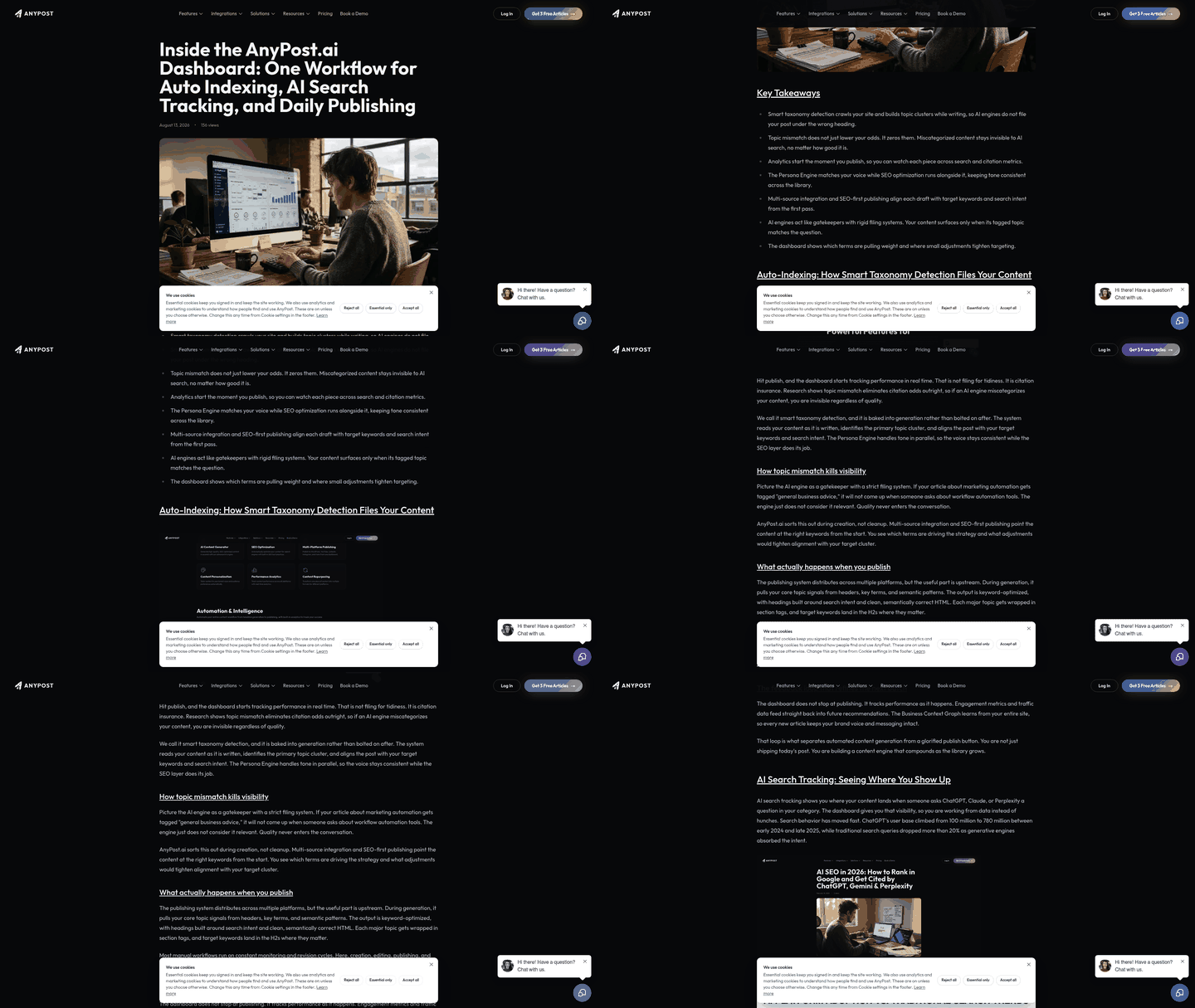
We track performance through real-time analytics for impressions, clicks, CTR, average position, and conversions. Each URL gets tagged with publish date, content type, and target keyword cluster. The output is a diagnostic layer that shows whether your automation is producing pages that rank and convert, or pages that sit invisible in the index.
Set alert thresholds that trigger investigation, not panic
Traffic fluctuates. Minor drops mean nothing; sustained drops mean something broke. Look for patterns across multi-week windows rather than daily noise. That catches real problems without flooding your inbox.
Schedule formal review points after automation goes live so the team can compare cohorts: AI-assisted posts versus human-written posts, structured briefs versus open-ended prompts, informational intent versus commercial intent. Track CTR, average position, engagement time, and conversion rate. If one group consistently underperforms, you've identified where the workflow needs adjustment.
Turn brand voice attributes into explicit rules you can test against
Most teams describe their brand voice in abstract terms: "professional but approachable," "authoritative without being stuffy." That's fine for a brand guide. It's useless for automation. Use the pass/fail brand-voice rules from Check 2—sentence-length distribution, banned phrasing, approved terminology lists, point-of-view consistency, and active-versus-passive voice ratio—as the measurable layer.
A tone-consistency check combines editor review with readability analysis, sentiment scoring, terminology audits, and style-rule validation. When an AI draft scores below your threshold on any dimension, it routes to human review before publish. This isn't about catching every nuance; it's about preventing the drift that happens when you scale. The analytics loop then tracks whether those voice guardrails are holding up across cohorts.
Feed performance data back into your brief templates. When a specific keyword cluster or content structure consistently drives conversions, that pattern becomes a template rule for the next batch. When a headline format produces below-average CTR across multiple tests, you remove it from rotation. Strong automation programs treat measurement as part of production, not a report that appears after the real work is done.
7. How we'd actually roll this out
The part most teams underestimate isn't writing the content or setting up the tech stack. It's the rollout itself—moving from a handful of supervised test runs to publishing at scale. Teams launch automation cold, publishing dozens of AI-assisted pieces in the first week, then find structural problems months later when recovery is harder.
A phased rollout balances speed with safeguards. Start with a capacity-based pilot: publish only as many AI-assisted posts as your team can fully review, monitor, and improve during the early testing window. The volume advantage of frequent publishing only matters if the system can produce useful pages consistently. The pilot phase exists to confirm that your automation workflow produces pages that rank, convert, and sound like you—before you scale to output that becomes expensive to fix.
Run a pilot workflow on one site section before scaling
Choose a single content category or site section for your pilot. If you run a SaaS blog, test automation on one pillar topic. If you manage an e-commerce site, test on one product category. The goal is a contained experiment where problems stay local and learnings transfer cleanly when you expand.
During the pilot, use a risk-mitigation checklist covering duplicate content, thin pages, unsupported claims, noindex or robots mistakes, sitemap errors, schema issues, internal-link gaps, and brand-voice drift. Apply it before publishing, not after rankings drop. Set alert thresholds that trigger investigation: significant traffic drops, indexation changes, or CTR declines on target keywords.
Document lessons learned after each phase
After the pilot, run a simple retrospective. What shipped? What passed or failed quality gates? Did traffic or indexing change? How much editorial time did you save? Did brand-voice issues emerge? Which rules need updating before the next batch? Teams that document these answers before scaling avoid repeating the same mistakes across hundreds of pages. Scale only what is demonstrably working. A well-structured brief can reduce human editing time per article compared to open-ended prompts, but only if you calibrate it based on real output during the pilot. Skip that step and you automate the wrong workflow at scale.
Still Wondering?
What's the biggest mistake teams make when they start automating SEO content?
They treat automation as a publishing shortcut instead of an operating system. The safest approach is to test one content category first, inspect the output, tighten the brief, and fix technical or editorial gaps before expanding across the site.
How much editorial time does automation actually save per article?
Automation saves the most time when the draft arrives with a clear brief, verified sources, internal-link guidance, and defined review criteria. If those inputs are missing, editors spend their time rebuilding the article instead of improving it.
Can I automate content without changing my site's URL structure?
Yes, as long as the existing structure gives new pages a clear home and a clear path for crawlers. Before scaling, crawl your site to confirm that automated content will not become orphaned, buried in confusing folders, or disconnected from the hub pages it is supposed to support.
