
AI Agent Workflow: Publish SEO Content to WordPress, LinkedIn, Email Automatically

Key Takeaways
- One finished SEO article manually pushed across WordPress, LinkedIn, X, email, and a tracking sheet touches seven separate tasks spread across four tools.
- Most teams lose hours each week to context-switching, copying content between systems, and keeping platform versions consistent by hand.
- WordPress REST API can return a 200 success while silently dropping custom fields, Yoast SEO data, and category assignments without any error warning.
- AI agents can capture post metadata like slug, live URL, publish date, and target keyword by pulling data from WordPress REST API responses as the post is created.
- Yoast SEO's read-only REST API blocks automated meta title and description writes; workarounds require third-party plugins or custom
rest_insert_posthooks. - A staged workflow reduces risk: agents draft and format the content, then alert teams for a final quality review before the automated publish fires.
- Testing the full REST API chain in WordPress admin before automation is critical; missing steps like field registration or plugin setup ship content without SEO data.
The publishing handoff is the bottleneck
Publishing a finished piece should be the easy part. You write, you publish, you move on. But the moment you want to automate content marketing with AI across WordPress, LinkedIn, X, and email, that single draft turns into a chain of publishing, distribution, and reporting chores.
A marketer finishes an SEO-ready blog post. Then they log into WordPress, format the content, assign categories, fill in meta titles and descriptions, and publish. After that, they adapt the idea for LinkedIn, condense it for X, prepare supporting copy for visual channels, update a performance tracker, and notify the team. The writing is complete; the operational work keeps going.
That operational tax is where teams lose momentum. You're not creating more strategic content. You're moving between systems, checking whether each platform received the right version, and trying to keep the message consistent by hand.
Tracking and control are the hidden tax
Every published post carries metadata that matters for SEO and reporting: publish date, title, URL slug, target keyword, WordPress permalink, internal links you added, and eventual traffic data tied back to that keyword. Without it, you can't tell which topics drove leads or which keywords actually ranked.
Most teams track this in a Google Sheet, updating cells manually days or weeks after publishing. By then, the window for catching errors has closed. An AI agent that publishes directly to WordPress can collect the operational details at the moment the post is created and feed them into your reporting layer without waiting for someone to remember the admin work.
Automation improves speed and consistency, but it still needs guardrails. API setup, tool selection, approval rules, and fallback paths matter. The safer move is to let the agent prepare the content package and queue the post, then give your team a clean review point before anything reaches the public site.
Blueprint: from one trigger to a live post and social distribution
We've built workflows that turn one finished SEO article into a live WordPress post, a LinkedIn excerpt, and an X caption from a single trigger. The pattern works because it splits generation, formatting, and publishing into blocks that chain together without manual handoffs.
What the workflow looks like end-to-end
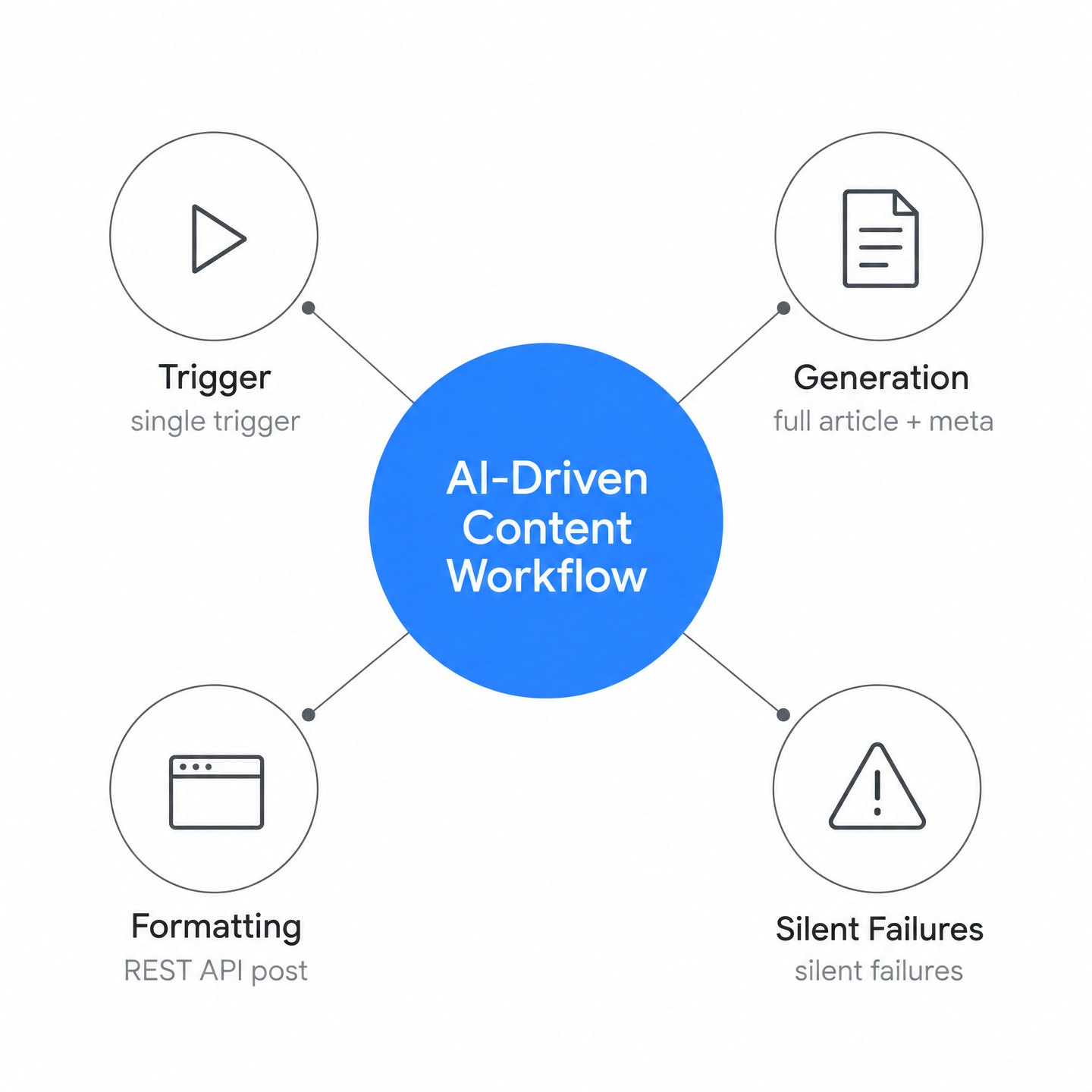
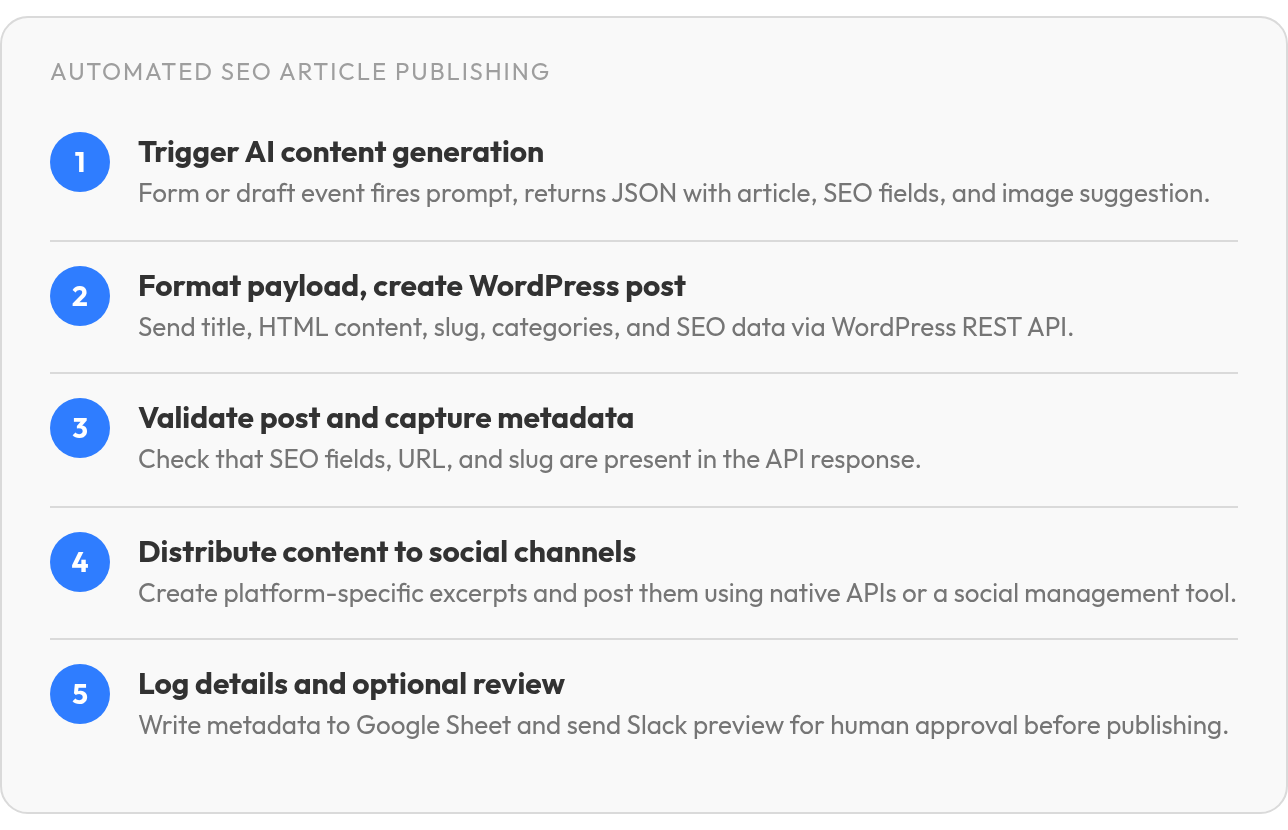
Start with a content trigger: a form submission, a draft saved in WordPress, or a scheduled cron job. That trigger fires an AI prompt that generates the article title, full content with H2/H3 structure, a short excerpt, meta title, meta description, target keywords, and a featured image suggestion. The AI returns everything as structured JSON, one payload containing all the pieces you need.
Next, format and route that payload. Use the WordPress REST API to create the post: send title, content converted to HTML if needed, slug, and status to /wp-json/wp/v2/posts. Add taxonomy assignments by passing the relevant IDs in the same call. SEO metadata needs extra planning because plugin-generated SEO fields do not behave like ordinary post content. If your workflow assumes those fields save automatically, the post can look complete on the front end while missing the search-specific fields you expected.
Once the post is live, fan out to social channels. Generate a LinkedIn excerpt with a professional tone and a link to the post, an X caption shaped for a shorter feed format, and an Instagram description if your distribution includes it. Push each variant to its platform using native APIs or a social management tool that accepts programmatic posts. Then send the publish details to your tracking system so editorial, SEO, and reporting data stay connected.
The sequence runs quickly once configured properly. One form submission becomes multiple outcomes: a published post, social posts, and a reporting entry. When we say automate content marketing with AI, we mean not just drafting faster, but collapsing the entire publish-and-distribute loop into a single automated flow.
Where silent failures break the chain
The hardest part isn't the AI; it's the WordPress write path. REST API calls can appear successful while parts of your payload never land in the admin interface. Custom meta, SEO plugin fields, and taxonomy updates each have their own requirements, and the API response does not always make those misses obvious. That creates a dangerous gap between "the request worked" and "the post is configured correctly."
Validate the workflow before you automate at scale. Create a test post through the same path your agent will use, then inspect it in WordPress admin. Confirm that visible content, categories, tags, featured image, SEO fields, and tracking data all match the source payload. If any piece is missing, fix the WordPress-side configuration before the workflow is allowed to run unattended. A workflow that silently fails in production is worse than no automation at all.
Metrics that matter: SEO fields, publishing logs, and platform signals
When you automate content marketing with AI across WordPress and social platforms, you need a dashboard that tells you whether the workflow is actually working. The three signals that matter most are SEO quality fields from WordPress itself, publishing logs that track every post's metadata, and social engagement data that shows which formats and platforms drive real interaction.
SEO quality fields you can pull from WordPress
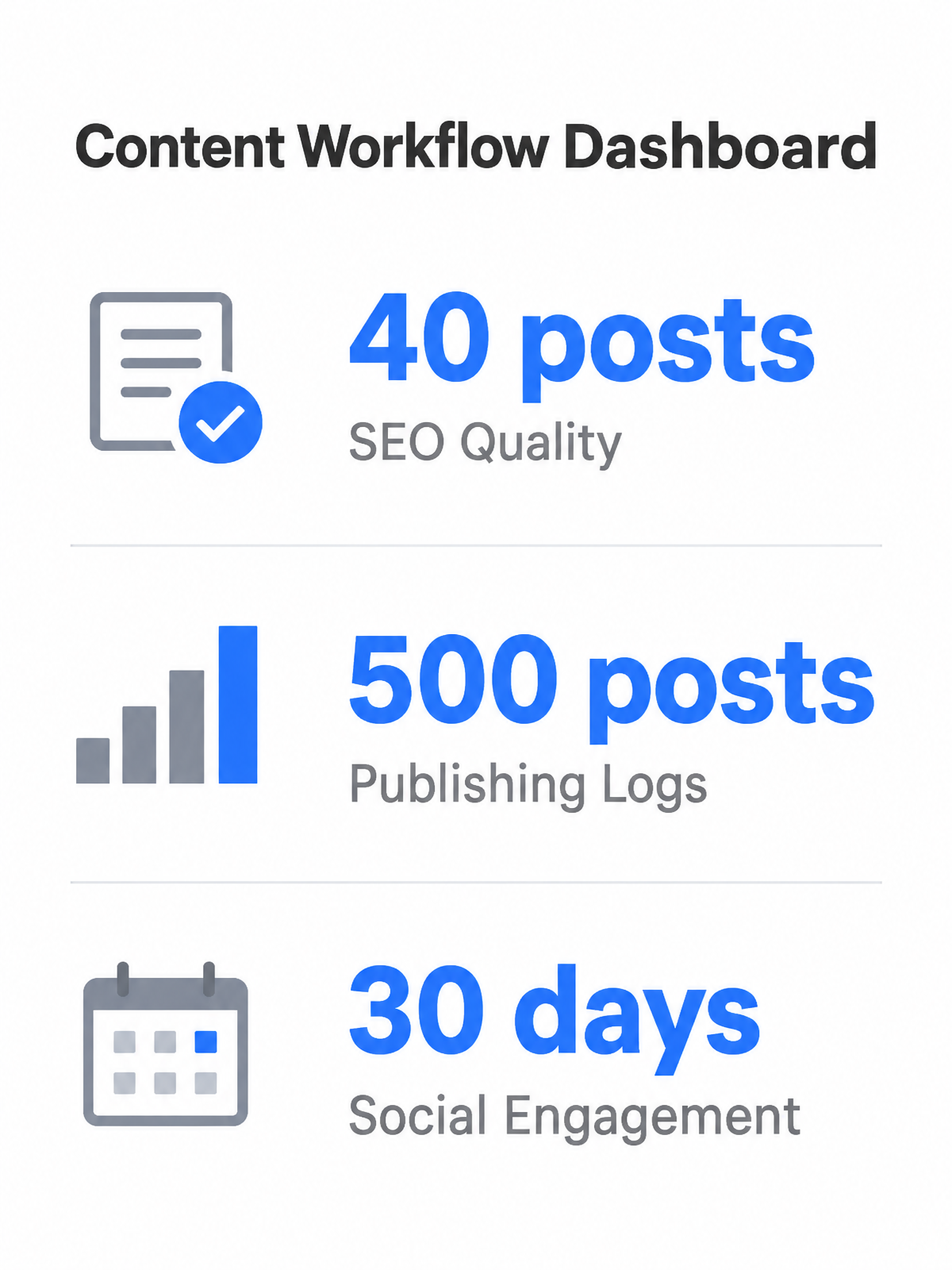
WordPress and Yoast SEO expose a yoast_head_json object in every post response when you query the REST API. That object contains the meta title, meta description, robots directives, and schema markup, everything you need to audit whether your AI-generated posts meet baseline SEO standards. Request only the fields you need with _fields=id,title,link,date,featured_media,yoast_head_json to trim response size. If you're running a 500-post site, setting per_page=100 instead of the default 10 reduces your request count.
Run this audit weekly, not daily. SEO metadata changes slowly, and daily scans waste API quota without surfacing new issues. The patterns you're hunting are invisible in manual review: 40 posts where the meta description is just the excerpt copy-pasted, 12 posts with titles over 60 characters, or pages missing featured images entirely. Automated analysis catches these at scale and feeds corrections back into your prompt templates.
Publishing logs as the central dashboard layer
A Google Sheets publishing log acts as your single source of truth. Track Date Published, Title, Slug, Target Keyword, WordPress URL, Internal Links Added, and Traffic Data in one row per post. This log closes the feedback loop: you can see which keywords drove traffic, which posts earned backlinks, and which content decayed after six months. Once your API accounts are configured, the n8n workflow template writes every publish action to Sheets automatically.
The log also powers your internal linking strategy. When the AI drafts a new post, it queries the Sheets database for related published URLs and weaves them into the content before publishing. That cross-linking compounds your domain authority without manual link audits. In practice, writing a row to Sheets tends to be fast enough that response speed isn't the bottleneck; your constraint is whether the data structure supports fast lookups.
Social performance history and platform-specific signals
Social tools with sentiment analysis, urgency tagging, and engagement history give you the signals to refine your platform-specific transformations. Platform familiarity can influence adoption more than agent quality alone. An agent can earn high quality ratings yet still see low uptake on a channel its audience doesn't use. The mismatch tells you polished output alone doesn't drive engagement; platform-persona alignment does.
Instagram demands images and short captions. X rewards rapid-fire takes. LinkedIn echoes boardroom talk mixed with casual banter. If your workflow sends identical copy to all three, you're ignoring the algorithmic preferences that determine reach. The feedback loop should compare performance across platforms and flag when a format underperforms its channel average. Tools like Publer connect to your last 30 days of performance data and surface which post types earned the most saves, shares, or replies. Use that history to tune your AI prompts, not to chase viral hits, but to systematically raise your baseline engagement.
What to set up before the first automated post
The part most teams underestimate isn't writing the content: it's the setup friction before the first post publishes correctly. You need WordPress Application Passwords configured, API endpoints tested, and a clear tracking template in place before you can automate content marketing with AI at scale. Get the basics right upfront, and you'll avoid workflow-breaking setup errors.
What you need before the first run
Start on the WordPress side. Go to Users → Your Profile, scroll to Application Passwords, and generate a 24-character credential. WordPress shows spaces in that password for readability, but your auth header can't include them. An Editor role or higher gives you access to pending posts and private content, which matters if your workflow stages drafts before publishing.
Next, verify the REST API is reachable. Send a HEAD request to your site's root domain and look for the Link header pointing to /wp-json/. If that's there, send a GET to /wp-json/wp/v2/posts?per_page=1 with your Application Password in the Authorization header. A 200 response with a single post object means authentication works. If you see 401, check that you encoded the username and password together as username:password before Base64 conversion.
Set up your tracking template before the first post goes live. Create a Google Sheet or Notion database that captures the editorial identifier, keyword target, canonical URL, linking notes, and performance fields your team actually reviews. The workflow should write to that destination automatically; if someone still has to copy the URL and paste it into a spreadsheet, the automation is incomplete.
Common setup traps that break publishing
The default WordPress posts endpoint returns the 10 most recent posts. If you're pulling a pending queue to review before publishing, you must add ?status=pending&per_page=50 or you'll only see the first 10 drafts. Missing that parameter means your workflow thinks the queue is shorter than it is, and posts sit unpublished without triggering an error.
Context parameters determine which properties the API returns. The default view context strips edit-only fields like custom metadata. If your automation depends on reading or writing custom post meta, you need context=edit in the request, and even then, custom meta fields are ignored unless they've been registered with show_in_rest: true in the theme or plugin that created them. If that registration is missing, the post may be created while the metadata never appears where your editor expects it.
Categories and tags overwrite rather than append. When you POST an array of category IDs to update a post, WordPress replaces the old categories with the new ones; it doesn't merge them. If your workflow tries to add a single tag by sending [new_tag_id], every other tag on that post disappears. The safe pattern is to GET the current categories first, merge your additions into that array, then POST the combined set.
Yoast SEO metadata is visible through the REST API but not writable through the standard Yoast endpoint. Your automation can generate search titles and descriptions, but you need a supported write destination that your SEO plugin will read. RankMath has similar limitations. If no SEO plugin is active, the response will not include plugin-specific metadata, so your workflow should branch accordingly instead of assuming those fields exist.
Keep API queries lean once your setup works. Use _fields to request only the properties your workflow consumes, and rely on response headers such as X-WP-TotalPages to control pagination loops. That keeps the system responsive as your content archive grows and prevents your agent from wasting time processing unused payload data.
Run a full rehearsal before you trust it unattended
Stage a draft post and send a Slack notification to your editor before final publishing. This adds a human-in-the-loop checkpoint without abandoning automation entirely. The workflow generates the content, formats it, assigns categories, and saves it with status=draft. A Slack message includes the preview URL and a one-click approval action. Only after approval does the status flip to publish.
Run one complete rehearsal before scheduling batch publishing. Generate content, create the WordPress draft, inspect the SEO fields, click the internal links, confirm the reporting destination received the expected values, and make sure the team notification arrived. Catch setup errors here rather than discovering them after a batch of flawed posts reaches the site.
Questions People Ask
1. Why does my WordPress post publish successfully but ship without SEO metadata?
Because a successful WordPress API request only confirms that the post operation completed; it does not prove every plugin-managed field accepted your payload. Inspect the draft in WordPress admin and confirm the SEO panel contains the values your agent generated. If it does not, route those values through a supported plugin integration or custom WordPress hook before allowing automated publishing.
2. What's the difference between publishing a post immediately versus staging it for review first?
Immediate publishing is faster, but staging creates an editorial checkpoint. In a staged flow, the agent prepares the post, saves it as a draft, and asks a human to review the preview before changing the status. That review step is where you catch formatting issues, missing links, mismatched categories, or off-brand copy while the automation still handles the repetitive work.