
Auto-Summarize and Republish: Turning Long-Form into Newsletter Snippets

Key Takeaways
- An AI summarizer turns a 2,000-word post into a newsletter snippet in 5 to 10 minutes, versus 30 to 45 by hand.
- The workflow runs six steps in order: source, summarize, format, export, automate, send.
- AnyPost's Business Context Graph pulls from your site, so snippets match your writing voice without you babysitting each one.
- Voice-matched, keyword-carrying snippets give the archived newsletter page a real shot at ranking.
- The toolkit: an AI summarizer, a workflow automation platform, and an email service provider, wired together with connectors.
- Difficulty is a two-out-of-five. Beginner-friendly, with advanced tweaks available when you want them.
- One repurposed asset earns you both email opens and organic search traffic.
Quick Summary
An AI summarizer takes the manual drafting out of turning long-form blog posts into newsletter-ready snippets. The promise is simple: get your editorial calendar back by condensing what you already published instead of starting from a blank page.
Two things make or break it: editorial integrity and search relevance. Align your summaries with your brand standards and target high-intent search terms, and your newsletter archive pulls double duty. It engages the subscribers you already have, and it captures organic search traffic on the side.
What Does the Full Workflow Look Like?
It's a loop. You pick a high-performing article, run it through the summarizer, structure the output for email, and route it to your sending platform on a schedule.
| Element | Detail |
|---|---|
| Workflow | source → summarize → format → export → automate → send |
| Time per article | 5–10 min automated vs. 30–45 min manual |
| Core tools | AI summarizer + workflow automation + email platform (ESP) |
| Integrations | Automation connectors linking your summarizer to your email platform |
| Difficulty | ★★☆☆☆ (beginner-friendly, optional advanced tweaks) |
| Goal | Faster email production plus SERP visibility from voice-matched, keyword-optimized snippets |
What Results Should You Expect?
Fewer production bottlenecks, mostly, once manual formatting is gone. Squeeze more out of each long-form asset and your team can keep a steady cadence across channels without adding headcount or burning out on the same reformatting job.
The catch is quality control. The generated text has to sound like your editorial voice or subscribers feel the disconnect, and it has to answer specific queries. Skip that alignment and the output is just another email, not a growth asset.
Which Metrics Prove It Is Working?
Track these six, weekly:
- Articles processed per week. Your input volume.
- Snippet count. How many usable snippets each article yields.
- Newsletter open rate. The subject-line and preview test.
- Click-through rate. Whether the snippet earns the click back to the full post.
- Lead conversion. The metric your growth lead actually reports on.
- Snippet page rankings. Where your archived newsletter URLs land in search.
When to skip this workflow: if you publish fewer than two long-form pieces a month, the setup costs more time than it saves. Batch-summarize by hand until your volume justifies wiring up the connectors.
The on-ramp is easy. A marketer can stand up the basic pipeline fast and leave the advanced stuff, like dynamic segmentation and localized keyword targeting, for later, once the system has proven itself.
Why Repurposing Long-Form Content for Newsletters Is Worth the Trouble
Long-form content is where most of your inbound links live, and it goes quiet the second you hit publish. An AI summarizer fixes that by pulling your best-performing blogs, whitepapers, and podcast transcripts back into circulation as newsletter snippets. You already did the research and earned the ranking. Now you reuse it.
It's the bridge between SEO and direct-to-subscriber marketing. A good snippet reinforces your core themes inside a high-converting channel and stretches the value of your original research further.
Why Newsletters Deserve Your Best Content
Newsletters are your highest-intent channel. They reach people who opted in, which is why so many B2B teams treat email as their strongest lead source. Feed that channel thin, off-brand snippets and you're wasting the audience you fought to build.
Repurposing keeps your voice consistent everywhere. A subscriber reads a snippet that sounds exactly like your blog, clicks through to the full piece, and nothing about the handoff feels off. That consistency also reinforces the same keywords across email and search, so the two channels pull together instead of competing.
The lever is user intent. Structure your summaries around the questions your audience is actually asking, and a standard email update becomes a reference point that catches long-tail search interest.
What Skipping Automation Actually Costs You
Manual repurposing is slow, and it's the first thing to fall off the list. Rewriting a 2,000-word post into a clean snippet by hand eats time your team rarely has, especially across multiple clients or product lines. That's why so much long-form content gets published once and abandoned.
You're not alone in finding this hard. In a Venngage report on content repurposing, 38% of marketing professionals said adapting existing content for different platforms was a genuine challenge. That friction is exactly what kills a good repurposing habit.
The same guide shows the upside once you remove the friction. Its author turned a single 5,000-word report into social posts, email newsletters, and infographics using AI tools. One asset, many outputs, no blank page each time.
Who Gets the Most Out of This
Automated summarizing pays off most for teams juggling volume. Growth leaders, in-house B2B marketers, and agencies running several client newsletters feel the manual-repurposing tax the hardest. More assets and more sending calendars mean more places for content to go stale.
If you publish at low volume, manual curation is still fine. The overhead only turns unsustainable once you're managing a growing library and a demanding send schedule.
For everyone in between, the goal is plain. Turn published assets into snippets that sound like you and carry your keywords, so your newsletter feeds engagement and search at once. If you want to measure the SEO payoff over time, pairing this with automated SEO reporting shows which repurposed pages actually earn rankings.
Sourcing the Long-Form Content Worth Repurposing
Not every long-form asset deserves a spot in the pipeline. The pieces worth feeding into an AI summarizer are the ones that already rank, already pull traffic, and already carry the keywords you want to keep circulating. Feed it your winners, and the snippets inherit that authority.
A simple filter up front helps. If a piece doesn't clear the bar, it stays out. Volume for its own sake is how you end up with 48 thin snippets nobody opens.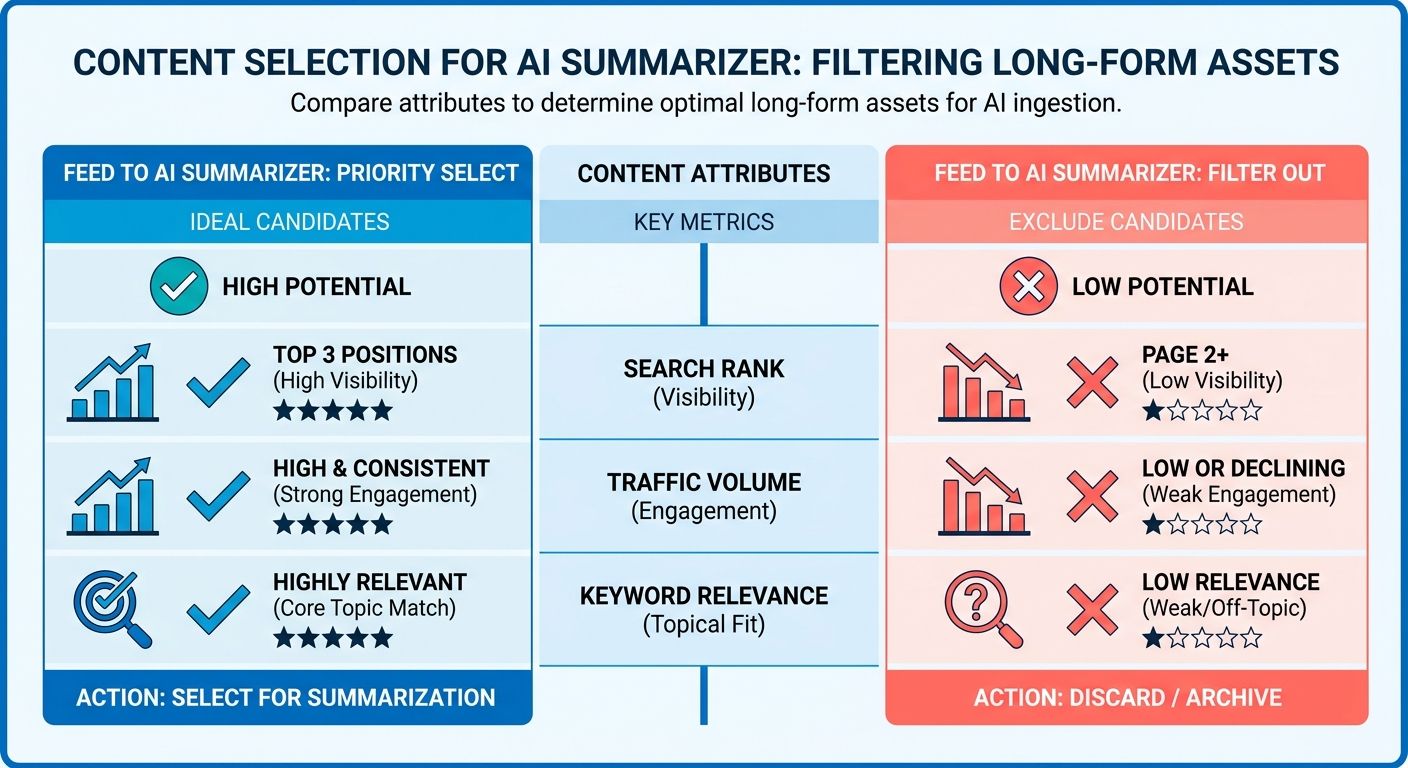
What Makes a Long-Form Piece Worth Summarizing?
High-value content: an evergreen, keyword-rich asset that pulls meaningful organic traffic and answers a real search question. Those traits give the summarized version enough substance to engage a reader. Prioritize the blog posts pulling real organic traffic and the whitepapers that already convert.
Length matters too. Set a floor of 1,200 words. Anything shorter usually lacks the depth to spin into a snippet that both summarizes and holds its own keyword footprint. Thin source, thin summary.
Recency is the third filter. Cap the retrieval window at the last 90 days for trending topics, but keep a separate evergreen bucket that never expires. Evergreen posts are the ones you resurface again and again.
How Do You Find the Right Sources?
Pull from two pools: your owned library and the wider web. For owned content, sort your analytics by organic traffic and grab the top rankers. Those assets already earned their keywords.
For third-party discovery, content research tools and trending-topic feeds surface what's climbing in your space right now. Set your parameters up front. Topic clusters, language, minimum word count, and publication date thresholds keep the noise out.
A post pulling 500+ monthly visits belongs in rotation. A post under 100 needs work before it enters the pipeline. That threshold keeps your summarizer working on proven material, not experiments that haven't paid off yet.
Build a Content Vault That Refreshes Itself
Content Vault: a stored, self-updating list of source URLs the summarizer draws from on a schedule. Instead of hunting for links every week, you point the system at the Vault and let it pull. New qualifying posts get added automatically; stale ones drop off.
Refresh it on a set cadence so the pipeline never runs dry. Store the URL, the target keyword, and the content cluster for each entry. That metadata is what keeps snippets keyword-optimized instead of generic. A SaaS marketing team running weekly pulls 12 top-ranking blog posts from their Vault, and each post yields four snippet variants. That's 48 newsletter-ready summaries a month, all aligned with brand tone and carrying live keywords.
A centralized repository earns its keep when you're managing a lot of assets. For smaller libraries, manual curation gives you more editorial control. Automated SEO reporting helps here too, flagging which high-performing assets are ready for extraction.
Building the Summarization Engine (Tool Selection & Configuration)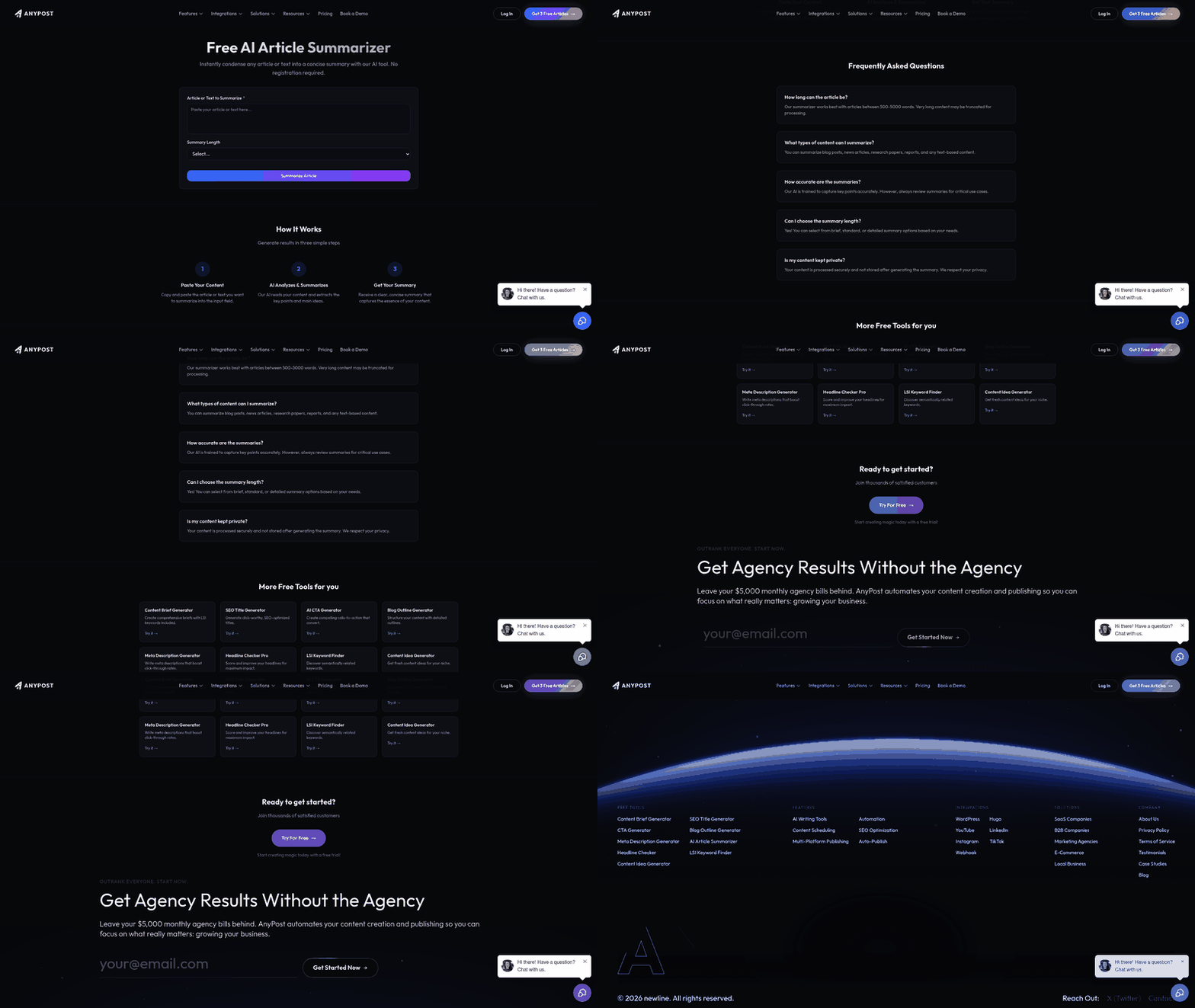
Picking an AI summarizer comes down to three questions. Does it hold your brand voice? Does it keep your keywords intact? Can it slot into an automated pipeline? Most tools nail one. Few nail all three, which is why setup matters more than the model you start with.
The engine is only half the job. The other half is how well it fits your stack. A summarizer that can't accept webhooks or return structured JSON forces manual copy-paste, and manual steps are where automation breaks. Before you commit, test whether it exposes an API, supports batch calls, and returns metadata you can pipe straight into your CMS. Get this wrong and you produce snippets that read like a robot skimmed your blog.
Which AI Summarizer Should You Pick?
Pick the model that holds context across a batch, not just a single call. For newsletter work, you want an engine that remembers your voice rules and keyword list from post to post. Project-based tools that retain context across a conversation give you a consistency one-off summarizers can't match.
General-purpose LLMs tend to hold relevance better across a batch than single-purpose summarizers, because they carry your voice rules and keyword list from one post to the next. That gap in relevance is often the difference between a snippet you ship and one you rewrite.
Avoid basic compression tools if search visibility matters. They cut word count fine, but they tend to drop the strategic phrasing and semantic structure that keep a piece search-relevant.
How Do You Write Prompts That Keep Your Voice and Keywords?
Give the model three explicit instructions: a tone tag, a keyword focus, and a length cap. Vague prompts produce vague summaries. Named constraints produce shippable ones.
Structure every prompt like this:
- Tone tag: "Write in a friendly B2B voice, second person, no jargon." Name the register you want.
- Keyword focus: paste the 2-3 target keywords and tell the model to keep them in the first sentence.
- Length cap: "150 to 200 words." Snippets that run longer get skimmed past.
Add a rule to preserve one internal link back to the full post. That keeps the summary working as a traffic driver, not just a courtesy blurb.
How Do You Handle Full-Text Extraction and Token Limits?
Strip the boilerplate before the text ever hits the model. Nav bars, footers, and cookie banners waste tokens and confuse the summary. Run the raw HTML through a readability library or parser first, so the engine gets clean article text only.
For long assets that blow past a token limit, chunk by section. Summarize each chunk, then run a second pass that condenses those summaries into one snippet. That keeps your keyword density and voice intact instead of truncating mid-argument.
Once the clean text is processed, pipe it through an API that returns structured data with meta tags already embedded, so the output is ready to publish. Wiring your pipeline to automated SEO reporting lets you track the search footprint of what you generate.
Designing Snippets That Earn the Click (Structure, Voice, and SEO)
A raw AI summary is not a newsletter block. It's a starting draft. This section is about turning that draft into a snippet that earns the click and holds its own in search.
Every strong snippet follows the same four-part skeleton. Get the anatomy right and output from any AI summarizer becomes plug-and-play, no rewrite needed.
What Is the Anatomy of a Newsletter-Friendly Snippet?
A newsletter snippet has four parts: a hook headline, a two-sentence teaser, three to five bullet takeaways, and one CTA link. That structure carries a reader from curiosity to click in under 15 seconds.
Here's how each piece works:
- Hook headline: One line that promises a specific payoff. Put your primary keyword here so the archived version has a ranking signal from the top.
- Two-sentence teaser: The stakes and the payoff. Sentence one names the problem. Sentence two hints at the fix without giving it away.
- Bullet takeaways: Three to five scannable points pulled from the long-form piece. This is where your secondary keywords live, so search intent stays consistent from blog to email.
- CTA link: One clear action. "Read the full breakdown" beats "Click here" every time.
The bullet block does the heaviest lifting. A fintech newsletter that reformatted its snippets around bullet-point takeaways saw a 27% CTR lift from that one change. People skim; bullets reward that behavior.
How Do You Keep Voice Consistent Across Snippets?
Voice consistency comes from a persona rule you apply to every snippet, not from editing each one by hand. Define the register once. "Professional yet witty." Then hold every summary to it. Automation without a voice rule produces snippets that sound like a robot skimmed your blog.
AI output drifts on its own. One snippet reads sharp, the next feels flat. A programmatic style guide built from your existing content library keeps the tone locked, so every summary reads like a natural extension of your brand.
Keeping a human hand on your branding matters even when AI does the drafting. The tool handles speed. You own the voice.
How Do You Reinforce SEO Without Sounding Forced?
Put your primary keyword in the headline and your secondary keywords in the bullets, then stop. Two placements per snippet is the ceiling. Cram in more and the copy reads mechanical, which kills the click and the ranking both.
For email clients that read schema, add JSON-LD micro-data to the archived snippet. It gives supporting clients a cleaner read on your content and sharpens your deliverability insights over time. Skip it if your ESP strips custom markup. Not every platform honors it, and forcing it wastes effort.
One caveat, stated plainly: don't reformat thin snippets and expect a ranking boost. The SEO reinforcement only pays off when the underlying long-form piece already earns traffic. Feed winners in, get winners out. To see which snippets actually move, lean on real-time analytics pulled straight from Google Search Console, so you track what changed instead of guessing.
Connecting Summaries to Publishing Automation (JSON, Make.com/Zapier, and AnyPost.ai)
Structured JSON is what turns a good snippet into an automated pipeline. Once your AI summarizer outputs clean, consistent JSON, any workflow tool can parse it, format it, and push it into your email platform without a human touching the keyboard. That's the difference between a one-off summary and a repeatable system.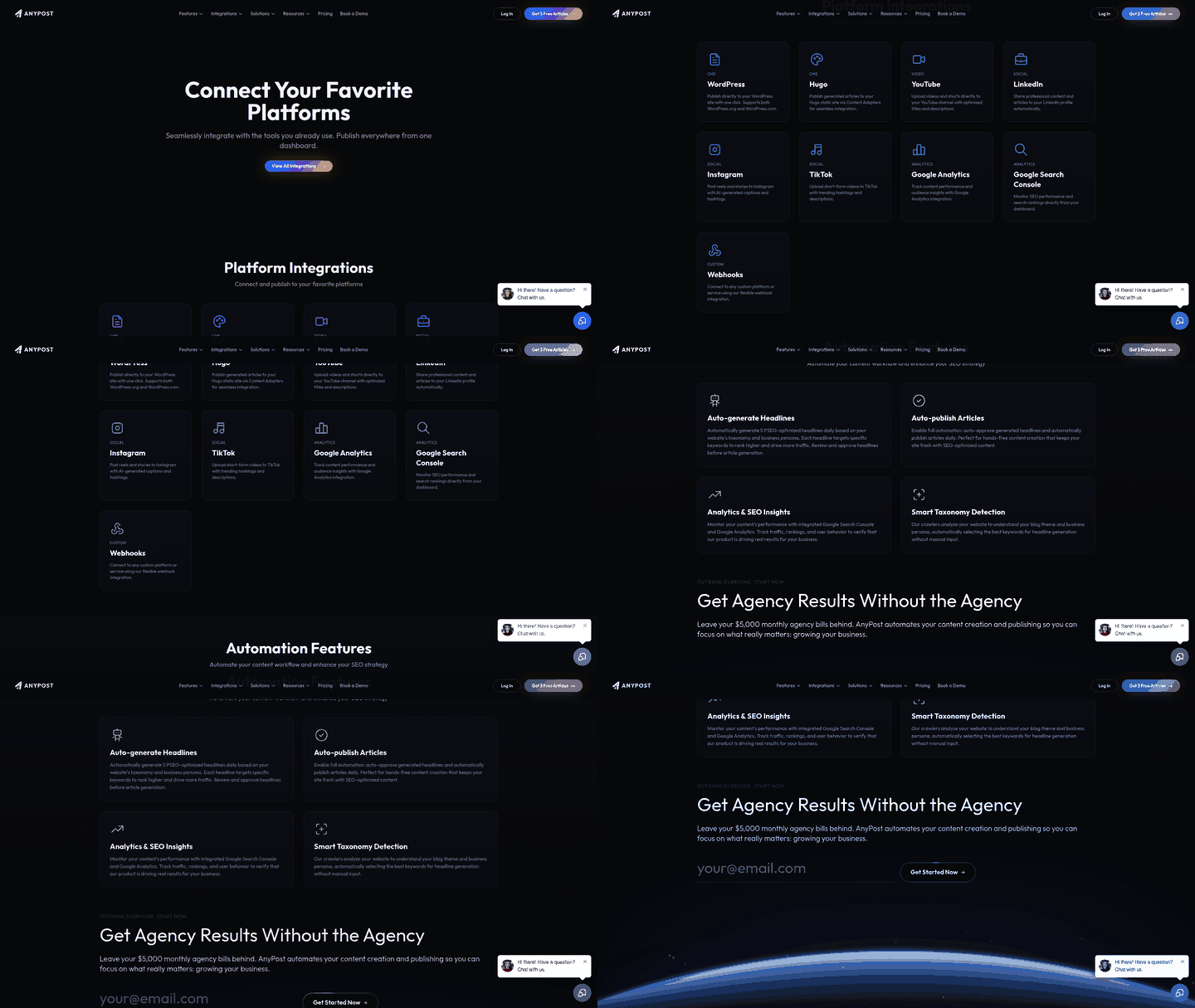
The snippets you designed earlier map straight to fields. Hook headline becomes a title, teaser becomes a teaser, bullet takeaways become an array, CTA link becomes a cta_url. Keep the schema flat and predictable so the parser never chokes mid-run.
What JSON Schema Should Your Snippets Use?
A newsletter snippet schema needs seven fields: id, title, teaser, bullets[], cta_url, publish_date, and source_url. Each maps to one part of the snippet or one piece of scheduling metadata. This keeps your data organized and ready to distribute.
The source_url matters more than it looks. It keeps every snippet traceable back to the long-form asset it came from, which is what lets you audit whether your keywords survived the summarization step.
How Do You Wire the Automation Scenario?
Build the scenario as a linear chain: trigger, summarize, parse, format, send. In a scenario-based tool, that's an HTTP request pulling your source content, the summarizer returning JSON, a parser splitting the fields, a formatter shaping the email body, and a mailing module scheduling the send.
The equivalent in a step-based tool follows the same logic. A webhook catches the payload, a formatter step reshapes it, a delay step holds it until your send window, an email step delivers it. Same sequence, different labels.
Match the voice and keywords at the summarize step, not after. If the JSON comes out on-brand and keyword-intact, every downstream step just moves data. You're automating distribution, not rewriting copy at each hop.
How Do You Handle API Timeouts and Bad Runs?
Add retry logic before you scale. Summarizer APIs time out now and then, and a single failed call shouldn't kill an entire newsletter build. Set two or three retries with a short backoff, then route any snippet that still fails into a manual queue you review by hand.
That fallback queue is the part most teams skip. Without it, one bad response silently drops a story from your issue and nobody notices until the email ships incomplete. A manual holding tank turns a silent failure into a visible to-do.
Log the id and source_url of every failed run. When you review the queue, you know exactly which asset broke and can re-summarize it in one click.
When the pipeline runs clean, the speed gain is immediate. Teams relying on manual summarization typically spend 45 to 90 minutes per newsletter issue wrestling with copy edits, reformatting, and platform uploads. A JSON-first pipeline collapses that to under 15 minutes, because the only human checkpoint left is a final review before scheduling. That frees editorial capacity for the work machines can't do: audience research, voice refinement, strategic planning.
Scheduling, Personalization, and Delivery Strategies
Your snippets are built and flowing through automation. Now the questions are when to send, who gets which version, and how to make each one feel personal. Get this wrong and even a keyword-optimized snippet from the best AI summarizer lands in an inbox at the wrong moment for the wrong reader.
Delivery is where personalization and content value meet. The same snippet that drives engagement can convert in email, but only if you segment it, time it, and test it. Here's the cadence, the tags, and the tests worth relying on.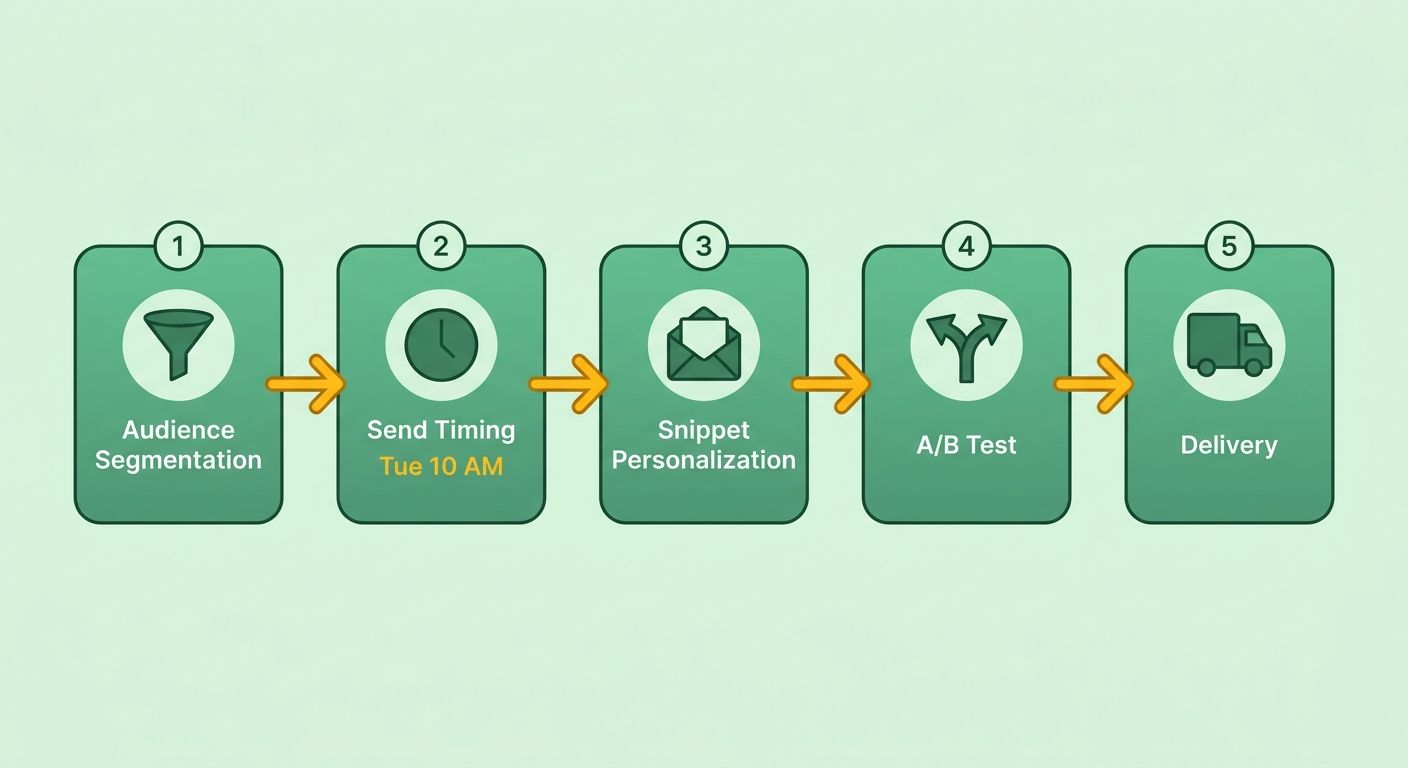
When Should You Send Your Newsletter Digest?
Send a weekly digest on Tuesday at 10 AM. Mid-morning midweek sends consistently pull the strongest opens across B2B lists, based on recent email-open data. Weekly cadence gives you enough summarized content to fill a digest without scraping the bottom of your archive.
Weekly beats daily for repurposed content. Daily sends burn through your best long-form assets too fast, and open rates sag when subscribers feel the flood. One tight Tuesday digest of three to five snippets respects the inbox and keeps your winners in rotation longer.
Skip the rigid Tuesday rule if your audience skews outside standard business hours. A developer or creator list often opens on weekends. Test your own send-time data before locking the schedule.
How Do You Personalize Snippets by Persona?
Segment by buyer persona and serve industry-specific snippets using audience tags. A finance-sector subscriber sees a summarized whitepaper on compliance. A marketing lead gets your keyword-strategy post. Same pipeline, different snippet, matched to the reader's world.
Dynamic insertion sharpens the effect. Merge tags for first name, company, and recent product usage turn a generic block into a message that reads like you wrote it for one person. A snippet that opens with the reader's company name earns attention a plain summary never will.
This is where the consistency of your automated pipeline pays off. Because the copy already matches your brand standards, layering persona tags on top means each segment gets content that feels both familiar and relevant.
What Should You A/B Test First?
Test headline length and CTA placement before anything else. These two move opens and clicks more than color or button copy. Run 45-character headlines against 70-character ones, and test your CTA link at the top versus the bottom of the snippet.
Keep your tests clean. Change one variable per send, or you won't know what drove the lift. Headline length affects the open. CTA placement affects the click. Isolate them.
The payoff is real. Adding first-name and company merge tags to a weekly digest can make each send read like it was written for one reader, and that relevance is what earns the open, with no change to the underlying snippets. When your pipeline holds a consistent tone, the personalization layer reinforces the voice your subscribers already recognize.
That gain compounds. Higher opens mean more traffic to your primary assets, which feeds the engagement signals you built into every summary. Personalization lifts email today; optimized snippets keep working long after the send.
Measuring Performance, Optimizing Content, and Scaling the System
A summarization pipeline is only worth running if you measure what it produces. Track five numbers, read them weekly, and feed what you learn back into the prompt. That's how snippets from your AI summarizer get sharper instead of stale.
The trick is connecting content performance to email performance in one view. Your snippet ranked or it didn't. Your email got opened or it didn't. Both signals belong on the same dashboard, so you can see which summaries earn attention in search and inbox at once.
Which KPIs Should You Track Weekly?
Five KPIs tell you if the pipeline is working: snippets generated per week, newsletter open rate, click-through rate, lead conversion, and subscriber list churn. The first measures throughput. The next four measure whether the output is any good.
Watch churn closely. A rising unsubscribe rate means your snippets are landing off-voice or off-topic, no matter how well they rank. Click-through is your fastest quality read. If people open but don't click, the teaser is doing its job and the CTA isn't.
Lead conversion is the number your growth lead actually cares about. Snippets can pull traffic and still fail to convert. Tie each snippet back to its source article so you know which long-form pieces drive real pipeline.
How Do You Build a Unified Dashboard?
Combine content analytics with email stats in a single Looker Studio report. Pull snippet performance from your content tool, pull opens and clicks from your email platform, and join them on the snippet ID. One report, both channels, no tab-switching.
Keep the layout simple. Top row shows throughput and churn. Middle row shows opens and clicks per snippet. Bottom row ranks snippets by lead conversion so the winners surface fast. For teams scaling up, linking these metrics to automated SEO reporting gives you a full view of search visibility across channels.
How Do You Close the Feedback Loop?
Flag any snippet below your engagement threshold and retrain the prompt. Pull the low performers each week, look for a pattern, and add a directive like "lead with one actionable insight" to your summarization prompt. The next batch inherits the fix.
This is the loop that separates a set-and-forget tool from a system that improves. A snippet that summarizes but never tells the reader what to do next will underperform every time. Push the prompt toward specificity and watch click-through climb.
Skip this loop only if you're running fewer than five snippets a week. At that volume you don't have enough signal to spot patterns, and manual editing is faster.
Scaling to 50+ Articles a Night
Batch process large volumes with serverless functions to keep latency under five minutes. Running summaries through AWS Lambda lets you fire 50 or more articles nightly without holding a server open. Each article gets its own function call, they run in parallel, and the queue clears fast.
At this scale, the real win is real-time analytics straight out of Google Search Console. Monitoring performance directly shows you what changed, not just what was done, so you can see which summaries earn impressions and clicks. Better throughput, tighter voice, and snippets built to perform.
Frequently Asked Questions
1. Can I use a free AI summarizer instead of a general-purpose LLM for this workflow?
While basic compression tools are useful for quick reading, they often lack the API flexibility and context window capacity required for automated pipelines. General-purpose LLMs allow you to pass complex system instructions, maintain programmatic control over output formats like JSON, and reference external style guides. For a scalable, automated workflow, the programmatic control of an LLM is essential.
2. What happens if my email platform strips out custom markup like JSON-LD?
If your email service provider strips custom scripts, you can rely on standard HTML meta tags on your archived web pages instead. Search engines will still index the web-based version of your newsletter using standard on-page SEO elements. Focus on optimizing your title tags, meta descriptions, and header structures, which remain highly effective across all platforms.
3. How many keyword placements should a single snippet have?
To maintain a natural reading flow, keep keyword integration minimal. Modern search algorithms rely on semantic understanding rather than exact-match frequency. Over-optimizing your short-form copy can trigger spam filters and alienate subscribers. Aim for a natural distribution that prioritizes reader engagement while keeping the core topic clear.
4. My blog post is longer than the AI model's token limit. What do I do?
You can implement a recursive summarization strategy. This involves programmatically dividing the text into logical chapters, generating a high-level summary for each, and then running a final consolidation prompt over those intermediate summaries. Utilizing a clean text parser to remove non-content elements before processing will also maximize your available token space.
5. What's the minimum word count a source article needs before it's worth summarizing?
Prioritize comprehensive assets that offer substantial semantic depth. Short, superficial posts rarely contain enough distinct takeaways to build an engaging summary. By focusing on established, high-performing assets in your library, you ensure the source material has enough authority and detail to translate into a compelling newsletter feature.
6. How do I prevent one failed API call from ruining an entire newsletter?
Incorporate robust error-handling into your automation workflow. You can configure your integration platform to catch API errors, trigger automated alerts to your team, and automatically swap in a pre-approved fallback template or evergreen snippet. This ensures your newsletter layout remains intact even if a live API call fails.
7. Is this workflow worth setting up if I only publish occasionally?
If your publishing schedule is light, the initial time investment required to configure webhooks and API connections may not yield a positive return. In these cases, a simple manual copy-paste workflow is more efficient. Transition to an automated pipeline only when your content volume and distribution frequency begin to create a noticeable administrative bottleneck.