
Build a Content Repurposing AI Agent That Matches Your Brand Voice

Key Takeaways
- A repurposing agent has two jobs, not one: publish faster and keep every output recognizably yours.
- The workflow needs separate layers for source content, channel formatting, voice control, and review.
- Brand voice only becomes operational when the agent can pull concrete examples and rules, not abstract tone labels.
- Each channel needs its own transformation path, because one source asset should not turn into the same post everywhere.
- Review edits should feed back into the system so the agent improves instead of repeating mistakes.
Speed Is Worthless If Every Post Sounds Like a Different Company
AI repurposing only pays off when the output still sounds like you. That is the whole game. One blog post can become a week of social captions, a newsletter, and a LinkedIn update in a single pass. But if each piece reads like a different company wrote it, you have traded speed for confusion.
The cost can compound. Inconsistent branding can erode the recognition and trust that help content convert, so every off-brand piece can chip away at equity you spent years building. Scaling repurposing without a voice layer risks accelerating that erosion, because you may ship off-brand copy faster than a human team would.
Why voice drift gets worse at scale
Many AI models tend toward the statistical center of their training data. Without structured voice inputs, they can produce generic copy that sounds like everyone and no one. The more volume you push through an untuned agent, the more flat, forgettable output can land in front of your audience.
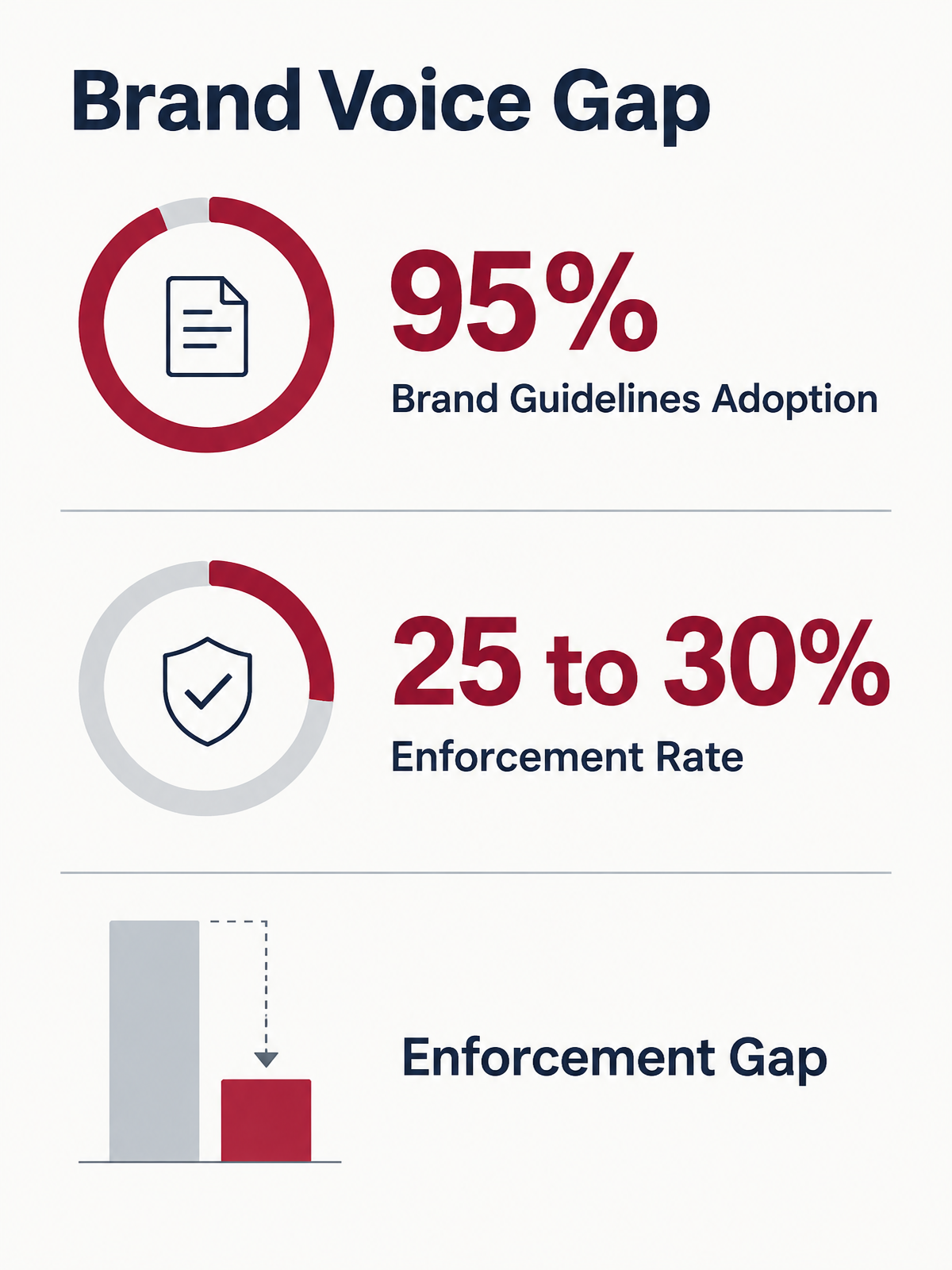
The enforcement gap makes it worse. Many companies keep brand guidelines on paper, but far fewer actively enforce them, and off-brand content still slips through despite documented rules. An agent that pulls from a vague style guide inherits the same failure. Guidelines written for a workshop deck rarely translate into instructions a model can execute.
What actually keeps repurposed content on-brand
Three inputs working together: behavioral rules, an anti-pattern list, and real examples from your own corpus. Adjectives like “friendly” do little for a model. Rules like “use active voice, open with the answer, never hedge with ‘we believe’ when you can say ‘we’ve seen’” give it something to run.
Pair those rules with an anti-pattern list. Feed the agent high-performing but off-brand examples, flagged as what NOT to imitate, so it does not drift toward them. Then add characteristic phrasing pulled from content that already sounds like you. Surface descriptors won’t carry a real voice. The source text will.
Here is where two camps collide. One says plain-language prompting is enough to build a working agent with no code. The other says faithful brand voice needs corpus-level style modeling, because paired training data is hard to build. Both are right about different layers. Use no-code prompting for the workflow. Use ingested examples for voice fidelity. They solve separate problems.
The design choice that pays off later
Consistency builds the trust that turns repurposed content into leads. When a gated teaser, a retargeting email, and a five-day LinkedIn series all sound like one brand, the reader stays in the funnel instead of second-guessing who they’re dealing with.
One more decision matters early. Keep the brand-voice layer decoupled from the model that generates output. You can swap models as they improve without re-teaching your voice each time. For a deeper look at the mechanics, our guide on how AI accelerates content repurposing across channels walks through the full pipeline.
Planning Your Agent: Goals, Content Types, and Platform Targets
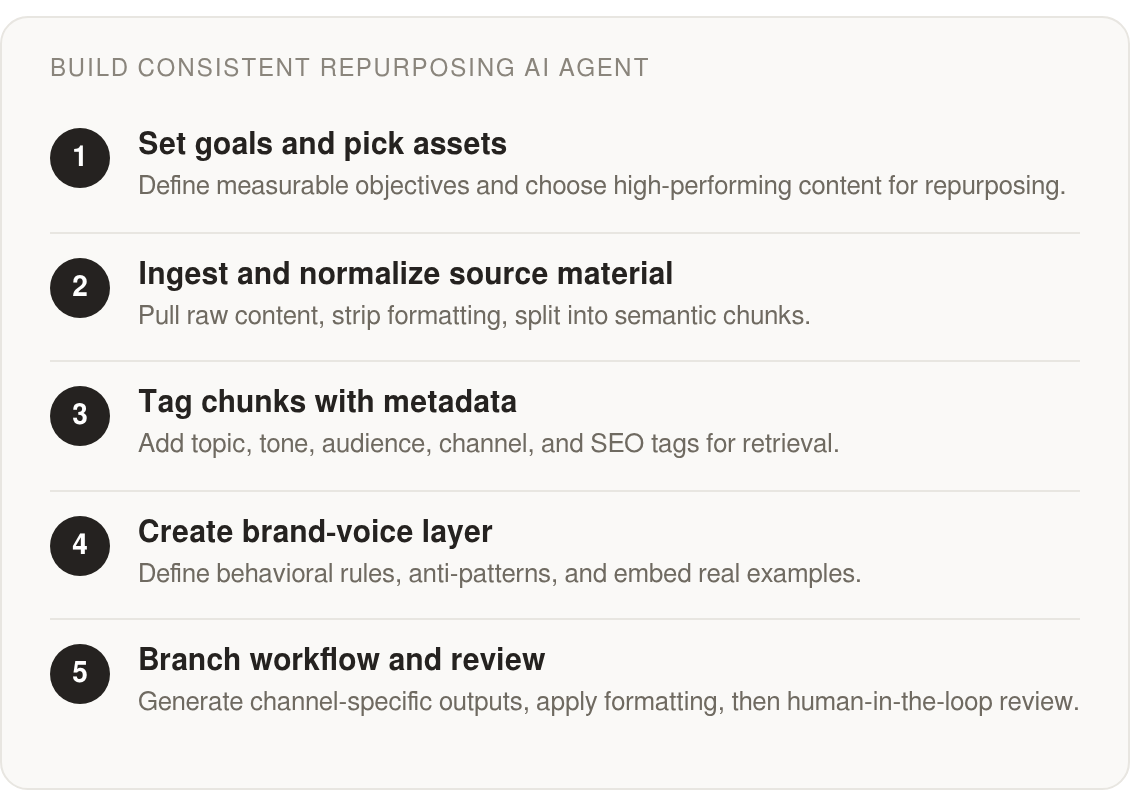
Before you wire up a single automation, get clear on what the agent is actually for. Most teams skip this and end up with a machine that produces volume without direction. Planning is where repurposing stops being a novelty and starts serving local SEO, backlinks, and a voice your audience recognizes.
Start with goals you can defend. “Post more often” tells the agent almost nothing. A goal like “grow organic traffic to service pages by 20% in two quarters” or “cut content-production hours by 40% per campaign” gives every output a job. When the agent knows it exists to feed local search and earn links, it can weight geographic keywords and citation-worthy angles into each draft instead of spraying generic captions.
Pick assets that already have a second life in them
Not every piece deserves the treatment. Prioritize content that already earns traffic, engagement, or shares, because a proven post carries insight worth re-cutting. A long-form guide from last year that still ranks beats a fresh post nobody has tested.
The formats that repurpose cleanest are long-form blogs, webinars, podcasts, and product pages. One webinar becomes short clips, a structured recap article, and an email sequence. A single blog splits into a LinkedIn post, a thread, and an infographic pulled from its stats. Map three target formats per source asset before you build anything.
One pass, but branch per channel
Speed is useful only when it preserves intent. A single uploaded input can create several downstream assets at once, but the agent has to understand that a channel is not just a destination. It’s a different context with different reader expectations.
So keep the single pass, but make it branch. Each channel path should carry its own constraints: caption length, tone, keyword placement, aspect ratio. One template repackaged five ways is the fastest route to flat results. Distinct rules per platform is what protects both performance and local SEO intent.
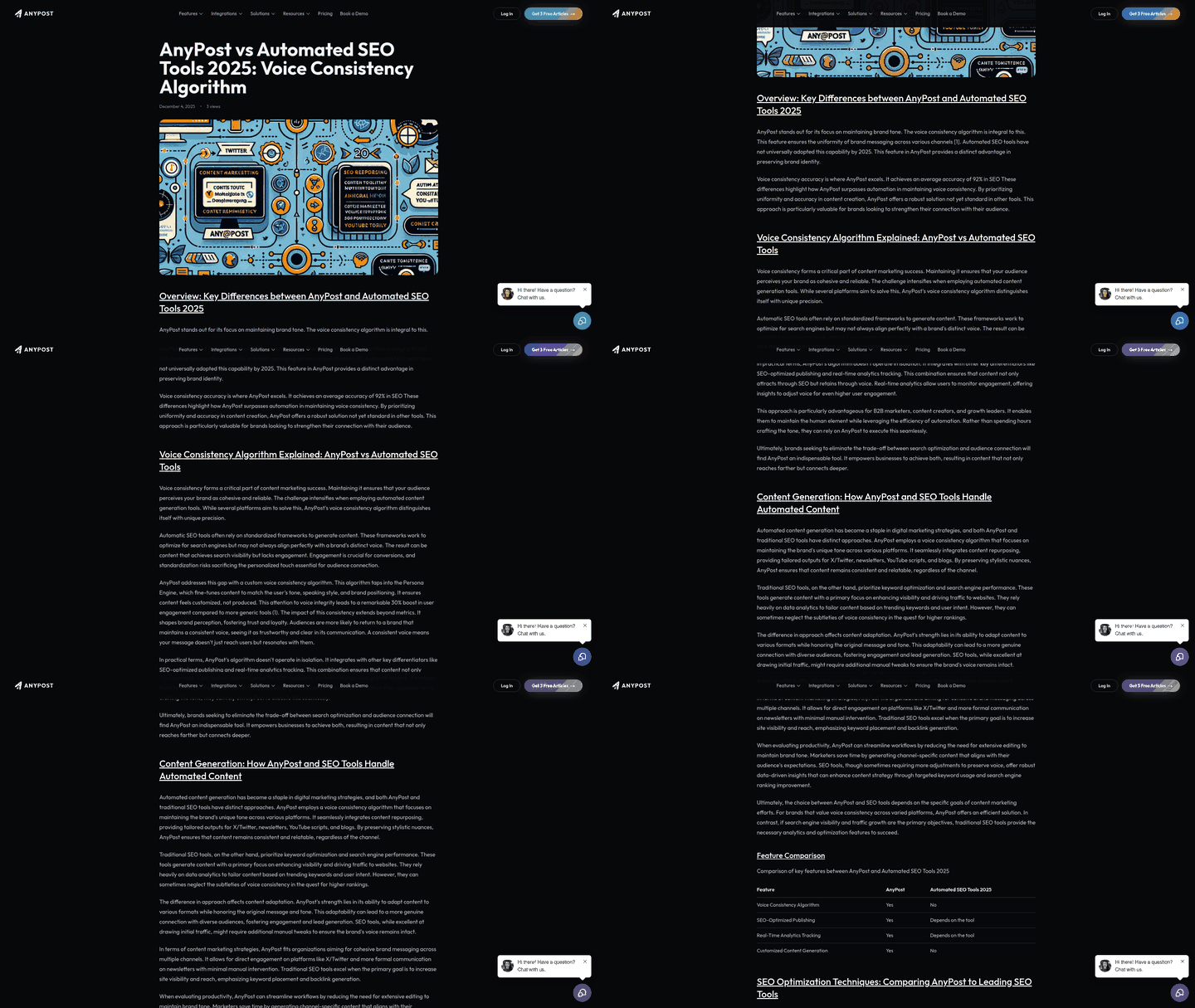
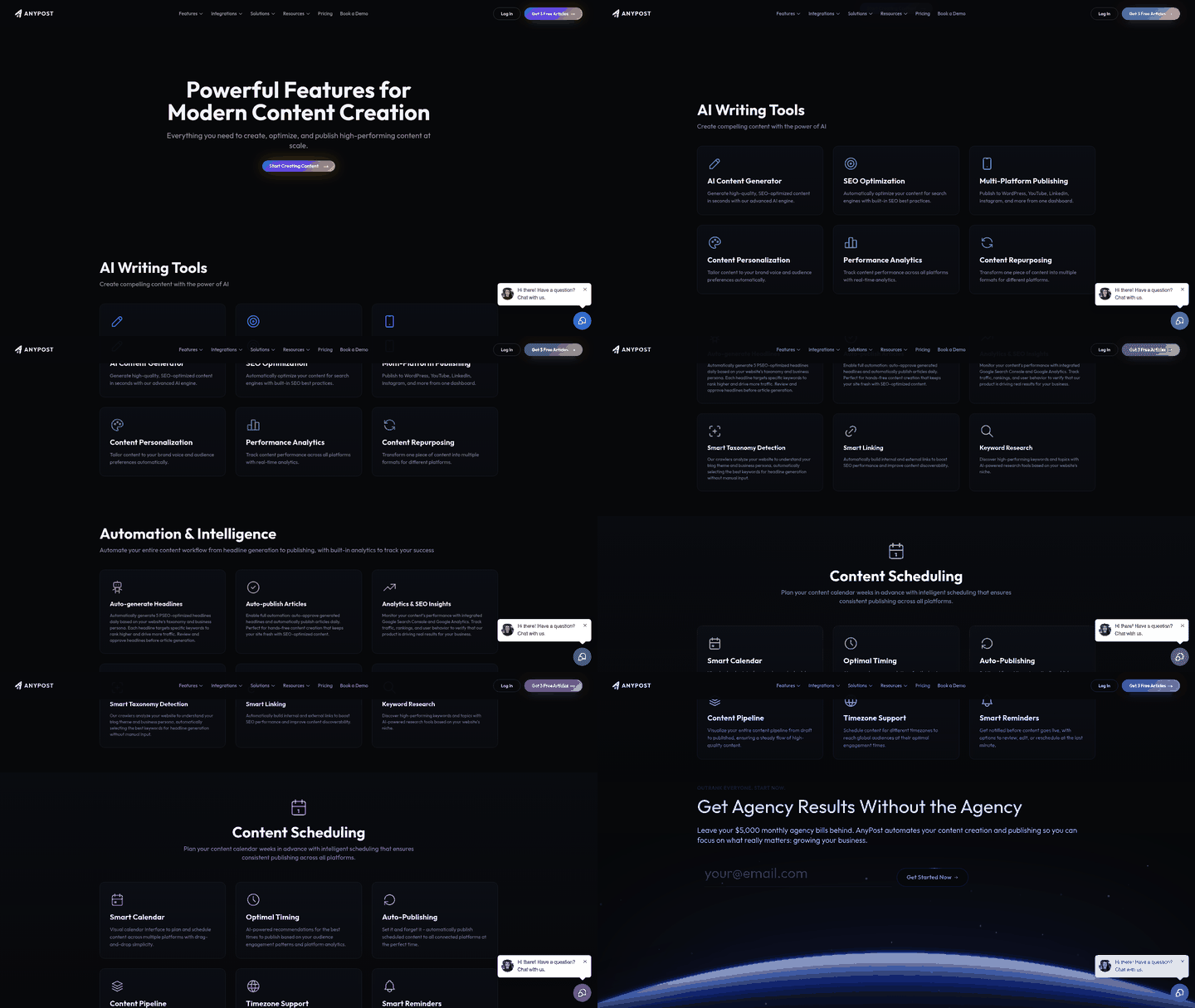
Platforms like AnyPost can be configured to turn one piece of content into carousels and posts, then publish across LinkedIn, X, Instagram, TikTok, and YouTube from a single source.

Two guardrails to bake in from day one
The smartest planning decision is architectural: reference your brand voice through stored examples and explicit rules rather than a model’s default writing style. That keeps the workflow stable as tools change.
Then two more guardrails belong in every build. First, a human review step, since raw AI output can drift off-brand and can pull from stale data that needs verifying before publishing. Second, any disclosure or copyright rules your channels require, so automated posts stay compliant. AI detectors are not a replacement for that review. A human read is a more reliable gate for brand and factual fit.
Building the Knowledge Base: Blogs, Transcripts, and Everything Else
A useful demo starts with something unglamorous: a single PDF holding a blog post, a video script, and a few rough branding notes can be turned into short captions, a LinkedIn post, and email subject lines in a single pass. That’s the whole promise in miniature. The bottleneck is usually not ideas. The material you already have is often the material you underuse.
Your knowledge base turns that one-off demo into a repeatable system. Before the agent can tailor anything for local SEO or brand voice, it needs your source material pulled in, cleaned, and tagged so it can be retrieved on demand.
Pull sources in, then normalize before you store anything
Get the raw material out of wherever it lives first. Blog URLs can come in through scraping tools or a CMS API. Video and podcast content can come in as transcripts. Google Docs, Notion pages, Slack threads, and PDFs all count as source assets, so treat them as first-class inputs, not afterthoughts.
Normalization is the step teams skip and regret. Strip HTML, flatten formatting, and split long documents into semantic chunks that respect your model’s token limits. Chunk on meaning, not character count. A caption pulled from a mangled mid-paragraph fragment will read like it.
Metadata tags are what make channel-specific repurposing possible
A vector store full of clean text still can’t repurpose intelligently without structure. Tag every chunk with the fields your downstream steps will filter on: topic, tone, audience segment, source channel, and geographic focus for local search.
For local SEO branches, tag chunks with city or region, service category, and local intent. For linkable asset branches, tag the original statistic, source URL, data window, and why the angle is citation-worthy. That lets downstream formatters retrieve the right local detail or linkable stat instead of guessing. When the agent knows a chunk is “service-page tone, metro-area audience,” it can weight the right angle instead of averaging everything into mush.
This is also where brand voice gets built properly. The goal isn’t a bigger database. It’s precise retrieval. A blog intro that captures your point of view, a transcript excerpt showing how your team explains an idea, and a service-page paragraph written for a specific region all give the agent different signals.
That is the idea behind tools that crawl your site to build a business context graph of products, messaging, and audience, then match your tone from writing you already have. Capturing voice from real samples can sharpen it faster than listing aspirational adjectives, and it helps keep output sounding like yours.
Keep the voice layer reusable, and lock the store down
Treat brand voice as a reusable asset inside the system, not a one-time prompt buried in a workflow. The knowledge base should serve examples, rules, and exclusions whenever a generation step needs them.
On security: encrypt proprietary content at rest, gate the store behind role-based access, and never let scraped third-party text carry hidden instructions into your prompts. Treat every ingested asset as untrusted until it’s cleaned. Once the layers are in place, platforms like AnyPost can be configured to turn that content into carousels and posts and publish across LinkedIn, X, Instagram, TikTok, and YouTube automatically.
Teaching the Agent Your Brand Voice: Persona, Tone, and Style
Your voice guide is where repurposing either holds together or falls apart. A guide written for a human writer says “bold yet approachable” and trusts a person to fill the gaps. An agent can’t fill gaps. It needs instructions it can execute, not adjectives it has to interpret.
Many companies have brand guidelines, but far fewer actively enforce them. That gap, between documenting a voice and enforcing it, is where off-brand content can slip through despite the rules being on paper. It can widen when a repurposing agent is producing captions, newsletters, and blog drafts faster than anyone can review them.
Why aspirational adjectives fail where behavioral rules work
“Confident” means little to a model. Translate it into behavior. Use active voice. Open with the answer, not a question. State outcomes before methods. Never hedge with “we believe” when you can say “we’ve seen.”
Pair every rule with what you are not. Defining the anti-patterns sharpens voice faster than listing what you are. Collect a short set of high-performing but off-brand examples and tag them as things to avoid, so the agent doesn’t drift toward copy that ranks well elsewhere but reads like a different company. Left untagged, those examples can pull outputs the wrong way.
How to feed the agent a persona it can actually retrieve
Behavioral rules alone won’t carry a genuinely distinctive voice. For complex styles like a brand’s voice, the model often needs characteristic textual patterns pulled from your real corpus, not surface descriptors. Adjective lists miss the rhythm, the sentence shapes, the phrasing that make you sound like you.
So build the persona from three inputs, not one. Behavioral constraints that replace vague adjectives. An anti-pattern list of off-brand examples. And a bank of your actual published copy, annotated so the agent retrieves real sentences as few-shot examples. That third layer is the one most voice guides skip, and it’s the one that moves fidelity.
If you want to go further than retrieval, fine-tuning approaches like LoRA style adapters can help preserve style from your own writing. That’s a more advanced step, and it only makes sense after the simpler pieces work: clean source material, explicit rules, and enough approved examples to teach the system what “good” means for your brand. Store those voice assets so they carry across generation steps, workflow branches, and future model upgrades. Otherwise every tech-stack improvement becomes another round of voice cleanup.
How to confirm the voice actually landed
Don’t trust vibes. Build a scoring rubric before you scale. Rate a sample of outputs on tone match, vocabulary, and structure against your rules, and log which pieces needed heavy rewrites. If a new hire or the agent used your guide tomorrow and produced copy you’d ship without edits, the guide works. If not, it isn’t specific enough yet.
Automated Repurposing Workflows for Each Channel
The temptation is to generate everything in one pass and ship it. You upload a source, the agent creates several formats together, and you’re done in minutes. That efficiency is real, and it’s why no-code agents feel like magic the first time.
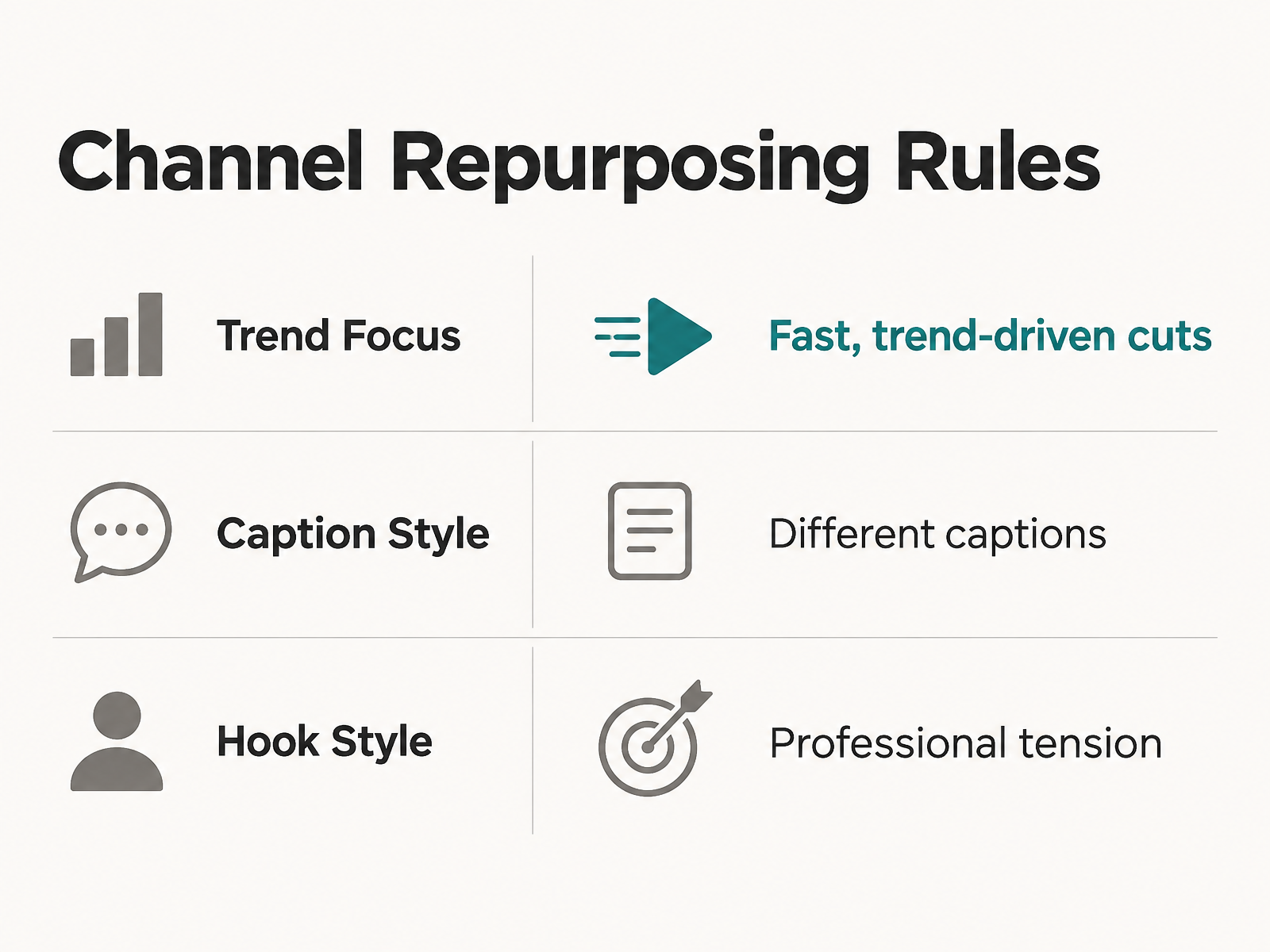
But automation hides a trap. A post that feels natural in one feed can feel lazy in another when the structure, pacing, or hook logic never changes. If your workflow emits one template repackaged three ways, you get reach on paper and flat engagement in practice. The fix: make the pass branch per channel, each branch carrying its own constraints.
How to set per-channel formatting rules
Give each channel its own formatter node before the agent writes a word. A blog post going to LinkedIn should not be copy-pasted whole. Break it into a shorter text post, a carousel, or a question with bullet points that invites replies.
Match the mechanical rules to the platform too. Short-form video needs different captions, aspect ratios, and pacing depending on where it lands. A podcast splits into audiograms for social, an SEO-friendly blog recap, and an email drip built from guest insights. Each output has a job, so each formatter needs a distinct spec, not a shared one.
This is also where local SEO lives. Your blog and recap branches should weight geographic keywords and citation-worthy angles that earn links, while your social branches stay conversational. Same source, different extraction goals.
Worked example: suppose the source asset is a service-area guide for residential solar. For the newsletter branch, configure the prompt to “extract the homeowner’s most common objection from the source and answer it in the brand’s usual point of view, using the local service-area name only when it affects the answer.” For LinkedIn, configure a hook that opens with a specific operational tension from the guide, then ends with one bullet list of the three steps a homeowner can take. For a local SEO blog section, configure the branch to target the page’s metro-area keyword and service category, pull every claim back to the source, and QA for local accuracy. For a backlink pitch, have the branch produce a short note to a local trade publication that references the source asset’s original statistic and states why their readers would benefit from seeing the data. Review criteria for the local page: the location claim must match the source, the keyword must appear naturally in the first paragraph, and no linkable statistic may be restated without the source sentence.
What makes a hook land on one platform and flop on another
Hooks are channel-specific, and this is where most agents get lazy. A LinkedIn opener that frames a professional tension works nothing like a TikTok cold open built for a three-second scroll-stop. Write the hook logic into each branch, not the shared prompt.
Conversational refinement can help here. Some no-code agents let you describe an adjustment in plain language and apply it across a set of outputs at once, without rebuilding the workflow. You can steer hook style the same way, tightening one channel without touching the others.
Which QA gate actually protects your brand
The QA gate should check what the audience will actually notice: whether the piece is accurate, useful, and recognizably yours. A post can pass a mechanical scan and still miss all three.
Human-in-the-loop review remains the most reliable safeguard for accuracy and brand fit together. AI pulls from past data, so it can state things confidently that are wrong or off-brand. Verify before publishing, every time.
Build the channel branches first, then wire review into the places where mistakes cost the most. Our deeper walkthrough on building a repurposing pipeline that feeds four channels weekly shows how those branches connect in practice.

Where to Put Humans So They Catch the Most and Slow You Down Least
Here’s the uncomfortable part about scaling repurposing: the faster your agent produces, the more damage a single bad output can do before anyone notices. Speed without a review gate is just a faster way to publish off-brand copy. So the question isn’t whether to keep humans in the loop. It’s where to place them.
Two failure modes matter most. The first is factual drift. AI pulls from past data, so it can confidently state something outdated or wrong unless you verify before publishing. The second is tone drift, the quieter one. AI-generated content often sounds generic, and generic reads as off-brand the moment it hits a channel where your audience knows your voice.
Why not just run everything through an AI detector
This is the trap most teams fall into. Gating your pipeline with an AI-text detector and auto-approving anything that passes feels efficient. Don’t. Detectors can be unreliable, and a light paraphrasing pass can be enough to make machine copy appear human.
If a detector cannot reliably distinguish machine copy from human copy, it cannot judge on-brand from off-brand or accurate from invented. Detection is the wrong QA gate. Human review is the safeguard that checks the things you actually care about. Route your outputs to a person, not a classifier.
Where the human should actually sit
Not on every piece. That defeats the point of automation. Place review where the stakes and the drift risk are highest, and let confidence signals handle the rest.
A practical setup uses a confidence threshold per output. High-confidence, low-risk items, like a short caption pulled straight from a source sentence, can auto-publish. Anything the agent flags as uncertain, or anything touching claims, stats, or legal-sensitive language, escalates to an editor before it ships. Fact-heavy formats always get a human check, because that’s exactly where AI invents.
Your editor dashboard should make this fast. Show the source next to the generated output so the reviewer can spot-check accuracy without hunting. Surface the target channel and its constraints, since a piece bound for a professional feed needs a different tone than one bound for a casual one. Give one-click approve, edit, or reject. The goal is a reviewer clearing a queue in minutes, not rewriting from scratch.
How to make corrections improve the agent
Every edit an editor makes is training data you’re currently throwing away. Capture it. When a reviewer rewrites a caption or fixes a claim, log the before and after against your voice rules.
Those corrections feed two things. They sharpen your persona and style guide, tightening the instructions the agent runs next time. And they build a record of recurring mistakes, so you can see whether the agent keeps flattening your voice on a specific channel. Treat the review queue as a feedback loop, not a cleanup crew. Fewer edits over time is the signal your safeguards are working.
Skip the elaborate version of this if you’re shipping a handful of pieces a week. A shared doc and a second set of eyes is enough. The confidence-threshold machinery earns its keep only once volume outpaces what one person can eyeball.
Common Questions
1. My team only ships a handful of pieces a week. Do I really need confidence thresholds and review queues?
Not at the start. Keep the workflow proportional: light production can use a simple approval document, clear ownership, and one careful reviewer. Add formal thresholds and queues when volume creates enough risk to justify the extra structure.
2. Can I just run outputs through an AI-text detector instead of human review?
No. Use review time to check the things that affect performance: accuracy, voice match, channel fit, and whether the source actually supports the claim. A detector does not evaluate those editorial questions.
3. Should I repurpose everything I've published, or be selective?
Be selective. Start with assets that already show demand, then turn each one into formats that fit the channel and the buyer journey. The goal is not to recycle the entire archive; it is to extend the useful life of the strongest material.
4. Why decouple the brand-voice layer from the model that generates output?
Because brand voice should be an owned system asset, not a behavior you hope one model keeps forever. Store the voice rules, examples, and exclusions separately so the same identity can guide future workflows, formats, and tools.