Site Explorer vs Content Explorer for Automatic SEO Optimization: Which Ahrefs Workflow Finds Faster Wins

TL;DR
Ahrefs has a large index of backlinks and pages. The actual problem isn't lack of data — it's getting buried in undirected browsing when you're already stretched thin. Research sprawl swallows afternoons and leaves you with a scattered list, not a decision about what to publish next. Site Explorer works best when you already have pages Google trusts; Content Explorer works best when you need topics with proven demand. Teams that pick one tool per session and filter hard for fast-win signals build traffic that compounds. Pages with ranking history move faster than brand-new URLs when refreshed to match current search patterns. Keyword gaps that show up across multiple competitors represent real demand worth addressing, not noise. New sites with minimal existing rankings should skip Site Explorer entirely — it has nothing to analyze yet.
Where teams lose time in Ahrefs
Most teams don't struggle to find data in Ahrefs. They struggle to stop finding it. You open the platform without a clear question, scan backlinks in Site Explorer, jump to Content Explorer for topic ideas, circle back to keyword gaps, and close the tab with a research pile that still needs interpretation before anyone writes a word.
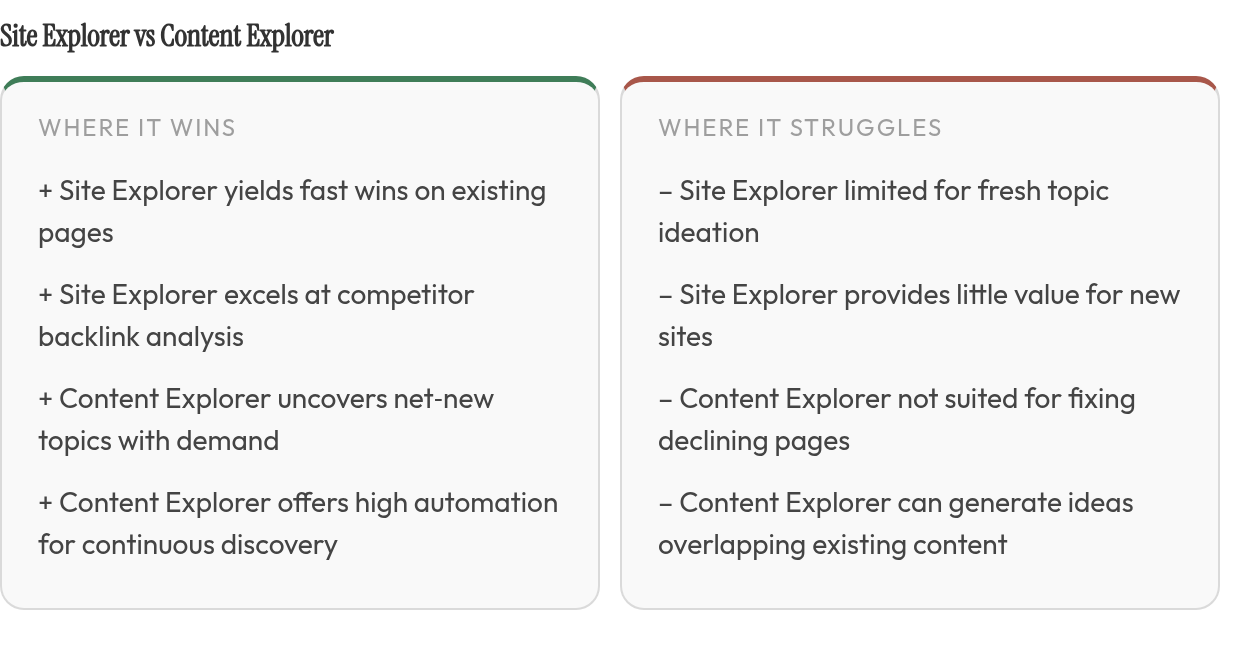
Ahrefs is built for deep research, which is exactly why workflow discipline matters. When every report feels equally urgent, keyword lists become inventory instead of action.
Each tool has its own job, its own filters, and its own definition of what counts as a usable opportunity.
Site Explorer and Content Explorer answer different questions
Site Explorer shows you what's already working in your space and where the gaps are. Content Explorer shows you which topics have traction and which haven't been refreshed in years — giving you an angle in before you've written a word.
| Workflow | Best Used For | Win Type |
|---|---|---|
| Site Explorer | Competitor analysis, backlink gaps, opportunity filters | Faster gains on pages you already own |
| Content Explorer | Topic ideation, low-competition ideas, link prospect research | Net-new content with proven demand and built-in outreach angles |
A Site Explorer session should end with refresh candidates, internal-link fixes, competitor gaps, or link targets. A Content Explorer session should end with net-new topics, outdated assets worth improving on, or outreach angles. Mixing those outcomes too early spreads effort across too many targets. Sequencing them keeps the next content cycle tied to the clearest available opportunity.
Site Explorer: mining keyword and link opportunities you already own
Site Explorer is the right tool when you're already in the game. Your pages exist, your competitors rank, and the question is where the gap between current and potential is closable fast.
Pages with declining traffic usually beat brand-new topics
The quickest wins sit in the Top Pages report, filtered for pages whose traffic recently declined. These URLs already have search history. The first job is diagnosis: did intent shift, did competitors expand the topic, did internal links weaken, or did the page age without a meaningful update? The answer determines whether the fix is a rewrite, a section-level expansion, a stronger comparison table, or a cleaner path from related pages.
For featured snippet candidates, filter Organic Keywords by position to narrow your list to pages already ranking near the top. Those are realistic contenders because Google is already testing them near the top. AI Overview visibility should be reviewed separately — citation opportunities don't always follow the same page-one logic.
Content Gap finds keywords multiple competitors rank for that you don't
The Content Gap tool lets you compare your site against competing domains and isolate terms they cover that you don't. The useful move is not exporting everything. It's sorting the gaps by intent, business value, and whether the missing term belongs on an existing page or deserves its own URL. That distinction prevents the research file from turning into a bloated content calendar.
| Task | Site Explorer | Content Explorer |
|---|---|---|
| Recovering declining pages | Top Pages, traffic filter | Not the right tool |
| Featured snippet candidates | Organic Keywords, position filter | Not the right tool |
| Multi-competitor keyword gaps | Content Gap, multiple sites | Not the right tool |
| Fresh topic ideation | Limited | Keyword and engagement filters |
| Link-building research | Full backlink index | Link prospects, unlinked mentions, broken pages |
For a deeper look at splitting this research across both tools, our comparison guide covers the decision logic step by step.
Hybrid workflow: pairing both tools without doubling your research time
Ahrefs positions Site Explorer as a tool for studying "what's working for any website." That framing matters more than it looks. A weak page isn't a loss to bury — it's a draft worth rerunning. We build our hybrid workflow on that instinct, which is why it starts in Site Explorer, where your existing pages already carry ranking signal.
Content Explorer comes second because ideation can feel productive even when it distracts from easier gains. Once you've mined the pages and queries already attached to your domain, the tool becomes much more useful: it fills the spaces your current library can't reach, instead of creating more topics that compete with what you already own.
Start in Site Explorer, finish in Content Explorer
Run three Site Explorer passes first. Pull pages with declining traffic, keywords where you already rank within striking distance of the top spots, and Content Gap suggestions showing what competitors rank for that you don't. While you're there, check your competitors' top-performing pages to see what drives their organic traffic. Then switch tools for one job: fresh topic ideas that fill the gaps your existing pages can't cover.
Content Explorer earns that second slot because it shows what's being published and getting traction now, which keeps your idea list from going stale. For narrowing those results, our breakdown of Content Explorer filters for low-competition topics goes deeper.
One filter belongs between research and writing: decide whether the opportunity is a refresh, an expansion, or a new asset. A declining page with the same intent as a fresh Content Explorer idea is a refresh; a Content Gap term that fits an existing URL is an expansion; a proven topic your current library can't cover is a new asset. If the answer is unclear, pause before assigning the brief. Most wasted SEO production comes from starting a new article when the better move was improving an older page.
| Signal | Tool | Threshold | Why it wins fast |
|---|---|---|---|
| Declining traffic | Site Explorer | Drop vs. earlier period | Page is already indexed and trusted |
| Striking-distance keywords | Site Explorer | Ranking, but not yet at the top | Ranking signal already exists |
| Content Gap | Site Explorer | Competitor keywords you miss | Demand is proven |
| Competitor top pages | Site Explorer | Highest-traffic competitor pages | Proven format to beat |
| New ideas | Content Explorer | Recent, high-traffic pages | Fills topics you don't cover |
Map one intent per page before anyone writes
Merged lists breed duplicates. A declining page and a fresh Content Explorer idea often chase the same query, and publishing both splits your signals across two URLs. Ahrefs treats potential cannibalization as a separate opportunity, but in practice it's the most common way a hybrid workflow backfires.
Assign one primary intent or keyword cluster to each URL before drafting. If a new idea overlaps an existing page, fold it into the refresh rather than spinning up a competitor to yourself.
When to use Site Explorer vs. Content Explorer
The decision comes down to where your bottleneck sits. If you're sitting on a site with substantial indexed content and inconsistent rankings, mining your own backlog beats chasing new topics. If your site is young with minimal content, use Content Explorer to build your first opportunity map before expecting much from domain-level diagnostics.
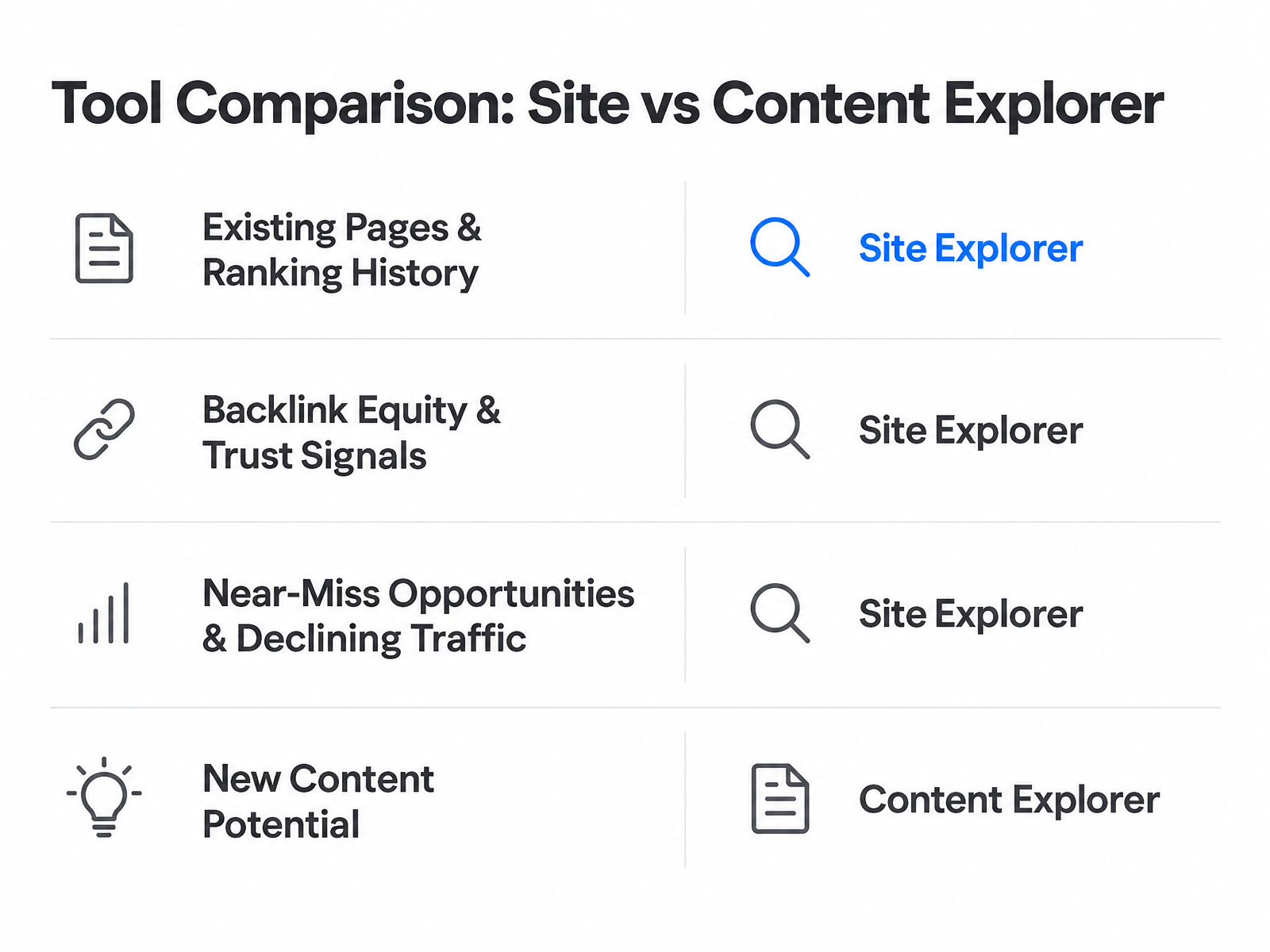
| Tool | Primary Insight Type | Best Use Case | Automation Potential | Fast-Win Examples |
|---|---|---|---|---|
| Site Explorer | Competitor backlink profiles, keyword gaps, declining-page diagnosis | Deep competitor research, backlink opportunity mining, fixing underperforming content | Medium — filters for ranking position, traffic trends, and snippet candidates cut manual triage | Pages ranking near featured snippets; content that dropped after an update; competitor backlink sources linking to multiple rivals but not you |
| Content Explorer | High-performing content discovery, unlinked brand mentions, broken link prospects | Rapid ideation for net-new topics, finding guest post targets, spotting outdated link-bait | High — continuous discovery and daily updates enable automated monitoring | Topics with strong traffic but weak backlink profiles; broken pages with established backlinks; unlinked brand mentions on high-authority sites |
How to sequence the work
Run Site Explorer's Opportunities report first. Pull declining-traffic pages, low-hanging keyword targets, and featured snippet candidates ranking near the top. Prioritize by existing page traffic — a page with meaningful visits that dropped significantly beats a page that never had traction. Refresh content to match current search intent, tighten internal links, and republish.
Once you've cleared the backlog, shift to Content Explorer. Filter for topics with strong traffic but weak backlink profiles — these signal ranking without heavy link-building effort. Target pages that haven't been updated recently; outdated content with existing backlinks makes for high-conversion outreach. Content Explorer's continuous discovery keeps your pipeline full without manual prospecting.
Questions People Ask
When should a new site start with Content Explorer instead of Site Explorer?
Use Content Explorer first when there isn't enough performance history to diagnose. At that stage, the smarter move is to study proven topics in the market, choose achievable angles, and build the initial content base that later gives Site Explorer something useful to evaluate.
How do you prevent keyword cannibalization when using both Site Explorer and Content Explorer?
Create the URL map before briefs are assigned. Each planned page should have a distinct search intent, and any overlapping idea should be merged into the stronger existing asset rather than launched as another article competing for the same query.
What's the difference between targeting featured snippets versus AI Overviews in Site Explorer?
Featured snippets are best approached through pages already close to the top organic results. AI Overview research requires a separate look at citation patterns and competitor visibility, because those mentions can surface under different conditions than traditional snippet wins.
How do you know when to stop optimizing existing pages and shift to creating new content?
Shift once the obvious refresh queue has been handled and remaining pages no longer have clear upside. At that point, Content Explorer is better for finding topics your current library cannot satisfy, especially ideas with visible demand and practical outreach potential.
